lights PONTIAC TORRENT 2007 User Guide
[x] Cancel search | Manufacturer: PONTIAC, Model Year: 2007, Model line: TORRENT, Model: PONTIAC TORRENT 2007Pages: 490, PDF Size: 2.71 MB
Page 172 of 490
Warning Lights, Gages, and
Indicators
This part describes the warning lights and gages
that may be on your vehicle. The pictures will
help you locate them.
Warning lights and gages can signal that something
is wrong before it becomes serious enough to
cause an expensive repair or replacement. Paying
attention to your warning lights and gages could
also save you or others from injury.
Warning lights come on when there may be or
is a problem with one of your vehicle’s functions.
As you will see in the details on the following
pages, some warning lights come on briey when
you start the engine just to let you know they
are working. If you are familiar with this section,
you should not be alarmed when this happens.Gages can indicate when there may be or is a
problem with one of your vehicle’s functions. Often
gages and warning lights work together to let you
know when there is a problem with your vehicle.
When one of the warning lights comes on and
stays on when you are driving, or when one of the
gages shows there may be a problem, check
the section that tells you what to do about
it. Please follow this manual’s advice. Waiting to
do repairs can be costly and even dangerous.
So please get to know your warning lights
and gages. They are a big help.
172
Page 179 of 490
If the word OFF or the off symbol is lit on the
airbag status indicator, it means that the
passenger sensing system has turned off the right
front passenger’s frontal airbag. SeePassenger
Sensing System on page 82for more on this,
including important safety information.
If, after several seconds, all status indicator lights
remain on, or if there are no lights at all, there
may be a problem with the lights or the passenger
sensing system. See your dealer for service.
{CAUTION:
If the off indicator and the airbag
readiness light ever come on together, it
means that something may be wrong with
the airbag system. If this ever happens,
have the vehicle serviced promptly,
because an adult-size person sitting in the
right front passenger seat may not have
the protection of the frontal airbag. See
Airbag Readiness Light on page 176.
Battery Warning Light
The battery warning light
will come on briey as a
check, when you turn on
the ignition. Then it
should go out when the
engine is started.
If the light does not come on when you start your
vehicle, have your vehicle serviced right away.
This condition may indicate your battery warning
light is not functioning properly. If this light
comes on while you are driving, be sure to turn off
accessories such as the radio and climate
control system. Have your vehicle serviced right
away. The SERVICE BATTERY CHARGING
SYSTEM message may also appear in the Driver
Information Center. SeeDIC Warnings and
Messages on page 200for more information.
179
Page 212 of 490
AUTO UNLOCK
This feature allows you to select whether or not to
turn off the automatic door unlocking feature.
It also allows you to select which doors and when
the doors will automatically unlock. See
Programmable Automatic Door Locks on page 105
for more information.
Press the vehicle information button until AUTO
UNLOCK appears on the DIC display. Press
the set/reset button to access the settings for this
feature. Then press the vehicle information
button to scroll through the following settings:
OFF:None of the doors will automatically unlock.
DRIVER AT KEY OUT:Only the driver’s door
will unlock when the key is taken out of the
ignition.
DRIVER IN PARK:Only the driver’s door will
unlock when the vehicle is shifted into PARK (P).
ALL AT KEY OUT:All of the doors will unlock
when the key is taken out of the ignition.
ALL IN PARK (default):All of the doors will
unlock when the vehicle is shifted into PARK (P).NO CHANGE:No change will be made to this
feature. The current setting will remain.
Choose one of the available settings and press
the set/reset button while it is displayed on the DIC
to select it.
REMOTE LOCK
This feature allows you to select the type of
feedback you will receive when locking the vehicle
with the Remote Keyless Entry (RKE) transmitter.
You will not receive feedback when locking
the vehicle with the RKE transmitter if any of the
doors are open. SeeRemote Keyless Entry (RKE)
System Operation on page 97for more
information.
Press the vehicle information button until REMOTE
LOCK appears on the DIC display. Press the
set/reset button to access the settings for
this feature. Then press the vehicle information
button to scroll through the following settings:
OFF:There will be no feedback when you press
the lock button on the RKE transmitter.
LIGHTS ONLY:The exterior lamps will ash
when you press the lock button on the RKE
transmitter.
212
Page 213 of 490
HORN ONLY:The horn will sound on the second
press of the lock button on the RKE transmitter.
HORN & LIGHTS (default):The exterior
lamps will ash when you press the lock button on
the RKE transmitter, and the horn will sound
when the lock button is pressed again within
ve seconds of the previous command.
NO CHANGE:No change will be made to this
feature. The current setting will remain.
Choose one of the available settings and press
the set/reset button while it is displayed on the DIC
to select it.
REMOTE UNLOCK
This feature allows you to select the type of
feedback you will receive when unlocking the
vehicle with the RKE transmitter. You will
not receive feedback when unlocking the vehicle
with the RKE transmitter if the doors are open. See
Remote Keyless Entry (RKE) System Operation
on page 97for more information.Press the vehicle information button until REMOTE
UNLOCK appears on the DIC display. Press the
set/reset button to access the settings for this
feature. Then press the vehicle information button
to scroll through the following settings:
LIGHTS OFF:The exterior lamps will not ash
when you press the unlock button on the
RKE transmitter.
LIGHTS ON (default):The exterior lamps will
ash when you press the unlock button on
the RKE transmitter.
NO CHANGE:No change will be made to this
feature. The current setting will remain.
Choose one of the available settings and press
the set/reset button while it is displayed on the DIC
to select it.
213
Page 215 of 490
2 MINUTES:The exterior lamps will stay on for
two minutes.
NO CHANGE:No change will be made to this
feature. The current setting will remain.
Choose one of the available settings and press
the set/reset button while it is displayed on the DIC
to select it.
APPROACH LIGHTING
This feature allows you to select whether or not to
have the exterior lights turn on briey during
low light periods after unlocking the vehicle using
the RKE transmitter.
Press the vehicle information button until
APPROACH LIGHTING appears on the DIC
display. Press the set/reset button to access the
settings for this feature. Then press the vehicle
information button to scroll through the following
settings:
OFF:The exterior lights will not turn on when you
unlock the vehicle with the RKE transmitter.
ON (default):If it is dark enough outside, the
exterior lights will turn on briey when you unlock
the vehicle with the RKE transmitter.The lights will remain on for 20 seconds or until
the lock button on the RKE transmitter is pressed,
or the vehicle is no longer off. SeeRemote
Keyless Entry (RKE) System Operation on page 97
for more information.
NO CHANGE:No change will be made to this
feature. The current setting will remain.
Choose one of the available settings and press
the set/reset button while it is displayed on the DIC
to select it.
CHIME VOLUME
This feature allows you to select the volume level
of the chime.
Press the vehicle information button until CHIME
VOLUME appears on the DIC display. Press
the set/reset button to access the settings for this
feature. Then press the vehicle information
button to scroll through the following settings:
NORMAL (default):The chime volume will be set
to a normal level.
LOUD:The chime volume will be set to a loud
level.
215
Page 307 of 490
No one can see as well at night as in the daytime.
But as we get older these differences increase.
A 50-year-old driver may require at least twice as
much light to see the same thing at night as a
20-year-old.
What you do in the daytime can also affect your
night vision. For example, if you spend the
day in bright sunshine you are wise to wear
sunglasses. Your eyes will have less trouble
adjusting to night. But if you are driving, do not
wear sunglasses at night. They may cut down on
glare from headlamps, but they also make a
lot of things invisible.
You can be temporarily blinded by approaching
headlamps. It can take a second or two, or
even several seconds, for your eyes to re-adjust
to the dark. When you are faced with severe glare,
as from a driver who does not lower the high
beams, or a vehicle with misaimed headlamps,
slow down a little. Avoid staring directly into
the approaching headlamps.Keep the windshield and all the glass on your
vehicle clean — inside and out. Glare at night is
made much worse by dirt on the glass. Even
the inside of the glass can build up a lm caused
by dust. Dirty glass makes lights dazzle and
ash more than clean glass would, making the
pupils of your eyes contract repeatedly.
Remember that the headlamps light up far less of a
roadway when you are in a turn or curve. Keep your
eyes moving; that way, it is easier to pick out dimly
lighted objects. Just as the headlamps should be
checked regularly for proper aim, so should your
eyes be examined regularly. Some drivers suffer
from night blindness — the inability to see in dim
light — and are not even aware of it.
307
Page 357 of 490
Automatic Transaxle Fluid
It is not necessary to check the transaxle uid
level. A transaxle uid leak is the only reason for
uid loss. If a leak occurs, take your vehicle to
the dealership service department and have
it repaired as soon as possible.
Change the uid at the intervals listed inAdditional
Required Services on page 443, and be sure to
use the transaxle uid listed inRecommended
Fluids and Lubricants on page 449.
Notice:Use of the incorrect automatic
transaxle uid may damage your vehicle, and
the damages may not be covered by your
warranty. Always use the automatic transaxle
uid listed inRecommended Fluids and
Lubricants on page 449.
Engine Coolant
The cooling system in your vehicle is lled with
DEX-COOL®engine coolant. This coolant is
designed to remain in your vehicle for ve years or
150,000 miles (240 000 km), whichever occurs
rst, if you add only DEX-COOL
®extended
life coolant.The following explains your cooling system and
how to add coolant when it is low. If you have
a problem with engine overheating, seeEngine
Overheating on page 360.
A 50/50 mixture of clean, drinkable water and
DEX-COOL
®coolant will:
Give freezing protection down to−34°F
(−37°C).
Give boiling protection up to 265°F (129°C).
Protect against rust and corrosion.
Help keep the proper engine temperature.
Let the warning lights and gages work as they
should.
Notice:Using coolant other than DEX-COOL
®
may cause premature engine, heater core,
or radiator corrosion. In addition, the engine
coolant may require changing sooner, at
the rst maintenance service after each
30,000 miles (50 000 km) or 24 months,
whichever occurs rst. Any repairs would not
be covered by your warranty. Always use
DEX-COOL
®(silicate-free) coolant in your
vehicle.
357
Page 433 of 490
Fuses Usage
7 Driver’s Side Turn Signal
8 Door Locks
9Automatic Occupant Sensing
Module
10 Power Mirrors
11 Passenger’s Side Turn Signal
12 Amplier
13 Steering Wheel Illumination
SPARE Spare
SPARE Spare
SPARE Spare
SPARE Spare
SPARE Spare
14 Infotainment
15Climate Control System, Remote
Function Actuator
16 Canister Vent
17 Radio
18 ClusterFuses Usage
19 Ignition Switch
20 Body Control Module
21 OnStar
®
22Center High-Mounted Stoplamp,
Dimmer
23 Interior Lights
Relays Usage
RAP RLY Retained Accessory Power Relay
REAR DEFOG
RLYRear Defogger Relay
Circuit
BreakersUsage
PWR WNDW Power Windows
PWR SEATS Power Seats
EMPTY Empty
Misc. Usage
PLR Fuse Puller
433
Page 490 of 490
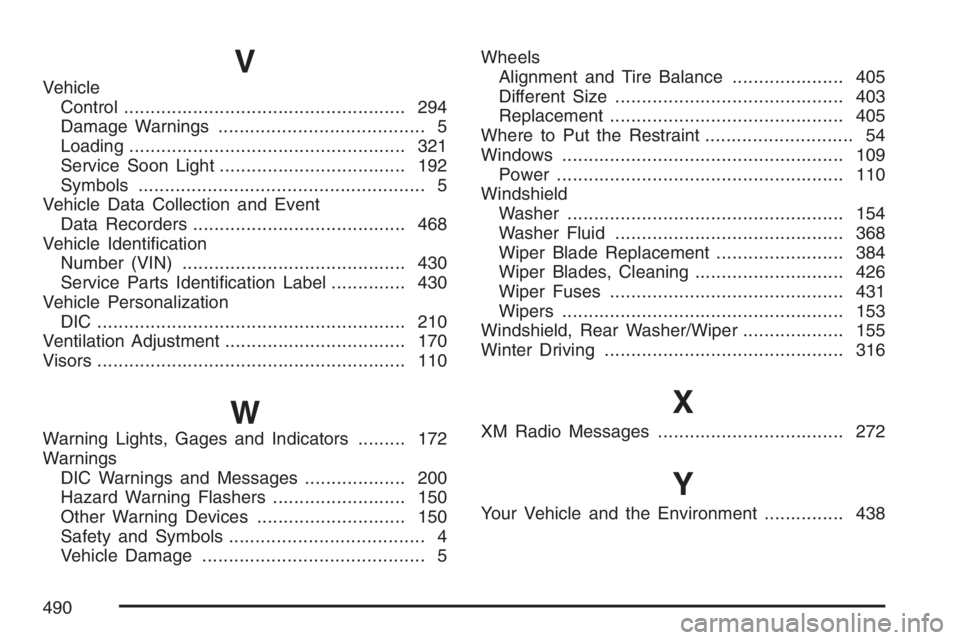
V
Vehicle
Control..................................................... 294
Damage Warnings....................................... 5
Loading.................................................... 321
Service Soon Light................................... 192
Symbols...................................................... 5
Vehicle Data Collection and Event
Data Recorders........................................ 468
Vehicle Identication
Number (VIN).......................................... 430
Service Parts Identication Label.............. 430
Vehicle Personalization
DIC .......................................................... 210
Ventilation Adjustment.................................. 170
Visors.......................................................... 110
W
Warning Lights, Gages and Indicators......... 172
Warnings
DIC Warnings and Messages................... 200
Hazard Warning Flashers......................... 150
Other Warning Devices............................ 150
Safety and Symbols..................................... 4
Vehicle Damage.......................................... 5Wheels
Alignment and Tire Balance..................... 405
Different Size........................................... 403
Replacement............................................ 405
Where to Put the Restraint............................ 54
Windows..................................................... 109
Power...................................................... 110
Windshield
Washer.................................................... 154
Washer Fluid........................................... 368
Wiper Blade Replacement........................ 384
Wiper Blades, Cleaning............................ 426
Wiper Fuses............................................ 431
Wipers..................................................... 153
Windshield, Rear Washer/Wiper................... 155
Winter Driving............................................. 316
X
XM Radio Messages................................... 272
Y
Your Vehicle and the Environment............... 438
490