roof PONTIAC TORRENT 2007 User Guide
[x] Cancel search | Manufacturer: PONTIAC, Model Year: 2007, Model line: TORRENT, Model: PONTIAC TORRENT 2007Pages: 490, PDF Size: 2.71 MB
Page 90 of 490
Restraint System Check
Checking the Restraint Systems
Now and then, make sure the safety belt reminder
light and all your belts, buckles, latch plates,
retractors and anchorages are working properly.
Look for any other loose or damaged safety
belt system parts. If you see anything that might
keep a safety belt system from doing its job, have
it repaired. SeeCare of Safety Belts on page 424
for more information.
Torn or frayed safety belts may not protect you in
a crash. They can rip apart under impact forces.
If a belt is torn or frayed, get a new one right away.
Also look for any opened or broken airbag
covers, and have them repaired or replaced. The
airbag system does not need regular maintenance.Notice:If you damage the covering for the
driver’s or the right front passenger’s airbag, or
the side impact airbag covering (if equipped) on
the ceiling near the side windows, the airbag
may not work properly. You may have to replace
the airbag module in the steering wheel, both
the airbag module and the instrument panel for
the right front passenger’s airbag, or side
impact airbag module and ceiling covering for
roof-mounted side impact airbags (if equipped.)
Do not open or break the airbag coverings.
90
Page 94 of 490
OnStar®System.......................................... 133
Storage Areas............................................. 137
Glove Box................................................. 137
Cupholder(s).............................................. 137
Center Console Storage Area.................... 138
Luggage Carrier........................................ 138Rear Compartment Storage Panel/Cover ... 140
Rear Seat Armrest.................................... 141
Table........................................................ 142
Convenience Net....................................... 143
Sunroof....................................................... 143
Section 2 Features and Controls
94
Page 116 of 490
Key In the Ignition
Never leave your vehicle with the keys inside, as it
is an easy target for joy riders or thieves. If you
leave the key in the ignition and park your vehicle,
a chime will sound, when you open the driver’s
door. Always remember to remove your key from
the ignition and take it with you. This will lock
your ignition and transaxle. Also, always remember
to lock the doors.
The battery could be drained if you leave the key
in the ignition while your vehicle is parked.
You may not be able to start your vehicle after it
has been parked for an extended period of time.
Retained Accessory Power (RAP)
Your vehicle has a Retained Accessory
Power (RAP) feature which will allow the radio,
power windows and sunroof to continue to work up
to 10 minutes after the ignition is turned off or
the driver’s door is opened.
All these features will work when the ignition key
is in RUN or ACC.
Starting the Engine
Place the transaxle in the proper gear.
Automatic Transaxle
Move your shift lever to PARK (P) or
NEUTRAL (N). Your engine will not start in
any other position — this is a safety feature.
To restart when you are already moving,
use NEUTRAL (N) only.
Notice:Shifting into PARK (P) with the vehicle
moving could damage the transaxle. Shift into
PARK (P) only when your vehicle is stopped.
Manual Transaxle
The shift lever should be in the neutral position
and the parking brake engaged. Hold the
clutch pedal to the oor and start the engine. Your
vehicle will not start if the clutch pedal is not all
the way down. That is a safety feature.
Starting Procedure
1. With your foot off the accelerator pedal, turn
the ignition key to START. When the engine
starts, let go of the key. The idle speed will go
down as your engine gets warm. Do not
race the engine immediately after starting it.
Operate the engine and transaxle gently
to allow the oil to warm up and lubricate all
moving parts.
116
Page 138 of 490
Center Console Storage Area
Your vehicle has a center console armrest with
storage area. Use the lever on the front of
the console to open it.
Luggage Carrier
{CAUTION:
If you try to carry something on top of
your vehicle that is longer or wider than
the luggage carrier — like paneling,
plywood, a mattress and so forth — the
wind can catch it as you drive along. This
can cause you to lose control. What you
are carrying could be violently torn off,
and this could cause you or other drivers
to have a collision, and of course damage
your vehicle. You may be able to carry
something like this inside. But, never
carry something longer or wider than the
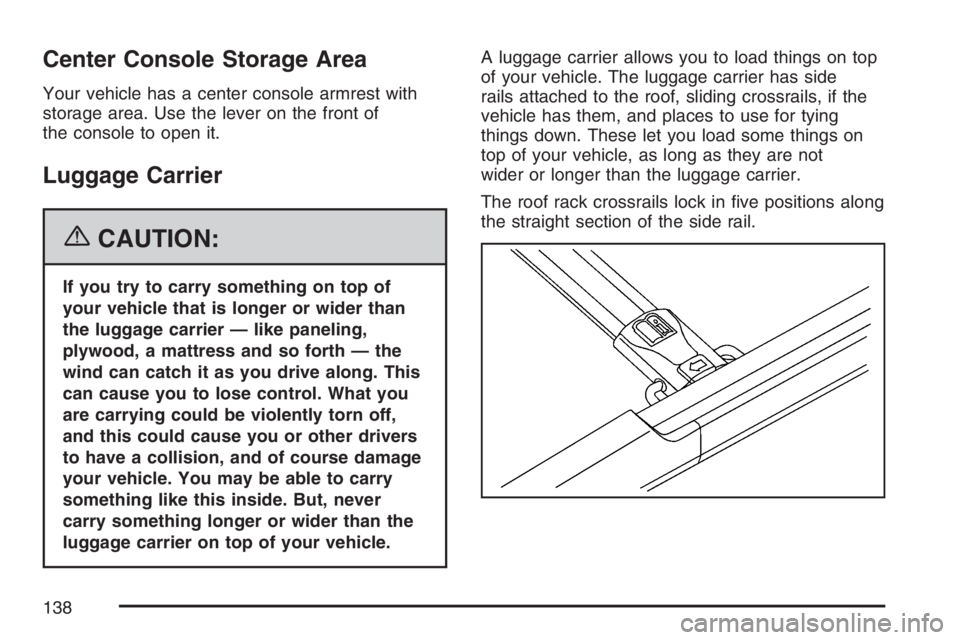
luggage carrier on top of your vehicle.A luggage carrier allows you to load things on top
of your vehicle. The luggage carrier has side
rails attached to the roof, sliding crossrails, if the
vehicle has them, and places to use for tying
things down. These let you load some things on
top of your vehicle, as long as they are not
wider or longer than the luggage carrier.
The roof rack crossrails lock in ve positions along
the straight section of the side rail.
138
Page 143 of 490
Convenience Net
Your vehicle may have a rear compartment net to
prevent items from rolling under the rear seat.
There may also be four convenience net tie-downs.
Two tie-downs are located on the side trim just
behind the rear seat and the other two are located
on the oor at the rear of the cargo area.
Sunroof
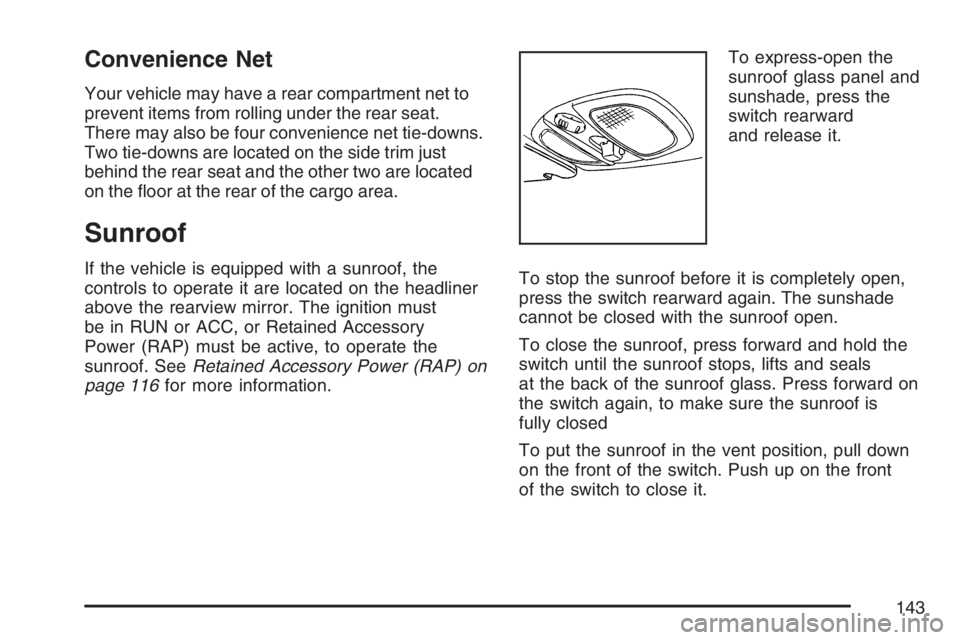
If the vehicle is equipped with a sunroof, the
controls to operate it are located on the headliner
above the rearview mirror. The ignition must
be in RUN or ACC, or Retained Accessory
Power (RAP) must be active, to operate the
sunroof. SeeRetained Accessory Power (RAP) on
page 116for more information.To express-open the
sunroof glass panel and
sunshade, press the
switch rearward
and release it.
To stop the sunroof before it is completely open,
press the switch rearward again. The sunshade
cannot be closed with the sunroof open.
To close the sunroof, press forward and hold the
switch until the sunroof stops, lifts and seals
at the back of the sunroof glass. Press forward on
the switch again, to make sure the sunroof is
fully closed
To put the sunroof in the vent position, pull down
on the front of the switch. Push up on the front
of the switch to close it.
143
Page 288 of 490
Care of Your CDs and DVDs
Handle CDs carefully. Store them in their original
cases or other protective cases and away from
direct sunlight and dust. The CD player scans the
bottom surface of the disc. If the surface of a
CD is damaged, such as cracked, broken,
or scratched, the CD does not play properly or not
at all. If the surface of a CD is soiled, take a
soft, lint free cloth or dampen a clean, soft cloth in
a mild, neutral detergent solution mixed with
water, and clean it. Make sure the wiping process
starts from the center to the edge.
Do not touch the bottom side of a CD while
handling it; this could damage the surface. Pick up
CDs by grasping the outer edges or the edge of
the hole and the outer edge.
Care of the CD and DVD Player
The use of CD lens cleaners for CDs is not
advised, due to the risk of contaminating the lens
of the CD optics with lubricants internal to the
CD mechanism.
Multi-Band Antenna
The multi-band antenna is located on the roof of
your vehicle. This type of antenna is used with
an AM/FM radio, and if your vehicle has the
OnStar
®and/or the XM™ Satellite Radio Service
System. Keep this antenna clear of snow and
ice build up for clear radio reception. If your vehicle
has a sunroof, the performance of the radio
system may be affected if the sunroof is open.
Loading items onto the roof of your vehicle
can interfere with the performance of the radio
system and, if your vehicle has this feature,
OnStar
®. Make sure the multi-band antenna is not
obstructed.
288
Page 432 of 490
Instrument Panel Fuse Block
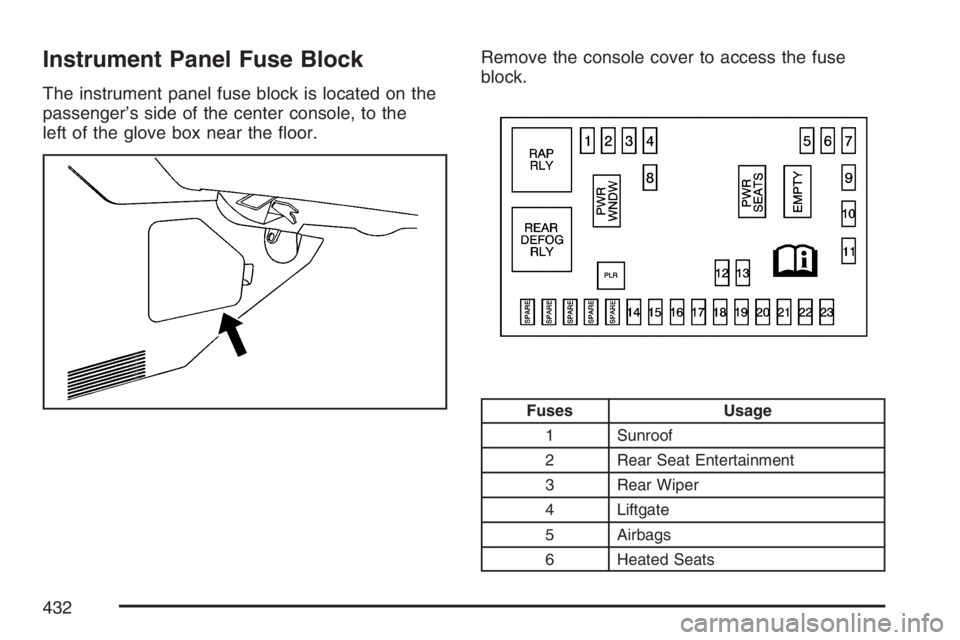
The instrument panel fuse block is located on the
passenger’s side of the center console, to the
left of the glove box near the oor.Remove the console cover to access the fuse
block.
Fuses Usage
1 Sunroof
2 Rear Seat Entertainment
3 Rear Wiper
4 Liftgate
5 Airbags
6 Heated Seats
432
Page 488 of 490
Service........................................................ 339
Accessories and Modications.................. 339
Adding Equipment to the Outside of
Your Vehicle......................................... 341
All-Wheel-Drive Light................................ 191
California Proposition 65 Warning............. 340
Doing Your Own Work............................. 340
Engine Soon Light................................... 184
Publications Ordering Information............. 474
Vehicle Soon Light................................... 192
Servicing Your Airbag-Equipped Vehicle......... 88
Setting the Time.......................................... 220
Sheet Metal Damage................................... 427
Shifting Into Park (P)................................... 123
Shifting Out of Park (P)............................... 125
Shoulder Belt Height Adjuster........................ 34
Signals, Turn and Lane-Change.................. 152
Spare Tire
Compact.................................................. 420
Installing.................................................. 411
Removing................................................ 409
Storing..................................................... 418
Specications, Capacities............................ 436
Speedometer............................................... 174
Split Folding Rear Seat................................. 17
StabiliTrak
®System..................................... 298
Starting Your Engine................................... 116Steering...................................................... 300
Steering Wheel Controls, Audio................... 285
Steering Wheel, Tilt Wheel.......................... 151
Storage Areas
Center Console Storage Area................... 138
Convenience Net..................................... 143
Cupholder(s)............................................ 137
Glove Box................................................ 137
Luggage Carrier....................................... 138
Rear Compartment Storage Panel/Cover.... 140
Rear Seat Armrest................................... 141
Table....................................................... 142
Stuck in Sand, Mud, Ice, or Snow............... 320
Sun Visors.................................................. 110
Sunroof....................................................... 143
T
Table........................................................... 142
Tachometer................................................. 174
Taillamps
Turn Signal, Stoplamps and
Back-up Lamps..................................... 382
TCS Warning Light...................................... 182
Theft-Deterrent, Radio................................. 285
Theft-Deterrent Systems.............................. 111
Content Theft-Deterrent............................ 111
488