brake PONTIAC TORRENT 2007 Owner's Manual
[x] Cancel search | Manufacturer: PONTIAC, Model Year: 2007, Model line: TORRENT, Model: PONTIAC TORRENT 2007Pages: 490, PDF Size: 2.71 MB
Page 294 of 490
Control of a Vehicle
You have three systems that make your vehicle go
where you want it to go. They are the brakes, the
steering, and the accelerator. All three systems
have to do their work at the places where the tires
meet the road.
Sometimes, as when you are driving on snow or
ice, it is easy to ask more of those control systems
than the tires and road can provide. That means
you can lose control of your vehicle. SeeTraction
Control System (TCS) on page 297.
Adding non-GM accessories can affect your
vehicle’s performance. SeeAccessories and
Modications on page 339.
Braking
SeeBrake System Warning Light on page 180.
Braking action involves perception time and
reaction time.
First, you have to decide to push on the brake
pedal. That is perception time. Then you have to
bring up your foot and do it. That is reaction time.
Average reaction time is about three-fourths of a
second. But that is only an average. It might be less
with one driver and as long as two or three seconds
or more with another. Age, physical condition,
alertness, coordination, and eyesight all play a part.
So do alcohol, drugs, and frustration. But even in
three-fourths of a second, a vehicle moving at
60 mph (100 km/h) travels 66 feet (20 m). That
could be a lot of distance in an emergency, so
keeping enough space between your vehicle and
others is important.
And, of course, actual stopping distances vary
greatly with the surface of the road, whether it is
pavement or gravel; the condition of the road,
whether it is wet, dry, or icy; tire tread; the
condition of the brakes; the weight of the vehicle;
and the amount of brake force applied.
294
Page 295 of 490
Avoid needless heavy braking. Some people drive
in spurts — heavy acceleration followed by
heavy braking — rather than keeping pace with
traffic. This is a mistake. The brakes may not have
time to cool between hard stops. The brakes
will wear out much faster if you do a lot of heavy
braking. If you keep pace with the traffic and
allow realistic following distances, you will
eliminate a lot of unnecessary braking. That means
better braking and longer brake life.
If your vehicle’s engine ever stops while you are
driving, brake normally but do not pump the
brakes. If you do, the pedal may get harder to
push down. If the engine stops, you will still have
some power brake assist. But you will use it
when you brake. Once the power assist is used
up, it may take longer to stop and the brake pedal
will be harder to push.
Adding non-GM accessories can affect your
vehicle’s performance. SeeAccessories and
Modications on page 339.Anti-Lock Brake System (ABS)
Your vehicle has the Anti-Lock Brake System
(ABS), an advanced electronic braking system
that will help prevent a braking skid.
When you start your engine and begin to drive
away, ABS will check itself. You may hear a
momentary motor or clicking noise while this test
is going on, and you may even notice that
your brake pedal moves a little. This is normal.
If there is a problem
with ABS, this warning
light will stay on.
SeeAnti-Lock Brake
System Warning
Light on page 181.
295
Page 296 of 490
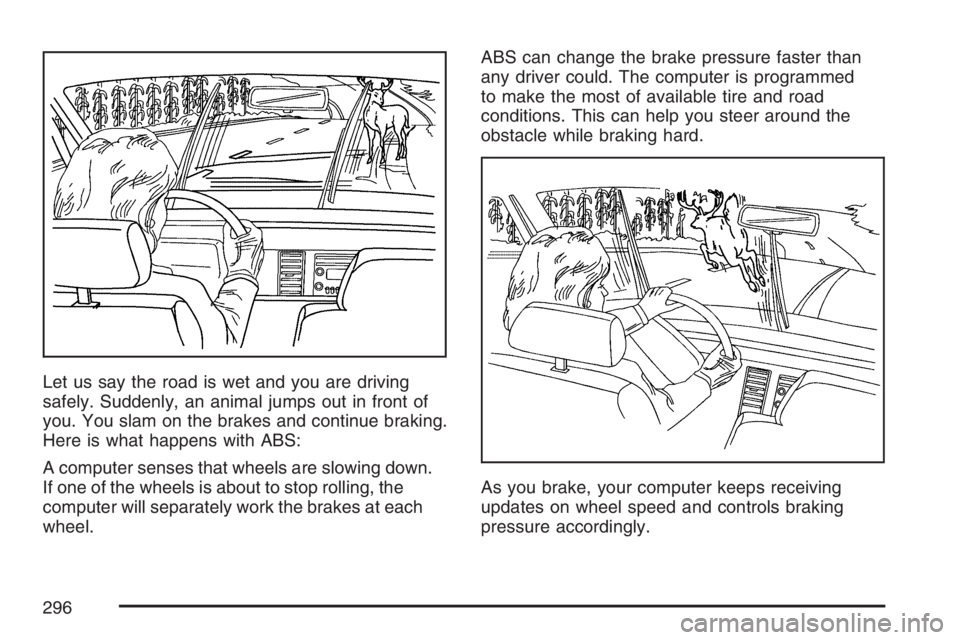
Let us say the road is wet and you are driving
safely. Suddenly, an animal jumps out in front of
you. You slam on the brakes and continue braking.
Here is what happens with ABS:
A computer senses that wheels are slowing down.
If one of the wheels is about to stop rolling, the
computer will separately work the brakes at each
wheel.ABS can change the brake pressure faster than
any driver could. The computer is programmed
to make the most of available tire and road
conditions. This can help you steer around the
obstacle while braking hard.
As you brake, your computer keeps receiving
updates on wheel speed and controls braking
pressure accordingly.
296
Page 297 of 490
Remember: ABS does not change the time you
need to get your foot up to the brake pedal
or always decrease stopping distance. If you get
too close to the vehicle in front of you, you will not
have time to apply your brakes if that vehicle
suddenly slows or stops. Always leave enough
room up ahead to stop, even though you
have ABS.
Using ABS
Do not pump the brakes. Just hold the brake pedal
down rmly and let anti-lock work for you. You may
hear the anti-lock pump or motor operate, and feel
the brake pedal pulsate, but this is normal.
Braking in Emergencies
With ABS, you can steer and brake at the same
time. In many emergencies, steering can help you
more than even the very best braking.
Traction Control System (TCS)
Your vehicle has a traction control system that
limits wheel spin. This is especially useful in
slippery road conditions. The system operates only
if it senses that one or more of the wheels are
spinning or beginning to lose traction. When this
happens, the system works the brakes and
reduces engine power to limit wheel spin.
This light will come on
when your traction
control system is limiting
wheel spin.
You may feel or hear the system working, but this
is normal.
297
Page 298 of 490
The traction control system automatically comes
on whenever you start your vehicle. To limit wheel
spin, especially in slippery road conditions, you
should always leave the system on. But you
can turn the traction control system off if you ever
need to. You should turn the system off if your
vehicle ever gets stuck in sand, mud, ice or snow
and rocking the vehicle is required. SeeRocking
Your Vehicle to Get It Out on page 321.
The traction control
system can be turned
off by pressing the
traction control button,
located next to the
gear shift lever.
The traction control system can be activated again
by pressing the traction control button.
If the system is limiting wheel spin when you
press the button, the traction control off light will
appear on the instrument panel cluster. The
system will not turn off until there is no longer a
current need to limit wheel spin. You can turn the
system back on at any time by pressing thebutton again. If the light does not come on, you
may not have traction control and your vehicle
should be serviced by a dealer.
Adding non-GM accessories can affect your
vehicle’s performance. SeeAccessories and
Modications on page 339for more information.
StabiliTrak®System
Your vehicle has this feature. The StabiliTrak®
system is an advanced computer controlled system
that helps the driver maintain directional control
of the vehicle in difficult driving conditions. This is
accomplished by selectively applying any one
of the vehicle’s brakes and reducing engine power.
The StabiliTrak
®system comes on automatically
whenever you start your vehicle.
The STABILITRAK NOT READY message may be
displayed in the DIC and the traction control
system and StabiliTrak
®warning light on the
instrument panel cluster will be on after rst driving
the vehicle and exceeding 30 mph 48 (km/h) for
30 seconds. The StabiliTrak
®system is off until the
light has turned off. This could take up to
15 minutes. SeeDIC Warnings and Messages on
page 200for more information.
298
Page 301 of 490
The traction you can get in a curve depends on
the condition of your tires and the road surface,
the angle at which the curve is banked, and your
speed. While you are in a curve, speed is the
one factor you can control.
Suppose you are steering through a sharp curve.
Then you suddenly accelerate. Both control
systems — steering and acceleration — have to
do their work where the tires meet the road.
Adding the sudden acceleration can demand too
much of those places. You can lose control.
SeeTraction Control System (TCS) on page 297
Traction Control System (TCS) andStabiliTrak
®
System on page 298.
What should you do if this ever happens? Ease up
on the brake or accelerator pedal, steer the
vehicle the way you want it to go, and slow down.Speed limit signs near curves warn that you
should adjust your speed. Of course, the posted
speeds are based on good weather and road
conditions. Under less favorable conditions you will
want to go slower.
If you need to reduce your speed as you approach
a curve, do it before you enter the curve, while
your front wheels are straight ahead.
Try to adjust your speed so you can “drive”
through the curve. Maintain a reasonable, steady
speed. Wait to accelerate until you are out of
the curve, and then accelerate gently into
the straightaway.
Adding non-GM accessories can affect your
vehicle’s performance. SeeAccessories and
Modications on page 339.
301
Page 302 of 490
Steering in Emergencies
There are times when steering can be more
effective than braking. For example, you come over
a hill and nd a truck stopped in your lane, or a car
suddenly pulls out from nowhere, or a child darts
out from between parked cars and stops right in
front of you. You can avoid these problems by
braking — if you can stop in time. But sometimes
you cannot; there is not room. That is the time for
evasive action — steering around the problem.
Your vehicle can perform very well in emergencies
like these. First apply your brakes.
SeeBraking on page 294. It is better to remove as
much speed as you can from a possible collision.
Then steer around the problem, to the left or
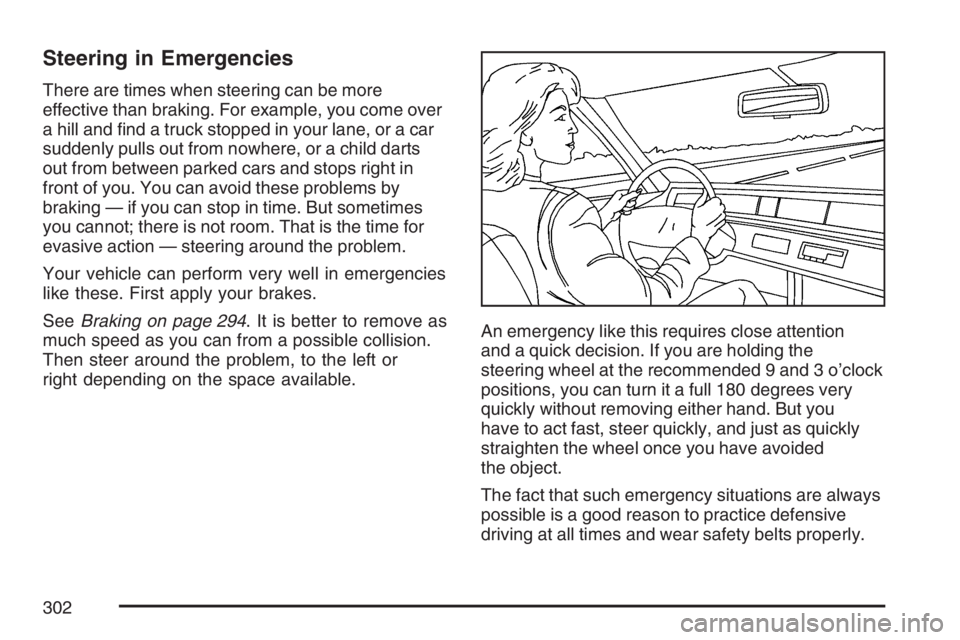
right depending on the space available.An emergency like this requires close attention
and a quick decision. If you are holding the
steering wheel at the recommended 9 and 3 o’clock
positions, you can turn it a full 180 degrees very
quickly without removing either hand. But you
have to act fast, steer quickly, and just as quickly
straighten the wheel once you have avoided
the object.
The fact that such emergency situations are always
possible is a good reason to practice defensive
driving at all times and wear safety belts properly.
302
Page 305 of 490
Do not overtake a slowly moving vehicle too
rapidly. Even though the brake lamps are
not ashing, it may be slowing down or starting
to turn.
If you are being passed, make it easy for the
following driver to get ahead of you. Perhaps
you can ease a little to the right.
Loss of Control
Let us review what driving experts say about what
happens when the three control systems — brakes,
steering, and acceleration — do not have enough
friction where the tires meet the road to do what the
driver has asked.
In any emergency, do not give up. Keep trying to
steer and constantly seek an escape route or
area of less danger.
Skidding
In a skid, a driver can lose control of the vehicle.
Defensive drivers avoid most skids by taking
reasonable care suited to existing conditions, and
by not overdriving those conditions. But skids
are always possible.The three types of skids correspond to your
vehicle’s three control systems. In the braking skid,
your wheels are not rolling. In the steering or
cornering skid, too much speed or steering in a
curve causes tires to slip and lose cornering force.
And in the acceleration skid, too much throttle
causes the driving wheels to spin.
A cornering skid is best handled by easing your
foot off the accelerator pedal.
Remember: Any traction control system helps
avoid only the acceleration skid. If your traction
system is off, then an acceleration skid is also best
handled by easing your foot off the accelerator
pedal. SeeTraction Control System (TCS)
on page 297andStabiliTrak
®System on
page 298.
If your vehicle starts to slide, ease your foot off
the accelerator pedal and quickly steer the
way you want the vehicle to go. If you start
steering quickly enough, your vehicle may
straighten out. Always be ready for a second skid
if it occurs.
305
Page 306 of 490
Of course, traction is reduced when water, snow,
ice, gravel, or other material is on the road.
For safety, you will want to slow down and adjust
your driving to these conditions. It is important
to slow down on slippery surfaces because
stopping distance will be longer and vehicle control
more limited.
While driving on a surface with reduced traction, try
your best to avoid sudden steering, acceleration, or
braking, including reducing vehicle speed by
shifting to a lower gear. Any sudden changes could
cause the tires to slide. You may not realize the
surface is slippery until your vehicle is skidding.
Learn to recognize warning clues — such as
enough water, ice, or packed snow on the road to
make a mirrored surface — and slow down when
you have any doubt.
Remember: Any Anti-Lock Brake System (ABS)
helps avoid only the braking skid.Driving at Night
Night driving is more dangerous than day driving.
One reason is that some drivers are likely to
be impaired — by alcohol or drugs, with night
vision problems, or by fatigue.
Here are some tips on night driving.
Drive defensively.
Do not drink and drive.
Adjust the inside rearview mirror to reduce the
glare from headlamps behind you.
Since you cannot see as well, you may need
to slow down and keep more space between
you and other vehicles.
Slow down, especially on higher speed roads.
Your vehicle’s headlamps can light up only so
much road ahead.
In remote areas, watch for animals.
If you are tired, pull off the road in a safe
place and rest.
306
Page 308 of 490
Driving in Rain and on Wet Roads
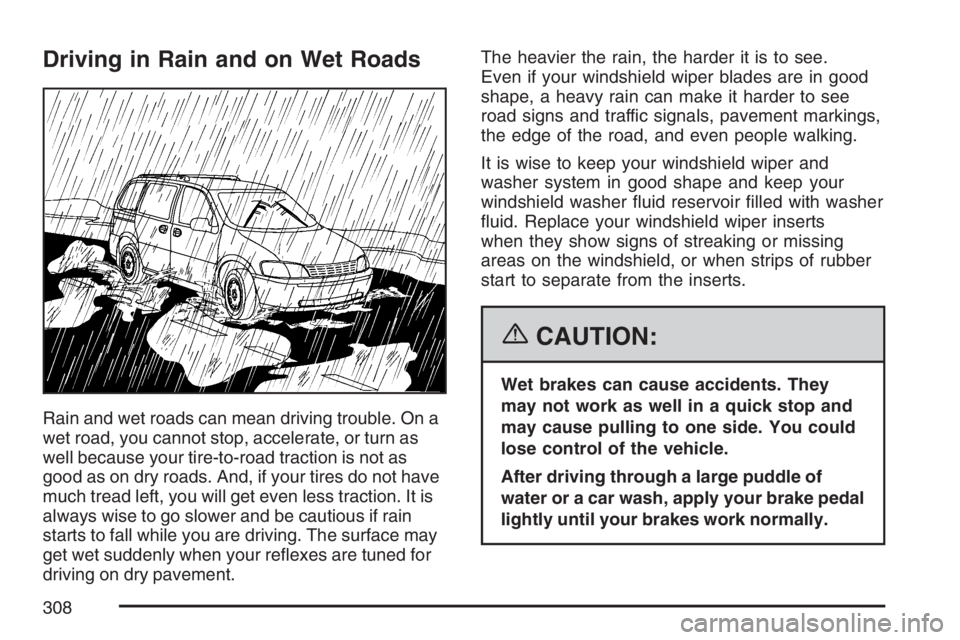
Rain and wet roads can mean driving trouble. On a
wet road, you cannot stop, accelerate, or turn as
well because your tire-to-road traction is not as
good as on dry roads. And, if your tires do not have
much tread left, you will get even less traction. It is
always wise to go slower and be cautious if rain
starts to fall while you are driving. The surface may
get wet suddenly when your reexes are tuned for
driving on dry pavement.The heavier the rain, the harder it is to see.
Even if your windshield wiper blades are in good
shape, a heavy rain can make it harder to see
road signs and traffic signals, pavement markings,
the edge of the road, and even people walking.
It is wise to keep your windshield wiper and
washer system in good shape and keep your
windshield washer uid reservoir lled with washer
uid. Replace your windshield wiper inserts
when they show signs of streaking or missing
areas on the windshield, or when strips of rubber
start to separate from the inserts.
{CAUTION:
Wet brakes can cause accidents. They
may not work as well in a quick stop and
may cause pulling to one side. You could
lose control of the vehicle.
After driving through a large puddle of
water or a car wash, apply your brake pedal
lightly until your brakes work normally.
308