radio PONTIAC TORRENT 2007 Repair Manual
[x] Cancel search | Manufacturer: PONTIAC, Model Year: 2007, Model line: TORRENT, Model: PONTIAC TORRENT 2007Pages: 490, PDF Size: 2.71 MB
Page 284 of 490
DVD Display Error Messages
The DVD display error message depends on
which radio you have. The video screen may
display one of the following:
Disc Load/Eject Error:This message is
displayed when there are disc load or eject
problems.
Disc Format Error:This message will be
displayed, if the disc is inserted with the disc label
wrong side up, or if the disc is damaged.
Disc Region Error:This message will be
displayed, if the disc is not from a correct region.
No Disc Inserted:This message will be
displayed, if no disc is present when the EJECT
button is pressed on the radio.
DVD Distortion
Video distortion may occur when operating cellular
phones, scanners, CB radios, Global Position
Systems (GPS)*, two-way radios, mobile fax, or
walkie talkies.
It may be necessary to turn off the DVD player
when operating one of these devices in or near the
vehicle.
*Excludes the OnStar
®System.
Cleaning the RSE Overhead Console
When cleaning the RSE overhead console surface,
use only a clean cloth dampened with clean water.
Cleaning the Video Screen
When cleaning the video screen, use only a clean
cloth dampened with clean water. Use care
when directly touching or cleaning the screen, as
damage may result.
284
Page 285 of 490
Theft-Deterrent Feature
THEFTLOCK®is designed to discourage theft of
your vehicle’s radio. It works by using a secret
code to disable all radio functions whenever
battery power is removed and the radio is placed
in a different vehicle. This feature requires no
user input to be activated. The radio is
automatically armed when it is put into the vehicle
for the rst time.
If THEFTLOCK
®is activated, the radio will not
operate if stolen. The radio will display LOCKED.
If this occurs, the radio will need to be returned
to your GM dealer.
Audio Steering Wheel Controls
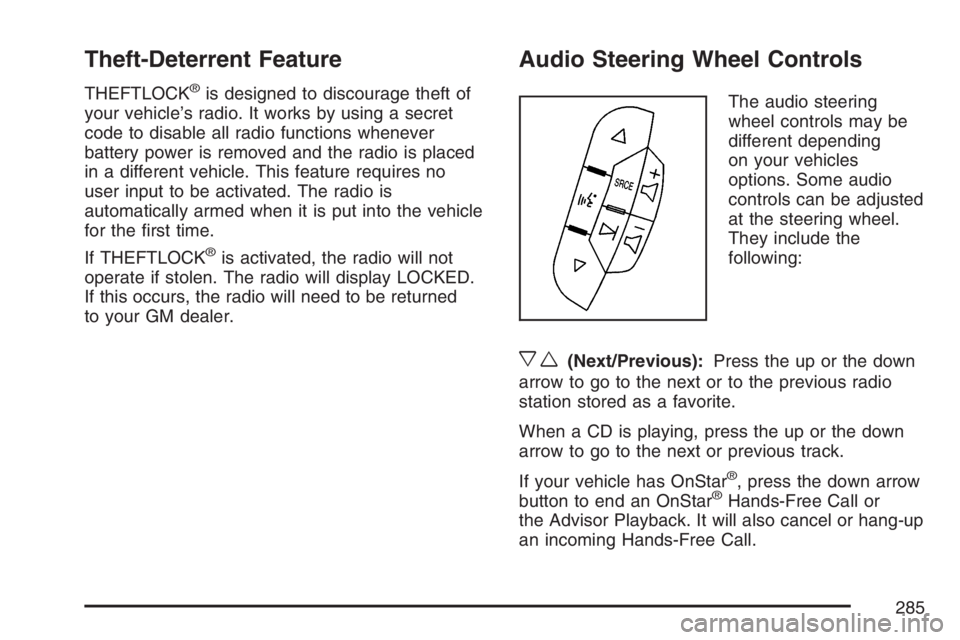
The audio steering
wheel controls may be
different depending
on your vehicles
options. Some audio
controls can be adjusted
at the steering wheel.
They include the
following:
xw(Next/Previous):Press the up or the down
arrow to go to the next or to the previous radio
station stored as a favorite.
When a CD is playing, press the up or the down
arrow to go to the next or previous track.
If your vehicle has OnStar
®, press the down arrow
button to end an OnStar®Hands-Free Call or
the Advisor Playback. It will also cancel or hang-up
an incoming Hands-Free Call.
285
Page 286 of 490
g(Mute/Voice Recognition):Press and release
this button to silence the system. Press and
release this button again, to turn the sound on.
If your vehicle has the navigation system,
press and hold this button for longer than
one second to initiate voice recognition. See
“Voice Recognition” in the Navigation System
manual for more information.
If your vehicle has OnStar
®, press and hold this
button for longer than one second to interact
with the OnStar
®system. If your vehicle also has
the Navigation System, press this button to
initiate voice recognition and say “OnStar” to enter
OnStar
®mode. See theOnStar®System on
page 133in this manual for more information.SRCE (Source):Press this button to switch
between AM, FM, XM (if equipped), CD, and
AUX jack.
+
e−e(Volume):Press the plus or minus
button to increase or to decrease the radio volume.
¨(Seek):Press the seek arrow to go to the
next radio station and stay there.
If you have the navigation system, some of the
audio steering wheel controls work when a DVD is
playing in the navigation radio. See the Navigation
System manual for more information.
286
Page 287 of 490
Radio Reception
XM™ Satellite Radio Service
XM™ Satellite Radio Service gives digital radio
reception from coast-to-coast in the 48 contiguous
United States, and in Canada.
You may experience interference with satellite
radio signals, while driving near tall buildings or
through hilly areas, causing the sound to fade
in and out. In addition, driving or standing under
heavy foliage, bridges, garages, or tunnels
may cause loss of the XM™ signal for a period of
time. The radio screen may display NO XM
SIGNAL to indicate interference.
AM
The range for most AM stations is greater than for
FM, especially at night. The longer range can
cause station frequencies to interfere with each
other. For better radio reception, most AM
radio stations will boost the power levels during
the day, and then reduce these levels during
the night. Static can also occur when things like
storms and power lines interfere with radio
reception. When this happens, try reducing the
treble on your radio.
FM
FM stereo will give the best sound, but FM signals
will reach only about 10 to 40 miles (16 to 65 km).
Tall buildings or hills can interfere with FM signals,
causing the sound to fade in and out.
287
Page 288 of 490
Care of Your CDs and DVDs
Handle CDs carefully. Store them in their original
cases or other protective cases and away from
direct sunlight and dust. The CD player scans the
bottom surface of the disc. If the surface of a
CD is damaged, such as cracked, broken,
or scratched, the CD does not play properly or not
at all. If the surface of a CD is soiled, take a
soft, lint free cloth or dampen a clean, soft cloth in
a mild, neutral detergent solution mixed with
water, and clean it. Make sure the wiping process
starts from the center to the edge.
Do not touch the bottom side of a CD while
handling it; this could damage the surface. Pick up
CDs by grasping the outer edges or the edge of
the hole and the outer edge.
Care of the CD and DVD Player
The use of CD lens cleaners for CDs is not
advised, due to the risk of contaminating the lens
of the CD optics with lubricants internal to the
CD mechanism.
Multi-Band Antenna
The multi-band antenna is located on the roof of
your vehicle. This type of antenna is used with
an AM/FM radio, and if your vehicle has the
OnStar
®and/or the XM™ Satellite Radio Service
System. Keep this antenna clear of snow and
ice build up for clear radio reception. If your vehicle
has a sunroof, the performance of the radio
system may be affected if the sunroof is open.
Loading items onto the roof of your vehicle
can interfere with the performance of the radio
system and, if your vehicle has this feature,
OnStar
®. Make sure the multi-band antenna is not
obstructed.
288
Page 374 of 490
Notice:If you leave your radio or other
accessories on during the jump starting
procedure, they could be damaged. The repairs
would not be covered by your warranty.
Always turn off your radio and other
accessories when jump starting your vehicle.
3. Turn off the ignition on both vehicles. Unplug
unnecessary accessories plugged into the
cigarette lighter or the accessory power outlet.
Turn off the radio and all lamps that are not
needed. This will avoid sparks and help save
both batteries. And it could save your radio!
4. Open the hoods and locate the positive (+)
and negative (−) terminal locations on each
vehicle.
You will not need to access your battery for
jump starting. Your vehicle has a remote
positive (+) and a remote negative (−) jump
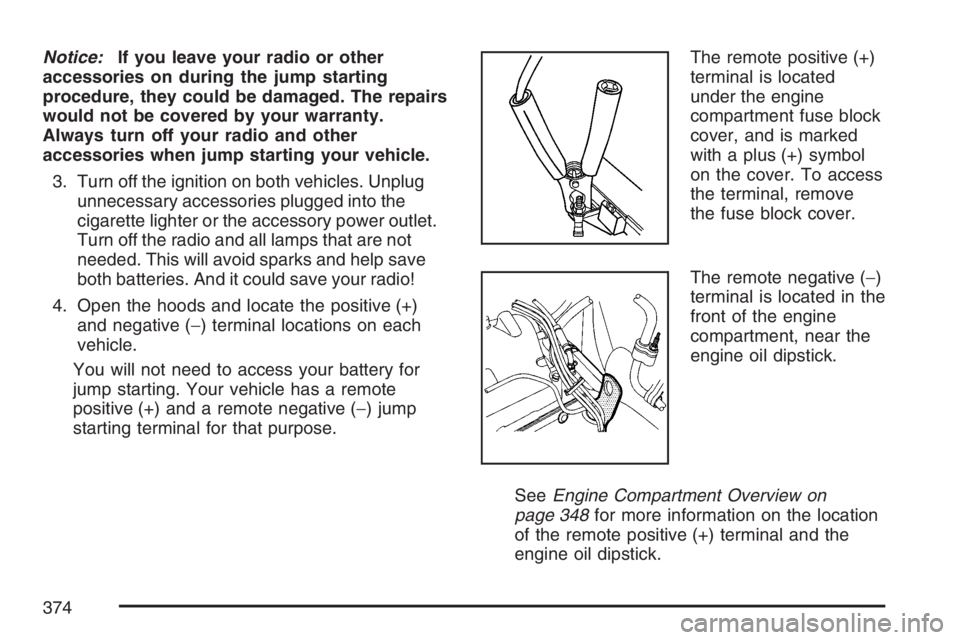
starting terminal for that purpose.The remote positive (+)
terminal is located
under the engine
compartment fuse block
cover, and is marked
with a plus (+) symbol
on the cover. To access
the terminal, remove
the fuse block cover.
The remote negative (−)
terminal is located in the
front of the engine
compartment, near the
engine oil dipstick.
SeeEngine Compartment Overview on
page 348for more information on the location
of the remote positive (+) terminal and the
engine oil dipstick.
374
Page 395 of 490
Tire Pressure Monitor System
Your vehicle has a Tire Pressure Monitor System
(TPMS). This system uses radio and sensor
technology to check tire pressure levels. TPMS
sensors are mounted onto each tire and wheel
assembly, except for the spare tire. The TPMS
sensors monitor the air pressure in your vehicle’s
tires and transmit tire pressure readings to a
receiver located in the vehicle.
Each tire, including the spare (if provided), should
be checked monthly when cold and inated to
the ination pressure recommended by the vehicle
manufacturer on the vehicle placard or tire
ination pressure label. (If your vehicle has tires of
a different size than the size indicated on the
vehicle placard or tire ination pressure label, you
should determine the proper tire ination
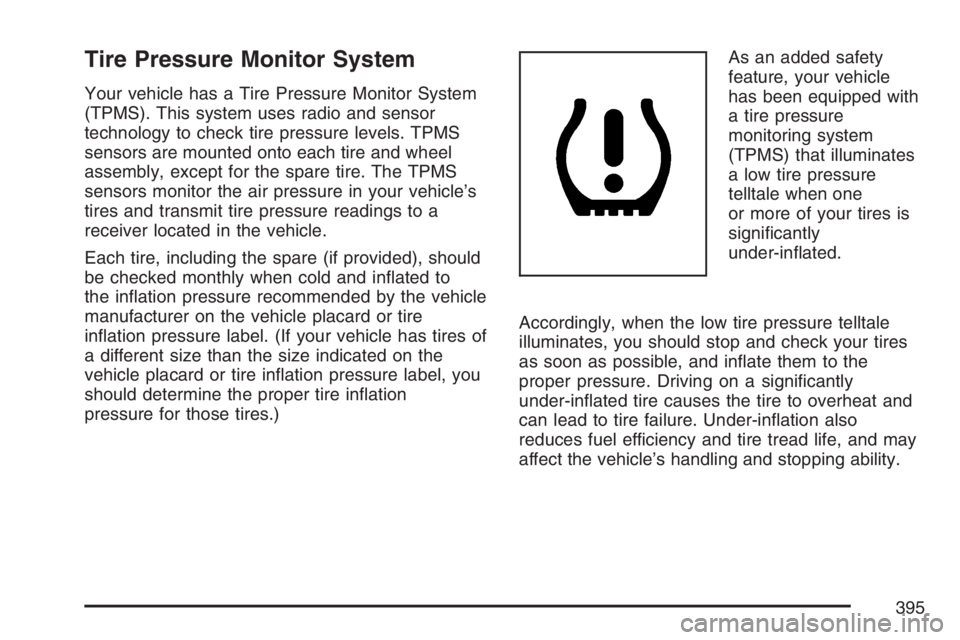
pressure for those tires.)As an added safety
feature, your vehicle
has been equipped with
a tire pressure
monitoring system
(TPMS) that illuminates
a low tire pressure
telltale when one
or more of your tires is
signicantly
under-inated.
Accordingly, when the low tire pressure telltale
illuminates, you should stop and check your tires
as soon as possible, and inate them to the
proper pressure. Driving on a signicantly
under-inated tire causes the tire to overheat and
can lead to tire failure. Under-ination also
reduces fuel efficiency and tire tread life, and may
affect the vehicle’s handling and stopping ability.
395
Page 399 of 490
Federal Communications Commission
(FCC) and Industry and Science Canada
The Tire Pressure Monitor System (TPMS)
operates on a radio frequency and complies with
Part 15 of the FCC Rules. Operation is subject
to the following two conditions:
1. This device may not cause harmful
interference.
2. This device must accept any interference
received, including interference that may
cause undesired operation.
The Tire Pressure Monitor System (TPMS)
operates on a radio frequency and complies with
RSS-210 of Industry and Science Canada.
Operation is subject to the following two
conditions:
1. This device may not cause interference.
2. This device must accept any interference
received, including interference that may
cause undesired operation of the device.
Changes or modications to this system by other
than an authorized service facility could void
authorization to use this equipment.
Tire Inspection and Rotation
Tires should be rotated every 5,000 to 8,000 miles
(8 000 to 13 000 km).
Any time you notice unusual wear, rotate your
tires as soon as possible and check wheel
alignment. Also check for damaged tires or wheels.
SeeWhen It Is Time for New Tires on page 401
andWheel Replacement on page 405for
more information.
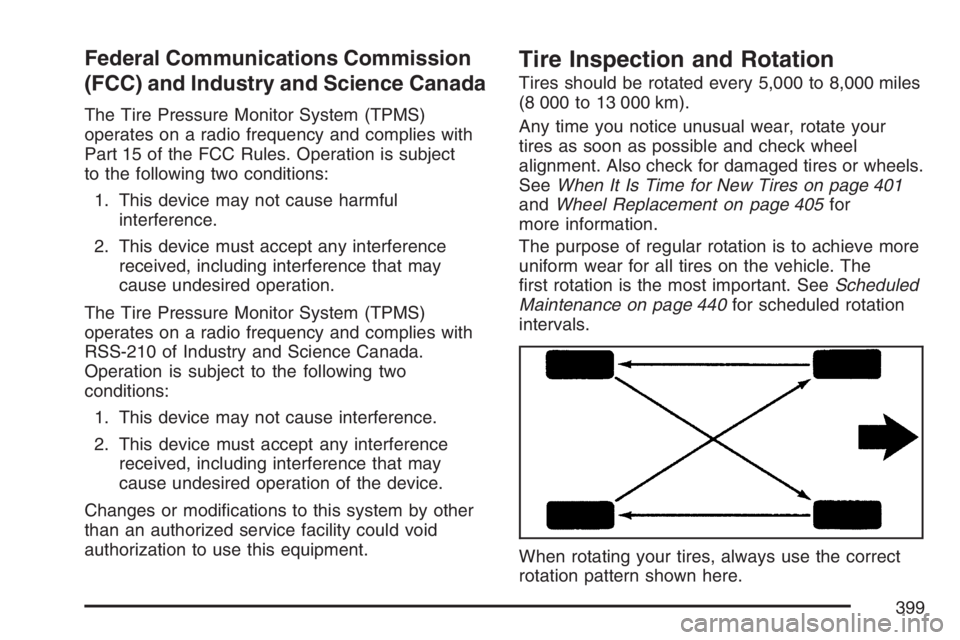
The purpose of regular rotation is to achieve more
uniform wear for all tires on the vehicle. The
rst rotation is the most important. SeeScheduled
Maintenance on page 440for scheduled rotation
intervals.
When rotating your tires, always use the correct
rotation pattern shown here.
399
Page 433 of 490
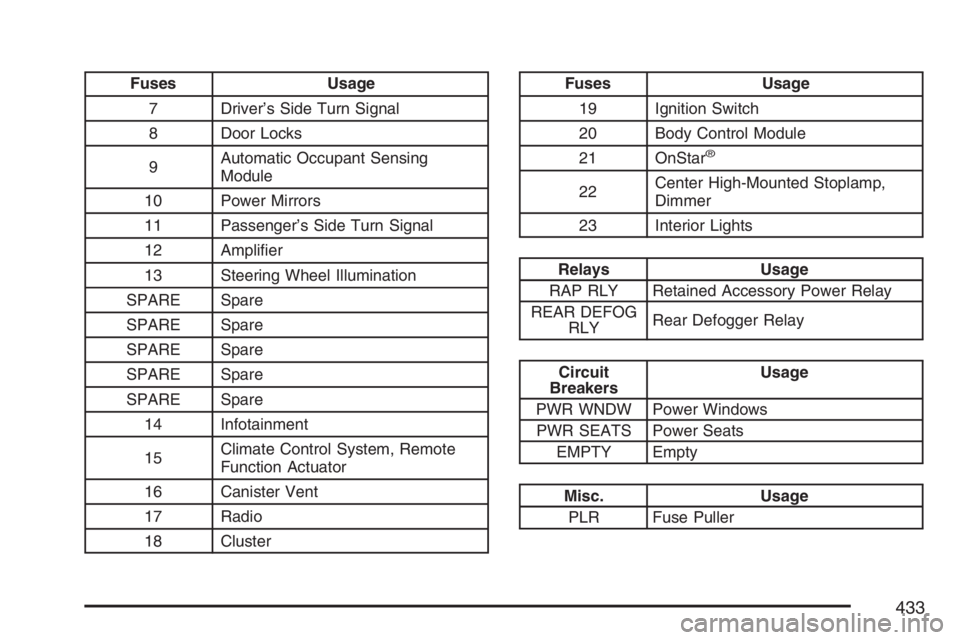
Fuses Usage
7 Driver’s Side Turn Signal
8 Door Locks
9Automatic Occupant Sensing
Module
10 Power Mirrors
11 Passenger’s Side Turn Signal
12 Amplier
13 Steering Wheel Illumination
SPARE Spare
SPARE Spare
SPARE Spare
SPARE Spare
SPARE Spare
14 Infotainment
15Climate Control System, Remote
Function Actuator
16 Canister Vent
17 Radio
18 ClusterFuses Usage
19 Ignition Switch
20 Body Control Module
21 OnStar
®
22Center High-Mounted Stoplamp,
Dimmer
23 Interior Lights
Relays Usage
RAP RLY Retained Accessory Power Relay
REAR DEFOG
RLYRear Defogger Relay
Circuit
BreakersUsage
PWR WNDW Power Windows
PWR SEATS Power Seats
EMPTY Empty
Misc. Usage
PLR Fuse Puller
433
Page 478 of 490
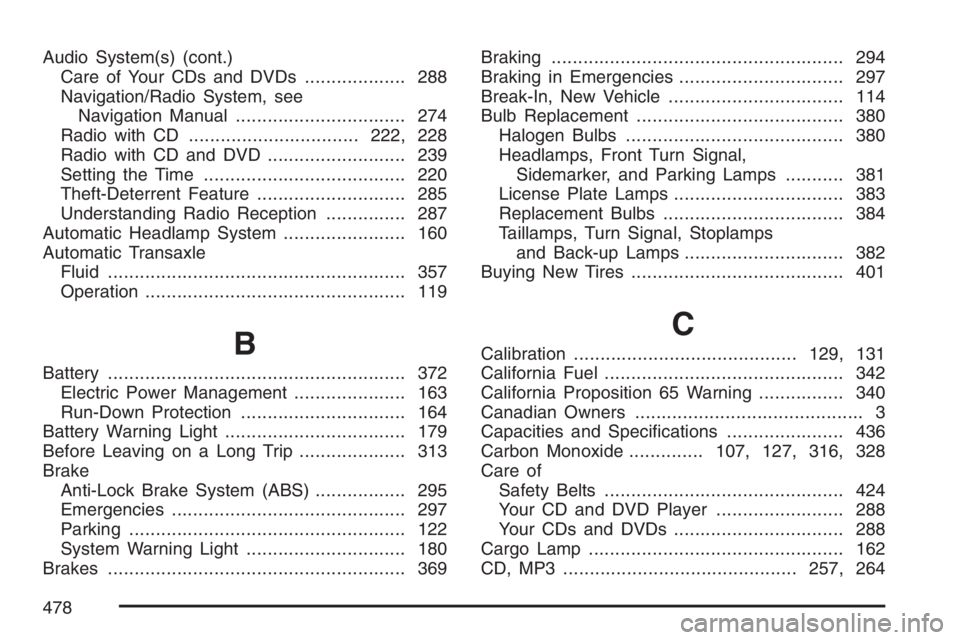
Audio System(s) (cont.)
Care of Your CDs and DVDs................... 288
Navigation/Radio System, see
Navigation Manual................................ 274
Radio with CD................................222, 228
Radio with CD and DVD.......................... 239
Setting the Time...................................... 220
Theft-Deterrent Feature............................ 285
Understanding Radio Reception............... 287
Automatic Headlamp System....................... 160
Automatic Transaxle
Fluid........................................................ 357
Operation................................................. 119
B
Battery........................................................ 372
Electric Power Management..................... 163
Run-Down Protection............................... 164
Battery Warning Light.................................. 179
Before Leaving on a Long Trip.................... 313
Brake
Anti-Lock Brake System (ABS)................. 295
Emergencies............................................ 297
Parking.................................................... 122
System Warning Light.............................. 180
Brakes........................................................ 369Braking....................................................... 294
Braking in Emergencies............................... 297
Break-In, New Vehicle................................. 114
Bulb Replacement....................................... 380
Halogen Bulbs......................................... 380
Headlamps, Front Turn Signal,
Sidemarker, and Parking Lamps........... 381
License Plate Lamps................................ 383
Replacement Bulbs.................................. 384
Taillamps, Turn Signal, Stoplamps
and Back-up Lamps.............................. 382
Buying New Tires........................................ 401
C
Calibration..........................................129, 131
California Fuel............................................. 342
California Proposition 65 Warning................ 340
Canadian Owners........................................... 3
Capacities and Specications...................... 436
Carbon Monoxide..............107, 127, 316, 328
Care of
Safety Belts............................................. 424
Your CD and DVD Player........................ 288
Your CDs and DVDs................................ 288
Cargo Lamp................................................ 162
CD, MP3 ............................................257, 264
478