change wheel PONTIAC TORRENT 2007 Owners Manual
[x] Cancel search | Manufacturer: PONTIAC, Model Year: 2007, Model line: TORRENT, Model: PONTIAC TORRENT 2007Pages: 490, PDF Size: 2.71 MB
Page 89 of 490
Adding Equipment to Your
Airbag-Equipped Vehicle
Q:Is there anything I might add to the front
or sides of the vehicle that could keep the
airbags from working properly?
A:Yes. If you add things that change your
vehicle’s frame, bumper system, height,
front end or side sheet metal, they may keep
the airbag system from working properly.
Also, the airbag system may not work properly
if you relocate any of the airbag sensors. If
you have any questions about this, you should
contact Customer Assistance before you
modify your vehicle. The phone numbers and
addresses for Customer Assistance are in
Step Two of the Customer Satisfaction
Procedure in this manual. SeeCustomer
Satisfaction Procedure on page 456.
Q:Because I have a disability, I have to get
my vehicle modied. How can I nd out
whether this will affect my airbag system?
A:Changing or moving any parts of the
front seats, safety belts, the airbag sensing
and diagnostic module, rollover sensor
module, instrument panel, steering wheel,
ceiling headliner, ceiling and pillar garnish trim,
roof-mounted rollover airbag modules, or
airbag wiring can affect the operation of the
airbag system. If you have questions, call
Customer Assistance. The phone numbers
and addresses for Customer Assistance are in
Step Two of the Customer Satisfaction
Procedure in this manual. SeeCustomer
Satisfaction Procedure on page 456.
89
Page 119 of 490
Automatic Transaxle Operation
The shift lever is located on the center console.
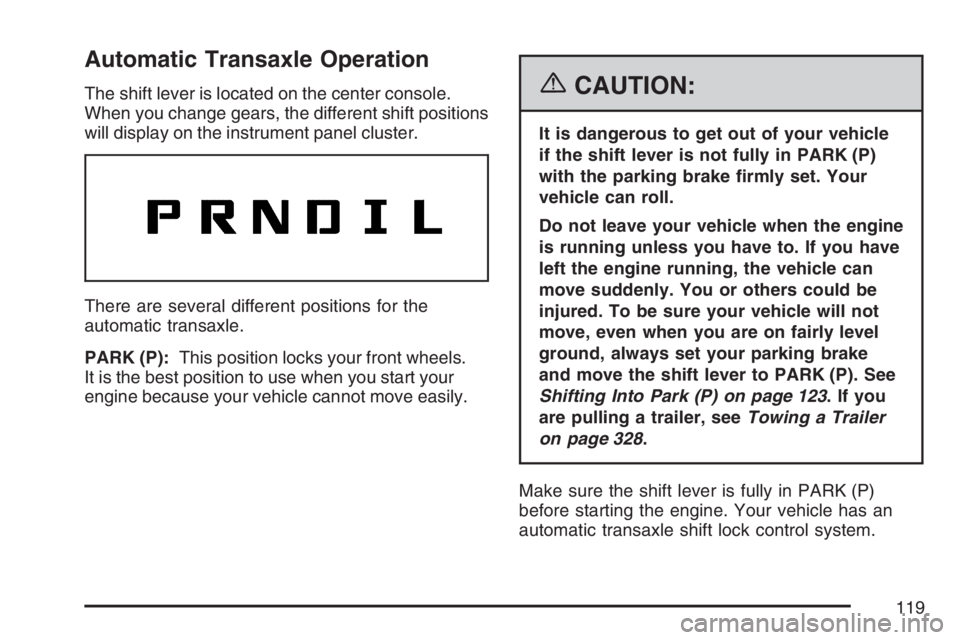
When you change gears, the different shift positions
will display on the instrument panel cluster.
There are several different positions for the
automatic transaxle.
PARK (P):This position locks your front wheels.
It is the best position to use when you start your
engine because your vehicle cannot move easily.{CAUTION:
It is dangerous to get out of your vehicle
if the shift lever is not fully in PARK (P)
with the parking brake rmly set. Your
vehicle can roll.
Do not leave your vehicle when the engine
is running unless you have to. If you have
left the engine running, the vehicle can
move suddenly. You or others could be
injured. To be sure your vehicle will not
move, even when you are on fairly level
ground, always set your parking brake
and move the shift lever to PARK (P). See
Shifting Into Park (P) on page 123.Ifyou
are pulling a trailer, seeTowing a Trailer
on page 328.
Make sure the shift lever is fully in PARK (P)
before starting the engine. Your vehicle has an
automatic transaxle shift lock control system.
119
Page 145 of 490
Instrument Panel Overview........................ 148
Hazard Warning Flashers.......................... 150
Other Warning Devices............................. 150
Horn.......................................................... 150
Tilt Wheel.................................................. 151
Turn Signal/Multifunction Lever.................. 151
Turn and Lane-Change Signals................. 152
Headlamp High/Low-Beam Changer.......... 152
Flash-to-Pass............................................ 153
Windshield Wipers..................................... 153
Windshield Washer.................................... 154
Rear Window Wiper/Washer...................... 155
Cruise Control........................................... 155
Headlamps................................................ 159
Headlamps on Reminder........................... 159
Daytime Running Lamps (DRL)................. 160
Automatic Headlamp System..................... 160
Fog Lamps................................................ 161
Instrument Panel Brightness...................... 161
Dome Lamp.............................................. 162
Entry Lighting............................................ 162
Map Lamps............................................... 162
Cargo Lamp.............................................. 162
Electric Power Management...................... 163Battery Run-Down Protection..................... 164
Accessory Power Outlet(s)........................ 164
Ashtray(s) and Cigarette Lighter................ 165
Climate Controls......................................... 166
Climate Control System............................. 166
Outlet Adjustment...................................... 170
Passenger Compartment Air Filter............. 170
Warning Lights, Gages, and Indicators..... 172
Instrument Panel Cluster........................... 173
Speedometer and Odometer...................... 174
Trip Odometer........................................... 174
Tachometer............................................... 174
Safety Belt Reminder Light........................ 175
Passenger Safety Belt Reminder Light....... 175
Airbag Readiness Light............................. 176
Passenger Airbag Status Indicator............. 177
Battery Warning Light................................ 179
Brake System Warning Light..................... 180
Anti-Lock Brake System Warning Light...... 181
Traction Control System (TCS)
Warning Light........................................ 182
Engine Coolant Temperature
Warning Light........................................ 182
Section 3 Instrument Panel
145
Page 146 of 490
Engine Coolant Temperature Gage............ 183
Tire Pressure Light.................................... 183
Malfunction Indicator Lamp........................ 184
Oil Pressure Light..................................... 187
Change Engine Oil Light........................... 188
Security Light............................................ 189
Fog Lamp Light......................................... 189
Cruise Control Light.................................. 189
Reduced Engine Power Light.................... 190
Highbeam On Light................................... 190
Service All-Wheel Drive Light.................... 191
All-Wheel Drive Disabled Light.................. 191
Gate Ajar Light.......................................... 192
Door Ajar Light.......................................... 192
Service Vehicle Soon Light........................ 192
Fuel Gage................................................. 192
Low Fuel Warning Light............................ 193
Driver Information Center (DIC).................. 194
DIC Operation and Displays...................... 195
DIC Warnings and Messages.................... 200
DIC Vehicle Personalization....................... 210Audio System(s)......................................... 218
Setting the Time (Without Date Display).... 220
Setting the Time (With Date Display)......... 220
Radio with CD (Base)............................... 222
Radio with CD (MP3)................................ 228
Radio with CD and DVD........................... 239
Using an MP3 (Radio with CD or Six-Disc
CD Player)............................................. 257
Using an MP3 (Radio with CD and DVD
Player)................................................... 264
XM Radio Messages................................. 272
Navigation/Radio System........................... 274
Rear Seat Entertainment System............... 274
Theft-Deterrent Feature............................. 285
Audio Steering Wheel Controls.................. 285
Radio Reception........................................ 287
Care of Your CDs and DVDs.................... 288
Care of the CD and DVD Player............... 288
Multi-Band Antenna................................... 288
Section 3 Instrument Panel
146
Page 151 of 490
Tilt Wheel
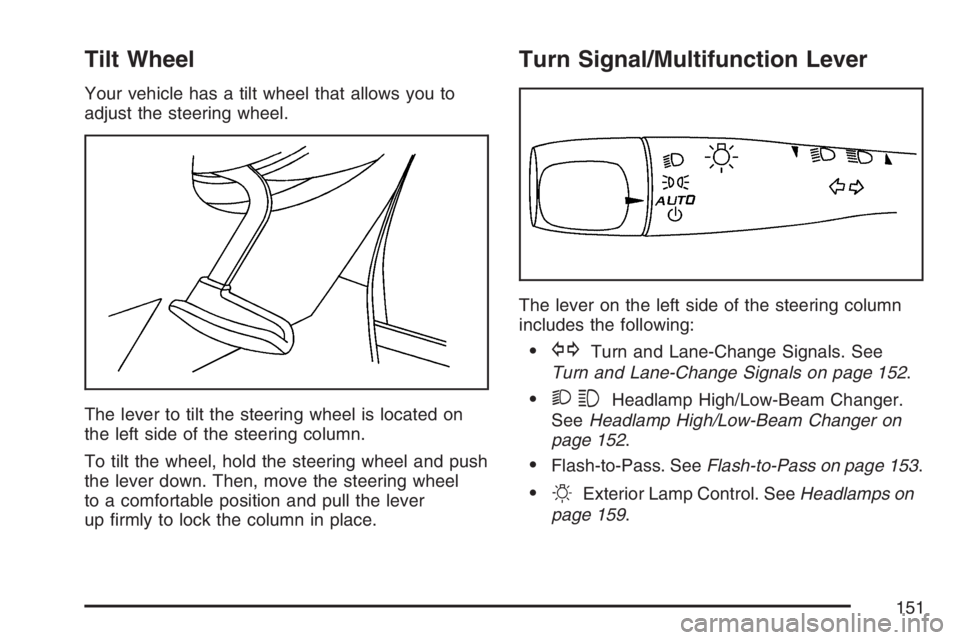
Your vehicle has a tilt wheel that allows you to
adjust the steering wheel.
The lever to tilt the steering wheel is located on
the left side of the steering column.
To tilt the wheel, hold the steering wheel and push
the lever down. Then, move the steering wheel
to a comfortable position and pull the lever
up rmly to lock the column in place.
Turn Signal/Multifunction Lever
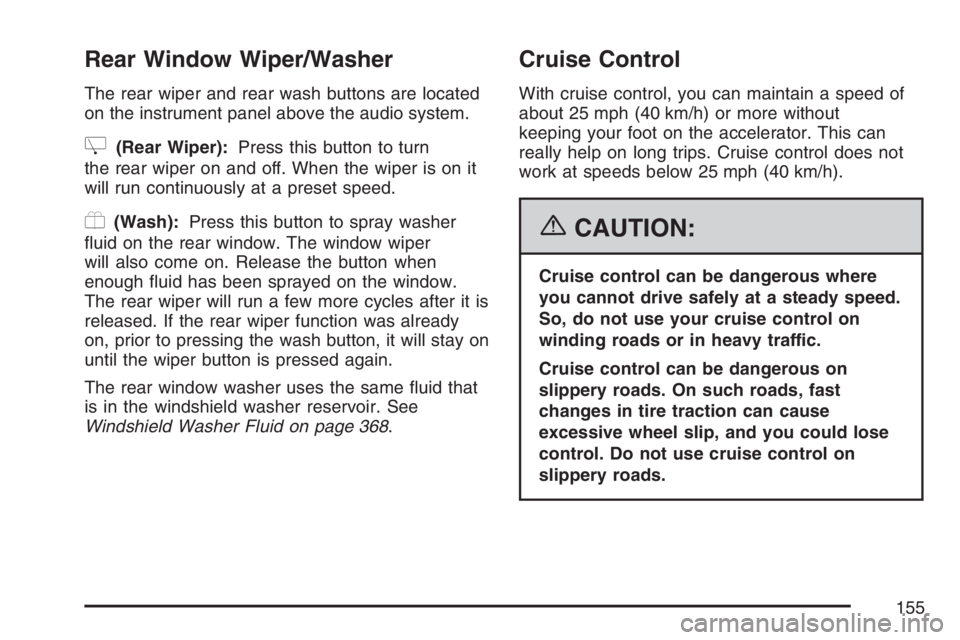
The lever on the left side of the steering column
includes the following:
GTurn and Lane-Change Signals. See
Turn and Lane-Change Signals on page 152.
23Headlamp High/Low-Beam Changer.
SeeHeadlamp High/Low-Beam Changer on
page 152.
Flash-to-Pass. SeeFlash-to-Pass on page 153.
OExterior Lamp Control. SeeHeadlamps on
page 159.
151
Page 155 of 490
Rear Window Wiper/Washer
The rear wiper and rear wash buttons are located
on the instrument panel above the audio system.
Z(Rear Wiper):Press this button to turn
the rear wiper on and off. When the wiper is on it
will run continuously at a preset speed.
Y(Wash):Press this button to spray washer
uid on the rear window. The window wiper
will also come on. Release the button when
enough uid has been sprayed on the window.
The rear wiper will run a few more cycles after it is
released. If the rear wiper function was already
on, prior to pressing the wash button, it will stay on
until the wiper button is pressed again.
The rear window washer uses the same uid that
is in the windshield washer reservoir. See
Windshield Washer Fluid on page 368.
Cruise Control
With cruise control, you can maintain a speed of
about 25 mph (40 km/h) or more without
keeping your foot on the accelerator. This can
really help on long trips. Cruise control does not
work at speeds below 25 mph (40 km/h).
{CAUTION:
Cruise control can be dangerous where
you cannot drive safely at a steady speed.
So, do not use your cruise control on
winding roads or in heavy traffic.
Cruise control can be dangerous on
slippery roads. On such roads, fast
changes in tire traction can cause
excessive wheel slip, and you could lose
control. Do not use cruise control on
slippery roads.
155
Page 296 of 490
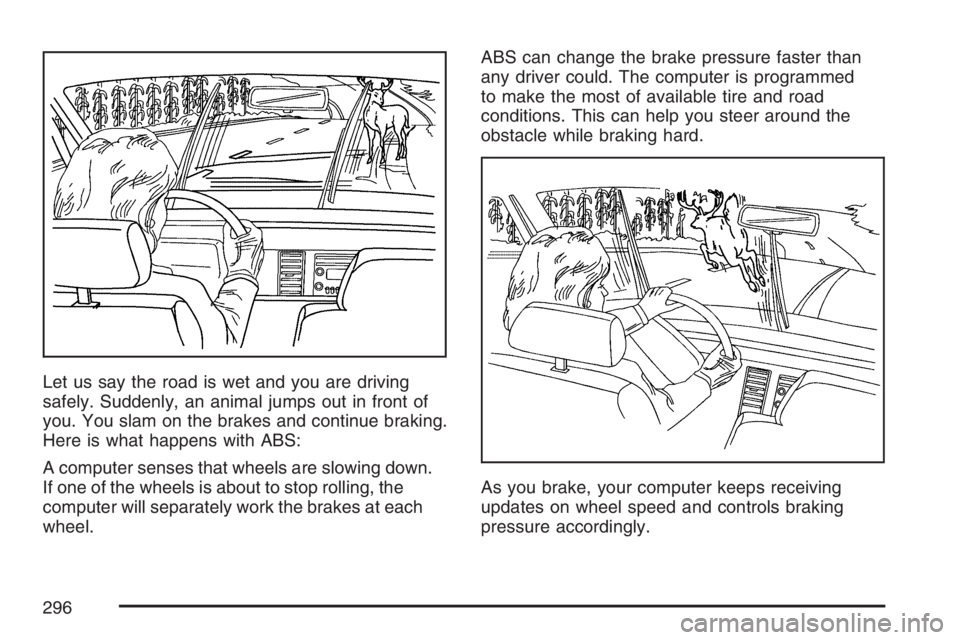
Let us say the road is wet and you are driving
safely. Suddenly, an animal jumps out in front of
you. You slam on the brakes and continue braking.
Here is what happens with ABS:
A computer senses that wheels are slowing down.
If one of the wheels is about to stop rolling, the
computer will separately work the brakes at each
wheel.ABS can change the brake pressure faster than
any driver could. The computer is programmed
to make the most of available tire and road
conditions. This can help you steer around the
obstacle while braking hard.
As you brake, your computer keeps receiving
updates on wheel speed and controls braking
pressure accordingly.
296
Page 297 of 490
Remember: ABS does not change the time you
need to get your foot up to the brake pedal
or always decrease stopping distance. If you get
too close to the vehicle in front of you, you will not
have time to apply your brakes if that vehicle
suddenly slows or stops. Always leave enough
room up ahead to stop, even though you
have ABS.
Using ABS
Do not pump the brakes. Just hold the brake pedal
down rmly and let anti-lock work for you. You may
hear the anti-lock pump or motor operate, and feel
the brake pedal pulsate, but this is normal.
Braking in Emergencies
With ABS, you can steer and brake at the same
time. In many emergencies, steering can help you
more than even the very best braking.
Traction Control System (TCS)
Your vehicle has a traction control system that
limits wheel spin. This is especially useful in
slippery road conditions. The system operates only
if it senses that one or more of the wheels are
spinning or beginning to lose traction. When this
happens, the system works the brakes and
reduces engine power to limit wheel spin.
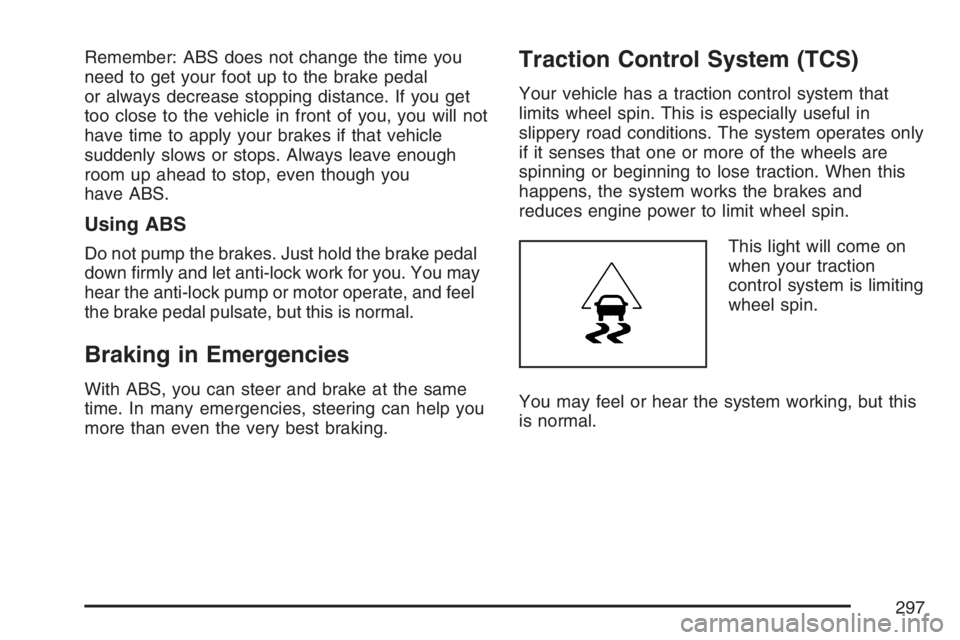
This light will come on
when your traction
control system is limiting
wheel spin.
You may feel or hear the system working, but this
is normal.
297
Page 300 of 490
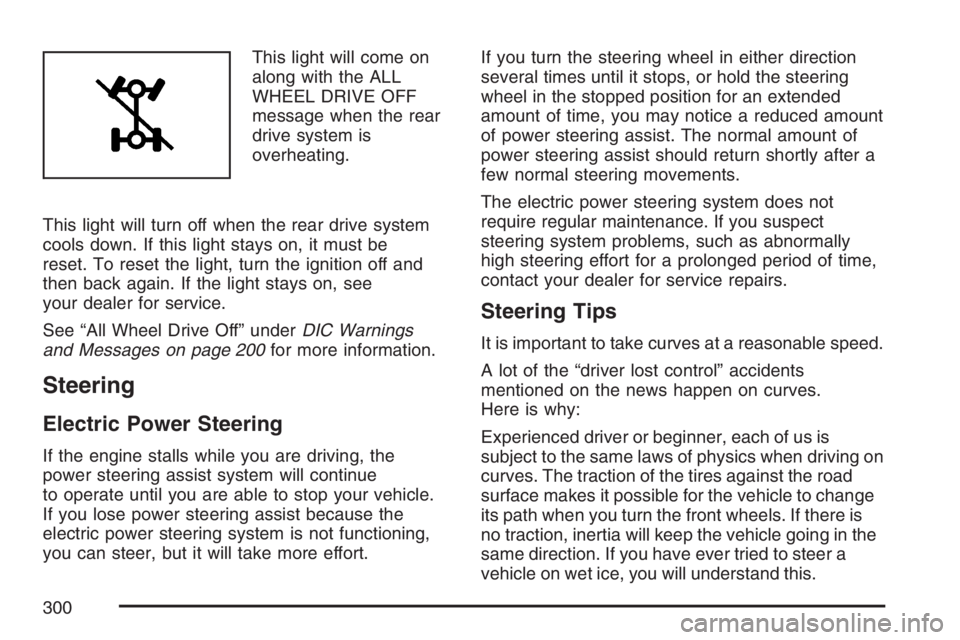
This light will come on
along with the ALL
WHEEL DRIVE OFF
message when the rear
drive system is
overheating.
This light will turn off when the rear drive system
cools down. If this light stays on, it must be
reset. To reset the light, turn the ignition off and
then back again. If the light stays on, see
your dealer for service.
See “All Wheel Drive Off” underDIC Warnings
and Messages on page 200for more information.
Steering
Electric Power Steering
If the engine stalls while you are driving, the
power steering assist system will continue
to operate until you are able to stop your vehicle.
If you lose power steering assist because the
electric power steering system is not functioning,
you can steer, but it will take more effort.If you turn the steering wheel in either direction
several times until it stops, or hold the steering
wheel in the stopped position for an extended
amount of time, you may notice a reduced amount
of power steering assist. The normal amount of
power steering assist should return shortly after a
few normal steering movements.
The electric power steering system does not
require regular maintenance. If you suspect
steering system problems, such as abnormally
high steering effort for a prolonged period of time,
contact your dealer for service repairs.
Steering Tips
It is important to take curves at a reasonable speed.
A lot of the “driver lost control” accidents
mentioned on the news happen on curves.
Here is why:
Experienced driver or beginner, each of us is
subject to the same laws of physics when driving on
curves. The traction of the tires against the road
surface makes it possible for the vehicle to change
its path when you turn the front wheels. If there is
no traction, inertia will keep the vehicle going in the
same direction. If you have ever tried to steer a
vehicle on wet ice, you will understand this.
300
Page 321 of 490
Rocking Your Vehicle to Get It Out
First, turn the steering wheel left and right.
That will clear the area around the front wheels. If
your vehicle has traction control, you should
turn the traction control system off. SeeTraction
Control System (TCS) on page 297. Then
shift back and forth between REVERSE (R) and a
forward gear, spinning the wheels as little as
possible. Release the accelerator pedal while you
shift, and press lightly on the accelerator pedal
when the transaxle is in gear. By slowly spinning
the wheels in the forward and reverse directions,
you will cause a rocking motion that may free your
vehicle. If that does not get your vehicle out
after a few tries, it may need to be towed out. If
your vehicle does need to be towed out, see
Towing Your Vehicle on page 326.
Loading Your Vehicle
It is very important to know how much weight your
vehicle can carry. Two labels on your vehicle
show how much weight it may properly carry, the
Tire and Loading Information label and the
Vehicle Certication label.
{CAUTION:
Do not load your vehicle any heavier than
the Gross Vehicle Weight Rating (GVWR),
or either the maximum front or rear Gross
Axle Weight Rating (GAWR). If you do,
parts on your vehicle can break, and it
can change the way your vehicle handles.
These could cause you to lose control
and crash. Also, overloading can shorten
the life of your vehicle.
321