lights PONTIAC TORRENT 2008 User Guide
[x] Cancel search | Manufacturer: PONTIAC, Model Year: 2008, Model line: TORRENT, Model: PONTIAC TORRENT 2008Pages: 434, PDF Size: 2.51 MB
Page 156 of 434
If, after several seconds, both status indicator lights
remain on, or if there are no lights at all, there may be a
problem with the lights or the passenger sensing
system. See your dealer/retailer for service.
{CAUTION:
If the airbag readiness light in the instrument
panel cluster ever comes on and stays on, it
means that something may be wrong with the
airbag system. If this ever happens, have the
vehicle serviced promptly, because an
adult-size person sitting in the right front
passenger’s seat may not have the protection
of the airbag(s). SeeAirbag Readiness Light
on page 3-29for more on this, including
important safety information.
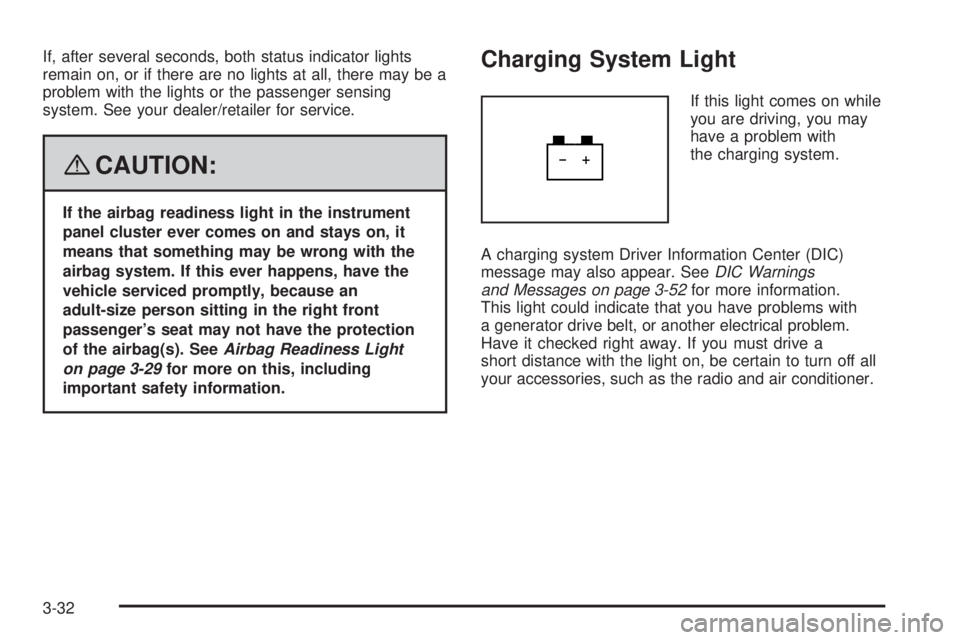
Charging System Light
If this light comes on while
you are driving, you may
have a problem with
the charging system.
A charging system Driver Information Center (DIC)
message may also appear. SeeDIC Warnings
and Messages on page 3-52for more information.
This light could indicate that you have problems with
a generator drive belt, or another electrical problem.
Have it checked right away. If you must drive a
short distance with the light on, be certain to turn off all
your accessories, such as the radio and air conditioner.
3-32
Page 187 of 434
REMOTE LOCK
This feature allows you to select the type of feedback
you will receive when locking the vehicle with the
Remote Keyless Entry (RKE) transmitter. You will not
receive feedback when locking the vehicle with the RKE
transmitter if any of the doors are open. SeeRemote
Keyless Entry (RKE) System Operation on page 2-5for
more information.
Press the vehicle information button until REMOTE
LOCK appears on the DIC display. Press the set/reset
button to access the settings for this feature. Then
press the vehicle information button to scroll through
the following settings:
HORN/LIGHTS OFF:There will be no feedback when
you press the lock button on the RKE transmitter.
LIGHTS ONLY:The exterior lamps will ash when you
press the lock button on the RKE transmitter.
HORN CHIRP ONLY:The horn will sound on the
second press of the lock button on the RKE transmitter.
HORN/ LIGHTS ON (default):The exterior lamps
will ash when you press the lock button on the RKE
transmitter, and the horn will sound when the lock button
is pressed again within ve seconds of the previous
command.NO CHANGE:No change will be made to this feature.
The current setting will remain.
To select a setting, press the set/reset button while the
desired setting is displayed on the DIC.
REMOTE UNLOCK
This feature allows you to select the type of feedback
you will receive when unlocking the vehicle with the
RKE transmitter. You will not receive feedback when
unlocking the vehicle with the RKE transmitter if
the doors are open. SeeRemote Keyless Entry (RKE)
System Operation on page 2-5for more information.
Press the vehicle information button until REMOTE
UNLOCK appears on the DIC display. Press the
set/reset button to access the settings for this feature.
Then press the vehicle information button to scroll
through the following settings:
LIGHTS OFF:The exterior lamps will not ash when
you press the unlock button on the RKE transmitter.
LIGHTS ON (default):The exterior lamps will
ash when you press the unlock button on the RKE
transmitter.
NO CHANGE:No change will be made to this feature.
The current setting will remain.
To select a setting, press the set/reset button while the
desired setting is displayed on the DIC.
3-63
Page 189 of 434
APPRCH (Approach) LIGHTNG (Lighting)
This feature allows you to select whether or not to have
the exterior lights turn on briey during low light periods
after unlocking the vehicle using the RKE transmitter.
Press the vehicle information button until APPRCH
(Approach) LIGHTNG (Lighting) appears on the DIC
display. Press the set/reset button to access the settings
for this feature. Then press the vehicle information
button to scroll through the following settings:
OFF:The exterior lights will not turn on when you
unlock the vehicle with the RKE transmitter.
ON (default):If it is dark enough outside, the exterior
lights will turn on briey when you unlock the vehicle
with the RKE transmitter.
The lights will remain on for 20 seconds or until the
lock button on the RKE transmitter is pressed, or
the vehicle is no longer off. SeeRemote Keyless
Entry (RKE) System Operation on page 2-5for more
information.
NO CHANGE:No change will be made to this feature.
The current setting will remain.
To select a setting, press the set/reset button while the
desired setting is displayed on the DIC.
CHIME VOLUME
This feature allows you to select the volume level of
the chime.
Press the vehicle information button until CHIME
VOLUME appears on the DIC display. Press the
set/reset button to access the settings for this feature.
Then press the vehicle information button to scroll
through the following settings:
NORMAL:The chime volume will be set to a normal
level.
LOUD:The chime volume will be set to a loud level.
NO CHANGE:No change will be made to this feature.
The current setting will remain.
There is no default for chime volume. The volume will
stay at the last known setting.
To select a setting, press the set/reset button while the
desired setting is displayed on the DIC.
3-65
Page 298 of 434
Automatic Transmission Fluid
It is not necessary to check the transmission uid level.
A transmission uid leak is the only reason for uid
loss. If a leak occurs, take your vehicle to the
dealer/retailer and have it repaired as soon as possible.
Change the uid and lter at the intervals listed in
Additional Required Services on page 6-6, and be sure
to use the transmission uid listed inRecommended
Fluids and Lubricants on page 6-12.
Notice:Use of the incorrect automatic transmission
uid may damage your vehicle, and the damages
may not be covered by your warranty. Always
use the automatic transmission uid listed in
Recommended Fluids and Lubricants on page 6-12.
For the 3.6L engine, the transmission uid will not
reach the end of the dipstick unless the transmission is
at operating temperature. If you need to check the
transmission uid level, please take your vehicle to your
dealer/retailer.
Engine Coolant
The cooling system in your vehicle is lled with
DEX-COOL®engine coolant. This coolant is designed to
remain in your vehicle for ve years or 150,000 miles
(240 000 km), whichever occurs rst, if you add only
DEX-COOL
®extended life coolant.
The following explains your cooling system and how to
add coolant when it is low. If you have a problem
with engine overheating, seeEngine Overheating on
page 5-25.
A 50/50 mixture of clean, drinkable water and
DEX-COOL
®coolant will:
Give freezing protection down to−34°F (−37°C).
Give boiling protection up to 265°F (129°C).
Protect against rust and corrosion.
Help keep the proper engine temperature.
Let the warning lights and gages work as they
should.
Notice:Using coolant other than DEX-COOL
®may
cause premature engine, heater core, or radiator
corrosion. In addition, the engine coolant may
require changing sooner, at the rst maintenance
service after each 30,000 miles (50 000 km) or
24 months, whichever occurs rst. Any repairs would
not be covered by your warranty. Always use
DEX-COOL
®(silicate-free) coolant in your vehicle.
5-22
Page 377 of 434
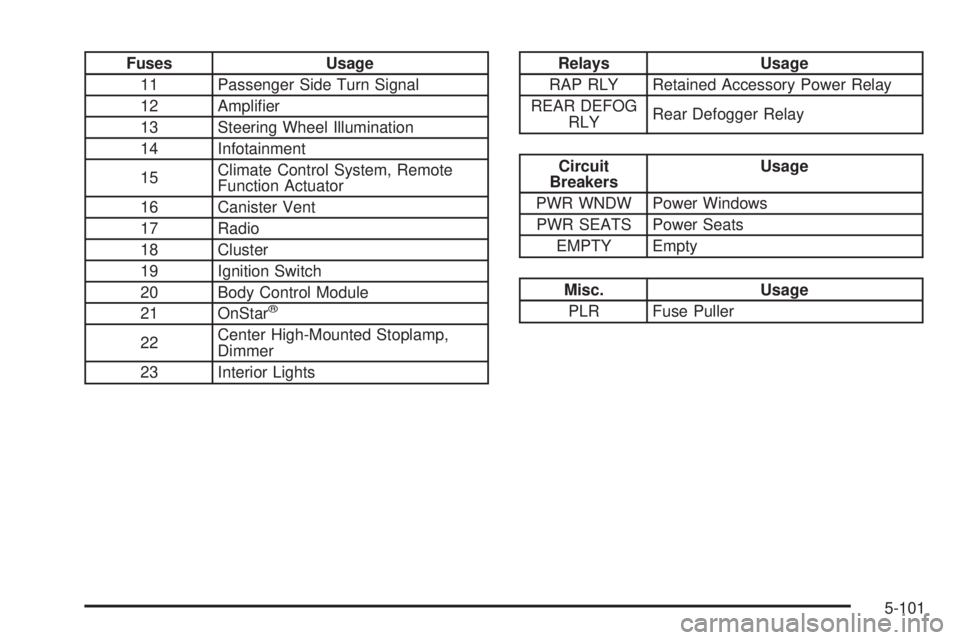
Fuses Usage
11 Passenger Side Turn Signal
12 Amplier
13 Steering Wheel Illumination
14 Infotainment
15Climate Control System, Remote
Function Actuator
16 Canister Vent
17 Radio
18 Cluster
19 Ignition Switch
20 Body Control Module
21 OnStar
®
22Center High-Mounted Stoplamp,
Dimmer
23 Interior Lights
Relays Usage
RAP RLY Retained Accessory Power Relay
REAR DEFOG
RLYRear Defogger Relay
Circuit
BreakersUsage
PWR WNDW Power Windows
PWR SEATS Power Seats
EMPTY Empty
Misc. Usage
PLR Fuse Puller
5-101
Page 427 of 434
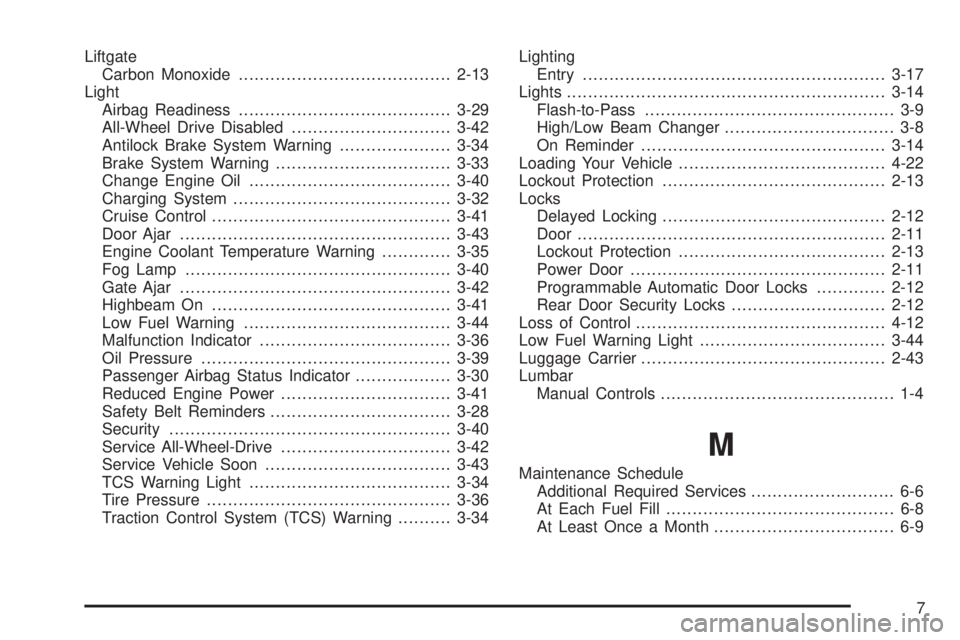
Liftgate
Carbon Monoxide........................................2-13
Light
Airbag Readiness........................................3-29
All-Wheel Drive Disabled..............................3-42
Antilock Brake System Warning.....................3-34
Brake System Warning.................................3-33
Change Engine Oil......................................3-40
Charging System.........................................3-32
Cruise Control.............................................3-41
Door Ajar...................................................3-43
Engine Coolant Temperature Warning.............3-35
Fog Lamp..................................................3-40
Gate Ajar...................................................3-42
Highbeam On.............................................3-41
Low Fuel Warning.......................................3-44
Malfunction Indicator....................................3-36
Oil Pressure...............................................3-39
Passenger Airbag Status Indicator..................3-30
Reduced Engine Power................................3-41
Safety Belt Reminders..................................3-28
Security.....................................................3-40
Service All-Wheel-Drive................................3-42
Service Vehicle Soon...................................3-43
TCS Warning Light......................................3-34
Tire Pressure..............................................3-36
Traction Control System (TCS) Warning..........3-34Lighting
Entry.........................................................3-17
Lights............................................................3-14
Flash-to-Pass............................................... 3-9
High/Low Beam Changer................................ 3-8
On Reminder..............................................3-14
Loading Your Vehicle.......................................4-22
Lockout Protection..........................................2-13
Locks
Delayed Locking..........................................2-12
Door..........................................................2-11
Lockout Protection.......................................2-13
Power Door................................................2-11
Programmable Automatic Door Locks.............2-12
Rear Door Security Locks.............................2-12
Loss of Control...............................................4-12
Low Fuel Warning Light...................................3-44
Luggage Carrier..............................................2-43
Lumbar
Manual Controls............................................ 1-4
M
Maintenance Schedule
Additional Required Services........................... 6-6
At Each Fuel Fill........................................... 6-8
At Least Once a Month.................................. 6-9
7
Page 433 of 434
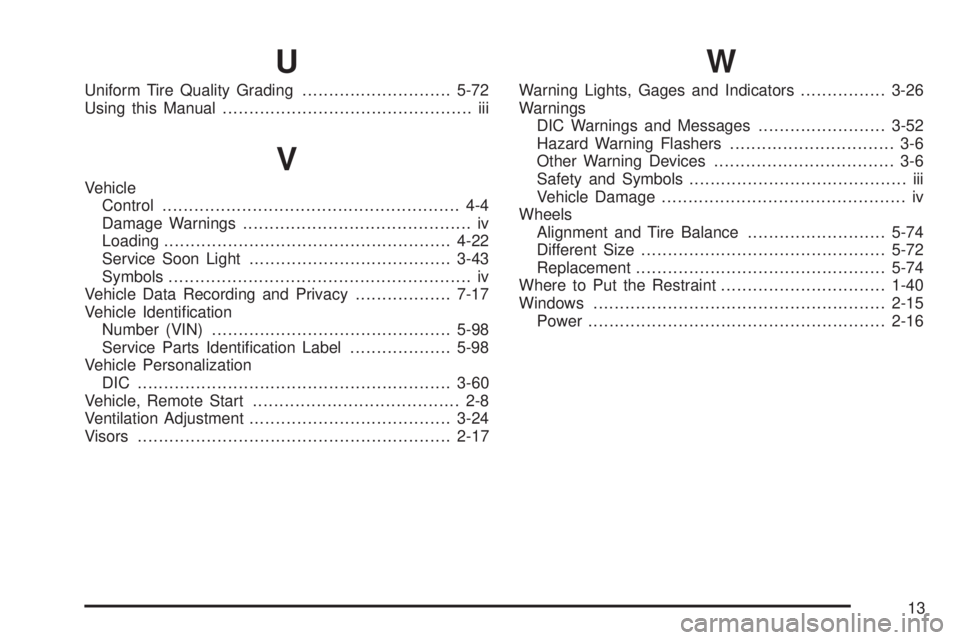
U
Uniform Tire Quality Grading............................5-72
Using this Manual............................................... iii
V
Vehicle
Control........................................................ 4-4
Damage Warnings........................................... iv
Loading......................................................4-22
Service Soon Light......................................3-43
Symbols......................................................... iv
Vehicle Data Recording and Privacy..................7-17
Vehicle Identication
Number (VIN).............................................5-98
Service Parts Identication Label...................5-98
Vehicle Personalization
DIC ...........................................................3-60
Vehicle, Remote Start....................................... 2-8
Ventilation Adjustment......................................3-24
Visors...........................................................2-17
W
Warning Lights, Gages and Indicators................3-26
Warnings
DIC Warnings and Messages........................3-52
Hazard Warning Flashers............................... 3-6
Other Warning Devices.................................. 3-6
Safety and Symbols......................................... iii
Vehicle Damage.............................................. iv
Wheels
Alignment and Tire Balance..........................5-74
Different Size..............................................5-72
Replacement...............................................5-74
Where to Put the Restraint...............................1-40
Windows.......................................................2-15
Power........................................................2-16
13