rear entertainment PONTIAC TORRENT 2008 User Guide
[x] Cancel search | Manufacturer: PONTIAC, Model Year: 2008, Model line: TORRENT, Model: PONTIAC TORRENT 2008Pages: 434, PDF Size: 2.51 MB
Page 224 of 434
BAND:Press this button to listen to the radio when a
CD or a DVD is playing. The CD or DVD remains inside
the radio for future listening or viewing entertainment.
DVD/CD AUX (Auxiliary):Press this button to cycle
through DVD, CD, or Auxiliary when listening to the radio.
The DVD/CD text label and a message showing track or
chapter number displays when a disc is in either slot.
Press this button again and the system automatically
searches for an auxiliary input device, such as a portable
audio player. If a portable audio player is not connected,
“No Aux Input Device” displays. If a disc is in both the
DVD slot and the CD slot the DVD/CD AUX button cycles
between the two sources and does not indicate “No Aux
Input Device”. If a front auxiliary device is connected, the
DVD/CD AUX button cycles through all available options,
such as: DVD slot, CD slot, Front AUX, and Rear AUX
(if available). See “Using the Auxiliary Input Jack(s)” later
in this section, orRear Seat Entertainment (RSE) System
on page 3-101Rear Seat Entertainment System,
“Audio/Video (A/V) Jacks” for more information.
If a MP3/WMA is inserted into top DVD slot, the rear seat
operator can turn on the video screen and use the remote
control to navigate the CD (tracks only) through the
remote control.XM Radio Messages
XL (Explicit Language Channels):These channels,
or any others, can be blocked at a customer’s request,
by calling 1-800-852-XMXM (9696).
XM Updating:The encryption code in the receiver is
being updated, and no action is required. This process
should take no longer than 30 seconds.
No XM Signal:The system is functioning correctly,
but the vehicle is in a location that is blocking the XM™
signal. When you move into an open area, the signal
should return.
Loading XM:The audio system is acquiring and
processing audio and text data. No action is needed.
This message should disappear shortly.
Channel Off Air:This channel is not currently in
service. Tune to another channel.
Channel Unavail:This previously assigned channel
is no longer assigned. Tune to another station.
If this station was one of the presets, choose another
station for that preset button.
No Artist Info:No artist information is available at this
time on this channel. The system is working properly.
3-100
Page 225 of 434
No Title Info:No song title information is available at
this time on this channel. The system is working properly.
No CAT Info:No category information is available at
this time on this channel. The system is working properly.
No Information:No text or informational messages are
available at this time on this channel. The system is
working properly.
CAT Not Found:There are no channels available for
the selected category. The system is working properly.
XM TheftLocked:The XM receiver in the vehicle
could have previously been in another vehicle.
For security purposes, XM™ receivers cannot be
swapped between vehicles. If this message appears
after having your vehicle serviced, check with your
dealer/retailer.
XM Radio ID:If tuned to channel 0, this message
alternates with the XM Radio eight digit radio ID label.
This label is needed to activate the service.
Unknown:If this message is received when tuned
to channel 0, there could be a receiver fault. Consult
with your dealer/retailer.Check XM Receivr:If this message does not clear
within a short period of time, the receiver could have
a fault. Consult with your dealer/retailer.
XM Not Available:If this message does not clear
within a short period of time, the receiver could have
a fault. Consult with your dealer/retailer.
Navigation/Radio System
Your vehicle may have a navigation radio system.
The navigation system has built-in features intended
to minimize driver distraction. Technology alone,
no matter how advanced, can never replace your
own judgment. See the Navigation System manual for
some tips to help you reduce distractions while driving.
Rear Seat Entertainment (RSE)
System
Your vehicle may have a DVD Rear Seat Entertainment
(RSE) system. The RSE system works with the vehicle’s
audio system. The DVD player is part of the front radio.
The RSE system includes a radio with a DVD player, a
video display screen, audio/video jacks, two wireless
headphones, and a remote control. SeeRadio(s) on
page 3-71for more information on the vehicle’s audio/
DVD system.
3-101
Page 227 of 434
The foam ear pads attached to the headphones can
become worn or damaged if they are not handled or
stored properly. If the foam ear pads do become
damaged or worn out, the pads can be replaced
separately from the headphone set. It is not necessary
to replace the complete headphone set. The headphone
replacement foam ear pads can be ordered in pairs.
See your dealer/retailer for more information.
Battery Replacement
To change the batteries on the headphones, do the
following:
1. Turn the screw to loosen the battery door located
on the left side of the headphones. Slide the
battery door open.
2. Replace the two batteries in the compartment.
Make sure that they are installed correctly, using
the diagram on the inside of the battery
compartment.
3. Replace the battery door and tighten the door
screw.
If the headphones are to be stored for a long period of
time, remove the batteries and keep them in a cool,
dry place.
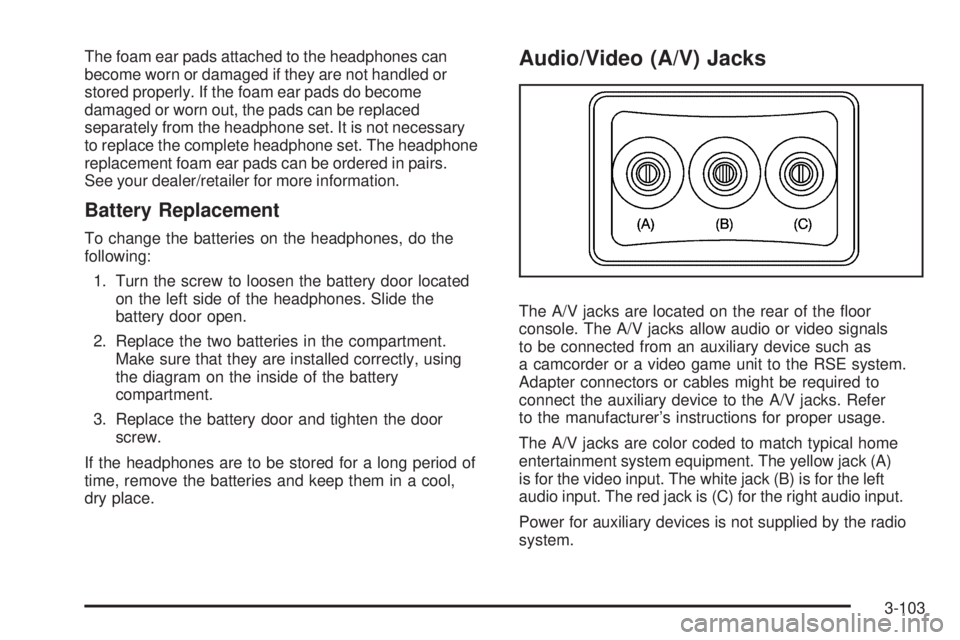
Audio/Video (A/V) Jacks
The A/V jacks are located on the rear of the oor
console. The A/V jacks allow audio or video signals
to be connected from an auxiliary device such as
a camcorder or a video game unit to the RSE system.
Adapter connectors or cables might be required to
connect the auxiliary device to the A/V jacks. Refer
to the manufacturer’s instructions for proper usage.
The A/V jacks are color coded to match typical home
entertainment system equipment. The yellow jack (A)
is for the video input. The white jack (B) is for the left
audio input. The red jack is (C) for the right audio input.
Power for auxiliary devices is not supplied by the radio
system.
3-103
Page 376 of 434
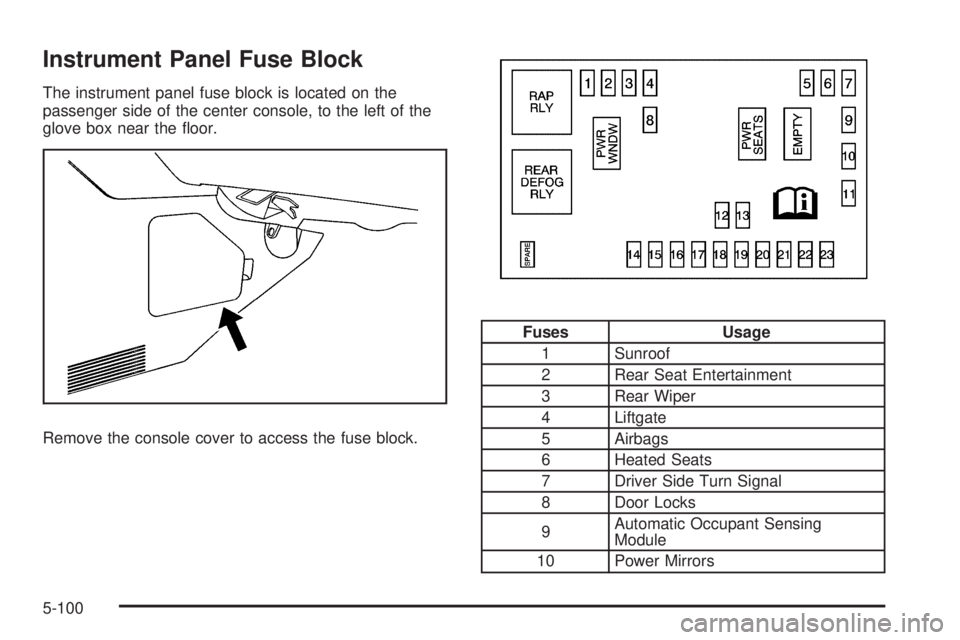
Instrument Panel Fuse Block
The instrument panel fuse block is located on the
passenger side of the center console, to the left of the
glove box near the oor.
Remove the console cover to access the fuse block.
Fuses Usage
1 Sunroof
2 Rear Seat Entertainment
3 Rear Wiper
4 Liftgate
5 Airbags
6 Heated Seats
7 Driver Side Turn Signal
8 Door Locks
9Automatic Occupant Sensing
Module
10 Power Mirrors
5-100
Page 424 of 434
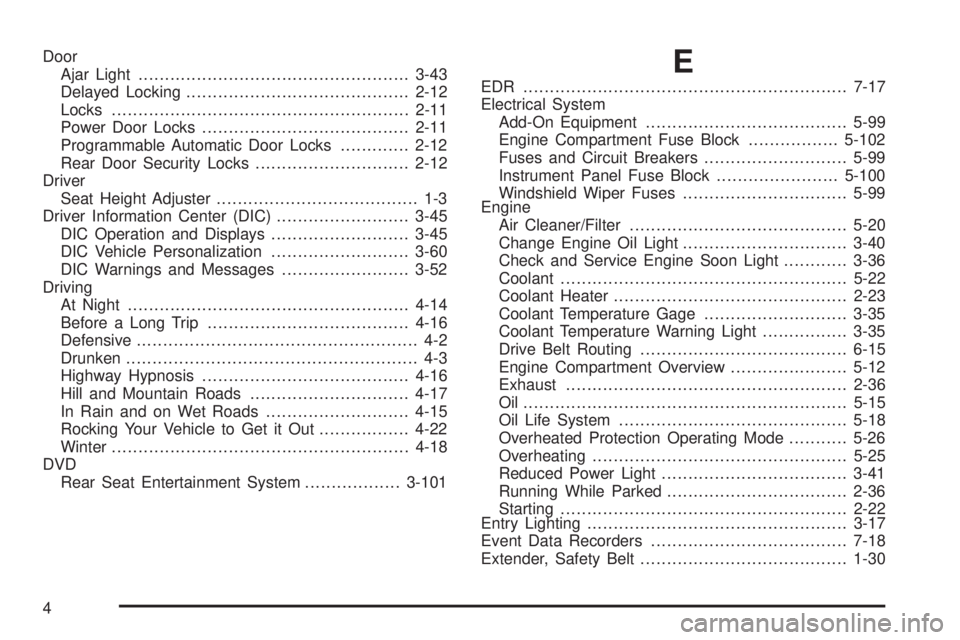
Door
Ajar Light...................................................3-43
Delayed Locking..........................................2-12
Locks........................................................2-11
Power Door Locks.......................................2-11
Programmable Automatic Door Locks.............2-12
Rear Door Security Locks.............................2-12
Driver
Seat Height Adjuster...................................... 1-3
Driver Information Center (DIC).........................3-45
DIC Operation and Displays..........................3-45
DIC Vehicle Personalization..........................3-60
DIC Warnings and Messages........................3-52
Driving
At Night.....................................................4-14
Before a Long Trip......................................4-16
Defensive..................................................... 4-2
Drunken....................................................... 4-3
Highway Hypnosis.......................................4-16
Hill and Mountain Roads..............................4-17
In Rain and on Wet Roads...........................4-15
Rocking Your Vehicle to Get it Out.................4-22
Winter........................................................4-18
DVD
Rear Seat Entertainment System..................3-101E
EDR .............................................................7-17
Electrical System
Add-On Equipment......................................5-99
Engine Compartment Fuse Block.................5-102
Fuses and Circuit Breakers...........................5-99
Instrument Panel Fuse Block.......................5-100
Windshield Wiper Fuses...............................5-99
Engine
Air Cleaner/Filter.........................................5-20
Change Engine Oil Light...............................3-40
Check and Service Engine Soon Light............3-36
Coolant......................................................5-22
Coolant Heater............................................2-23
Coolant Temperature Gage...........................3-35
Coolant Temperature Warning Light................3-35
Drive Belt Routing.......................................6-15
Engine Compartment Overview......................5-12
Exhaust.....................................................2-36
Oil .............................................................5-15
Oil Life System...........................................5-18
Overheated Protection Operating Mode...........5-26
Overheating................................................5-25
Reduced Power Light...................................3-41
Running While Parked..................................2-36
Starting......................................................2-22
Entry Lighting.................................................3-17
Event Data Recorders.....................................7-18
Extender, Safety Belt.......................................1-30
4
Page 429 of 434
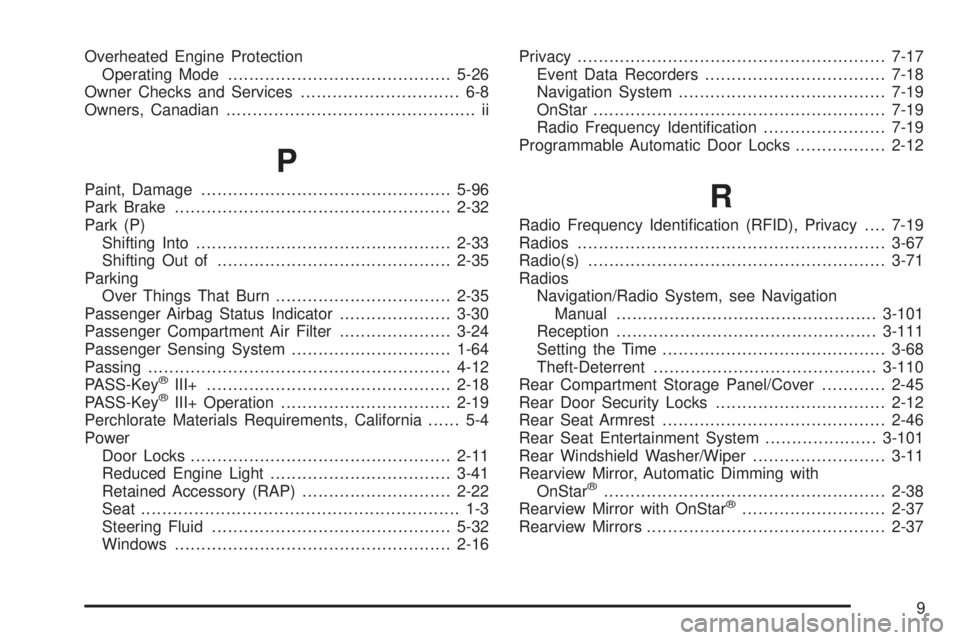
Overheated Engine Protection
Operating Mode..........................................5-26
Owner Checks and Services.............................. 6-8
Owners, Canadian............................................... ii
P
Paint, Damage...............................................5-96
Park Brake....................................................2-32
Park (P)
Shifting Into................................................2-33
Shifting Out of............................................2-35
Parking
Over Things That Burn.................................2-35
Passenger Airbag Status Indicator.....................3-30
Passenger Compartment Air Filter.....................3-24
Passenger Sensing System..............................1-64
Passing.........................................................4-12
PASS-Key
®III+..............................................2-18
PASS-Key®III+ Operation................................2-19
Perchlorate Materials Requirements, California...... 5-4
Power
Door Locks.................................................2-11
Reduced Engine Light..................................3-41
Retained Accessory (RAP)............................2-22
Seat............................................................ 1-3
Steering Fluid.............................................5-32
Windows....................................................2-16Privacy..........................................................7-17
Event Data Recorders..................................7-18
Navigation System.......................................7-19
OnStar.......................................................7-19
Radio Frequency Identication.......................7-19
Programmable Automatic Door Locks.................2-12
R
Radio Frequency Identication (RFID), Privacy....7-19
Radios..........................................................3-67
Radio(s)........................................................3-71
Radios
Navigation/Radio System, see Navigation
Manual.................................................3-101
Reception.................................................3-111
Setting the Time..........................................3-68
Theft-Deterrent..........................................3-110
Rear Compartment Storage Panel/Cover............2-45
Rear Door Security Locks................................2-12
Rear Seat Armrest..........................................2-46
Rear Seat Entertainment System.....................3-101
Rear Windshield Washer/Wiper.........................3-11
Rearview Mirror, Automatic Dimming with
OnStar
®.....................................................2-38
Rearview Mirror with OnStar®...........................2-37
Rearview Mirrors.............................................2-37
9