ECO mode PONTIAC TORRENT 2008 Owner's Manual
[x] Cancel search | Manufacturer: PONTIAC, Model Year: 2008, Model line: TORRENT, Model: PONTIAC TORRENT 2008Pages: 434, PDF Size: 2.51 MB
Page 232 of 434
\(Clear):Press this button within three seconds after
inputting a numeric selection, to clear all numeric inputs.
}10 (Double Digit Entries):Press this button
to select chapter or track numbers greater than 9.
Press this button before inputting the number.
If the remote control becomes lost or damaged, a
new universal remote control can be purchased. If this
happens, make sure the universal remote control uses a
code set of Toshiba
®.
Battery Replacement
To change the remote control batteries, do the following:
1. Slide the rear cover back on the remote control.
2. Replace the two batteries in the compartment.
Make sure that they are installed correctly,
using the diagram on the inside of the battery
compartment.
3. Replace the battery cover.
If the remote control is to be stored for a long period of
time, remove the batteries and keep them in a cool,
dry place.
Problem Recommended Action
No power. The ignition might not be
turned ON/RUN or in
ACC/ACCESSORY.
The picture does not
ll the screen. There
are black borders on
the top and bottom or on
both sides or it looks
stretched out.Check the display mode
settings in the setup menu
by pressing the display
menu button on the remote
control.
In auxiliary mode, the
picture moves or scrolls.Check the auxiliary input
connections at both
devices.
The remote control does
not work.Check to make sure there
is no obstruction between
the remote control and
the transmitter window.
Check the batteries to
make sure they are
not dead or installed
incorrectly.
After stopping the player, I
push Play but sometimes
the DVD starts where I left
off and sometimes at the
beginning.If the stop button was
pressed one time, the
DVD player resumes
playing where the DVD
was stopped. If the stop
button was pressed two
times the DVD player
begins to play from the
beginning of the DVD.
3-108
Page 235 of 434
g(Mute/Voice Recognition):Press and release to
silence the system. Press and release again, to turn the
sound on.
If your vehicle has the navigation system, press and
hold for longer than one second to initiate voice
recognition. See “Voice Recognition” in the Navigation
System manual for more information.
If your vehicle has OnStar
®, press and hold for longer
than one second to interact with the OnStar®system.
If your vehicle also has the Navigation System,
press this button to initiate voice recognition and say
“OnStar” to enter OnStar
®mode. See theOnStar®
System on page 2-39in this manual for more
information.
Radio Reception
Frequency interference and static can occur during
normal radio reception if items such as cell phone
chargers, vehicle convenience accessories, and external
electronic devices are plugged into the accessory power
outlet. If there is interference or static, unplug the item
from the accessory power outlet.
AM
The range for most AM stations is greater than for FM,
especially at night. The longer range can cause station
frequencies to interfere with each other. For better radio
reception, most AM radio stations boost the power levels
during the day, and then reduce these levels during the
night. Static can also occur when things like storms and
power lines interfere with radio reception. When this
happens, try reducing the treble on your radio.
3-111
Page 322 of 434
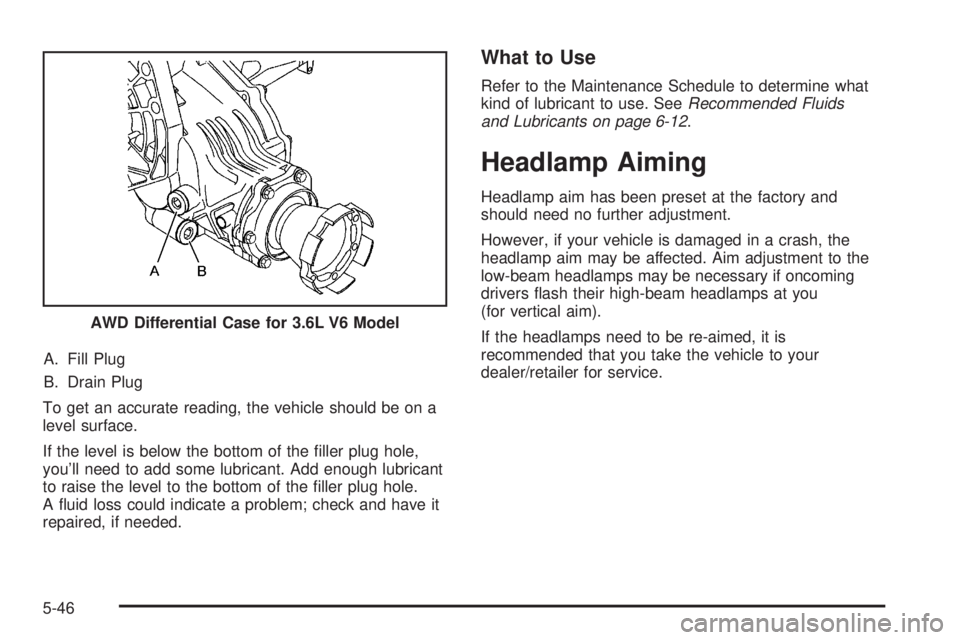
A. Fill Plug
B. Drain Plug
To get an accurate reading, the vehicle should be on a
level surface.
If the level is below the bottom of the ller plug hole,
you’ll need to add some lubricant. Add enough lubricant
to raise the level to the bottom of the ller plug hole.
A uid loss could indicate a problem; check and have it
repaired, if needed.
What to Use
Refer to the Maintenance Schedule to determine what
kind of lubricant to use. SeeRecommended Fluids
and Lubricants on page 6-12.
Headlamp Aiming
Headlamp aim has been preset at the factory and
should need no further adjustment.
However, if your vehicle is damaged in a crash, the
headlamp aim may be affected. Aim adjustment to the
low-beam headlamps may be necessary if oncoming
drivers ash their high-beam headlamps at you
(for vertical aim).
If the headlamps need to be re-aimed, it is
recommended that you take the vehicle to your
dealer/retailer for service. AWD Differential Case for 3.6L V6 Model
5-46
Page 334 of 434
Maximum Loaded Vehicle Weight:The sum of
curb weight, accessory weight, vehicle capacity
weight, and production options weight.
Normal Occupant Weight
:The number of
occupants a vehicle is designed to seat multiplied
by 150 lbs (68 kg). SeeLoading Your Vehicle
on page 4-22.
Occupant Distribution
:Designated seating
positions.
Outward Facing Sidewall
:The side of an
asymmetrical tire that has a particular side that
faces outward when mounted on a vehicle.
The side of the tire that contains a whitewall, bears
white lettering, or bears manufacturer, brand,
and/or model name molding that is higher
or deeper than the same moldings on the other
sidewall of the tire.
Passenger (P-Metric) Tire
:A tire used on
passenger cars and some light duty trucks and
multipurpose vehicles.
Recommended Ination Pressure
:Vehicle
manufacturer’s recommended tire ination
pressure as shown on the tire placard. See
Inflation - Tire Pressure on page 5-59andLoading
Your Vehicle on page 4-22.Radial Ply Tire
:A pneumatic tire in which the ply
cords that extend to the beads are laid at
90 degrees to the centerline of the tread.
Rim
:A metal support for a tire and upon which
the tire beads are seated.
Sidewall
:The portion of a tire between the tread
and the bead.
Speed Rating
:An alphanumeric code assigned to
a tire indicating the maximum speed at which a
tire can operate.
Traction
:The friction between the tire and the
road surface. The amount of grip provided.
Tread
:The portion of a tire that comes into
contact with the road.
Treadwear Indicators
:Narrow bands, sometimes
called wear bars, that show across the tread of
a tire when only 1/16 inch (1.6 mm) of tread
remains. SeeWhen It Is Time for New Tires on
page 5-69.
5-58
Page 342 of 434
TPMS Sensor Matching Process
Each TPMS sensor has a unique identication code.
Any time you rotate your vehicle’s tires or replace one or
more of the TPMS sensors, the identication codes
will need to be matched to the new tire/wheel position.
The sensors are matched to the tire/wheel positions
in the following order: driver side front tire, passenger
side front tire, passenger side rear tire, and driver
side rear tire using a TPMS diagnostic tool. See your
dealer/retailer for service.
The TPMS sensors can also be matched to each
tire/wheel position by increasing or decreasing the tire’s
air pressure. If increasing the tire’s air pressure, do
not exceed the maximum ination pressure indicated on
the tire’s sidewall.
To decrease air-pressure out of a tire you can use the
pointed end of the valve cap, a pencil-style air pressure
gage, or a key.You have two minutes to match the rst tire/wheel
position, and ve minutes overall to match all four
tire/wheel positions. If it takes longer than two minutes,
to match the rst tire and wheel, or more than ve
minutes to match all four tire and wheel positions the
matching process stops and you need to start over.
The TPMS sensor matching process is outlined below:
1. Set the parking brake.
2. Turn the ignition switch to ON/RUN with the
engine off.
3. Press the Remote Keyless Entry (RKE) transmitter’s
LOCK and UNLOCK buttons at the same time for
approximately ve seconds. The horn sounds twice
to signal the receiver is in relearn mode and
TIRE LEARNING ACTIVE message displays on the
DIC screen.
4. Start with the driver side front tire.
5-66
Page 409 of 434
Alternative Service (Canada only):There may be
times, when Roadside Assistance cannot provide
timely assistance. Your advisor may authorize you to
secure local emergency road service, and you will be
reimbursed up to $100 upon submission of the
original receipt to Roadside Assistance.
In many instances, mechanical failures may be covered.
However, any cost for parts and labor for non-warranty
repairs are the responsibility of the driver.
Pontiac and General Motors of Canada Limited reserve
the right to limit services or reimbursement to an
owner or driver when, in their sole discretion, the claims
become excessive in frequency or type of occurrence.
Calling For Assistance
For prompt and efficient assistance when calling, please
provide the following to the Roadside Assistance
Representative:
Your name, home address, and home telephone
number
Telephone number of your location
Location of the vehicle
Model, year, color, and license plate number of the
vehicle
Odometer reading, Vehicle Identication
Number (VIN), and delivery date of the vehicle
Description of the problem
Towing and Road Service Exclusions
Specically excluded from Roadside Assistance
coverage are towing or services for vehicles operated on
a non-public roadway or highway, nes, impound towing
caused by a violation of local, Municipal, State,
Provincial, or Federal law, and mounting, dismounting or
changing of snow tires, chains, or other traction devices.
Roadside Assistance is not part of or included in the
coverage provided by the New Vehicle Limited Warranty.
Pontiac and General Motors of Canada Limited
reserve the right to make any changes or discontinue
the Roadside Assistance program at any time without
notication.
7-9
Page 414 of 434
If your vehicle cannot be driven, know where the
towing service will be taking it. Get a card from the
tow truck operator or write down the driver’s name,
the service’s name, and the phone number.
Remove any valuables from your vehicle before it is
towed away. Make sure this includes your insurance
information and registration if you keep these items
in your vehicle.
Gather the important information you will need from
the other driver. Things like name, address, phone
number, driver’s license number, vehicle license
plate, vehicle make, model and model year, Vehicle
Identication Number (VIN), insurance company and
policy number, and a general description of the
damage to the other vehicle.
If possible, call your insurance company from the
scene of the crash. They will walk you through the
information they will need. If they ask for a police
report, phone or go to the police department
headquarters the next day and you can get a copy of
the report for a nominal fee. In some states/provinces
with “no fault” insurance laws, a report may not be
necessary. This is especially true if there are no
injuries and both vehicles are driveable.
Choose a reputable collision repair facility for your
vehicle. Whether you select a dealer/retailer or a
private collision repair facility to x the damage,
make sure you are comfortable with them.
Remember, you will have to feel comfortable with
their work for a long time.
Once you have an estimate, read it carefully and
make sure you understand what work will be
performed on your vehicle. If you have a question,
ask for an explanation. Reputable shops welcome
this opportunity.
Managing the Vehicle Damage Repair
Process
In the event that your vehicle requires damage repairs,
GM recommends that you take an active role in its
repair. If you have a pre-determined repair facility of
choice, take your vehicle there, or have it towed there.
Specify to the facility that any required replacement
collision parts be original equipment parts, either new
Genuine GM parts or recycled original GM parts.
Remember, recycled parts will not be covered by your
GM vehicle warranty.
7-14
Page 417 of 434
Current and Past Model Order Forms
Technical Service Bulletins and Manuals are available
for current and past model GM vehicles. To request
an order form, specify year and model name of
the vehicle.
ORDER TOLL FREE: 1-800-551-4123
Monday-Friday 8:00 AM - 6:00 PM
Eastern Time
For Credit Card Orders Only
(VISA-MasterCard-Discover), visit Helm, Inc. on the
World Wide Web at: www.helminc.com
Or you can write to:
Helm, Incorporated
P.O. Box 07130
Detroit, MI 48207
Prices are subject to change without notice and without
incurring obligation. Allow ample time for delivery.
Note to Canadian Customers: All listed prices are
quoted in U.S. funds. Canadian residents are to make
checks payable in U.S. funds.
Vehicle Data Recording and
Privacy
Your GM vehicle has a number of sophisticated
computers that record information about the vehicle’s
performance and how it is driven. For example,
your vehicle uses computer modules to monitor and
control engine and transmission performance, to monitor
the conditions for airbag deployment and deploy
airbags in a crash and, if so equipped, to provide
antilock braking to help the driver control the vehicle.
These modules may store data to help your
dealer/retailer technician service your vehicle. Some
modules may also store data about how you operate the
vehicle, such as rate of fuel consumption or average
speed. These modules may also retain the owner’s
personal preferences, such as radio pre-sets, seat
positions, and temperature settings.
7-17
Page 424 of 434
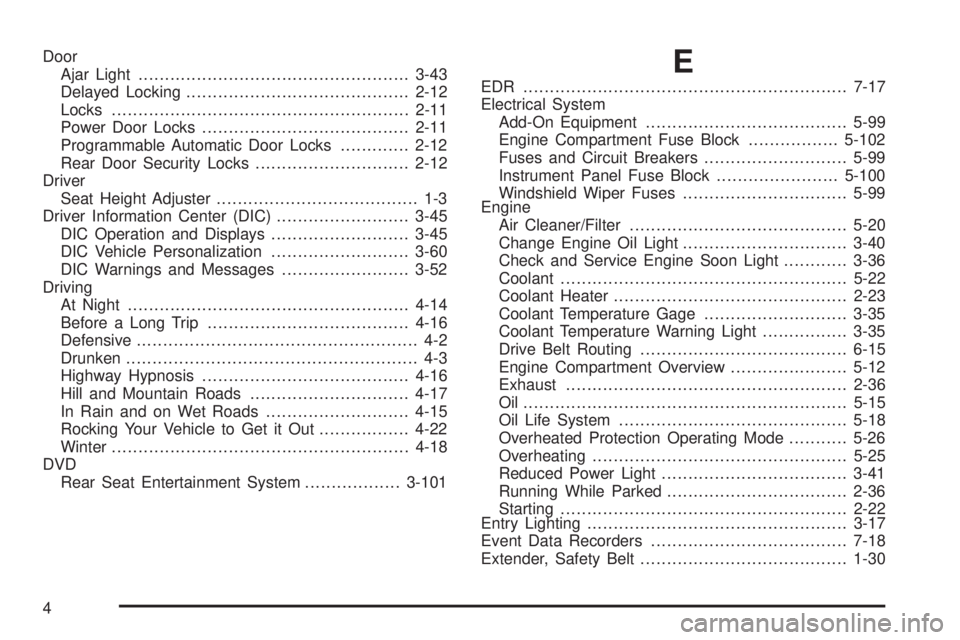
Door
Ajar Light...................................................3-43
Delayed Locking..........................................2-12
Locks........................................................2-11
Power Door Locks.......................................2-11
Programmable Automatic Door Locks.............2-12
Rear Door Security Locks.............................2-12
Driver
Seat Height Adjuster...................................... 1-3
Driver Information Center (DIC).........................3-45
DIC Operation and Displays..........................3-45
DIC Vehicle Personalization..........................3-60
DIC Warnings and Messages........................3-52
Driving
At Night.....................................................4-14
Before a Long Trip......................................4-16
Defensive..................................................... 4-2
Drunken....................................................... 4-3
Highway Hypnosis.......................................4-16
Hill and Mountain Roads..............................4-17
In Rain and on Wet Roads...........................4-15
Rocking Your Vehicle to Get it Out.................4-22
Winter........................................................4-18
DVD
Rear Seat Entertainment System..................3-101E
EDR .............................................................7-17
Electrical System
Add-On Equipment......................................5-99
Engine Compartment Fuse Block.................5-102
Fuses and Circuit Breakers...........................5-99
Instrument Panel Fuse Block.......................5-100
Windshield Wiper Fuses...............................5-99
Engine
Air Cleaner/Filter.........................................5-20
Change Engine Oil Light...............................3-40
Check and Service Engine Soon Light............3-36
Coolant......................................................5-22
Coolant Heater............................................2-23
Coolant Temperature Gage...........................3-35
Coolant Temperature Warning Light................3-35
Drive Belt Routing.......................................6-15
Engine Compartment Overview......................5-12
Exhaust.....................................................2-36
Oil .............................................................5-15
Oil Life System...........................................5-18
Overheated Protection Operating Mode...........5-26
Overheating................................................5-25
Reduced Power Light...................................3-41
Running While Parked..................................2-36
Starting......................................................2-22
Entry Lighting.................................................3-17
Event Data Recorders.....................................7-18
Extender, Safety Belt.......................................1-30
4
Page 429 of 434
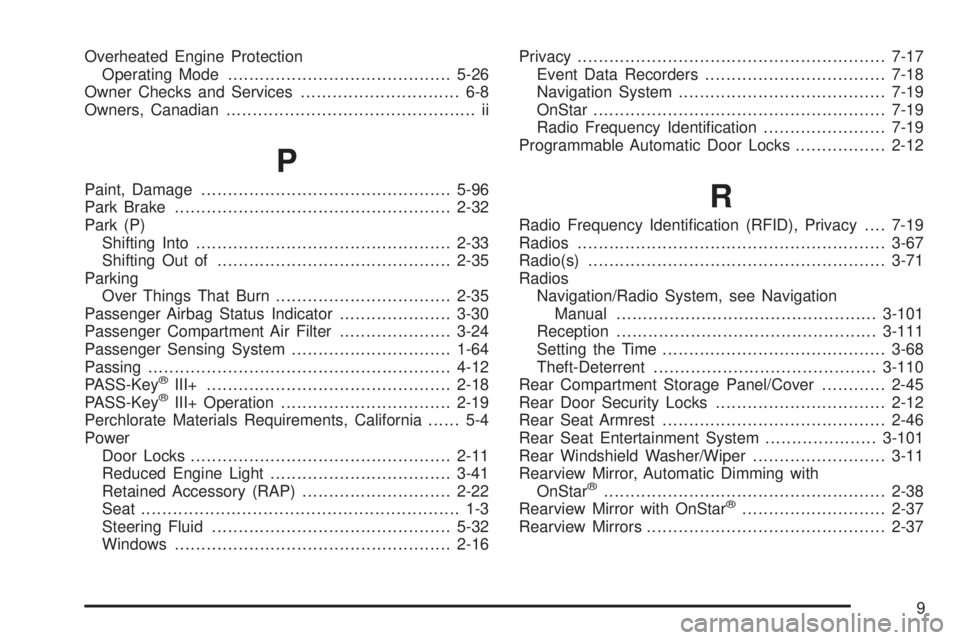
Overheated Engine Protection
Operating Mode..........................................5-26
Owner Checks and Services.............................. 6-8
Owners, Canadian............................................... ii
P
Paint, Damage...............................................5-96
Park Brake....................................................2-32
Park (P)
Shifting Into................................................2-33
Shifting Out of............................................2-35
Parking
Over Things That Burn.................................2-35
Passenger Airbag Status Indicator.....................3-30
Passenger Compartment Air Filter.....................3-24
Passenger Sensing System..............................1-64
Passing.........................................................4-12
PASS-Key
®III+..............................................2-18
PASS-Key®III+ Operation................................2-19
Perchlorate Materials Requirements, California...... 5-4
Power
Door Locks.................................................2-11
Reduced Engine Light..................................3-41
Retained Accessory (RAP)............................2-22
Seat............................................................ 1-3
Steering Fluid.............................................5-32
Windows....................................................2-16Privacy..........................................................7-17
Event Data Recorders..................................7-18
Navigation System.......................................7-19
OnStar.......................................................7-19
Radio Frequency Identication.......................7-19
Programmable Automatic Door Locks.................2-12
R
Radio Frequency Identication (RFID), Privacy....7-19
Radios..........................................................3-67
Radio(s)........................................................3-71
Radios
Navigation/Radio System, see Navigation
Manual.................................................3-101
Reception.................................................3-111
Setting the Time..........................................3-68
Theft-Deterrent..........................................3-110
Rear Compartment Storage Panel/Cover............2-45
Rear Door Security Locks................................2-12
Rear Seat Armrest..........................................2-46
Rear Seat Entertainment System.....................3-101
Rear Windshield Washer/Wiper.........................3-11
Rearview Mirror, Automatic Dimming with
OnStar
®.....................................................2-38
Rearview Mirror with OnStar®...........................2-37
Rearview Mirrors.............................................2-37
9