warning light PONTIAC TORRENT 2008 Owner's Manual
[x] Cancel search | Manufacturer: PONTIAC, Model Year: 2008, Model line: TORRENT, Model: PONTIAC TORRENT 2008Pages: 434, PDF Size: 2.51 MB
Page 168 of 434
Here are four things that some owners ask about.
None of these show a problem with your fuel gage:
At the service station, the fuel pump shuts off before
the gage reads full.
It takes a little more or less fuel to ll up than the
gage indicated. For example, the gage may have
indicated the tank was half full, but it actually took a
little more or less than half the tank’s capacity to
ll the tank.
The gage moves a little when you turn a corner or
speed up.
The gage takes a few seconds to stabilize after the
ignition is turned on, and will go back to empty
when you turn the ignition off.
For your fuel tank capacity, seeCapacities and
Specifications on page 5-105.
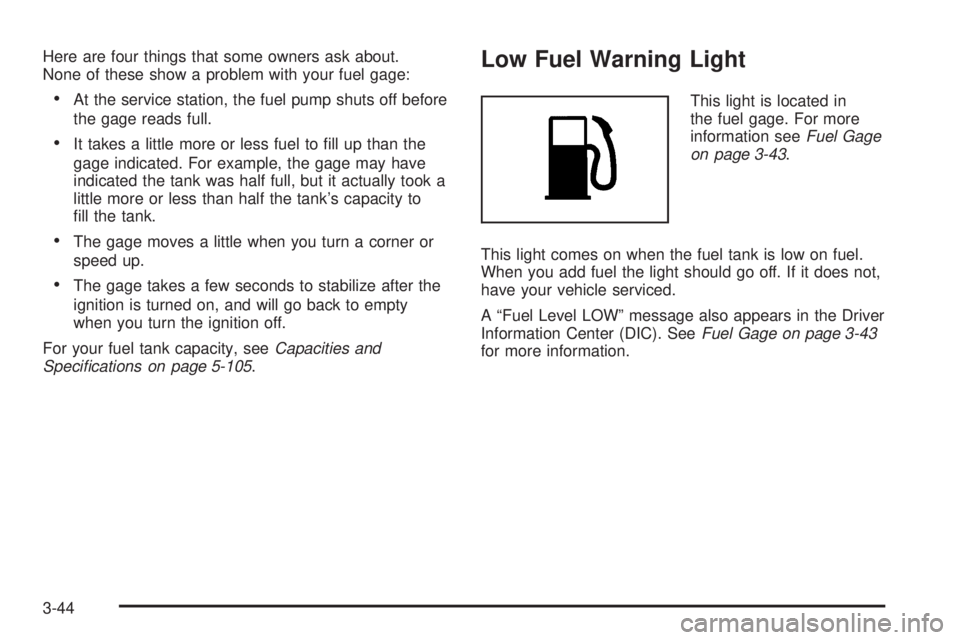
Low Fuel Warning Light
This light is located in
the fuel gage. For more
information seeFuel Gage
on page 3-43.
This light comes on when the fuel tank is low on fuel.
When you add fuel the light should go off. If it does not,
have your vehicle serviced.
A “Fuel Level LOW” message also appears in the Driver
Information Center (DIC). SeeFuel Gage on page 3-43
for more information.
3-44
Page 171 of 434
RANGE
Press the trip/fuel button until RANGE displays. This
display shows the approximate number of remaining
miles (mi) or kilometers (km) the vehicle can be driven
without refueling.
The fuel range estimate is based on an average of
the vehicle’s fuel economy over recent driving history
and the amount of fuel remaining in the fuel tank.
This estimate will change if driving conditions change.
For example, if driving in traffic and making frequent
stops, this display may read one number, but if
the vehicle is driven on a freeway, the number may
change even though the same amount of fuel is in the
fuel tank. This is because different driving conditions
produce different fuel economies. Generally, freeway
driving produces better fuel economy than city driving.
If your vehicle is low on fuel, the FUEL LEVEL LOW
message will be displayed. See “FUEL LEVEL LOW”
underDIC Warnings and Messages on page 3-52
for more information.
Blank Display
This display shows no information.
Vehicle Information Menu Items
T
(Vehicle Information):Press this button to scroll
through the following displays:
OIL LIFE
Press the vehicle information button until OIL LIFE
REMAINING displays. This display shows an estimate of
the oil’s remaining useful life. If you see 99% OIL LIFE
REMAINING on the display, that means 99% of the
current oil life remains. The engine oil life system will alert
you to change the oil on a schedule consistent with your
driving conditions.
When the remaining oil life is low, the CHANGE
ENGINE OIL SOON message will appear on the
display along with the Change Engine Oil Light on
the instrument panel cluster. See “CHANGE ENGINE
OIL SOON” underDIC Warnings and Messages
on page 3-52andChange Engine Oil Light on
page 3-40. You should change the oil as soon as
possible. SeeEngine Oil on page 5-15. In addition
to the engine oil life system monitoring the oil life,
additional maintenance is recommended in the
Maintenance Schedule in this manual. SeeScheduled
Maintenance on page 6-4for more information.
3-47
Page 172 of 434
Remember, you must reset the OIL LIFE yourself
after each oil change. It will not reset itself. Also, be
careful not to reset the OIL LIFE accidentally at any
time other than when the oil has just been changed.
It cannot be reset accurately until the next oil change.
To reset the engine oil life system, seeEngine Oil
Life System on page 5-18.
UNITS
Press the vehicle information button until UNITS
displays. This display allows you to select between
English or Metric units of measurement. Once in this
display, press the set/reset button to select between
ENGLISH or METRIC units.
FRONT TIRES or REAR TIRES
The pressure for each tire can be viewed in the DIC.
The tire pressure will be shown in either pounds per
square inch (psi) or kilopascals (kPa). Press the vehicle
information button until the DIC displays FRONT TIRES
PSI (kPa) LF ## RF ##. Press the vehicle information
button again until the DIC displays REAR TIRES
PSI (kPa) LR ## RR ##.If a low or high tire pressure condition is detected by
the system while driving, a message advising you
to check the pressure in a specic tire will appear in
the display. SeeInflation - Tire Pressure on page 5-59
andDIC Warnings and Messages on page 3-52for
more information.
If the tire pressure display shows dashes instead of
a value, there may be a problem with your vehicle. If this
consistently occurs, see your dealer/retailer for service.
BATTERY
Press the vehicle information button until BATTERY
displays. This display shows the current battery voltage.
If the voltage is normal, the display will show NORMAL.
If the voltage is low or high, the display will show
LOW or HIGH. Your vehicle’s charging system regulates
voltage based on the state of the battery. The battery
voltage may uctuate when viewing this information
on the DIC. This is normal. SeeCharging System Light
on page 3-32for more information.
If there is a problem with the battery charging system,
the DIC will display SERVICE BATTERY CHARGING
SYSTEM. See “SERVICE BATTERY CHARGING
SYSTEM” underDIC Warnings and Messages on
page 3-52. Also, seeElectric Power Management
on page 3-18for more information.
3-48
Page 176 of 434
DIC Warnings and Messages
Messages are displayed on the DIC to notify the driver
that the status of the vehicle has changed and that
some action may be needed by the driver to correct
the condition. Multiple messages may appear one after
another.
Some messages may not require immediate action,
but you can press the set/reset button to acknowledge
that you received the messages and to clear them
from the display. Pressing any of the DIC buttons
also acknowledge and clear any messages.
Some messages cannot be cleared from the DIC
display because they are more urgent. These messages
require action before they can be cleared. You should
take any messages that appear on the display seriously
and remember that clearing the messages will only
make the messages disappear, not correct the problem.
The following are the possible messages that can be
displayed and some information about them.
ALL WHEEL DRIVE OFF
If your vehicle has the All-Wheel Drive (AWD) system,
this message displays along with the All-Wheel Drive
Disabled light when the rear drive system is overheating.
This message turns off when the rear drive system cools
down. If the warning message stays on for a while, you
need to reset the warning message. To reset the warning
message, turn the ignition off and then back on again.
If the message stays on, see your dealer/retailer right
away. SeeAll-Wheel Drive (AWD) System on page 4-8
andAll-Wheel Drive Disabled Light on page 3-42for
more information.
BATTERY SAVER ACTIVE
This message displays when the charging system
detects that the battery is being drained. You may notice
that the vehicle attempts to reduce the drain for you by
turning off accessories, such as interior fans, rear
defogger, and heated seats. Turn off all accessories.
If the vehicle is not running, start and run the engine for
at least 10 minutes to allow the battery to recharge. If the
engine is running and the condition persists, see your
dealer/retailer. SeeElectric Power Management on
page 3-18for more information.
3-52
Page 178 of 434
CHECK TIRE PRESSURE
This message displays when the pressure in one or more
of the vehicle’s tires needs to be checked. This message
also displays LEFT FRONT, RIGHT FRNT (Front), LEFT
REAR, or RIGHT REAR to indicate which tire needs to be
checked. You can receive more than one tire pressure
message at a time. To read the other messages that may
have been sent at the same time, press the set/reset
button. If a tire pressure message appears on the DIC,
stop as soon as you can. Have the tire pressures
checked and set to those shown on the Tire Loading
Information label. SeeTires on page 5-52,Loading Your
Vehicle on page 4-22, andInflation - Tire Pressure on
page 5-59. The DIC also shows the tire pressure values.
SeeDIC Operation and Displays on page 3-45. If the tire
pressure is low, the low tire pressure warning light comes
on. SeeTire Pressure Light on page 3-36.
DRIVER DOOR OPEN
This message displays when the driver door is not
closed properly. Close the door completely.
ENGINE HOT
A/C (Air Conditioning) OFF
This message displays when the engine coolant
becomes hotter than the normal operating temperature.
To avoid added strain on a hot engine, the air
conditioning compressor is automatically turned off.
When the coolant temperature returns to normal, the A/C
operation automatically resumes. You can continue to
drive your vehicle.
ENGINE OVERHEATD (Overheated)
IDLE ENGINE
Notice:If you drive your vehicle while the engine
is overheating, severe engine damage may occur.
If an overheat warning appears on the instrument
panel cluster and/or DIC, stop the vehicle as soon as
possible. Do not increase the engine speed above
normal idling speed. SeeEngine Overheating
on page 5-25for more information.
This message displays when the engine coolant
temperature is too hot. Stop and allow the vehicle to
idle until it cools down.
3-54
Page 179 of 434
ENGINE OVRHEATD (Overheated)
STOP ENGINE
Notice:If you drive your vehicle while the engine
is overheating, severe engine damage may occur.
If an overheat warning appears on the instrument
panel cluster and/or DIC, stop the vehicle as soon
as possible. SeeEngine Overheating on page 5-25
for more information.
This message displays along with a continuous chime
when the engine has overheated. Stop and turn the
engine off immediately to avoid severe engine damage.
SeeEngine Overheating on page 5-25.
ENGINE POWER IS REDUCED
This message displays when the vehicle’s engine
power is reduced. Reduced engine power can affect the
vehicle’s ability to accelerate. If this message is on, but
there is no reduction in performance, proceed to your
destination. The performance may be reduced the next
time the vehicle is driven. The vehicle may be driven at a
reduced speed while this message is on, but acceleration
and speed may be reduced. Anytime this message stays
on, the vehicle should be taken to your dealer/retailer for
service as soon as possible.
FUEL LEVEL LOW
This message displays and the Low Fuel Warning Light
in the instrument panel cluster comes on when your
vehicle is low on fuel. Rell the fuel tank as soon
as possible. SeeFuel Gage on page 3-43,Low Fuel
Warning Light on page 3-44, andFilling the Tank
on page 5-8for more information.
HOOD OPEN
This message displays on some vehicles when the
hood is not closed properly. Close the hood completely.
SeeHood Release on page 5-11.
ICE POSSIBLE DRIVE WITH CARE
This message displays when the outside air temperature
is cold enough to create icy road conditions. Adjust
your driving accordingly.
LIFTGATE OPEN
This message displays when the liftgate is not closed
completely. Close the liftgate completely. SeeLiftgate
on page 2-13.
3-55
Page 180 of 434
OIL PRSSURE (Pressure) LOW STOP
ENGINE
Notice:If you drive your vehicle while the engine
oil pressure is low, severe engine damage may
occur. If a low oil pressure warning appears on the
Driver Information Center (DIC), stop the vehicle
as soon as possible. Do not drive the vehicle until
the cause of the low oil pressure is corrected.
SeeEngine Oil on page 5-15for more information.
This message displays when the vehicle’s engine
oil pressure is low. The oil pressure light also appears
on the instrument panel cluster. SeeOil Pressure
Light on page 3-39.
Stop the vehicle immediately, as engine damage can
result from driving a vehicle with low oil pressure. Have
the vehicle serviced by your dealer/retailer as soon
as possible when this message is displayed.
PASSENGER DOOR FRONT/
REAR OPEN
This message displays when one or more of the
passenger doors are not closed properly. Close the
doors completely.
REMOTE KEY LEARNING ACTIVE
This message displays while you are matching a
Remote Keyless Entry (RKE) transmitter to your vehicle.
See “LEARN REMOTE KEY” underDIC Operation
and Displays on page 3-45for more information.
SERVICE A/C (Air Conditioning)
SYSTEM
This message displays when there is a problem
detected in the air conditioning system. Have the
vehicle serviced by your dealer/retailer.
SERVICE AIR BAG
This message displays when there is a problem with
the airbag system. Have your vehicle serviced by your
dealer/retailer immediately. SeeAirbag Readiness
Light on page 3-29for more information.
SERVICE ALL WHEEL DRIVE
If your vehicle has the All-Wheel Drive (AWD) system,
this message displays along with the service all-wheel
drive light if a problem occurs with this system. See
Service All-Wheel Drive Light on page 3-42. If this
message appears, stop as soon as possible and turn
off the vehicle. Restart the vehicle and check for the
message on the DIC display. If the message is still
displayed or appears again when you begin driving, the
AWD system needs service. See your dealer/retailer.
3-56
Page 181 of 434
SERVICE BATTERY CHARGING
SYSTEM
This message displays when there is a problem with the
generator and battery charging systems. Driving with
this problem could drain the vehicle’s battery. Turn off all
unnecessary accessories. Stop and turn off the vehicle
as soon as it is safe to do so. Have the electrical
system checked by your dealer/retailer immediately.
Connecting a battery charger to your vehicle while the
ignition is in any position other than LOCK/OFF may
cause this message to appear. If you need to charge
your vehicle, make sure that the key is in LOCK/OFF
or out of the ignition during charging.
SERVICE BRAKE SYSTEM
This message displays and a chime sounds when the
brake uid level is low. The brake system warning
light also appears on the instrument panel cluster when
this message appears on the DIC. SeeBrake System
Warning Light on page 3-33. Have the brake system
serviced by your dealer/retailer as soon as possible.
SERVICE POWER STEERING
On some vehicles, this message displays when a
problem is detected with the power steering system.
When this message is displayed, you may notice that
the effort required to steer the vehicle increases or feels
heavier, but you will still be able to steer the vehicle. Have
your vehicle serviced by your dealer/retailer immediately.
SERVICE STABILITRAK
This message displays if there has been a problem
detected with the StabiliTrak®System. A warning light
also appears on the instrument panel cluster. See
Traction Control System (TCS) Warning Light on
page 3-34. SeeStabiliTrak
®System on page 4-7
for more information.
If this message turns on while you are driving, pull
off the road as soon as possible and stop carefully.
Try resetting the system by turning the ignition off and
then back on. If this message still stays on or turns back
on again while you are driving, your vehicle needs
service. Have the StabiliTrak
®System inspected by
your dealer/retailer as soon as possible.
3-57
Page 182 of 434
SERVICE THEFT DETERRENT SYSTEM
This message displays when there is a problem with
the theft-deterrent system. A fault has been detected in
the system which means that the system is disabled
and it is not protecting the vehicle. The vehicle usually
restarts; however, you may want to take the vehicle
to your dealer/retailer before turning off the engine.
SeePASS-Key
®III+ Operation on page 2-19for more
information.
SERVICE TIRE MONITOR SYSTEM
This message displays if a part on the Tire Pressure
Monitor System (TPMS) is not working properly. The tire
pressure light also ashes and then remains on during
the same ignition cycle. SeeTire Pressure Light on
page 3-36. Several conditions may cause this message
to appear. SeeTire Pressure Monitor Operation on
page 5-63for more information. If the warning comes on
and stays on, there may be a problem with the TPMS.
See your dealer/retailer.
SERVICE TRACTION CONTROL
This message displays when the Traction Control
System (TCS) is not functioning properly. A warning
light also appears on the instrument panel cluster.
SeeTraction Control System (TCS) Warning Light
on page 3-34andTraction Control System (TCS) on
page 4-6for more information. Have the TCS serviced
by your dealer/retailer as soon as possible.
SERVICE VEHICLE SOON
This message displays when a non-emissions related
malfunction occurs. Have the vehicle serviced by
your dealer/retailer as soon as possible.
STABILITRAK NOT READY
This message may display and a warning light on the
instrument panel cluster may be on after rst driving the
vehicle and exceeding 30 mph (48 km/h) for 30 seconds.
SeeTraction Control System (TCS) Warning Light on
page 3-34. The StabiliTrak
®System is not functional
until the light has turned off. SeeStabiliTrak®System
on page 4-7for more information.
3-58
Page 240 of 434
Control of a Vehicle
The following three systems help to control your vehicle
while driving — brakes, steering, and accelerator. At
times, as when driving on snow or ice, it is easy to ask
more of those control systems than the tires and road can
provide. Meaning, you can lose control of your vehicle.
SeeTraction Control System (TCS) on page 4-6.
Adding non-dealer/non-retailer accessories can affect
your vehicle’s performance. SeeAccessories and
Modifications on page 5-3.
Braking
SeeBrake System Warning Light on page 3-33.
Braking action involves perception time and reaction
time. First, you have to decide to push on the brake
pedal. That is perception time. Then you have to bring
up your foot and do it. That is reaction time.
Average reaction time is about three-fourths of a
second. But that is only an average. It might be less
with one driver and as long as two or three seconds
or more with another. Age, physical condition, alertness,
coordination, and eyesight all play a part. So do
alcohol, drugs, and frustration. But even in three-fourths
of a second, a vehicle moving at 60 mph (100 km/h)travels 66 feet (20 m). That could be a lot of distance in
an emergency, so keeping enough space between
your vehicle and others is important.
And, of course, actual stopping distances vary greatly
with the surface of the road, whether it is pavement or
gravel; the condition of the road, whether it is wet, dry, or
icy; tire tread; the condition of the brakes; the weight of
the vehicle; and the amount of brake force applied.
Avoid needless heavy braking. Some people drive
in spurts — heavy acceleration followed by heavy
braking — rather than keeping pace with traffic. This is
a mistake. The brakes might not have time to cool
between hard stops. The brakes will wear out much
faster if you do a lot of heavy braking. If you keep pace
with the traffic and allow realistic following distances,
you will eliminate a lot of unnecessary braking.
That means better braking and longer brake life.
If your vehicle’s engine ever stops while you are driving,
brake normally but do not pump the brakes. If you do,
the pedal could get harder to push down. If the
engine stops, you will still have some power brake
assist. But you will use it when you brake. Once the
power assist is used up, it can take longer to stop and
the brake pedal will be harder to push.
Adding non-dealer/non-retailer accessories can affect
your vehicle’s performance. SeeAccessories and
Modifications on page 5-3.
4-4