wheel PONTIAC TORRENT 2008 Owner's Manual
[x] Cancel search | Manufacturer: PONTIAC, Model Year: 2008, Model line: TORRENT, Model: PONTIAC TORRENT 2008Pages: 434, PDF Size: 2.51 MB
Page 166 of 434
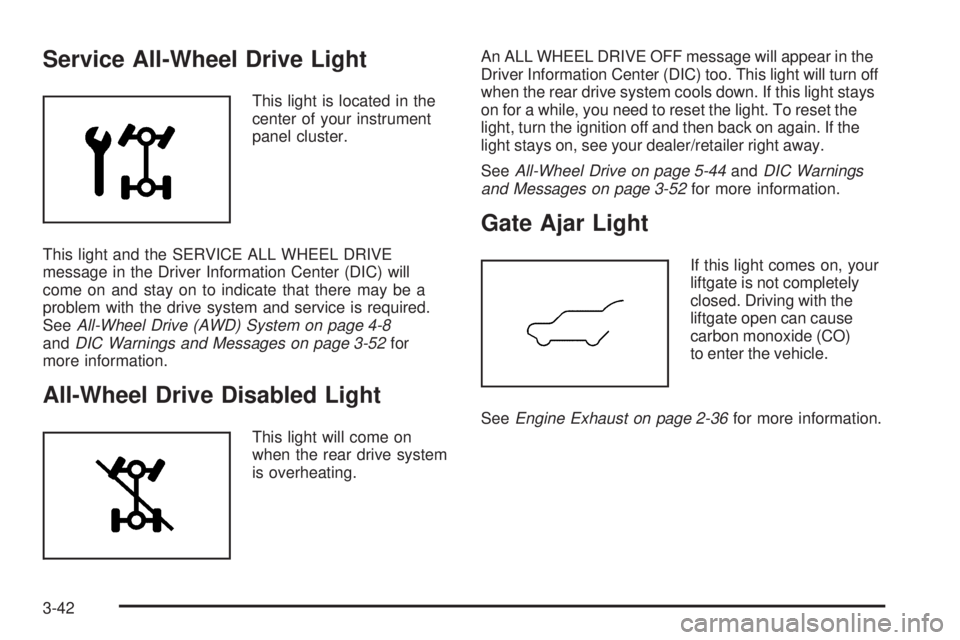
Service All-Wheel Drive Light
This light is located in the
center of your instrument
panel cluster.
This light and the SERVICE ALL WHEEL DRIVE
message in the Driver Information Center (DIC) will
come on and stay on to indicate that there may be a
problem with the drive system and service is required.
SeeAll-Wheel Drive (AWD) System on page 4-8
andDIC Warnings and Messages on page 3-52for
more information.
All-Wheel Drive Disabled Light
This light will come on
when the rear drive system
is overheating.An ALL WHEEL DRIVE OFF message will appear in the
Driver Information Center (DIC) too. This light will turn off
when the rear drive system cools down. If this light stays
on for a while, you need to reset the light. To reset the
light, turn the ignition off and then back on again. If the
light stays on, see your dealer/retailer right away.
SeeAll-Wheel Drive on page 5-44andDIC Warnings
and Messages on page 3-52for more information.
Gate Ajar Light
If this light comes on, your
liftgate is not completely
closed. Driving with the
liftgate open can cause
carbon monoxide (CO)
to enter the vehicle.
SeeEngine Exhaust on page 2-36for more information.
3-42
Page 176 of 434
DIC Warnings and Messages
Messages are displayed on the DIC to notify the driver
that the status of the vehicle has changed and that
some action may be needed by the driver to correct
the condition. Multiple messages may appear one after
another.
Some messages may not require immediate action,
but you can press the set/reset button to acknowledge
that you received the messages and to clear them
from the display. Pressing any of the DIC buttons
also acknowledge and clear any messages.
Some messages cannot be cleared from the DIC
display because they are more urgent. These messages
require action before they can be cleared. You should
take any messages that appear on the display seriously
and remember that clearing the messages will only
make the messages disappear, not correct the problem.
The following are the possible messages that can be
displayed and some information about them.
ALL WHEEL DRIVE OFF
If your vehicle has the All-Wheel Drive (AWD) system,
this message displays along with the All-Wheel Drive
Disabled light when the rear drive system is overheating.
This message turns off when the rear drive system cools
down. If the warning message stays on for a while, you
need to reset the warning message. To reset the warning
message, turn the ignition off and then back on again.
If the message stays on, see your dealer/retailer right
away. SeeAll-Wheel Drive (AWD) System on page 4-8
andAll-Wheel Drive Disabled Light on page 3-42for
more information.
BATTERY SAVER ACTIVE
This message displays when the charging system
detects that the battery is being drained. You may notice
that the vehicle attempts to reduce the drain for you by
turning off accessories, such as interior fans, rear
defogger, and heated seats. Turn off all accessories.
If the vehicle is not running, start and run the engine for
at least 10 minutes to allow the battery to recharge. If the
engine is running and the condition persists, see your
dealer/retailer. SeeElectric Power Management on
page 3-18for more information.
3-52
Page 180 of 434
OIL PRSSURE (Pressure) LOW STOP
ENGINE
Notice:If you drive your vehicle while the engine
oil pressure is low, severe engine damage may
occur. If a low oil pressure warning appears on the
Driver Information Center (DIC), stop the vehicle
as soon as possible. Do not drive the vehicle until
the cause of the low oil pressure is corrected.
SeeEngine Oil on page 5-15for more information.
This message displays when the vehicle’s engine
oil pressure is low. The oil pressure light also appears
on the instrument panel cluster. SeeOil Pressure
Light on page 3-39.
Stop the vehicle immediately, as engine damage can
result from driving a vehicle with low oil pressure. Have
the vehicle serviced by your dealer/retailer as soon
as possible when this message is displayed.
PASSENGER DOOR FRONT/
REAR OPEN
This message displays when one or more of the
passenger doors are not closed properly. Close the
doors completely.
REMOTE KEY LEARNING ACTIVE
This message displays while you are matching a
Remote Keyless Entry (RKE) transmitter to your vehicle.
See “LEARN REMOTE KEY” underDIC Operation
and Displays on page 3-45for more information.
SERVICE A/C (Air Conditioning)
SYSTEM
This message displays when there is a problem
detected in the air conditioning system. Have the
vehicle serviced by your dealer/retailer.
SERVICE AIR BAG
This message displays when there is a problem with
the airbag system. Have your vehicle serviced by your
dealer/retailer immediately. SeeAirbag Readiness
Light on page 3-29for more information.
SERVICE ALL WHEEL DRIVE
If your vehicle has the All-Wheel Drive (AWD) system,
this message displays along with the service all-wheel
drive light if a problem occurs with this system. See
Service All-Wheel Drive Light on page 3-42. If this
message appears, stop as soon as possible and turn
off the vehicle. Restart the vehicle and check for the
message on the DIC display. If the message is still
displayed or appears again when you begin driving, the
AWD system needs service. See your dealer/retailer.
3-56
Page 192 of 434
While your vehicle is parked:
Familiarize yourself with all of its controls.
Familiarize yourself with its operation.
Set up your audio system by presetting your
favorite radio stations, setting the tone, and
adjusting the speakers. Then, when driving
conditions permit, you can tune to your favorite
radio stations using the presets and steering wheel
controls if the vehicle has them.
Notice:Before adding any sound equipment to
your vehicle, such as an audio system, CD player,
CB radio, mobile telephone, or two-way radio, make
sure that it can be added by checking with your
dealer/retailer. Also, check federal rules covering
mobile radio and telephone units. If sound equipment
can be added, it is very important to do it properly.
Added sound equipment may interfere with the
operation of your vehicle’s engine, radio, or other
systems, and even damage them. Your vehicle’s
systems may interfere with the operation of sound
equipment that has been added.
Your vehicle has a feature called Retained Accessory
Power (RAP). With RAP, the audio system can be played
even after the ignition is turned off. SeeRetained
Accessory Power (RAP) on page 2-22for more
information.
Setting the Time
Without Date Display
AM/FM Base Radio with a
Single CD Player
This type of radio has aH(clock) button for setting the
time. Set the time by following these steps:
1. Turn the radio on.
2. Press the
Hbutton until the hour begins ashing
on the display. Press the
Hbutton a second time
and the minutes begin ashing on the display.
3. While either the hour or the minutes are ashing, turn
the
f(tune) knob, located on the upper right side of
the radio, clockwise or counterclockwise to increase
or decrease the time. Instead of using the
fknob,
you can also press the SEEK arrows,
\FWD
(forward), or
sREV (reverse) buttons to adjust
the time.
4. Press the
Hbutton again until the clock display
stops ashing to set the currently displayed time;
otherwise, the ashing stops after ve seconds and
the current time displayed is automatically set.
3-68
Page 198 of 434
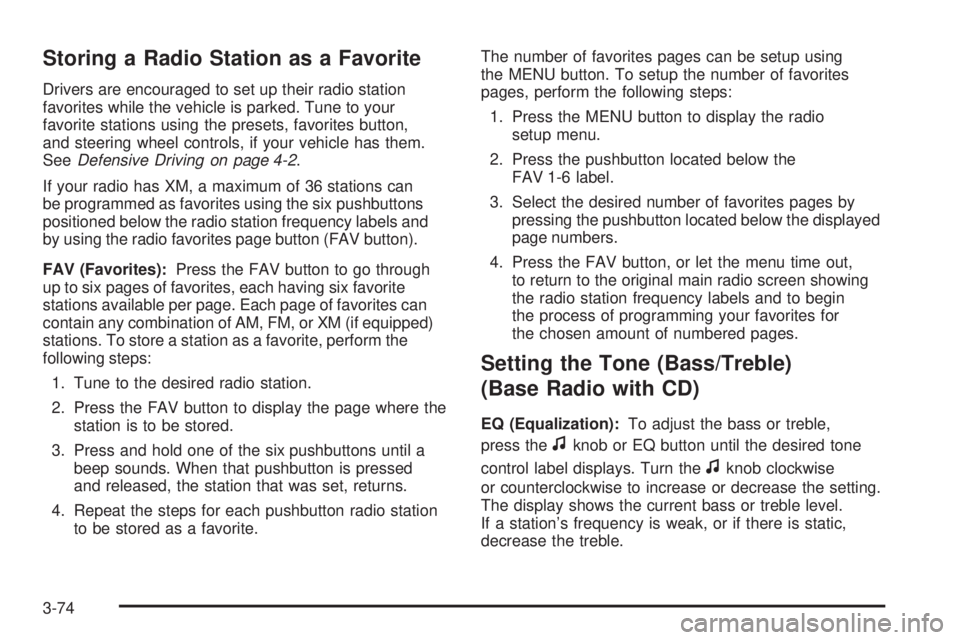
Storing a Radio Station as a Favorite
Drivers are encouraged to set up their radio station
favorites while the vehicle is parked. Tune to your
favorite stations using the presets, favorites button,
and steering wheel controls, if your vehicle has them.
SeeDefensive Driving on page 4-2.
If your radio has XM, a maximum of 36 stations can
be programmed as favorites using the six pushbuttons
positioned below the radio station frequency labels and
by using the radio favorites page button (FAV button).
FAV (Favorites):Press the FAV button to go through
up to six pages of favorites, each having six favorite
stations available per page. Each page of favorites can
contain any combination of AM, FM, or XM (if equipped)
stations. To store a station as a favorite, perform the
following steps:
1. Tune to the desired radio station.
2. Press the FAV button to display the page where the
station is to be stored.
3. Press and hold one of the six pushbuttons until a
beep sounds. When that pushbutton is pressed
and released, the station that was set, returns.
4. Repeat the steps for each pushbutton radio station
to be stored as a favorite.The number of favorites pages can be setup using
the MENU button. To setup the number of favorites
pages, perform the following steps:
1. Press the MENU button to display the radio
setup menu.
2. Press the pushbutton located below the
FAV 1-6 label.
3. Select the desired number of favorites pages by
pressing the pushbutton located below the displayed
page numbers.
4. Press the FAV button, or let the menu time out,
to return to the original main radio screen showing
the radio station frequency labels and to begin
the process of programming your favorites for
the chosen amount of numbered pages.
Setting the Tone (Bass/Treble)
(Base Radio with CD)
EQ (Equalization):To adjust the bass or treble,
press the
fknob or EQ button until the desired tone
control label displays. Turn the
fknob clockwise
or counterclockwise to increase or decrease the setting.
The display shows the current bass or treble level.
If a station’s frequency is weak, or if there is static,
decrease the treble.
3-74
Page 234 of 434
Cleaning the RSE Overhead Console
When cleaning the RSE overhead console surface,
use only a clean cloth dampened with clean water.
Cleaning the Video Screen
When cleaning the video screen, use only a clean cloth
dampened with clean water. Use care when directly
touching or cleaning the screen, as damage can result.
Theft-Deterrent Feature
THEFTLOCK®is designed to discourage theft of your
vehicle’s radio. It works by using a secret code to disable
all radio functions when battery power is removed and the
radio is placed in a different vehicle. This feature requires
no user input to be activated. The radio is automatically
armed when it is put into the vehicle for the rst time.
If THEFTLOCK is activated, the radio does not operate
if stolen. The radio displays LOCKED. If this occurs,
the radio needs to be returned to your dealer/retailer.
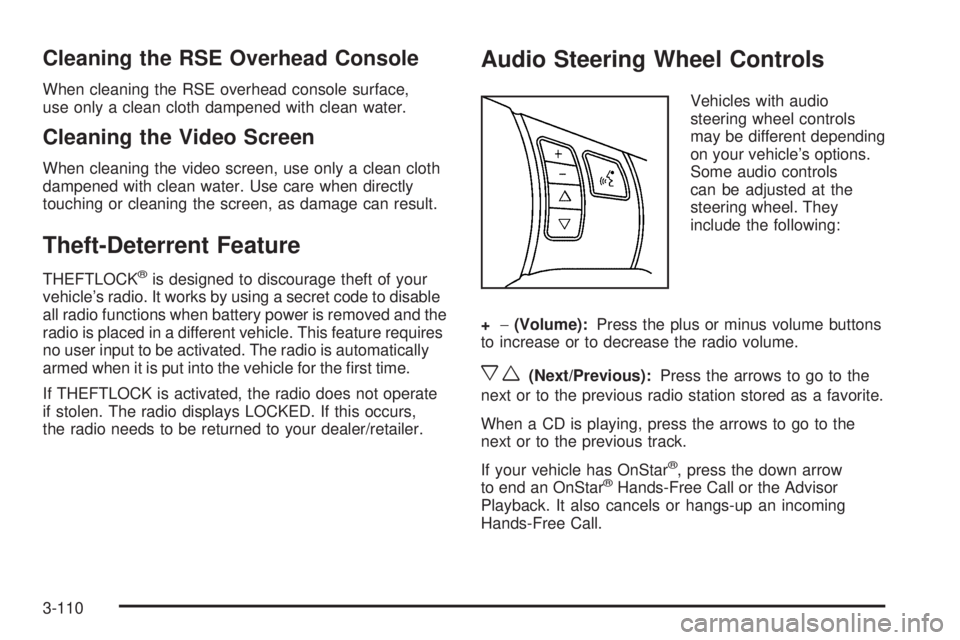
Audio Steering Wheel Controls
Vehicles with audio
steering wheel controls
may be different depending
on your vehicle’s options.
Some audio controls
can be adjusted at the
steering wheel. They
include the following:
+−(Volume):Press the plus or minus volume buttons
to increase or to decrease the radio volume.
xw(Next/Previous):Press the arrows to go to the
next or to the previous radio station stored as a favorite.
When a CD is playing, press the arrows to go to the
next or to the previous track.
If your vehicle has OnStar
®, press the down arrow
to end an OnStar®Hands-Free Call or the Advisor
Playback. It also cancels or hangs-up an incoming
Hands-Free Call.
3-110
Page 237 of 434
Your Driving, the Road, and Your Vehicle..........4-2
Defensive Driving...........................................4-2
Drunk Driving.................................................4-3
Control of a Vehicle........................................4-4
Braking.........................................................4-4
Antilock Brake System (ABS)...........................4-5
Braking in Emergencies...................................4-6
Traction Control System (TCS).........................4-6
StabiliTrak
®System........................................4-7
All-Wheel Drive (AWD) System.........................4-8
Steering........................................................4-9
Off-Road Recovery.......................................4-12
Passing.......................................................4-12
Loss of Control.............................................4-12Driving at Night............................................4-14
Driving in Rain and on Wet Roads..................4-15
Before Leaving on a Long Trip.......................4-16
Highway Hypnosis........................................4-16
Hill and Mountain Roads................................4-17
Winter Driving..............................................4-18
If Your Vehicle is Stuck in Sand, Mud,
Ice, or Snow.............................................4-21
Rocking Your Vehicle to Get It Out.................4-22
Loading Your Vehicle....................................4-22
Towing..........................................................4-27
Towing Your Vehicle.....................................4-27
Recreational Vehicle Towing...........................4-27
Towing a Trailer...........................................4-32
Section 4 Driving Your Vehicle
4-1
Page 241 of 434
Antilock Brake System (ABS)
Your vehicle has the Antilock Brake System (ABS), an
advanced electronic braking system that will help
prevent a braking skid.
When you start the engine and begin to drive away,
ABS will check itself. You might hear a momentary
motor or clicking noise while this test is going on, and
you might even notice that the brake pedal moves
a little. This is normal.
If there is a problem with
ABS, this warning light will
stay on. SeeAntilock
Brake System Warning
Light on page 3-34.Let us say the road is wet and you are driving safely.
Suddenly, an animal jumps out in front of you. You slam
on the brakes and continue braking. Here is what
happens with ABS:
A computer senses that wheels are slowing down. If
one of the wheels is about to stop rolling, the computer
will separately work the brakes at each wheel.
ABS can change the brake pressure faster than any
driver could. The computer is programmed to make the
most of available tire and road conditions. This can
help you steer around the obstacle while braking hard.
As you brake, the computer keeps receiving updates on
wheel speed and controls braking pressure accordingly.
Remember: ABS does not change the time you need to
get your foot up to the brake pedal or always decrease
stopping distance. If you get too close to the vehicle
in front of you, you will not have time to apply the
brakes if that vehicle suddenly slows or stops. Always
leave enough room up ahead to stop, even though
you have ABS.
Using ABS
Do not pump the brakes. Just hold the brake pedal
down rmly and let antilock work for you. You might hear
the antilock pump or motor operate, and feel the
brake pedal pulsate, but this is normal.
4-5
Page 242 of 434
Braking in Emergencies
With ABS, you can steer and brake at the same time. In
many emergencies, steering can help you more than
even the very best braking.
Panic Brake Assist
Your vehicle has a Panic Brake Assist feature designed
to assist the driver in stopping or decreasing vehicle
speed in emergency driving conditions. This feature
uses the Electronic Stability Control (ESC) hydraulic
brake control module to supplement the power
brake system under conditions where the driver has
quickly and forcefully applied the brake pedal in
an attempt to quickly stop or slow down the vehicle. The
ESC hydraulic brake control module increases brake
pressure at each corner of the vehicle until the Antilock
Brake System (ABS) activates. Minor brake pedal
pulsations or pedal movement during this time is normal
and the driver should continue to apply the brake
pedal as the driving situation dictates. The Panic Brake
Assist feature will automatically disengage when the
brake pedal is released or brake pedal pressure
is quickly decreased.
Traction Control System (TCS)
Your vehicle has a traction control system that limits
wheel spin. This is especially useful in slippery road
conditions. The system operates only if it senses that one
or more of the wheels are spinning or beginning to lose
traction. When this happens, the system works the
brakes and reduces engine power to limit wheel spin.
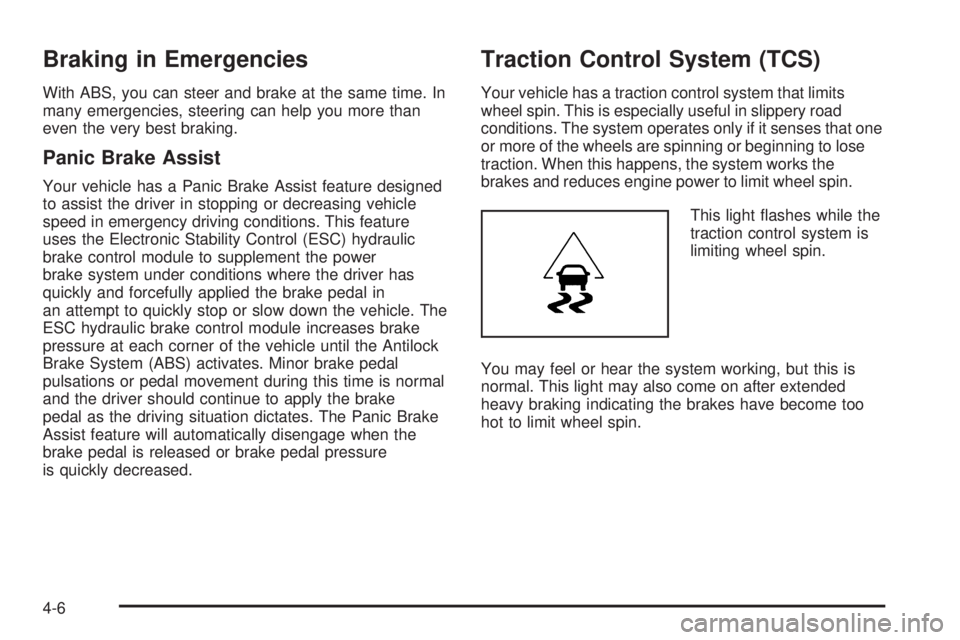
This light ashes while the
traction control system is
limiting wheel spin.
You may feel or hear the system working, but this is
normal. This light may also come on after extended
heavy braking indicating the brakes have become too
hot to limit wheel spin.
4-6
Page 243 of 434
The traction control system automatically comes on
whenever the vehicle is started. To limit wheel spin,
especially in slippery road conditions, you should always
leave the system on. But you can turn the traction control
system off if you ever need to. You should turn the
system off if your vehicle ever gets stuck in sand, mud,
ice, or snow and rocking the vehicle is required. See
Rocking Your Vehicle to Get It Out on page 4-22.
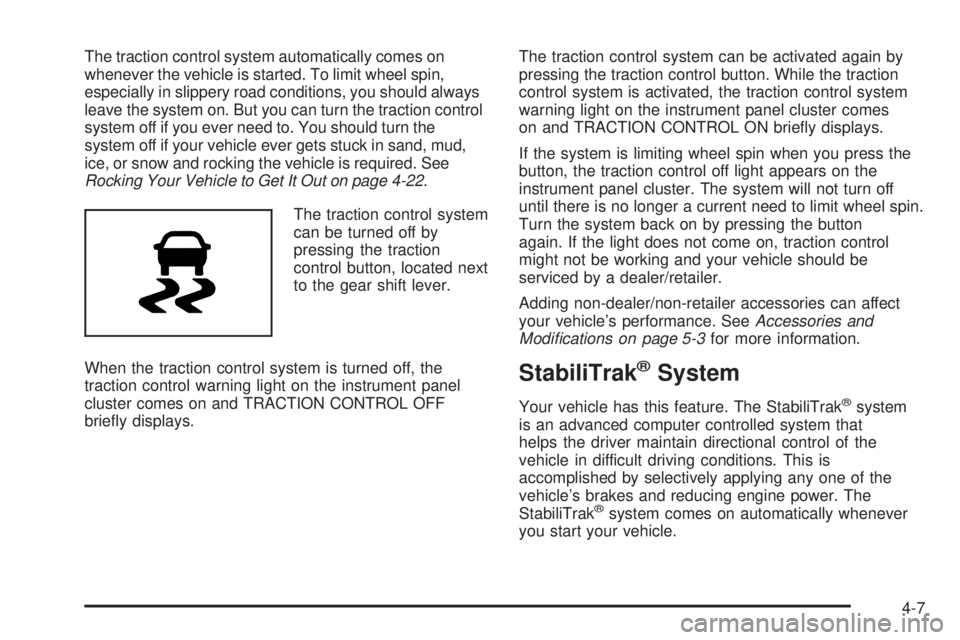
The traction control system
can be turned off by
pressing the traction
control button, located next
to the gear shift lever.
When the traction control system is turned off, the
traction control warning light on the instrument panel
cluster comes on and TRACTION CONTROL OFF
briey displays.The traction control system can be activated again by
pressing the traction control button. While the traction
control system is activated, the traction control system
warning light on the instrument panel cluster comes
on and TRACTION CONTROL ON briey displays.
If the system is limiting wheel spin when you press the
button, the traction control off light appears on the
instrument panel cluster. The system will not turn off
until there is no longer a current need to limit wheel spin.
Turn the system back on by pressing the button
again. If the light does not come on, traction control
might not be working and your vehicle should be
serviced by a dealer/retailer.
Adding non-dealer/non-retailer accessories can affect
your vehicle’s performance. SeeAccessories and
Modifications on page 5-3for more information.
StabiliTrak®System
Your vehicle has this feature. The StabiliTrak®system
is an advanced computer controlled system that
helps the driver maintain directional control of the
vehicle in difficult driving conditions. This is
accomplished by selectively applying any one of the
vehicle’s brakes and reducing engine power. The
StabiliTrak
®system comes on automatically whenever
you start your vehicle.
4-7