service PONTIAC TORRENT 2008 Service Manual
[x] Cancel search | Manufacturer: PONTIAC, Model Year: 2008, Model line: TORRENT, Model: PONTIAC TORRENT 2008Pages: 434, PDF Size: 2.51 MB
Page 197 of 434
Finding a Station
BAND:Press to switch between AM, FM, or
XM (if equipped). The selection displays.
f(Tune):Turn to select radio stations.
©SEEK¨:Press the arrows to go to the previous
or to the next station and stay there.
To scan stations, press and hold either arrow for a
few seconds until a beep sounds. The radio goes to
a station, plays for a few seconds, then goes to the next
station. Press either arrow again to stop scanning.
The radio only seeks and scans stations with a strong
signal that are in the selected band.
4(Information) (Base Radio with CD):Press to switch
the display between the radio station frequency and the
time. When the ignition is off, press to display the time.
4(Information) (XM™ Satellite Radio Service,
MP3/WMA, and RDS Features):Press to display
additional text information related to the current FM-RDS
or XM station, or MP3/WMA song. A choice of
additional information such as: Channel, Song, Artist,
and CAT (category) can appear. Continue pressing
to highlight the desired label, or press the pushbutton
positioned under any one of the labels and the
information about that label displays.
When information is not available, No Info displays.
Setting Preset Stations
If the radio does not have XM™, up to 18 stations
(six FM1, six FM2, and six AM) can be programmed
on the six numbered pushbuttons, by performing
the following steps:
1. Turn the radio on.
2. Press BAND to select FM1, FM2, or AM.
3. Tune in the desired station.
4. Press and hold one of the six numbered
pushbuttons for three seconds until a beep sounds.
When that pushbutton is pressed and released,
the station that was set, returns.
5. Repeat the Steps 2 through 4 for each pushbutton.
3-73
Page 201 of 434
Undesired XM categories can be removed through
the setup menu. To remove an undesired category,
perform the following:
1. Press the MENU button to display the radio
setup menu.
2. Press the pushbutton located below the XM CAT
label.
3. Turn the
fknob to display the category to be
removed.
4. Press the pushbutton located under the Remove
label until the category name along with the word
Removed displays.
5. Repeat the steps to remove more categories.
Removed categories can be restored by pressing
the pushbutton under the Add label when a removed
category displays or by pressing the pushbutton
under the Restore All label.
The radio does not let you remove or add categories
while the vehicle is moving faster than 5 mph (8 km/h).
Radio Messages
Calibration Error:The audio system has been
calibrated for your vehicle from the factory. If Calibration
Error displays, it means that the radio has not been
congured properly for your vehicle and it must be
returned to your dealer/retailer for service.
Loc or Locked:This message displays when the
THEFTLOCK
®system has locked up the radio.
Take the vehicle to your dealer/retailer for service.
If any error occurs repeatedly or if an error cannot be
corrected, contact your dealer/retailer.
XM™ Satellite Radio Service
XM™ is a satellite radio service that is based in the
48 contiguous United States and 10 Canadian provinces.
XM Satellite Radio has a wide variety of programming
and commercial-free music, coast-to-coast, and in
digital-quality sound. During your trial or when you
subscribe, you will get unlimited access to XM Radio
Online for when you are not in your vehicle. A service
fee is required to receive the XM service. For more
information, contact XM at www.xmradio.com or
call 1-800-929-2100 in the U.S. and www.xmradio.ca
or call 1-877-438-9677 in Canada.
3-77
Page 224 of 434
BAND:Press this button to listen to the radio when a
CD or a DVD is playing. The CD or DVD remains inside
the radio for future listening or viewing entertainment.
DVD/CD AUX (Auxiliary):Press this button to cycle
through DVD, CD, or Auxiliary when listening to the radio.
The DVD/CD text label and a message showing track or
chapter number displays when a disc is in either slot.
Press this button again and the system automatically
searches for an auxiliary input device, such as a portable
audio player. If a portable audio player is not connected,
“No Aux Input Device” displays. If a disc is in both the
DVD slot and the CD slot the DVD/CD AUX button cycles
between the two sources and does not indicate “No Aux
Input Device”. If a front auxiliary device is connected, the
DVD/CD AUX button cycles through all available options,
such as: DVD slot, CD slot, Front AUX, and Rear AUX
(if available). See “Using the Auxiliary Input Jack(s)” later
in this section, orRear Seat Entertainment (RSE) System
on page 3-101Rear Seat Entertainment System,
“Audio/Video (A/V) Jacks” for more information.
If a MP3/WMA is inserted into top DVD slot, the rear seat
operator can turn on the video screen and use the remote
control to navigate the CD (tracks only) through the
remote control.XM Radio Messages
XL (Explicit Language Channels):These channels,
or any others, can be blocked at a customer’s request,
by calling 1-800-852-XMXM (9696).
XM Updating:The encryption code in the receiver is
being updated, and no action is required. This process
should take no longer than 30 seconds.
No XM Signal:The system is functioning correctly,
but the vehicle is in a location that is blocking the XM™
signal. When you move into an open area, the signal
should return.
Loading XM:The audio system is acquiring and
processing audio and text data. No action is needed.
This message should disappear shortly.
Channel Off Air:This channel is not currently in
service. Tune to another channel.
Channel Unavail:This previously assigned channel
is no longer assigned. Tune to another station.
If this station was one of the presets, choose another
station for that preset button.
No Artist Info:No artist information is available at this
time on this channel. The system is working properly.
3-100
Page 225 of 434
No Title Info:No song title information is available at
this time on this channel. The system is working properly.
No CAT Info:No category information is available at
this time on this channel. The system is working properly.
No Information:No text or informational messages are
available at this time on this channel. The system is
working properly.
CAT Not Found:There are no channels available for
the selected category. The system is working properly.
XM TheftLocked:The XM receiver in the vehicle
could have previously been in another vehicle.
For security purposes, XM™ receivers cannot be
swapped between vehicles. If this message appears
after having your vehicle serviced, check with your
dealer/retailer.
XM Radio ID:If tuned to channel 0, this message
alternates with the XM Radio eight digit radio ID label.
This label is needed to activate the service.
Unknown:If this message is received when tuned
to channel 0, there could be a receiver fault. Consult
with your dealer/retailer.Check XM Receivr:If this message does not clear
within a short period of time, the receiver could have
a fault. Consult with your dealer/retailer.
XM Not Available:If this message does not clear
within a short period of time, the receiver could have
a fault. Consult with your dealer/retailer.
Navigation/Radio System
Your vehicle may have a navigation radio system.
The navigation system has built-in features intended
to minimize driver distraction. Technology alone,
no matter how advanced, can never replace your
own judgment. See the Navigation System manual for
some tips to help you reduce distractions while driving.
Rear Seat Entertainment (RSE)
System
Your vehicle may have a DVD Rear Seat Entertainment
(RSE) system. The RSE system works with the vehicle’s
audio system. The DVD player is part of the front radio.
The RSE system includes a radio with a DVD player, a
video display screen, audio/video jacks, two wireless
headphones, and a remote control. SeeRadio(s) on
page 3-71for more information on the vehicle’s audio/
DVD system.
3-101
Page 236 of 434
FM Stereo
FM stereo gives the best sound, but FM signals only
reach about 10 to 40 miles (16 to 65 km). Tall buildings
or hills can interfere with FM signals, causing the
sound to fade in and out.
XM™ Satellite Radio Service
XM™ Satellite Radio Service gives digital radio
reception from coast-to-coast in the 48 contiguous
United States, and in Canada. Just as with FM,
tall buildings or hills can interfere with satellite radio
signals, causing the sound to fade in and out. In
addition, traveling or standing under heavy foliage,
bridges, garages, or through tunnels could cause loss
of the XM signal for a period of time. The radio may
display NO XM SIGNAL to indicate interference.
Multi-Band Antenna
The multi-band antenna is located on the roof of your
vehicle. This type of antenna is used with the AM/FM
radio, as well as OnStar
®and the XM™ Satellite Radio
Service System, if your vehicle has these features. Keep
this antenna clear of snow and ice build up for clear radio
reception. If your vehicle has a sunroof, the performance
of the radio system may be affected if the sunroof is
open. Loading items onto the roof of your vehicle can
interfere with the performance of the radio system and,
if your vehicle has this feature, OnStar
®. Make sure the
multi-band antenna is not obstructed.
3-112
Page 243 of 434
The traction control system automatically comes on
whenever the vehicle is started. To limit wheel spin,
especially in slippery road conditions, you should always
leave the system on. But you can turn the traction control
system off if you ever need to. You should turn the
system off if your vehicle ever gets stuck in sand, mud,
ice, or snow and rocking the vehicle is required. See
Rocking Your Vehicle to Get It Out on page 4-22.
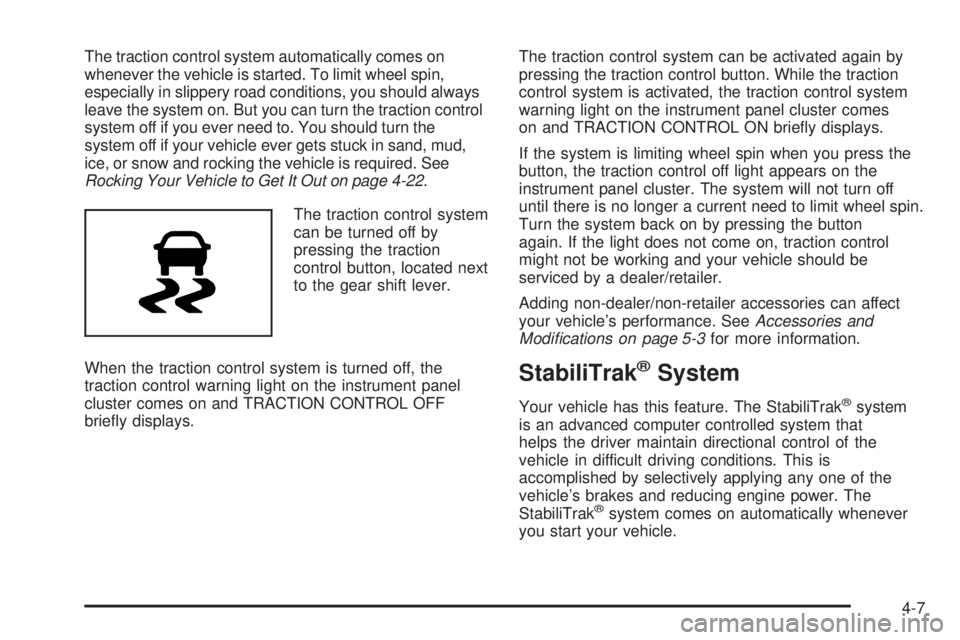
The traction control system
can be turned off by
pressing the traction
control button, located next
to the gear shift lever.
When the traction control system is turned off, the
traction control warning light on the instrument panel
cluster comes on and TRACTION CONTROL OFF
briey displays.The traction control system can be activated again by
pressing the traction control button. While the traction
control system is activated, the traction control system
warning light on the instrument panel cluster comes
on and TRACTION CONTROL ON briey displays.
If the system is limiting wheel spin when you press the
button, the traction control off light appears on the
instrument panel cluster. The system will not turn off
until there is no longer a current need to limit wheel spin.
Turn the system back on by pressing the button
again. If the light does not come on, traction control
might not be working and your vehicle should be
serviced by a dealer/retailer.
Adding non-dealer/non-retailer accessories can affect
your vehicle’s performance. SeeAccessories and
Modifications on page 5-3for more information.
StabiliTrak®System
Your vehicle has this feature. The StabiliTrak®system
is an advanced computer controlled system that
helps the driver maintain directional control of the
vehicle in difficult driving conditions. This is
accomplished by selectively applying any one of the
vehicle’s brakes and reducing engine power. The
StabiliTrak
®system comes on automatically whenever
you start your vehicle.
4-7
Page 244 of 434
The STABILITRAK NOT READY message may be
displayed in the DIC and the traction control system and
StabiliTrak
®warning light on the instrument panel
cluster will be on after rst driving the vehicle and
exceeding 30 mph 48 (km/h) for 30 seconds. The
StabiliTrak
®system is off until the light has turned off.
This could take up to 15 minutes. SeeDIC Warnings
and Messages on page 3-52for more information.
The traction control system and StabiliTrak
®warning
light on the instrument panel cluster will ash when the
system is operating. You may also feel or hear the
system working. This is normal. This light may
also come on after extended heavy braking indicating
the brakes have become too hot to limit wheel spin.
StabiliTrak
®can be turned off using the traction control
button. To disable StabiliTrak®, press and hold the
traction control button for ve seconds. StabiliTrak®can
be activated again by pressing the traction control button.
The SERVICE STABILITRAK message will be displayed
and the traction control system and StabiliTrak
®warning
light on the instrument panel cluster will come on if there
is a problem with the system. When this light and the
SERVICE STABILITRAK message are on, the system is
not operational. Adjust your driving accordingly.
All-Wheel Drive (AWD) System
If your vehicle has all-wheel drive (AWD), the AWD
system operates automatically without any action
required by the driver. If the front drive wheels begin to
slip, the rear wheels will automatically begin to drive
the vehicle as required. Torque is also applied to
the rear wheels during launches. There may be a slight
engagement noise during hard use but this is normal.
This light is located on the
instrument panel cluster.
This light and the SERVICE ALL WHEEL DRIVE
message in the DIC will come on and stay on to indicate
there may be a problem with the drive system and
service is required.
SeeService All-Wheel Drive Light on page 3-42and
DIC Warnings and Messages on page 3-52for
more information.
4-8
Page 245 of 434
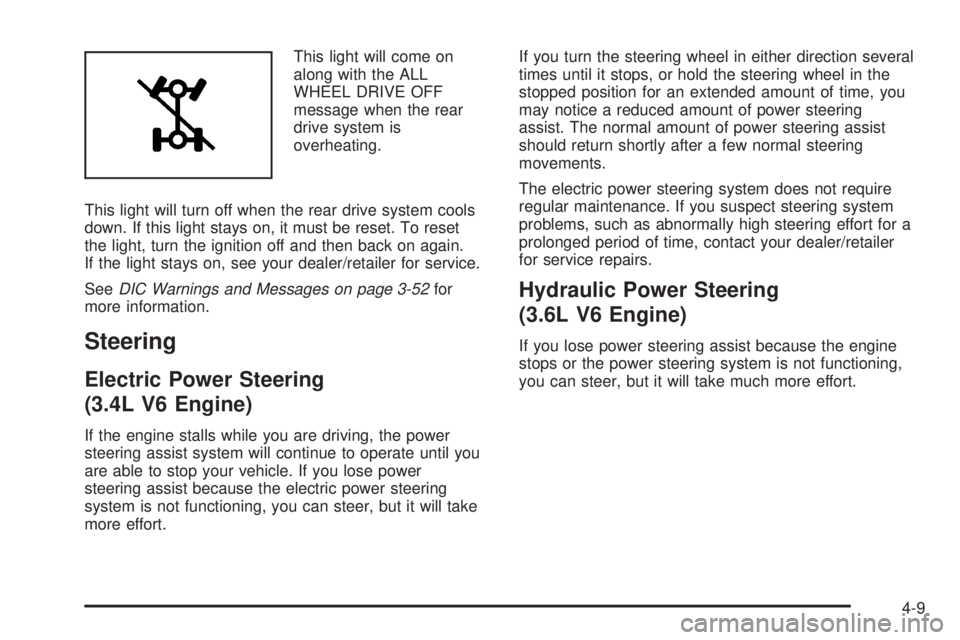
This light will come on
along with the ALL
WHEEL DRIVE OFF
message when the rear
drive system is
overheating.
This light will turn off when the rear drive system cools
down. If this light stays on, it must be reset. To reset
the light, turn the ignition off and then back on again.
If the light stays on, see your dealer/retailer for service.
SeeDIC Warnings and Messages on page 3-52for
more information.
Steering
Electric Power Steering
(3.4L V6 Engine)
If the engine stalls while you are driving, the power
steering assist system will continue to operate until you
are able to stop your vehicle. If you lose power
steering assist because the electric power steering
system is not functioning, you can steer, but it will take
more effort.If you turn the steering wheel in either direction several
times until it stops, or hold the steering wheel in the
stopped position for an extended amount of time, you
may notice a reduced amount of power steering
assist. The normal amount of power steering assist
should return shortly after a few normal steering
movements.
The electric power steering system does not require
regular maintenance. If you suspect steering system
problems, such as abnormally high steering effort for a
prolonged period of time, contact your dealer/retailer
for service repairs.
Hydraulic Power Steering
(3.6L V6 Engine)
If you lose power steering assist because the engine
stops or the power steering system is not functioning,
you can steer, but it will take much more effort.
4-9
Page 252 of 434
Other Rainy Weather Tips
Besides slowing down, other wet weather driving tips
include:
Allow extra following distance.
Pass with caution.
Keep windshield wiping equipment in good shape.
Keep the windshield washer uid reservoir lled.
Have good tires with proper tread depth. SeeTires
on page 5-52.
Before Leaving on a Long Trip
To prepare your vehicle for a long trip, consider having
it serviced by your dealer/retailer before departing.
Things to check on your own include:
Windshield Washer Fluid:Reservoir full? Windows
clean — inside and outside?
Wiper Blades:In good shape?
Fuel, Engine Oil, Other Fluids:All levels checked?
Lamps:Do they all work and are lenses clean?
Tires:Are treads good? Are tires inated to
recommended pressure?
Weather and Maps:Safe to travel? Have up-to-date
maps?
Highway Hypnosis
Always be alert and pay attention to your surroundings
while driving. If you become tired or sleepy, nd a
safe place to park your vehicle and rest.
Other driving tips include:
Keep the vehicle well ventilated.
Keep interior temperature cool.
Keep your eyes moving — scan the road ahead
and to the sides.
Check the rearview mirror and vehicle instruments
often.
4-16
Page 253 of 434
Hill and Mountain Roads
Driving on steep hills or through mountains is different
than driving on at or rolling terrain. Tips for driving
in these conditions include:
Keep your vehicle serviced and in good shape.
Check all uid levels and brakes, tires, cooling
system, and transmission.
Going down steep or long hills, shift to a
lower gear.
{CAUTION:
If you do not shift down, the brakes could get
so hot that they would not work well. You
would then have poor braking or even none
going down a hill. You could crash. Shift down
to let the engine assist the brakes on a steep
downhill slope.
{CAUTION:
Coasting downhill in NEUTRAL (N) or with the
ignition off is dangerous. The brakes will have
to do all the work of slowing down and they
could get so hot that they would not work well.
You would then have poor braking or even
none going down a hill. You could crash.
Always have the engine running and your
vehicle in gear when you go downhill.
Stay in your own lane. Do not swing wide or cut
across the center of the road. Drive at speeds
that let you stay in your own lane.
Top of hills: Be alert — something could be in your
lane (stalled car, accident).
Pay attention to special road signs (falling rocks
area, winding roads, long grades, passing or
no-passing zones) and take appropriate action.
4-17