display PONTIAC TORRENT 2008 Owners Manual
[x] Cancel search | Manufacturer: PONTIAC, Model Year: 2008, Model line: TORRENT, Model: PONTIAC TORRENT 2008Pages: 434, PDF Size: 2.51 MB
Page 83 of 434
Matching Transmitter(s) to Your
Vehicle
Each RKE transmitter is coded to prevent another
transmitter from unlocking your vehicle. If a transmitter
is lost or stolen, a replacement can be purchased
through your dealer/retailer. All transmitters need to be
re-coded to match the new transmitter. The lost
transmitter will no longer work after the new transmitters
are re-coded. The vehicle can have a maximum of
four transmitters matched to it. Or, see “Learn Remote
Key” underDIC Operation and Displays on page 3-45
for instructions on how to match RKE transmitters
to your vehicle.
Battery Replacement
The battery is weak if the transmitter will not work at the
normal range in any location. If you have to get close
to your vehicle before the transmitter works, change the
battery.
Notice:When replacing the battery, use care not to
touch any of the circuitry. Static from your body
transferred to these surfaces may damage the
transmitter.To replace the battery in the RKE transmitter:
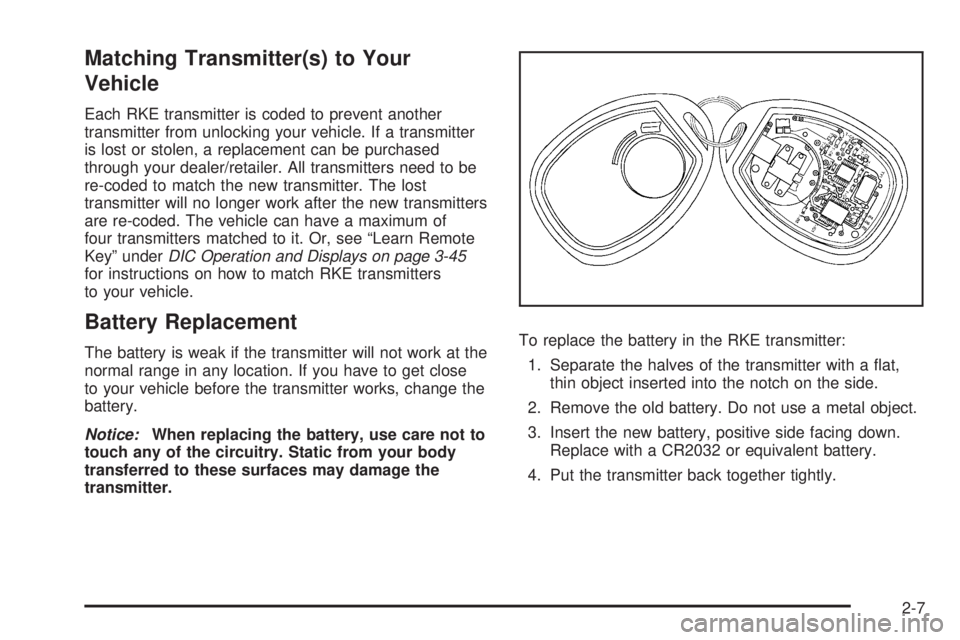
1. Separate the halves of the transmitter with a at,
thin object inserted into the notch on the side.
2. Remove the old battery. Do not use a metal object.
3. Insert the new battery, positive side facing down.
Replace with a CR2032 or equivalent battery.
4. Put the transmitter back together tightly.
2-7
Page 97 of 434
Ignition Positions
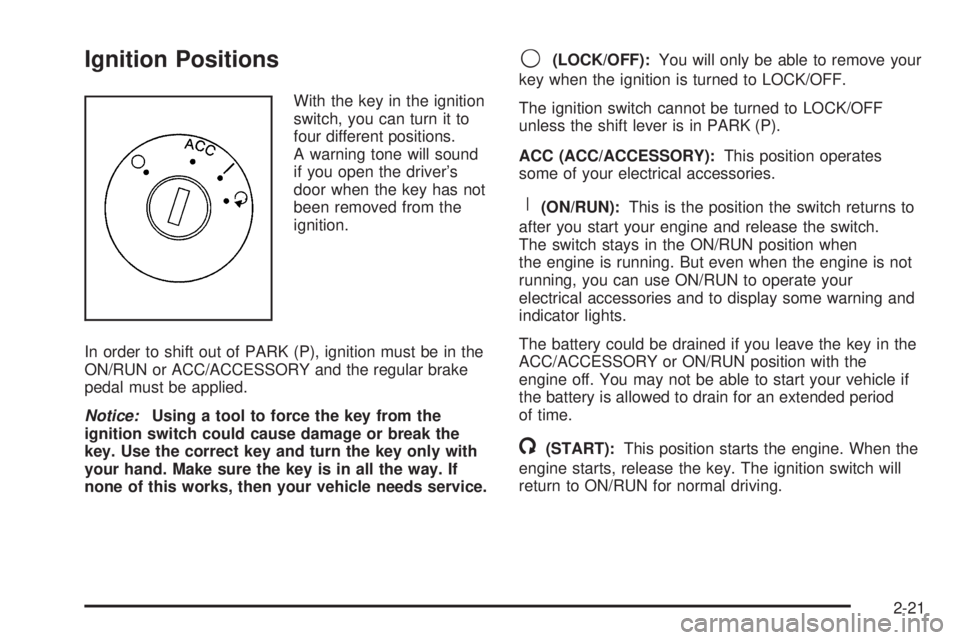
With the key in the ignition
switch, you can turn it to
four different positions.
A warning tone will sound
if you open the driver’s
door when the key has not
been removed from the
ignition.
In order to shift out of PARK (P), ignition must be in the
ON/RUN or ACC/ACCESSORY and the regular brake
pedal must be applied.
Notice:Using a tool to force the key from the
ignition switch could cause damage or break the
key. Use the correct key and turn the key only with
your hand. Make sure the key is in all the way. If
none of this works, then your vehicle needs service.
9(LOCK/OFF):You will only be able to remove your
key when the ignition is turned to LOCK/OFF.
The ignition switch cannot be turned to LOCK/OFF
unless the shift lever is in PARK (P).
ACC (ACC/ACCESSORY):This position operates
some of your electrical accessories.
R(ON/RUN):This is the position the switch returns to
after you start your engine and release the switch.
The switch stays in the ON/RUN position when
the engine is running. But even when the engine is not
running, you can use ON/RUN to operate your
electrical accessories and to display some warning and
indicator lights.
The battery could be drained if you leave the key in the
ACC/ACCESSORY or ON/RUN position with the
engine off. You may not be able to start your vehicle if
the battery is allowed to drain for an extended period
of time.
/(START):This position starts the engine. When the
engine starts, release the key. The ignition switch will
return to ON/RUN for normal driving.
2-21
Page 101 of 434
Automatic Transmission Operation
(3.4L V6 with 5-Speed)
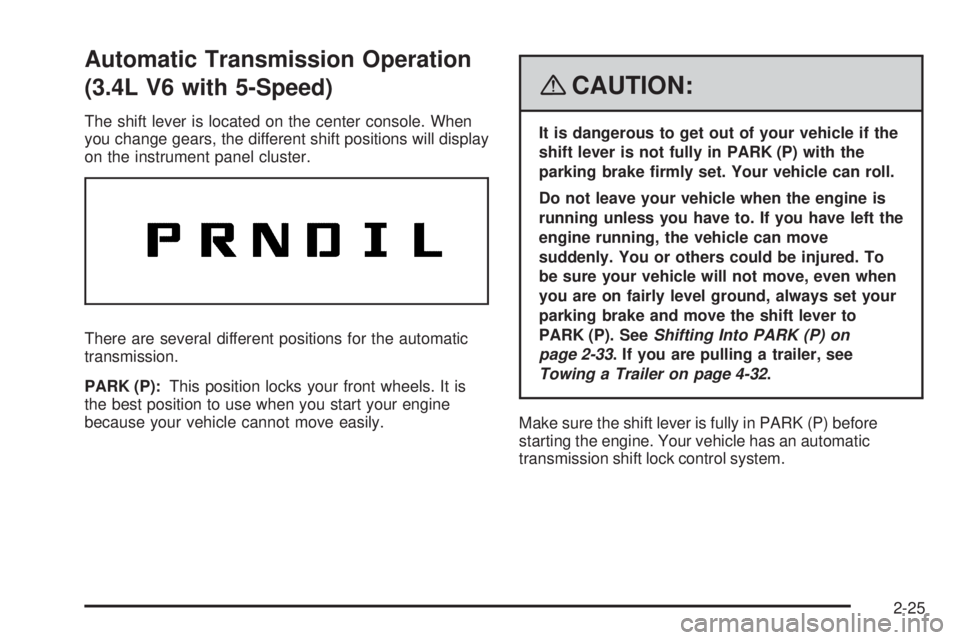
The shift lever is located on the center console. When
you change gears, the different shift positions will display
on the instrument panel cluster.
There are several different positions for the automatic
transmission.
PARK (P):This position locks your front wheels. It is
the best position to use when you start your engine
because your vehicle cannot move easily.
{CAUTION:
It is dangerous to get out of your vehicle if the
shift lever is not fully in PARK (P) with the
parking brake rmly set. Your vehicle can roll.
Do not leave your vehicle when the engine is
running unless you have to. If you have left the
engine running, the vehicle can move
suddenly. You or others could be injured. To
be sure your vehicle will not move, even when
you are on fairly level ground, always set your
parking brake and move the shift lever to
PARK (P). SeeShifting Into PARK (P) on
page 2-33. If you are pulling a trailer, see
Towing a Trailer on page 4-32.
Make sure the shift lever is fully in PARK (P) before
starting the engine. Your vehicle has an automatic
transmission shift lock control system.
2-25
Page 104 of 434
Automatic Transmission Operation
(3.6L V6 with 6-Speed)
The shift lever for the automatic transmission is located
on the console between the seats.
Maximum engine speed is limited when the vehicle is in
PARK (P) or NEUTRAL (N) to protect driveline
components from improper operation.
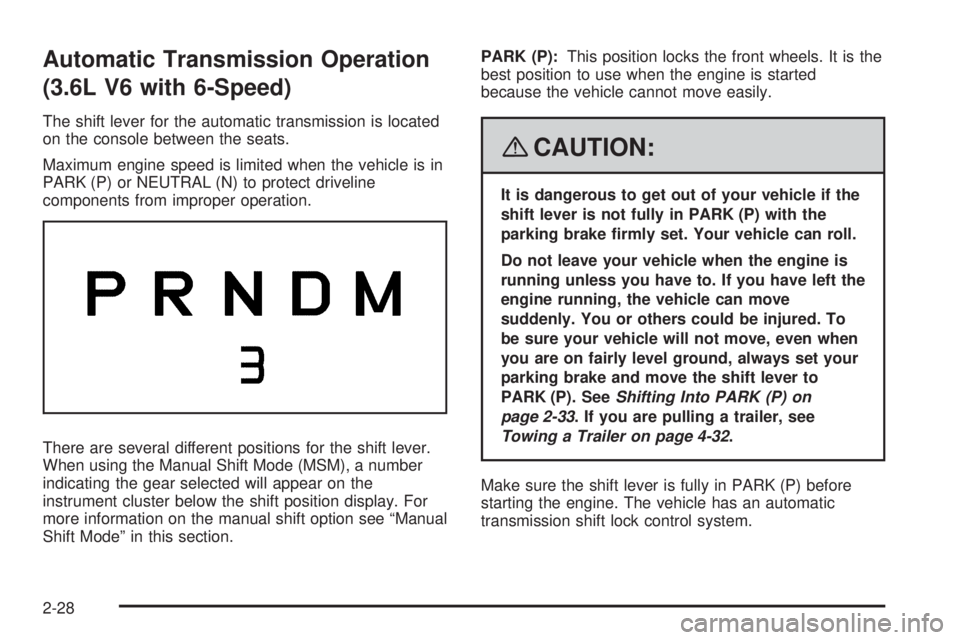
There are several different positions for the shift lever.
When using the Manual Shift Mode (MSM), a number
indicating the gear selected will appear on the
instrument cluster below the shift position display. For
more information on the manual shift option see “Manual
Shift Mode” in this section.PARK (P):This position locks the front wheels. It is the
best position to use when the engine is started
because the vehicle cannot move easily.
{CAUTION:
It is dangerous to get out of your vehicle if the
shift lever is not fully in PARK (P) with the
parking brake rmly set. Your vehicle can roll.
Do not leave your vehicle when the engine is
running unless you have to. If you have left the
engine running, the vehicle can move
suddenly. You or others could be injured. To
be sure your vehicle will not move, even when
you are on fairly level ground, always set your
parking brake and move the shift lever to
PARK (P). SeeShifting Into PARK (P) on
page 2-33. If you are pulling a trailer, see
Towing a Trailer on page 4-32.
Make sure the shift lever is fully in PARK (P) before
starting the engine. The vehicle has an automatic
transmission shift lock control system.
2-28
Page 107 of 434
2. Push the shift lever forward toward the plus (+) to
upshift or rearward toward the minus (−)to
downshift.
When using the Manual Shift Mode (MSM) the
number of the gear selected will appear on
the instrument cluster below the shift position
display.
In manual shift mode all six forward gears can be
selected.
While using the MSM feature the vehicle will have
operation similar to a manual transmission. You can use
this for sport driving or when driving hilly roads to
stay in gear longer or to downshift for more power or
engine braking.
The transmission will only allow you to shift into gears
appropriate for the vehicle speed:
The transmission will not automatically shift to the
next higher gear without moving the shift lever.
The transmission will not allow shifting to the next
lower gear if the vehicle speed is too high.
If the vehicle does not respond to a gear change, or
detects a problem with the transmission, the range
of gears may be reduced and the Malfunction Indicator
Lamp will come on. SeeMalfunction Indicator Lamp
on page 3-36.
Transmission Overheating
If the transmission uid temperature rises above
270°F (132°C) or rises rapidly, the Engine Coolant
Temperature Warning Light will ash. SeeEngine
Coolant Temperature Warning Light on page 3-35for
more information. When the transmission overheats
it will go into a protection mode and will default into a
different shift sequence to help cool the transmission
uid. This shift sequence is the same for both DRIVE (D)
position and manual mode. Continue driving the
vehicle in either position depending on the required
vehicle speed and load. Once the uid temperature
lowers to the normal temperature range, the
transmission will return to the normal shift patterns.
Towing or driving on long hills can cause the
transmission uid temperature to be higher than normal.
If the transmission uid temperature will not cool, you
may need to pull over and check the transmission
uid level. You should also check the engine coolant
temperature. If it is hot, seeEngine Overheating
on page 5-25.
2-31
Page 126 of 434
Reduced Engine Power Light.........................3-41
Highbeam On Light.......................................3-41
Service All-Wheel Drive Light.........................3-42
All-Wheel Drive Disabled Light........................3-42
Gate Ajar Light.............................................3-42
Door Ajar Light.............................................3-43
Service Vehicle Soon Light............................3-43
Fuel Gage...................................................3-43
Low Fuel Warning Light.................................3-44
Driver Information Center (DIC).......................3-45
DIC Operation and Displays...........................3-45
DIC Compass..............................................3-49
DIC Warnings and Messages.........................3-52
DIC Vehicle Personalization............................3-60Audio System(s).............................................3-67
Setting the Time...........................................3-68
Radio(s)......................................................3-71
Using an MP3 (Radio with CD or Six-Disc
CD Player)...............................................3-90
Using an MP3 (Radio with CD and
DVD Player).............................................3-95
XM Radio Messages...................................3-100
Navigation/Radio System..............................3-101
Rear Seat Entertainment (RSE) System.........3-101
Theft-Deterrent Feature................................3-110
Audio Steering Wheel Controls......................3-110
Radio Reception.........................................3-111
Multi-Band Antenna.....................................3-112
Section 3 Instrument Panel
3-2
Page 129 of 434
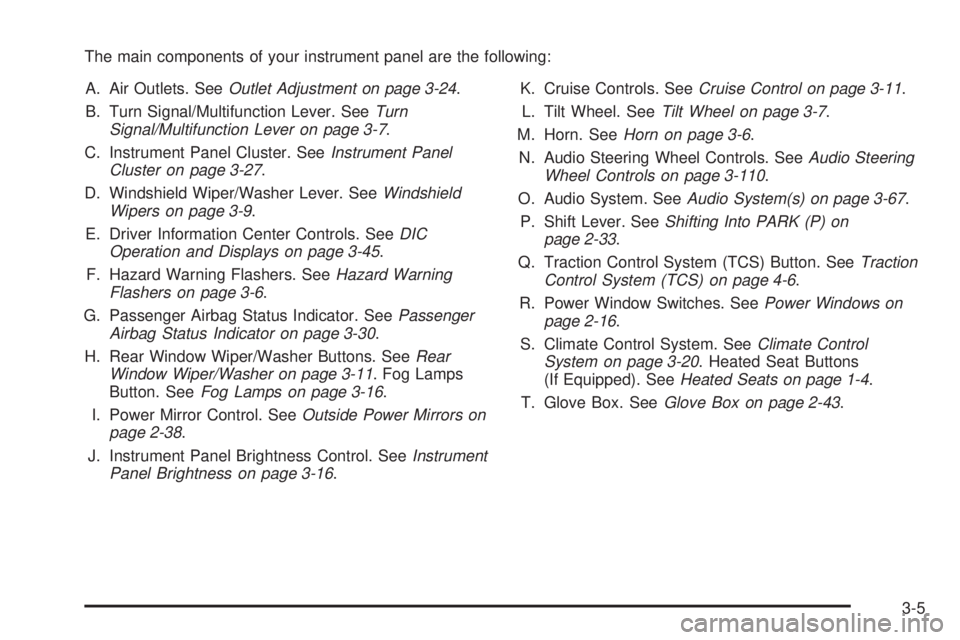
The main components of your instrument panel are the following:
A. Air Outlets. SeeOutlet Adjustment on page 3-24.
B. Turn Signal/Multifunction Lever. SeeTurn
Signal/Multifunction Lever on page 3-7.
C. Instrument Panel Cluster. SeeInstrument Panel
Cluster on page 3-27.
D. Windshield Wiper/Washer Lever. SeeWindshield
Wipers on page 3-9.
E. Driver Information Center Controls. SeeDIC
Operation and Displays on page 3-45.
F. Hazard Warning Flashers. SeeHazard Warning
Flashers on page 3-6.
G. Passenger Airbag Status Indicator. SeePassenger
Airbag Status Indicator on page 3-30.
H. Rear Window Wiper/Washer Buttons. SeeRear
Window Wiper/Washer on page 3-11. Fog Lamps
Button. SeeFog Lamps on page 3-16.
I. Power Mirror Control. SeeOutside Power Mirrors on
page 2-38.
J. Instrument Panel Brightness Control. SeeInstrument
Panel Brightness on page 3-16.K. Cruise Controls. SeeCruise Control on page 3-11.
L. Tilt Wheel. SeeTilt Wheel on page 3-7.
M. Horn. SeeHorn on page 3-6.
N. Audio Steering Wheel Controls. SeeAudio Steering
Wheel Controls on page 3-110.
O. Audio System. SeeAudio System(s) on page 3-67.
P. Shift Lever. SeeShifting Into PARK (P) on
page 2-33.
Q. Traction Control System (TCS) Button. SeeTraction
Control System (TCS) on page 4-6.
R. Power Window Switches. SeePower Windows on
page 2-16.
S. Climate Control System. SeeClimate Control
System on page 3-20. Heated Seat Buttons
(If Equipped). SeeHeated Seats on page 1-4.
T. Glove Box. SeeGlove Box on page 2-43.
3-5
Page 136 of 434
Setting Cruise Control
{CAUTION:
If you leave your cruise control on when you
are not using cruise, you might hit a button
and go into cruise when you do not want to.
You could be startled and even lose control.
Keep the cruise control switch off until you
want to use cruise control.
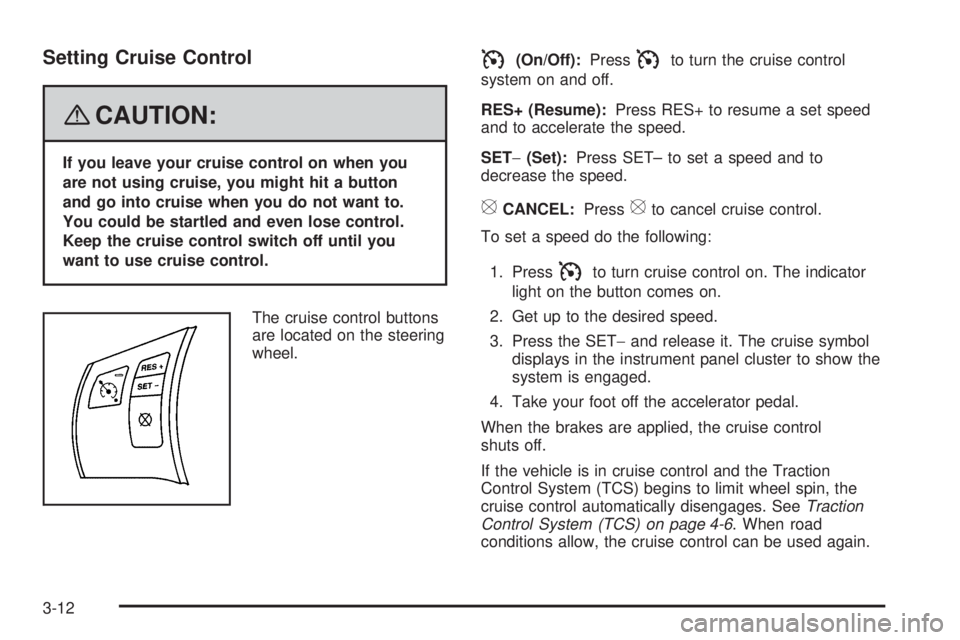
The cruise control buttons
are located on the steering
wheel.
I(On/Off):PressIto turn the cruise control
system on and off.
RES+ (Resume):Press RES+ to resume a set speed
and to accelerate the speed.
SET−(Set):Press SET– to set a speed and to
decrease the speed.
[CANCEL:Press[to cancel cruise control.
To set a speed do the following:
1. Press
Ito turn cruise control on. The indicator
light on the button comes on.
2. Get up to the desired speed.
3. Press the SET−and release it. The cruise symbol
displays in the instrument panel cluster to show the
system is engaged.
4. Take your foot off the accelerator pedal.
When the brakes are applied, the cruise control
shuts off.
If the vehicle is in cruise control and the Traction
Control System (TCS) begins to limit wheel spin, the
cruise control automatically disengages. SeeTraction
Control System (TCS) on page 4-6. When road
conditions allow, the cruise control can be used again.
3-12
Page 142 of 434
Cargo Lamp
The cargo lamp is located over the rear compartment,
and is controlled by the dome lamp. SeeDome Lamp on
page 3-17.
Electric Power Management
The vehicle has Electric Power Management (EPM) that
estimates the battery’s temperature and state of
charge. It then adjusts the voltage for best performance
and extended life of the battery.
When the battery’s state of charge is low, the voltage is
raised slightly to quickly put the charge back in. When
the state of charge is high, the voltage is lowered slightly
to prevent overcharging. If the vehicle has a voltmeter
gage or a voltage display on the Driver Information
Center (DIC), you may see the voltage move up
or down. This is normal. If there is a problem, an alert
will be displayed.
The battery can be discharged at idle if the electrical
loads are very high. This is true for all vehicles.
This is because the generator (alternator) may not
be spinning fast enough at idle to produce all the
power that is needed for very high electrical loads.A high electrical load occurs when several of the
following loads are on: headlamps, high beams, fog
lamps, rear window defogger, climate control fan at high
speed, heated seats, engine cooling fans, trailer
loads, and loads plugged into accessory power outlets.
EPM works to prevent excessive discharge of the
battery. It does this by balancing the generator’s output
and the vehicle’s electrical needs. It can increase
engine idle speed to generate more power, whenever
needed. It can temporarily reduce the power demands of
some accessories.
Normally, these actions occur in steps or levels, without
being noticeable. In rare cases at the highest levels
of corrective action, this action may be noticeable to
the driver. If so, a Driver Information Center (DIC)
message might be displayed, such as Battery Saver
Active or Service Battery Charging System. If this
message is displayed, it is recommended that the
driver reduce the electrical loads as much as possible.
SeeDIC Warnings and Messages on page 3-52.
3-18
Page 152 of 434
Speedometer and Odometer
Your speedometer lets you see your speed in both
miles per hour (mph) and kilometers per hour (km/h).
Your odometer shows how far your vehicle has
been driven, in either miles (used in the United States)
or kilometers (used in Canada).
Your vehicle has a tamper resistant odometer.
The digital odometer will read 999,999 if someone
tries to turn it back.
You may wonder what happens if your vehicle needs a
new odometer installed. If the new one can be set to
the mileage total of the old odometer, then it must be.
If not, then it is set at zero and a label must be put
on the driver’s door to show the old mileage reading
when the new odometer was installed.
Trip Odometer
Your trip odometer is located in the Driver Information
Center and shows how far your vehicle has been driven
since the trip odometer was last reset. For more
information seeDIC Operation and Displays on
page 3-45.
Tachometer
The tachometer shows your engine speed in revolutions
per minute (rpm).
Notice:If you operate the engine with the
tachometer in the solid red area, your vehicle could
be damaged. The damages would not be covered
by your warranty. Do not operate the engine in
the solid red area.
Safety Belt Reminders
Safety Belt Reminder Light
When the engine is started, a chime will come on
for several seconds to remind people to fasten their
safety belts, unless the driver’s safety belt is already
buckled.
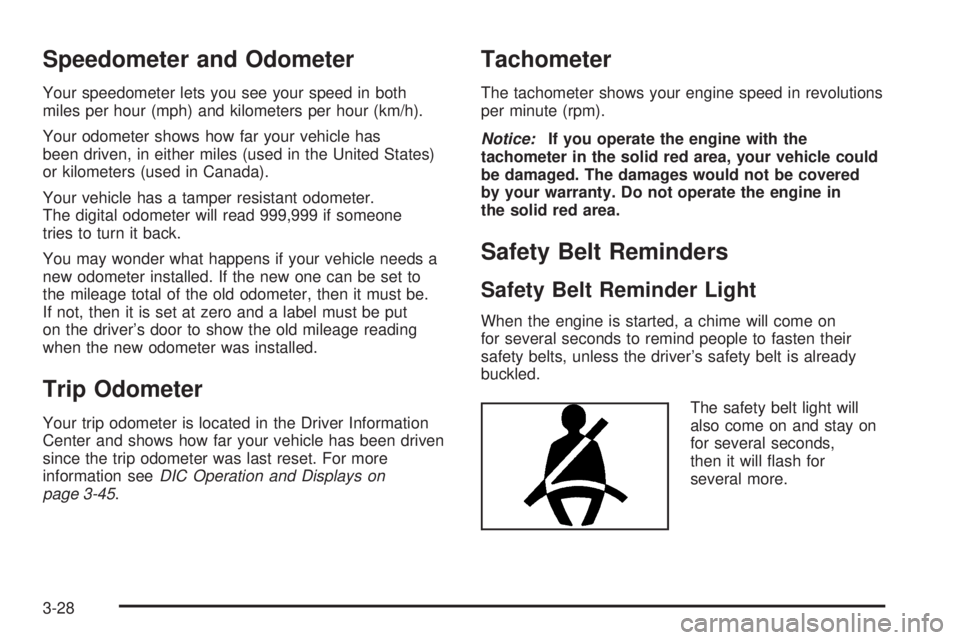
The safety belt light will
also come on and stay on
for several seconds,
then it will ash for
several more.
3-28