wheel PONTIAC TORRENT 2009 User Guide
[x] Cancel search | Manufacturer: PONTIAC, Model Year: 2009, Model line: TORRENT, Model: PONTIAC TORRENT 2009Pages: 436, PDF Size: 2.43 MB
Page 100 of 436
Automatic Transmission Operation
(3.4L V6 with 5-Speed)
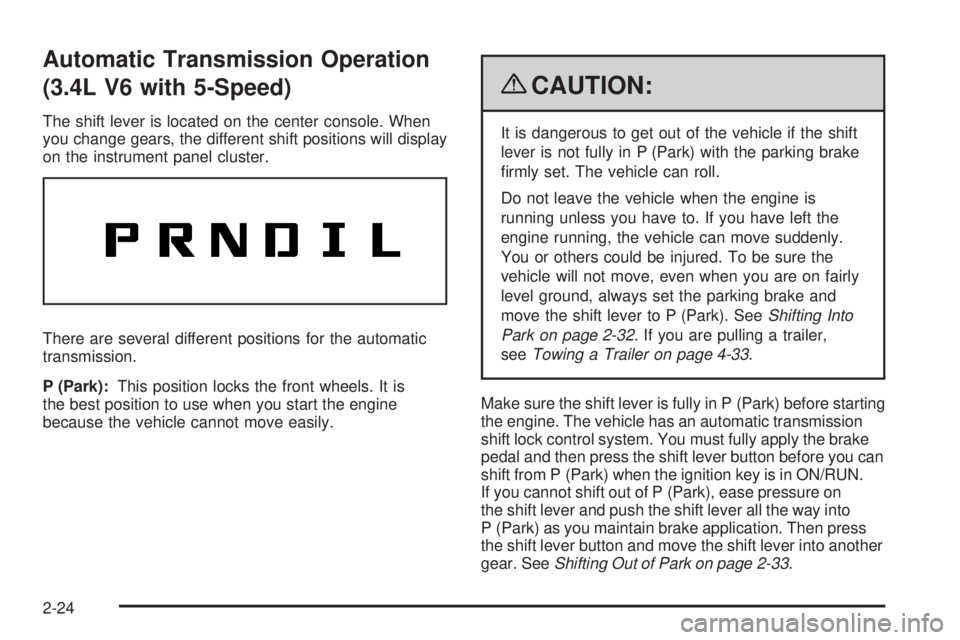
The shift lever is located on the center console. When
you change gears, the different shift positions will display
on the instrument panel cluster.
There are several different positions for the automatic
transmission.
P (Park):This position locks the front wheels. It is
the best position to use when you start the engine
because the vehicle cannot move easily.
{CAUTION:
It is dangerous to get out of the vehicle if the shift
lever is not fully in P (Park) with the parking brake
rmly set. The vehicle can roll.
Do not leave the vehicle when the engine is
running unless you have to. If you have left the
engine running, the vehicle can move suddenly.
You or others could be injured. To be sure the
vehicle will not move, even when you are on fairly
level ground, always set the parking brake and
move the shift lever to P (Park). SeeShifting Into
Park on page 2-32. If you are pulling a trailer,
seeTowing a Trailer on page 4-33.
Make sure the shift lever is fully in P (Park) before starting
the engine. The vehicle has an automatic transmission
shift lock control system. You must fully apply the brake
pedal and then press the shift lever button before you can
shift from P (Park) when the ignition key is in ON/RUN.
If you cannot shift out of P (Park), ease pressure on
the shift lever and push the shift lever all the way into
P (Park) as you maintain brake application. Then press
the shift lever button and move the shift lever into another
gear. SeeShifting Out of Park on page 2-33.
2-24
Page 101 of 436
R (Reverse):Use this gear to back up.
Notice:Shifting to R (Reverse) while the vehicle is
moving forward could damage the transmission. The
repairs would not be covered by the vehicle warranty.
Shift to R (Reverse) only after the vehicle is stopped.
To rock the vehicle back and forth to get out of snow,
ice, or sand without damaging the transmission, seeIf
Your Vehicle is Stuck in Sand, Mud, Ice, or Snow on
page 4-19.
N (Neutral):In this position, the engine does not
connect with the wheels. To restart the engine when
the vehicle is already moving, use N (Neutral) only.
{CAUTION:
Shifting into a drive gear while the engine is
running at high speed is dangerous. Unless your
foot is rmly on the brake pedal, the vehicle could
move very rapidly. You could lose control and hit
people or objects. Do not shift into a drive gear
while the engine is running at high speed.Notice:Shifting out of P (Park) or N (Neutral) with
the engine running at high speed may damage the
transmission. The repairs would not be covered
by the vehicle warranty. Be sure the engine is not
running at high speed when shifting the vehicle.
Notice:Shifting to a drive gear from NEUTRAL (N)
while the vehicle is moving could damage the
transmission. Make sure the vehicle is stopped
before shifting from NEUTRAL (N) into a drive gear.
D (Drive):This position is for normal driving with the
automatic transmission. It provides the best fuel
economy. If you need more power for passing, and
you are:
Going less than about 35 mph (55 km/h), push the
accelerator pedal about halfway down.
Going about 35 mph (55 km/h), push the accelerator
all the way down.
Downshifting the transmission in slippery road conditions
could result in skidding, see “Skidding” underLoss of
Control on page 4-12.
2-25
Page 103 of 436
Automatic Transmission Operation
(3.6L V6 with 6-Speed)
The shift lever for the automatic transmission is located
on the console between the seats.
Maximum engine speed is limited when the vehicle is in
P (Park) or N (Neutral) to protect driveline components
from improper operation.
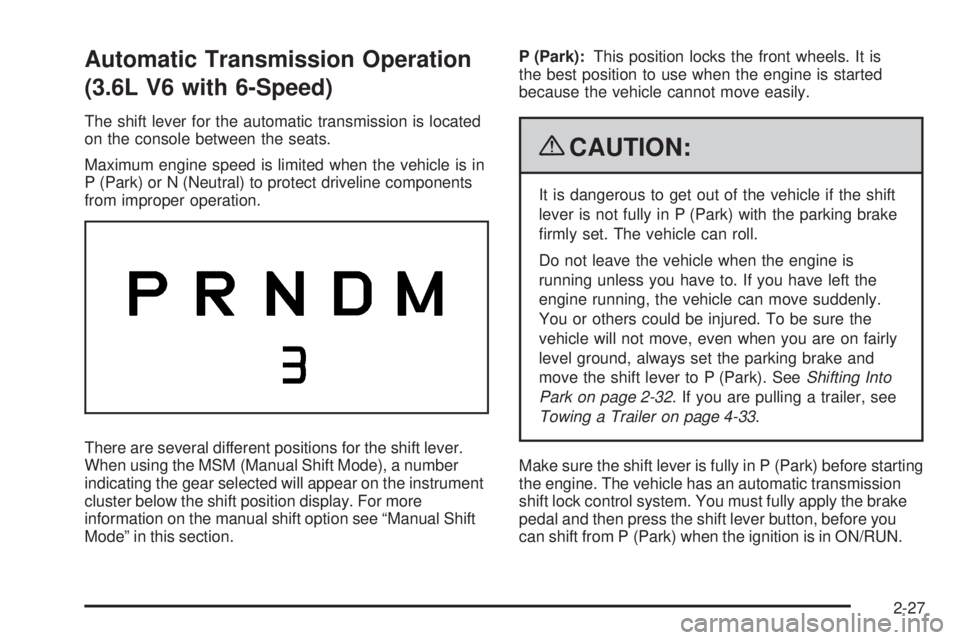
There are several different positions for the shift lever.
When using the MSM (Manual Shift Mode), a number
indicating the gear selected will appear on the instrument
cluster below the shift position display. For more
information on the manual shift option see “Manual Shift
Mode” in this section.P (Park):This position locks the front wheels. It is
the best position to use when the engine is started
because the vehicle cannot move easily.
{CAUTION:
It is dangerous to get out of the vehicle if the shift
lever is not fully in P (Park) with the parking brake
rmly set. The vehicle can roll.
Do not leave the vehicle when the engine is
running unless you have to. If you have left the
engine running, the vehicle can move suddenly.
You or others could be injured. To be sure the
vehicle will not move, even when you are on fairly
level ground, always set the parking brake and
move the shift lever to P (Park). SeeShifting Into
Park on page 2-32. If you are pulling a trailer, see
Towing a Trailer on page 4-33.
Make sure the shift lever is fully in P (Park) before starting
the engine. The vehicle has an automatic transmission
shift lock control system. You must fully apply the brake
pedal and then press the shift lever button, before you
can shift from P (Park) when the ignition is in ON/RUN.
2-27
Page 104 of 436
If you cannot shift out of P (Park), ease pressure on the
shift lever and push the shift lever all way into P (Park)
as you maintain brake application. Then press the shift
lever button and move the shift lever into another gear.
SeeShifting Out of Park on page 2-33.
R (Reverse):Use this gear to back up.
Notice:Shifting to R (Reverse) while the vehicle is
moving forward could damage the transmission.
The repairs would not be covered by the vehicle
warranty. Shift to R (Reverse) only after the vehicle
is stopped.
To rock the vehicle back and forth to get out of snow,
ice, or sand without damaging the transmission, seeIf
Your Vehicle is Stuck in Sand, Mud, Ice, or Snow on
page 4-19.
N (Neutral):In this position, the engine does not
connect with the wheels. To restart the engine when
the vehicle is already moving, use N (Neutral) only.
{CAUTION:
Shifting into a drive gear while the engine is
running at high speed is dangerous. Unless your
foot is rmly on the brake pedal, the vehicle could
move very rapidly. You could lose control and hit
people or objects. Do not shift into a drive gear
while the engine is running at high speed.
Notice:Shifting out of P (Park) or N (Neutral) with
the engine running at high speed may damage the
transmission. The repairs would not be covered
by the vehicle warranty. Be sure the engine is not
running at high speed when shifting the vehicle.
2-28
Page 116 of 436
OnStar Hands-Free Calling
OnStar Hands-Free Calling allows eligible OnStar
subscribers to make and receive calls using voice
commands. Hands-Free Calling is fully integrated into the
vehicle, and can be used with OnStar Pre-Paid Minute
Packages. Most vehicles include 30 trial minutes good
for 60 days. Hands-Free Calling can also be linked to
a Verizon Wireless service plan in the U.S. or a Bell
Mobility service plan in Canada, depending on eligibility.
To nd out more, refer to the OnStar Owner’s Guide in
the vehicle’s glove box, visit onstar.com or onstar.ca, or
speak with an OnStar advisor by pressing the OnStar
button or calling 1-888-4-ONSTAR (1-888-466-7827).
OnStar Turn-by-Turn Navigation
Vehicles with the OnStar Turn-by-Turn Navigation
system can provide voice-guided driving directions.
Press the OnStar button to have an OnStar advisor
locate a business or address and download driving
directions to the vehicle. Voice-guided directions to the
desired destination will play through the audio system
speakers. See the OnStar Owner’s Guide for more
information.
OnStar Virtual Advisor
OnStar Virtual Advisor is a feature of OnStar Hands-Free
Calling that uses minutes to access location-based
weather, local traffic reports, and stock quotes. Press the
phone button and give a few simple voice commands
to browse through the various topics. See the OnStar
Owner’s Guide for more information. This feature is
only available in the continental U.S.
OnStar Steering Wheel Controls
This vehicle may have a Talk/Mute button that can
be used to interact with OnStar Hands-Free Calling.
SeeAudio Steering Wheel Controls on page 3-118for
more information.
On some vehicles, the mute button can be used to
dial numbers into voice mail systems, or to dial phone
extensions. See the OnStar Owner’s Guide for more
information.
2-40
Page 125 of 436
Instrument Panel Overview...............................3-4
Hazard Warning Flashers................................3-6
Horn .............................................................3-6
Tilt Wheel.....................................................3-6
Turn Signal/Multifunction Lever.........................3-7
Turn and Lane-Change Signals........................3-7
Headlamp High/Low-Beam Changer..................3-8
Flash-to-Pass.................................................3-8
Windshield Wipers..........................................3-8
Windshield Washer.........................................3-9
Rear Window Wiper/Washer...........................3-10
Cruise Control..............................................3-10
Headlamps..................................................3-13
Headlamps on Reminder................................3-13
Daytime Running Lamps (DRL).......................3-13
Automatic Headlamp System..........................3-14
Fog Lamps ..................................................3-14
Instrument Panel Brightness...........................3-15
Dome Lamp .................................................3-15
Entry Lighting...............................................3-15
Map Lamps .................................................3-16
Cargo Lamp.................................................3-16
Electric Power Management...........................3-16
Battery Run-Down Protection..........................3-17
Accessory Power Outlet(s).............................3-18
Ashtray(s) and Cigarette Lighter......................3-18Climate Controls............................................3-19
Climate Control System.................................3-19
Outlet Adjustment.........................................3-23
Passenger Compartment Air Filter...................3-23
Warning Lights, Gages, and Indicators............3-24
Instrument Panel Cluster................................3-25
Speedometer and Odometer...........................3-26
Trip Odometer..............................................3-26
Tachometer.................................................3-26
Safety Belt Reminders...................................3-27
Airbag Readiness Light..................................3-28
Passenger Airbag Status Indicator...................3-29
Charging System Light..................................3-30
Brake System Warning Light..........................3-30
Antilock Brake System (ABS) Warning Light.....3-31
Traction Control System (TCS) Warning Light......3-32
Engine Coolant Temperature Warning Light......3-32
Engine Coolant Temperature Gage..................3-33
Tire Pressure Light.......................................3-33
Malfunction Indicator Lamp.............................3-34
Oil Pressure Light (US-Canada)......................3-36
Change Engine Oil Light................................3-37
Security Light...............................................3-37
Fog Lamp Light............................................3-37
Cruise Control Light......................................3-38
Reduced Engine Power Light.........................3-38
Section 3 Instrument Panel
3-1
Page 126 of 436
Highbeam On Light.......................................3-38
Service All-Wheel Drive Light.........................3-39
All-Wheel Drive Disabled Light........................3-39
Gate Ajar Light.............................................3-40
Door Ajar Light.............................................3-40
Service Vehicle Soon Light............................3-40
Fuel Gage...................................................3-41
Low Fuel Warning Light.................................3-41
Driver Information Center (DIC).......................3-42
DIC Operation and Displays...........................3-42
DIC Compass..............................................3-47
DIC Warnings and Messages.........................3-49
DIC Vehicle Personalization............................3-57Audio System(s).............................................3-64
Setting the Clock..........................................3-65
Radio(s)......................................................3-67
Using an MP3 (Radio with CD or
Six-Disc CD Player)...................................3-87
Using an MP3 (Radio with CD and
DVD Player).............................................3-92
XM Radio Messages.....................................3-97
Navigation/Radio System...............................3-98
Bluetooth
®...................................................3-98
Rear Seat Entertainment (RSE) System.........3-109
Theft-Deterrent Feature................................3-118
Audio Steering Wheel Controls......................3-118
Radio Reception.........................................3-119
Multi-Band Antenna.....................................3-120
Section 3 Instrument Panel
3-2
Page 129 of 436
The main components of the instrument panel are the following:
A.Outlet Adjustment on page 3-23.
B.Turn Signal/Multifunction Lever on page 3-7.
C.Instrument Panel Cluster on page 3-25.
D.Windshield Wipers on page 3-8.
E.DIC Operation and Displays on page 3-42.
F.Hazard Warning Flashers on page 3-6.
G.Passenger Airbag Status Indicator on page 3-29.
H.Rear Window Wiper/Washer on page 3-10.
Fog Lamps on page 3-14.
I.Outside Power Mirrors on page 2-37.
J.Instrument Panel Brightness on page 3-15.K.Cruise Control on page 3-10.
L.Tilt Wheel on page 3-6.
M.Horn on page 3-6.
N.Audio Steering Wheel Controls on page 3-118.
O.Audio System(s) on page 3-64.
P. Shift Lever. SeeShifting Into Park on page 2-32.
Q.Traction Control System (TCS) on page 4-7.
R.Power Windows on page 2-15.
S.Climate Control System on page 3-19.Heated Seats
on page 1-4(If Equipped).
T.Glove Box on page 2-42.
3-5
Page 130 of 436
Hazard Warning Flashers
|(Hazard Warning Flasher):Press this button
located on the instrument panel, to make the front and
rear turn signal lamps ash on and off. This warns
others that you are having trouble.
Press
|again to turn the ashers off.
Horn
Press near or on the horn symbols on the steering
wheel pad to sound the horn.
Tilt Wheel
The vehicle has a tilt wheel that lets the steering wheel
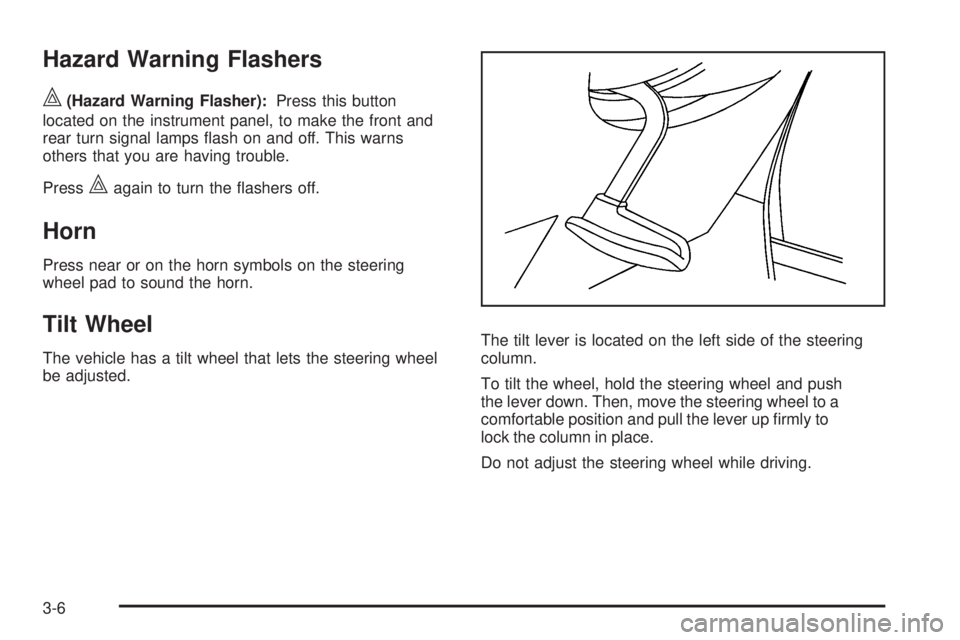
be adjusted.The tilt lever is located on the left side of the steering
column.
To tilt the wheel, hold the steering wheel and push
the lever down. Then, move the steering wheel to a
comfortable position and pull the lever up rmly to
lock the column in place.
Do not adjust the steering wheel while driving.
3-6
Page 134 of 436
Rear Window Wiper/Washer
The rear wiper and rear wash buttons are located on
the instrument panel above the audio system.
Z(Rear Wiper):Press to turn the rear wiper on and
off. When the wiper is on it runs intermittently at a
preset speed.
Y(Wash):Press to spray washer uid on the rear
window. The window wiper will also come on. Release
the button when enough uid has been sprayed on
the window. The rear wiper will run a few more cycles
after it is released. If the rear wiper function was already
on, prior to pressing the wash button, it stays on until
the wiper button is pressed again.
The rear window washer uses the same uid that is
in the windshield washer reservoir. SeeWindshield
Washer Fluid on page 5-31.
Cruise Control
Cruise control lets a speed of about 25 mph (40 km/h)
or more be maintained without keeping your foot on
the accelerator. Cruise control does not work at speeds
below 25 mph (40 km/h).
When the brakes are applied, the cruise control
shuts off.
If the vehicle is in cruise control and the Traction Control
System (TCS) begins to limit wheel spin, the cruise
control automatically disengages. SeeTraction Control
System (TCS) on page 4-7. When road conditions allow,
the cruise control can be used again.
{CAUTION:
Cruise control can be dangerous where you cannot
drive safely at a steady speed. So, do not use the
cruise control on winding roads or in heavy traffic.
Cruise control can be dangerous on slippery roads.
On such roads, fast changes in tire traction can
cause excessive wheel slip, and you could lose
control. Do not use cruise control on slippery roads.
3-10