ECO mode PONTIAC TORRENT 2009 Owner's Manual
[x] Cancel search | Manufacturer: PONTIAC, Model Year: 2009, Model line: TORRENT, Model: PONTIAC TORRENT 2009Pages: 436, PDF Size: 2.43 MB
Page 240 of 436
\(Clear):Press this button within three seconds after
inputting a numeric selection, to clear all numeric inputs.
}10 (Double Digit Entries):Press this button to
select chapter or track numbers greater than 9.
Press this button before inputting the number.
If the remote control becomes lost or damaged,
a new universal remote control can be purchased.
If this happens, make sure the universal remote
control uses a code set of Toshiba
®.
Battery Replacement
To change the remote control batteries, do the following:
1. Slide the rear cover back on the remote control.
2. Replace the two batteries in the compartment.
Make sure that they are installed correctly,
using the diagram on the inside of the battery
compartment.
3. Replace the battery cover.
If the remote control is to be stored for a long period
of time, remove the batteries and keep them in a cool,
dry place.
Problem Recommended Action
No power. The ignition might not be
turned ON/RUN or in
ACC/ACCESSORY.
The picture does not
ll the screen. There
are black borders on
the top and bottom or
on both sides or it looks
stretched out.Check the display mode
settings in the setup menu
by pressing the display
menu button on the remote
control.
In auxiliary mode, the
picture moves or scrolls.Check the auxiliary input
connections at both
devices.
The remote control does
not work.Check to make sure there
is no obstruction between
the remote control and
the transmitter window.
Check the batteries to
make sure they are not
dead or installed
incorrectly.
After stopping the player,
I push Play but sometimes
the DVD starts where I left
off and sometimes at the
beginning.If the stop button was
pressed one time, the DVD
player resumes playing
where the DVD was
stopped. If the stop button
was pressed two times
the DVD player begins to
play from the beginning
of the DVD.
3-116
Page 241 of 436
Problem Recommended Action
The auxiliary source is
running but there is no
picture or sound.Check that the RSE video
screen is in the auxiliary
source mode.
Check the auxiliary input
connections at both
devices.
Sometimes the wireless
headphone audio cuts out
or buzzes.Check for obstructions,
low batteries, reception
range, and interference
from cellular telephone
towers or by using a
cellular telephone in
the vehicle.
Check that the
headphones are on
correctly using the L (left)
and R (right) on the
headphones.
I lost the remote and/or
the headphones.See your dealer/retailer
for assistance.
The DVD is playing, but
there is no picture or
sound.Check that the RSE video
screen is sourced to the
DVD player.DVD Display Error Messages
The DVD display error message depends on which
radio the vehicle has. The video screen can display
one of the following:
Disc Load/Eject Error:This message displays when
there are disc load or eject problems.
Disc Format Error:This message displays, if the disc
is inserted with the disc label wrong side up, or if the disc
is damaged.
Disc Region Error:This message displays, if the disc
is not from a correct region.
No Disc Inserted:This message displays, if no disc is
present when the
Zbutton is pressed on the radio.
DVD Distortion
Video distortion may occur when operating cellular
phones, scanners, CB radios, Global Position Systems
(GPS)*, two-way radios, mobile fax, or walkie talkies.
It may be necessary to turn off the DVD player
when operating one of these devices in or near the
vehicle.
*Excludes the OnStar
®System.
3-117
Page 326 of 436
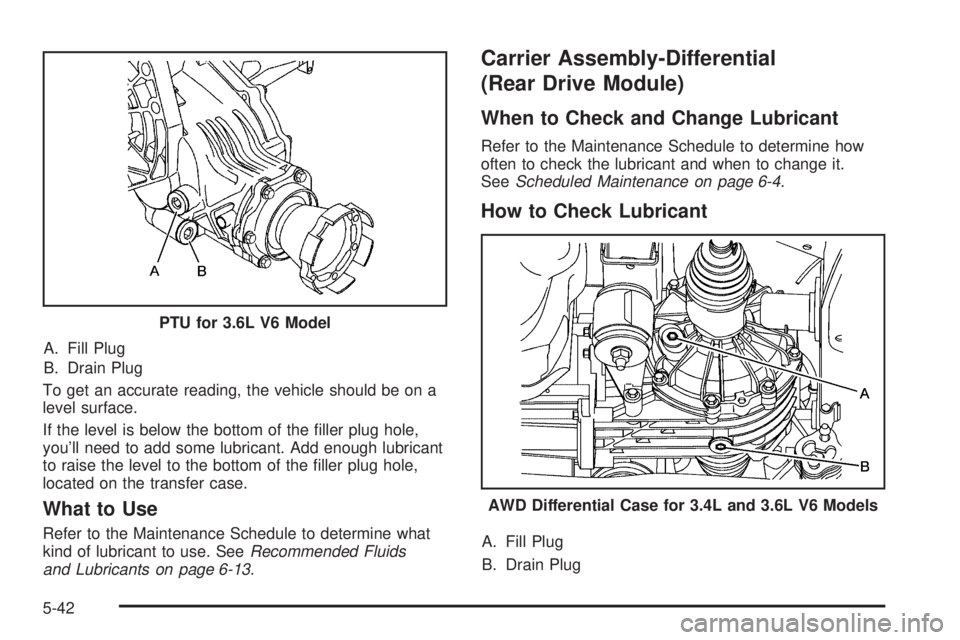
A. Fill Plug
B. Drain Plug
To get an accurate reading, the vehicle should be on a
level surface.
If the level is below the bottom of the ller plug hole,
you’ll need to add some lubricant. Add enough lubricant
to raise the level to the bottom of the ller plug hole,
located on the transfer case.
What to Use
Refer to the Maintenance Schedule to determine what
kind of lubricant to use. SeeRecommended Fluids
and Lubricants on page 6-13.
Carrier Assembly-Differential
(Rear Drive Module)
When to Check and Change Lubricant
Refer to the Maintenance Schedule to determine how
often to check the lubricant and when to change it.
SeeScheduled Maintenance on page 6-4.
How to Check Lubricant
A. Fill Plug
B. Drain Plug PTU for 3.6L V6 Model
AWD Differential Case for 3.4L and 3.6L V6 Models
5-42
Page 337 of 436
Intended Outboard Sidewall:The side of an
asymmetrical tire, that must always face outward
when mounted on a vehicle.
Kilopascal (kPa)
:The metric unit for air pressure.
Light Truck (LT-Metric) Tire
:A tire used on
light duty trucks and some multipurpose passenger
vehicles.
Load Index
:An assigned number ranging
from 1 to 279 that corresponds to the load
carrying capacity of a tire.
Maximum Ination Pressure
:The maximum
air pressure to which a cold tire can be inated.
The maximum air pressure is molded onto the
sidewall.
Maximum Load Rating
:The load rating for a
tire at the maximum permissible ination pressure
for that tire.
Maximum Loaded Vehicle Weight
:The sum of
curb weight, accessory weight, vehicle capacity
weight, and production options weight.Normal Occupant Weight
:The number of
occupants a vehicle is designed to seat multiplied
by 150 lbs (68 kg). SeeLoading the Vehicle on
page 4-20.
Occupant Distribution
:Designated seating
positions.
Outward Facing Sidewall
:The side of an
asymmetrical tire that has a particular side that
faces outward when mounted on a vehicle.
The side of the tire that contains a whitewall,
bears white lettering, or bears manufacturer,
brand, and/or model name molding that is higher
or deeper than the same moldings on the other
sidewall of the tire.
Passenger (P-Metric) Tire
:A tire used on
passenger cars and some light duty trucks
and multipurpose vehicles.
Recommended Ination Pressure
:Vehicle
manufacturer’s recommended tire ination pressure
as shown on the tire placard. SeeInflation - Tire
Pressure on page 5-55andLoading the Vehicle
on page 4-20.
5-53
Page 345 of 436
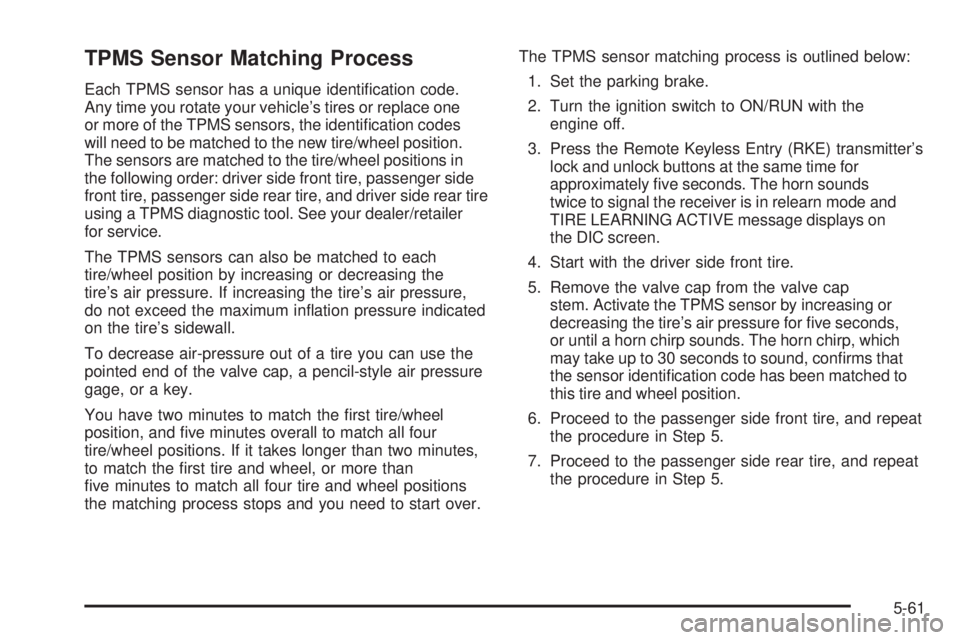
TPMS Sensor Matching Process
Each TPMS sensor has a unique identication code.
Any time you rotate your vehicle’s tires or replace one
or more of the TPMS sensors, the identication codes
will need to be matched to the new tire/wheel position.
The sensors are matched to the tire/wheel positions in
the following order: driver side front tire, passenger side
front tire, passenger side rear tire, and driver side rear tire
using a TPMS diagnostic tool. See your dealer/retailer
for service.
The TPMS sensors can also be matched to each
tire/wheel position by increasing or decreasing the
tire’s air pressure. If increasing the tire’s air pressure,
do not exceed the maximum ination pressure indicated
on the tire’s sidewall.
To decrease air-pressure out of a tire you can use the
pointed end of the valve cap, a pencil-style air pressure
gage, or a key.
You have two minutes to match the rst tire/wheel
position, and ve minutes overall to match all four
tire/wheel positions. If it takes longer than two minutes,
to match the rst tire and wheel, or more than
ve minutes to match all four tire and wheel positions
the matching process stops and you need to start over.The TPMS sensor matching process is outlined below:
1. Set the parking brake.
2. Turn the ignition switch to ON/RUN with the
engine off.
3. Press the Remote Keyless Entry (RKE) transmitter’s
lock and unlock buttons at the same time for
approximately ve seconds. The horn sounds
twice to signal the receiver is in relearn mode and
TIRE LEARNING ACTIVE message displays on
the DIC screen.
4. Start with the driver side front tire.
5. Remove the valve cap from the valve cap
stem. Activate the TPMS sensor by increasing or
decreasing the tire’s air pressure for ve seconds,
or until a horn chirp sounds. The horn chirp, which
may take up to 30 seconds to sound, conrms that
the sensor identication code has been matched to
this tire and wheel position.
6. Proceed to the passenger side front tire, and repeat
the procedure in Step 5.
7. Proceed to the passenger side rear tire, and repeat
the procedure in Step 5.
5-61
Page 419 of 436
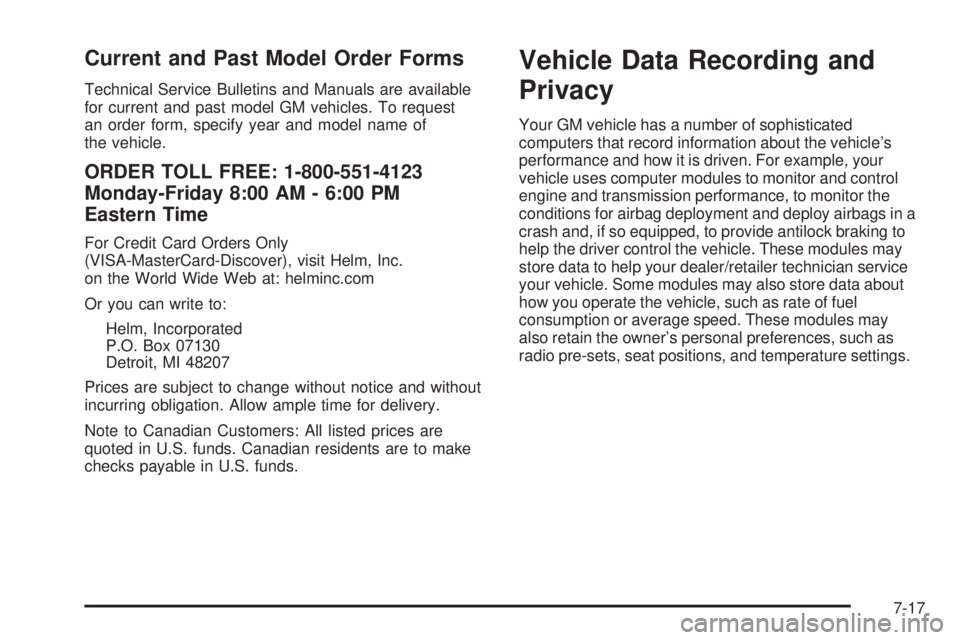
Current and Past Model Order Forms
Technical Service Bulletins and Manuals are available
for current and past model GM vehicles. To request
an order form, specify year and model name of
the vehicle.
ORDER TOLL FREE: 1-800-551-4123
Monday-Friday 8:00 AM - 6:00 PM
Eastern Time
For Credit Card Orders Only
(VISA-MasterCard-Discover), visit Helm, Inc.
on the World Wide Web at: helminc.com
Or you can write to:
Helm, Incorporated
P.O. Box 07130
Detroit, MI 48207
Prices are subject to change without notice and without
incurring obligation. Allow ample time for delivery.
Note to Canadian Customers: All listed prices are
quoted in U.S. funds. Canadian residents are to make
checks payable in U.S. funds.
Vehicle Data Recording and
Privacy
Your GM vehicle has a number of sophisticated
computers that record information about the vehicle’s
performance and how it is driven. For example, your
vehicle uses computer modules to monitor and control
engine and transmission performance, to monitor the
conditions for airbag deployment and deploy airbags in a
crash and, if so equipped, to provide antilock braking to
help the driver control the vehicle. These modules may
store data to help your dealer/retailer technician service
your vehicle. Some modules may also store data about
how you operate the vehicle, such as rate of fuel
consumption or average speed. These modules may
also retain the owner’s personal preferences, such as
radio pre-sets, seat positions, and temperature settings.
7-17
Page 427 of 436
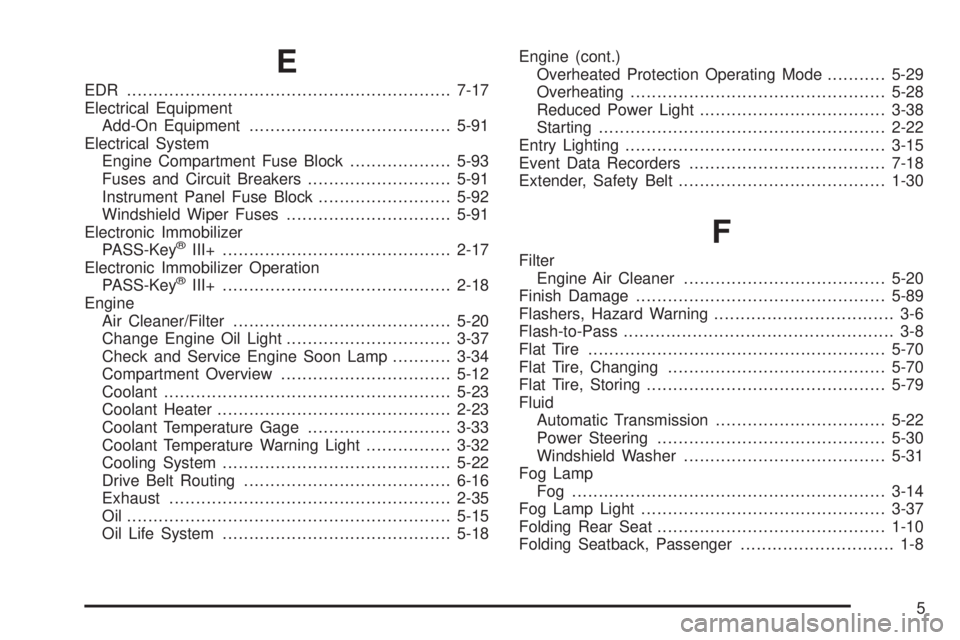
E
EDR .............................................................7-17
Electrical Equipment
Add-On Equipment......................................5-91
Electrical System
Engine Compartment Fuse Block...................5-93
Fuses and Circuit Breakers...........................5-91
Instrument Panel Fuse Block.........................5-92
Windshield Wiper Fuses...............................5-91
Electronic Immobilizer
PASS-Key
®III+...........................................2-17
Electronic Immobilizer Operation
PASS-Key
®III+...........................................2-18
Engine
Air Cleaner/Filter.........................................5-20
Change Engine Oil Light...............................3-37
Check and Service Engine Soon Lamp...........3-34
Compartment Overview................................5-12
Coolant......................................................5-23
Coolant Heater............................................2-23
Coolant Temperature Gage...........................3-33
Coolant Temperature Warning Light................3-32
Cooling System...........................................5-22
Drive Belt Routing.......................................6-16
Exhaust.....................................................2-35
Oil .............................................................5-15
Oil Life System...........................................5-18Engine (cont.)
Overheated Protection Operating Mode...........5-29
Overheating................................................5-28
Reduced Power Light...................................3-38
Starting......................................................2-22
Entry Lighting.................................................3-15
Event Data Recorders.....................................7-18
Extender, Safety Belt.......................................1-30
F
Filter
Engine Air Cleaner......................................5-20
Finish Damage...............................................5-89
Flashers, Hazard Warning.................................. 3-6
Flash-to-Pass................................................... 3-8
Flat Tire........................................................5-70
Flat Tire, Changing.........................................5-70
Flat Tire, Storing.............................................5-79
Fluid
Automatic Transmission................................5-22
Power Steering...........................................5-30
Windshield Washer......................................5-31
Fog Lamp
Fog ...........................................................3-14
Fog Lamp Light..............................................3-37
Folding Rear Seat...........................................1-10
Folding Seatback, Passenger............................. 1-8
5
Page 431 of 436
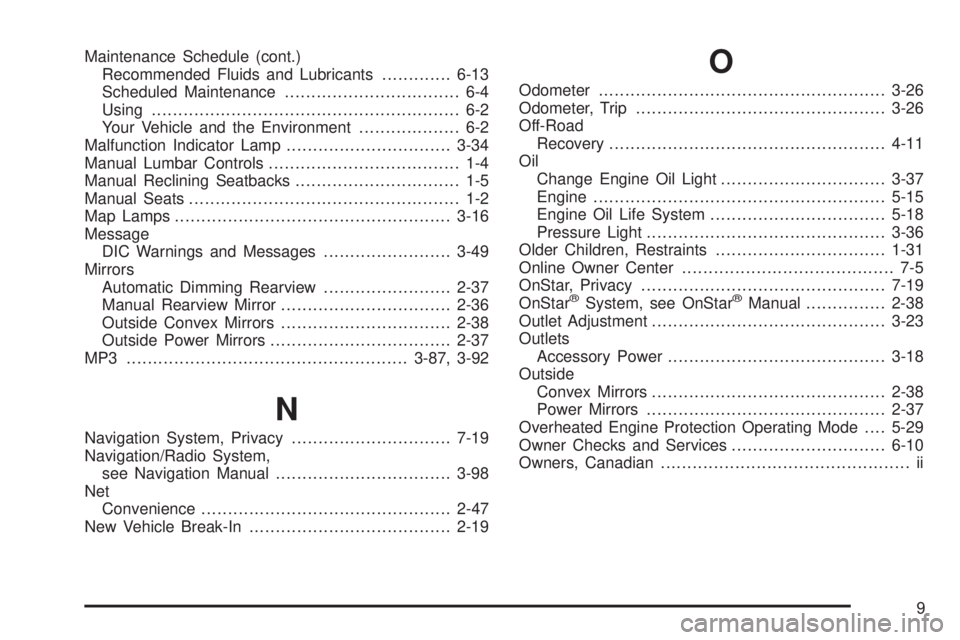
Maintenance Schedule (cont.)
Recommended Fluids and Lubricants.............6-13
Scheduled Maintenance................................. 6-4
Using.......................................................... 6-2
Your Vehicle and the Environment................... 6-2
Malfunction Indicator Lamp...............................3-34
Manual Lumbar Controls.................................... 1-4
Manual Reclining Seatbacks............................... 1-5
Manual Seats................................................... 1-2
Map Lamps ....................................................3-16
Message
DIC Warnings and Messages........................3-49
Mirrors
Automatic Dimming Rearview........................2-37
Manual Rearview Mirror................................2-36
Outside Convex Mirrors................................2-38
Outside Power Mirrors..................................2-37
MP3 .....................................................3-87, 3-92
N
Navigation System, Privacy..............................7-19
Navigation/Radio System,
see Navigation Manual.................................3-98
Net
Convenience...............................................2-47
New Vehicle Break-In......................................2-19
O
Odometer......................................................3-26
Odometer, Trip...............................................3-26
Off-Road
Recovery....................................................4-11
Oil
Change Engine Oil Light...............................3-37
Engine.......................................................5-15
Engine Oil Life System.................................5-18
Pressure Light.............................................3-36
Older Children, Restraints................................1-31
Online Owner Center........................................ 7-5
OnStar, Privacy..............................................7-19
OnStar
®System, see OnStar®Manual...............2-38
Outlet Adjustment............................................3-23
Outlets
Accessory Power.........................................3-18
Outside
Convex Mirrors............................................2-38
Power Mirrors.............................................2-37
Overheated Engine Protection Operating Mode....5-29
Owner Checks and Services.............................6-10
Owners, Canadian............................................... ii
9