display PONTIAC TORRENT 2009 Manual PDF
[x] Cancel search | Manufacturer: PONTIAC, Model Year: 2009, Model line: TORRENT, Model: PONTIAC TORRENT 2009Pages: 436, PDF Size: 2.43 MB
Page 241 of 436
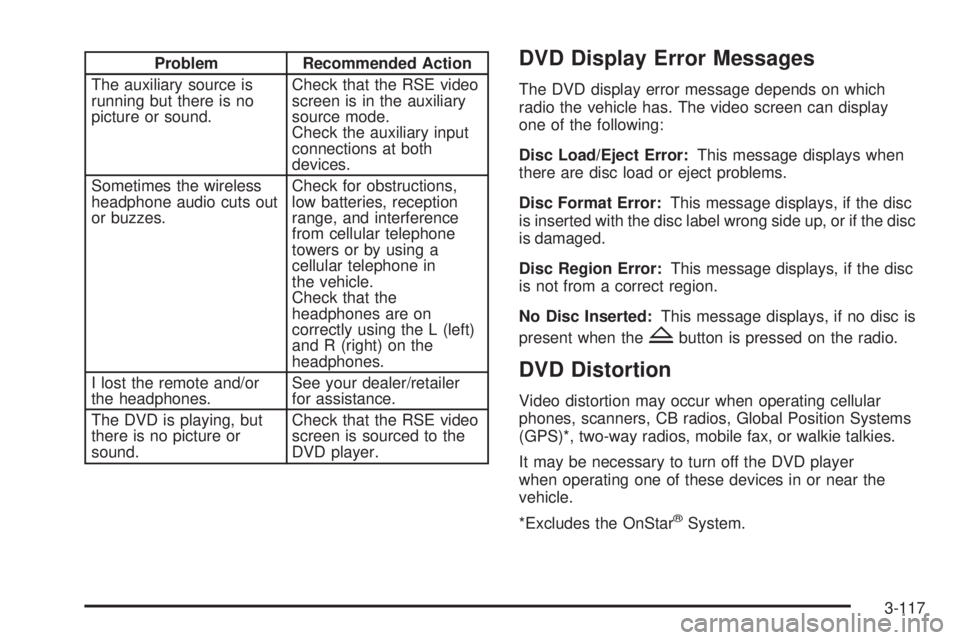
Problem Recommended Action
The auxiliary source is
running but there is no
picture or sound.Check that the RSE video
screen is in the auxiliary
source mode.
Check the auxiliary input
connections at both
devices.
Sometimes the wireless
headphone audio cuts out
or buzzes.Check for obstructions,
low batteries, reception
range, and interference
from cellular telephone
towers or by using a
cellular telephone in
the vehicle.
Check that the
headphones are on
correctly using the L (left)
and R (right) on the
headphones.
I lost the remote and/or
the headphones.See your dealer/retailer
for assistance.
The DVD is playing, but
there is no picture or
sound.Check that the RSE video
screen is sourced to the
DVD player.DVD Display Error Messages
The DVD display error message depends on which
radio the vehicle has. The video screen can display
one of the following:
Disc Load/Eject Error:This message displays when
there are disc load or eject problems.
Disc Format Error:This message displays, if the disc
is inserted with the disc label wrong side up, or if the disc
is damaged.
Disc Region Error:This message displays, if the disc
is not from a correct region.
No Disc Inserted:This message displays, if no disc is
present when the
Zbutton is pressed on the radio.
DVD Distortion
Video distortion may occur when operating cellular
phones, scanners, CB radios, Global Position Systems
(GPS)*, two-way radios, mobile fax, or walkie talkies.
It may be necessary to turn off the DVD player
when operating one of these devices in or near the
vehicle.
*Excludes the OnStar
®System.
3-117
Page 250 of 436
Brake Assist
This vehicle has a Brake Assist feature designed to
assist the driver in stopping or decreasing vehicle speed
in emergency driving conditions. This feature uses the
stability system hydraulic brake control module to
supplement the power brake system under conditions
where the driver has quickly and forcefully applied the
brake pedal in an attempt to quickly stop or slow down
the vehicle. The stability system hydraulic brake control
module increases brake pressure at each corner of
the vehicle until the ABS activates. Minor brake pedal
pulsations or pedal movement during this time is normal
and the driver should continue to apply the brake pedal
as the driving situation dictates The Brake Assist feature
will automatically disengage when the brake pedal is
released or brake pedal pressure is quickly decreased.
StabiliTrak®System
The vehicle has the StabiliTrak system, an advanced
computer controlled system that helps the driver
maintain directional control of the vehicle in difficult
driving conditions. This is accomplished by selectively
applying any one of the vehicle’s brakes and reducing
power. The Stabilitrak system comes on automatically
whenever the vehicle is started.
The STABILITRAK NOT READY message may be
displayed in the Driver Information Center (DIC) and
the StabiliTrak/Traction Control System (TCS) warning
light will come on the instrument panel cluster after rst
driving the vehicle and exceeding 30 mph 48 (km/h)
for 30 seconds. The StabiliTrak system is off until the
light has turned off. This could take up to 15 minutes.
SeeDIC Warnings and Messages on page 3-49for more
information.
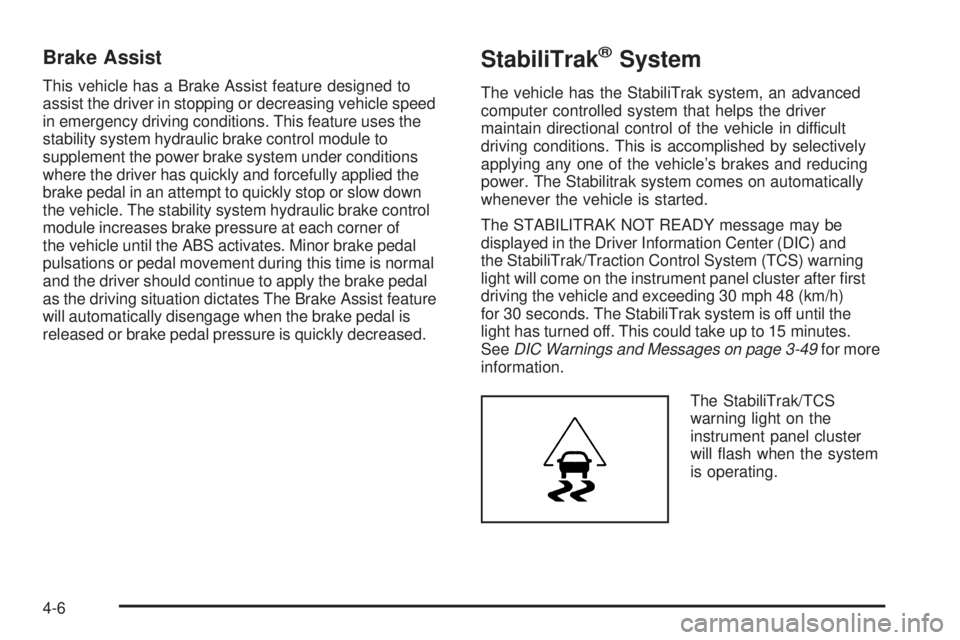
The StabiliTrak/TCS
warning light on the
instrument panel cluster
will ash when the system
is operating.
4-6
Page 251 of 436
The system may be heard or felt while it is working.
This is normal. This light may also come on after
extended heavy braking, indicating the brakes have
become too hot to limit wheel spin.
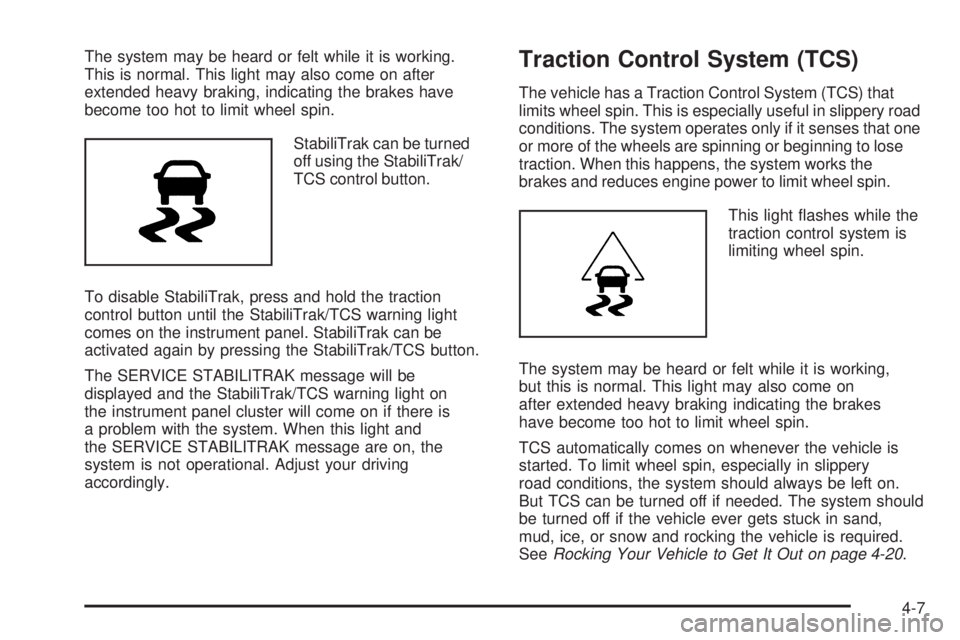
StabiliTrak can be turned
off using the StabiliTrak/
TCS control button.
To disable StabiliTrak, press and hold the traction
control button until the StabiliTrak/TCS warning light
comes on the instrument panel. StabiliTrak can be
activated again by pressing the StabiliTrak/TCS button.
The SERVICE STABILITRAK message will be
displayed and the StabiliTrak/TCS warning light on
the instrument panel cluster will come on if there is
a problem with the system. When this light and
the SERVICE STABILITRAK message are on, the
system is not operational. Adjust your driving
accordingly.Traction Control System (TCS)
The vehicle has a Traction Control System (TCS) that
limits wheel spin. This is especially useful in slippery road
conditions. The system operates only if it senses that one
or more of the wheels are spinning or beginning to lose
traction. When this happens, the system works the
brakes and reduces engine power to limit wheel spin.
This light ashes while the
traction control system is
limiting wheel spin.
The system may be heard or felt while it is working,
but this is normal. This light may also come on
after extended heavy braking indicating the brakes
have become too hot to limit wheel spin.
TCS automatically comes on whenever the vehicle is
started. To limit wheel spin, especially in slippery
road conditions, the system should always be left on.
But TCS can be turned off if needed. The system should
be turned off if the vehicle ever gets stuck in sand,
mud, ice, or snow and rocking the vehicle is required.
SeeRocking Your Vehicle to Get It Out on page 4-20.
4-7
Page 252 of 436
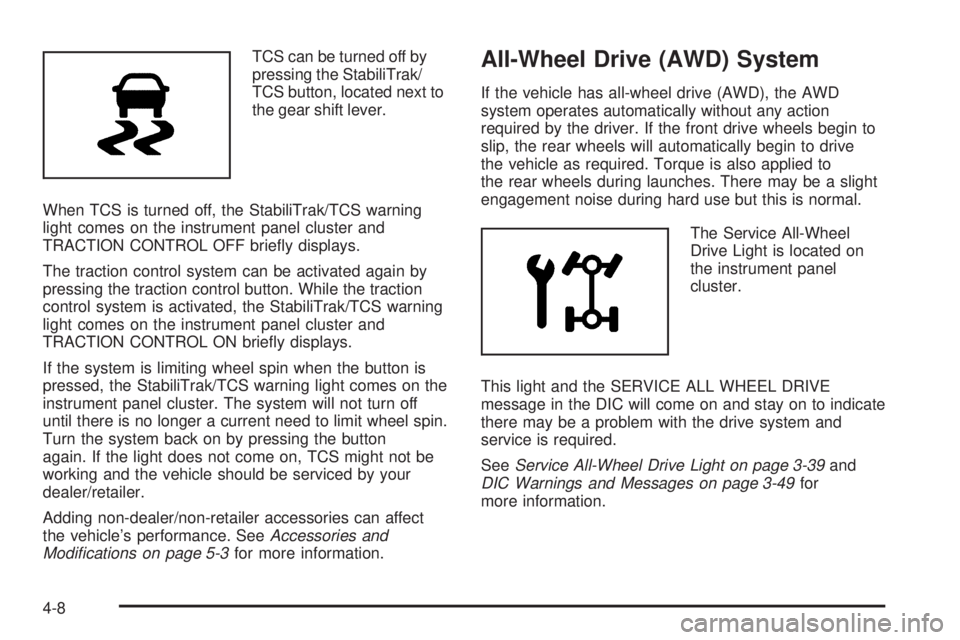
TCS can be turned off by
pressing the StabiliTrak/
TCS button, located next to
the gear shift lever.
When TCS is turned off, the StabiliTrak/TCS warning
light comes on the instrument panel cluster and
TRACTION CONTROL OFF briey displays.
The traction control system can be activated again by
pressing the traction control button. While the traction
control system is activated, the StabiliTrak/TCS warning
light comes on the instrument panel cluster and
TRACTION CONTROL ON briey displays.
If the system is limiting wheel spin when the button is
pressed, the StabiliTrak/TCS warning light comes on the
instrument panel cluster. The system will not turn off
until there is no longer a current need to limit wheel spin.
Turn the system back on by pressing the button
again. If the light does not come on, TCS might not be
working and the vehicle should be serviced by your
dealer/retailer.
Adding non-dealer/non-retailer accessories can affect
the vehicle’s performance. SeeAccessories and
Modifications on page 5-3for more information.All-Wheel Drive (AWD) System
If the vehicle has all-wheel drive (AWD), the AWD
system operates automatically without any action
required by the driver. If the front drive wheels begin to
slip, the rear wheels will automatically begin to drive
the vehicle as required. Torque is also applied to
the rear wheels during launches. There may be a slight
engagement noise during hard use but this is normal.
The Service All-Wheel
Drive Light is located on
the instrument panel
cluster.
This light and the SERVICE ALL WHEEL DRIVE
message in the DIC will come on and stay on to indicate
there may be a problem with the drive system and
service is required.
SeeService All-Wheel Drive Light on page 3-39and
DIC Warnings and Messages on page 3-49for
more information.
4-8
Page 312 of 436
Engine Overheating
The vehicle has several indicators to warn of engine
overheating.
You will nd a coolant temperature gage on your
vehicle’s instrument panel. SeeEngine Coolant
Temperature Gage on page 3-33. There are also several
different types of engine overheating messages that
may be displayed in the Driver Information Center (DIC).
SeeDIC Warnings and Messages on page 3-49.
You may decide not to lift the hood when this warning
appears, but instead get service help right away.
SeeRoadside Assistance Program on page 7-7.
If you do decide to lift the hood, make sure the vehicle
is parked on a level surface.
Then check to see if the engine cooling fans are
running. If the engine is overheating, both fans should
be running. If they are not, do not continue to run
the engine and have the vehicle serviced.
Notice:Engine damage from running the engine
without coolant is not covered by the warranty.
Notice:If the engine catches re while driving
with no coolant, the vehicle can be badly damaged.
The costly repairs would not be covered by the
vehicle warranty. SeeOverheated Engine Protection
Operating Mode on page 5-29for information on
driving to a safe place in an emergency.
If Steam Is Coming From The Engine
Compartment
{CAUTION:
Steam from an overheated engine can burn you
badly, even if you just open the hood. Stay away
from the engine if you see or hear steam coming
from it. Turn it off and get everyone away from the
vehicle until it cools down. Wait until there is no sign
of steam or coolant before you open the hood.
If you keep driving when the vehicles engine is
overheated, the liquids in it can catch re. You or
others could be badly burned. Stop the engine if
it overheats, and get out of the vehicle until the
engine is cool.
SeeOverheated Engine Protection Operating Mode
on page 5-29for information on driving to a safe
place in an emergency.
5-28
Page 313 of 436
If No Steam Is Coming From The
Engine Compartment
If an engine overheat warning is displayed but no
steam can be seen or heard, the problem may not
be too serious. Sometimes the engine can get a little
too hot when the vehicle:
Climbs a long hill on a hot day.
Stops after high-speed driving.
Idles for long periods in traffic.
Tows a trailer.
If the overheat warning is displayed with no sign
of steam:
1. Turn the air conditioner off.
2. Turn the heater on to the highest temperature and
to the highest fan speed. Open the windows as
necessary.
3. If in a traffic jam, try to minimize engine load.
Shift to N (Neutral); otherwise, shift to the
highest gear while driving.
If the temperature overheat gage is no longer in the
overheat zone or an overheat warning no longer displays,
the vehicle can be driven. Continue to drive the vehicle
slow for about 10 minutes. Keep a safe vehicle distance
from the car in front of you. If the warning does not come
back on, continue to drive normally.If the warning continues, pull over, stop, and park the
vehicle right away.
If there is no sign of steam, idle the engine for
three minutes while parked. If the warning is still
displayed, turn off the engine until it cools down.
Also, see “Overheated Engine Protection Operating
Mode” later in this section.
Overheated Engine Protection
Operating Mode
This emergency operating mode lets the vehicle
be driven to a safe place in an emergency situation.
If an overheated engine condition exists, an overheat
protection mode which alternates ring groups of
cylinders helps prevent engine damage. In this mode,
there is a signicant loss in power and engine
performance. The temperature gage indicates an
overheat condition exists. Driving extended distances
and/or towing a trailer in the overheat protection mode
should be avoided.
Notice:After driving in the overheated engine
protection operating mode, to avoid engine damage,
allow the engine to cool before attempting any repair.
The engine oil will be severely degraded. Repair the
cause of coolant loss, change the oil and reset the oil
life system. SeeEngine Oil on page 5-15.
5-29
Page 343 of 436
Tire Pressure Monitor Operation
This vehicle may have a Tire Pressure Monitor
System (TPMS). The TPMS is designed to warn
the driver when a low tire pressure condition exists.
TPMS sensors are mounted onto each tire and wheel
assembly, excluding the spare tire and wheel assembly.
The TPMS sensors monitor the air pressure in the
vehicle’s tires and transmits the tire pressure readings
to a receiver located in the vehicle.
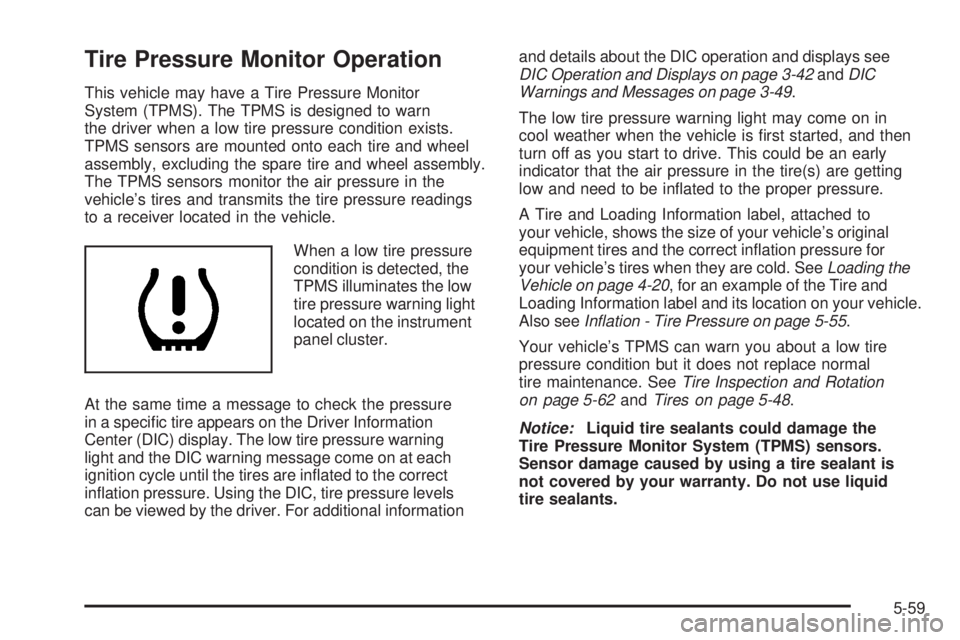
When a low tire pressure
condition is detected, the
TPMS illuminates the low
tire pressure warning light
located on the instrument
panel cluster.
At the same time a message to check the pressure
in a specic tire appears on the Driver Information
Center (DIC) display. The low tire pressure warning
light and the DIC warning message come on at each
ignition cycle until the tires are inated to the correct
ination pressure. Using the DIC, tire pressure levels
can be viewed by the driver. For additional informationand details about the DIC operation and displays see
DIC Operation and Displays on page 3-42andDIC
Warnings and Messages on page 3-49.
The low tire pressure warning light may come on in
cool weather when the vehicle is rst started, and then
turn off as you start to drive. This could be an early
indicator that the air pressure in the tire(s) are getting
low and need to be inated to the proper pressure.
A Tire and Loading Information label, attached to
your vehicle, shows the size of your vehicle’s original
equipment tires and the correct ination pressure for
your vehicle’s tires when they are cold. SeeLoading the
Vehicle on page 4-20, for an example of the Tire and
Loading Information label and its location on your vehicle.
Also seeInflation - Tire Pressure on page 5-55.
Your vehicle’s TPMS can warn you about a low tire
pressure condition but it does not replace normal
tire maintenance. SeeTire Inspection and Rotation
on page 5-62andTires on page 5-48.
Notice:Liquid tire sealants could damage the
Tire Pressure Monitor System (TPMS) sensors.
Sensor damage caused by using a tire sealant is
not covered by your warranty. Do not use liquid
tire sealants.
5-59
Page 344 of 436
TPMS Malfunction Light and Message
The TPMS will not function properly if one or more of
the TPMS sensors are missing or inoperable. When the
system detects a malfunction, the low tire warning light
ashes for about one minute and then stays on for the
remainder of the ignition cycle. A DIC warning message
is also displayed. The low tire warning light and DIC
warning message come on at each ignition cycle until
the problem is corrected. Some of the conditions that
can cause the malfunction light and DIC message to
come on are:
One of the road tires has been replaced with the
spare tire. The spare tire does not have a TPMS
sensor. The TPMS malfunction light and DIC
message should go off once you re-install the
road tire containing the TPMS sensor.
The TPMS sensor matching process was started but
not completed or not completed successfully after
rotating the vehicle’s tires. The DIC message and
TPMS malfunction light should go off once the TPMS
sensor matching process is performed successfully.
See “TPMS Sensor Matching Process” later in this
section.
One or more TPMS sensors are missing or
damaged. The DIC message and the TPMS
malfunction light should go off when the TPMS
sensors are installed and the sensor matching
process is performed successfully. See your
dealer/retailer for service.
Replacement tires or wheels do not match your
vehicle’s original equipment tires or wheels. Tires
and wheels other than those recommended for your
vehicle could prevent the TPMS from functioning
properly. SeeBuying New Tires on page 5-64.
Operating electronic devices or being near facilities
using radio wave frequencies similar to the TPMS
could cause the TPMS sensors to malfunction.
If the TPMS is not functioning it cannot detect or
signal a low tire condition. See your dealer/retailer for
service if the TPMS malfunction light and DIC message
comes on and stays on.
5-60
Page 345 of 436
TPMS Sensor Matching Process
Each TPMS sensor has a unique identication code.
Any time you rotate your vehicle’s tires or replace one
or more of the TPMS sensors, the identication codes
will need to be matched to the new tire/wheel position.
The sensors are matched to the tire/wheel positions in
the following order: driver side front tire, passenger side
front tire, passenger side rear tire, and driver side rear tire
using a TPMS diagnostic tool. See your dealer/retailer
for service.
The TPMS sensors can also be matched to each
tire/wheel position by increasing or decreasing the
tire’s air pressure. If increasing the tire’s air pressure,
do not exceed the maximum ination pressure indicated
on the tire’s sidewall.
To decrease air-pressure out of a tire you can use the
pointed end of the valve cap, a pencil-style air pressure
gage, or a key.
You have two minutes to match the rst tire/wheel
position, and ve minutes overall to match all four
tire/wheel positions. If it takes longer than two minutes,
to match the rst tire and wheel, or more than
ve minutes to match all four tire and wheel positions
the matching process stops and you need to start over.The TPMS sensor matching process is outlined below:
1. Set the parking brake.
2. Turn the ignition switch to ON/RUN with the
engine off.
3. Press the Remote Keyless Entry (RKE) transmitter’s
lock and unlock buttons at the same time for
approximately ve seconds. The horn sounds
twice to signal the receiver is in relearn mode and
TIRE LEARNING ACTIVE message displays on
the DIC screen.
4. Start with the driver side front tire.
5. Remove the valve cap from the valve cap
stem. Activate the TPMS sensor by increasing or
decreasing the tire’s air pressure for ve seconds,
or until a horn chirp sounds. The horn chirp, which
may take up to 30 seconds to sound, conrms that
the sensor identication code has been matched to
this tire and wheel position.
6. Proceed to the passenger side front tire, and repeat
the procedure in Step 5.
7. Proceed to the passenger side rear tire, and repeat
the procedure in Step 5.
5-61
Page 346 of 436
8. Proceed to the driver side rear tire, and repeat
the procedure in Step 5. The horn sounds two times
to indicate the sensor identication code has been
matched to the driver side rear tire, and the TPMS
sensor matching process is no longer active.
The TIRE LEARNING ACTIVE message on
the DIC display screen goes off.
9. Turn the ignition switch to LOCK/OFF.
10. Set all four tires to the recommended air pressure
level as indicated on the Tire and Loading
Information label.
11. Put the valve caps back on the valve stems.
Tire Inspection and Rotation
We recommend that you regularly inspect your
vehicle’s tires, including the spare tire, for signs
of wear or damage. SeeWhen It Is Time for
New Tires on page 5-63for more information.
Tires should be rotated every 5,000 to 8,000 miles
(8 000 to 13 000 km). SeeScheduled Maintenance
on page 6-4.
The purpose of a regular tire rotation is to
achieve a uniform wear for all tires on the vehicle.
This will ensure that your vehicle continues to
perform most like it did when the tires were new.Any time you notice unusual wear, rotate the tires
as soon as possible and check wheel alignment.
Also check for damaged tires or wheels. SeeWhen
It Is Time for New Tires on page 5-63andWheel
Replacement on page 5-68.
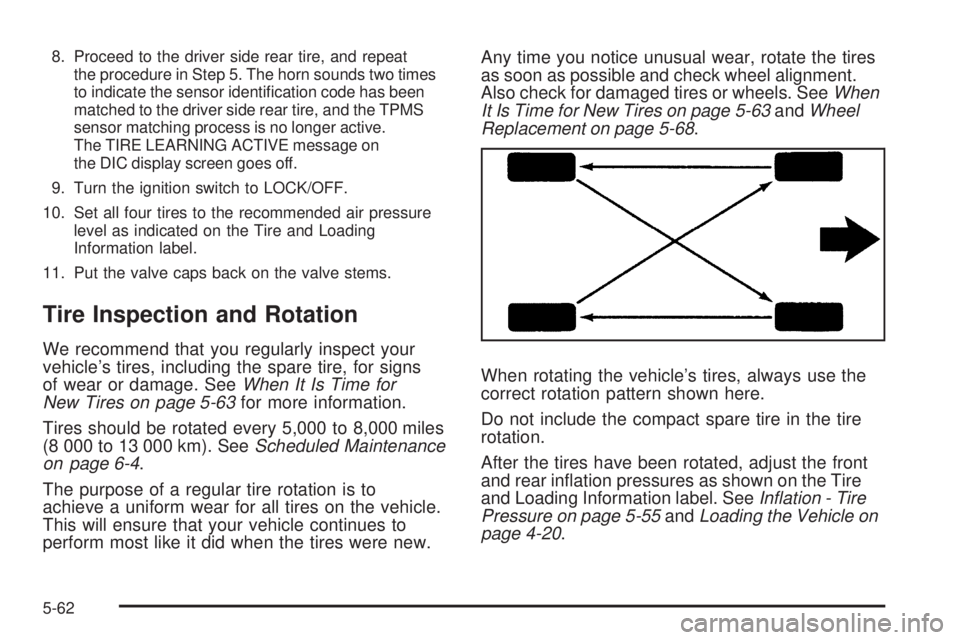
When rotating the vehicle’s tires, always use the
correct rotation pattern shown here.
Do not include the compact spare tire in the tire
rotation.
After the tires have been rotated, adjust the front
and rear ination pressures as shown on the Tire
and Loading Information label. SeeInflation - Tire
Pressure on page 5-55andLoading the Vehicle on
page 4-20.
5-62