CD player PONTIAC VIBE 2004 User Guide
[x] Cancel search | Manufacturer: PONTIAC, Model Year: 2004, Model line: VIBE, Model: PONTIAC VIBE 2004Pages: 370, PDF Size: 2.68 MB
Page 167 of 370

Using Song List Mode
The integrated six-disc CD changer has a feature called
song list. This feature is capable of saving 20 track
selections.
To save tracks into the song list feature, perform the
following steps:
1. Turn the CD player on and load it with at least one
disc. See ªLOAD CDº listed previously in this
section for more information.
2. Check to see that the disc changer is not in song
list mode. S-LIST should not appear in the display.
If S-LIST is present, press the SONG LIST
button to turn it off.
3. Select the desired disc by pressing the numbered
pushbutton and then use the SEEK SCAN right
arrow button to locate the track that you want
to save. The track will begin to play.
4. Press and hold the SONG LIST button for two or
more seconds to save the track into memory.
When SONG LIST is pressed a beep will be heard
immediately. After two seconds of pressing
SONG LIST continuously, two beeps will sound to
con®rm that the track has been saved.
5. Repeat Steps 3 and 4 for saving other selections.If you attempt to save more than 20 selections, S-LIST
FULL will appear on the display.
To play the song list, press the SONG LIST button.
One beep will be heard and S-LIST will appear on the
display. The recorded tracks will begin to play in
the order that they were saved.
You may seek through the song list by using the SEEK
SCAN arrows. Seeking past the last saved track will
return you to the ®rst saved track.
To delete tracks from the song list, perform the
following steps:
1. Turn the CD player on.
2. Press the SONG LIST button to turn song list on.
S-LIST will appear on the display.
3. Press the SEEK SCAN arrows to select the desired
track to be deleted.
4. Press and hold the SONG LIST button for two
seconds. When pressing SONG LIST, one beep
will be heard immediately. After two seconds
of pressing the SONG LIST button continuously,
two beeps will be heard to con®rm that the track has
been deleted.
3-61
Page 168 of 370

After a track has been deleted, the remaining tracks are
moved up the list. When another track is added to the
song list, the track will be added to the end of the list.
To delete the entire song list, perform the following
steps:
1. Turn the CD player on.
2. Press the SONG LIST button to turn song list on.
S-LIST will appear on the display.
3. Press and hold the SONG LIST button for more
than four seconds. A beep will be heard, followed
by two beeps after two seconds and a ®nal beep will
be heard after four seconds. S-LIST EMPTY will
appear on the display indicating that the song
list has been deleted.
If a disc is ejected, and the song list contains saved
tracks from that disc, those tracks are automatically
deleted from the song list. Any tracks saved to the song
list again are added to the bottom of the list.
To end song list mode, press the SONG LIST button.
One beep will be heard and S-LIST will be removed from
the display.Compact Disc Messages
CHECK CD:If this message appears on the radio
display, it could be due to one of the following reasons:
·You're driving on a very rough road. When the
road becomes smoother, the disc should play.
·The disc is dirty, scratched, wet, or upside down.
·The air is very humid. If so, wait about an hour and
try again.
·There may have been a problem while burning
the CD.
·The label may be caught in the CD player.
If the CD is not playing correctly, for any other reason,
try a known good CD.
If any error occurs repeatedly or if an error can not be
corrected, contact your dealer. If your radio displays
an error message, write it down and provide it to your
dealer when reporting the problem.
3-62
Page 170 of 370
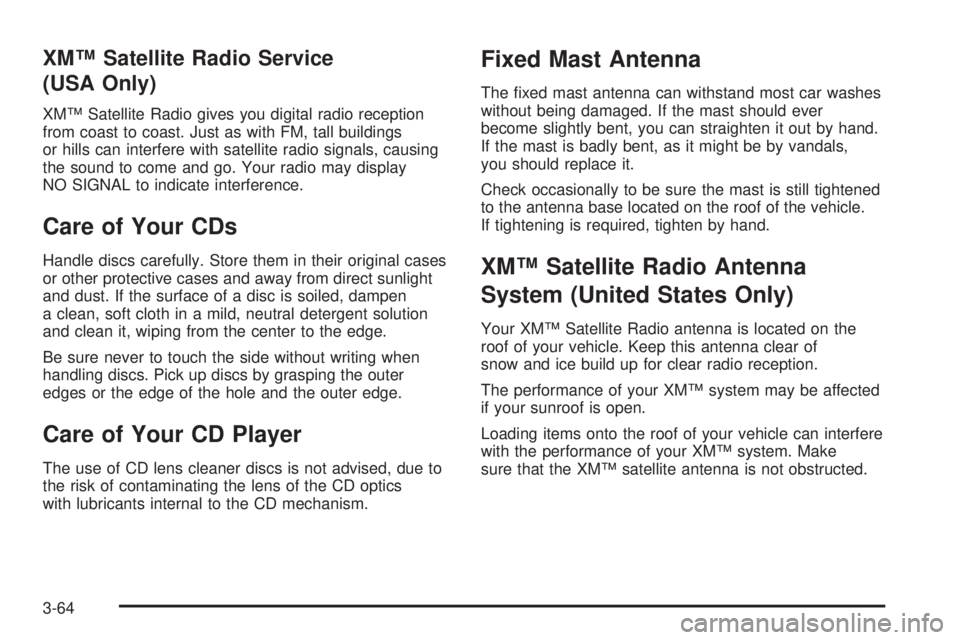
XMŸ Satellite Radio Service
(USA Only)
XMŸ Satellite Radio gives you digital radio reception
from coast to coast. Just as with FM, tall buildings
or hills can interfere with satellite radio signals, causing
the sound to come and go. Your radio may display
NO SIGNAL to indicate interference.
Care of Your CDs
Handle discs carefully. Store them in their original cases
or other protective cases and away from direct sunlight
and dust. If the surface of a disc is soiled, dampen
a clean, soft cloth in a mild, neutral detergent solution
and clean it, wiping from the center to the edge.
Be sure never to touch the side without writing when
handling discs. Pick up discs by grasping the outer
edges or the edge of the hole and the outer edge.
Care of Your CD Player
The use of CD lens cleaner discs is not advised, due to
the risk of contaminating the lens of the CD optics
with lubricants internal to the CD mechanism.
Fixed Mast Antenna
The ®xed mast antenna can withstand most car washes
without being damaged. If the mast should ever
become slightly bent, you can straighten it out by hand.
If the mast is badly bent, as it might be by vandals,
you should replace it.
Check occasionally to be sure the mast is still tightened
to the antenna base located on the roof of the vehicle.
If tightening is required, tighten by hand.
XMŸ Satellite Radio Antenna
System (United States Only)
Your XMŸ Satellite Radio antenna is located on the
roof of your vehicle. Keep this antenna clear of
snow and ice build up for clear radio reception.
The performance of your XMŸ system may be affected
if your sunroof is open.
Loading items onto the roof of your vehicle can interfere
with the performance of your XMŸ system. Make
sure that the XMŸ satellite antenna is not obstructed.
3-64
Page 357 of 370
A
Accessory Power Outlets.................................3-17
Adding Washer Fluid.......................................5-39
Additional Program Information........................... 7-9
Additives, Fuel................................................. 5-6
Add-On Electrical Equipment............................5-97
Adjusting the Speakers (Balance/Fade)......3-45, 3-54
Air Bag .........................................................3-30
Readiness Light..........................................3-30
Air Bag System, Supplemental Restraint
System (SRS).............................................1-47
Air Cleaner/Filter, Engine.................................5-21
All-Wheel Drive...............................................5-51
All-Wheel-Drive (AWD) System........................... 4-9
Aluminum Wheels...........................................5-94
AM ...............................................................3-63
Antenna, Fixed Mast.......................................3-64
Antenna, XMŸ Satellite Radio Antenna
System......................................................3-64
Anti-Lock Brake, System Warning Light..............3-32
Anti-lock Brake System..................................... 4-7
Appearance Care............................................5-89
Care of Safety Belts....................................5-92
Chemical Paint Spotting...............................5-95
Cleaning the Inside of Your Vehicle................5-89Appearance Care (cont.)
Cleaning the Outside of Your Vehicle..............5-92
Finish Damage............................................5-94
Sheet Metal Damage...................................5-94
Underbody Maintenance...............................5-95
Vehicle Care/Appearance Materials................5-95
Weatherstrips..............................................5-92
Arming the System.........................................2-14
Ashtrays........................................................3-19
Audio System(s).............................................3-41
Care of Your CD Player...............................3-64
Care of Your CDs........................................3-64
Fixed Mast Antenna.....................................3-64
Navigation/Radio System..............................3-63
Radio with CD............................................3-42
Radio with Six-Disc CD................................3-52
Setting the Time..........................................3-41
Understanding Radio Reception.....................3-63
XMŸ Satellite Radio Antenna System............3-64
Automatic Headlamp System............................3-13
Automatic Transaxle........................................2-18
Fluid..........................................................5-23
Operation...................................................2-20
Automatic Transaxle Shift Lock Control
System Check.............................................6-22
1
Page 358 of 370
B
Backing Up....................................................4-38
Battery..........................................................5-44
Battery Replacement......................................... 2-6
Before Leaving on a Long Trip.........................4-21
Body Lubrication Service..................................6-21
Brake............................................................2-27
Parking......................................................2-27
System Inspection.......................................6-25
System Warning Light..................................3-31
Brake Fluid....................................................5-40
Brake Wear...................................................5-43
Brakes..........................................................5-40
Braking........................................................... 4-6
Braking in Emergencies..................................... 4-9
Break-In, New Vehicle.....................................2-16
Bulb Replacement...........................................5-52
Back-Up Lamps...........................................5-58
Center High-Mounted Stoplamp (CHMSL)........5-55
Front Turn Signal Lamps..............................5-54
Halogen Bulbs............................................5-52
Headlamps.................................................5-52
Rear Combination Lamps.............................5-56
Replacement Bulbs......................................5-59
Buying New Tires...........................................5-71
C
California Fuel.................................................. 5-5
Canada ± Customer Assistance.......................... 7-5
Canadian Owners................................................ ii
Canadian Roadside Assistance........................... 7-8
Capacities and Speci®cations..........................5-101
Carbon Monoxide.....................4-24, 4-34, 2-9, 2-33
Care of.........................................................5-92
Safety Belts................................................5-92
Your CD Player...........................................3-64
Your CDs ...................................................3-64
Cargo Cover..................................................2-41
Cargo Tie Downs............................................2-41
Carrier Assembly-Differential
(Rear Drive Module)....................................5-51
Center Console Storage Area...........................2-37
Center High-Mounted Stoplamp (CHMSL)...........5-55
Chains, Tires..................................................5-75
Charging System Light....................................3-31
Check...........................................................3-34
Engine Light...............................................3-34
Checking Coolant............................................5-28
Checking Engine Oil........................................5-16
Checking Things Under the Hood......................5-10
Checking Your Restraint Systems......................1-56
Chemical Paint Spotting...................................5-95
2
Page 366 of 370

Power...........................................................3-17
Accessory Outlets........................................3-17
Door Locks.................................................. 2-8
Electrical System.........................................5-98
Outlet 115 Volt Alternating Current.................3-18
Steering Fluid.............................................5-38
Windows....................................................2-12
Pretensioners, Safety Belt................................1-26
Q
Questions and Answers About Safety Belts.........1-13
R
Radiator Pressure Cap....................................5-29
Radio Data System (RDS).......................3-42, 3-55
Radio Messages.............................................3-47
Radios..........................................................3-41
Care of Your CD Player...............................3-64
Care of Your CDs........................................3-64
Navigation/Radio System..............................3-63
Radio with CD............................................3-42
Radio with Six-Disc CD................................3-52
Setting the Time..........................................3-41
Understanding Reception..............................3-63
RDS Messages......................................3-46, 3-56Reactivating the System..................................2-15
Reading Lamp................................................3-16
Rear Cargo Accessory Track System.................2-40
Rear Combination Lamps.................................5-56
Rear Seat Operation......................................... 1-7
Rear Seat Passenger Positions.........................1-22
Rear Seat Passengers, Safety Belts..................1-22
Rear Storage Area..........................................2-40
Rear Window Defogger....................................3-21
Rearview Mirrors.............................................2-35
Reclining Seatbacks.......................................... 1-3
Recreational Vehicle Towing.............................4-30
Remote Keyless Entry System............................ 2-4
Remote Keyless Entry System, Operation............ 2-5
Removing the Flat Tire and Installing the
Spare Tire..................................................5-80
Removing the Spare Tire and Tools...................5-78
Replacement Bulbs.........................................5-59
Replacing Brake System Parts..........................5-44
Replacing Restraint System Parts After
a Crash.....................................................1-57
Reporting Safety Defects.................................7-10
Canadian Government..................................7-10
General Motors...........................................7-11
United States Government............................7-10
Restraint System Check...................................6-20
Checking Your Restraint Systems...................1-56
Replacing Restraint System Parts After
a Crash..................................................1-57
10