change time PONTIAC VIBE 2005 User Guide
[x] Cancel search | Manufacturer: PONTIAC, Model Year: 2005, Model line: VIBE, Model: PONTIAC VIBE 2005Pages: 374, PDF Size: 2.49 MB
Page 163 of 374
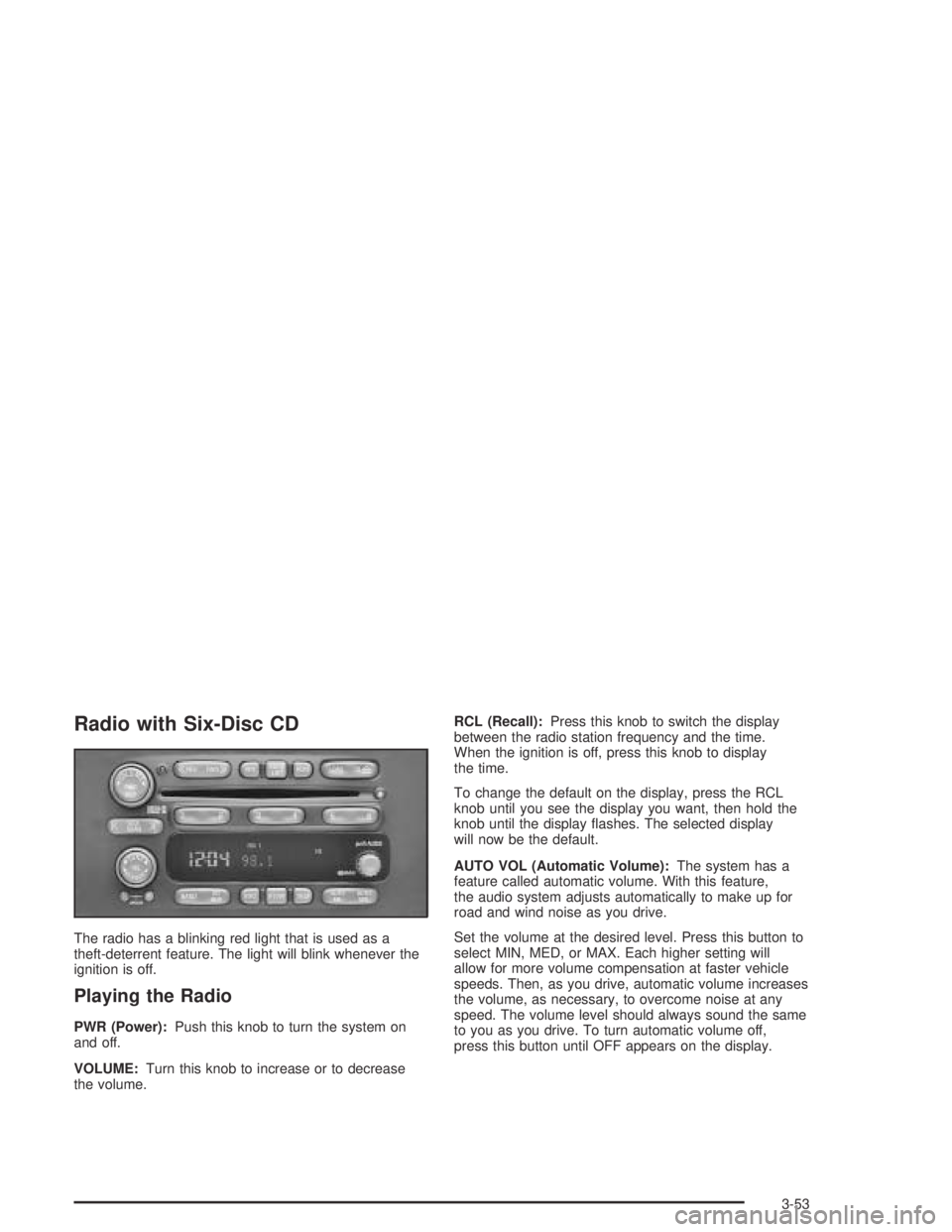
Radio with Six-Disc CD
The radio has a blinking red light that is used as a
theft-deterrent feature. The light will blink whenever the
ignition is off.
Playing the Radio
PWR (Power):Push this knob to turn the system on
and off.
VOLUME:Turn this knob to increase or to decrease
the volume.RCL (Recall):Press this knob to switch the display
between the radio station frequency and the time.
When the ignition is off, press this knob to display
the time.
To change the default on the display, press the RCL
knob until you see the display you want, then hold the
knob until the display ashes. The selected display
will now be the default.
AUTO VOL (Automatic Volume):The system has a
feature called automatic volume. With this feature,
the audio system adjusts automatically to make up for
road and wind noise as you drive.
Set the volume at the desired level. Press this button to
select MIN, MED, or MAX. Each higher setting will
allow for more volume compensation at faster vehicle
speeds. Then, as you drive, automatic volume increases
the volume, as necessary, to overcome noise at any
speed. The volume level should always sound the same
to you as you drive. To turn automatic volume off,
press this button until OFF appears on the display.
3-53
Page 172 of 374

RCL (Recall):Press this knob to see how long the
current track has been playing. To change the default
on the display, track and elapsed time, press the
knob until you see the display you want, then hold the
knob until the display ashes. The selected display
will now be the default.
BAND:Press this button to listen to the radio when a
CD is playing. The inactive CD(s) will remain safely
inside the radio for future listening.
CD AUX (Auxiliary):Press this button to play a CD
when listening to the radio.
Using Song List Mode
The six-disc CD changer has a feature called song list.
This feature is capable of saving 20 track selections.
To save tracks into the song list feature, perform
the following steps:
1. Turn the CD player on and load it with at least one
CD. See “LOAD CD” listed previously in this section
for more information.
2. Check to see that the CD changer is not in song list
mode. S-LIST should not appear in the display. If
S-LIST is on the display, press the SONG LIST
button to turn it off.3. Select the desired CD by pressing the numbered
pushbutton and then use the SEEK SCAN right
arrow to locate the track to be saved. The track will
begin to play.
4. Press and hold the SONG LIST button to save the
track into memory. When SONG LIST is pressed,
one beep will be heard immediately. After two
seconds of continuously pressing the SONG LIST
button, two beeps will be heard to conrm the track
has been saved.
5. Repeat Steps 3 and 4 for saving other selections.
S-LIST FULL will appear on the display if you try to save
more than 20 selections.
To play the song list, press the SONG LIST button. One
beep will be heard and S-LIST will appear on the display.
The recorded tracks will begin to play in the order they
were saved.
Seek through the song list by using the SEEK SCAN
arrows. Seeking past the last saved track will return to
the rst saved track.
To delete tracks from the song list, perform the
following steps:
1. Turn the CD player on.
2. Press the SONG LIST button to turn song list on.
S-LIST will appear on the display.
3. Press the SEEK SCAN arrows to select the desired
track to be deleted.
3-62
Page 184 of 374
The anti-lock system can change the brake pressure
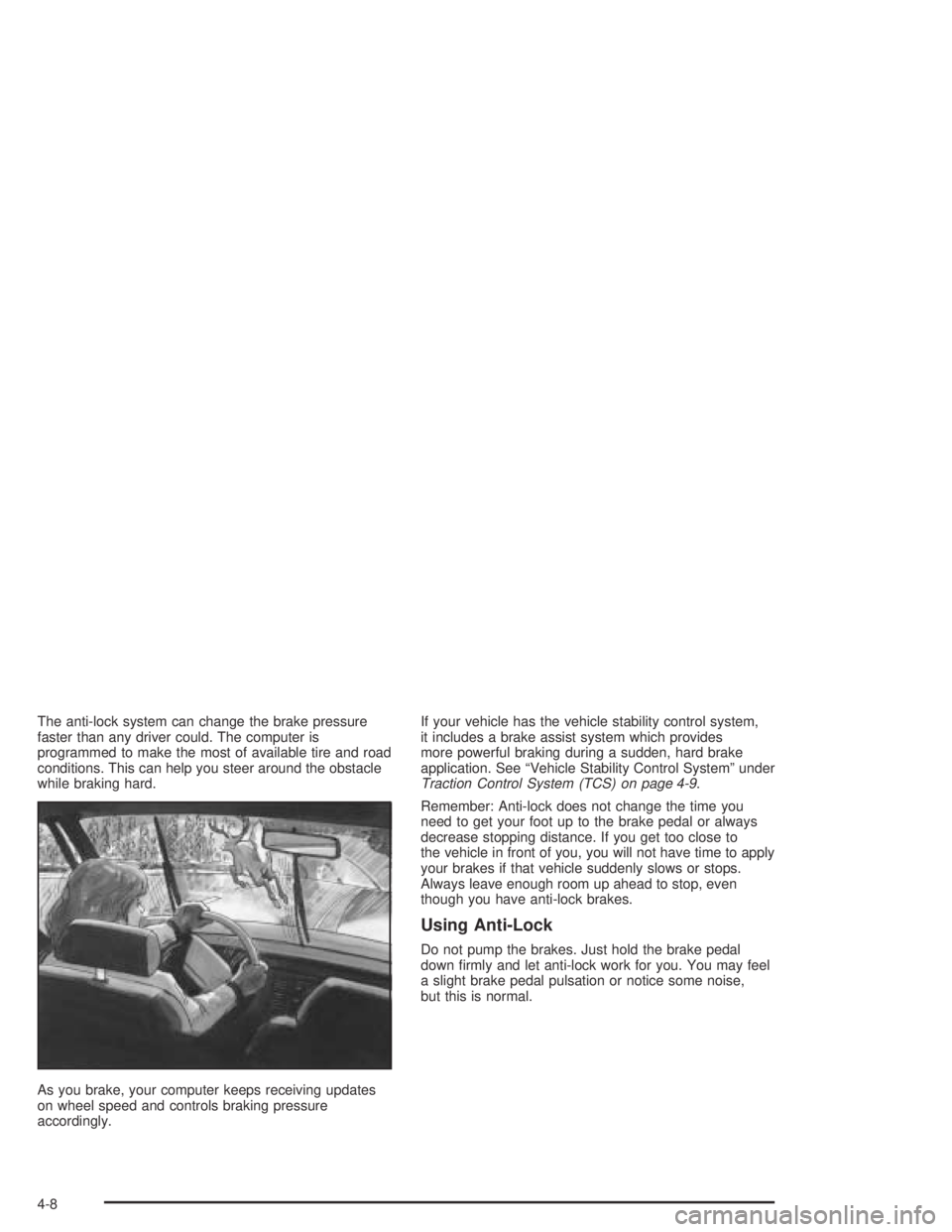
faster than any driver could. The computer is
programmed to make the most of available tire and road
conditions. This can help you steer around the obstacle
while braking hard.
As you brake, your computer keeps receiving updates
on wheel speed and controls braking pressure
accordingly.If your vehicle has the vehicle stability control system,
it includes a brake assist system which provides
more powerful braking during a sudden, hard brake
application. See “Vehicle Stability Control System” under
Traction Control System (TCS) on page 4-9.
Remember: Anti-lock does not change the time you
need to get your foot up to the brake pedal or always
decrease stopping distance. If you get too close to
the vehicle in front of you, you will not have time to apply
your brakes if that vehicle suddenly slows or stops.
Always leave enough room up ahead to stop, even
though you have anti-lock brakes.
Using Anti-Lock
Do not pump the brakes. Just hold the brake pedal
down rmly and let anti-lock work for you. You may feel
a slight brake pedal pulsation or notice some noise,
but this is normal.
4-8
Page 191 of 374

Do not get too close to the vehicle you want to
pass while you are awaiting an opportunity. For one
thing, following too closely reduces your area of
vision, especially if you are following a larger
vehicle. Also, you will not have adequate space if
the vehicle ahead suddenly slows or stops.
Keep back a reasonable distance.
When it looks like a chance to pass is coming up,
start to accelerate but stay in the right lane and
do not get too close. Time your move so you will be
increasing speed as the time comes to move into
the other lane. If the way is clear to pass, you
will have a running start that more than makes up
for the distance you would lose by dropping
back. And if something happens to cause you to
cancel your pass, you need only slow down
and drop back again and wait for another
opportunity.
If other vehicles are lined up to pass a slow vehicle,
wait your turn. But take care that someone is not
trying to pass you as you pull out to pass the slow
vehicle. Remember to glance over your shoulder
and check the blind spot.
Check your mirrors, glance over your shoulder,
and start your left lane change signal before
moving out of the right lane to pass. When you are
far enough ahead of the passed vehicle to see
its front in your inside mirror, activate your right lane
change signal and move back into the right lane.
Remember that your right outside mirror is convex.
The vehicle you just passed may seem to be
farther away from you than it really is.
Try not to pass more than one vehicle at a time on
two-lane roads. Reconsider before passing the
next vehicle.
Do not overtake a slowly moving vehicle too rapidly.
Even though the brake lamps are not ashing,
it may be slowing down or starting to turn.
If you are being passed, make it easy for the
following driver to get ahead of you. Perhaps
you can ease a little to the right.
4-15
Page 216 of 374
Towing a Trailer
{CAUTION:
If you do not use the correct equipment and
drive properly, you can lose control when you
pull a trailer. For example, if the trailer is too
heavy, the brakes may not work well — or even
at all. You and your passengers could be
seriously injured. You may also damage your
vehicle; the resulting repairs would not be
covered by your warranty. Pull a trailer only if
you have followed all the steps in this section.
Ask your dealer for advice and information
about towing a trailer with your vehicle.Your vehicle can tow a trailer if it is equipped with the
proper trailer towing equipment. To identify what
the vehicle trailering capacity is for your vehicle, you
should read the information in “Weight of the Trailer” that
appears later in this section. But trailering is different
than just driving your vehicle by itself. Trailering means
changes in handling, acceleration, braking, durability
and fuel economy. Successful, safe trailering takes
correct equipment, and it has to be used properly.
That’s the reason for this part. In it are many time-tested,
important trailering tips and safety rules. Many of
these are important for your safety and that of your
passengers. So please read this section carefully before
you pull a trailer.
Load-pulling components such as the engine, transaxle,
wheel assemblies and tires are forced to work harder
against the drag of the added weight. The engine
is required to operate at relatively higher speeds and
under greater loads, generating extra heat. What’s more,
the trailer adds considerably to wind resistance,
increasing the pulling requirements.
4-40
Page 245 of 374

Automatic Transaxle Fluid
When to Check and Change
A good time to check your automatic transaxle uid
level is when the engine oil is changed.
Check the uid in the transaxle and differential every
30,000 miles (48 000 km). Change the uid every
60,000 miles (100 000 km) if the vehicle is mainly driven
under one or more of these conditions:
In heavy city traffic where the outside temperature
regularly reaches 90°F (32°C) or higher.
In hilly or mountainous terrain.
When doing frequent trailer towing.
Uses such as found in taxi, police or delivery
service.
SeePart A: Scheduled Maintenance Services on
page 6-4.
How to Check
Because this operation can be a little difficult, you may
choose to have this done at the dealership service
department.If you do it yourself, be sure to follow all the instructions
here, or you could get a false reading on the dipstick.
Notice:Too much or too little uid can damage the
transaxle. Too much can mean that some of the uid
could come out and fall on hot engine or exhaust
system parts, starting a re. Too little uid could
cause the transaxle to overheat. Be sure to get an
accurate reading if you check the transaxle uid.
Wait at least 30 minutes before checking the transaxle
uid level if you have been driving:
When outside temperatures are above 90°F (32°C).
At high speed for quite a while.
In heavy traffic — especially in hot weather.
While pulling a trailer.
To get the right reading, the uid should be at normal
operating temperature, which is 158°F to 176°F
(70°C to 80°C).
Get the vehicle warmed up by driving about
15 miles (24 km) when outside temperatures are
above 50°F (10°C). If it is colder than 50°F (10°C),
you may have to drive longer.
5-23
Page 248 of 374

Manual Transaxle Fluid
When to Check
A good time to have your manual transaxle uid level
checked is when the engine oil is changed. However,
the uid in your manual transaxle does not require
changing.
How to Check
Because this operation can be difficult, you may choose
to have this done at your Pontiac dealership service
department.
If you do it yourself, be sure to follow all the instructions
here, or you could get a false reading.
Notice:Too much or too little uid can damage the
transaxle. Too much can mean that some of the uid
could come out and fall on hot engine or exhaust
system parts, starting a re. Too little uid could
cause the transaxle to overheat. Be sure to get an
accurate reading if you check the transaxle uid.Check the uid level only when your engine is off, the
vehicle is parked on a level place and the transaxle
is cool enough for you to rest your ngers on the
transaxle case.
Then, follow these steps:
1. Remove the ller plug.
2. Check that the lubricant level is up to the bottom of
the ller plug hole.
3. If the uid level is good, install the plug and be sure
it is fully seated. If the uid level is low, add more
uid as described in the next steps.
How to Add Fluid
Here is how to add uid. Refer to the Maintenance
Schedule to determine what kind of uid to use.
SeePart D: Recommended Fluids and Lubricants on
page 6-19.
1. Remove the ller plug.
2. Add uid at the ller plug hole. Add only enough
uid to bring the uid level up to the bottom of the
ller plug hole.
3. Install the ller plug. Be sure the plug is fully seated.
5-26
Page 264 of 374
Brake Pedal Travel
See your dealer if the brake pedal does not return to
normal height, or if there is a rapid increase in
pedal travel. This could be a sign of brake trouble.
Brake Adjustment
Every time you make a moderate brake stop,
your disc brakes adjust for wear. If you rarely
make a moderate or heavier stop, then your brakes
might not adjust correctly. If you drive in that way,
then — very carefully — make a few moderate brake
stops about every 1,000 miles (1 600 km), so your
brakes will adjust properly.
Replacing Brake System Parts
The braking system on a vehicle is complex. Its many
parts have to be of top quality and work well together if
the vehicle is to have really good braking. Your vehicle
was designed and tested with top-quality GM brake parts.
When you replace parts of your braking system — for
example, when your brake linings wear down and you
need new ones put in — be sure you get new approvedGM replacement parts. If you do not, your brakes may no
longer work properly. For example, if someone puts in
brake linings that are wrong for your vehicle, the balance
between your front and rear brakes can change — for the
worse. The braking performance you have come to
expect can change in many other ways if someone puts
in the wrong replacement brake parts.
Battery
Your vehicle has a maintenance free battery.
When it is time for a new battery, get one that has the
replacement number shown on the original battery’s
label. We recommend an ACDelco
®replacement
battery. SeeEngine Compartment Overview on
page 5-12for battery location.
Warning:Battery posts, terminals and related
accessories contain lead and lead compounds,
chemicals known to the State of California to cause
cancer and reproductive harm. Wash hands
after handling.
5-42
Page 287 of 374
How to Check
Use a good quality pocket-type gage to check tire
pressure. You cannot tell if your tires are properly inated
simply by looking at them. Radial tires may look properly
inated even when they are under-inated. Check the
tire’s ination pressure when the tires are cold.
Cold means your vehicle has been sitting for at least
three hours or driven no more than 1 mile (1.6 km).
Remove the valve cap from the tire valve stem.
Press the tire gage rmly onto the valve to get a
pressure measurement. If the cold tire ination pressure
matches the recommended pressure on the Tire and
Loading Information label, no further adjustment is
necessary. If the ination pressure is low, add air until
you reach the recommended amount.
If you overll the tire, release air by pushing on the
metal stem in the center of the tire valve. Re-check the
tire pressure with the tire gage.
Be sure to put the valve caps back on the valve stems.
They help prevent leaks by keeping out dirt and moisture.
Tire Pressure Monitor System
If your vehicle has this feature, it is designed to alert you
when the system detects a large change in the pressure
of one tire. The system cannot alert you before you drive
that a tire is low or at. You must begin driving before the
system will work properly. The system works with the
brake control system and is designed to detect
differences in the tire rotation speeds that are caused by
changes in tire pressure. The tire pressure monitoring
system does not replace normal tire maintenance,
seeTires on page 5-57,Tire Inspection and Rotation
on page 5-68andWhen It Is Time for New Tires on
page 5-69.
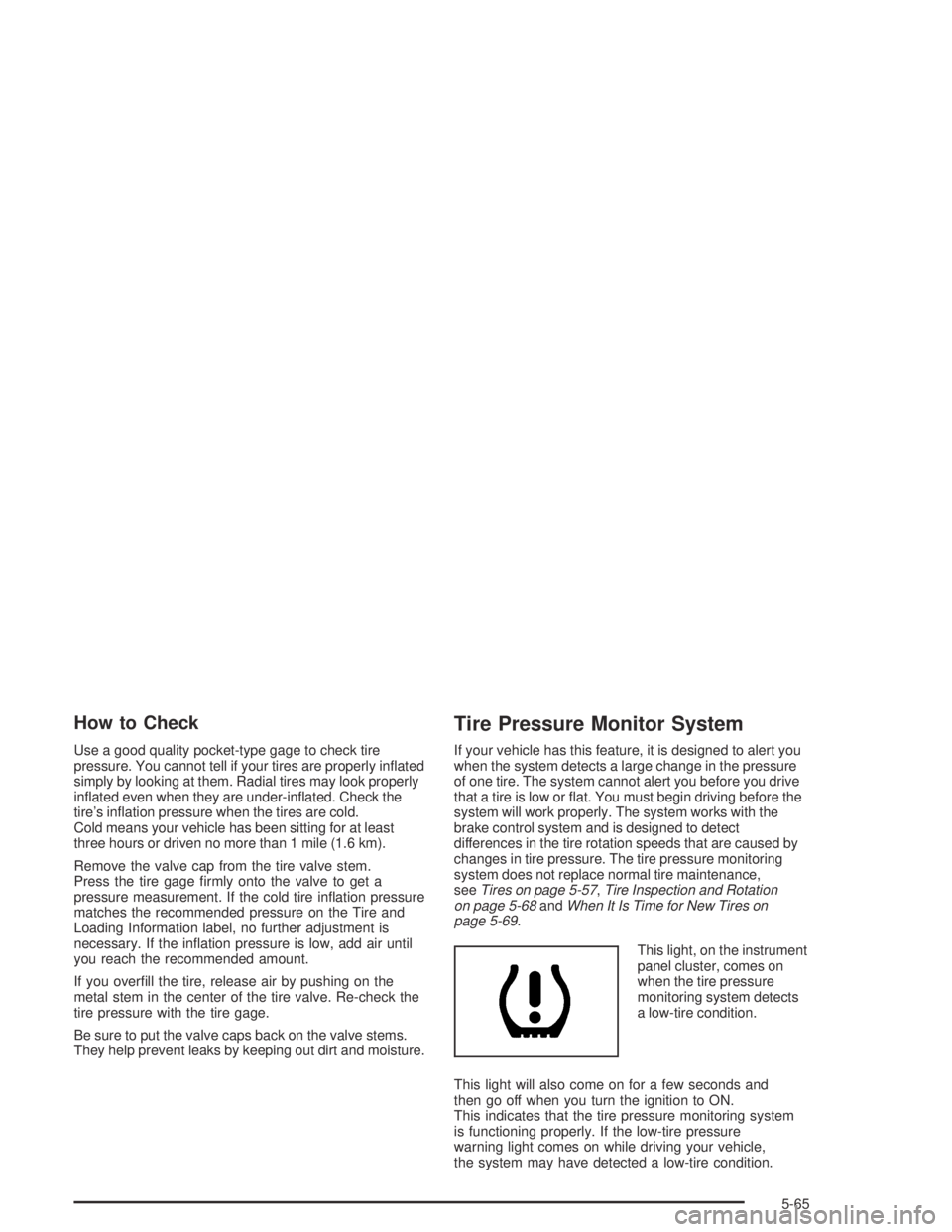
This light, on the instrument
panel cluster, comes on
when the tire pressure
monitoring system detects
a low-tire condition.
This light will also come on for a few seconds and
then go off when you turn the ignition to ON.
This indicates that the tire pressure monitoring system
is functioning properly. If the low-tire pressure
warning light comes on while driving your vehicle,
the system may have detected a low-tire condition.
5-65
Page 291 of 374
After the tires have been rotated, adjust the front and
rear ination pressures to the amounts shown on
the Tire and Loading Information label. Make certain
that all wheel nuts are properly tightened. See “Wheel
Nut Torque” underCapacities and Specications on
page 5-100.
{CAUTION:
Rust or dirt on a wheel, or on the parts to
which it is fastened, can make wheel nuts
become loose after a time. The wheel could
come off and cause an accident. When you
change a wheel, remove any rust or dirt from
places where the wheel attaches to the vehicle.
In an emergency, you can use a cloth or a
paper towel to do this; but be sure to use a
scraper or wire brush later, if you need to,
to get all the rust or dirt off. SeeChanging a
Flat Tire on page 5-75.
Vehicles equipped with a tire pressure monitoring
system will need to reset (initialize) the system after
each tire rotation. SeeTire Pressure Monitor System
on page 5-65.
When It Is Time for New Tires
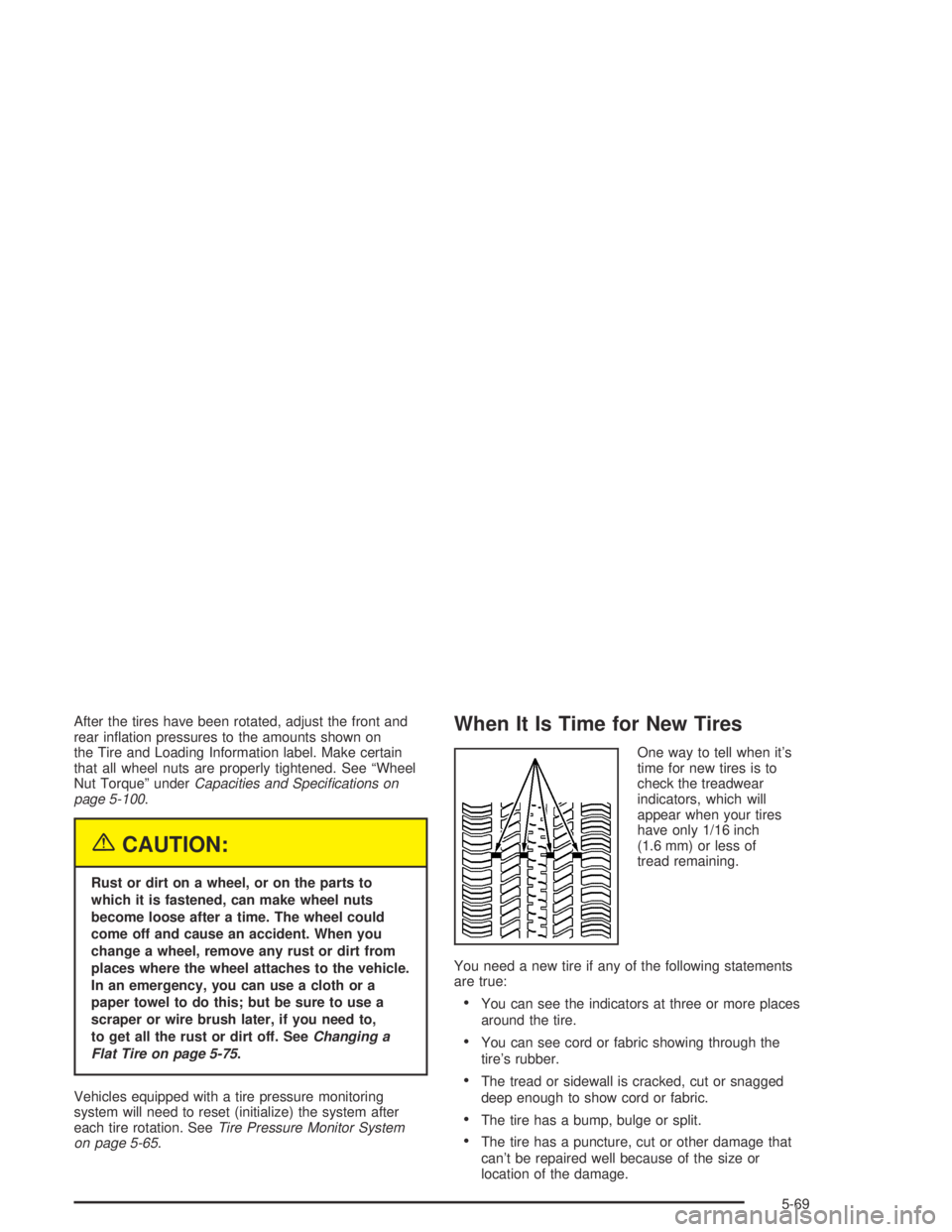
One way to tell when it’s
time for new tires is to
check the treadwear
indicators, which will
appear when your tires
have only 1/16 inch
(1.6 mm) or less of
tread remaining.
You need a new tire if any of the following statements
are true:
You can see the indicators at three or more places
around the tire.
You can see cord or fabric showing through the
tire’s rubber.
The tread or sidewall is cracked, cut or snagged
deep enough to show cord or fabric.
The tire has a bump, bulge or split.
The tire has a puncture, cut or other damage that
can’t be repaired well because of the size or
location of the damage.
5-69