light PONTIAC VIBE 2005 Owner's Manual
[x] Cancel search | Manufacturer: PONTIAC, Model Year: 2005, Model line: VIBE, Model: PONTIAC VIBE 2005Pages: 374, PDF Size: 2.49 MB
Page 98 of 374
Parking Brake
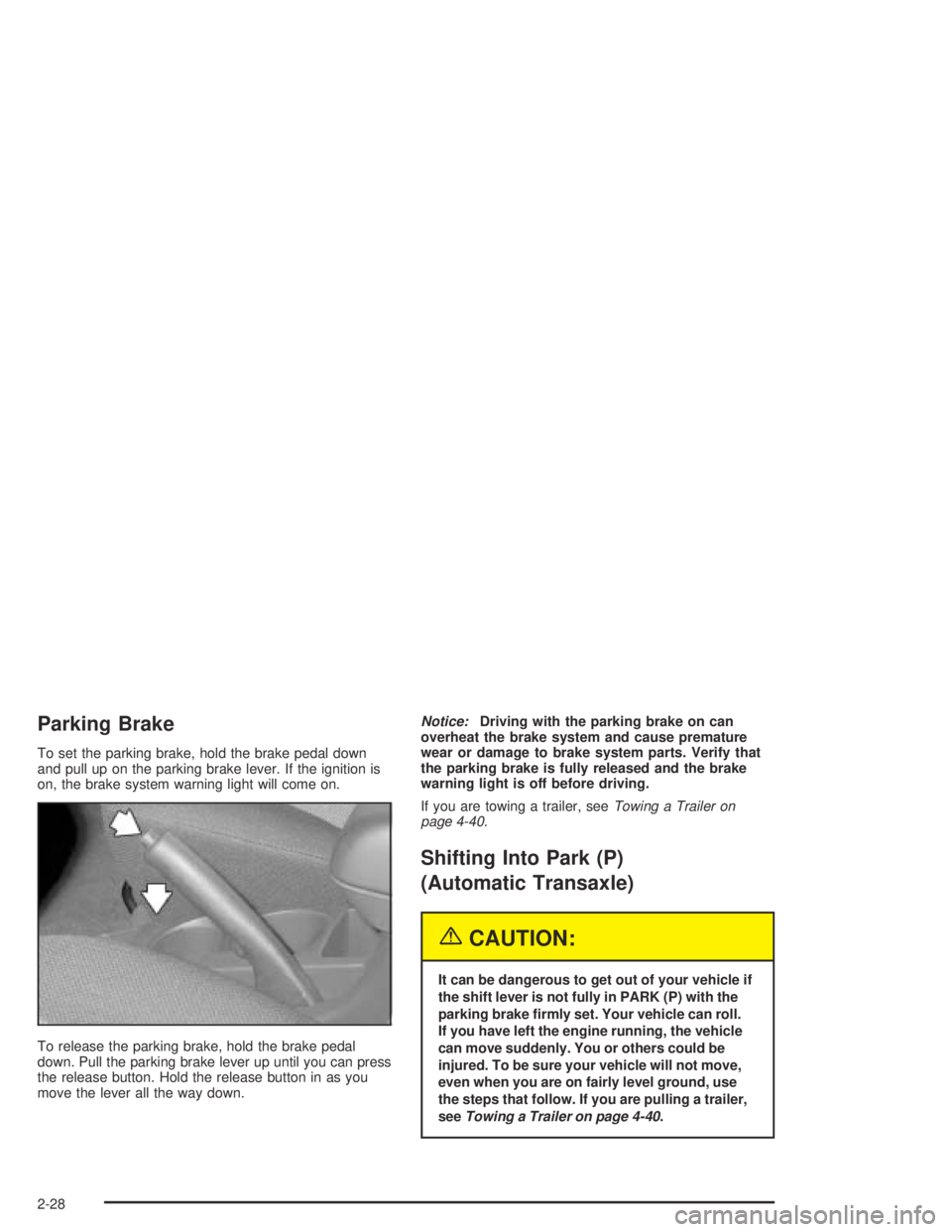
To set the parking brake, hold the brake pedal down
and pull up on the parking brake lever. If the ignition is
on, the brake system warning light will come on.
To release the parking brake, hold the brake pedal
down. Pull the parking brake lever up until you can press
the release button. Hold the release button in as you
move the lever all the way down.Notice:Driving with the parking brake on can
overheat the brake system and cause premature
wear or damage to brake system parts. Verify that
the parking brake is fully released and the brake
warning light is off before driving.
If you are towing a trailer, seeTowing a Trailer on
page 4-40.
Shifting Into Park (P)
(Automatic Transaxle)
{CAUTION:
It can be dangerous to get out of your vehicle if
the shift lever is not fully in PARK (P) with the
parking brake rmly set. Your vehicle can roll.
If you have left the engine running, the vehicle
can move suddenly. You or others could be
injured. To be sure your vehicle will not move,
even when you are on fairly level ground, use
the steps that follow. If you are pulling a trailer,
seeTowing a Trailer on page 4-40.
2-28
Page 104 of 374
Mirrors
Manual Rearview Mirror
While sitting in a comfortable driving position, adjust the
mirror so you can see clearly behind your vehicle. Grip the
mirror in the center to move it up or down and side to side.
The control at the bottom of the mirror is the day/night
feature that allows adjustment to the mirror so that the
glare of headlamps from behind is reduced. Pull the
control for night driving to reduce glare; push it to return
to the day position.
The mirror may have map lights beneath the mirror.
Push the lens to turn each light on or off.
Manual Rearview Mirror with OnStar®
The vehicle may have an inside rearview mirror with
OnStar®. See your GM dealer for more information
on the system and how to subscribe to OnStar®.
SeeOnStar®System on page 2-35for information
on the services OnStar®provides.
While sitting in a comfortable position, adjust the
mirror so you can see clearly behind your vehicle.
Grip the mirror in the center to move it up or down and
side to side. The control at the bottom of the mirror
is the day/night feature that allows adjustment to
the mirror so that the glare of headlamps from behind is
reduced. Move the control from left to right for day or
night conditions.
Outside Remote Control Mirrors
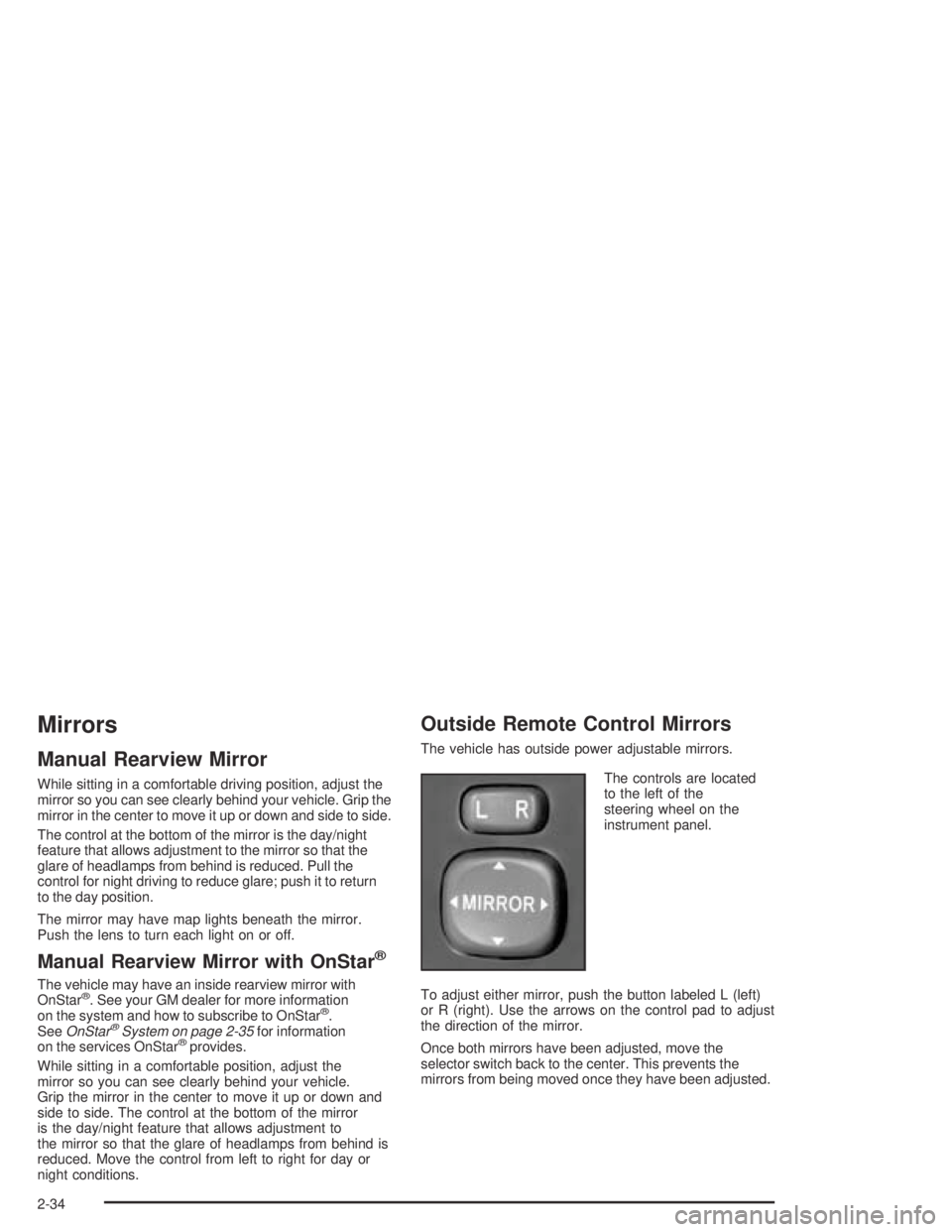
The vehicle has outside power adjustable mirrors.
The controls are located
to the left of the
steering wheel on the
instrument panel.
To adjust either mirror, push the button labeled L (left)
or R (right). Use the arrows on the control pad to adjust
the direction of the mirror.
Once both mirrors have been adjusted, move the
selector switch back to the center. This prevents the
mirrors from being moved once they have been adjusted.
2-34
Page 111 of 374
Instrument Panel Overview...............................3-4
Hazard Warning Flashers................................3-6
Other Warning Devices...................................3-6
Horn.............................................................3-6
Tilt Wheel.....................................................3-7
Turn Signal/Multifunction Lever.........................3-7
Turn and Lane-Change Signals........................3-8
Headlamp High/Low-Beam Changer..................3-8
Flash-to-Pass.................................................3-8
Windshield Wipers..........................................3-9
Windshield Washer.......................................3-10
Cruise Control..............................................3-10
Exterior Lamps.............................................3-13
Headlamps on Reminder................................3-13
Daytime Running Lamps................................3-14
Automatic Headlamp System..........................3-15
Fog Lamps..................................................3-15
Instrument Panel Brightness...........................3-15
Interior Lamps Control...................................3-16
Entry Lighting...............................................3-16
Reading Lamps............................................3-17
Accessory Power Outlets...............................3-18
Power Outlet 115 Volt Alternating Current........3-18
Ashtrays and Cigarette Lighter........................3-19Climate Controls............................................3-20
Climate Control System.................................3-20
Outlet Adjustment.........................................3-22
Passenger Compartment Air Filter...................3-23
Warning Lights, Gages, and Indicators............3-25
Instrument Panel Cluster................................3-26
Speedometer and Odometer...........................3-27
Trip Odometers............................................3-27
Tachometer.................................................3-27
Safety Belt Reminder Light.............................3-28
Airbag Readiness Light..................................3-29
Passenger Airbag Status Indicator...................3-30
Charging System Light..................................3-31
Brake System Warning Light..........................3-32
Anti-Lock Brake System Warning Light.............3-33
Low Tire Pressure Warning Light....................3-33
Traction Control System (TCS)
Warning Light...........................................3-34
Stabilitrak
®Indicator Light...............................3-34
Engine Coolant Temperature Gage...................3-35
Malfunction Indicator Lamp.............................3-35
Oil Pressure Light.........................................3-38
Lights On Reminder......................................3-39
Section 3 Instrument Panel
3-1
Page 112 of 374

Taillamp Indicator Light..................................3-39
Cruise Control Light......................................3-39
Overdrive Off Light........................................3-40
Highbeam On Light.......................................3-40
Low Washer Fluid Warning Light.....................3-40
Door Ajar Light.............................................3-40
Fuel Gage...................................................3-41
Low Fuel Warning Light.................................3-41Audio System(s).............................................3-42
Setting the Time...........................................3-42
Radio with CD..............................................3-43
Radio with Six-Disc CD.................................3-53
Navigation/Radio System...............................3-64
Radio Reception...........................................3-64
Care of Your CDs.........................................3-64
Care of Your CD Player................................3-65
Fixed Mast Antenna......................................3-65
XM™ Satellite Radio Antenna System.............3-65
Section 3 Instrument Panel
3-2
Page 115 of 374

The main components of your instrument panel are the following:
A. Air Outlets. SeeOutlet Adjustment on page 3-22.
B. Instrument Panel Cluster. SeeInstrument Panel
Cluster on page 3-26.
C. Climate Control System. SeeClimate Control
System on page 3-20.
D. Hazard Warning Flasher Button. SeeHazard
Warning Flashers on page 3-6.
E. Audio System. SeeAudio System(s) on page 3-42.
F. Rear Window Defogger Button. See “Rear Window
Defogger” underClimate Control System on
page 3-20.
G. Passenger Airbag Status Indicator. SeePassenger
Airbag Status Indicator on page 3-30. Front
Passenger Safety Belt Reminder Light. SeeSafety
Belt Reminder Light on page 3-28.
H. Power Remote Control Mirror Button. SeeOutside
Remote Control Mirrors on page 2-34.
I. Instrument Panel Brightness Control. SeeInstrument
Panel Brightness on page 3-15.
J. Rear Liftglass Release Button. SeeLiftgate/Liftglass
on page 2-11.
K. Tire Pressure Monitor Reset Button. SeeTire
Pressure Monitor System on page 5-65.L. Coinholder. SeeCoinholder(s) on page 2-37.
M. TRAC OFF Button. SeeTraction Control
System (TCS) on page 4-9.
N. Content Theft-Deterrent Security Light. SeeContent
Theft-Deterrent on page 2-15.
O. Storage Compartment. SeeInstrument Panel
Storage Area on page 2-37.
P. Turn Signal/Multifunction Lever and Exterior Lamp
Stalk. SeeTurn Signal/Multifunction Lever on
page 3-7andExterior Lamps on page 3-13.
Q. Hood Release. SeeHood Release on page 5-10.
R. Tilt Lever. SeeTilt Wheel on page 3-7.
S. Horn. SeeHorn on page 3-6.
T. Cruise Control Lever (Option). SeeCruise Control
on page 3-10.
U. Ignition Switch. SeeIgnition Positions on page 2-18.
V. Windshield Wiper Lever. SeeWindshield Wipers
on page 3-9.
W. Cigarette Lighter or Accessory Power Outlet. See
Ashtrays and Cigarette Lighter on page 3-19or
Accessory Power Outlets on page 3-18.
X. Shift Lever. SeeAutomatic Transaxle Operation
on page 2-22.
3-5
Page 118 of 374
Turn and Lane-Change Signals
The turn signal has an upward (for right) and a
downward (for left) position. These positions allow
you to signal a turn or a lane change.
To signal a turn, move the lever all the way up or
down. When the turn is nished, the lever will return
automatically.
To signal a lane change, raise or lower the lever until
the arrow starts to ash. Hold it there until you complete
your lane change. The lever will return by itself when
you release it.
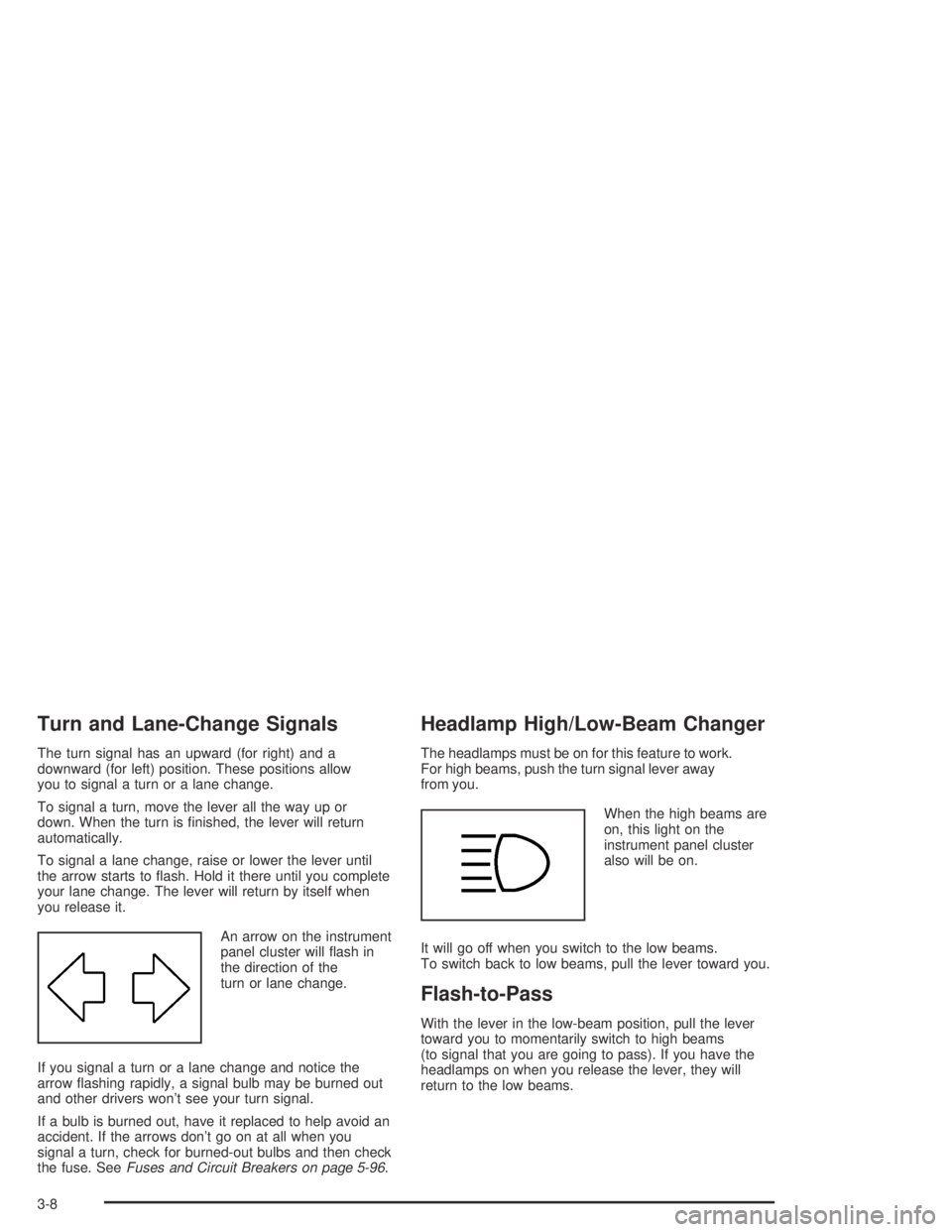
An arrow on the instrument
panel cluster will ash in
the direction of the
turn or lane change.
If you signal a turn or a lane change and notice the
arrow ashing rapidly, a signal bulb may be burned out
and other drivers won’t see your turn signal.
If a bulb is burned out, have it replaced to help avoid an
accident. If the arrows don’t go on at all when you
signal a turn, check for burned-out bulbs and then check
the fuse. SeeFuses and Circuit Breakers on page 5-96.
Headlamp High/Low-Beam Changer
The headlamps must be on for this feature to work.
For high beams, push the turn signal lever away
from you.
When the high beams are
on, this light on the
instrument panel cluster
also will be on.
It will go off when you switch to the low beams.
To switch back to low beams, pull the lever toward you.
Flash-to-Pass
With the lever in the low-beam position, pull the lever
toward you to momentarily switch to high beams
(to signal that you are going to pass). If you have the
headlamps on when you release the lever, they will
return to the low beams.
3-8
Page 119 of 374
Windshield Wipers
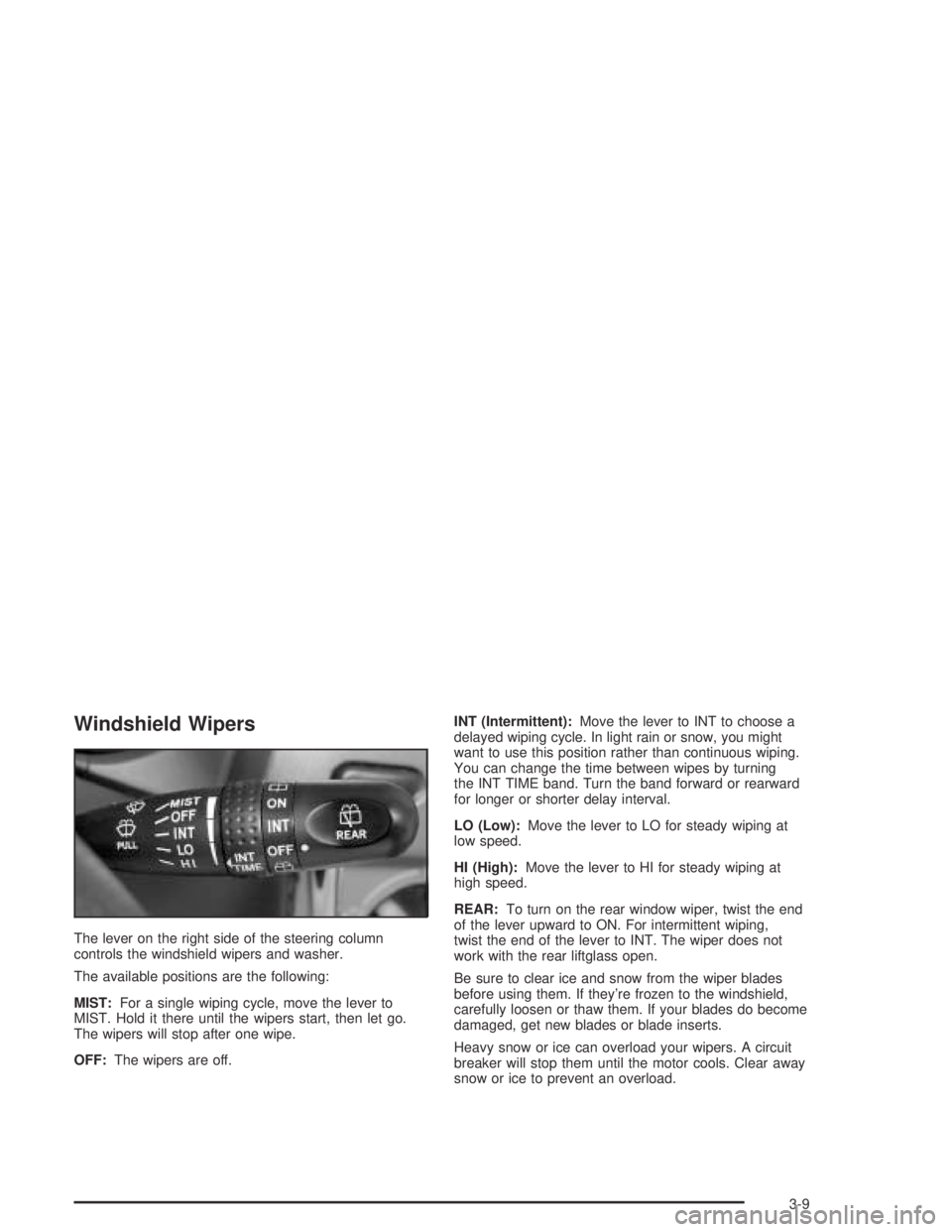
The lever on the right side of the steering column
controls the windshield wipers and washer.
The available positions are the following:
MIST:For a single wiping cycle, move the lever to
MIST. Hold it there until the wipers start, then let go.
The wipers will stop after one wipe.
OFF:The wipers are off.INT (Intermittent):Move the lever to INT to choose a
delayed wiping cycle. In light rain or snow, you might
want to use this position rather than continuous wiping.
You can change the time between wipes by turning
the INT TIME band. Turn the band forward or rearward
for longer or shorter delay interval.
LO (Low):Move the lever to LO for steady wiping at
low speed.
HI (High):Move the lever to HI for steady wiping at
high speed.
REAR:To turn on the rear window wiper, twist the end
of the lever upward to ON. For intermittent wiping,
twist the end of the lever to INT. The wiper does not
work with the rear liftglass open.
Be sure to clear ice and snow from the wiper blades
before using them. If they’re frozen to the windshield,
carefully loosen or thaw them. If your blades do become
damaged, get new blades or blade inserts.
Heavy snow or ice can overload your wipers. A circuit
breaker will stop them until the motor cools. Clear away
snow or ice to prevent an overload.
3-9
Page 121 of 374
{CAUTION:
Cruise control can be dangerous where you
cannot drive safely at a steady speed. So, do
not use your cruise control on winding roads
or in heavy traffic.
Cruise control can be dangerous on slippery
roads. On such roads, fast changes in tire
traction can cause needless wheel spinning,
and you could lose control. Do not use cruise
control on slippery roads.
Setting Cruise Control
{CAUTION:
If you leave your cruise control on when you
are not using cruise, you might hit a button
and go into cruise when you do not want to.
You could be startled and even lose control.
Keep the cruise control switch off until you
want to use cruise control.1. Press the ON-OFF button at the end of the cruise
control lever. The CRUISE light on the instrument
panel cluster will come on. SeeCruise Control Light
on page 3-39for more information.
2. Get up to the speed you want.
3. Move the lever down to SET/COAST and release it.
4. Take your foot off the accelerator pedal.
Resuming a Set Speed
Suppose the cruise control is set at a desired speed
and then you apply the brake. This will shut off cruise
control. But you won’t need to reset it.
Unless you’re going less than 25 mph (40 km/h) you
can push the lever up to RES/ACC
(Resume/Accelerate). You’ll go right back up to your
chosen speed and stay there.
The cruise control set speed is erased from memory
if the vehicle speed goes below 25 mph (40 km/h).
If your preset speed cancels out at speeds above
25 mph (40 km/h), there may be a problem with your
vehicle’s cruise control. See your dealer.
3-11
Page 122 of 374
Increasing Speed While Using
Cruise Control
There are two ways to go to a higher speed:
Use the accelerator pedal to get to the higher
speed. Move the lever down to SET/COAST.
Release the lever and the accelerator pedal.
You’ll now cruise at the higher speed.
Move the cruise lever up to RES/ACC. Hold it there
until you get up to the speed you want, and then
release the lever.
To increase your speed in very small amounts,
move the lever to RES/ACC briey and then release
it. Each time you do this, your vehicle will go
about 1 mph (1.6 km/h) faster.
Reducing Speed While Using
Cruise Control
There are two ways to reduce your speed while using
cruise control:
Push and hold the lever to SET/COAST until you
reach the lower speed you want, then release it.
To slow down in very small amounts, push the lever
down briey. Each time you do this, you’ll go about
1 mph (1.6 km/h) slower.
Passing Another Vehicle While Using
Cruise Control
Use the accelerator pedal to increase your speed.
When you take your foot off the pedal, your vehicle will
slow down to the cruise control speed you set earlier.
Using Cruise Control on Hills
How well your cruise control will work on hills depends
upon your speed, load and the steepness of the hills.
When going up steep hills, you may have to step on the
accelerator pedal to maintain your speed.
When going downhill, you may have to brake or shift to a
lower gear to keep your speed down. Of course, applying
the brake or downshifting to SECOND (2) or LOW (L)
takes you out of cruise control. Many drivers nd this to
be too much trouble and don’t use cruise control on
steep hills.
Ending Cruise Control
There are several ways to turn off the cruise control:
Step lightly on the brake pedal or push the
clutch pedal, if you have a manual transaxle.
Press the CRUISE ON-OFF button again.
Pull the cruise control lever toward you.
3-12
Page 123 of 374
Erasing Speed Memory
When you turn off the cruise control or the ignition, your
cruise control set speed memory is erased. The set
speed memory is also erased when the vehicle speed
drops below 25 mph (40 km/h).
Exterior Lamps
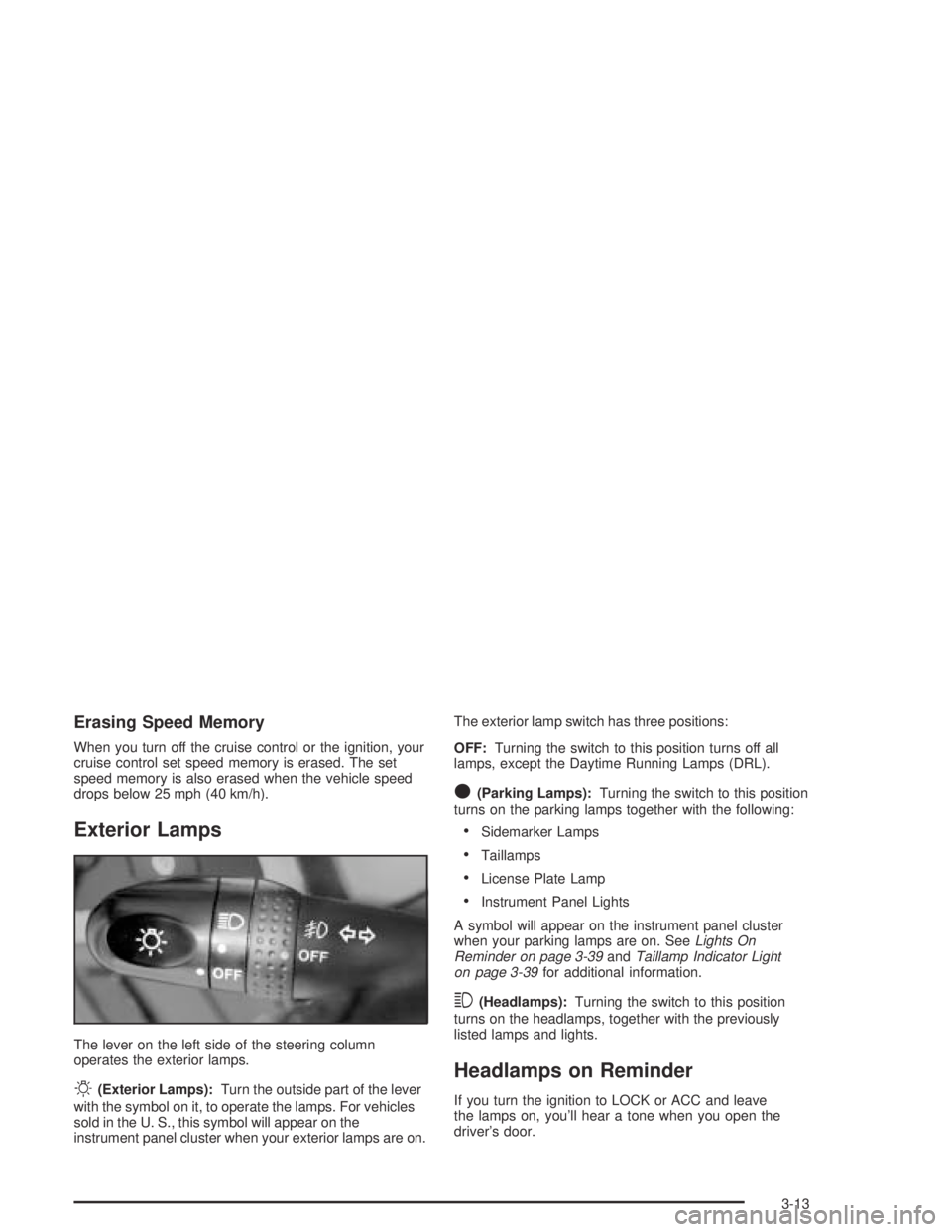
The lever on the left side of the steering column
operates the exterior lamps.
O(Exterior Lamps):Turn the outside part of the lever
with the symbol on it, to operate the lamps. For vehicles
sold in the U. S., this symbol will appear on the
instrument panel cluster when your exterior lamps are on.The exterior lamp switch has three positions:
OFF:Turning the switch to this position turns off all
lamps, except the Daytime Running Lamps (DRL).
O(Parking Lamps):Turning the switch to this position
turns on the parking lamps together with the following:
Sidemarker Lamps
Taillamps
License Plate Lamp
Instrument Panel Lights
A symbol will appear on the instrument panel cluster
when your parking lamps are on. SeeLights On
Reminder on page 3-39andTaillamp Indicator Light
on page 3-39for additional information.
3(Headlamps):Turning the switch to this position
turns on the headlamps, together with the previously
listed lamps and lights.
Headlamps on Reminder
If you turn the ignition to LOCK or ACC and leave
the lamps on, you’ll hear a tone when you open the
driver’s door.
3-13