radio PONTIAC VIBE 2005 Owners Manual
[x] Cancel search | Manufacturer: PONTIAC, Model Year: 2005, Model line: VIBE, Model: PONTIAC VIBE 2005Pages: 374, PDF Size: 2.49 MB
Page 67 of 374

Adding Equipment to Your
Airbag-Equipped Vehicle
Q:Is there anything I might add to the vehicle that
could keep the airbags from working properly?
A:Yes. If you add things that change your vehicle’s
frame, bumper system, front end or side sheet
metal or height, they may keep the airbag system
from working properly. Also, the airbag system may
not work properly if you relocate any of the airbag
sensors. If you have any questions about this,
you should contact Customer Assistance before you
modify your vehicle. The phone numbers and
addresses for Customer Assistance are in Step Two
of the Customer Satisfaction Procedure in this
manual. SeeCustomer Satisfaction Procedure on
page 7-2.Do not perform any of the following changes
without consulting your dealer. Such changes can
interfere with the proper operation of the airbag
system, passenger sensing system and/or safety
belt pretensioners.
Repairs on or near the front seat belt retractor
assemblies
Modication of the suspension system
Attachment of a grille guard (bull bar, kangaroo
bar, etc), snowplow, winches or any other
equipment to the front end
Repairs made on or near the front fenders,
front end structure or console
Installation of electronic devises such as a
mobile two-way radio, cassette tape player
or compact disc player
Modication of the suspension system
Modication of the front end structure or the side
structure of the passenger compartment
Repairs made on or near the console of the
front seat
1-61
Page 74 of 374
Remote Keyless Entry System
If equipped, the keyless entry system operates on a
radio frequency subject to Federal Communications
Commission (FCC) Rules and with Industry Canada.
This device complies with Part 15 of the FCC Rules.
Operation is subject to the following two conditions:
1. This device may not cause interference, and
2. This device must accept any interference received,
including interference that may cause undesired
operation of the device.
This device complies with RSS-210 of Industry Canada.
Operation is subject to the following two conditions:
1. This device may not cause interference, and
2. This device must accept any interference received,
including interference that may cause undesired
operation of the device.
Changes or modications to this system by other than
an authorized service facility could void authorization to
use this equipment.At times you may notice a decrease in range. This is
normal for any remote keyless entry system. If the
transmitter does not work or if you have to stand closer
to your vehicle for the transmitter to work, try this:
Check the distance. You may be too far from your
vehicle. You may need to stand closer during
rainy or snowy weather.
Check the location. Other vehicles or objects may
be blocking the signal. Take a few steps to the
left or right, hold the transmitter higher, and
try again.
Check to determine if battery replacement is
necessary. See “Battery Replacement” under
Remote Keyless Entry System Operation on
page 2-5.
If you are still having trouble, see your dealer or a
qualied technician for service.
2-4
Page 89 of 374

(B) ACC (ACCESSORY):This position operates some
of your electrical accessories, such as the radio, but
not the ventilation fan. It unlocks the steering wheel and
ignition. To move the key from ACC to LOCK, push in
the key and then turn it to LOCK.
(C) ON:This is the position the switch returns to after
you start your engine and release the switch. The switch
stays in the ON position when the engine is running.
But even when the ignition is not running, you can use
ON to operate your electrical accessories, including
the ventilation fan and 115 volt power outlet, and
to display some warning and indicator lights.
(D) START:This position starts the engine. When the
engine starts, release the key. The ignition switch
will return to ON for normal driving.
When the engine is not running, ACC and ON allow you
to operate some of your electrical accessories.
A warning tone will sound if you open the driver’s door
when the ignition is still in ACC or LOCK and the
key is in the ignition.Starting Your Engine
Automatic Transaxle
Move your shift lever to PARK (P) or NEUTRAL (N).
Your engine will not start in any other position — that is
a safety feature. To restart when you are already
moving, use NEUTRAL (N) only.
Notice:Shifting into PARK (P) with the vehicle
moving could damage the transaxle. Shift into
PARK (P) only when your vehicle is stopped.
Manual Transaxle
The shift lever should be in NEUTRAL and the parking
brake engaged. Hold the clutch pedal to the oor
and start the engine. Your vehicle will not start if the
clutch pedal is not all the way down — that is a
safety feature.
2-19
Page 112 of 374

Taillamp Indicator Light..................................3-39
Cruise Control Light......................................3-39
Overdrive Off Light........................................3-40
Highbeam On Light.......................................3-40
Low Washer Fluid Warning Light.....................3-40
Door Ajar Light.............................................3-40
Fuel Gage...................................................3-41
Low Fuel Warning Light.................................3-41Audio System(s).............................................3-42
Setting the Time...........................................3-42
Radio with CD..............................................3-43
Radio with Six-Disc CD.................................3-53
Navigation/Radio System...............................3-64
Radio Reception...........................................3-64
Care of Your CDs.........................................3-64
Care of Your CD Player................................3-65
Fixed Mast Antenna......................................3-65
XM™ Satellite Radio Antenna System.............3-65
Section 3 Instrument Panel
3-2
Page 125 of 374
Automatic Headlamp System
Your vehicle is equipped with an automatic light sensor
on the top left corner of the instrument panel, so be sure it
is not covered or the headlamps will be on continuously.
When it is dark enough outside, your automatic
headlamp system will turn on your low-beam headlamps
at the normal brightness along with other lamps such
as the taillamps, sidemarker, parking lamps and
instrument panel lights. This is indicated by the
headlamp symbol on your instrument panel cluster.
SeeInstrument Panel Cluster on page 3-26.
If you are driving through a parking garage, overcast
weather, or a tunnel, the automatic headlamp system
may turn on your low-beam headlamps at a normal
brightness along with the taillamps, sidemarker, parking
lamps and the instrument panel lights. The radio
lights will be dimmer, and the instrument panel cluster
lights may dim. There will be a delay before the
lights will turn on when starting the car at night.
Fog Lamps
-(Fog Lamps):Turn the band on the turn
signal/multifunction lever to the fog lamp symbol to turn
the fog lamps on. They will come on only when the
headlamps are on low beam.
Instrument Panel Brightness
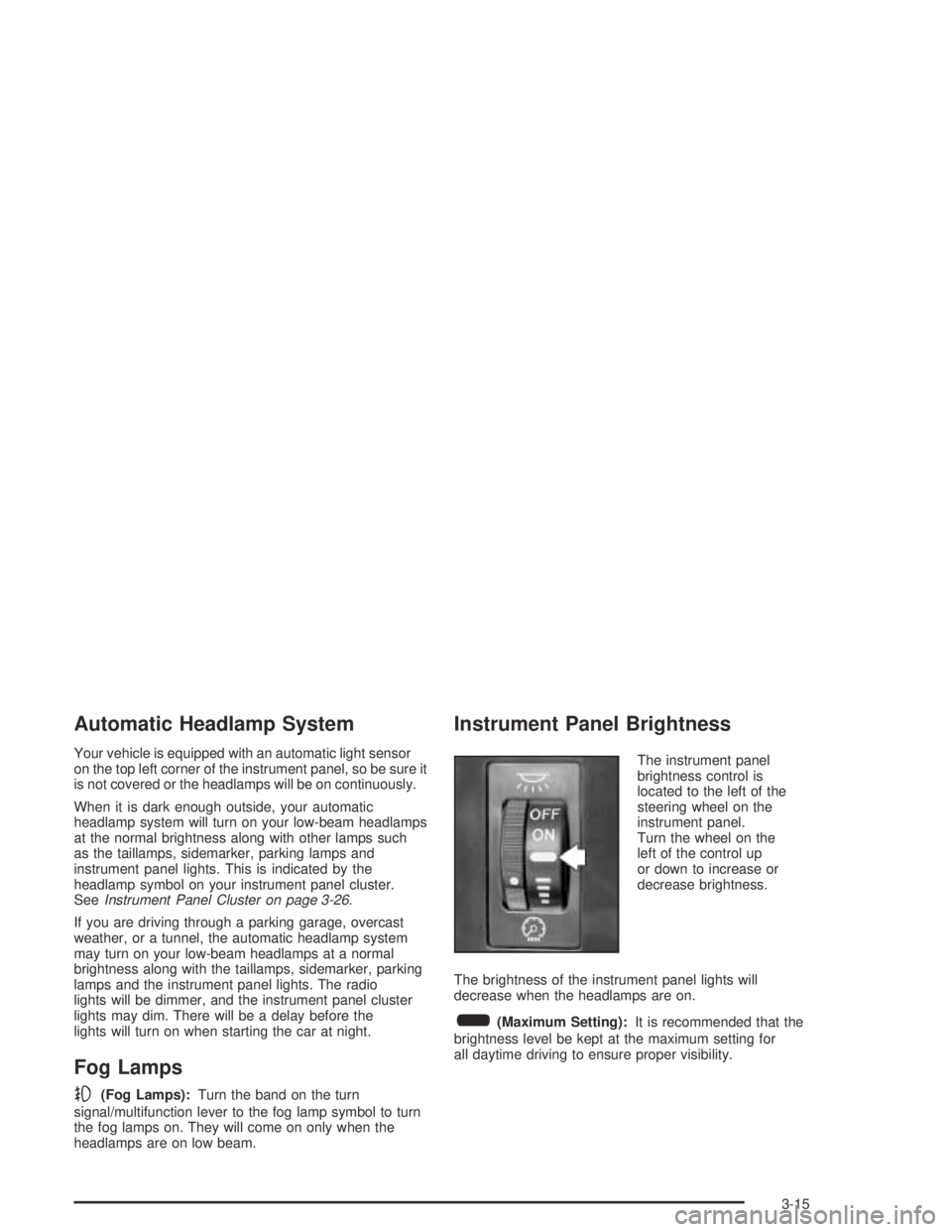
The instrument panel
brightness control is
located to the left of the
steering wheel on the
instrument panel.
Turn the wheel on the
left of the control up
or down to increase or
decrease brightness.
The brightness of the instrument panel lights will
decrease when the headlamps are on.
6(Maximum Setting):It is recommended that the
brightness level be kept at the maximum setting for
all daytime driving to ensure proper visibility.
3-15
Page 141 of 374

If, after several seconds, all status indicator lights
remain on, or if there are no lights at all, there may be a
problem with the lights or the passenger sensing
system. See your dealer for service.
{CAUTION:
If the off indicator and the airbag readiness
light ever come on together, it means that
something may be wrong with the airbag
system. If this ever happens, have the vehicle
serviced promptly, because an adult-size
person sitting in the right front passenger seat
may not have the protection of the airbags.
SeeAirbag Readiness Light on page 3-29.
Charging System Light
This light will come on
briey when you turn on the
ignition, but the engine is
not running, as a check to
show you it is working.
Then it should go out when
the engine starts.
If it stays on, or comes on while you are driving, you may
have a problem with the electrical charging system. It
could indicate that you have a loose generator drive belt
or another electrical problem. Have it checked right away.
Driving while this light is on could drain your battery.
If you must drive a short distance with the charging
system light on, be certain to turn off all your
accessories, such as the radio and air conditioner.
3-31
Page 152 of 374

Audio System(s)
Notice:Before adding any sound equipment to
your vehicle, like a tape player, CB radio, mobile
telephone, or two-way radio, make sure that it can
be added by checking with your dealer. Also,
check federal rules covering mobile radio and
telephone units. If sound equipment can be added,
it is very important to do it properly. Added
sound equipment may interfere with the operation
of your vehicle’s engine, radio, or other systems,
and even damage them. Your vehicle’s systems may
interfere with the operation of sound equipment
that has been added improperly.
Figure out which audio system is in your vehicle, nd
out what your audio system can do, and how to operate
all of its controls.
Setting the Time
The radio may have a button marked with an H or HR to
represent hours and an M or MIN to represent minutes.
Press and hold the hour button until the correct hour
appears on the display. AM will appear for morning
hours. Press and hold the minute button until the correct
minute appears on the display. The time can be set
with the ignition on or off.
To synchronize the time with an FM station broadcasting
Radio Data System (RDS) information, press and hold
the hour and minute buttons at the same time until
UPDATED appears on the display. If the time is not
available from the station, NO UPDATE will appear on
the display.
RDS time is broadcast once a minute. After tuning to an
RDS broadcast station, it may take a few minutes for
the time to update.
3-42
Page 153 of 374
Radio with CD
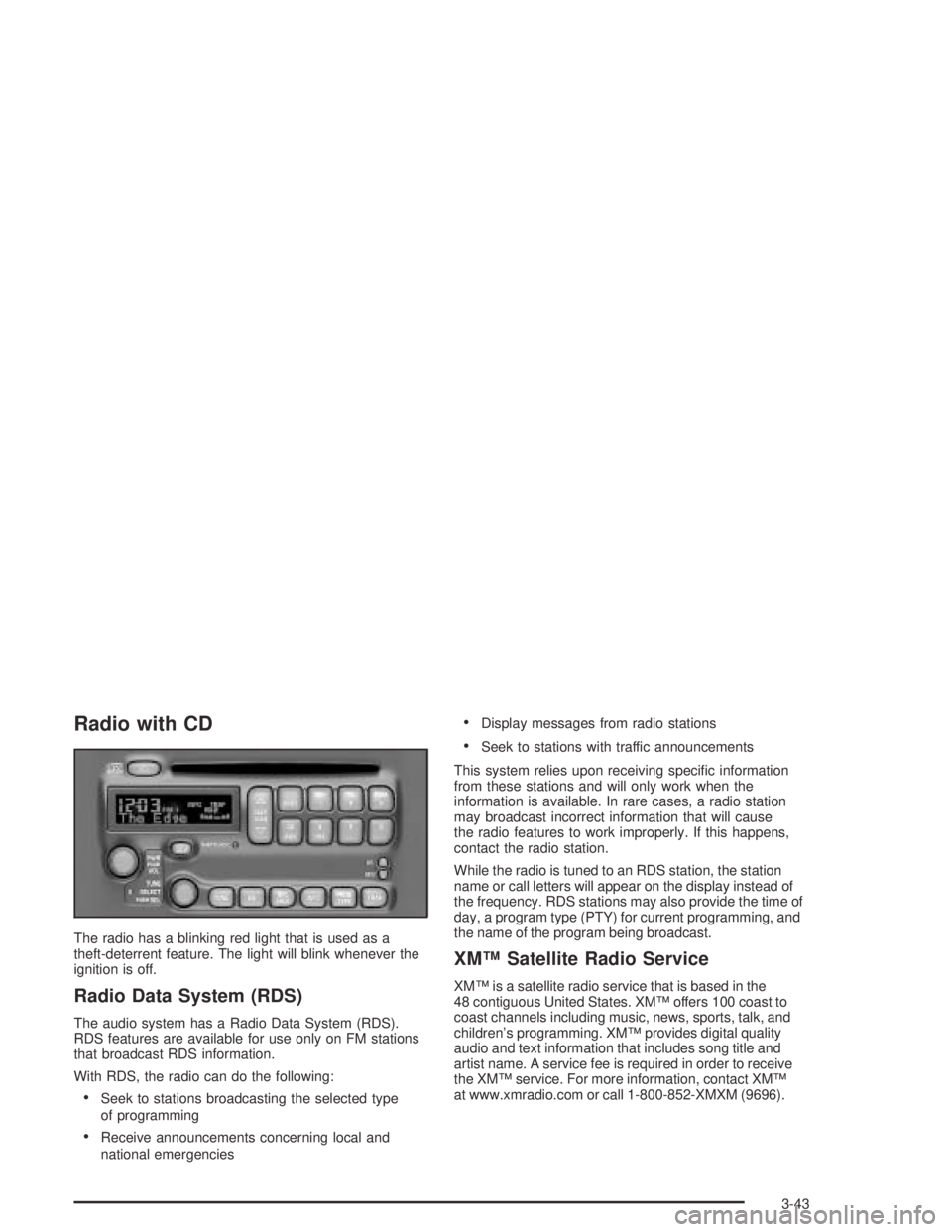
The radio has a blinking red light that is used as a
theft-deterrent feature. The light will blink whenever the
ignition is off.
Radio Data System (RDS)
The audio system has a Radio Data System (RDS).
RDS features are available for use only on FM stations
that broadcast RDS information.
With RDS, the radio can do the following:
Seek to stations broadcasting the selected type
of programming
Receive announcements concerning local and
national emergencies
Display messages from radio stations
Seek to stations with traffic announcements
This system relies upon receiving specic information
from these stations and will only work when the
information is available. In rare cases, a radio station
may broadcast incorrect information that will cause
the radio features to work improperly. If this happens,
contact the radio station.
While the radio is tuned to an RDS station, the station
name or call letters will appear on the display instead of
the frequency. RDS stations may also provide the time of
day, a program type (PTY) for current programming, and
the name of the program being broadcast.
XM™ Satellite Radio Service
XM™ is a satellite radio service that is based in the
48 contiguous United States. XM™ offers 100 coast to
coast channels including music, news, sports, talk, and
children’s programming. XM™ provides digital quality
audio and text information that includes song title and
artist name. A service fee is required in order to receive
the XM™ service. For more information, contact XM™
at www.xmradio.com or call 1-800-852-XMXM (9696).
3-43
Page 154 of 374
Playing the Radio
PWR (Power):Push this knob to turn the system on
and off.
VOL (Volume):Turn this knob to increase or to
decrease the volume.
RCL (Recall):Push this knob to switch the display
between the radio station frequency and the time.
Push this knob to display the time with the ignition off.
For RDS, push the RCL knob to change what appears
on the display while using RDS. The display options
are station, RDS station frequency, PTY, and the name
of the program (if available).
For XM™ (if equipped), push the RCL knob while in XM™
mode to retrieve four different categories of information
related to the current song or channel: Artist, Song Title,
Category or PTY, Channel Number/Channel Name.
To change the default on the display, push the RCL knob
until you see the display you want, then hold the knob
until the display ashes. The selected display will now be
the default.
SCV (Speed-Compensated Volume):This button is
inoperable on this radio.
Finding a Station
BAND:Press this button to switch between FM1, FM2,
AM, or XM1 or XM2 (if equipped). The display will
show the selection.
TUNE:Turn this knob to select radio stations.
wSEEKx:Press the up or the down arrow to go to
the next or to the previous station and stay there.
The radio will only seek stations with a strong signal
that are in the selected band.
wSCANx:Press and hold either SCAN arrow for
two seconds until SCAN appears on the display and you
hear a beep. The radio will go to a station, play for a
few seconds, then go on to the next station. Press either
SCAN arrow again to stop scanning.
To scan preset stations, press and hold either SCAN
arrow for more than four seconds until PSCAN and the
preset number appear on the display. You will hear
a double beep. The radio will go to the rst preset
station stored on your pushbuttons, play for a few
seconds, then go on to the next preset station. Press
either SCAN arrow again to stop scanning presets.
The radio will only scan stations with a strong signal that
are in the selected band.
3-44
Page 155 of 374
Setting Preset Stations
Up to 30 stations (six FM1, six FM2, and six AM,
six XM1 and six XM2 (if equipped)), can be programmed
on the six numbered pushbuttons, by performing the
following steps:
1. Turn the radio on.
2. Press BAND to select FM1, FM2, AM, or XM1
or XM2.
3. Tune in the desired station.
4. Press EQ to select the equalization.
5. Press and hold one of the six numbered
pushbuttons until you hear a beep. Whenever that
numbered pushbutton is pressed, the station
that was set will return and the equalization that
was selected will be stored for that pushbutton.
6. Repeat the steps for each pushbutton.
Setting the Tone (Bass/Treble)
TONE:Press and release this button until BASS, MID,
or TREB appears on the display. The SELECT LED
indicator will light to show that the tone control can be
adjusted. Turn the SELECT knob to increase or to
decrease. If a station is weak or noisy, decrease
the treble.To return all of the tone controls to the middle position
press and hold the TONE button until FLAT appears
on the display.
EQ (Equalizer):Press this button to select customized
equalization settings.
Up to six customized equalization settings, can be
programmed, by performing the following steps:
1. Turn the radio on.
2. Use the TONE button and the SELECT knob to
create the equalization.
3. Press and hold the EQ button for two seconds.
SELECT EQ # will appear on the display and the
EQ symbol will ash.
4. Press EQ or turn the SELECT knob to select the
EQ number.
5. Press and hold the EQ button or push the SELECT
knob to store the equalization setting and the
number. EQ SAVED will appear on the display and
you will hear a beep.
6. Repeat the steps for the other EQ settings and
numbers.
EQ 5 has been programmed at the factory for use with
talk radio, but it can be set to a different tone.
3-45