turn signal PONTIAC VIBE 2005 Owners Manual
[x] Cancel search | Manufacturer: PONTIAC, Model Year: 2005, Model line: VIBE, Model: PONTIAC VIBE 2005Pages: 374, PDF Size: 2.49 MB
Page 75 of 374
Remote Keyless Entry System
Operation
If your vehicle has this feature, you can lock and unlock
your doors from about 3 feet (1 m) up to 30 feet (9 m)
away using the remote keyless entry transmitter supplied
with your vehicle. The remote keyless entry transmitter
will look different if your vehicle was purchased in
Canada, however it will operate the same.
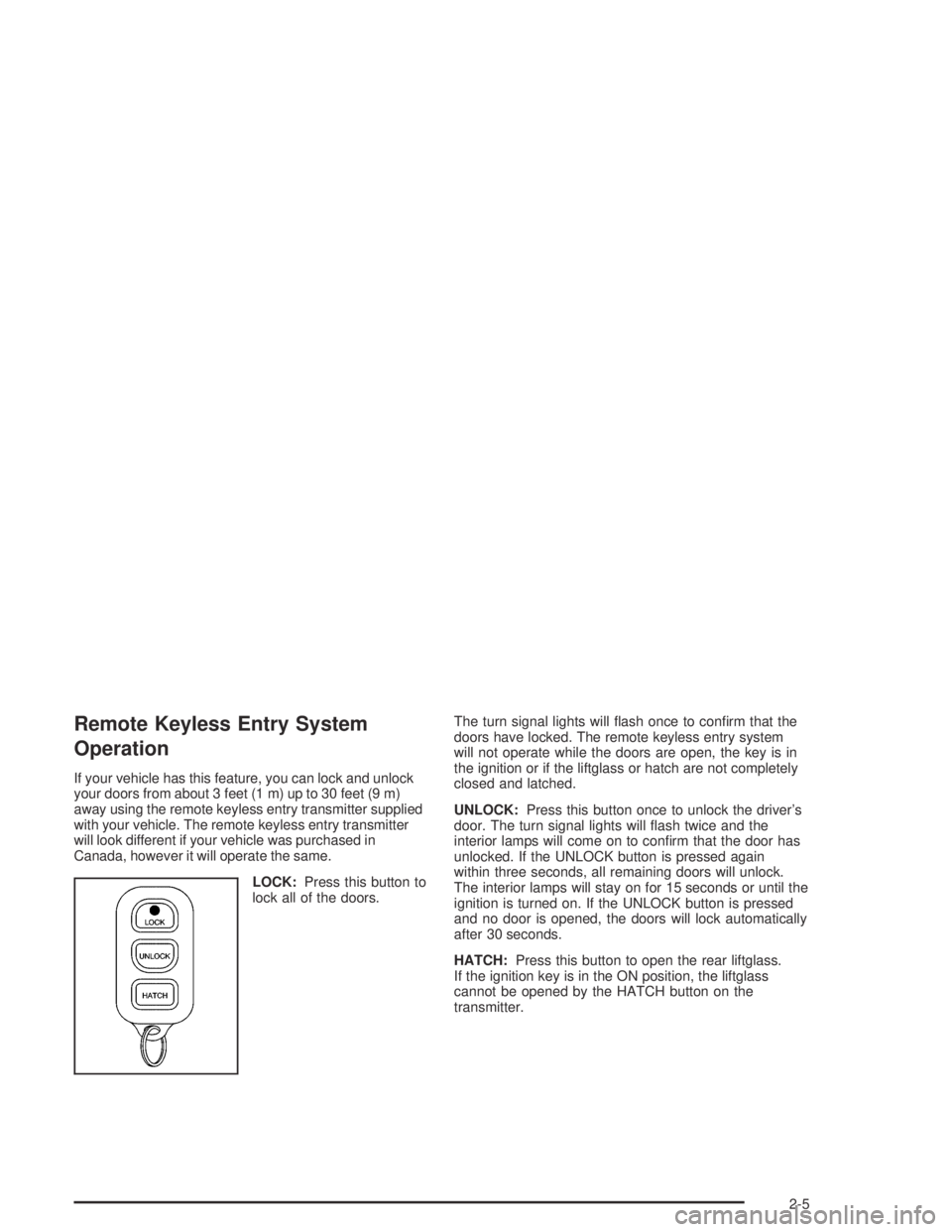
LOCK:Press this button to
lock all of the doors.The turn signal lights will ash once to conrm that the
doors have locked. The remote keyless entry system
will not operate while the doors are open, the key is in
the ignition or if the liftglass or hatch are not completely
closed and latched.
UNLOCK:Press this button once to unlock the driver’s
door. The turn signal lights will ash twice and the
interior lamps will come on to conrm that the door has
unlocked. If the UNLOCK button is pressed again
within three seconds, all remaining doors will unlock.
The interior lamps will stay on for 15 seconds or until the
ignition is turned on. If the UNLOCK button is pressed
and no door is opened, the doors will lock automatically
after 30 seconds.
HATCH:Press this button to open the rear liftglass.
If the ignition key is in the ON position, the liftglass
cannot be opened by the HATCH button on the
transmitter.
2-5
Page 85 of 374

Theft-Deterrent Systems
Vehicle theft is big business, especially in some cities.
Although your vehicle has a number of theft-deterrent
features, we know that nothing we put on it can make it
impossible to steal.
Content Theft-Deterrent
If your vehicle has this feature, the theft-deterrent
system is designed to activate an alarm if any of the
side doors or the liftgate is forcibly unlocked or if
the battery terminal is disconnected and then
reconnected while the system is set.
The alarm will sound the horn intermittently and ash
the headlamps, turn signal lamps and interior lights.
If the driver’s or front passenger’s side doors are
unlocked forcibly, the other side doors and the liftgate
will be locked automatically.
Arming the System
To arm the system, do the following:
1. Turn the ignition key to the LOCK position and
remove it.
2. Close and lock all doors and liftgate with the key or
remote keyless entry transmitter.
The indicator light located
on the instrument panel to
the left of the steering
wheel will come on when
all doors and liftgate
are closed and locked.
The system will be automatically set after
30 seconds. When the system is set, the indicator
light will start ashing.
3. After the indicator light starts ashing, you may
leave the vehicle.
Do not leave anyone in the vehicle when you set
the system, because unlocking the vehicle from the
inside will activate the system.
2-15
Page 111 of 374
Instrument Panel Overview...............................3-4
Hazard Warning Flashers................................3-6
Other Warning Devices...................................3-6
Horn.............................................................3-6
Tilt Wheel.....................................................3-7
Turn Signal/Multifunction Lever.........................3-7
Turn and Lane-Change Signals........................3-8
Headlamp High/Low-Beam Changer..................3-8
Flash-to-Pass.................................................3-8
Windshield Wipers..........................................3-9
Windshield Washer.......................................3-10
Cruise Control..............................................3-10
Exterior Lamps.............................................3-13
Headlamps on Reminder................................3-13
Daytime Running Lamps................................3-14
Automatic Headlamp System..........................3-15
Fog Lamps..................................................3-15
Instrument Panel Brightness...........................3-15
Interior Lamps Control...................................3-16
Entry Lighting...............................................3-16
Reading Lamps............................................3-17
Accessory Power Outlets...............................3-18
Power Outlet 115 Volt Alternating Current........3-18
Ashtrays and Cigarette Lighter........................3-19Climate Controls............................................3-20
Climate Control System.................................3-20
Outlet Adjustment.........................................3-22
Passenger Compartment Air Filter...................3-23
Warning Lights, Gages, and Indicators............3-25
Instrument Panel Cluster................................3-26
Speedometer and Odometer...........................3-27
Trip Odometers............................................3-27
Tachometer.................................................3-27
Safety Belt Reminder Light.............................3-28
Airbag Readiness Light..................................3-29
Passenger Airbag Status Indicator...................3-30
Charging System Light..................................3-31
Brake System Warning Light..........................3-32
Anti-Lock Brake System Warning Light.............3-33
Low Tire Pressure Warning Light....................3-33
Traction Control System (TCS)
Warning Light...........................................3-34
Stabilitrak
®Indicator Light...............................3-34
Engine Coolant Temperature Gage...................3-35
Malfunction Indicator Lamp.............................3-35
Oil Pressure Light.........................................3-38
Lights On Reminder......................................3-39
Section 3 Instrument Panel
3-1
Page 115 of 374

The main components of your instrument panel are the following:
A. Air Outlets. SeeOutlet Adjustment on page 3-22.
B. Instrument Panel Cluster. SeeInstrument Panel
Cluster on page 3-26.
C. Climate Control System. SeeClimate Control
System on page 3-20.
D. Hazard Warning Flasher Button. SeeHazard
Warning Flashers on page 3-6.
E. Audio System. SeeAudio System(s) on page 3-42.
F. Rear Window Defogger Button. See “Rear Window
Defogger” underClimate Control System on
page 3-20.
G. Passenger Airbag Status Indicator. SeePassenger
Airbag Status Indicator on page 3-30. Front
Passenger Safety Belt Reminder Light. SeeSafety
Belt Reminder Light on page 3-28.
H. Power Remote Control Mirror Button. SeeOutside
Remote Control Mirrors on page 2-34.
I. Instrument Panel Brightness Control. SeeInstrument
Panel Brightness on page 3-15.
J. Rear Liftglass Release Button. SeeLiftgate/Liftglass
on page 2-11.
K. Tire Pressure Monitor Reset Button. SeeTire
Pressure Monitor System on page 5-65.L. Coinholder. SeeCoinholder(s) on page 2-37.
M. TRAC OFF Button. SeeTraction Control
System (TCS) on page 4-9.
N. Content Theft-Deterrent Security Light. SeeContent
Theft-Deterrent on page 2-15.
O. Storage Compartment. SeeInstrument Panel
Storage Area on page 2-37.
P. Turn Signal/Multifunction Lever and Exterior Lamp
Stalk. SeeTurn Signal/Multifunction Lever on
page 3-7andExterior Lamps on page 3-13.
Q. Hood Release. SeeHood Release on page 5-10.
R. Tilt Lever. SeeTilt Wheel on page 3-7.
S. Horn. SeeHorn on page 3-6.
T. Cruise Control Lever (Option). SeeCruise Control
on page 3-10.
U. Ignition Switch. SeeIgnition Positions on page 2-18.
V. Windshield Wiper Lever. SeeWindshield Wipers
on page 3-9.
W. Cigarette Lighter or Accessory Power Outlet. See
Ashtrays and Cigarette Lighter on page 3-19or
Accessory Power Outlets on page 3-18.
X. Shift Lever. SeeAutomatic Transaxle Operation
on page 2-22.
3-5
Page 116 of 374
Y. Power Outlet. SeePower Outlet 115 Volt Alternating
Current on page 3-18.
Z. Parking Brake. SeeParking Brake on page 2-28.
AA. Center Console Storage Area. SeeCenter Console
Storage Area on page 2-37.
AB. Glove Box. SeeGlove Box on page 2-37.
Hazard Warning Flashers
Your hazard warning ashers let you warn others. They
also let police know you have a problem. Your front
and rear turn signal lamps will ash on and off.
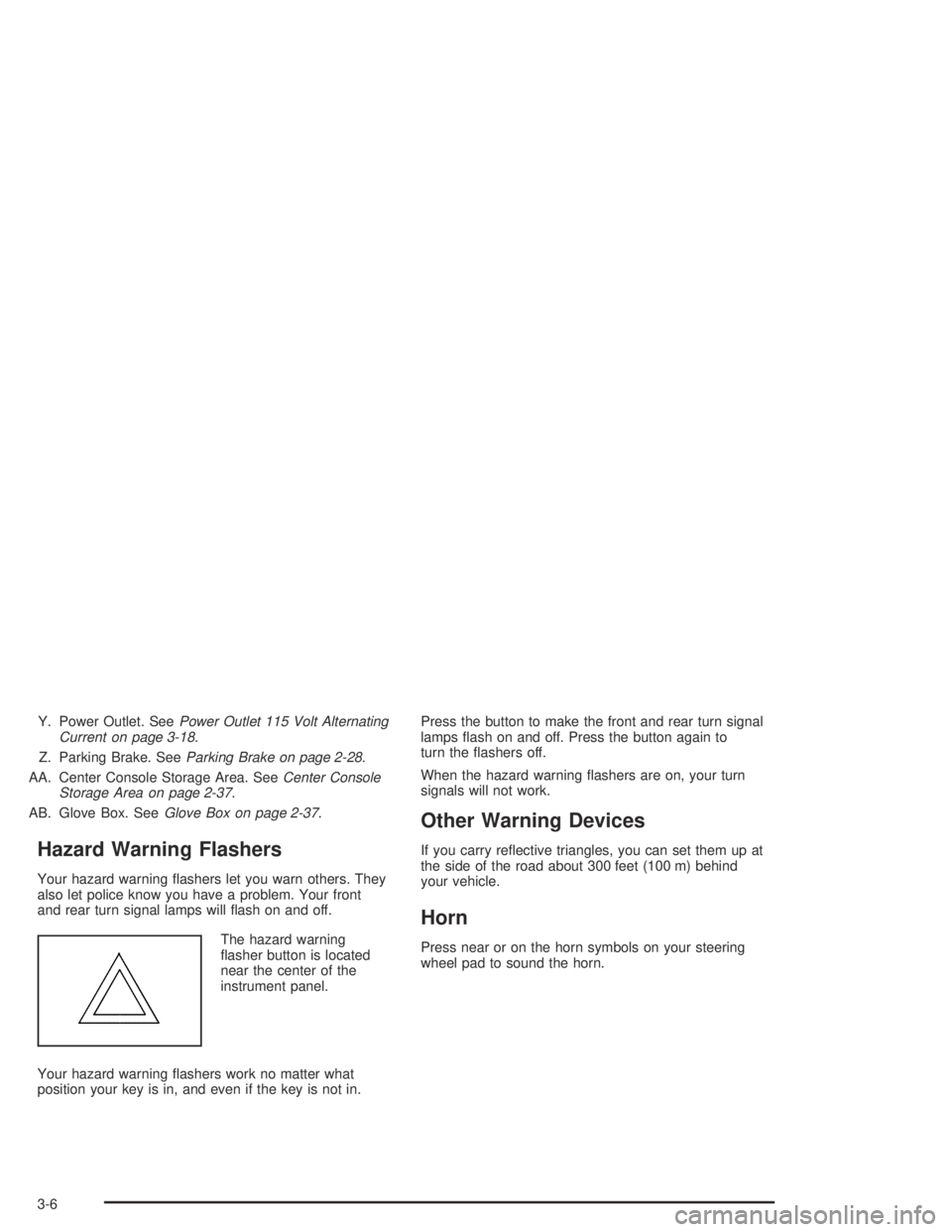
The hazard warning
asher button is located
near the center of the
instrument panel.
Your hazard warning ashers work no matter what
position your key is in, and even if the key is not in.Press the button to make the front and rear turn signal
lamps ash on and off. Press the button again to
turn the ashers off.
When the hazard warning ashers are on, your turn
signals will not work.
Other Warning Devices
If you carry reective triangles, you can set them up at
the side of the road about 300 feet (100 m) behind
your vehicle.
Horn
Press near or on the horn symbols on your steering
wheel pad to sound the horn.
3-6
Page 117 of 374
Tilt Wheel
A tilt steering column allows you to adjust the steering
column before you drive. You can also raise it to the
highest level to give your legs more room when you exit
and enter the vehicle.
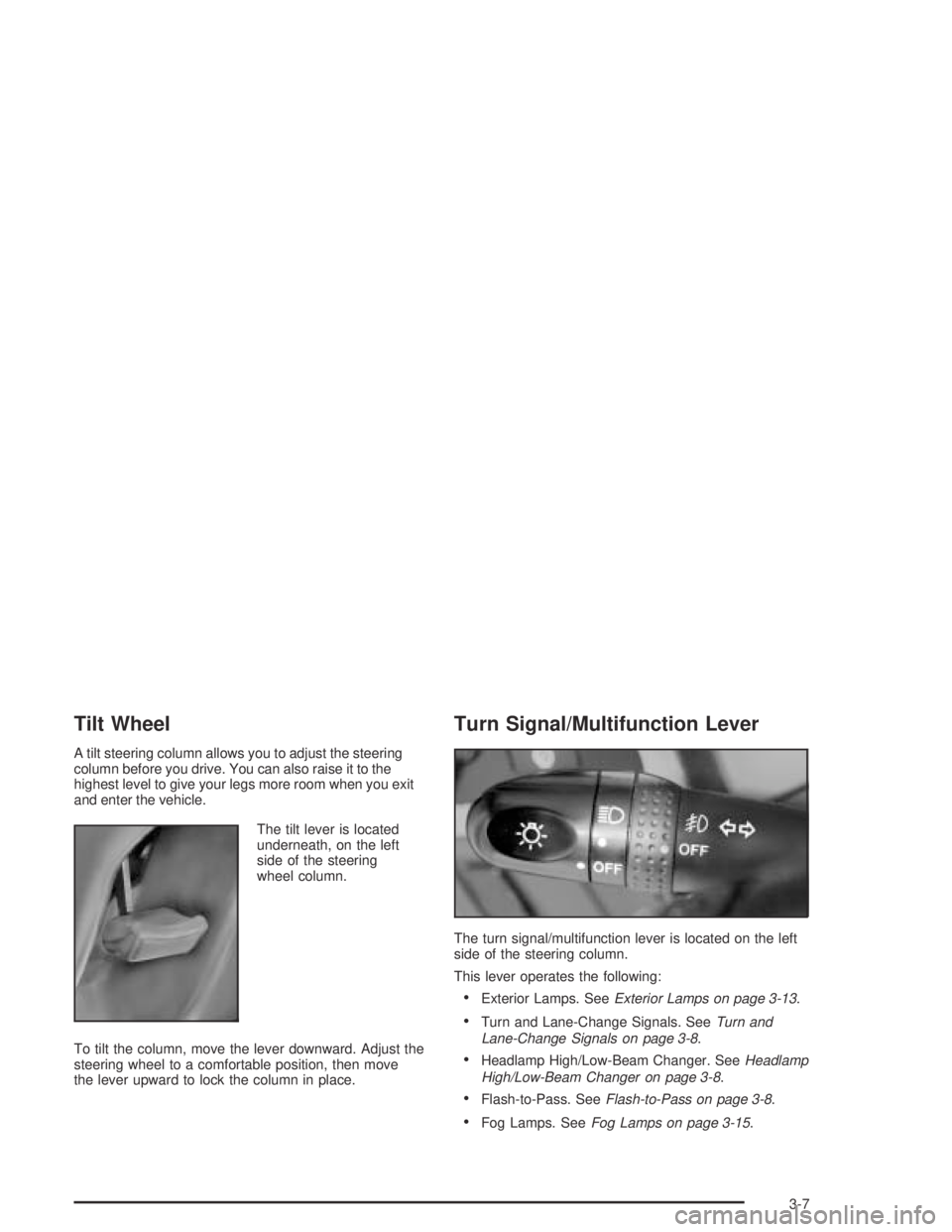
The tilt lever is located
underneath, on the left
side of the steering
wheel column.
To tilt the column, move the lever downward. Adjust the
steering wheel to a comfortable position, then move
the lever upward to lock the column in place.
Turn Signal/Multifunction Lever
The turn signal/multifunction lever is located on the left
side of the steering column.
This lever operates the following:
Exterior Lamps. SeeExterior Lamps on page 3-13.
Turn and Lane-Change Signals. SeeTurn and
Lane-Change Signals on page 3-8.
Headlamp High/Low-Beam Changer. SeeHeadlamp
High/Low-Beam Changer on page 3-8.
Flash-to-Pass. SeeFlash-to-Pass on page 3-8.
Fog Lamps. SeeFog Lamps on page 3-15.
3-7
Page 118 of 374
Turn and Lane-Change Signals
The turn signal has an upward (for right) and a
downward (for left) position. These positions allow
you to signal a turn or a lane change.
To signal a turn, move the lever all the way up or
down. When the turn is nished, the lever will return
automatically.
To signal a lane change, raise or lower the lever until
the arrow starts to ash. Hold it there until you complete
your lane change. The lever will return by itself when
you release it.
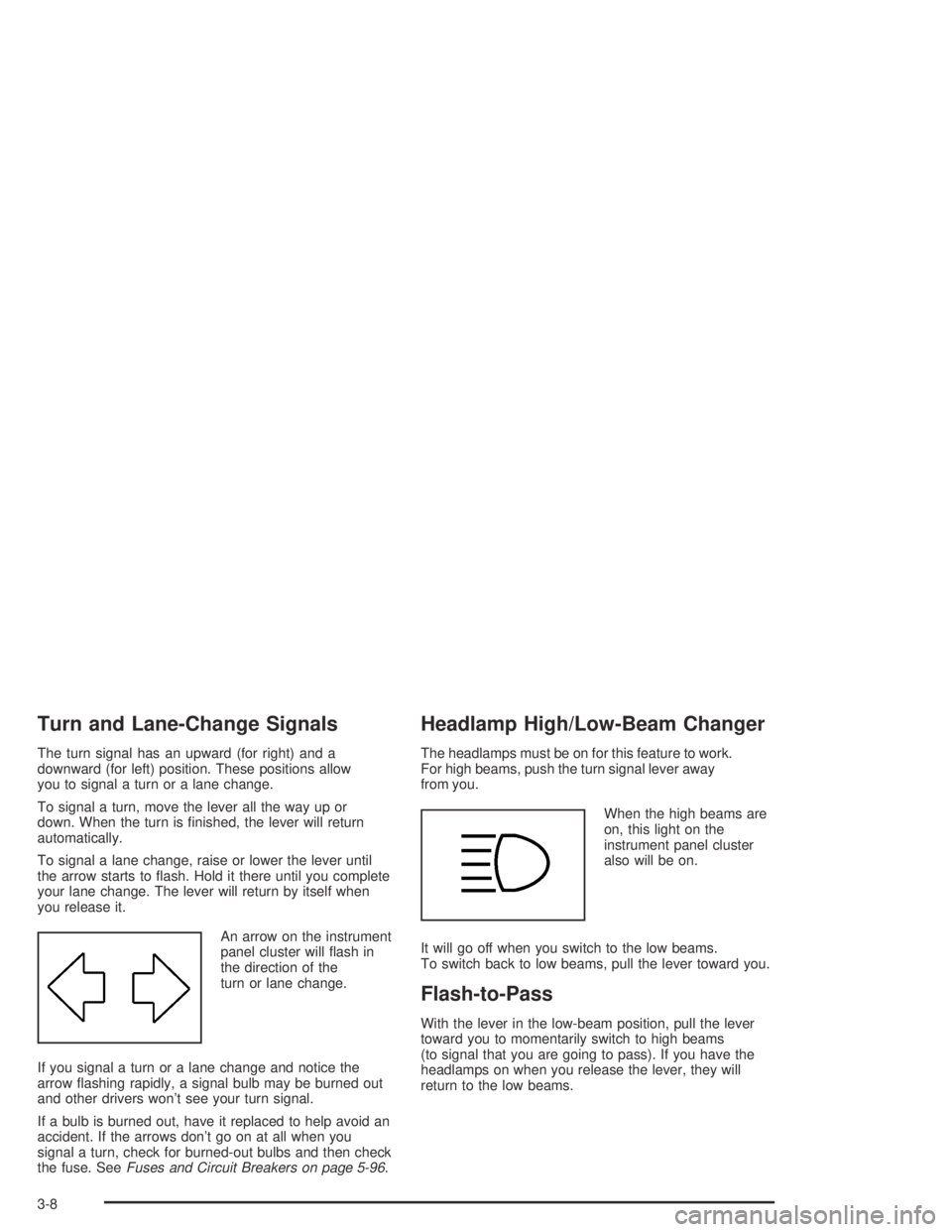
An arrow on the instrument
panel cluster will ash in
the direction of the
turn or lane change.
If you signal a turn or a lane change and notice the
arrow ashing rapidly, a signal bulb may be burned out
and other drivers won’t see your turn signal.
If a bulb is burned out, have it replaced to help avoid an
accident. If the arrows don’t go on at all when you
signal a turn, check for burned-out bulbs and then check
the fuse. SeeFuses and Circuit Breakers on page 5-96.
Headlamp High/Low-Beam Changer
The headlamps must be on for this feature to work.
For high beams, push the turn signal lever away
from you.
When the high beams are
on, this light on the
instrument panel cluster
also will be on.
It will go off when you switch to the low beams.
To switch back to low beams, pull the lever toward you.
Flash-to-Pass
With the lever in the low-beam position, pull the lever
toward you to momentarily switch to high beams
(to signal that you are going to pass). If you have the
headlamps on when you release the lever, they will
return to the low beams.
3-8
Page 125 of 374
Automatic Headlamp System
Your vehicle is equipped with an automatic light sensor
on the top left corner of the instrument panel, so be sure it
is not covered or the headlamps will be on continuously.
When it is dark enough outside, your automatic
headlamp system will turn on your low-beam headlamps
at the normal brightness along with other lamps such
as the taillamps, sidemarker, parking lamps and
instrument panel lights. This is indicated by the
headlamp symbol on your instrument panel cluster.
SeeInstrument Panel Cluster on page 3-26.
If you are driving through a parking garage, overcast
weather, or a tunnel, the automatic headlamp system
may turn on your low-beam headlamps at a normal
brightness along with the taillamps, sidemarker, parking
lamps and the instrument panel lights. The radio
lights will be dimmer, and the instrument panel cluster
lights may dim. There will be a delay before the
lights will turn on when starting the car at night.
Fog Lamps
-(Fog Lamps):Turn the band on the turn
signal/multifunction lever to the fog lamp symbol to turn
the fog lamps on. They will come on only when the
headlamps are on low beam.
Instrument Panel Brightness
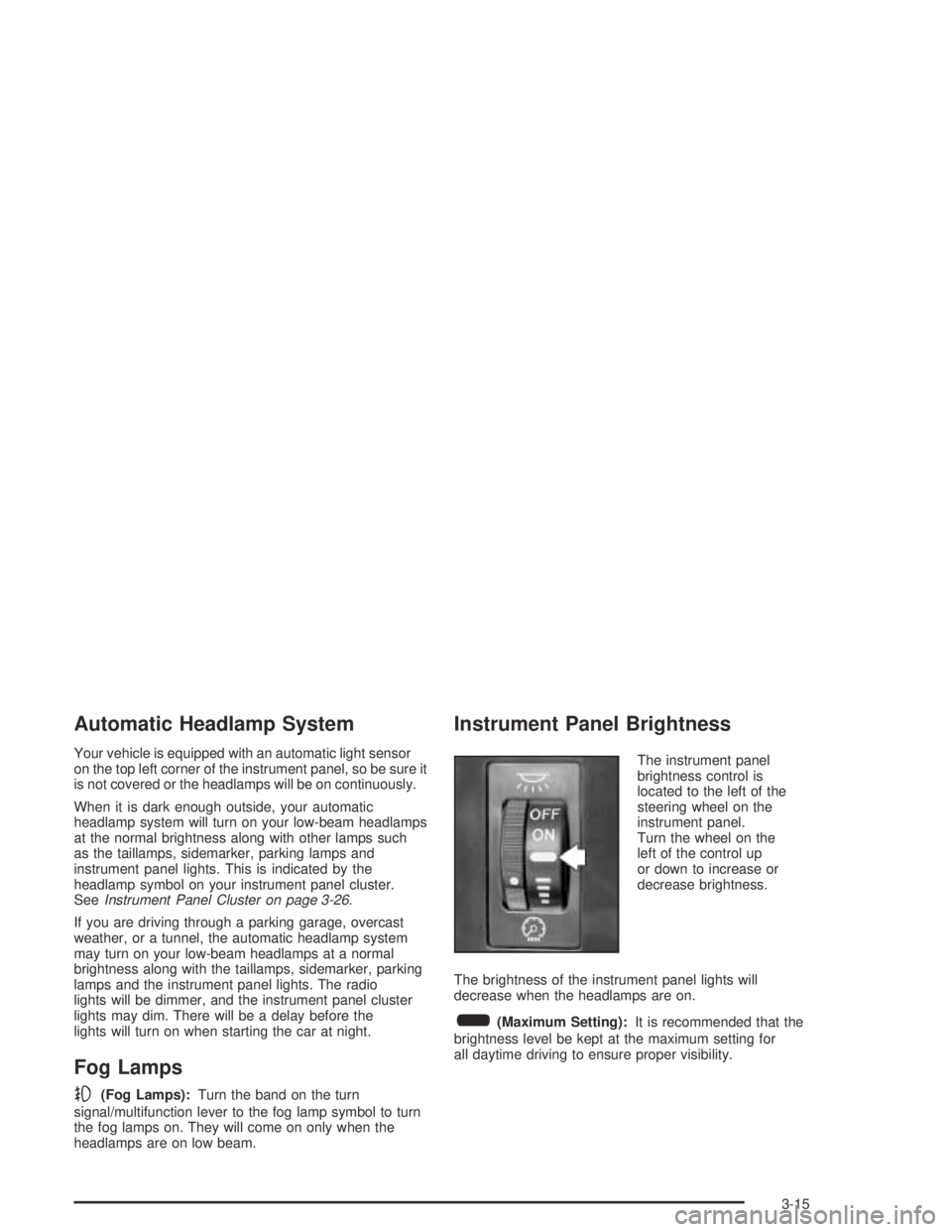
The instrument panel
brightness control is
located to the left of the
steering wheel on the
instrument panel.
Turn the wheel on the
left of the control up
or down to increase or
decrease brightness.
The brightness of the instrument panel lights will
decrease when the headlamps are on.
6(Maximum Setting):It is recommended that the
brightness level be kept at the maximum setting for
all daytime driving to ensure proper visibility.
3-15
Page 154 of 374
Playing the Radio
PWR (Power):Push this knob to turn the system on
and off.
VOL (Volume):Turn this knob to increase or to
decrease the volume.
RCL (Recall):Push this knob to switch the display
between the radio station frequency and the time.
Push this knob to display the time with the ignition off.
For RDS, push the RCL knob to change what appears
on the display while using RDS. The display options
are station, RDS station frequency, PTY, and the name
of the program (if available).
For XM™ (if equipped), push the RCL knob while in XM™
mode to retrieve four different categories of information
related to the current song or channel: Artist, Song Title,
Category or PTY, Channel Number/Channel Name.
To change the default on the display, push the RCL knob
until you see the display you want, then hold the knob
until the display ashes. The selected display will now be
the default.
SCV (Speed-Compensated Volume):This button is
inoperable on this radio.
Finding a Station
BAND:Press this button to switch between FM1, FM2,
AM, or XM1 or XM2 (if equipped). The display will
show the selection.
TUNE:Turn this knob to select radio stations.
wSEEKx:Press the up or the down arrow to go to
the next or to the previous station and stay there.
The radio will only seek stations with a strong signal
that are in the selected band.
wSCANx:Press and hold either SCAN arrow for
two seconds until SCAN appears on the display and you
hear a beep. The radio will go to a station, play for a
few seconds, then go on to the next station. Press either
SCAN arrow again to stop scanning.
To scan preset stations, press and hold either SCAN
arrow for more than four seconds until PSCAN and the
preset number appear on the display. You will hear
a double beep. The radio will go to the rst preset
station stored on your pushbuttons, play for a few
seconds, then go on to the next preset station. Press
either SCAN arrow again to stop scanning presets.
The radio will only scan stations with a strong signal that
are in the selected band.
3-44
Page 159 of 374
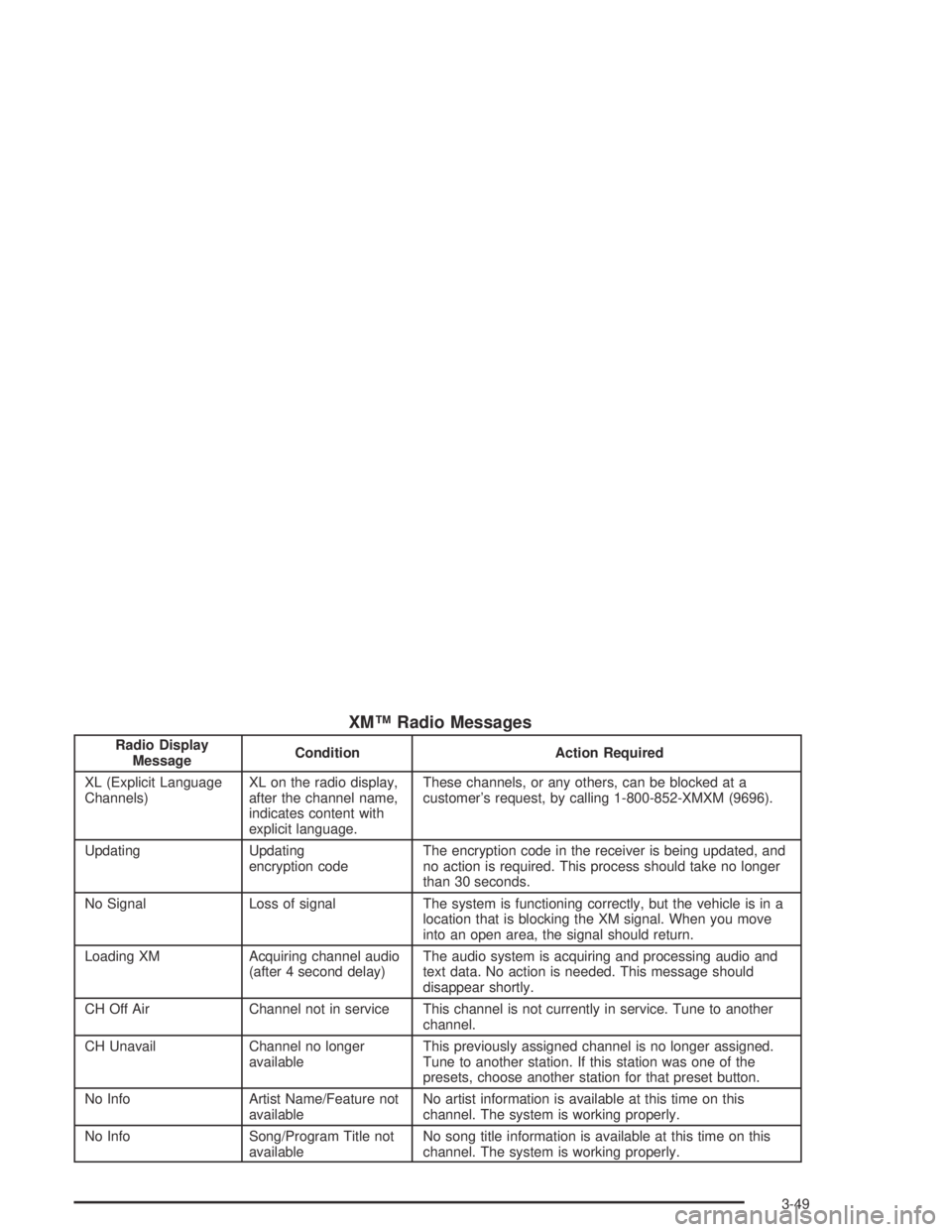
XM™ Radio Messages
Radio Display
MessageCondition Action Required
XL (Explicit Language
Channels)XL on the radio display,
after the channel name,
indicates content with
explicit language.These channels, or any others, can be blocked at a
customer’s request, by calling 1-800-852-XMXM (9696).
Updating Updating
encryption codeThe encryption code in the receiver is being updated, and
no action is required. This process should take no longer
than 30 seconds.
No Signal Loss of signal The system is functioning correctly, but the vehicle is in a
location that is blocking the XM signal. When you move
into an open area, the signal should return.
Loading XM Acquiring channel audio
(after 4 second delay)The audio system is acquiring and processing audio and
text data. No action is needed. This message should
disappear shortly.
CH Off Air Channel not in service This channel is not currently in service. Tune to another
channel.
CH Unavail Channel no longer
availableThis previously assigned channel is no longer assigned.
Tune to another station. If this station was one of the
presets, choose another station for that preset button.
No Info Artist Name/Feature not
availableNo artist information is available at this time on this
channel. The system is working properly.
No Info Song/Program Title not
availableNo song title information is available at this time on this
channel. The system is working properly.
3-49