instrument panel PONTIAC VIBE 2010 Owner's Manual
[x] Cancel search | Manufacturer: PONTIAC, Model Year: 2010, Model line: VIBE, Model: PONTIAC VIBE 2010Pages: 318, PDF Size: 1.7 MB
Page 95 of 318

Passenger Airbag Status
Indicator
The vehicle has the passenger
sensing system. SeePassenger
Sensing System on page 2-29
for important safety information.
The instrument panel has a
passenger airbag status indicator.
When the vehicle is started,
the passenger airbag status
indicator will light ON and OFF for
several seconds as a system check. Then, after several more seconds,
the status indicator will light either
ON or OFF if there is weight on the
seat, to let you know the status of
the right front passenger frontal and
seat-mounted side impact airbags
(if equipped). If the seat is
unoccupied, the light will not be
visible after the system check.
If the word ON is lit on the
passenger airbag status indicator, it
means that the right front passenger
frontal and seat-mounted side impact
airbags (if equipped) are enabled
(may inflate).
If the word OFF is lit on the
passenger airbag status indicator, it
means that the passenger sensing
system has turned off the right front
passenger’s frontal airbag and
seat-mounted side impact airbag
(if equipped). See
Passenger
Sensing System on page 2-29 for
more on this, including important
safety information. If, after several seconds, all status
indicator lights remain on, there
may be a problem with the lights
or the passenger sensing system.
See your dealer/retailer for service.
{CAUTION
If the airbag readiness light ever
comes on and stays on, it means
that something may be wrong with
the airbag system. To help avoid
injury to yourself or others, have
the vehicle serviced right away.
See
Airbag Readiness Light on
page 4-12 for more information,
including important safety
information.
Instruments and Controls 4-13
Page 109 of 318
Lighting
Exterior LightingExterior Lamp Controls...........5-1
Headlamp High/Low-Beam Changer ............................
.5-2
Flash-to-Pass .......................
.5-2
Daytime Running Lamps (DRL) .....................
.5-2
Automatic Headlamp System .............................
.5-3
Hazard Warning Flashers .......5-3
Turn and Lane-Change Signals ..............................
.5-3
Fog Lamps ..........................
.5-4
Interior LightingInstrument Panel Illumination
Control ..............................
.5-4
Dome Lamps .......................
.5-4
Reading Lamps ....................
.5-5
Lighting FeaturesEntry Lighting ......................
.5-5
Battery Power Protection ........5-5
Exterior Lighting
Exterior Lamp Controls
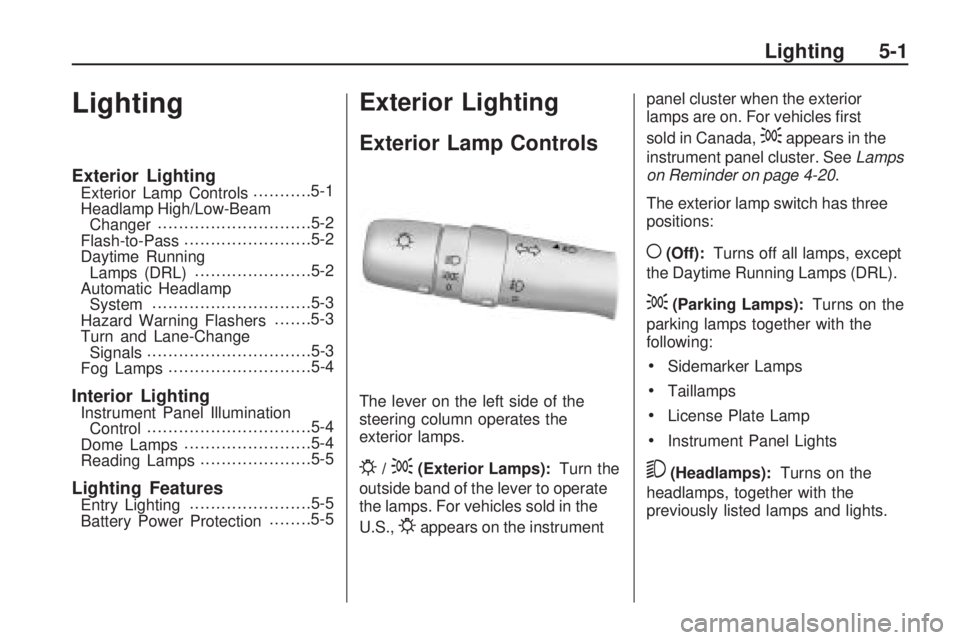
The lever on the left side of the
steering column operates the
exterior lamps.
P/;(Exterior Lamps):
Turn the
outside band of the lever to operate
the lamps. For vehicles sold in the
U.S.,
Pappears on the instrument panel cluster when the exterior
lamps are on. For vehicles first
sold in Canada,
;appears in the
instrument panel cluster. See Lamps
on Reminder on page 4-20 .
The exterior lamp switch has three
positions:
((Off): Turns off all lamps, except
the Daytime Running Lamps (DRL).
;(Parking Lamps): Turns on the
parking lamps together with the
following:
•Sidemarker Lamps
•Taillamps
•License Plate Lamp
•Instrument Panel Lights
5(Headlamps): Turns on the
headlamps, together with the
previously listed lamps and lights.
Lighting 5-1
Page 110 of 318
Headlamps on Reminder
A tone sounds when the ignition is
turned to LOCK/OFF, the driver door
is opened and the key is removed
from the ignition while the lamps
are on.
Headlamp High/
Low-Beam Changer
The headlamps must be on for this
feature to work.
Push the turn signal lever away
from you to turn the high beams on.
This instrument panel cluster
light
3comes on while the high
beam headlamps are on.
Pull the lever towards you to return
to low beams.
Flash-to-Pass
This feature is used to signal to the
vehicle ahead that you want to pass.
With the lever in the low-beam
position, pull the lever toward you to
momentarily switch to high-beams.
If the headlamps are on when the
lever is released, the high-beams
will return to low-beam.
Daytime Running
Lamps (DRL)
Daytime Running Lamps (DRL) can
make it easier for others to see the
front of your vehicle during the day.
Fully functional DRL are required
on all vehicles first sold in Canada. The DRL system makes the
headlamps come on at a reduced
brightness when the following
conditions are met:
•The ignition is on with the engine
running.
•The exterior lamps switch is off.
•The parking brake is released.
When the exterior lamp switch is
turned to the headlamp position, the
DRL go off and the headlamps come
on. The other lamps that come on
with the headlamps also come on.
The headlamps automatically switch
from DRL to the regular headlamps
depending on the darkness of
the surroundings. See Automatic
Headlamp System on page 5-3 .
DRL also comes on if only the
parking lamps are being used.
5-2 Lighting
Page 111 of 318
Automatic Headlamp
System
When it is dark enough outside,
the automatic headlamp system
turns on the low-beam headlamps
at the normal brightness along with
other lamps such as the taillamps,
sidemarker, parking lamps and
instrument panel lights. An indicator
light on the instrument panel comes
on when the headlamps are on.
SeeInstrument Cluster on page 4-9 .
If the vehicle is driven through a
parking garage, overcast weather,
or a tunnel, the automatic headlamp
system may turn on. There is a
delay before the lights turn on when
starting the car at night.
Do not cover the automatic light
sensor, located on the top left corner
of the instrument panel. If the sensor
is covered the headlamps will stay on
continuously.
Hazard Warning Flashers
|
(Hazard Warning Flasher):
Press this button located on the
instrument panel, to make the front
and rear turn signal lamps flash on
and off. This warns others that you
are having trouble.
Press
|again to turn the
flashers off.
Turn and Lane-Change
Signals
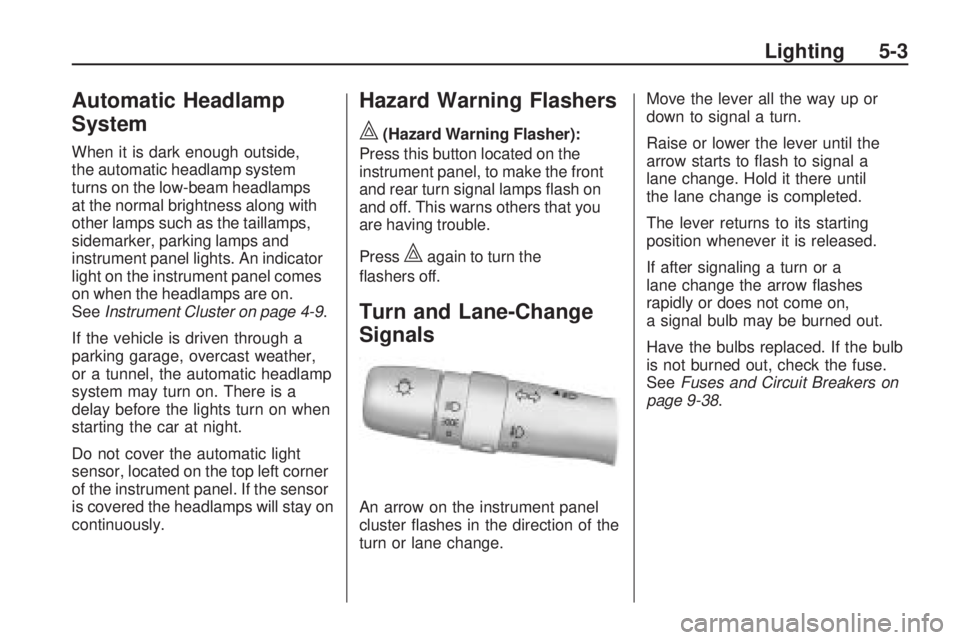
An arrow on the instrument panel
cluster flashes in the direction of the
turn or lane change. Move the lever all the way up or
down to signal a turn.
Raise or lower the lever until the
arrow starts to flash to signal a
lane change. Hold it there until
the lane change is completed.
The lever returns to its starting
position whenever it is released.
If after signaling a turn or a
lane change the arrow flashes
rapidly or does not come on,
a signal bulb may be burned out.
Have the bulbs replaced. If the bulb
is not burned out, check the fuse.
See
Fuses and Circuit Breakers on
page 9-38.
Lighting 5-3
Page 112 of 318

Fog Lamps
#
(Fog Lamps):For vehicles with
fog lamps, move the band on the turn
signal/multifunction lever to
#to turn
them on. The fog lamps only come
on when the headlamps are on
low beam.
Some localities have laws that
require the headlamps to be
on along with the fog lamps.
Interior Lighting
Instrument Panel
Illumination Control
Use the trip odometer knob located
on the right side of the instrument
panel cluster to adjust the instrument
panel brightness.
Turn the knob clockwise or
counterclockwise to brighten
or dim the instrument panel.
The brightness of the instrument
panel lights decreases when
the headlamps are on.
Dome Lamps
The interior lamps control is located
on the overhead lamp. To change
the interior lamps setting, slide
the switch to one of the following
positions:
OFF: Turns the lamp off.
ON: Keeps the lamp on all the time.
Door: Turns the lamp on when
any door or the liftgate is opened.
The lamp goes off when all the side
doors and the liftgate are closed.
If the lamp switch is in the door
position and a door is left open,
the lamps will go off automatically
after 20 minutes.
5-4 Lighting
Page 130 of 318

Fan Control
9(Fan):Turn the center knob
toward 4 to turn the system on or
increase fan speed.
If the airflow seems low when the
fan is at the highest setting, the
passenger compartment air filter
may need to be replaced. For
more information, see Passenger
Compartment Air Filter on page 7-4
and Scheduled Maintenance on
page 10-3.
Temperature Control
Turn the right knob clockwise or
counterclockwise to increase or
decrease the temperature inside the
vehicle. Air Delivery Mode Control
Turn the left knob to select from the
following modes:
H(Vent):
Air is directed to the
upper instrument panel outlets.
)(Bi-Level): Air is directed to the
upper instrument panel outlets
and the floor outlets.
6(Floor): Air is directed to the
floor and side window outlets.
-(Defog): Air is directed between
the windshield, side windows,
instrument panel outlets and the floor
outlets. Use the defog mode to clear the
inside of the windshield of fog
or moisture and to warm the
passengers. The air conditioning
compressor runs automatically in this
setting without pressing A/C, unless
the outside temperature is at or
below 32°F (0°C).
1(Defrost):
Air is directed to the
windshield, instrument panel
outlets and the side windows.
Use the defrost mode to remove
fog or frost from the outside of the
windshield more quickly. The air
conditioning compressor runs
automatically in this setting without
pressing A/C, unless the outside
temperature is at or below
32°F (0°C).
Do not drive the vehicle until all the
windows are clear.
7-2 Climate Controls
Page 132 of 318
Air Vents
Use the air outlets located in the
center and outboard sides of the
instrument panel, to change the
direction of the air flowing through
the vents.
Operation Tips•
Clear away any ice, snow or
leaves from the outside air
inlets at the base of the
windshield.
•Use of non-GM approved hood
deflectors can adversely affect
the performance of the system.
•Keep the area under the
front seats clear of objects for
more effective air circulation.
•If the airflow seems low when
the fan is at the highest setting,
the passenger compartment air
filter might need to be replaced.
For more information, see
Passenger Compartment
Air Filter on page 7-4.
Maintenance
Passenger Compartment
Air Filter
Both outside and recirculated air
are routed through a passenger
compartment air filter. Pollen, dust
particles and other contaminants
are removed by the filter. Airflow
reductions indicate that the filter
needs to be replaced. For a
replacement filter see your dealer/
retailer. See Scheduled Maintenance
on page 10-3 for replacement
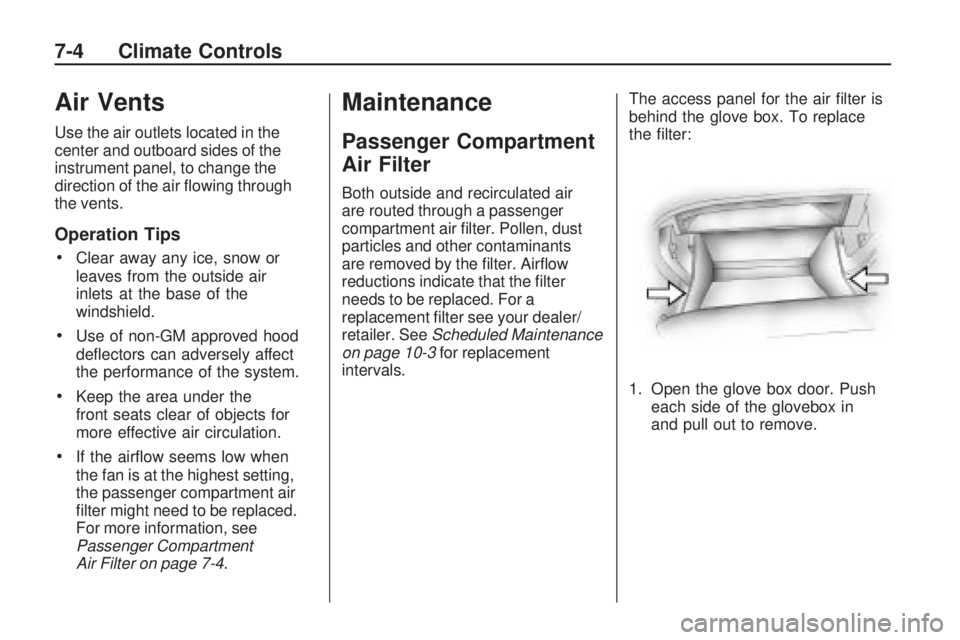
intervals. The access panel for the air filter is
behind the glove box. To replace
the filter:
1. Open the glove box door. Push
each side of the glovebox in
and pull out to remove.
7-4 Climate Controls
Page 144 of 318

Blizzard Conditions
Being stuck in snow can be in a
serious situation. Stay with the
vehicle unless there is help nearby.
If possible, use theRoadside
Assistance Program on page 12-6 .
To get help and keep everyone in the
vehicle safe:
•Turn on the hazard warning
flashers.
•Tie a red cloth to an outside
mirror.
{CAUTION
Snow can trap engine exhaust
under the vehicle. This may cause
exhaust gases to get inside.
Engine exhaust contains carbon
monoxide (CO) which cannot be
seen or smelled. It can cause
unconsciousness and even death.
(Continued)
CAUTION (Continued)
If the vehicle is stuck in the snow:
•Clear away snow from
around the base of your
vehicle, especially any that is
blocking the exhaust pipe.
•Check again from time to
time to be sure snow does
not collect there.
•Open a window about 5 cm
(two inches) on the side of
the vehicle that is away from
the wind to bring in fresh air.
•Fully open the air outlets on or
under the instrument panel.
•Adjust the Climate Control
system to a setting that
circulates the air inside the
vehicle and set the fan speed
to the highest setting. See
Climate Control System in the
Index.(Continued)
CAUTION (Continued)
For more information about
carbon monoxide, see Engine
Exhaust on page 8-23 .
Snow can trap exhaust gases
under your vehicle. This can cause
deadly CO (carbon monoxide) gas
to get inside. CO could overcome
you and kill you. You cannot see it
or smell it, so you might not know it
is in your vehicle. Clear away snow
from around the base of your
vehicle, especially any that is
blocking the exhaust.
Run the engine for short periods only
as needed to keep warm, but be
careful.
8-10 Driving and Operating
Page 168 of 318
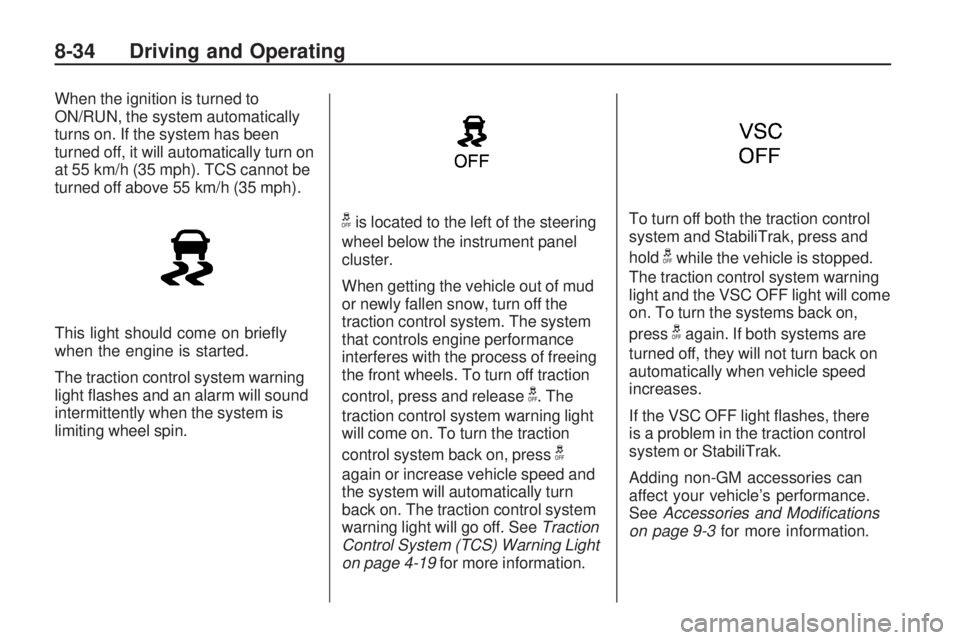
When the ignition is turned to
ON/RUN, the system automatically
turns on. If the system has been
turned off, it will automatically turn on
at 55 km/h (35 mph). TCS cannot be
turned off above 55 km/h (35 mph).
This light should come on briefly
when the engine is started.
The traction control system warning
light flashes and an alarm will sound
intermittently when the system is
limiting wheel spin.
gis located to the left of the steering
wheel below the instrument panel
cluster.
When getting the vehicle out of mud
or newly fallen snow, turn off the
traction control system. The system
that controls engine performance
interferes with the process of freeing
the front wheels. To turn off traction
control, press and release
g. The
traction control system warning light
will come on. To turn the traction
control system back on, press
g
again or increase vehicle speed and
the system will automatically turn
back on. The traction control system
warning light will go off. See Traction
Control System (TCS) Warning Light
on page 4-19 for more information. To turn off both the traction control
system and StabiliTrak, press and
hold
gwhile the vehicle is stopped.
The traction control system warning
light and the VSC OFF light will come
on. To turn the systems back on,
press
gagain. If both systems are
turned off, they will not turn back on
automatically when vehicle speed
increases.
If the VSC OFF light flashes, there
is a problem in the traction control
system or StabiliTrak.
Adding non-GM accessories can
affect your vehicle’s performance.
See Accessories and Modications
on page 9-3 for more information.
8-34 Driving and Operating
Page 170 of 318
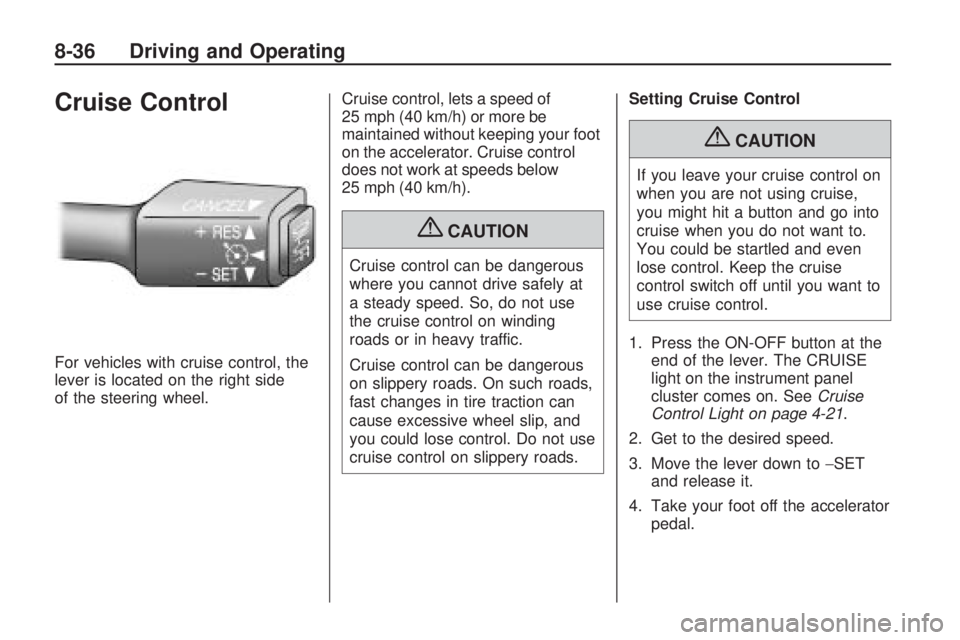
Cruise Control
For vehicles with cruise control, the
lever is located on the right side
of the steering wheel.Cruise control, lets a speed of
25 mph (40 km/h) or more be
maintained without keeping your foot
on the accelerator. Cruise control
does not work at speeds below
25 mph (40 km/h).
{CAUTION
Cruise control can be dangerous
where you cannot drive safely at
a steady speed. So, do not use
the cruise control on winding
roads or in heavy traffic.
Cruise control can be dangerous
on slippery roads. On such roads,
fast changes in tire traction can
cause excessive wheel slip, and
you could lose control. Do not use
cruise control on slippery roads.Setting Cruise Control
{CAUTION
If you leave your cruise control on
when you are not using cruise,
you might hit a button and go into
cruise when you do not want to.
You could be startled and even
lose control. Keep the cruise
control switch off until you want to
use cruise control.
1. Press the ON-OFF button at the end of the lever. The CRUISE
light on the instrument panel
cluster comes on. See Cruise
Control Light on page 4-21 .
2. Get to the desired speed.
3. Move the lever down to −SET
and release it.
4. Take your foot off the accelerator pedal.
8-36 Driving and Operating