bulb PORSCHE 911 2009 5.G User Guide
[x] Cancel search | Manufacturer: PORSCHE, Model Year: 2009, Model line: 911, Model: PORSCHE 911 2009 5.GPages: 310, PDF Size: 3.39 MB
Page 277 of 310
Practical Tips, Emergency Service
275
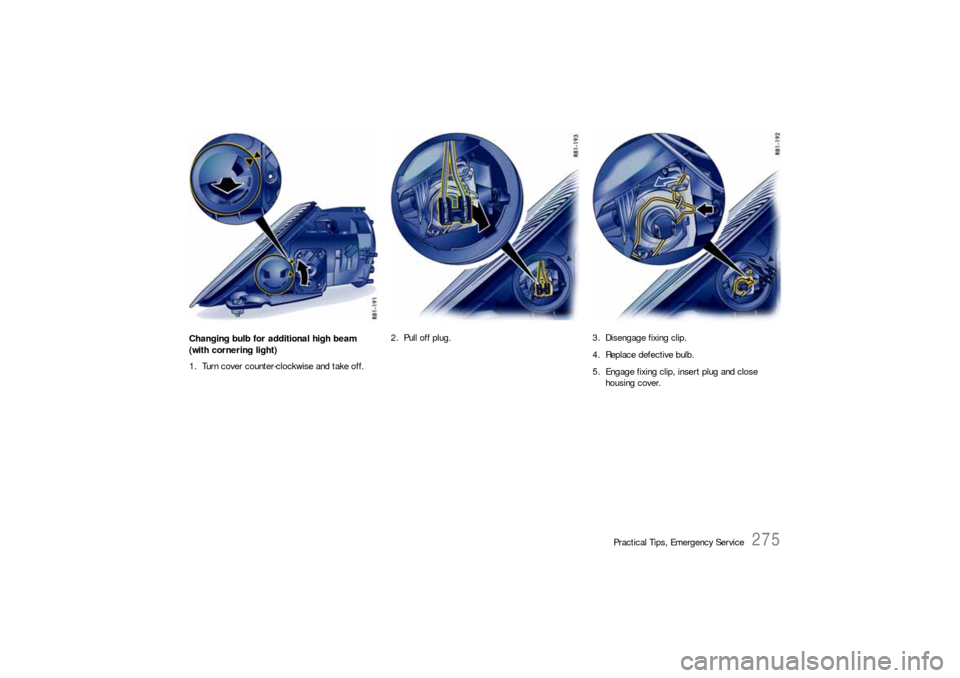
Changing bulb for additional high beam
(with cornering light)
1. Turn cover counter-clockwise and take off.2. Pull off plug. 3. Disengage fixing clip.
4. Replace defective bulb.
5. Engage fixing clip, insert plug and close
housing cover.
Page 278 of 310
276
Practical Tips, Emergency Service
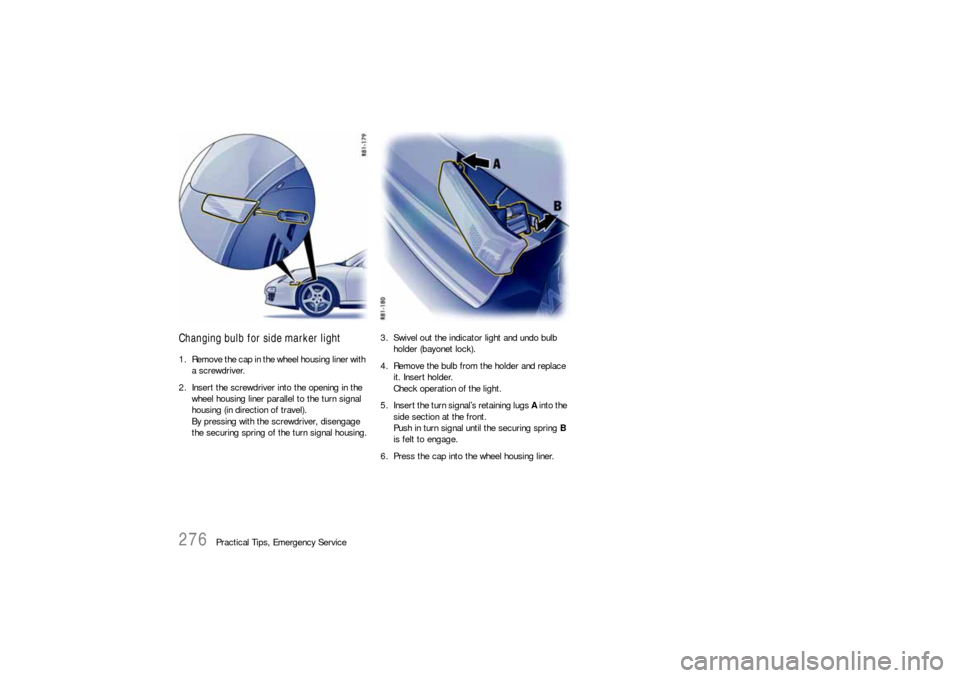
Changing bulb for side marker light1. Remove the cap in the wheel housing liner with
a screwdriver.
2. Insert the screwdriver into the opening in the
wheel housing liner parallel to the turn signal
housing (in direction of travel).
By pressing with the screwdriver, disengage
the securing spring of the turn signal housing.3. Swivel out the indicator light and undo bulb
holder (bayonet lock).
4. Remove the bulb from the holder and replace
it. Insert holder.
Check operation of the light.
5. Insert the turn signal’s retaining lugs A into the
side section at the front.
Push in turn signal until the securing spring B
is felt to engage.
6. Press the cap into the wheel housing liner.
Page 279 of 310
Practical Tips, Emergency Service
277
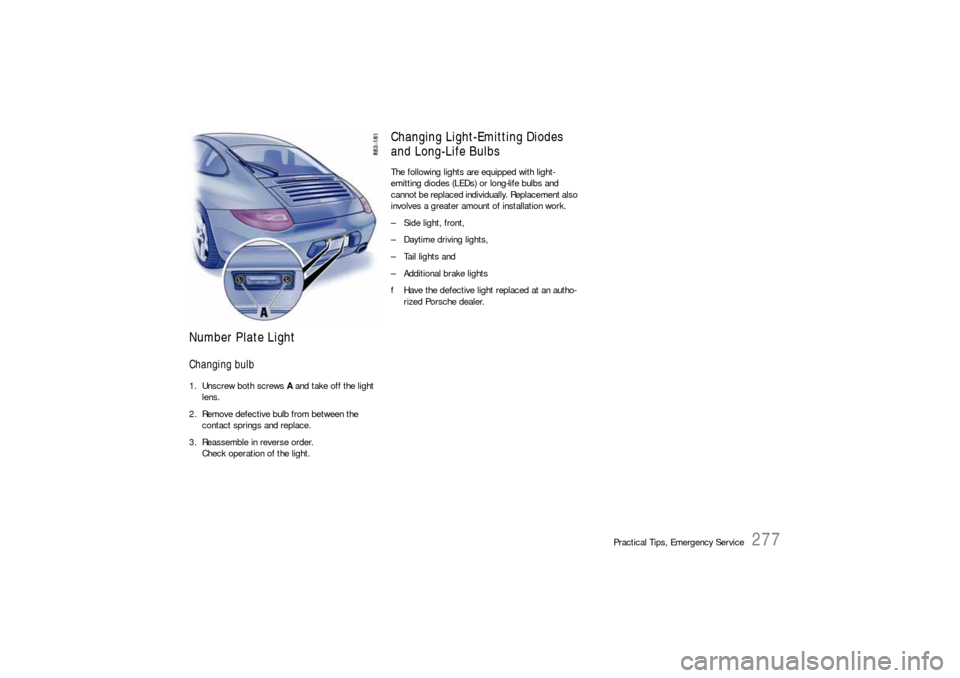
Number Plate LightChanging bulb1. Unscrew both screws A and take off the light
lens.
2. Remove defective bulb from between the
contact springs and replace.
3. Reassemble in reverse order.
Check operation of the light.
Changing Light-Emitting Diodes
and Long-Life BulbsThe following lights are equipped with light-
emitting diodes (LEDs) or long-life bulbs and
cannot be replaced individually. Replacement also
involves a greater amount of installation work.
– Side light, front,
– Daytime driving lights,
– Tail lights and
– Additional brake lights
fHave the defective light replaced at an autho-
rized Porsche dealer.
Page 280 of 310
278
Practical Tips, Emergency Service
Adjusting HeadlightsfPlease see the chapter “LIGHTS, REPLACING
BULBS” on Page 269.
Adjustment
The adjustment is made with the vehicle ready to
drive and the fuel tank completely filled.
The driver’s seat must be loaded by a person or a
165 lbs. (75 kg) weight and the tire pressures
must meet the prescribed values.
After being loaded, the car must be rolled a few
meters so that the suspension can settle.
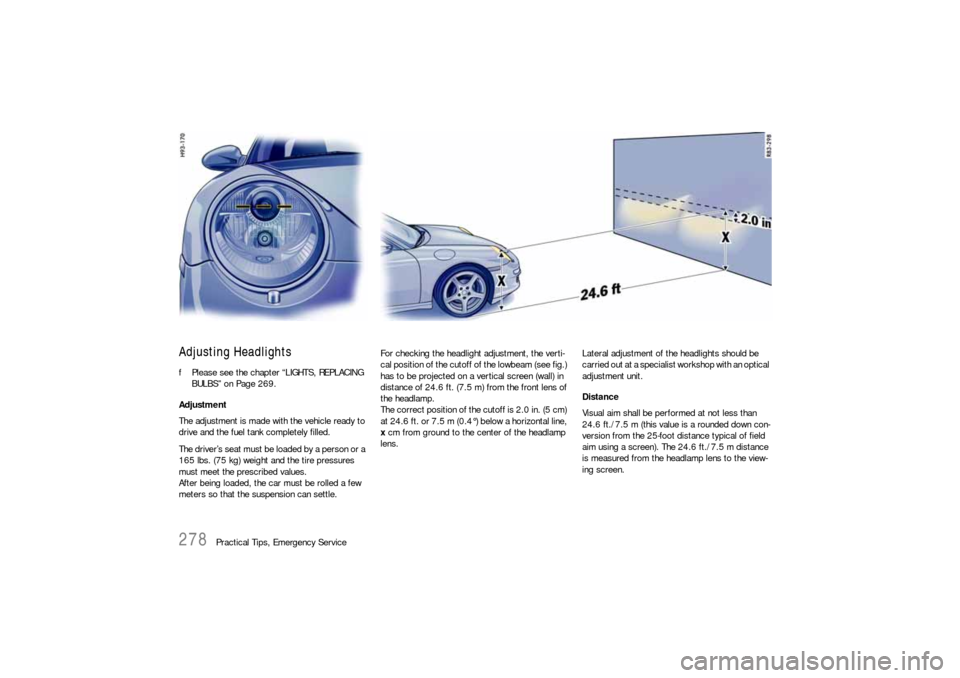
For checking the headlight adjustment, the verti-
cal position of the cutoff of the lowbeam (see fig.)
has to be projected on a vertical screen (wall) in
distance of 24.6 ft. (7.5 m) from the front lens of
the headlamp.
The correct position of the cutoff is 2.0 in. (5 cm)
at 24.6 ft. or 7.5 m (0.4°) below a horizontal line,
x cm from ground to the center of the headlamp
lens.Lateral adjustment of the headlights should be
carried out at a specialist workshop with an optical
adjustment unit.
Distance
Visual aim shall be performed at not less than
24.6 ft./7.5 m (this value is a rounded down con-
version from the 25-foot distance typical of field
aim using a screen). The 24.6 ft./7.5 m distance
is measured from the headlamp lens to the view-
ing screen.
Page 303 of 310
Index
301
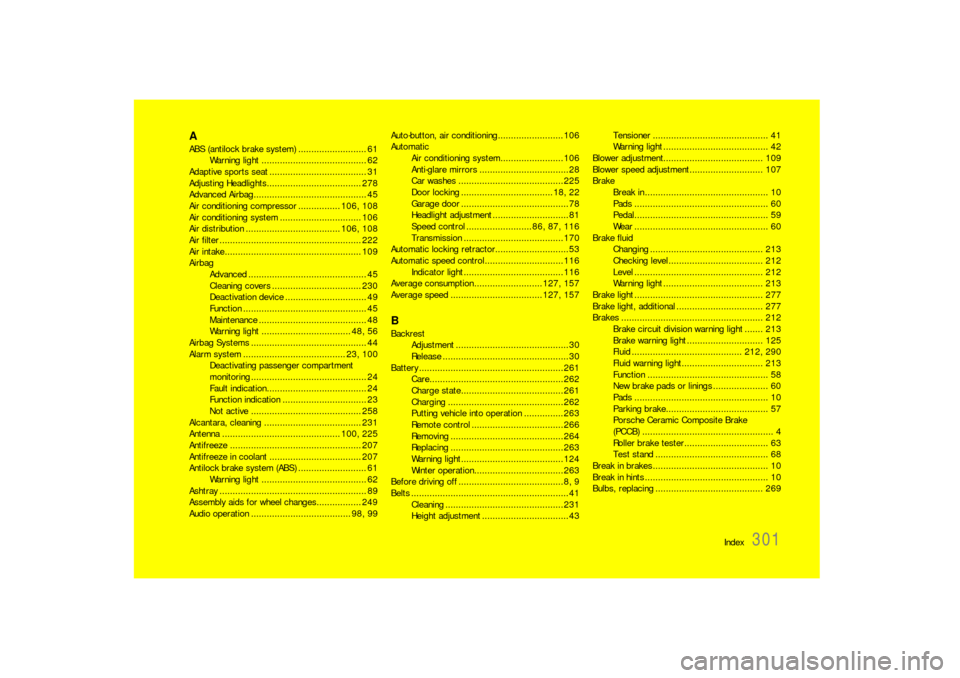
AABS (antilock brake system) .......................... 61
Warning light ........................................ 62
Adaptive sports seat..................................... 31
Adjusting Headlights.................................... 278
Advanced Airbag........................................... 45
Air conditioning compressor ................ 106, 108
Air conditioning system ............................... 106
Air distribution .................................... 106, 108
Air filter ...................................................... 222
Air intake.................................................... 109
Airbag
Advanced ............................................. 45
Cleaning covers .................................. 230
Deactivation device............................... 49
Function ............................................... 45
Maintenance ......................................... 48
Warning light .................................. 48, 56
Airbag Systems ............................................ 44
Alarm system ....................................... 23, 100
Deactivating passenger compartment
monitoring ............................................ 24
Fault indication...................................... 24
Function indication................................ 23
Not active .......................................... 258
Alcantara, cleaning ..................................... 231
Antenna ............................................. 100, 225
Antifreeze .................................................. 207
Antifreeze in coolant................................... 207
Antilock brake system (ABS) .......................... 61
Warning light ........................................ 62
Ashtray ........................................................ 89
Assembly aids for wheel changes................. 249
Audio operation ...................................... 98, 99Auto-button, air conditioning.........................106
Automatic
Air conditioning system........................106
Anti-glare mirrors ..................................28
Car washes ........................................225
Door locking ...................................18, 22
Garage door .........................................78
Headlight adjustment.............................81
Speed control .........................86, 87, 116
Transmission ......................................170
Automatic locking retractor............................53
Automatic speed control..............................116
Indicator light ......................................116
Average consumption ..........................127, 157
Average speed ...................................127, 157BBackrest
Adjustment ...........................................30
Release ................................................30
Battery .......................................................261
Care...................................................262
Charge state.......................................261
Charging ............................................262
Putting vehicle into operation ...............263
Remote control ...................................266
Removing ...........................................264
Replacing ...........................................263
Warning light.......................................124
Winter operation..................................263
Before driving off ........................................ 8, 9
Belts ............................................................41
Cleaning .............................................231
Height adjustment .................................43Tensioner ............................................ 41
Warning light ........................................ 42
Blower adjustment...................................... 109
Blower speed adjustment............................ 107
Brake
Break in ............................................... 10
Pads ................................................... 60
Pedal................................................... 59
Wear ................................................... 60
Brake fluid
Changing ........................................... 213
Checking level .................................... 212
Level ................................................. 212
Warning light ...................................... 213
Brake light ................................................. 277
Brake light, additional ................................. 277
Brakes ...................................................... 212
Brake circuit division warning light ....... 213
Brake warning light............................. 125
Fluid .......................................... 212, 290
Fluid warning light............................... 213
Function .............................................. 58
New brake pads or linings ..................... 60
Pads ................................................... 10
Parking brake....................................... 57
Porsche Ceramic Composite Brake
(PCCB) .................................................. 4
Roller brake tester................................ 63
Test stand ........................................... 68
Break in brakes ............................................ 10
Break in hints ............................................... 10
Bulbs, replacing ......................................... 269
Page 304 of 310

302
Index
CCabriolet .................................................... 181
Capacities .................................................. 290
Car care .................................................... 224
Car telephone ............................................. 100
Car washes ................................................ 225
Carpet ....................................................... 230
Catalytic converters .................................... 219
Cautions ............................................ 206, 234
Central locking ..................................... 19, 258
Automatic relocking.............................. 19
Emergency operation ............................ 20
Fault indication...................................... 21
Overload protection...................... 21, 258
Central locking button................................... 21
Central vents .............................................. 109
Central warning light................................... 125
Changing bulb ............................................ 277
Changing light-emitting diodes (LEDs) ........... 277
Changing wheels ........................................ 249
Check engine
Warning light ...................................... 125
Check engine warning light .......................... 125
Opening the oil filler cap ...................... 209
Checking pressure ...................................... 250
Child restraint systems.................................. 50
Anchorages .......................................... 55
Direction of installation .......................... 51
Child seat bracket......................................... 54
Chime .......................................................... 80
CHRONO Stopwatch.................................... 136
Cigarette lighter............................................ 90
Circulating-air button................................... 107
Clock ................................................. 123, 156Clothes hook ................................................ 91
Clutch .................................................. 62, 168
Clutch pedal ................................................. 62
Combination filter........................................ 222
Comfort seat ................................................ 31
Coming home mode ...................................... 81
Communication management ......................... 98
Compact disc
Player .................................................. 99
Storage ................................................ 92
Compartment monitoring ............................... 23
Compressor ................................................. 96
Convertible top ........................................... 181
Care .................................................. 226
Closing............................................... 182
Emergency operation .......................... 183
Opening ............................................. 182
Preconditions for operation .................. 182
Coolant .............................................. 120, 207
Checking ............................................ 207
Level .................................................. 207
Temperature gage .............................. 120
Topping off ......................................... 207
Warning light....................................... 120
Cooling system ................................... 120, 207
Warning light....................................... 120
Cornering light
Indicator light ...................................... 119
Crankcase ventilation.................................. 219
Cruise control ................................. 86, 87, 124
Cupholder .................................................... 88
DData bank ...................................................284
Daytime driving lights....................................80
Changing bulbs ...................................277
On-board computer .............................156
Defrosting windows ...............................29, 107
Diagnostic socket .........................................11
Dimensions.................................................298
Direction indicator light, front .......................277
Door ............................................................18
Handles ................................................18
Locks ...........................................18, 226
Mirror ...................................................28
Mirror heating .......................................29
Mirrors .................................................27
Windows .........................18, 26, 181, 228
Drive-Off Assistant .......................................169
Driving
Hints ......................................................8
Performance .......................................296
Winter ................................................175
Driving off
Drive-Off Assistant ...............................169
Launch Control....................................173
Drop-center rim...........................................245
Dynamometer testing ....................................63EElectrical system.........................................257
Emergency flasher switch ..............................79
Emergency operation
Central locking ......................................20
Convertible top ...................................183
Ignition key ...........................................76
Page 308 of 310
306
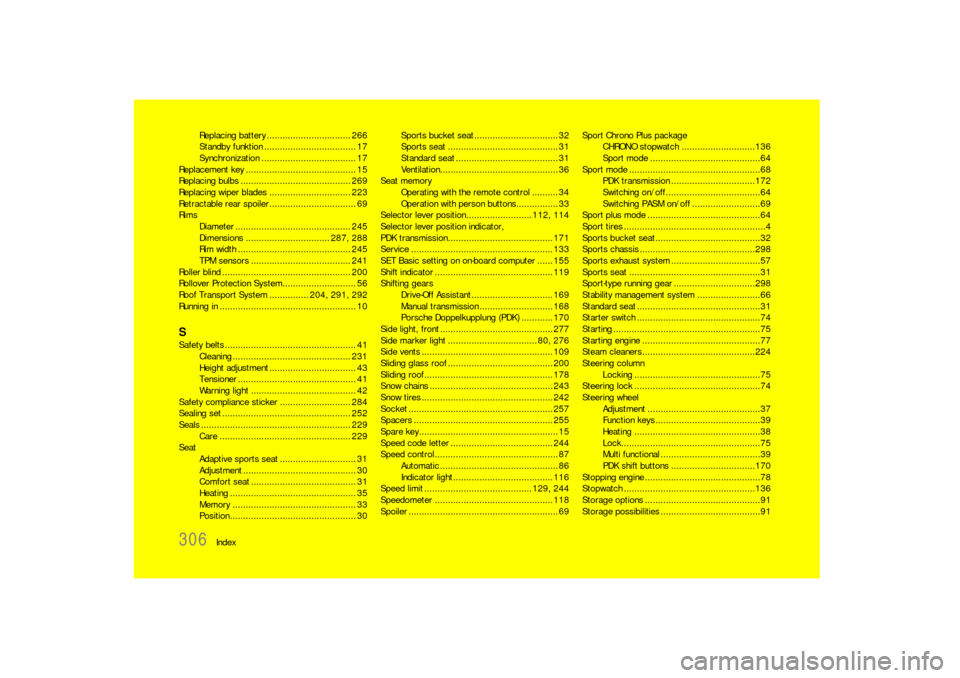
Index Replacing battery ................................ 266
Standby funktion ................................... 17
Synchronization .................................... 17
Replacement key .......................................... 15
Replacing bulbs .......................................... 269
Replacing wiper blades............................... 223
Retractable rear spoiler................................. 69
Rims
Diameter ............................................ 245
Dimensions ................................ 287, 288
Rim width ........................................... 245
TPM sensors ...................................... 241
Roller blind ................................................. 200
Rollover Protection System............................ 56
Roof Transport System ............... 204, 291, 292
Running in .................................................... 10
SSafety belts .................................................. 41
Cleaning ............................................. 231
Height adjustment ................................. 43
Tensioner ............................................. 41
Warning light ........................................ 42
Safety compliance sticker ........................... 284
Sealing set ................................................. 252
Seals ......................................................... 229
Care .................................................. 229
Seat
Adaptive sports seat ............................. 31
Adjustment ........................................... 30
Comfort seat ........................................ 31
Heating ................................................ 35
Memory ............................................... 33
Position................................................ 30Sports bucket seat................................ 32
Sports seat .......................................... 31
Standard seat ....................................... 31
Ventilation............................................. 36
Seat memory
Operating with the remote control .......... 34
Operation with person buttons................ 33
Selector lever position......................... 112, 114
Selector lever position indicator,
PDK transmission........................................ 171
Service ...................................................... 133
SET Basic setting on on-board computer ...... 155
Shift indicator ............................................. 119
Shifting gears
Drive-Off Assistant ............................... 169
Manual transmission............................ 168
Porsche Doppelkupplung (PDK) ............ 170
Side light, front ........................................... 277
Side marker light .................................. 80, 276
Side vents .................................................. 109
Sliding glass roof ........................................ 200
Sliding roof................................................. 178
Snow chains ............................................... 243
Snow tires .................................................. 242
Socket ....................................................... 257
Spacers ..................................................... 255
Spare key..................................................... 15
Speed code letter ....................................... 244
Speed control ............................................... 87
Automatic ............................................. 86
Indicator light ...................................... 116
Speed limit ......................................... 129, 244
Speedometer ............................................. 118
Spoiler ......................................................... 69Sport Chrono Plus package
CHRONO stopwatch ............................136
Sport mode ..........................................64
Sport mode ..................................................68
PDK transmission ................................172
Switching on/off ....................................64
Switching PASM on/off ..........................69
Sport plus mode ...........................................64
Sport tires ......................................................4
Sports bucket seat........................................32
Sports chassis ............................................298
Sports exhaust system ..................................57
Sports seat ..................................................31
Sport-type running gear ...............................298
Stability management system ........................66
Standard seat ...............................................31
Starter switch ...............................................74
Starting ........................................................75
Starting engine .............................................77
Steam cleaners...........................................224
Steering column
Locking ................................................75
Steering lock ................................................74
Steering wheel
Adjustment ...........................................37
Function keys ........................................39
Heating ................................................38
Lock.....................................................75
Multi functional ......................................39
PDK shift buttons ................................170
Stopping engine ............................................78
Stopwatch ..................................................136
Storage options ............................................91
Storage possibilities......................................91