phone PORSCHE 911 2009 5.G User Guide
[x] Cancel search | Manufacturer: PORSCHE, Model Year: 2009, Model line: 911, Model: PORSCHE 911 2009 5.GPages: 310, PDF Size: 3.39 MB
Page 135 of 310
Instruments, On-Board Computer, Warnings
133
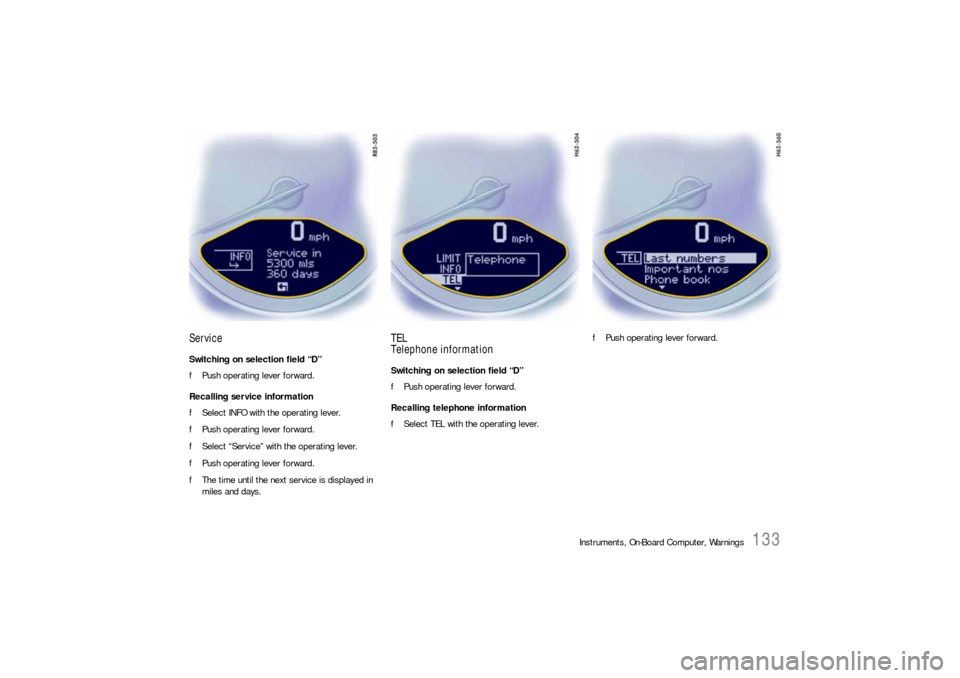
ServiceSwitching on selection field “D”
fPush operating lever forward.
Recalling service information
fSelect INFO with the operating lever.
fPush operating lever forward.
fSelect “Service” with the operating lever.
fPush operating lever forward.
fThe time until the next service is displayed in
miles and days.
TEL
Telephone informationSwitching on selection field “D”
fPush operating lever forward.
Recalling telephone information
fSelect TEL with the operating lever.fPush operating lever forward.
Page 136 of 310
134
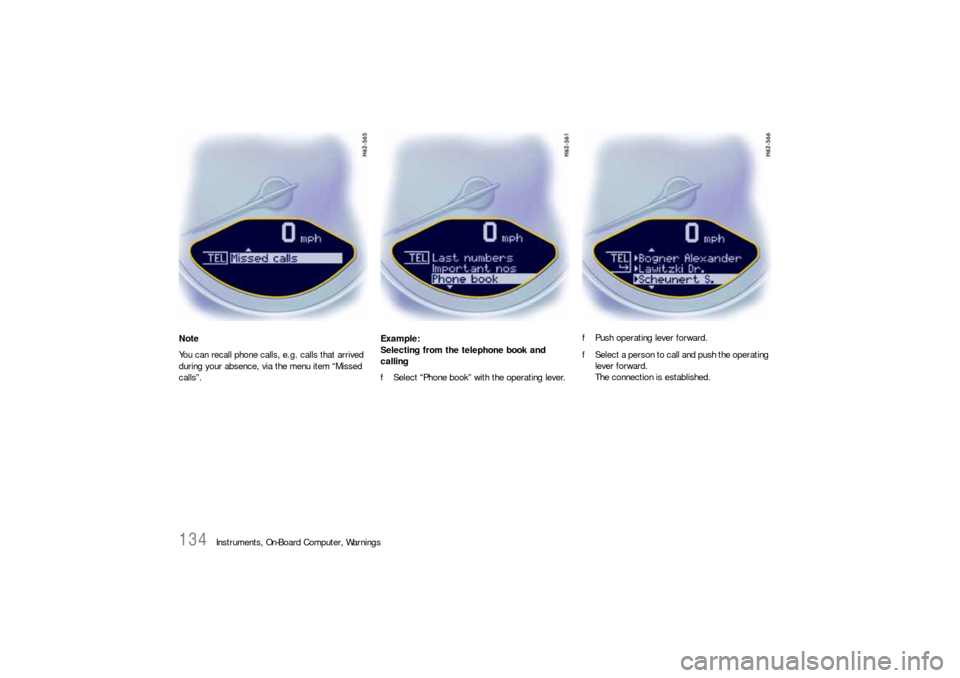
Instruments, On-Board Computer, Warnings Note
You can recall phone calls, e.g. calls that arrived
during your absence, via the menu item “Missed
calls”.Example:
Selecting from the telephone book and
calling
fSelect “Phone book” with the operating lever.fPush operating lever forward.
fSelect a person to call and push the operating
lever forward.
The connection is established.
Page 137 of 310
Instruments, On-Board Computer, Warnings
135
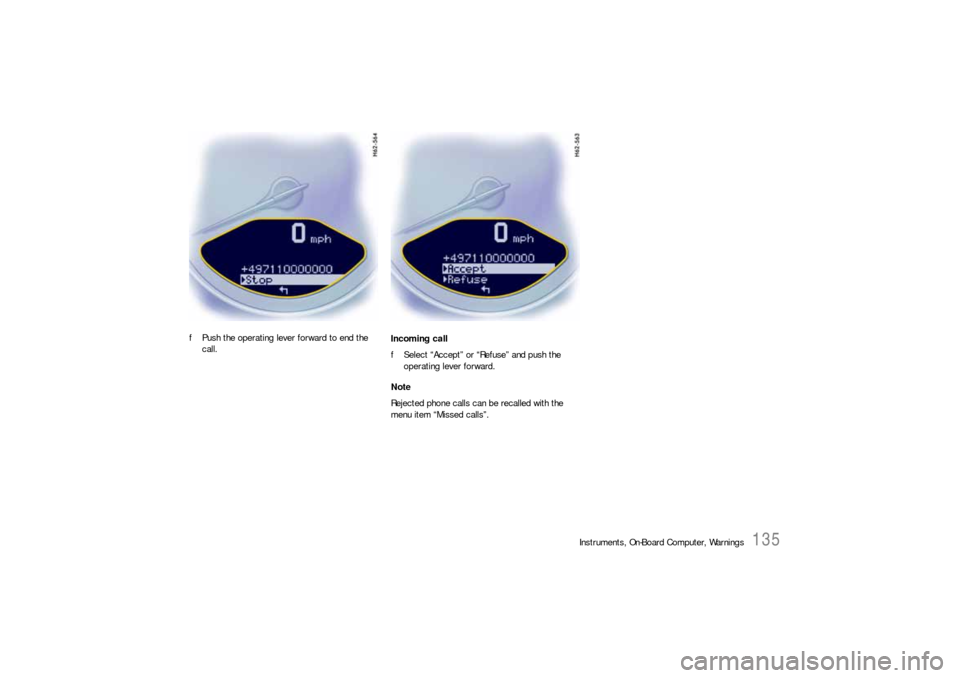
fPush the operating lever forward to end the
call.Incoming call
fSelect “Accept” or “Refuse” and push the
operating lever forward.
Note
Rejected phone calls can be recalled with the
menu item “Missed calls”.
Page 154 of 310

152
Instruments, On-Board Computer, Warnings
No monitoringIn the event of faults the Tire Pressure Monitoring
cannot monitor the tire pressure.
The warning light in the speedometer flashes for
approx. one minute and then remains continuously
illuminated and a corresponding message
appears on the on-board computer.
Monitoring is not active when:
– the Tire Pressure Monitoring is faulty,
– wheel transmitters for the Tire Pressure
Monitoring are missing,
– during the learning phase after the tire settings
have been updated,
– after a wheel change without updating the tire
settings,
– more than four wheel transmitters are
detected,
– there is external interference by other radio
sources, e.g. wireless headphones,
– tire temperatures are too high.
fPlease see the chapter “WARNINGS ON THE
INSTRUMENT PANEL AND THE ON-BOARD
COMPUTER” on Page 158.
Pressure increase as the result of
temperature increaseIn accordance with physical principles, the air
pressure changes as the temperature changes.
The tire pressure increases or decreases by
around 1.5 psi (0.1 bar) for every 18 °F (10 °C)
change in temperature.
The Tire Pressure Monitoring takes this relation-
ship between tire pressure and temperature into
account.Tire pressure specificationsInformation on tire pressure for public roads can
be found in this Owner's Manual in the Technical
Data chapter or on the tire-pressure plate in the
left door aperture.
These values apply to cold tires at 68 °F (20 °C)
ambient temperature.
Page 158 of 310
156
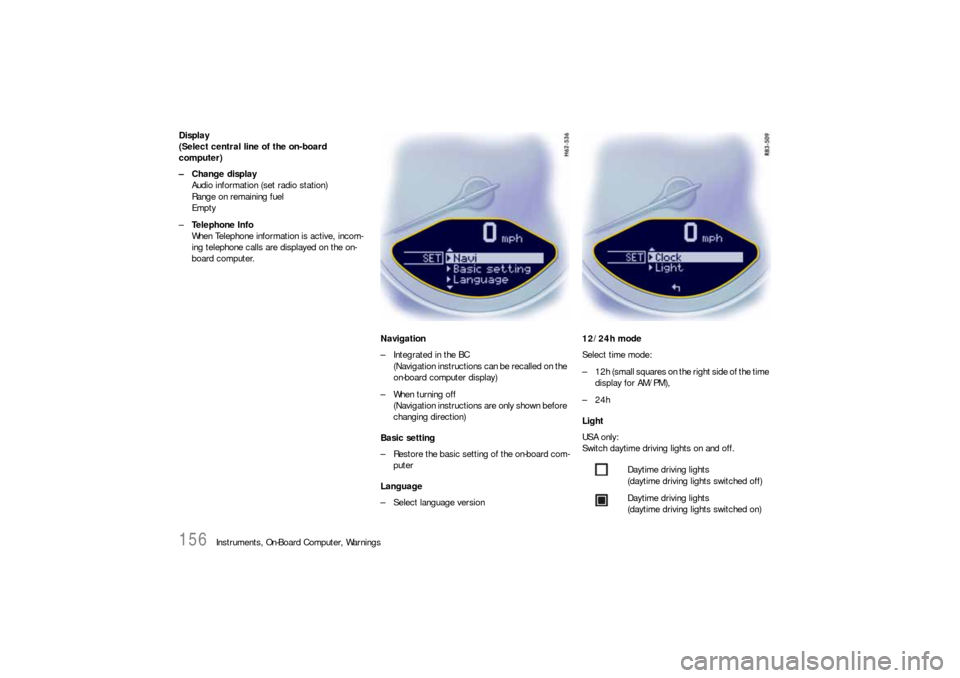
Instruments, On-Board Computer, Warnings Display
(Select central line of the on-board
computer)
– Change display
Audio information (set radio station)
Range on remaining fuel
Empty
–Te l e p h o n e I n f o
When Telephone information is active, incom-
ing telephone calls are displayed on the on-
board computer.
Navigation
– Integrated in the BC
(Navigation instructions can be recalled on the
on-board computer display)
– When turning off
(Navigation instructions are only shown before
changing direction)
Basic setting
– Restore the basic setting of the on-board com-
puter
Language
– Select language version12/24h mode
Select time mode:
– 12h (small squares on the right side of the time
display for AM/PM),
–24h
Light
USA only:
Switch daytime driving lights on and off.
Daytime driving lights
(daytime driving lights switched off)
Daytime driving lights
(daytime driving lights switched on)
Page 304 of 310

302
Index
CCabriolet .................................................... 181
Capacities .................................................. 290
Car care .................................................... 224
Car telephone ............................................. 100
Car washes ................................................ 225
Carpet ....................................................... 230
Catalytic converters .................................... 219
Cautions ............................................ 206, 234
Central locking ..................................... 19, 258
Automatic relocking.............................. 19
Emergency operation ............................ 20
Fault indication...................................... 21
Overload protection...................... 21, 258
Central locking button................................... 21
Central vents .............................................. 109
Central warning light................................... 125
Changing bulb ............................................ 277
Changing light-emitting diodes (LEDs) ........... 277
Changing wheels ........................................ 249
Check engine
Warning light ...................................... 125
Check engine warning light .......................... 125
Opening the oil filler cap ...................... 209
Checking pressure ...................................... 250
Child restraint systems.................................. 50
Anchorages .......................................... 55
Direction of installation .......................... 51
Child seat bracket......................................... 54
Chime .......................................................... 80
CHRONO Stopwatch.................................... 136
Cigarette lighter............................................ 90
Circulating-air button................................... 107
Clock ................................................. 123, 156Clothes hook ................................................ 91
Clutch .................................................. 62, 168
Clutch pedal ................................................. 62
Combination filter........................................ 222
Comfort seat ................................................ 31
Coming home mode ...................................... 81
Communication management ......................... 98
Compact disc
Player .................................................. 99
Storage ................................................ 92
Compartment monitoring ............................... 23
Compressor ................................................. 96
Convertible top ........................................... 181
Care .................................................. 226
Closing............................................... 182
Emergency operation .......................... 183
Opening ............................................. 182
Preconditions for operation .................. 182
Coolant .............................................. 120, 207
Checking ............................................ 207
Level .................................................. 207
Temperature gage .............................. 120
Topping off ......................................... 207
Warning light....................................... 120
Cooling system ................................... 120, 207
Warning light....................................... 120
Cornering light
Indicator light ...................................... 119
Crankcase ventilation.................................. 219
Cruise control ................................. 86, 87, 124
Cupholder .................................................... 88
DData bank ...................................................284
Daytime driving lights....................................80
Changing bulbs ...................................277
On-board computer .............................156
Defrosting windows ...............................29, 107
Diagnostic socket .........................................11
Dimensions.................................................298
Direction indicator light, front .......................277
Door ............................................................18
Handles ................................................18
Locks ...........................................18, 226
Mirror ...................................................28
Mirror heating .......................................29
Mirrors .................................................27
Windows .........................18, 26, 181, 228
Drive-Off Assistant .......................................169
Driving
Hints ......................................................8
Performance .......................................296
Winter ................................................175
Driving off
Drive-Off Assistant ...............................169
Launch Control....................................173
Drop-center rim...........................................245
Dynamometer testing ....................................63EElectrical system.........................................257
Emergency flasher switch ..............................79
Emergency operation
Central locking ......................................20
Convertible top ...................................183
Ignition key ...........................................76
Page 309 of 310

Index
307
Storing your Porsche .................................. 231
Sun visors .................................................... 40
Suspension management .............................. 69TTachometer................................................ 119
Tail light ..................................................... 277
Tank .......................................... 215, 216, 290
Ventilation system ............................... 217
Targa......................................................... 200
Technical data ............................................ 286
TEL Telephone information .......................... 133
Telephone .................................................. 100
Temperature setting ........................... 106, 107
Temperature, outside indicator .................... 123
Test stand, measurements ............................ 68
Theft protection ............................................ 14
Tire
Care .................................................. 239
Damage ............................................. 239
Designations....................................... 243
Pressure plate .................................... 237
Replacements ..................................... 240
Traction ............................................. 238
Wear .................................................. 238
Tire filling compressor.................................. 96
Tire pressure
Compressor ......................................... 96
Tire pressure monitoring
Warning light ...................................... 151
Wheels ............................................... 241
Tire pressure monitoring (TPM) .................... 143
Tires .................................... 10, 235, 287, 288
Care .................................................. 235Checking pressure..............................250
Dimensions.................................287, 288
Inscription...........................................244
Loading information.............................246
New tires..............................................10
Pressure ....................................236, 289
Pressure monitoring............................143
Pressure plate ....................................285
Removing and storing ..........................241
Sealant.................................96, 251, 252
Sidewall..............................................244
Size ...................................................244
Snow tires ..........................................242
Sport .....................................................4
Tool kit.........................................................96
Tools .....................................................95, 96
Towing ...............................................280, 282
Towing hook ...............................................280
Towing lug....................................................96
TPM Tire pressure monitoring ......................143
Track .................................................287, 288
Traction management...................................63
Transmission
Drive-Off Assistant ...............................168
Fluid ...........................................222, 290
Manual transmission............................168
Porsche Doppelkupplung (PDK) ....168, 170
Trip Odometer ............................................117
Trunk entrapment .........................................97
Turn signal
Indicator light ......................................119
Turn signals..........................................82, 119
UUndercoating ..................................... 218, 228VValves ....................................................... 240
Vanity mirror ................................................ 40
Vehicle
Care .................................................. 224
Dimensions ........................................ 298
Engine number ................................... 285
Identification ...................................... 284
Identification label............................... 284
Identification number .......................... 284
Lifting ................................................ 254
Load capacity .................................... 247
Performance ...................................... 296
Putting into operation ......................... 263
Safety compliance sticker ................... 284
Washing ............................................ 225
Vehicle identification number ....................... 284
Ventilation.................................................. 106
Vents ................................................ 106, 109
Viscosity, engine oil .................................... 211
Voice control, button.................................. 126
Voice control, PCM ..................................... 126WWarning lights and messages ...................... 158
Washer
Fluid .......................................... 220, 290
Fluid warning light............................... 220
Lever................................................... 83
Washing .................................................... 225