display PORSCHE 911 2009 5.G Owner's Manual
[x] Cancel search | Manufacturer: PORSCHE, Model Year: 2009, Model line: 911, Model: PORSCHE 911 2009 5.GPages: 310, PDF Size: 3.39 MB
Page 126 of 310

124
Instruments, On-Board Computer, Warnings The oil pressure is controlled as required and
should be at least 3.5 bar at an engine speed of
5000 rpm.
The engine oil pressure varies depending on the
engine speed, engine load and engine tempera-
ture.If oil pressure drops abruptly and a message
is displayed on the on-board computer when
the engine is running on or when driving:
fStop immediately in a suitable place.
fSwitch off the engine.
fCheck whether there is an obvious oil leak on
or under the car.
fIf no oil leak can be detected: With the engine
idling, measure the oil level with the on-board
computer.
fPlease see the chapter “OIL DISPLAY AND
MEASUREMENT OF THE ENGINE OIL LEVEL”
on Page 153.
fPlease see the chapter “ENGINE OIL LEVEL”
on Page 208.
fAdd engine oil if necessary.
Caution!
Risk of engine damage.
fDo not continue driving if there is an obvious oil
leak.
fDo not continue driving if the warning lights
come on even though oil level is correct.
fHave the fault remedied at the nearest authorized Porsche dealer.If the battery voltage drops abruptly, a warning
message will be displayed by the on-board compu-
ter.
If the warning is displayed by the on-board
computer while the engine is running or while
driving:
fStop the car in a safe place and stop the
engine.
Possible causes
– Defect in the battery charging system.
– Broken drive belt.
Warning!
Risk of engine damage with resultant loss of
control and accident, leading to serious per-
sonal injury or death.
A broken drive belt means there is no power
assistance to the steering (more effort is re-
quired to steer) and coolant pump function
will stop.
fDo not continue driving.
fHave the fault remedied at the nearest author-ized Porsche dealer.
Engine Oil Pressure
Battery
Page 127 of 310
Instruments, On-Board Computer, Warnings
125
Check Engine
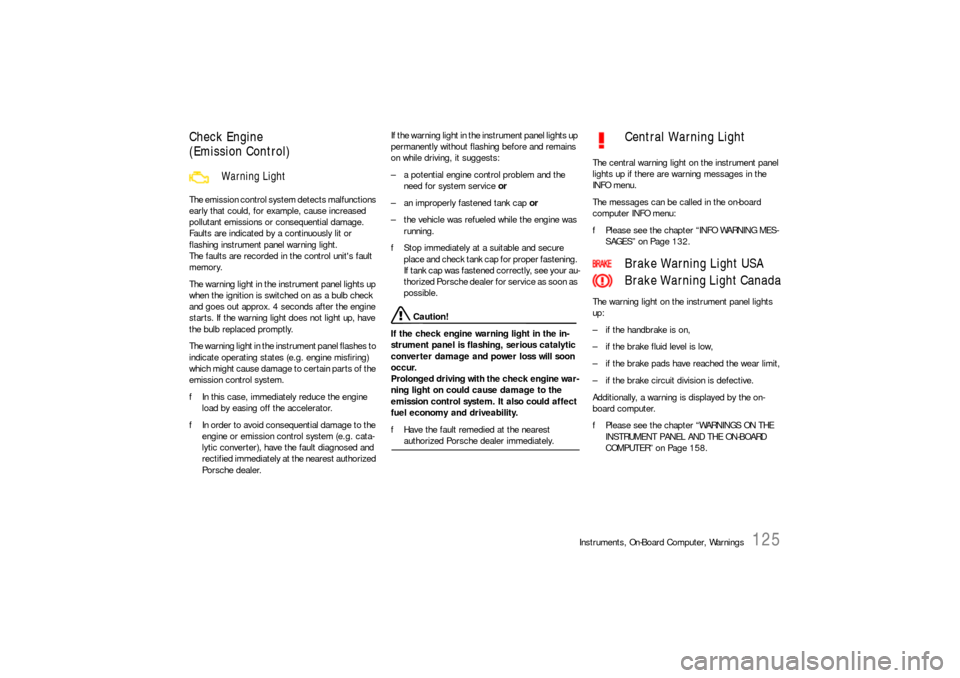
(Emission Control)The emission control system detects malfunctions
early that could, for example, cause increased
pollutant emissions or consequential damage.
Faults are indicated by a continuously lit or
flashing instrument panel warning light.
The faults are recorded in the control unit's fault
memory.
The warning light in the instrument panel lights up
when the ignition is switched on as a bulb check
and goes out approx. 4 seconds after the engine
starts. If the warning light does not light up, have
the bulb replaced promptly.
The warning light in the instrument panel flashes to
indicate operating states (e.g. engine misfiring)
which might cause damage to certain parts of the
emission control system.
fIn this case, immediately reduce the engine
load by easing off the accelerator.
fIn order to avoid consequential damage to the
engine or emission control system (e.g. cata-
lytic converter), have the fault diagnosed and
rectified immediately at the nearest authorized
Porsche dealer.If the warning light in the instrument panel lights up
permanently without flashing before and remains
on while driving, it suggests:
– a potential engine control problem and the
need for system service or
– an improperly fastened tank cap or
– the vehicle was refueled while the engine was
running.
fStop immediately at a suitable and secure
place and check tank cap for proper fastening.
If tank cap was fastened correctly, see your au-
thorized Porsche dealer for service as soon as
possible.
Caution!
If the check engine warning light in the in-
strument panel is flashing, serious catalytic
converter damage and power loss will soon
occur.
Prolonged driving with the check engine war-
ning light on could cause damage to the
emission control system. It also could affect
fuel economy and driveability.
fHave the fault remedied at the nearest authorized Porsche dealer immediately.The central warning light on the instrument panel
lights up if there are warning messages in the
INFO menu.
The messages can be called in the on-board
computer INFO menu:
fPlease see the chapter “INFO WARNING MES-
SAGES” on Page 132.
The warning light on the instrument panel lights
up:
– if the handbrake is on,
– if the brake fluid level is low,
– if the brake pads have reached the wear limit,
– if the brake circuit division is defective.
Additionally, a warning is displayed by the on-
board computer.
fPlease see the chapter “WARNINGS ON THE
INSTRUMENT PANEL AND THE ON-BOARD
COMPUTER” on Page 158.
Warning Light
Central Warning Light
Brake Warning Light USA
Brake Warning Light Canada
Page 128 of 310
126
Instruments, On-Board Computer, Warnings
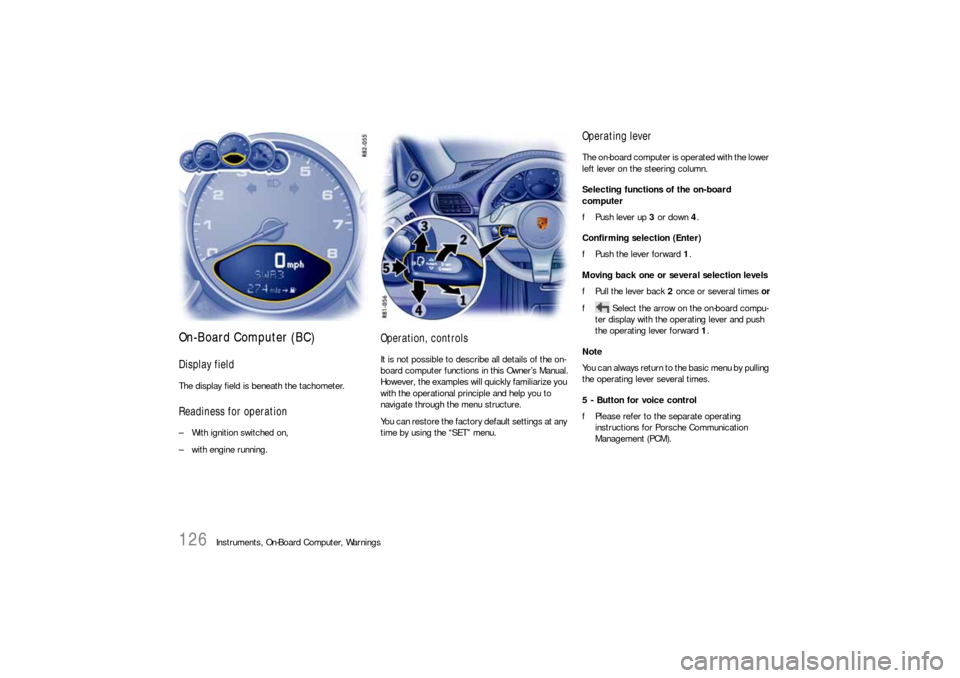
On-Board Computer (BC)Display fieldThe display field is beneath the tachometer.Readiness for operation– With ignition switched on,
– with engine running.
Operation, controlsIt is not possible to describe all details of the on-
board computer functions in this Owner’s Manual.
However, the examples will quickly familiarize you
with the operational principle and help you to
navigate through the menu structure.
You can restore the factory default settings at any
time by using the “SET” menu.
Operating leverThe on-board computer is operated with the lower
left lever on the steering column.
Selecting functions of the on-board
computer
fPush lever up 3 or down 4.
Confirming selection (Enter)
fPush the lever forward 1.
Moving back one or several selection levels
fPull the lever back 2 once or several times or
f Select the arrow on the on-board compu-
ter display with the operating lever and push
the operating lever forward 1.
Note
You can always return to the basic menu by pulling
the operating lever several times.
5 - Button for voice control
fPlease refer to the separate operating
instructions for Porsche Communication
Management (PCM).
Page 129 of 310
Instruments, On-Board Computer, Warnings
127
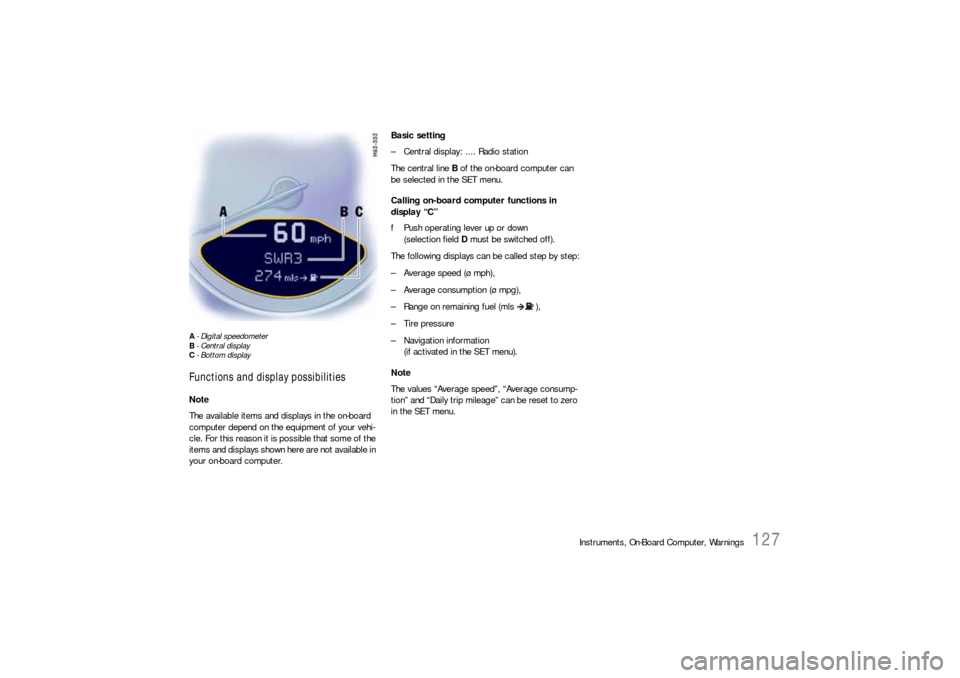
A- Digital speedometer
B-Central display
C- Bottom displayFunctions and display possibilitiesNote
The available items and displays in the on-board
computer depend on the equipment of your vehi-
cle. For this reason it is possible that some of the
items and displays shown here are not available in
your on-board computer.Basic setting
– Central display: .... Radio station
The central line B of the on-board computer can
be selected in the SET menu.
Calling on-board computer functions in
display “C”
fPush operating lever up or down
(selection field D must be switched off).
The following displays can be called step by step:
– Average speed (ø mph),
– Average consumption (ø mpg),
– Range on remaining fuel (mls ),
– Tire pressure
– Navigation information
(if activated in the SET menu).
Note
The values “Average speed”, “Average consump-
tion” and “Daily trip mileage” can be reset to zero
in the SET menu.
Page 132 of 310
130
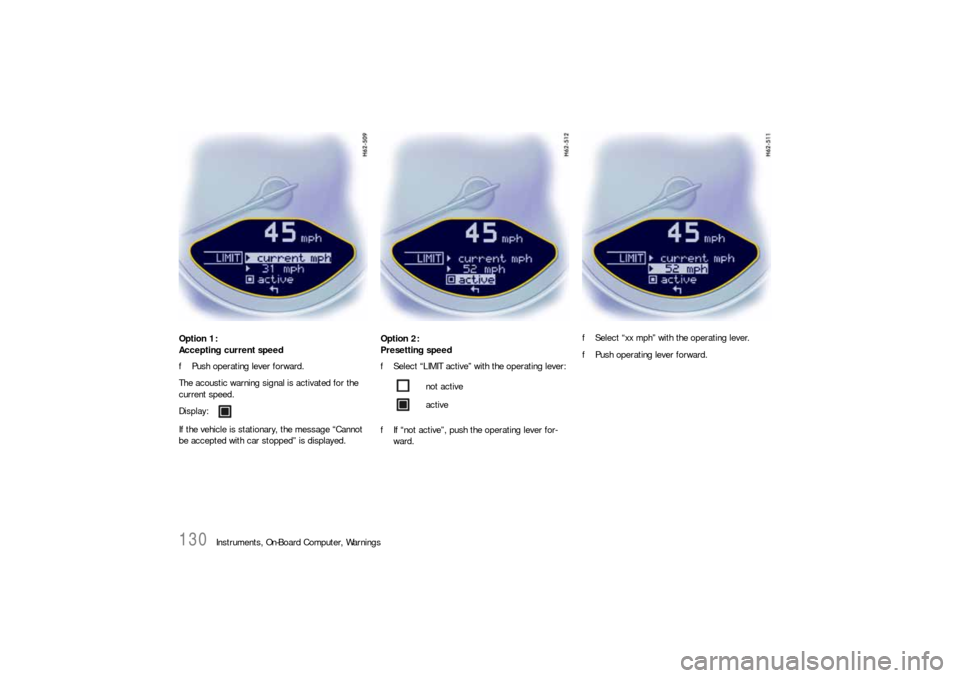
Instruments, On-Board Computer, Warnings Option 1:
Accepting current speed
fPush operating lever forward.
The acoustic warning signal is activated for the
current speed.
If the vehicle is stationary, the message “Cannot
be accepted with car stopped” is displayed.Option 2:
Presetting speed
fSelect “LIMIT active” with the operating lever:
fIf “not active”, push the operating lever for-
ward.fSelect “xx mph” with the operating lever.
fPush operating lever forward.
Display:
not active
active
Page 133 of 310
Instruments, On-Board Computer, Warnings
131
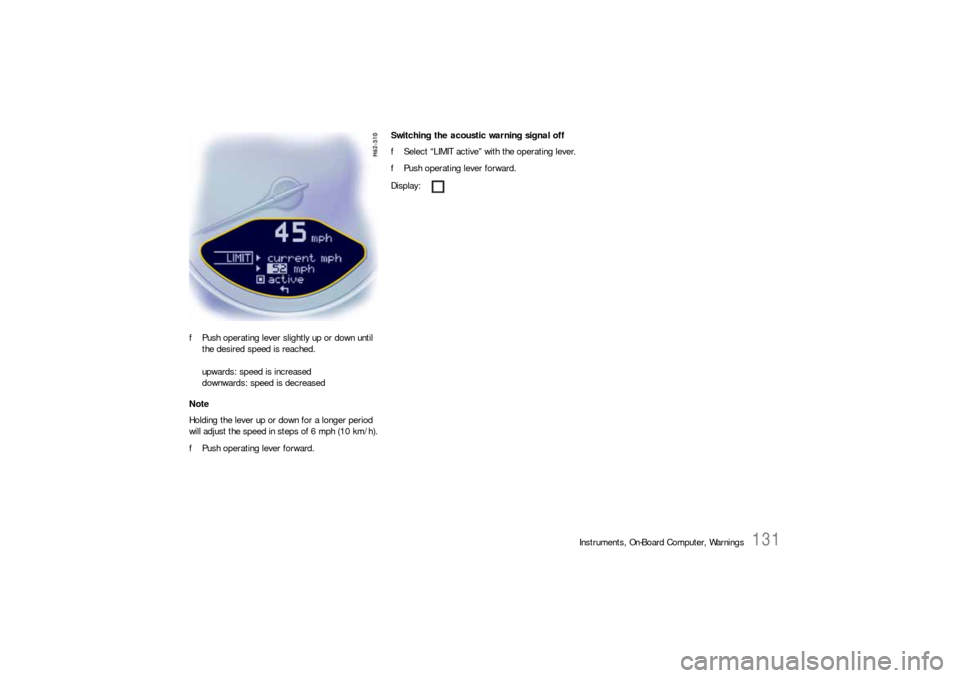
fPush operating lever slightly up or down until
the desired speed is reached.
upwards: speed is increased
downwards: speed is decreased
Note
Holding the lever up or down for a longer period
will adjust the speed in steps of 6 mph (10 km/h).
fPush operating lever forward.Switching the acoustic warning signal off
fSelect “LIMIT active” with the operating lever.
fPush operating lever forward.
Display:
Page 134 of 310
132
Instruments, On-Board Computer, Warnings
INFO
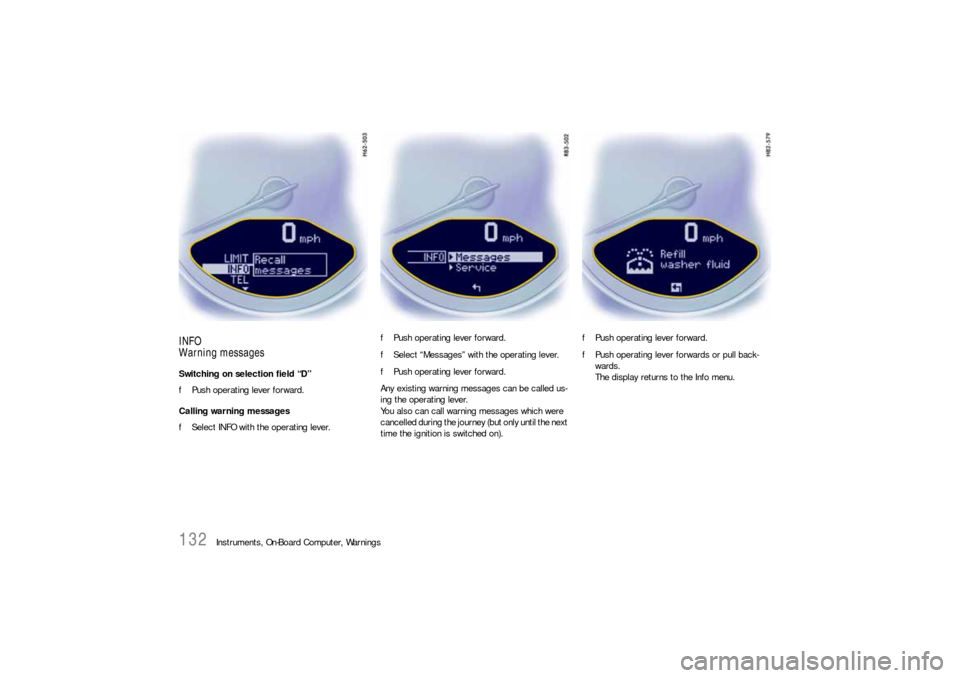
Warning messagesSwitching on selection field “D”
fPush operating lever forward.
Calling warning messages
fSelect INFO with the operating lever.fPush operating lever forward.
fSelect “Messages” with the operating lever.
fPush operating lever forward.
Any existing warning messages can be called us-
ing the operating lever.
You also can call warning messages which were
cancelled during the journey (but only until the next
time the ignition is switched on).fPush operating lever forward.
fPush operating lever forwards or pull back-
wards.
The display returns to the Info menu.
Page 135 of 310
Instruments, On-Board Computer, Warnings
133
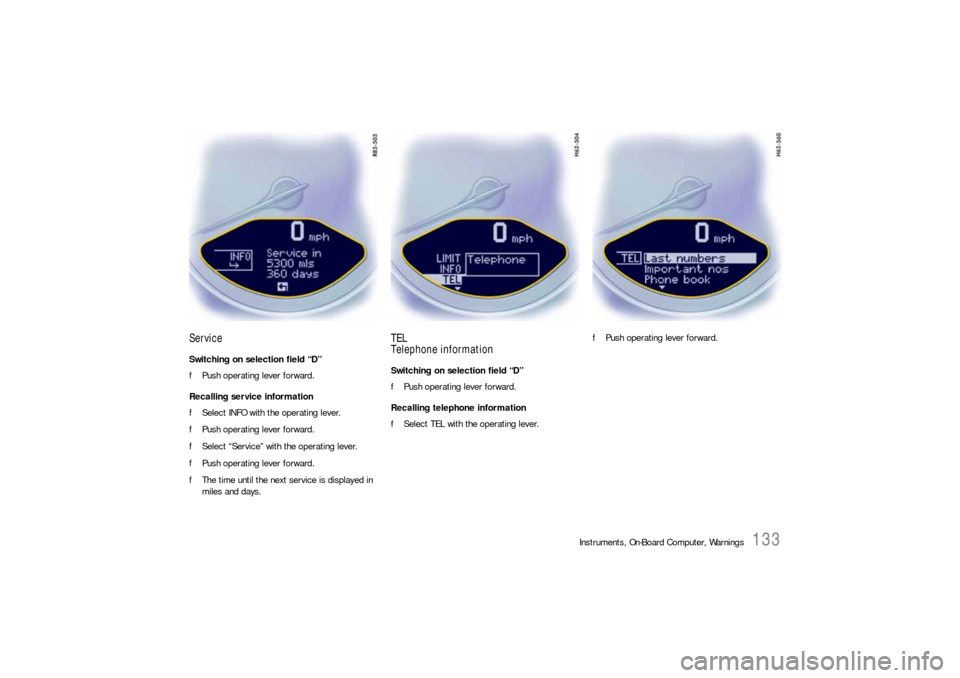
ServiceSwitching on selection field “D”
fPush operating lever forward.
Recalling service information
fSelect INFO with the operating lever.
fPush operating lever forward.
fSelect “Service” with the operating lever.
fPush operating lever forward.
fThe time until the next service is displayed in
miles and days.
TEL
Telephone informationSwitching on selection field “D”
fPush operating lever forward.
Recalling telephone information
fSelect TEL with the operating lever.fPush operating lever forward.
Page 138 of 310
136
Instruments, On-Board Computer, Warnings
CHRONO
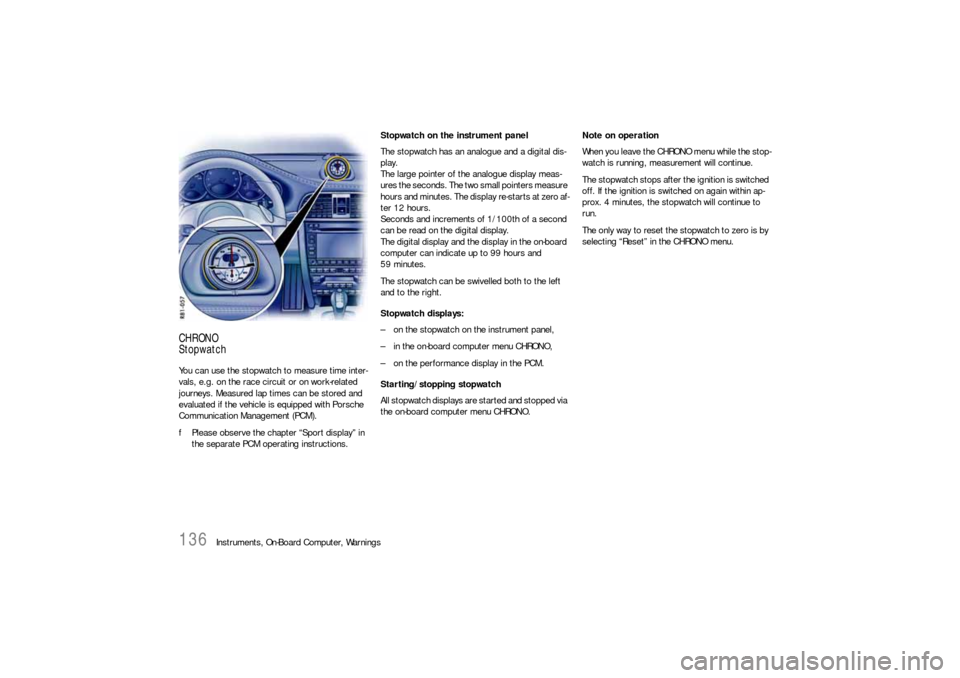
StopwatchYou can use the stopwatch to measure time inter-
vals, e.g. on the race circuit or on work-related
journeys. Measured lap times can be stored and
evaluated if the vehicle is equipped with Porsche
Communication Management (PCM).
fPlease observe the chapter “Sport display” in
the separate PCM operating instructions.Stopwatch on the instrument panel
The stopwatch has an analogue and a digital dis-
play.
The large pointer of the analogue display meas-
ures the seconds. The two small pointers measure
hours and minutes. The display re-starts at zero af-
ter 12 hours.
Seconds and increments of 1/100th of a second
can be read on the digital display.
The digital display and the display in the on-board
computer can indicate up to 99 hours and
59 minutes.
The stopwatch can be swivelled both to the left
and to the right.
Stopwatch displays:
– on the stopwatch on the instrument panel,
– in the on-board computer menu CHRONO,
– on the performance display in the PCM.
Starting/stopping stopwatch
All stopwatch displays are started and stopped via
the on-board computer menu CHRONO.Note on operation
When you leave the CHRONO menu while the stop-
watch is running, measurement will continue.
The stopwatch stops after the ignition is switched
off. If the ignition is switched on again within ap-
prox. 4 minutes, the stopwatch will continue to
run.
The only way to reset the stopwatch to zero is by
selecting “Reset” in the CHRONO menu.
Page 139 of 310
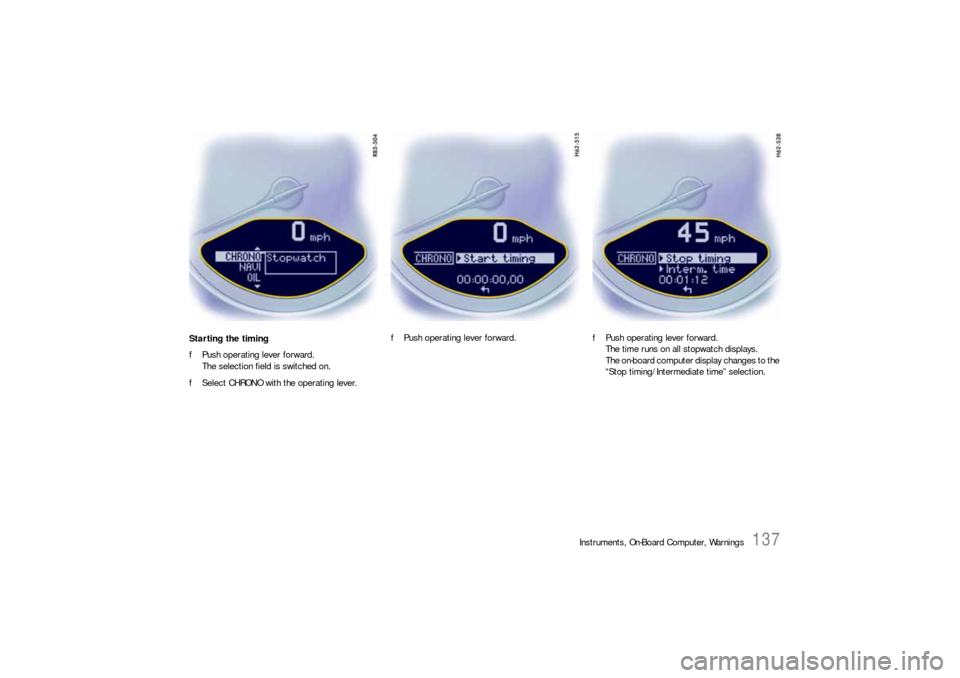
Instruments, On-Board Computer, Warnings
137
Starting the timing
fPush operating lever forward.
The selection field is switched on.
fSelect CHRONO with the operating lever.fPush operating lever forward.fPush operating lever forward.
The time runs on all stopwatch displays.
The on-board computer display changes to the
“Stop timing/Intermediate time” selection.