wheel PORSCHE 911 2009 5.G Owner's Guide
[x] Cancel search | Manufacturer: PORSCHE, Model Year: 2009, Model line: 911, Model: PORSCHE 911 2009 5.GPages: 310, PDF Size: 3.39 MB
Page 100 of 310

98
Operation, Safety
Porsche Communication
Management (PCM) fRefer to the separate operating instructions
before putting the PCM into operation.
fPlease see the chapter “LOAD SWITCH-OFF
AFTER 2 HOURS OR 7 DAYS” on Page 258.
Warning!
There is a danger of accident if you set or
operate the on-board computer, radio, navi-
gation system, telephone or other equipment
when driving.
This could distract you from the traffic and
cause you to lose control of the vehicle re-
sulting in serious personal injury or death.
fOperate the components while driving only if
the traffic situation allows you to do so safely.
fCarry out any complicated operating or setting procedures only with the vehicle stationary.
The reception conditions for the radio module
integrated in the PCM change continuously as you
drive. Interference from buildings, terrain and the
weather is unavoidable.
FM stereo reception is particularly susceptible to
varying reception conditions.
Electronic accessories should only be retrofitted
by your authorized Porsche dealer.Accessories which have not been tested and
approved by Porsche may impair radio function
and reception.
NavigationWhen put into operation for the first time, a
distance of approx. 30 miles (50 km) must be
driven in order for the navigation system to
complete the process of fine calibration.
The same applies when the tires are changed (e.g.
summer/snow tires) or new tires fitted.
Full location accuracy is not yet achieved during
the fine-calibration process.
If the vehicle has been transported (e.g. ferry, car
train), the system may take a few minutes to deter-
mine the current location after it has been
switched on.
Serious tire slip (e.g. spinning wheels on snow)
may result in temporarily inaccurate navigation.
When the battery has been disconnected, it may
take up to 15 minutes before the navigation
system is operational again.
Car Audio Operation/Tips For radio operation see your radio manual
which is included with your on-board litera-
ture.
fPlease see the chapter “LOAD SWITCH-OFF AF-
TER 2 HOURS OR 7 DAYS” on Page 258.
FM reception
A vehicle is not an ideal place to listen to a radio.
Because the vehicle moves, reception conditions
are constantly changing.
Buildings, terrain, signal distance and noise from
other vehicles are all working against good recep-
tion.
Some conditions affecting FM may appear to be
problems when they are not.
The following characteristics are completely nor-
mal for a given reception area, and they do not in-
dicate any problem with the radio itself.
Note
Electronic accessories should only be installed by
your authorized Porsche dealer.
Equipment which has not been tested and ap-
proved by Porsche may impair radio reception.
Page 102 of 310

100
Operation, Safety
AntennafAlways unscrew the external antenna before
using an automatic car-wash.
On the Cabriolet and Targa the external antenna is
mounted on the right front fender.
Car Telephone and
Aftermarket Alarms Important legal and safety information
regarding the use of cellular telephones
Some states may prohibit the use of cellular tele-
phones while driving a vehicle. Check the laws and
regulations on the use of cellular telephones in the
areas where you drive.
Danger!
Risk of an accident.
Severe personal injury or death can result in
the event of an accident.
Looking away from the road or turning your
attention away from your driving can cause
an accident and serious or fatal injury.
When using your cellular telephone, you should al-
ways:
fGive full attention to your driving - pull off the
road and park before making or answering a
call if traffic conditions so require; and
fKeep both hands on the steering wheel - use
hands-free operation (if available) - pull off the
road and park before using a hand-held tele-phone. It is essential to observe the telephone
manufacturer's instructions before operating
the telephone.
Any portable telephone or radio transmitter which
is used in a Porsche must be properly installed in
accordance with the technical requirements of
Porsche.
The transmission power must not exceed
10 W.
The devices must possess a type approval for
your vehicle and have an “e” symbol.
If you should require equipment with transmission
power values greater than 10 W, please consult
your authorized Porsche dealer for this purpose.
The dealer is familiar with the technical require-
ments for installing devices of this kind.
The antennas for all radios and telephones with a
transmitting antenna must be externally mounted.
The improper installation of radios or telephones
or use of a radio or telephone with a transmitting
antenna inside the car may cause the warning
lights to come on.
Improper installation of such equipment can cre-
ate a discharged battery or excessive current
draw from added equipment.
Page 111 of 310
Automatic air conditioning system, Heated rear window/Door mirror heating
109
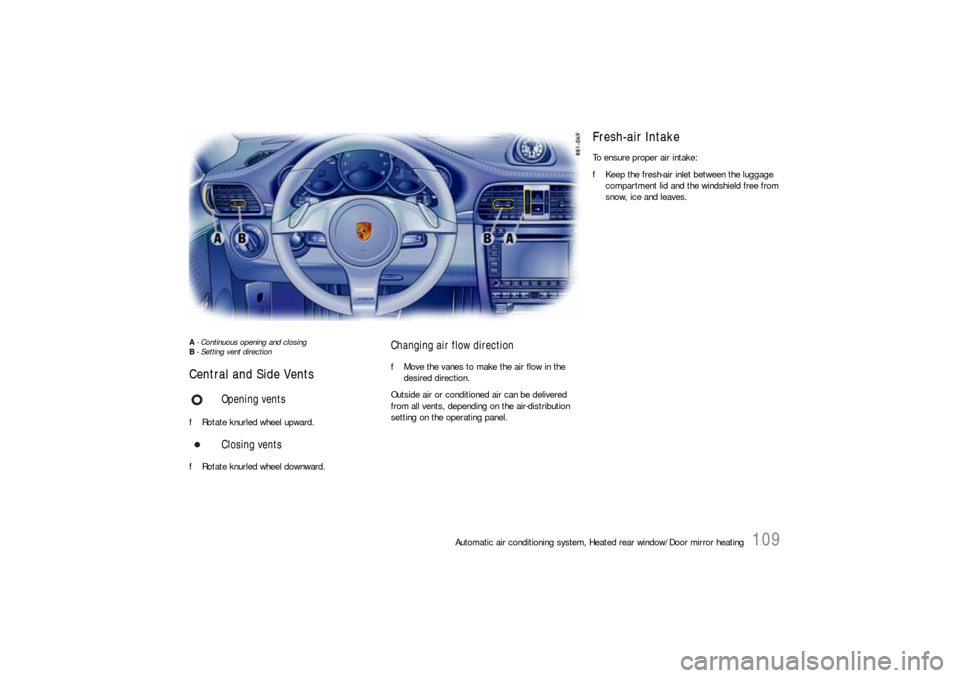
A- Continuous opening and closing
B- Setting vent direction Central and Side Vents fRotate knurled wheel upward.
fRotate knurled wheel downward.
Changing air flow direction fMove the vanes to make the air flow in the
desired direction.
Outside air or conditioned air can be delivered
from all vents, depending on the air-distribution
setting on the operating panel.
Opening vents
Closing vents
Fresh-air Intake To ensure proper air intake:
fKeep the fresh-air inlet between the luggage
compartment lid and the windshield free from
snow, ice and leaves.
Page 118 of 310

116
Instruments, On-Board Computer, Warnings The engine oil temperature is indicated in the left
instrument.
A- Adjustment button for instrument illumination and
trip counter Indicates automatic speed control readiness.
Instrument Illumination The illumination is automatically adjusted to the
ambient brightness by the light sensor in the
tachometer.
In addition, when the car lights are switched on,
the instrument and switch symbol brightness can
be manually adjusted.
Warning!
Risk of loss of control or accident, resulting
in serious personal injury or death.
fDo not reach through the steering-wheel spokes while driving.
Note
When the car lights are switched on, the instru-
ment lighting for light dials switches on and off
automatically depending on the ambient bright-
ness.
Engine Oil Temperature
Automatic Speed Control
Indicator light
Page 119 of 310

Instruments, On-Board Computer, Warnings
117
Dimming instrument illumination
fTurn adjustment button A in the appropriate di-
rection and hold it until the desired brightness
has been reached.
The chosen level of brightness is indicated by a
bar display in the display field of the on-board
computer.
Trip Odometer
Warning!
Risk of loss of control or accident, resulting
in serious personal injury or death.
fDo not reach through the steering-wheel spokes while driving.
Resetting to zero fPress adjustment button A for approximately
one second or
fReset the distance in the “SET” menu of the on-
board computer.
Please see the chapter “SET BASIC SETTING
ON ON-BOARD COMPUTER” on Page 155.
After exceeding 6,213 miles or 9,999 kilometers,
the counter returns to “0”.
Page 125 of 310
Instruments, On-Board Computer, Warnings
123
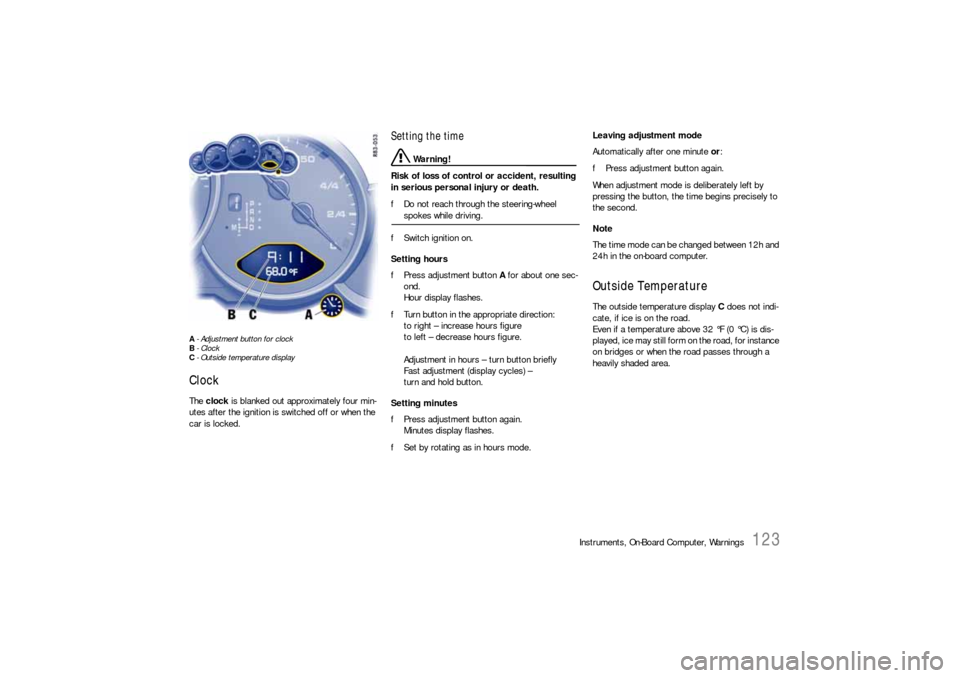
A- Adjustment button for clock
B- Clock
C- Outside temperature displayClock The clock is blanked out approximately four min-
utes after the ignition is switched off or when the
car is locked.
Setting the time
Warning!
Risk of loss of control or accident, resulting
in serious personal injury or death.
fDo not reach through the steering-wheel spokes while driving.
fSwitch ignition on.
Setting hours
fPress adjustment button A for about one sec-
ond.
Hour display flashes.
fTurn button in the appropriate direction:
to right – increase hours figure
to left – decrease hours figure.
Adjustment in hours – turn button briefly
Fast adjustment (display cycles) –
turn and hold button.
Setting minutes
fPress adjustment button again.
Minutes display flashes.
fSet by rotating as in hours mode. Leaving adjustment mode
Automatically after one minute or:
fPress adjustment button again.
When adjustment mode is deliberately left by
pressing the button, the time begins precisely to
the second.
Note
The time mode can be changed between 12h and
24h in the on-board computer.
Outside Temperature The outside temperature display C does not indi-
cate, if ice is on the road.
Even if a temperature above 32 °F (0 °C) is dis-
played, ice may still form on the road, for instance
on bridges or when the road passes through a
heavily shaded area.
Page 145 of 310
Instruments, On-Board Computer, Warnings
143
TPM
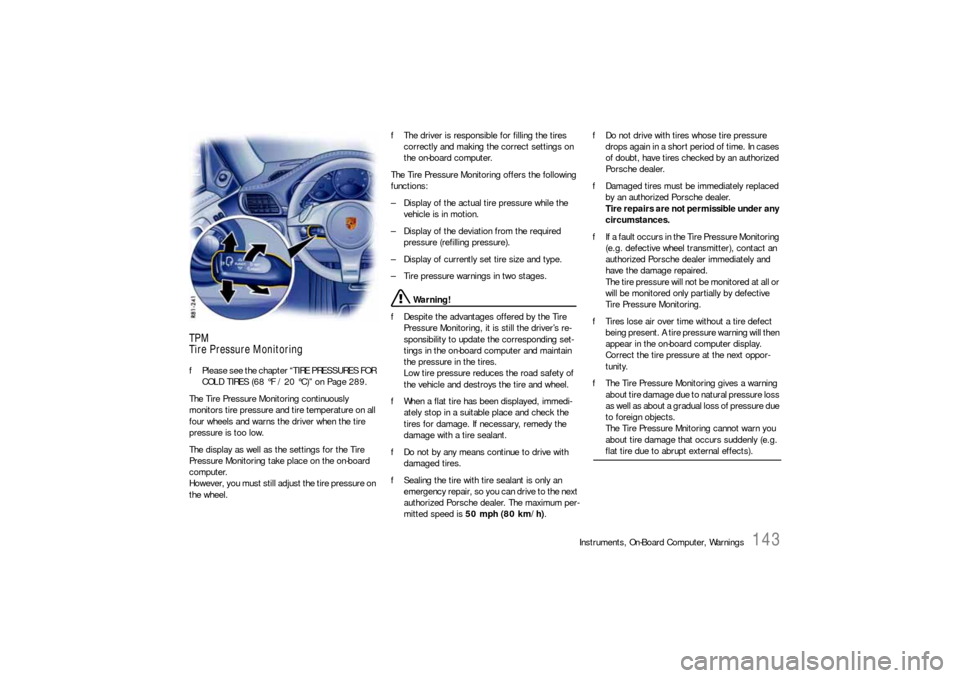
Tire Pressure MonitoringfPlease see the chapter “TIRE PRESSURES FOR
COLD TIRES (68 °F / 20 °C)” on Page 289.
The Tire Pressure Monitoring continuously
monitors tire pressure and tire temperature on all
four wheels and warns the driver when the tire
pressure is too low.
The display as well as the settings for the Tire
Pressure Monitoring take place on the on-board
computer.
However, you must still adjust the tire pressure on
the wheel.fThe driver is responsible for filling the tires
correctly and making the correct settings on
the on-board computer.
The Tire Pressure Monitoring offers the following
functions:
– Display of the actual tire pressure while the
vehicle is in motion.
– Display of the deviation from the required
pressure (refilling pressure).
– Display of currently set tire size and type.
– Tire pressure warnings in two stages.
Warning!
fDespite the advantages offered by the Tire
Pressure Monitoring, it is still the driver’s re-
sponsibility to update the corresponding set-
tings in the on-board computer and maintain
the pressure in the tires.
Low tire pressure reduces the road safety of
the vehicle and destroys the tire and wheel.
fWhen a flat tire has been displayed, immedi-
ately stop in a suitable place and check the
tires for damage. If necessary, remedy the
damage with a tire sealant.
fDo not by any means continue to drive with
damaged tires.
fSealing the tire with tire sealant is only an
emergency repair, so you can drive to the next
authorized Porsche dealer. The maximum per-
mitted speed is 50 mph (80 km/h).fDo not drive with tires whose tire pressure
drops again in a short period of time. In cases
of doubt, have tires checked by an authorized
Porsche dealer.
fDamaged tires must be immediately replaced
by an authorized Porsche dealer.
Tire repairs are not permissible under any
circumstances.
fIf a fault occurs in the Tire Pressure Monitoring
(e.g. defective wheel transmitter), contact an
authorized Porsche dealer immediately and
have the damage repaired.
The tire pressure will not be monitored at all or
will be monitored only partially by defective
Tire Pressure Monitoring.
fTires lose air over time without a tire defect
being present. A tire pressure warning will then
appear in the on-board computer display.
Correct the tire pressure at the next oppor-
tunity.
fThe Tire Pressure Monitoring gives a warning
about tire damage due to natural pressure loss
as well as about a gradual loss of pressure due
to foreign objects.
The Tire Pressure Mnitoring cannot warn you
about tire damage that occurs suddenly (e.g.
flat tire due to abrupt external effects).
Page 146 of 310
144
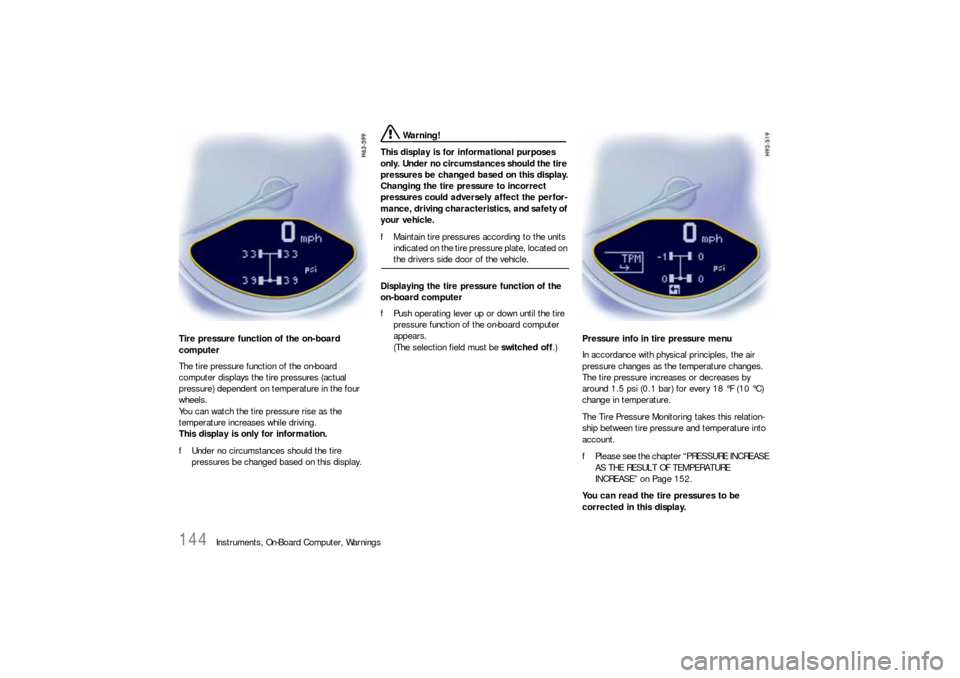
Instruments, On-Board Computer, Warnings Tire pressure function of the on-board
computer
The tire pressure function of the on-board
computer displays the tire pressures (actual
pressure) dependent on temperature in the four
wheels.
You can watch the tire pressure rise as the
temperature increases while driving.
This display is only for information.
fUnder no circumstances should the tire
pressures be changed based on this display.
Warning!
This display is for informational purposes
only. Under no circumstances should the tire
pressures be changed based on this display.
Changing the tire pressure to incorrect
pressures could adversely affect the perfor-
mance, driving characteristics, and safety of
your vehicle.
fMaintain tire pressures according to the units
indicated on the tire pressure plate, located on the drivers side door of the vehicle.
Displaying the tire pressure function of the
on-board computer
fPush operating lever up or down until the tire
pressure function of the on-board computer
appears.
(The selection field must be switched off.)Pressure info in tire pressure menu
In accordance with physical principles, the air
pressure changes as the temperature changes.
The tire pressure increases or decreases by
around 1.5 psi (0.1 bar) for every 18 °F (10 °C)
change in temperature.
The Tire Pressure Monitoring takes this relation-
ship between tire pressure and temperature into
account.
fPlease see the chapter “PRESSURE INCREASE
AS THE RESULT OF TEMPERATURE
INCREASE” on Page 152.
You can read the tire pressures to be
corrected in this display.
Page 147 of 310
Instruments, On-Board Computer, Warnings
145
The tire pressure to be corrected (refill pressure)
is indicated on the displayed wheel.
Example: If “ –1.5 psi (–0.1 bar)” is displayed,
1.5 psi (0.1 bar) must be added to this tire.
Note
The tire pressure menu can only be called up when
the vehicle is stationary.
Calling up the “Info pressure” display
fPush operating lever forward in order to switch
on the selection field.
fSelect “TPM” with the operating lever.
fPush operating lever forward.
The display changes to the tire pressure menu.
fSelect “Info pressure” with the operating lever.
fPush operating lever forward.
Note
After the ignition is switched on, it can take up to
approx. 1 minute before all tire pressures are
displayed. Dashes (“-.-”) appear instead of the tire
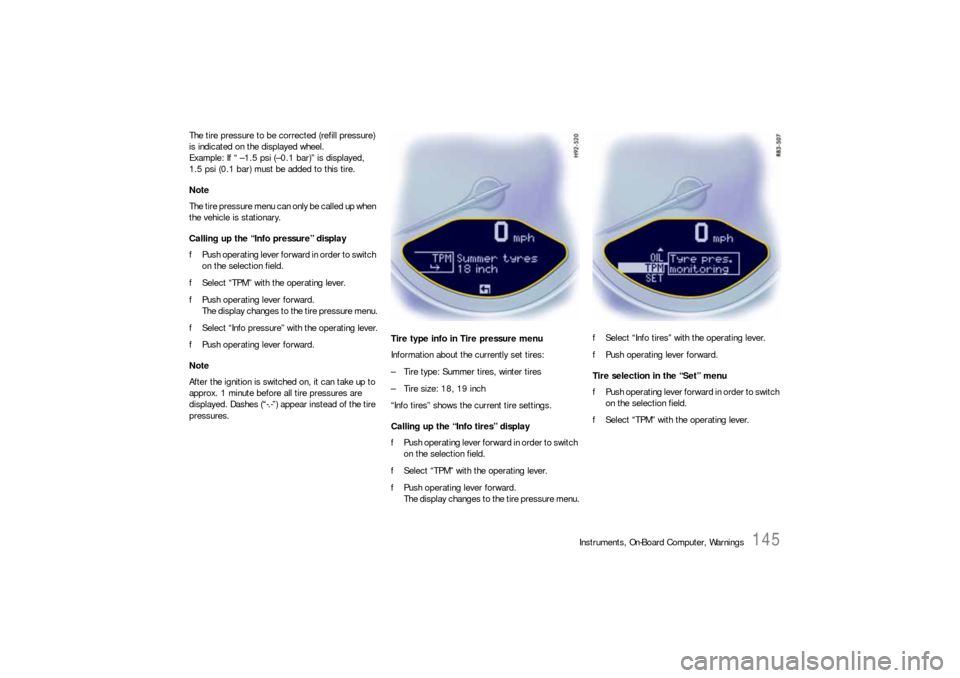
pressures. Tire type info in Tire pressure menu
Information about the currently set tires:
– Tire type: Summer tires, winter tires
– Tire size: 18, 19 inch
“Info tires” shows the current tire settings.
Calling up the “Info tires” display
fPush operating lever forward in order to switch
on the selection field.
fSelect “TPM” with the operating lever.
fPush operating lever forward.
The display changes to the tire pressure menu.fSelect “Info tires” with the operating lever.
fPush operating lever forward.
Tire selection in the “Set” menu
fPush operating lever forward in order to switch
on the selection field.
fSelect “TPM” with the operating lever.
Page 150 of 310
148
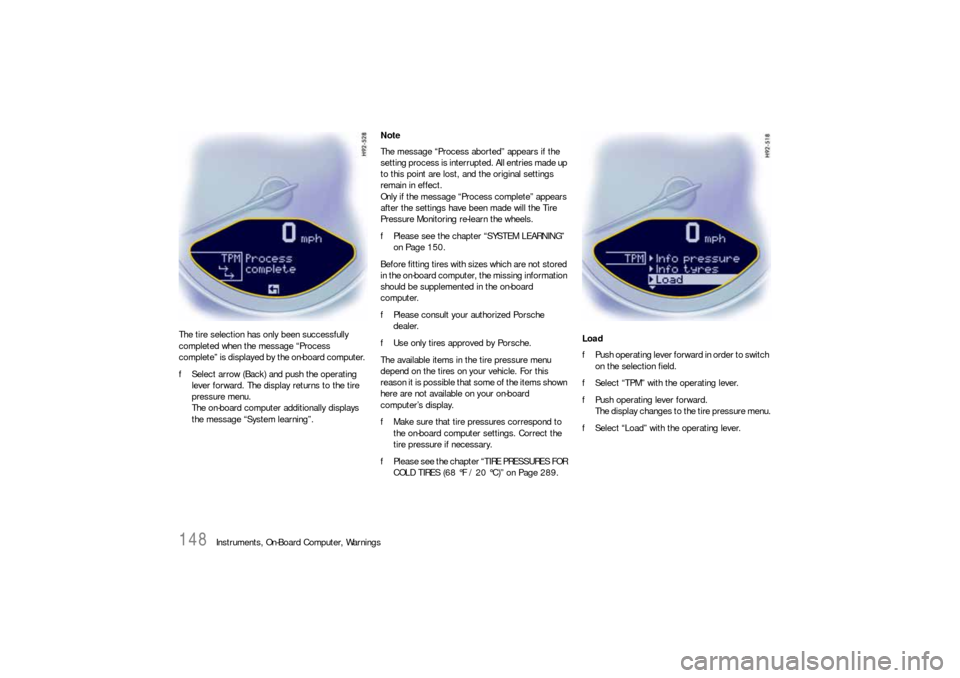
Instruments, On-Board Computer, Warnings The tire selection has only been successfully
completed when the message “Process
complete” is displayed by the on-board computer.
fSelect arrow (Back) and push the operating
lever forward. The display returns to the tire
pressure menu.
The on-board computer additionally displays
the message “System learning”.Note
The message “Process aborted” appears if the
setting process is interrupted. All entries made up
to this point are lost, and the original settings
remain in effect.
Only if the message “Process complete” appears
after the settings have been made will the Tire
Pressure Monitoring re-learn the wheels.
fPlease see the chapter “SYSTEM LEARNING”
on Page 150.
Before fitting tires with sizes which are not stored
in the on-board computer, the missing information
should be supplemented in the on-board
computer.
fPlease consult your authorized Porsche
dealer.
fUse only tires approved by Porsche.
The available items in the tire pressure menu
depend on the tires on your vehicle. For this
reason it is possible that some of the items shown
here are not available on your on-board
computer’s display.
fMake sure that tire pressures correspond to
the on-board computer settings. Correct the
tire pressure if necessary.
fPlease see the chapter “TIRE PRESSURES FOR
COLD TIRES (68 °F / 20 °C)” on Page 289.Load
fPush operating lever forward in order to switch
on the selection field.
fSelect “TPM” with the operating lever.
fPush operating lever forward.
The display changes to the tire pressure menu.
fSelect “Load” with the operating lever.