warning light PORSCHE 911 2009 5.G Workshop Manual
[x] Cancel search | Manufacturer: PORSCHE, Model Year: 2009, Model line: 911, Model: PORSCHE 911 2009 5.GPages: 310, PDF Size: 3.39 MB
Page 152 of 310
150
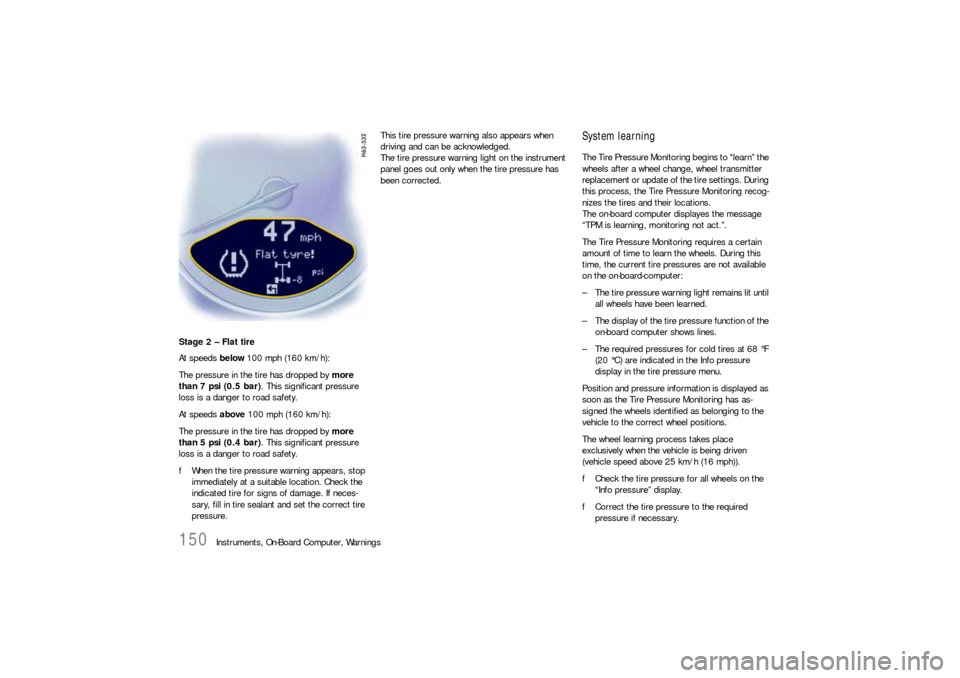
Instruments, On-Board Computer, Warnings Stage 2 – Flat tire
At speeds below 100 mph (160 km/h):
The pressure in the tire has dropped by more
than 7 psi (0.5 bar). This significant pressure
loss is a danger to road safety.
At speeds above 100 mph (160 km/h):
The pressure in the tire has dropped by more
than 5 psi (0.4 bar). This significant pressure
loss is a danger to road safety.
fWhen the tire pressure warning appears, stop
immediately at a suitable location. Check the
indicated tire for signs of damage. If neces-
sary, fill in tire sealant and set the correct tire
pressure.This tire pressure warning also appears when
driving and can be acknowledged.
The tire pressure warning light on the instrument
panel goes out only when the tire pressure has
been corrected.
System learningThe Tire Pressure Monitoring begins to “learn” the
wheels after a wheel change, wheel transmitter
replacement or update of the tire settings. During
this process, the Tire Pressure Monitoring recog-
nizes the tires and their locations.
The on-board computer displayes the message
“TPM is learning, monitoring not act.”.
The Tire Pressure Monitoring requires a certain
amount of time to learn the wheels. During this
time, the current tire pressures are not available
on the on-board-computer:
– The tire pressure warning light remains lit until
all wheels have been learned.
– The display of the tire pressure function of the
on-board computer shows lines.
– The required pressures for cold tires at 68 °F
(20 °C) are indicated in the Info pressure
display in the tire pressure menu.
Position and pressure information is displayed as
soon as the Tire Pressure Monitoring has as-
signed the wheels identified as belonging to the
vehicle to the correct wheel positions.
The wheel learning process takes place
exclusively when the vehicle is being driven
(vehicle speed above 25 km/h (16 mph)).
fCheck the tire pressure for all wheels on the
“Info pressure” display.
fCorrect the tire pressure to the required
pressure if necessary.
Page 153 of 310

Instruments, On-Board Computer, Warnings
151
Changing a wheel and replacing tiresfNew wheels must be fitted with radio transmit-
ters for the Tire Pressure Monitoring.
Before tires are changed, the battery charge
state of the wheel transmitters should be
checked at an authorized Porsche dealer.
fSwitch the ignition off when changing a wheel.
The tire settings on the on-board computer must
be updated after changing a wheel.
If the tire settings are not updated, the message
“Wheel change? Input new TPM settings!” is
displayed on the on-board computer.
fUpdate the on-board computer settings when
the vehicle is stationary the next time.
Warning!
Your vehicle has also been equipped with a Tire
Pressure Monitoring (TPM) malfunction indicator
when the system is not operating properly.
The TPM malfunction indicator is combined with a
low tire pressure telltale.
When the system detects a malfunction, the tellta-
le will flash for approx. one minute and then remain
continuously illuminated. This sequence will conti-
nue upon subsequent vehicle start-ups as long as
the malfunction exists.
When the malfunction indicator is illuminated, the
system may not be able to detect or signal low tire
pressure as intended.
TPM malfuntions may occur for a variety of
reasons, including the installation of replacement
or alternate tires or wheels on the vehicle that
prevent the TPM from functioning properly.
Always check the TPM malfunction telltale after
replacing one or more tires or wheels on your
vehicle to ensure that the replacement or alter-
nate tires and wheels allow the TPM to continue to
function properly.The warning light in the speedometer lights up:
– When a loss in pressure has been detected.
– When learning newly mounted wheels/wheel
sensors, as long as the vehicle’s own wheels
have not yet been recognized.
In the event of a defect in Tire Pressure Monitoring
or a temporary fault, the warning light in the
speedometer flashes for approx. one minute and
then remains continuously illuminated.
The tire pressure warning light in the instrument
panel goes out only when the cause of the fault
has been rectified.
Partial monitoringMonitoring of the other wheels is continued if there
is a fault in one or two wheel transmitters.
– The tire pressure warning light lights up.
– The message “TPM partial monitoring” is
displayed on the on-board computer.
– No tire pressures are displayed on the on-
board computer for wheels with faulty wheel
transmitters.
Warning light
Page 154 of 310

152
Instruments, On-Board Computer, Warnings
No monitoringIn the event of faults the Tire Pressure Monitoring
cannot monitor the tire pressure.
The warning light in the speedometer flashes for
approx. one minute and then remains continuously
illuminated and a corresponding message
appears on the on-board computer.
Monitoring is not active when:
– the Tire Pressure Monitoring is faulty,
– wheel transmitters for the Tire Pressure
Monitoring are missing,
– during the learning phase after the tire settings
have been updated,
– after a wheel change without updating the tire
settings,
– more than four wheel transmitters are
detected,
– there is external interference by other radio
sources, e.g. wireless headphones,
– tire temperatures are too high.
fPlease see the chapter “WARNINGS ON THE
INSTRUMENT PANEL AND THE ON-BOARD
COMPUTER” on Page 158.
Pressure increase as the result of
temperature increaseIn accordance with physical principles, the air
pressure changes as the temperature changes.
The tire pressure increases or decreases by
around 1.5 psi (0.1 bar) for every 18 °F (10 °C)
change in temperature.
The Tire Pressure Monitoring takes this relation-
ship between tire pressure and temperature into
account.Tire pressure specificationsInformation on tire pressure for public roads can
be found in this Owner's Manual in the Technical
Data chapter or on the tire-pressure plate in the
left door aperture.
These values apply to cold tires at 68 °F (20 °C)
ambient temperature.
Page 158 of 310
156
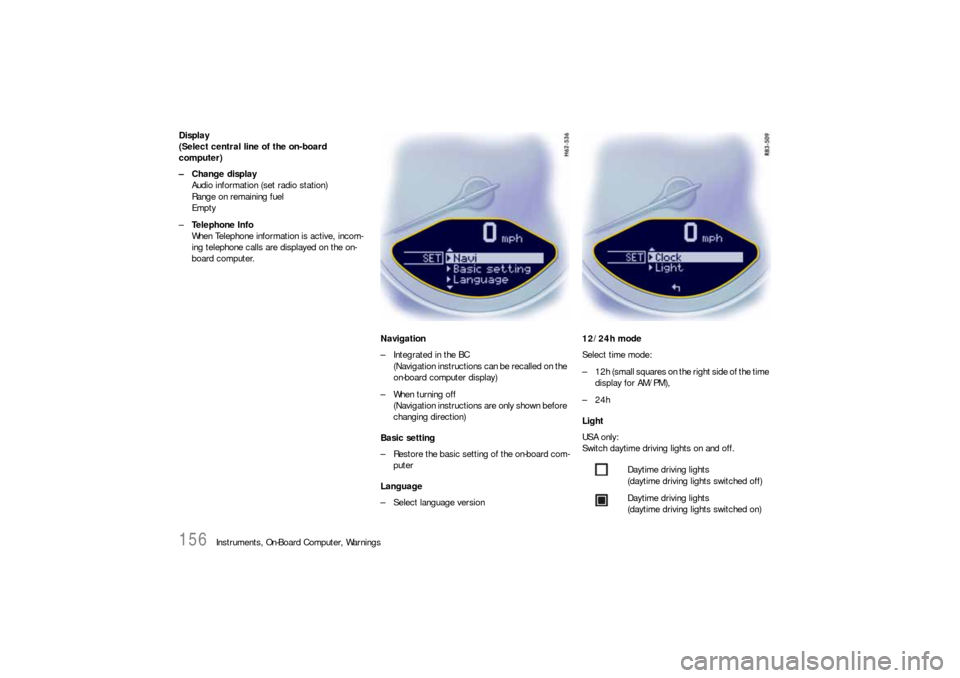
Instruments, On-Board Computer, Warnings Display
(Select central line of the on-board
computer)
– Change display
Audio information (set radio station)
Range on remaining fuel
Empty
–Te l e p h o n e I n f o
When Telephone information is active, incom-
ing telephone calls are displayed on the on-
board computer.
Navigation
– Integrated in the BC
(Navigation instructions can be recalled on the
on-board computer display)
– When turning off
(Navigation instructions are only shown before
changing direction)
Basic setting
– Restore the basic setting of the on-board com-
puter
Language
– Select language version12/24h mode
Select time mode:
– 12h (small squares on the right side of the time
display for AM/PM),
–24h
Light
USA only:
Switch daytime driving lights on and off.
Daytime driving lights
(daytime driving lights switched off)
Daytime driving lights
(daytime driving lights switched on)
Page 160 of 310

158
Warnings
Warnings on the instrument panel and the on-board computerIf a warning message appears, always refer to the corresponding chapters in the Owner’s Manual.
Warning messages are issued only if all measurement preconditions are met. Therefore, check all fluid levels regularly –
in particular, always check the engine oil level before refuelling.
Instrument
panelOn-board
computerText display on on-board
computerMeaning/measure
Seat belt Driver and passengers must fasten their seat
belts.
Handbrake Handbrake is still on.
Ignition key
not removed
Replace battery
in ignition keyReplace the remote-control battery.
Ignition lock faulty,
please go to workshopHave the fault remedied at an authorized
Porsche dealer.
Ignition lock faulty,
visit workshop nowHave the fault remedied at an authorized
Porsche dealer.
Relieve steering Relieve the steering l o c k b y m o v i n g t h e s t e e r i n g
wheel to the left or right.
Steering locked The steering wheel lock remains engaged.
Have the fault remedied at an authorized
Porsche dealer.
Lights on Low beam/side marker lamps on
Parking light on Left/right parking light on
Page 161 of 310

Warnings
159
Check left/right dipped beam (low
beam)
also applies to:
direction indicator, high beam, side in-
dicator light, reversing light, side
markerThe reported light is faulty. Check bulb.
Have the fault remedied at an authorized
Porsche dealer.
Daytime
driving lights offDaytime driving lights switch off when the en-
gine is shut off. Switch on lights if necessary.
Headlight beam
adjustment faultyHave the fault remedied at an authorized
Porsche dealer.
Front lid not closed Close luggage compartment lid properly.
Rear lid not closed Close engine compartment lid properly.
Targa flap not closed Close glass rear hatch
Rain sensor faulty Have the fault remedied at an authorized
Porsche dealer.
Steering wheel heating
ONSteering wheel heating was switched on.
Steering wheel heating
OFFSteering wheel heating was switched off.
Launch
control
active
Drive Off Assistant
failureHave the fault remedied at an authorized
Porsche dealer.
Refill washer fluid
Instrument
panelOn-board
computerText display on on-board
computerMeaning/measure
Page 162 of 310

160
Warnings
LIMIT
Cannot be accepted
with vehicle stoppedThe current speed can only b e a c c e p t e d f o r t h e
acoustic warning signal when the vehicle is in
motion.
LIMIT
30Selected speed limit (e.g. 30 mph) for the
acoustic warning signal has been exceeded.
Adjust your speed if necessary.
Fuel gage warning
lightConsider remaining range Refuel at next opportunity.
Check engine oil level Start engine oil level measurement in the
on-board computer.
Engine oil pressure too low Stop immediately at a suitable place, measure
oil level with the on-board computer and, if nec-
essary, add engine oil.
Warning light
Temperature gageEngine temperature too high Switch engine off and let it cool.
Check coolant level and, if necessary,
add coolant.
Temperature gage
warning light flash-
esCheck coolant level Switch engine off and let it cool.
Check coolant level and, if necessary, add cool-
ant.
Engine diagnostics – workshop Stop immediately at a suitale place and check
tank cap for proper fastening. If the tank cap
was fastened correctly, consult your authorized
Porsche dealer.
Reduced engine power Consult your authorized Porsche dealer.
Temperature gage
warning light flash-
esFailure of
engine compartment blowerConsult your authorized Porsche dealer.
Instrument
panelOn-board
computerText display on on-board
computerMeaning/measure
Page 170 of 310
168
Shifting Gears
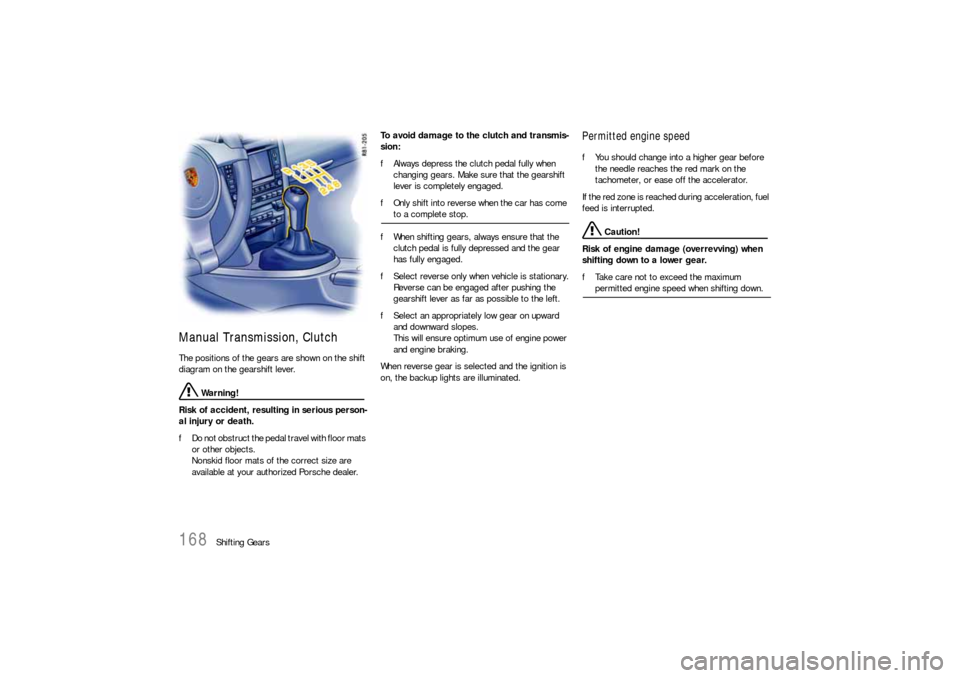
Manual Transmission, ClutchThe positions of the gears are shown on the shift
diagram on the gearshift lever.
Warning!
Risk of accident, resulting in serious person-
al injury or death.
fDo not obstruct the pedal travel with floor mats
or other objects.
Nonskid floor mats of the correct size are
available at your authorized Porsche dealer.To avoid damage to the clutch and transmis-
sion:
fAlways depress the clutch pedal fully when
changing gears. Make sure that the gearshift
lever is completely engaged.
fOnly shift into reverse when the car has come
to a complete stop.
fWhen shifting gears, always ensure that the
clutch pedal is fully depressed and the gear
has fully engaged.
fSelect reverse only when vehicle is stationary.
Reverse can be engaged after pushing the
gearshift lever as far as possible to the left.
fSelect an appropriately low gear on upward
and downward slopes.
This will ensure optimum use of engine power
and engine braking.
When reverse gear is selected and the ignition is
on, the backup lights are illuminated.
Permitted engine speedfYou should change into a higher gear before
the needle reaches the red mark on the
tachometer, or ease off the accelerator.
If the red zone is reached during acceleration, fuel
feed is interrupted.
Caution!
Risk of engine damage (overrevving) when
shifting down to a lower gear.
fTake care not to exceed the maximum permitted engine speed when shifting down.
Page 175 of 310

Shifting Gears
173
“Sport Plus” mode activated:
In “Sport Plus” mode, the PDK transmission
changes to a shift program designed for driving
on race circuits. 7th gear is not selected.
The gear-changing performance is enhanced
significantly again compared with “Sport” mode.
fPlease see the chapter “SPORT MODE” on
Page 64.
Driving with Launch Control
Driving with Launch Control allows you to achieve
maximum acceleration from a standing start. It is
intended to provide you with a unique enjoyment of
your vehicle under controlled circumstances and
is not intended to be used in any location where it
could be a nuisance to other persons.
Warning!
There is a risk of endangering other road
users if you use this Control in an improper
location or in a situation where other persons
might need to take evasive action due to the
rapid acceleration that this technology
permits.
fLaunch Control is designed to be used in a
controlled environment on closed circuit
driving courses where no vehicle cross traffic
or pedestrian traffic is present.
fUse Launch Control only if conditions permit it
to be applied in a safe manner. fDo not use Launch Control if there is a possibi-
lity it could endanger other persons. Such a
possibility exists if you cannot see that you
have a clear road with no possibility of cross
traffic in your intended direction of driving. Caution!
Stress on components increases dramatically
when starting with maximum acceleration in
comparison with normal driving off. Use of
Launch Control will inevitably reduce the life
of the engaged engine and transmission
components.
Preconditions:
– Launch Control should only be used when the
engine has reached operating temperature.
– “Sport Plus” mode must be switched on (light-
emitting diode in button is on and “SPORT
PLUS” is displayed on the on-board computer).
1. Press the brake with your left foot.
2. Quickly press down the accelerator fully
(kickdown activated) and hold.
The engine speed will flatten out at around
6500 rpm.
“Launch Control active” is displayed on the
on-board computer.3. Release the brake within a few seconds.
Remaining stationary for a long time with
“Launch Control active” can lead to overload-
ing of the transmission.
In order to protect the transmission, the engine
power is then reduced and the “Launch Control
active” process is cancelled.
Shifting gears on the steering wheel
With the shift buttons on the steering wheel, you
can change temporarily from automatic selection
mode D to manual mode M.
For example:
– Shifting down before bends and on entering
built-up areas.
– Shifting down on downward slopes
(engine braking).
– Shifting down for brief spurts of acceleration.
Manual selection mode remains engaged:
– for cornering (depending on the lateral acceler-
ation) and overrunning,
– when the vehicle is stationary (e.g. at a
junction).
The system leaves manual selection mode:
– automatically after approx. 8 seconds (unless
cornering or overrunning),
– after driving off.
Page 177 of 310

Shifting Gears
175
Depending on driving speed and engine speed,
you can shift up or down at any time.
Gear changes which would exceed the upper or
lower engine speed limit are not executed by the
controller.
There is no automatic upshift at the upper engine
speed limit in selector lever position M. Upshift
suppression can be cancelled by kickdown opera-
tion. If, for example, the engine speed limit is
reached during overtaking and the automatic
upshift does not occur, the transmission in this
case shifts up as a result of kickdown operation.
fSelect an appropriately low gear on upward
and downward slopes.
This will ensure optimum use of engine power
and engine braking.
In order to shift up automatically at the upper
engine speed limit:
fDepress the accelerator pedal beyond the full-
throttle point (kickdown).Failure of the selector lever display on the
instrument cluster
The warning “Transmission emergency run” is
displayed in red on the on-board computer.
–Effect:
No selector lever position is displayed on the
instrument cluster.
Vehicle can be driven only until it comes to a
stop.
Remedy:
It is not possible to continue driving. Immedi-
ately stop the vehicle in a suitable place. Have
the vehicle towed to an authorized Porsche
dealer.
StoppingfFor a brief stop (e.g. at a traffic light), leave the
selector lever in drive position and hold the
vehicle with the brake pedal.
fDo not hold the car on a slope using the
accelerator. Use the brake pedal or the
handbrake instead.
fBefore leaving the vehicle, always apply the
handbrake and move the selector lever to
position P.ParkingfGo easy on the accelerator!
fWhen parking or manoeuvring in a small
space, control the speed by careful use of the
footbrake.Driving in winterIn wintry road conditions it is advisable to take
steep inclines in manual mode. This prevents gear
changes occurring that could cause wheelspin.Tow-starting, towingfPlease see the chapter “TOWING” on
Page 280.