warning PORSCHE BOXSTER 2005 2.G Repair Manual
[x] Cancel search | Manufacturer: PORSCHE, Model Year: 2005, Model line: BOXSTER, Model: PORSCHE BOXSTER 2005 2.GPages: 276, PDF Size: 4.05 MB
Page 112 of 276

112
Controls, Instruments
A - Cruise control readiness off/on
1 - + SPEED/SET (accelerate/store)
2 - - SPEED (decelerate)
3 - OFF (interrupt)
4 - RESUME
Automatic Speed Control The automatic speed control maintains any
selected speed between 15 mph and 145 mph/
30 km/h and 240 km/h without you having to use
the accelerator.
The automatic speed control is operated with the
lever on the steering wheel.
Warning!
Risk of accident and consequent personal in-
jury. A constant speed may not be safe in
heavy traffic, or on winding or slippery
roads.
With the speed control system engaged, the
engine speed will not return to idle when re-
moving the foot from the accelerator pedal.
fDo not use the speed control when it may be
unsafe to keep the car at a constant speed.
fObserve all local and national speed limits. Switch automatic speed control readiness
on fPress button A on the automatic speed control
lever.
Hold and store speed fBring the car to the desired speed with the
accelerator.
fThen briefly push the operating lever forward
(position 1).Accelerating (e.g. to overtake) Option 1
fIncrease the speed as usual with the
accelerator.
When you ease off the accelerator, the
previously saved value is set again.
Option 2
fPush operating lever forward (position 1) until
the desired speed is reached.
The speed reached is maintained and stored
when the lever is released.
Option 3
fPush lever slightly forwards (position 1)
(a maximum of 10 times).
The speed is increased by 1 mph (1.6 km/h)
each time.
Note on operation
Speed control operation is automatically interrupt-
ed if the speed is increased by more than approx.
16 mph (25 km/h ) for longer than 20 seconds.
This green indicator light in the
speedometer now indicates readiness.
Page 115 of 276

Controls, Instruments
115
Defrost windshieldfPress button B (switch on or off).
The light-emitting diode in the button lights up.
The windshield is demisted or defrosted as
quickly as possible.
Air flows to the windshield only.Circulating-air mode
Warning!
Risk of accident due to hampered vision.
In circulating-air mode, the windows may
mist up.
fOnly select circulating-air mode for short
periods.
fIf the windows mist up, switch air-circulation
mode off immediately by pressing the
air-circulation button again and selecting the “Defrost windshield” function.
Switching circulating-air mode on or off
fPress circulating-air button C.
The light-emitting diode in the button lights up.
The outside-air supply is interrupted and only
the inside air is circulated.
ECO – switching the air-conditioning
compressor on and offThe air conditioning compressor switches off
automatically at temperatures below approx.
37°F/3°C and cannot be switched on, even
manually.
Whenever outside temperatures exceed approx.
37°F/3°C, the air-conditioning compressor can be
switched on or off manually.
The compressor can be switched off manuall to
save fuel.
fPress ECO button E.
The light-emitting diode in the button lights up.
The compressor is switched off.
fIf the interior temperature is too high, switch
on the compressor again.
To dry incoming air in damp weather, do not
switch off the air-conditioning compressor.
This prevents misting of windows.AC max operationIn AC max operation, the interior of your vehicle is
cooled as quickly as possible.
fPress AC max button H.
The light-emitting diode in the button lights up.
Air distributionThe individual air distributions can be combined as
desired.
If an air distribution is not selected, no symbol
appears in the display panel. Air flows then from
all vents as well as to the windshield.
Recommended setting in Summer –
Air distribution to central and side vents
Recommended setting in Winter –
Air distribution to footwell and windshield
Air distribution to footwell
fPress button I.
The selection appears on the display panel.
The air flows to the footwell.
Air distribution to center and side vents
fPress button J.
The selection appears on the display panel.
The air flows from the central and side vents.
Vents must be open.
Air distribution to windshield
fPress button K.
The selection appears on the display panel.
The air flows to the windshield.
Page 118 of 276

118
Controls, Instruments
Setting temperaturefPress button H upwards or downwards
respectively.
To suit personal comfort, the interior temperature
can be adjusted between 61°F and 85°F/16°C
and 29.5°C.
Recommendation: 72°F/22 °C.
If “LO” or “HI” appears on the display, the system
is operating at maximum cooling or heating
power.
Automatic control is no longer active.
Note
If the preselected temperature is changed, the
blower speed can increase automatically in
automatic mode.
The desired temperature is reached more quickly
this way.
Sensors
To avoid affecting the performance of the air-
conditioning system:
fDo not cover the sun sensor on the instrument
panel or the temperature sensor D.
Defrost windshieldfPress button B (switch on or off).
The windshield is demisted or defrosted as
quickly as possible.
Air flows to the windshield only.
The light-emitting diode in the button lights up.ECO – switching the air-conditioning
compressor on and offThe air conditioning compressor switches off
automatically at temperatures below approx.
37°F/3°C and cannot be switched on, even
manually.
Whenever outside temperatures exceed approx.
37°F/3°C, the air-conditioning compressor is
always switched on in automatic mode.
The compressor can be switched off manually to
save fuel, but control comfort is then limited:
fPress ECO button E.
The compressor is switched off.
The light-emitting diode in the button lights up.
fIf the interior temperature is too high, switch
compressor back on or press AUTO button.
To dry incoming air in damp weather, do not
switch off the air-conditioning compressor.
This prevents misting of windows.
Adjusting blower speedfPress button M upwards or downwards
respectively.
The preset blower speed is increased or
decreased.
The speeds are indicated by a bar display.
The compressor is switched off at low blower
speeds.
If the button is pressed downwards at the lowest
blower stage, the blower and automatic control
are switched off. “OFF” will appear on the display
field.
Pressing the button upwards or pressing the
AUTO button switches the blower and automatic
control back on again.Circulating-air mode
Warning!
Risk of accident due to hampered vision.
In circulating-air mode, the windows may
mist up.
fOnly select circulating-air mode for short
periods.
fIf the windows mist up, switch air-circulation
mode by pressing the air-circulation button
again and selecting the “Defrost windshield” function.
Page 121 of 276
Controls, Instruments
121
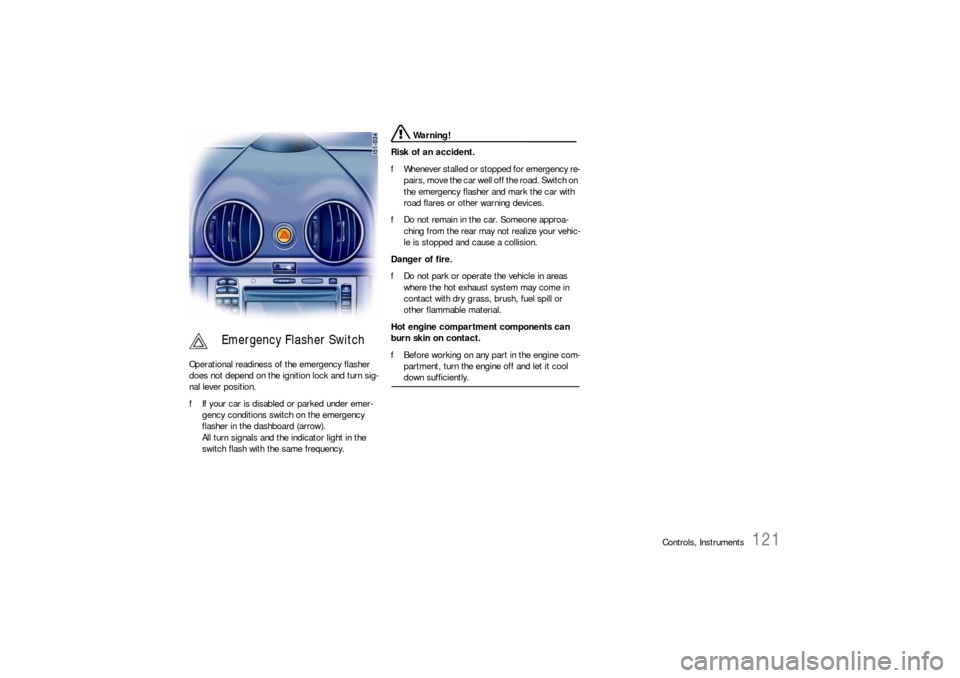
Operational readiness of the emergency flasher
does not depend on the ignition lock and turn sig-
nal lever position.
fIf your car is disabled or parked under emer-
gency conditions switch on the emergency
flasher in the dashboard (arrow).
All turn signals and the indicator light in the
switch flash with the same frequency.
Warning!
Risk of an accident.
fWhenever stalled or stopped for emergency re-
pairs, move the car well off the road. Switch on
the emergency flasher and mark the car with
road flares or other warning devices.
fDo not remain in the car. Someone approa-
ching from the rear may not realize your vehic-
le is stopped and cause a collision.
Danger of fire.
fDo not park or operate the vehicle in areas
where the hot exhaust system may come in
contact with dry grass, brush, fuel spill or
other flammable material.
Hot engine compartment components can
burn skin on contact.
fBefore working on any part in the engine com-
partment, turn the engine off and let it cool down sufficiently.
Emergency Flasher Switch
Page 122 of 276
122
Controls, Instruments
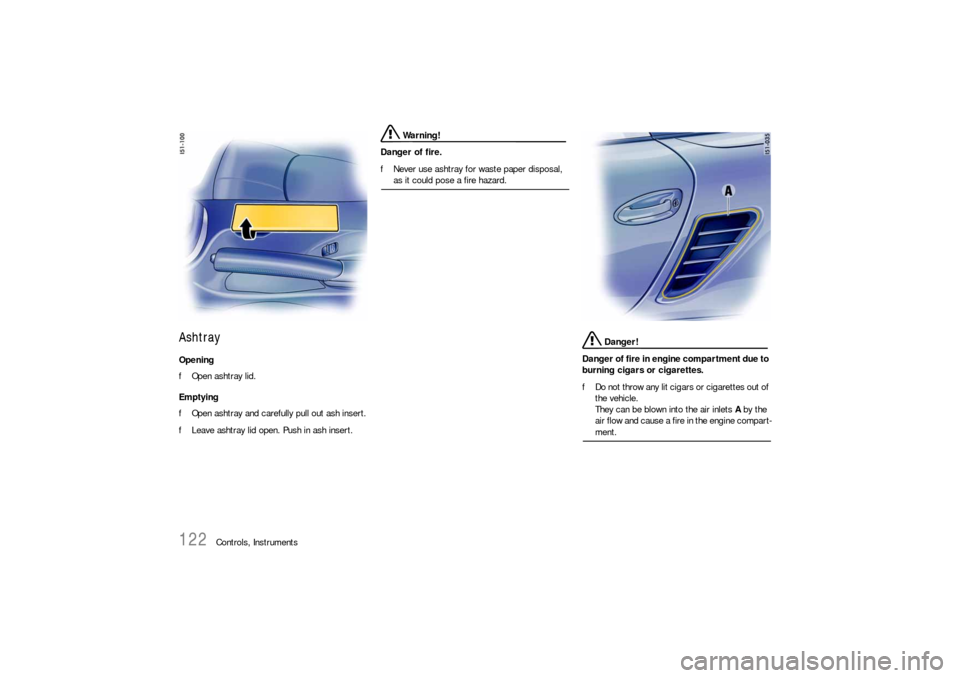
Ashtray Opening
fOpen ashtray lid.
Emptying
fOpen ashtray and carefully pull out ash insert.
fLeave ashtray lid open. Push in ash insert.
Warning!
Danger of fire.
fNever use ashtray for waste paper disposal, as it could pose a fire hazard.
Danger!
Danger of fire in engine compartment due to
burning cigars or cigarettes.
fDo not throw any lit cigars or cigarettes out of
the vehicle.
They can be blown into the air inlets A by the
air flow and cause a fire in the engine compart-ment.
Page 123 of 276
Controls, Instruments
123
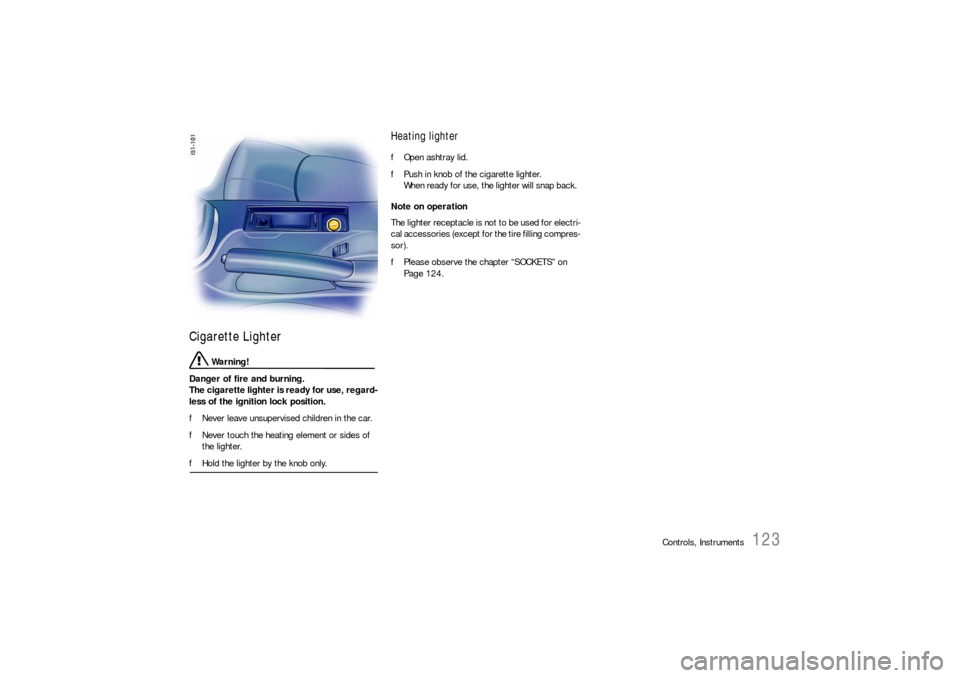
Cigarette Lighter
Warning!
Danger of fire and burning.
The cigarette lighter is ready for use, regard-
less of the ignition lock position.
fNever leave unsupervised children in the car.
fNever touch the heating element or sides of
the lighter.
fHold the lighter by the knob only.
Heating lighter fOpen ashtray lid.
fPush in knob of the cigarette lighter.
When ready for use, the lighter will snap back.
Note on operation
The lighter receptacle is not to be used for electri-
cal accessories (except for the tire filling compres-
sor).
fPlease observe the chapter “SOCKETS” on
Page 124.
Page 126 of 276
126
Controls, Instruments
Storage in the passenger
compartment
Warning!
Danger of injury during braking, rapid
direction changes or in an accident.
fDo not carry items of luggage or objects in the
passenger compartment unsecured.
fDo not transport any heavy objects in the oddments trays.
Additional storage possibilities– in the doors,
– in the door sill next to the passenger's seat,
– in the center console,
– clothes hook and pocket on back of seat
backrest,
– oddments tray with coin holder between seats,
– glove compartment with CD and pen holder,
– on engine compartment lid.
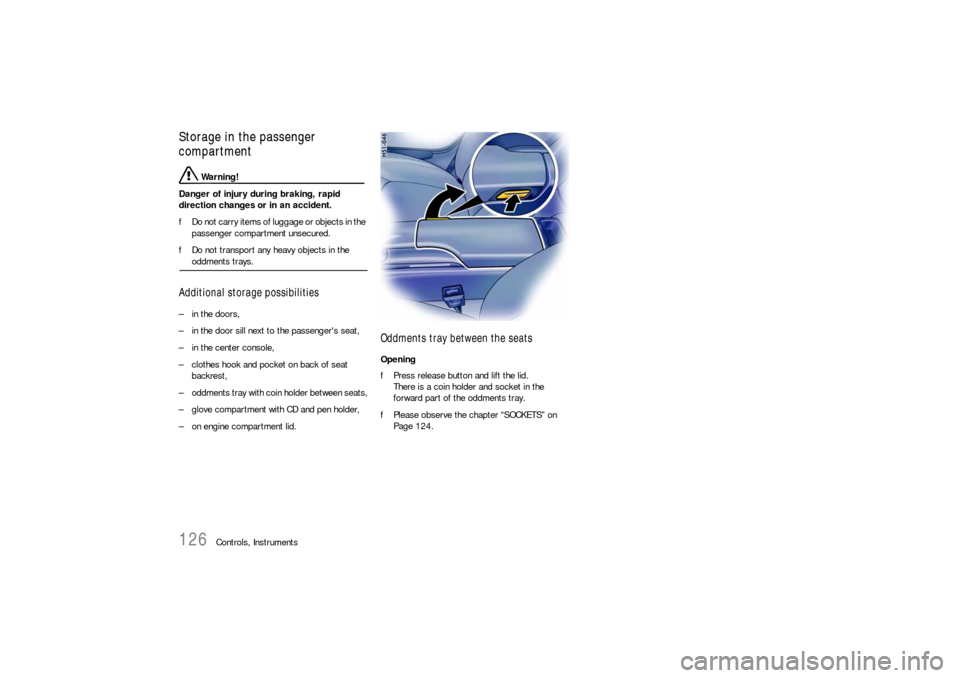
Oddments tray between the seatsOpening
fPress release button and lift the lid.
There is a coin holder and socket in the
forward part of the oddments tray.
fPlease observe the chapter “SOCKETS” on
Page 124.
Page 127 of 276
Controls, Instruments
127
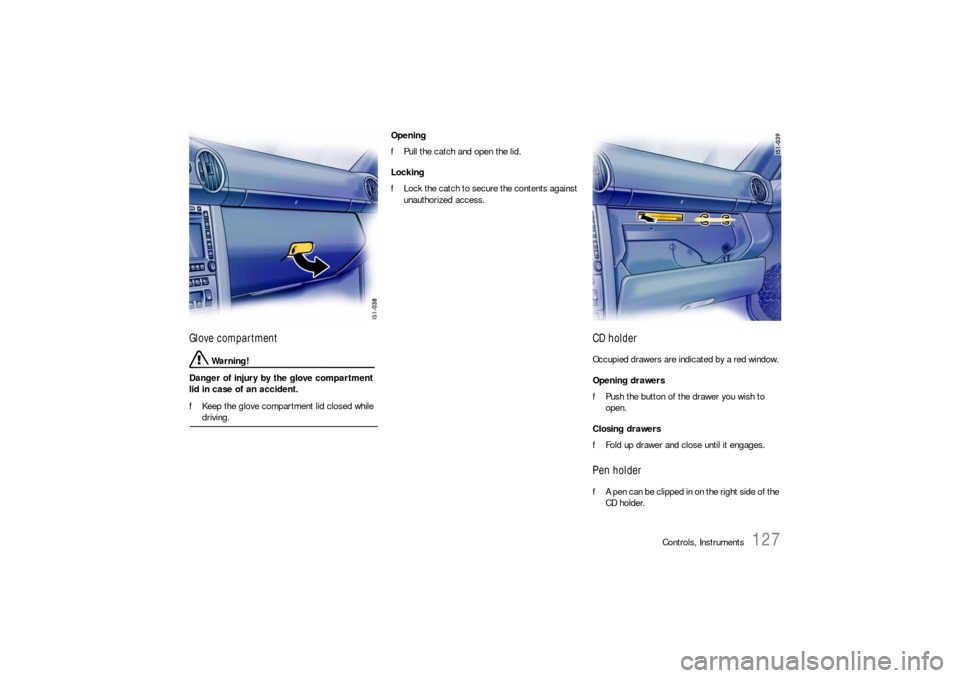
Glove compartment
Warning!
Danger of injury by the glove compartment
lid in case of an accident.
fKeep the glove compartment lid closed while driving. Opening
fPull the catch and open the lid.
Locking
fLock the catch to secure the contents against
unauthorized access.
CD holderOccupied drawers are indicated by a red window.
Opening drawers
fPush the button of the drawer you wish to
open.
Closing drawers
fFold up drawer and close until it engages. Pen holderfA pen can be clipped in on the right side of the
CD holder.
Page 128 of 276
128
Controls, Instruments
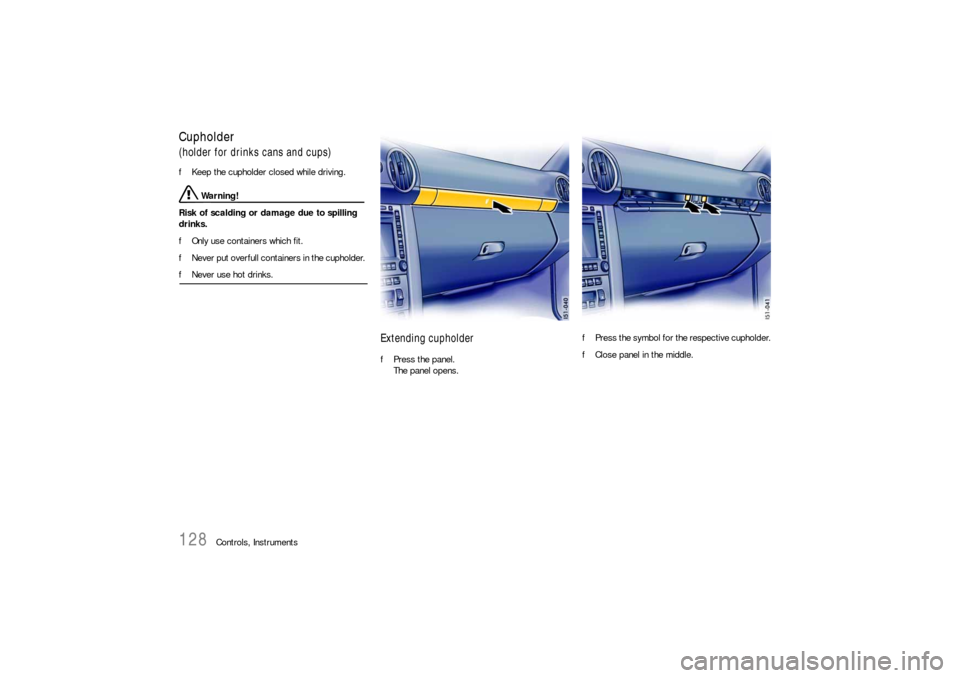
Cupholder(holder for drinks cans and cups)
fKeep the cupholder closed while driving.
Warning!
Risk of scalding or damage due to spilling
drinks.
fOnly use containers which fit.
fNever put overfull containers in the cupholder.
fNever use hot drinks.
Extending cupholderfPress the panel.
The panel opens.fPress the symbol for the respective cupholder.
fClose panel in the middle.
Page 130 of 276
130
Controls, Instruments
Luggage Storage on Engine
Compartment Lid
Warning!
Unsecured luggage and heavy objects may
come loose during braking, rapid directional
changes or in an accident and cause serious
personal injury or death.
fDo not carry items of luggage or objects in the
passenger compartment unsecured.
fDo not transport any heavy objects under the
luggage net or in the oddments trays.
fKept shutters of the storage box closed while
driving.
Risk of damage.
fItems of luggage or objects must neither hin-
der convertible top movement nor be in con-
tact with the convertible top or rear window in such a way as to cause abrasion damage.
Attachment and removal of the luggage net and
storage box:
fPlease observe the chapter “OPENING ENGINE
COMPARTMENT LID” on Page 185.
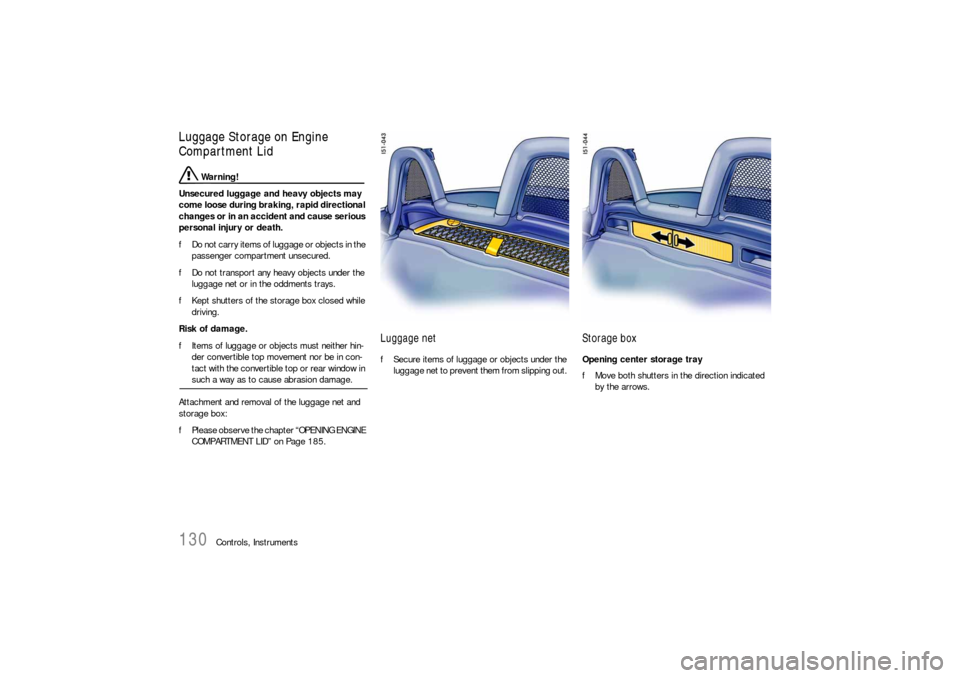
Luggage net fSecure items of luggage or objects under the
luggage net to prevent them from slipping out.
Storage box Opening center storage tray
fMove both shutters in the direction indicated
by the arrows.