Instruments, On-Board Computer, Warnings
143
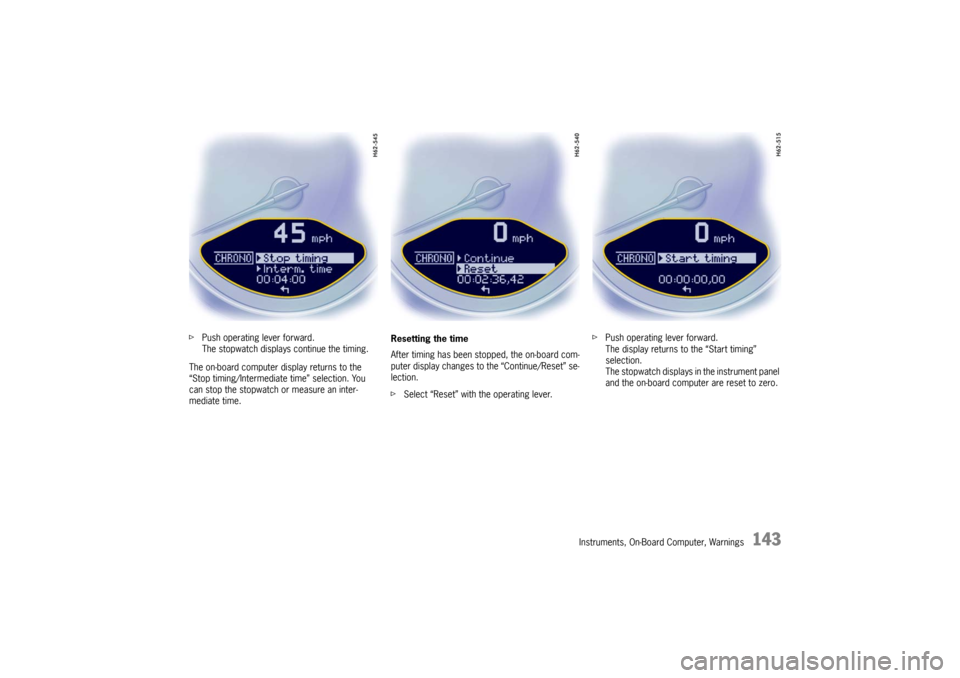
fPush operating lever forward.
The stopwatch displays continue the timing.
The on-board computer display returns to the
“Stop timing/Intermediate time” selection. You
can stop the stopwatch or measure an inter-
mediate time. Resetting the time
After timing has been stopped, the on-board com-
puter display changes to the “Continue/Reset” se-
lection.
f
Select “Reset” with the operating lever. f
Push operating lever forward.
The display returns to the “Start timing”
selection.
The stopwatch displays in the instrument panel
and the on-board computer are reset to zero.
Instruments, On-Board Computer, Warnings
159
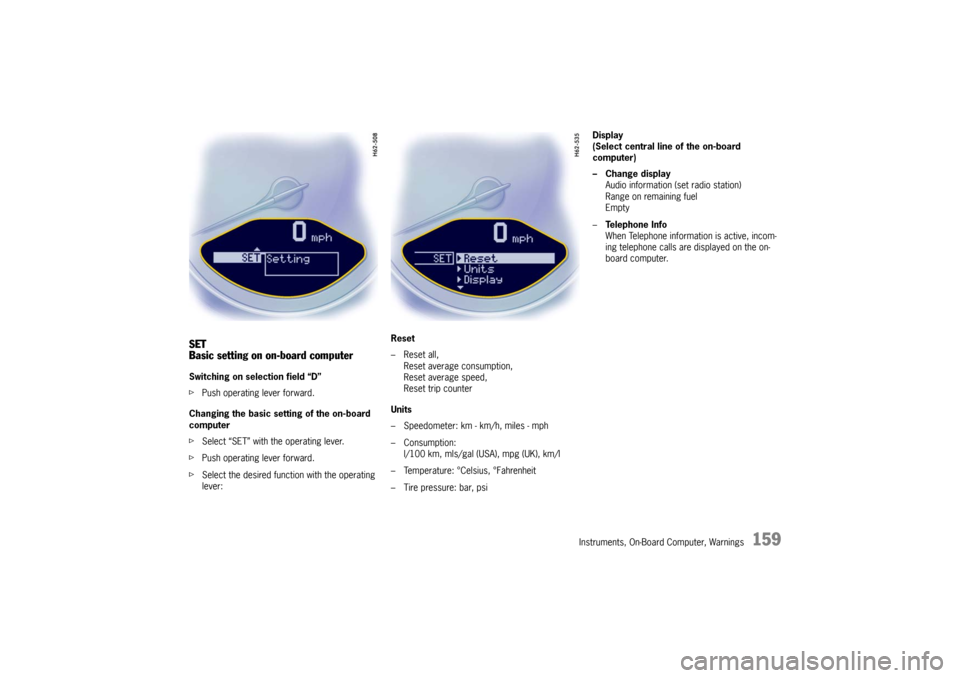
SET
Basic setting on on-board computerSwitching on selection field “D”
fPush operating lever forward.
Changing the basic sett ing of the on-board
computer
f Select “SET” with the operating lever.
f Push operating lever forward.
f Select the desired function with the operating
lever: Reset
– Reset all,
Reset average consumption,
Reset average speed,
Reset trip counter
Units
– Speedometer: km - km/h, miles - mph
– Consumption: l/100 km, mls/gal (USA), mpg (UK), km/l
– Temperature: °Celsius, °Fahrenheit
– Tire pressure: bar, psi Display
(Select central line of the on-board
computer)
– Change display
Audio information (set radio station)
Range on remaining fuel
Empty
– Te l e p h o n e I n f o
When Telephone informat ion is active, incom-
ing telephone calls are displayed on the on-
board computer.
Instruments, On-Board Computer, Warnings
161
Average consumption and average speed
The values displayed are based on the distance
travelled since the last reset to “zero”.
You can set the starting time for a measurement
before or during the trip.
Switching the ignition off does not reset the meas-
urements. It is therefore possible to collect values
over long periods.
Disconnecting the car ba ttery will cause these
memories to be erased.
Tire pressure
The Tire pressure function of the on-board
computer displays the ti re pressures dependent
on temperature in the four wheels. You can watch
the tire pressure rise and fall while driving.
The display is only for information.
f To correct the tire pressures, always use the
displayed values from the “Info pressure”
display in the tire pressure menu.