lights PORSCHE CAYNNE S 2005 1.G Owner's Manual
[x] Cancel search | Manufacturer: PORSCHE, Model Year: 2005, Model line: CAYENNE S, Model: PORSCHE CAYENNE S 2005 1.GPages: 380, PDF Size: 3.17 MB
Page 99 of 380

Controls, Safety, Instruments
99
Ye s :
– In case of sealing-set operation, the menu
changes directly to the basic screen. All
settings are retained.
– If the vehicle is operated with a collapsible
spare wheel or spare wheel, the warning mes-
sage “SYSTEM NOT ACTIVE, WORKSHOP” is
initially displayed for 10 seconds. The system
then returns to the basic screen.
No:
The display automatically returns to the menu
TYRE PRESSURE > SETTINGS.
fSet the mounted tire set with tire type and tire
size. The system will re-learn the tires.
No monitoringIn the event of faults the tire pressure monitoring
cannot monitor the tire pressure.
The warning light on the instrument panel and a
message on the multi-purpose display light up.
Monitoring is not active when:
– the tire pressure monitoring system is faulty,
– wheel transmitters for the tire pressure
monitoring system are not present,
– temporarily after changing a wheel,
– has detected too many wheel transmitters,
– there is external interference by other radio
sources, e.g., wireless headphones,
– tire temperatures are too high.
fPlease observe the chapter “WARNING LIGHTS
AND WARNING MESSAGES” on Page 108.fAll warnings and messages in the tire pressure
monitoring system are also indicated by the
warning light in the instrument panel.
The warning light goes out as soon as all faults
are remedied.
Tire pressure monitoring system
warning light
Page 101 of 380
Controls, Safety, Instruments
101
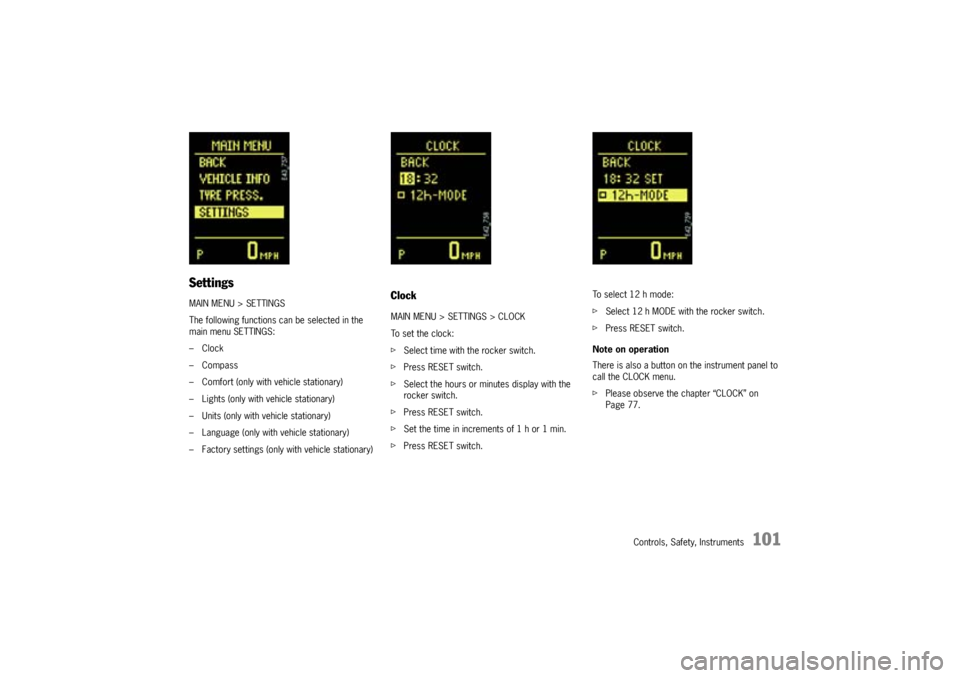
SettingsMAIN MENU > SETTINGS
The following functions can be selected in the
main menu SETTINGS:
–Clock
–Compass
– Comfort (only with vehicle stationary)
– Lights (only with vehicle stationary)
– Units (only with vehicle stationary)
– Language (only with vehicle stationary)
– Factory settings (only with vehicle stationary)
ClockMAIN MENU > SETTINGS > CLOCK
To set the clock:
fSelect time with the rocker switch.
fPress RESET switch.
fSelect the hours or minutes display with the
rocker switch.
fPress RESET switch.
fSet the time in increments of 1 h or 1 min.
fPress RESET switch.To select 12 h mode:
fSelect 12 h MODE with the rocker switch.
fPress RESET switch.
Note on operation
There is also a button on the instrument panel to
call the CLOCK menu.
fPlease observe the chapter “CLOCK” on
Page 77.
Page 106 of 380
106
Controls, Safety, Instruments
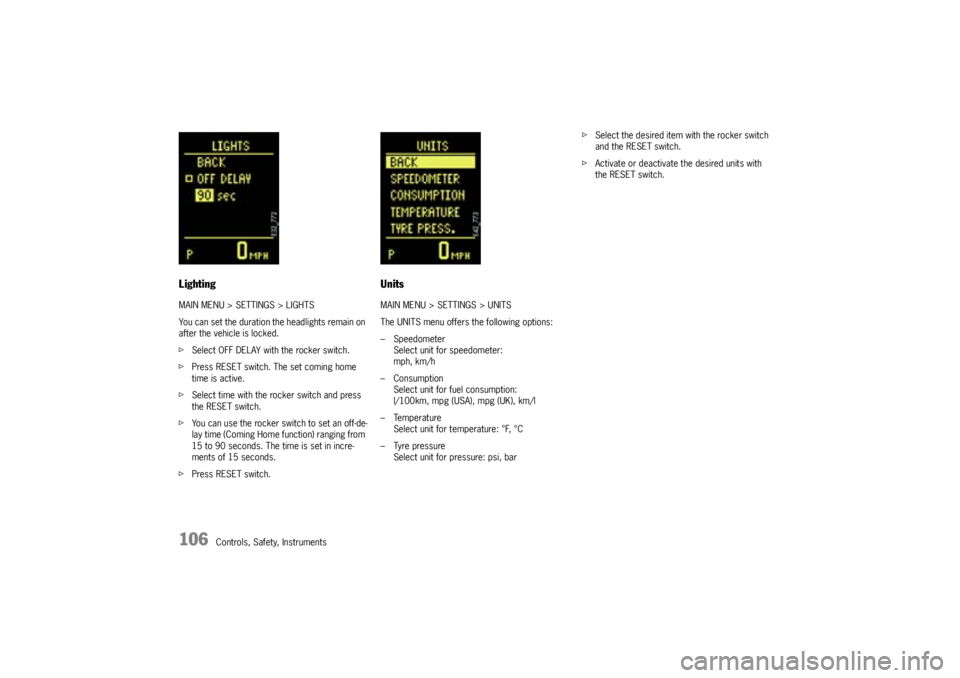
LightingMAIN MENU > SETTINGS > LIGHTS
You can set the duration the headlights remain on
after the vehicle is locked.
fSelect OFF DELAY with the rocker switch.
fPress RESET switch. The set coming home
time is active.
fSelect time with the rocker switch and press
the RESET switch.
fYou can use the rocker switch to set an off-de-
lay time (Coming Home function) ranging from
15 to 90 seconds. The time is set in incre-
ments of 15 seconds.
fPress RESET switch.
UnitsMAIN MENU > SETTINGS > UNITS
The UNITS menu offers the following options:
– Speedometer
Select unit for speedometer:
mph, km/h
– Consumption
Select unit for fuel consumption:
l/100km, mpg (USA), mpg (UK), km/l
– Temperature
Select unit for temperature: °F, °C
– Tyre pressure
Select unit for pressure: psi, barfSelect the desired item with the rocker switch
and the RESET switch.
fActivate or deactivate the desired units with
the RESET switch.
Page 107 of 380
Controls, Safety, Instruments
107
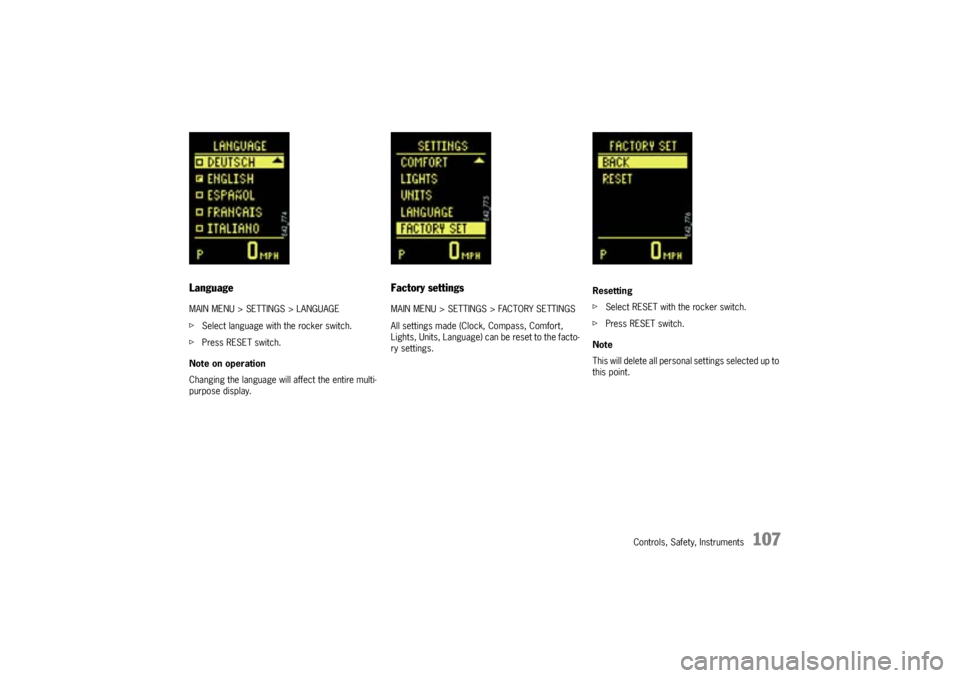
LanguageMAIN MENU > SETTINGS > LANGUAGE
fSelect language with the rocker switch.
fPress RESET switch.
Note on operation
Changing the language will affect the entire multi-
purpose display.
Factory settingsMAIN MENU > SETTINGS > FACTORY SETTINGS
All settings made (Clock, Compass, Comfort,
Lights, Units, Language) can be reset to the facto-
ry settings.Resetting
fSelect RESET with the rocker switch.
fPress RESET switch.
Note
This will delete all personal settings selected up to
this point.
Page 108 of 380

108
Controls, Safety, Instruments
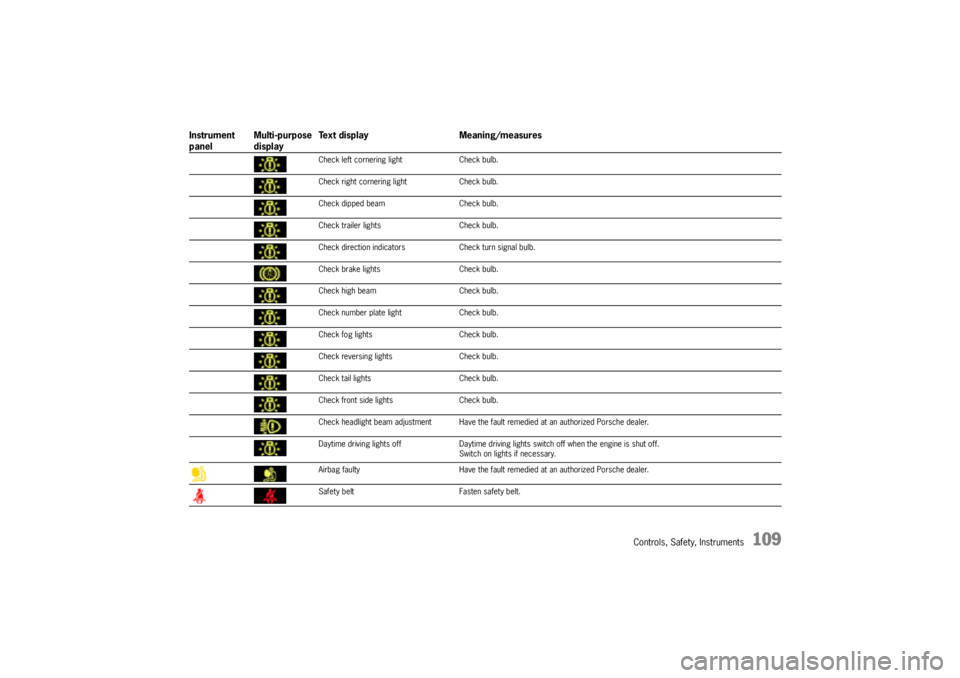
Warning Lights and Warning MessagesIf a warning message appears, always refer to the corresponding chapters in this Owner's Manual.
Instrument
panelMulti-purpose
displayText display Meaning/measures
Steering faulty Steering lock engaged.
Have the fault remedied at an authorized Porsche dealer.
Ignition lock faulty Do not continue driving.
Have the fault remedied at an authorized Porsche dealer.
System fault – Workshop Have the fault remedied at an authorized Porsche dealer.
Key not recognised in vehicle Make sure that you have the remote control with you.
Turn ignition key to left for
2 secondsEngage the steering lock.
Key: replace battery Replace the remote-control battery.
Move the steering wheel Turn the steering wheel so that the steering wheel lock can
engage/disengage.
Key not found Make sure that you have the remote control with you.
Switch selector lever to position “P”.Tiptronic S: The vehicle could roll away.
The ignition key can be withdrawn only in selector lever
positionP.
Apply the brake Apply the brake when starting.
Move selector lever to position
“P” or “N”Tiptronic S: The vehicle can be started only in position P or N.
Applying the clutch Manual transmission: Apply the clutch when starting.
Immobiliser active Have the fault remedied at an authorized Porsche dealer.
Page 109 of 380
Controls, Safety, Instruments
109
Check left cornering light Check bulb.
Check right cornering light Check bulb.
Check dipped beam Check bulb.
Check trailer lights Check bulb.
Check direction indicators Check turn signal bulb.
Check brake lights Check bulb.
Check high beam Check bulb.
Check number plate light Check bulb.
Check fog lights Check bulb.
Check reversing lights Check bulb.
Check tail lights Check bulb.
Check front side lights Check bulb.
Check headlight beam adjustment Have the fault remedied at an authorized Porsche dealer.
Daytime driving lights off Daytime driving lights switch off when the engine is shut off.
Switch on lights if necessary.
Airbag faulty Have the fault remedied at an authorized Porsche dealer.
Safety belt Fasten safety belt.
Instrument
panelMulti-purpose
displayText display Meaning/measures
Page 116 of 380
116
Controls, Safety, Instruments
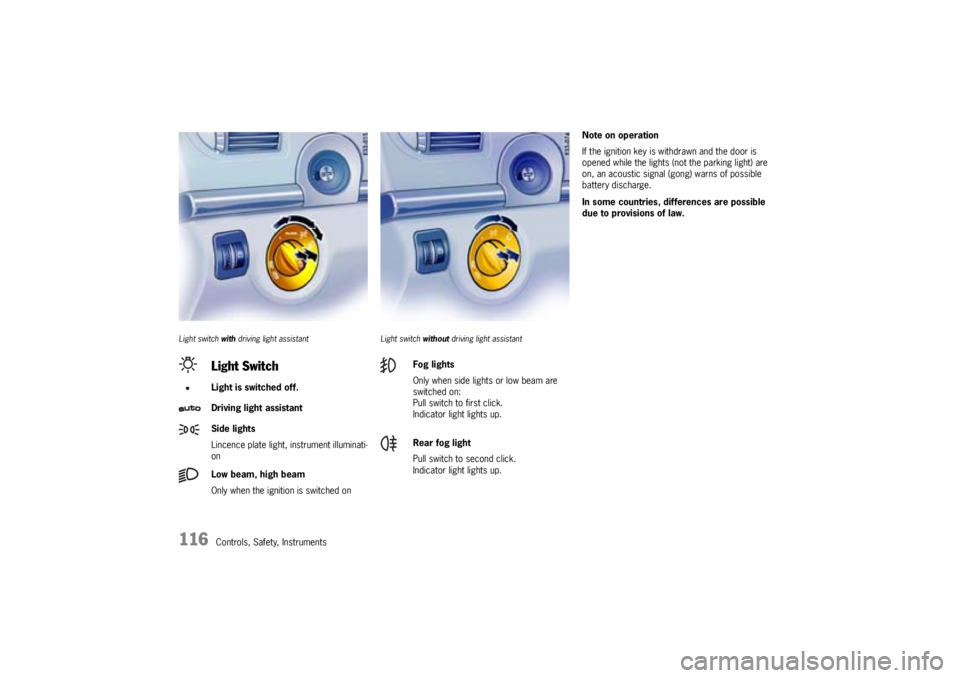
Light switch with driving light assistant Light switch without driving light assistant
Note on operation
If the ignition key is withdrawn and the door is
opened while the lights (not the parking light) are
on, an acoustic signal (gong) warns of possible
battery discharge.
In some countries, differences are possible
due to provisions of law.
Light SwitchLight is switched off.
Driving light assistant
Side lights
Lincence plate light, instrument illuminati-
on
Low beam, high beam
Only when the ignition is switched on
Fog lights
Only when side lights or low beam are
switched on:
Pull switch to first click.
Indicator light lights up.
Rear fog light
Pull switch to second click.
Indicator light lights up.
Page 117 of 380

Controls, Safety, Instruments
117
Automatic driving light assistantThe driving light assistant is a comfort function.
Your Porsche’s driving light (low beam) is switched
on and off automatically, irrespective of the ambi-
ent brightness.
Despite possible support by the driving light assis-
tant, it is the responsibility of the driver to switch
on the driving light using the conventional light
switch in accordance with the relevant national
regulations.
Activating the headlights using the driving light as-
sistant does not therefore absolve the driver
of responsibility for the correct operation of the
driving light.
The low beam is switched on automatically in the
following situations:
–Dusk
–Darkness
– Travelling through tunnels
– Rain (in conjunction with the rain sensor)
– Highway driving
Note on operation
Fog is not recognised.
fIn the event of fog, the driving light must be
switched on manually.
Warning!
Risk of accident due to driving without lights.
fAlways carefully monitor the automatic driving light control.
Highway function
The light is switched on at speeds of over 87 mph
(140 km/h). If you are travelling slower than
40 mph (65 km/h), the driving light is switched off
after a delay of approx. 2 minutes, if the external
lighting conditions permit.
Rain function
The driving light is switched on after five seconds
of continuous wiper operation.
The driving light is switched off approx. 4 minutes
after the wipers have stopped.
Bi-Xenon main headlights with
dynamically controlled cornering lightThe Bi-Xenon main headlights are equipped with
an additional light in vehicles with a cornering
light. As a result of its particular positioning, the
additional light provides significantly better lane
lighting to the left and right of the main light beam.
Page 118 of 380
118
Controls, Safety, Instruments
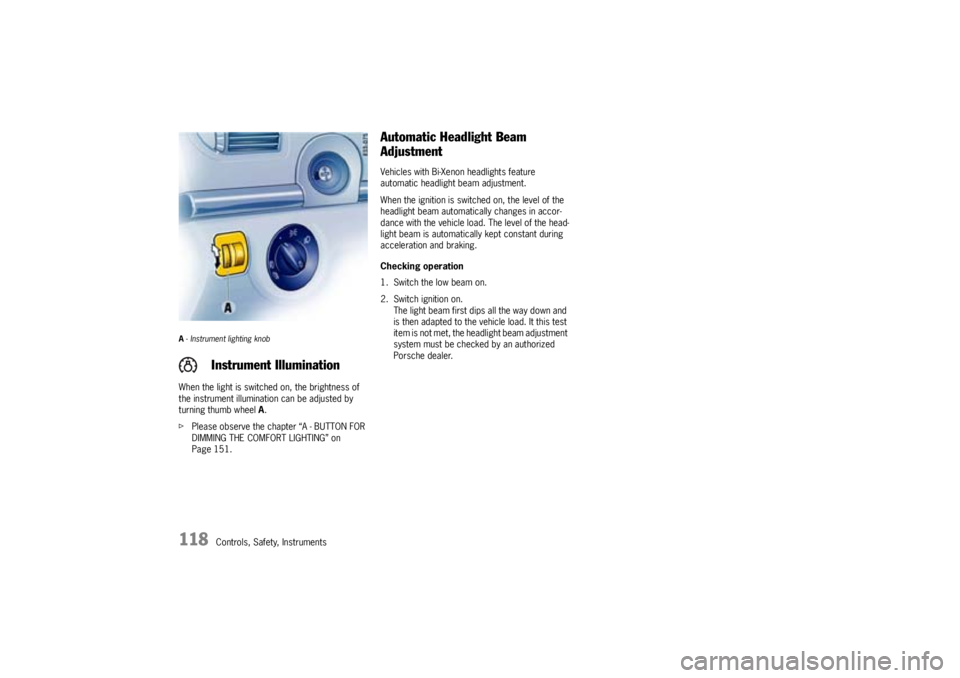
A- Instrument lighting knobWhen the light is switched on, the brightness of
the instrument illumination can be adjusted by
turning thumb wheel A.
fPlease observe the chapter “A - BUTTON FOR
DIMMING THE COMFORT LIGHTING” on
Page 151.
Automatic Headlight Beam
AdjustmentVehicles with Bi-Xenon headlights feature
automatic headlight beam adjustment.
When the ignition is switched on, the level of the
headlight beam automatically changes in accor-
dance with the vehicle load. The level of the head-
light beam is automatically kept constant during
acceleration and braking.
Checking operation
1. Switch the low beam on.
2. Switch ignition on.
The light beam first dips all the way down and
is then adapted to the vehicle load. It this test
item is not met, the headlight beam adjustment
system must be checked by an authorized
Porsche dealer.
Instrument Illumination
Page 120 of 380
120
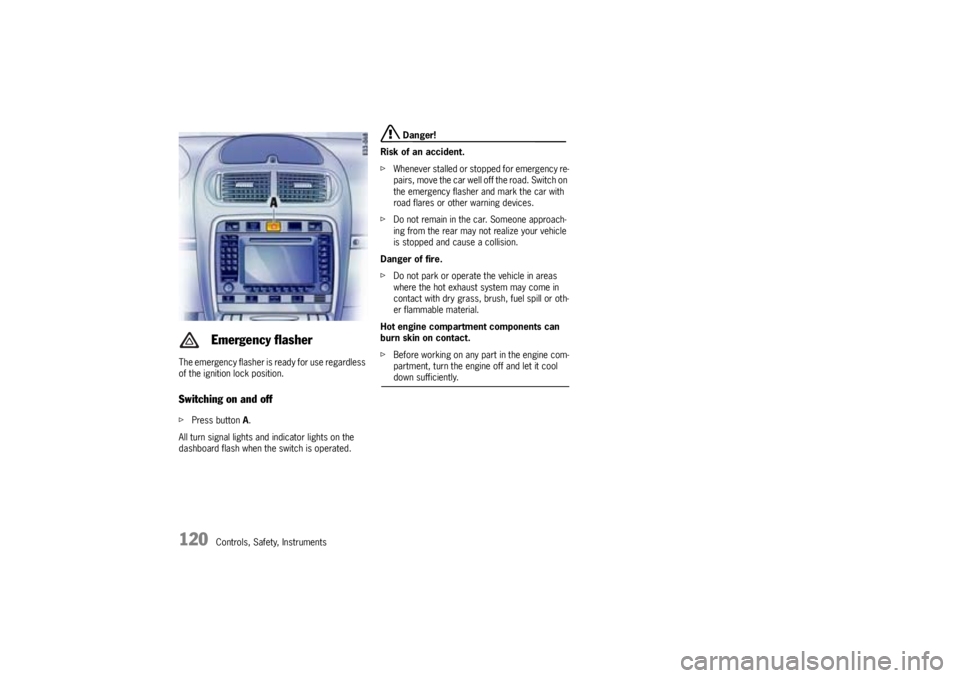
Controls, Safety, Instruments The emergency flasher is ready for use regardless
of the ignition lock position.
Switching on and offfPress button A.
All turn signal lights and indicator lights on the
dashboard flash when the switch is operated.
Danger!
Risk of an accident.
fWhenever stalled or stopped for emergency re-
pairs, move the car well off the road. Switch on
the emergency flasher and mark the car with
road flares or other warning devices.
fDo not remain in the car. Someone approach-
ing from the rear may not realize your vehicle
is stopped and cause a collision.
Danger of fire.
fDo not park or operate the vehicle in areas
where the hot exhaust system may come in
contact with dry grass, brush, fuel spill or oth-
er flammable material.
Hot engine compartment components can
burn skin on contact.
fBefore working on any part in the engine com-
partment, turn the engine off and let it cool down sufficiently.
Emergency flasher