No start PORSCHE PANAMERA 2010 1.G User Guide
[x] Cancel search | Manufacturer: PORSCHE, Model Year: 2010, Model line: PANAMERA, Model: PORSCHE PANAMERA 2010 1.GPages: 343, PDF Size: 7.96 MB
Page 112 of 343

110
Instrument Panel and Multi-Function Display
A – TachometerThe start of the red zone on the tachometer or
rev-counter scale is a visual warning of the
maximum permissible engine speed.
If the red zone is reached during acceleration, fuel
feed is interrupted in order to protect the engine.B – SpeedometerThe analogue display B is located on the left next
to the tachometer in the instrument panel.C – Multi-Function DisplayFor information on the multi-function display:
f Please see the chapter “OPERATING THE
MULTI-FUNCTION DISPLAY IN THE
INSTRUMENT PANEL” on page 115.
D – Engine Oil Temperature GaugeA warning message will appear on the multi-
function display in the instrument panel if the
engine oil temperature is too high.
f Reduce engine speed and engine load
immediately if the red zone is reached.
For information on warning messages on the
multi-function display:
f Please see the chapter “OVERVIEW OF
WARNING MESSAGES” on page 152.E – Coolant Temperature GaugeIf the cooling system is in any way faulty, consult
a qualified specialist workshop. We recommend
that you have an authorized Porsche dealer to do
this work, as they have the trained workshop
personnel and the necessa ry parts and tools for
this type of work.
Pointer in the lower area – engine cold
f Avoid high engine speeds and heavy
engine loading.
Pointer in the middle – normal operating
temperature
Pointer may move up to the red area when engine
is heavily loaded and outside temperature is high.
Coolant temperature warningThe temperature gauge warning light will
illuminate if the coolant temperature is too high.
The warning message “Engine temperature too
high” will also appear on the multi-function display
in the instrument panel.
f Switch off engine and allow to cool.
f Check radiators and air guides in front end of
vehicle for obstructions.
f Check the coolant level.
Top up with coolant if necessary.
f Have the fault corrected.
f Please see the chapte r “CHECKING COOLANT
LEVEL AND ADDING COOLANT” on page 257.
f Please see the chapter “OVERVIEW OF
WARNING MESSAGES” on page 152.
Note on operation
To prevent excessive temperatures, the cooling
air ducts must not be obstructed by covering
them (e.g. with film, “stone guards”, etc.).
Page 116 of 343
114
Instrument Panel and Multi-Function Display
Warning!
Risk of accidents and ri sk of engine damage.
A broken drive belt means there is no power
assistance to the steering (more effort is
required to steer) and engine cooling fails.
f Do not continue driving.
f Have the fault corrected.
f Please contact a qualif ied specialist workshop.
We recommend that you have an authorized
Porsche dealer to do this work as they have
trained workshop personnel and the necessary
parts and tools.
Danger of steering assistance failing during
a long journey in water if the drive belt slips.
f If steering assistance fails, more effort will be required to steer.
Check Engine
(Emission Control)The emission control system detects malfunctions
that could cause increased pollutant emissions or
consequential damage etc. well in advance.
Faults are indicated by the warning light on the
instrument panel which then either lights up
continuously or flashes.
The faults are recorded in the control unit’s
fault memory.
The warning light on the instrument panel lights up
when the ignition is switched on as a lamp check
and goes out approx. 1 second after the engine
starts.
The warning light on the instrument panel flashes
to indicate operating states (e.g. engine misfiring)
which may cause damage to certain parts of the
emission control system.
f In this case, immediately reduce the engine
load by easing off the accelerator pedal.
In order to avoid consequential damage to the
engine or the exhaust-gas cleaning system
(e.g. catalytic converter):
f Please contact a qualified specialist workshop.
We recommend that you have an authorized
Porsche dealer to do this work as they have
trained workshop personnel and the necessary
parts and tools.
Caution!
Risk of damage. If the warning light on the
instrument panel continues flashing even
when you have eased off the accelerator
pedal, the emission control system may
overheat.
f Stop as soon as possible in a safe place.
Make sure that combustible materials, such as
dry grass or leaves, cannot come into contact
with the hot exhaust system.
f Switch off the engine.
fHave the fault corrected.Acoustic SignalsA speaker in the instrument panel generates
acoustic signals.
If the speaker is faulty, a warning will appear and
the speaker will no longer make an acoustic signal
(i. e. sound).
f Please see the chapter “OVERVIEW OF
WARNING MESSAGES” on page 152.
Warning light
Page 119 of 343
Instrument Panel and Multi-Function Display
117
For information on adapting the multi-function
display:
fPlease see the chapter “ADAPTING
APPEARANCE OF MULTI-FUNCTION DISPLAY”
on page 139.
Title area with menu indicator
The menu item currently selected is displayed in
the title area.
The menu indicator on the right shows the position
of the current menu item in the overall menu and
displays the number of other menu items on this
menu level.
The wider the menu indicator, the fewer menu
items the current menu contains.
Information area
The information area C displays the menu items
currently available for selection or after a menu
item is selected, information relating to this menu
item or other selection options.
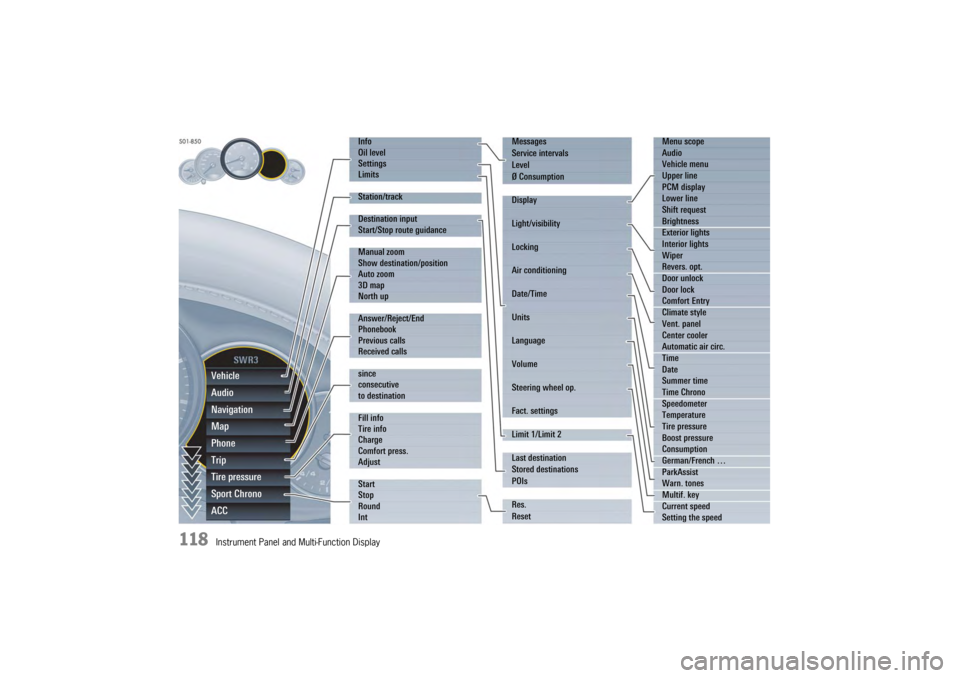
Overview of menus in the multi-function
displayThe following main menu areas are available
depending on the vehicle equipment.
–“ Vehicle ”
Retrieve vehicle inform ation, check oil level,
adjust settings, adapt speed limits,
see page 119.
–“ Audio”
Display/select radio station or track,
see page 123.
–“ Navigation ”
Retrieve navigation information, enter
navigation destination, start/finish navigation,
see page 123.
–“ Map ”
Show/adapt the map display for navigation,
see page 124.
–“ Phone ”
Make telephone calls, see page 125.
–“ Tr i p”
Retrieve/reset trip information, see page 126.
–“ Tire pressure ”
Retrieve tire pressure information, modify Tire
Pressure Monitoring settings, see page 127.
–“ Sport Chrono”
Start/stop/reset stopwatch, see page 135. –“
ACC ”
Retrieve adaptive cruise control information,
seepage178.
Activating functions, opening submenus
and accessing setting options from the
main menu areasPress the rotary knob A or push the right lower
lever on the steering wheel forwards (position 1)
to access menus, other functions and setting
options regardless of the main menu area.Browsing through long listsWhen searching for an entry in long telephone and
audio lists on vehicles with PCM, you can skip
directly to other entries with the same first letter.
f Briefly press the rotary knob A or hold the
operating lever in position 3 or 4.
A letter selection screen appears.
Select the desired first letters and confirm.
The marking skips to the first list entry beginning
with the letters selected.1. Select main menu
and confirm.
2. Select function, submenu or setting option
and confirm.
Page 120 of 343
118
Instrument Panel and Multi-Function DisplayVehicle
Audio
Navigation
Map
Phone
Trip
Tire pressure
Sport Chrono
ACC
Info
Oil level
Settings
Limits
Station/track
Destination input
Start/Stop route guidance
Manual zoom
Show destination/position
Auto zoom
3D map
North up
Answer/Reject/End
Phonebook
Previous calls
Received calls
since
consecutive
to destination
Fill info
Tire info
Charge
Comfort press.
Adjust
Start
Stop
Round
IntMessages
Service intervals
Level
Ø Consumption
Display
Light/visibility
Locking
Air conditioning
Date/Time
Units
Language
Volume
Steering wheel op.
Fact. settings
Limit 1/Limit 2
Last destination
Stored destinations
POIs
Res.
Reset
Menu scope
Audio
Vehicle menu
Upper line
PCM display
Lower line
Shift request
Brightness
Exterior lights
Interior lights
Wiper
Revers. opt.
Door unlock
Door lock
Comfort Entry
Climate style
Vent. panel
Center cooler
Automatic air circ.
Time
Date
Summer time
Time Chrono
Speedometer
Temperature
Tire pressure
Boost pressure
Consumption
German/French …
ParkAssist
Warn. tones
Multif. key
Current speed
Setting the speed
Page 125 of 343
Instrument Panel and Multi-Function Display
123
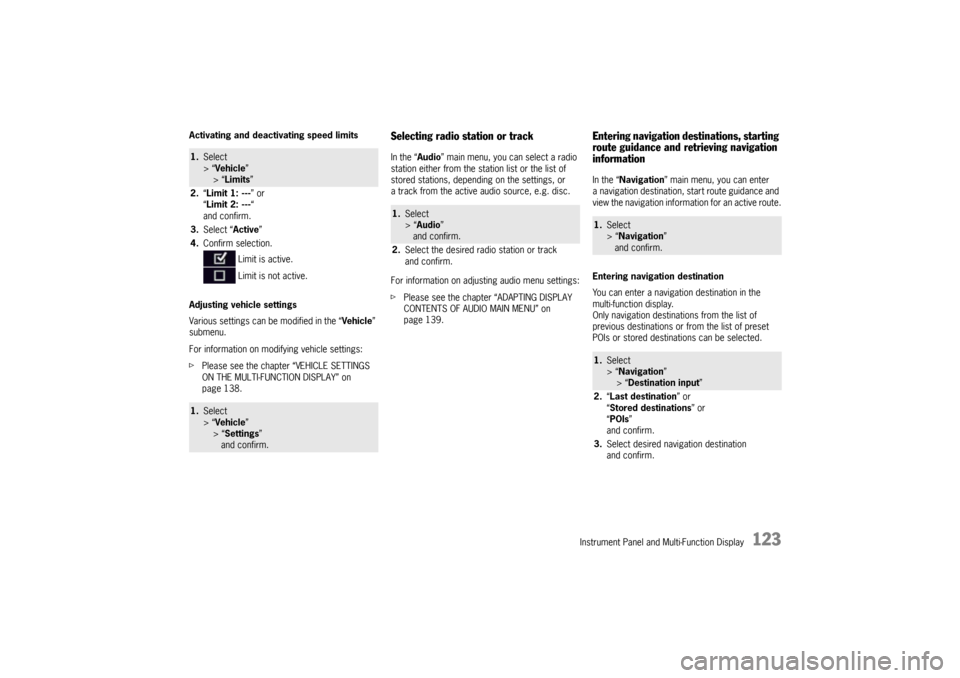
Activating and deactivating speed limits
Adjusting vehicle settings
Various settings can be modified in the “Vehicle”
submenu.
For information on modifying vehicle settings:
f Please see the chapter “VEHICLE SETTINGS
ON THE MULTI-FUNCTION DISPLAY” on
page 138.
Selecting radio station or trackIn the “ Audio” main menu, you can select a radio
station either from the st ation list or the list of
stored stations, depending on the settings, or
a track from the active audio source, e.g. disc.
For information on adjusting audio menu settings:
f Please see the chapter “ADAPTING DISPLAY
CONTENTS OF AUDIO MAIN MENU” on
page 139.
Entering navigation destinations, starting
route guidance and retrieving navigation
informationIn the “ Navigation” main menu, you can enter
a navigation destination, start route guidance and
view the navigation information for an active route.
Entering navigation destination
You can enter a navigatio n destination in the
multi-function display.
Only navigation destinations from the list of
previous destinations or from the list of preset
POIs or stored destinations can be selected.
1. Select
> “Vehicle ”
> “ Limits ”
2. “Limit 1: --- ” or
“ Limit 2: --- “
and confirm.
3. Select “ Active”
4. Confirm selection.
Limit is active.
Limit is not active.1.Select
> “Vehicle ”
> “ Settings ”
and confirm.
1. Select
> “Audio”
and confirm.
2. Select the desired radio station or track
and confirm.
1.Select
> “Navigation”
and confirm.1. Select
> “Navigation”
> “ Destination input ”
2. “Last destination ” or
“ Stored destinations” or
“ POIs ”
and confirm.
3. Select desired navigation destination
and confirm.
Page 126 of 343
124
Instrument Panel and Multi-Function Display
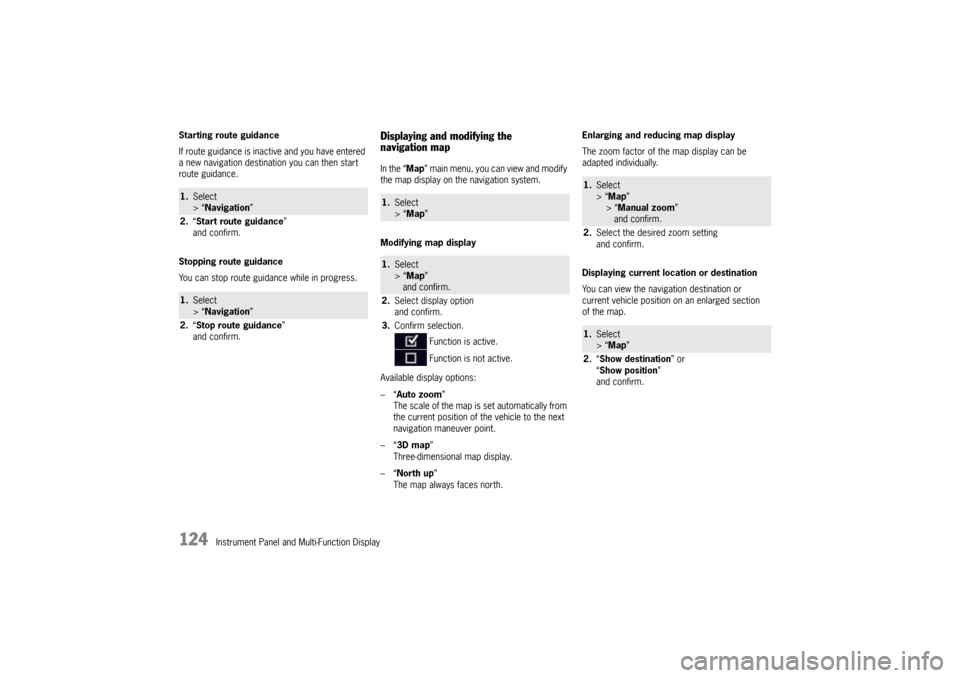
Starting route guidance
If route guidance is inactive and you have entered
a new navigation destination you can then start
route guidance.
Stopping route guidance
You can stop route guidance while in progress.
Displaying and modifying the
navigation mapIn the “
Map” main menu, you can view and modify
the map display on the navigation system.
Modifying map display
Available display options:
–“ Auto zoom ”
The scale of the map is set automatically from
the current position of the vehicle to the next
navigation maneuver point.
–“ 3D map ”
Three-dimensional map display.
–“ North up ”
The map always faces north. Enlarging and reducing map display
The zoom factor of the map display can be
adapted individually.
Displaying current location or destination
You can view the navigation destination or
current vehicle position on an enlarged section
of the map.
1.
Select
> “Navigation”
2. “Start route guidance ”
and confirm.1. Select
> “Navigation”
2. “Stop route guidance ”
and confirm.
1. Select
> “Map ” 1.Select
> “Map ”
and confirm.
2. Select display option
and confirm.
3. Confirm selection.
Function is active.
Function is not active.
1.Select
> “Map ”
> “Manual zoom ”
and confirm.
2. Select the desired zoom setting
and confirm.1.Select
> “Map ”
2. “Show destination ” or
“ Show position ”
and confirm.
Page 127 of 343
Instrument Panel and Multi-Function Display
125
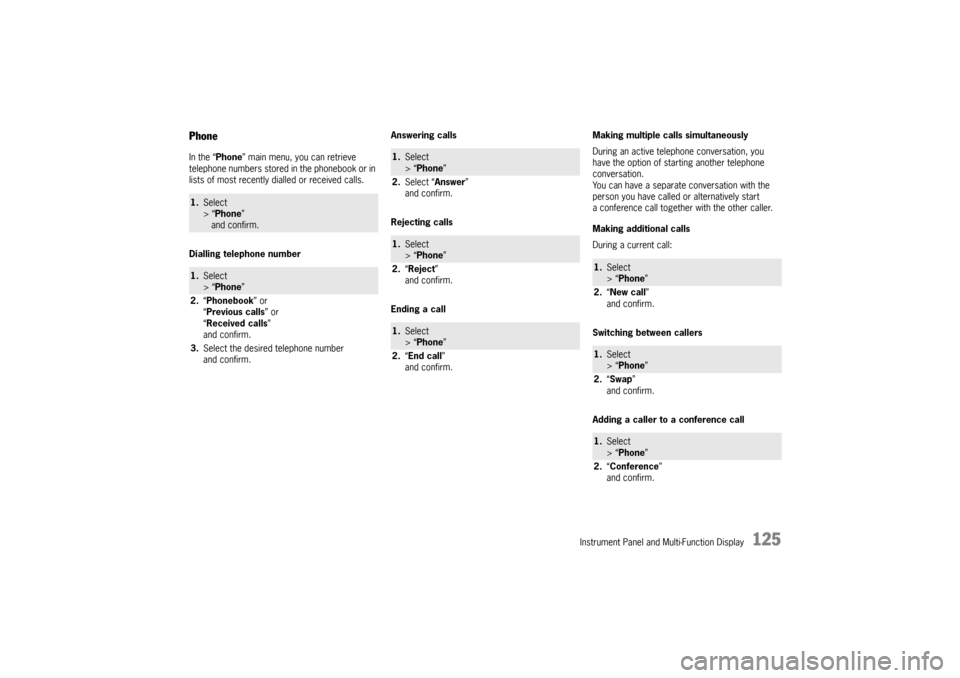
PhoneIn the “Phone” main menu, you can retrieve
telephone numbers stored in the phonebook or in
lists of most recently dialled or received calls.
Dialling telephone number Answering calls
Rejecting calls
Ending a callMaking multiple calls simultaneously
During an active telephone conversation, you
have the option of starting another telephone
conversation.
You can have a separate conversation with the
person you have called or alternatively start
a conference call together
with the other caller.
Making additional calls
During a current call:
Switching between callers
Adding a caller to a conference call1. Select
> “Phone ”
and confirm.1. Select
> “Phone ”
2. “Phonebook ” or
“ Previous calls” or
“ Received calls ”
and confirm.
3. Select the desired telephone number
and confirm.
1.Select
> “Phone ”
2. Select “Answer ”
and confirm.1. Select
> “Phone ”
2. “Reject ”
and confirm.1. Select
> “Phone ”
2. “End call ”
and confirm.
1. Select
> “Phone ”
2. “New call ”
and confirm.1. Select
> “Phone ”
2. “Swap ”
and confirm.1. Select
> “Phone ”
2. “Conference ”
and confirm.
Page 128 of 343
126
Instrument Panel and Multi-Function Display
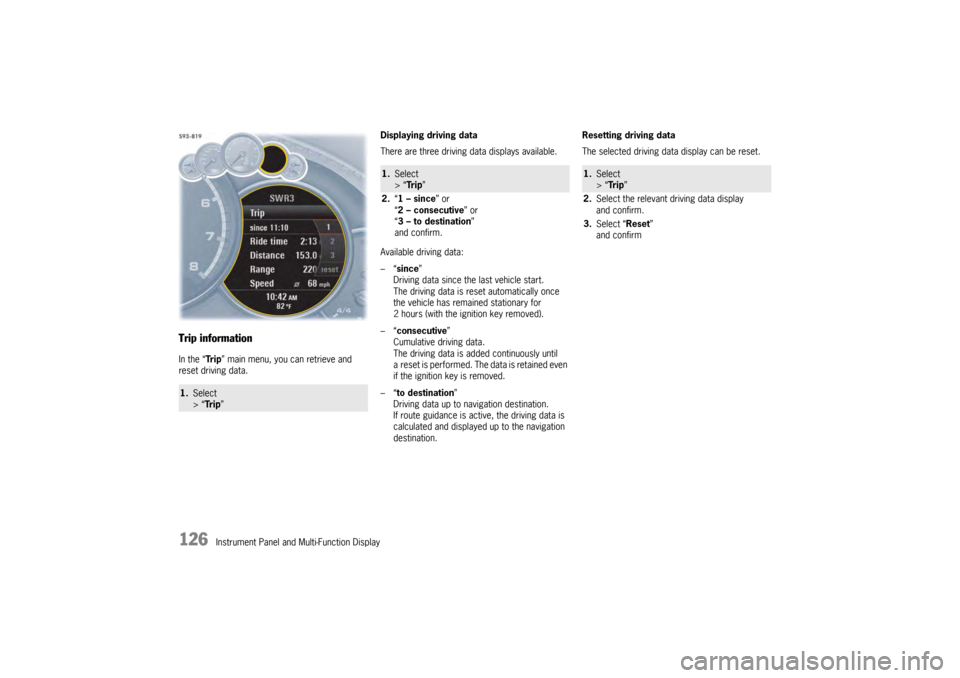
Trip informationIn the “Tr i p” main menu, you can retrieve and
reset driving data. Displaying driving data
There are three driving data displays available.
Available driving data:
–“
since ”
Driving data since the last vehicle start.
The driving data is reset automatically once
the vehicle has remained stationary for
2 hours (with the ignition key removed).
–“ consecutive ”
Cumulative driving data.
The driving data is added continuously until
a reset is performed. The data is retained even
if the ignition key is removed.
–“ to destination ”
Driving data up to navigation destination.
If route guidance is active, the driving data is
calculated and displayed up to the navigation
destination. Resetting driving data
The selected driving data display can be reset.1.
Select
> “Tr i p ”
1.Select
> “Tr i p ”
2. “1 – since ” or
“ 2 – consecutive ” or
“ 3 – to destination ”
and confirm.
1. Select
> “Tr i p ”
2. Select the relevant driving data display
and confirm.
3. Select “Reset ”
and confirm
Page 130 of 343
128
Instrument Panel and Multi-Function Display
f
Use only the pressure differences shown in the
“Fill info” display in the tire pressure menu or
from the corresponding tire pressure warning
when correcting the tire pressure.
f Tires can lose air over time without a tire
defect being present. A tire pressure warning
will then appear on the multi-function display.
Check the tire pressure at the next opportunity.
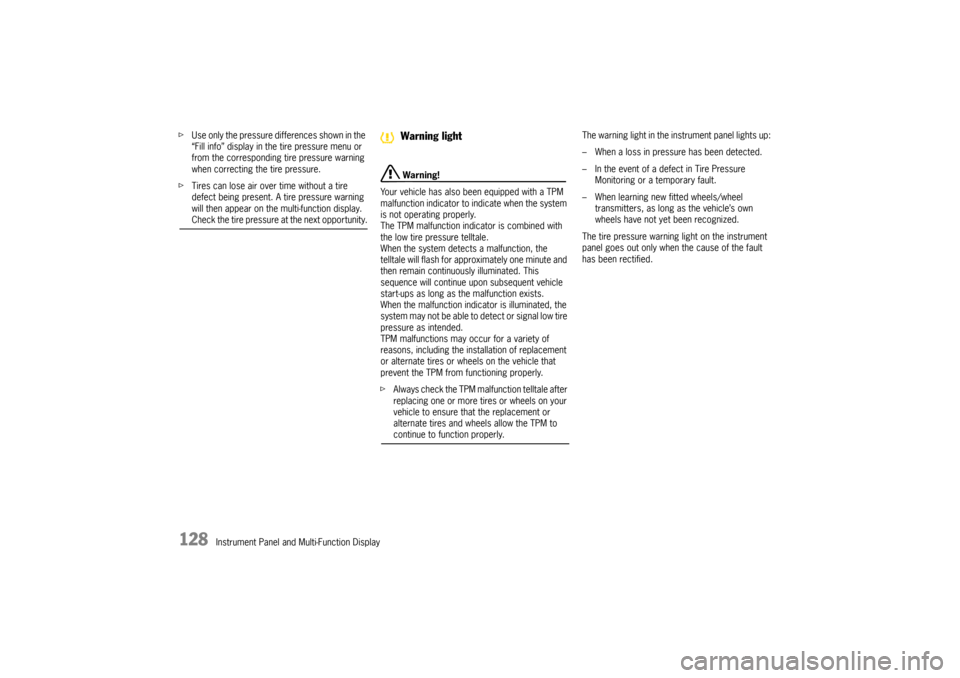
Warning!
Your vehicle has also been equipped with a TPM
malfunction indicator to in dicate when the system
is not operating properly.
The TPM malfunction indicator is combined with
the low tire pressure telltale.
When the system detects a malfunction, the
telltale will flash for approximately one minute and
then remain continuously illuminated. This
sequence will continue upon subsequent vehicle
start-ups as long as the malfunction exists.
When the malfunction indicator is illuminated, the
system may not be able to detect or signal low tire
pressure as intended.
TPM malfunctions may occur for a variety of
reasons, including the installation of replacement
or alternate tires or wheels on the vehicle that
prevent the TPM from functioning properly.
f Always check the TPM malfunction telltale after
replacing one or more tires or wheels on your
vehicle to ensure that the replacement or
alternate tires and wheels allow the TPM to continue to function properly. The warning light in the instrument panel lights up:
– When a loss in pressure has been detected.
– In the event of a defect in Tire Pressure
Monitoring or a temporary fault.
– When learning new fitted wheels/wheel transmitters, as long as the vehicle’s own
wheels have not ye t been recognized.
The tire pressure warning light on the instrument
panel goes out only when the cause of the fault
has been rectified.Warning light
Page 137 of 343
Instrument Panel and Multi-Function Display
135
No monitoringIn the event of faults, Tire Pressure Monitoring
cannot monitor the tire pressure.
The warning light on the instrument panel lights up
and a corresponding message appears on the
multi-function display.
Monitoring is not active:
– if Tire Pressure Monitoring is faulty,
– if wheel transmitters for Tire Pressure Monitoring are missing,
– during the learning phase after the tire settings have been updated,
– after a wheel change without updating the tire settings,
– if more than four wheel transmitters are recognized,
– if there is external interference by other radio sources, e.g. wireless headphones,
– if tire temperatures are too high.
f Please see the chapter “OVERVIEW OF
WARNING MESSAGES” on page 152.
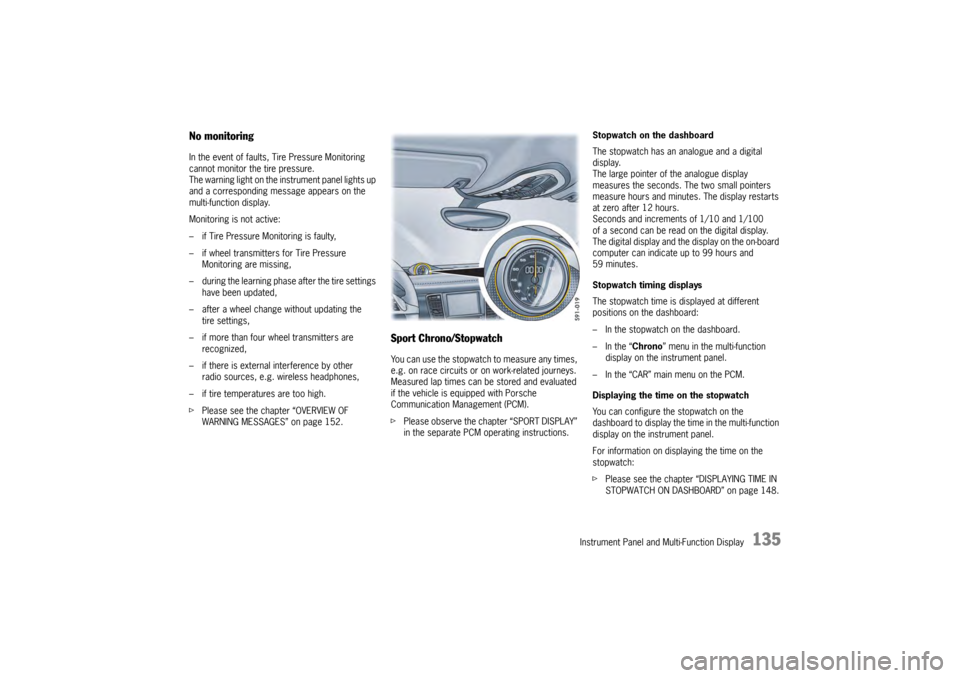
Sport Chrono/StopwatchYou can use the stopwatch to measure any times,
e.g. on race circuits or on work-related journeys.
Measured lap times can be stored and evaluated
if the vehicle is equipped with Porsche
Communication Management (PCM).
fPlease observe the chapter “SPORT DISPLAY”
in the separate PCM operating instructions. Stopwatch on the dashboard
The stopwatch has an analogue and a digital
display.
The large pointer of the analogue display
measures the seconds. The two small pointers
measure hours and minutes. The display restarts
at zero after 12 hours.
Seconds and increments of 1/10 and 1/100
of a second can be read on the digital display.
The digital display and the
display on the on-board
computer can indicate up to 99 hours and
59 minutes.
Stopwatch timing displays
The stopwatch time is displayed at different
positions on the dashboard:
– In the stopwatch on the dashboard.
– In the “ Chrono” menu in the multi-function
display on the instrument panel.
– In the “CAR” main menu on the PCM.
Displaying the time on the stopwatch
You can configure the stopwatch on the
dashboard to display the ti me in the multi-function
display on the instrument panel.
For information on displaying the time on the
stopwatch:
f Please see the chapter “DISPLAYING TIME IN
STOPWATCH ON DASHBOARD” on page 148.