warning light Ram 1500 2011 User Guide
[x] Cancel search | Manufacturer: RAM, Model Year: 2011, Model line: 1500, Model: Ram 1500 2011Pages: 636, PDF Size: 4.88 MB
Page 107 of 636
WARNING!
•Persons who are unable to feel pain to the skin
because of advanced age, chronic illness, diabetes,
spinal cord injury, medication, alcohol use, ex-
haustion or other physical condition must exercise
care when using the seat heater. It may cause burns
even at low temperatures, especially if used for
long periods of time.
•Do not place anything on the seat that insulates
against heat, such as a blanket or cushion. This
may cause the seat heater to overheat. Sitting in a
seat that has been overheated could cause serious
burns due to the increased surface temperature of
the seat.
CAUTION!
Repeated overheating of the seat could damage the
heating element and/or degrade the material of the
seat.
Front Heated Seats
There are two heated seat switches that allow the driver
and passenger to operate the seats independently. The
controls for each seat are located near the bottom center
of the instrument panel (below the climate controls).
You can choose from HIGH, LOW or OFF heat settings.
Amber indicator lights in each switch indicate the level of
heat in use. Two indicator lights will illuminate for
HIGH, one for LOW and none for OFF.
3
UNDERSTANDING THE FEATURES OF YOUR VEHICLE 105
Page 123 of 636
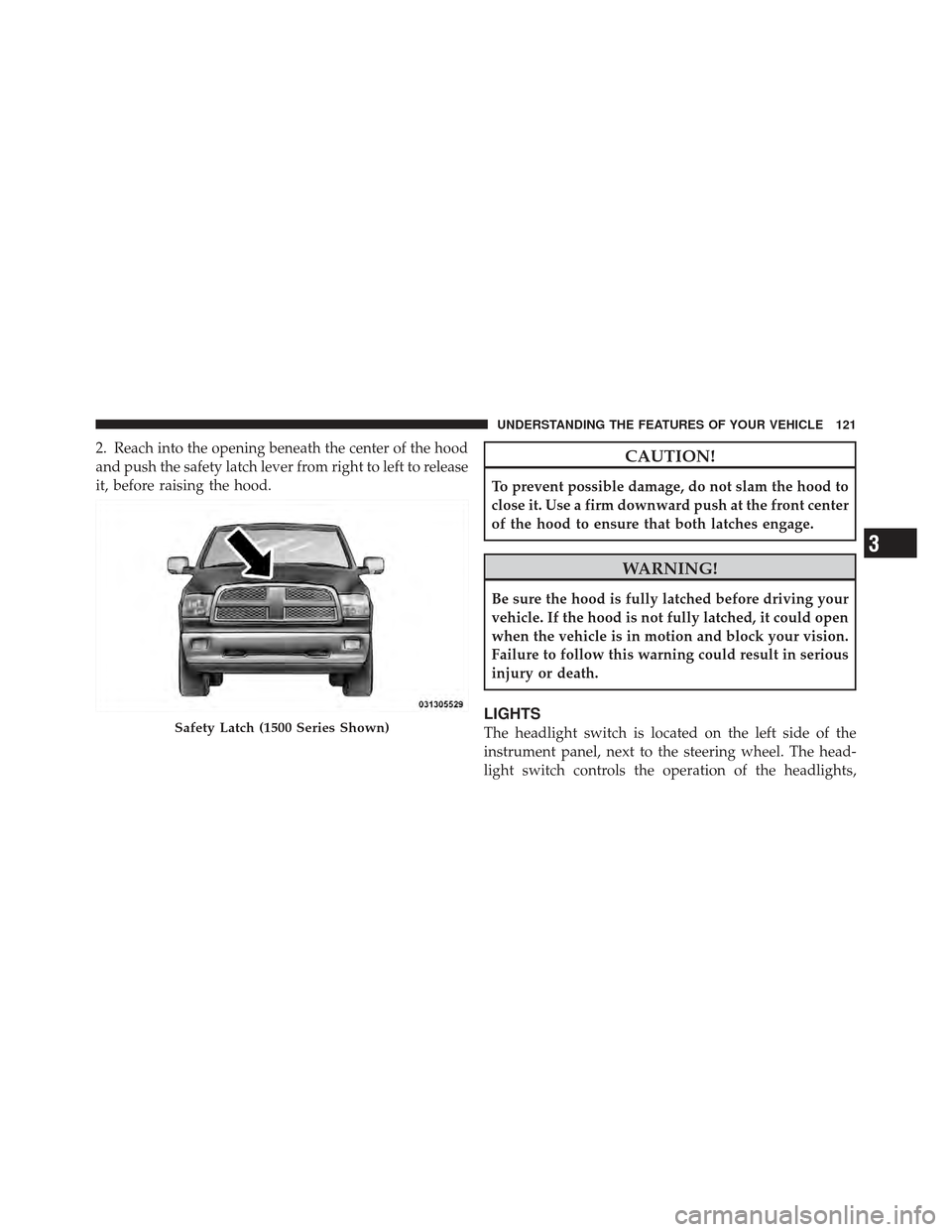
2. Reach into the opening beneath the center of the hood
and push the safety latch lever from right to left to release
it, before raising the hood.CAUTION!
To prevent possible damage, do not slam the hood to
close it. Use a firm downward push at the front center
of the hood to ensure that both latches engage.
WARNING!
Be sure the hood is fully latched before driving your
vehicle. If the hood is not fully latched, it could open
when the vehicle is in motion and block your vision.
Failure to follow this warning could result in serious
injury or death.
LIGHTS
The headlight switch is located on the left side of the
instrument panel, next to the steering wheel. The head-
light switch controls the operation of the headlights,Safety Latch (1500 Series Shown)
3
UNDERSTANDING THE FEATURES OF YOUR VEHICLE 121
Page 134 of 636
WARNING!
Do not adjust the steering column while driving.
Adjusting the steering column while driving or driv-
ing with the steering column unlocked, could cause
the driver to lose control of the vehicle. Be sure the
steering column is locked before driving your ve-
hicle. Failure to follow this warning may result in
serious injury or death.
HEATED STEERING WHEEL — IF EQUIPPED
The steering wheel contains a heating element that helps
warm your hands in cold weather. The heated steering
wheel has only one temperature setting. Once the heated
steering wheel has been turned on it will operate for
approximately 58 to 70 minutes before automatically
shutting off. The heated steering wheel can shut off early
or may not turn on when the steering wheel is already
warm.The heated steering wheel switch is located on the switch
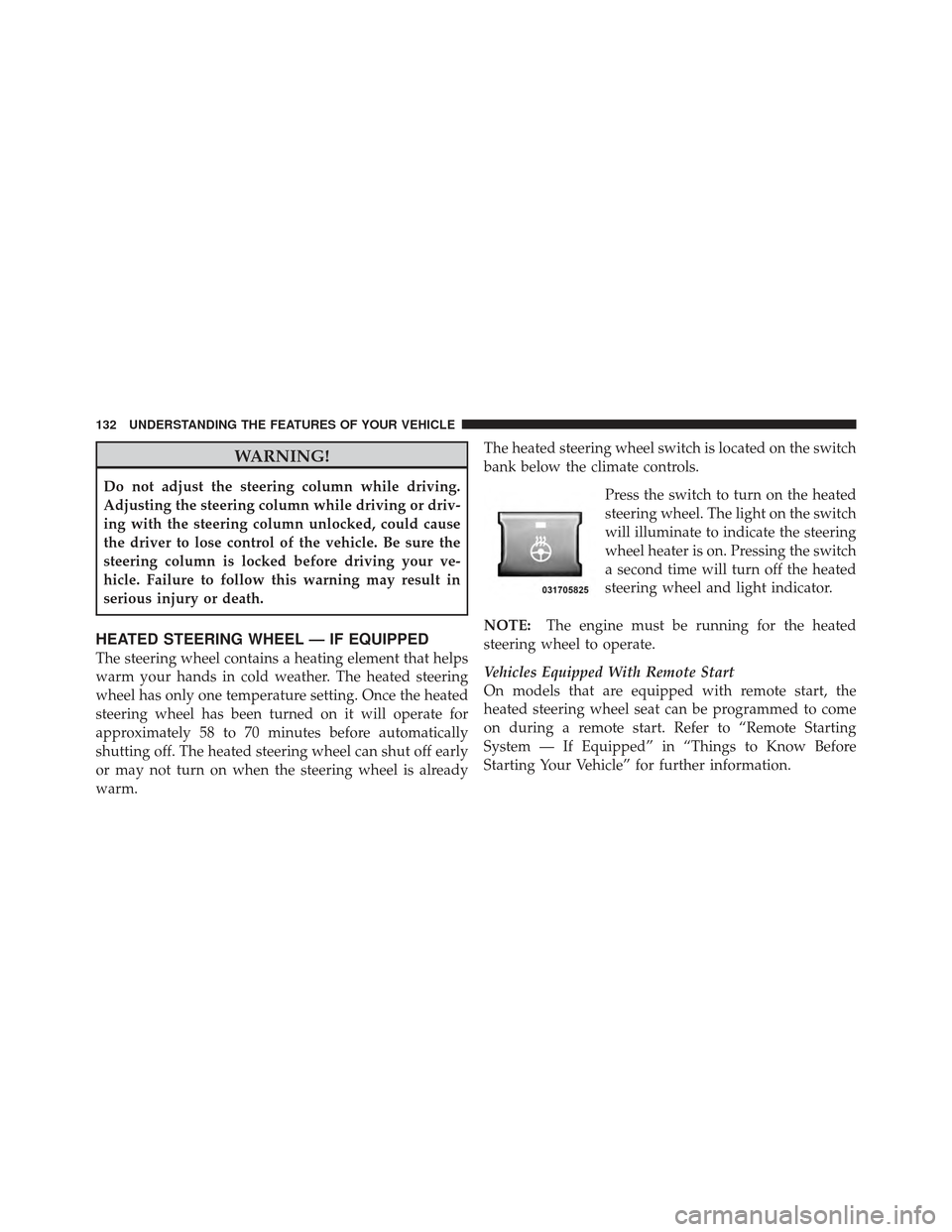
bank below the climate controls.
Press the switch to turn on the heated
steering wheel. The light on the switch
will illuminate to indicate the steering
wheel heater is on. Pressing the switch
a second time will turn off the heated
steering wheel and light indicator.
NOTE: The engine must be running for the heated
steering wheel to operate.
Vehicles Equipped With Remote Start
On models that are equipped with remote start, the
heated steering wheel seat can be programmed to come
on during a remote start. Refer to “Remote Starting
System — If Equipped” in “Things to Know Before
Starting Your Vehicle” for further information.
132 UNDERSTANDING THE FEATURES OF YOUR VEHICLE
Page 139 of 636

To decrease speed while the Electronic Speed Control is
set, push down and hold the SET DECEL lever. If the
lever is continually held in the SET DECEL position, the
set speed will continue to decrease until the lever is
released. Release the lever when the desired speed is
reached, and the new set speed will be established.
Tapping the SET DECEL lever once will result ina1mph
(2 km/h) decrease in set speed. Each subsequent tap of
the lever results in a decrease of 1 mph (2 km/h).
To Accelerate For Passing
Press the accelerator as you would normally. When the
pedal is released, the vehicle will return to the set speed.
NOTE:The Electronic Speed Control system maintains
speed up and down hills. A slight speed change on
moderate hills is normal. Your vehicle may experience a downshift (automatic
transmissions only) while climbing uphill or descending
downhill. This downshift is necessary to maintain vehicle
set speed.
On steep hills a greater speed loss or gain may occur so
it may be preferable to drive without Electronic Speed
Control.
WARNING!
Electronic Speed Control can be dangerous where the
system cannot maintain a constant speed. Your ve-
hicle could go too fast for the conditions, and you
could lose control and have an accident. Do not use
Electronic Speed Control in heavy traffic or on roads
that are winding, icy, snow-covered or slippery.
3
UNDERSTANDING THE FEATURES OF YOUR VEHICLE 137
Page 167 of 636
WARNING!
To avoid serious injury or death:
•Only devices designed for use in this type of
outlet should be inserted into any 12 Volt outlet.
•Do not touch with wet hands.
•Close the lid when not in use and while driving
the vehicle.
•If this outlet is mishandled, it may cause an
electric shock and failure.
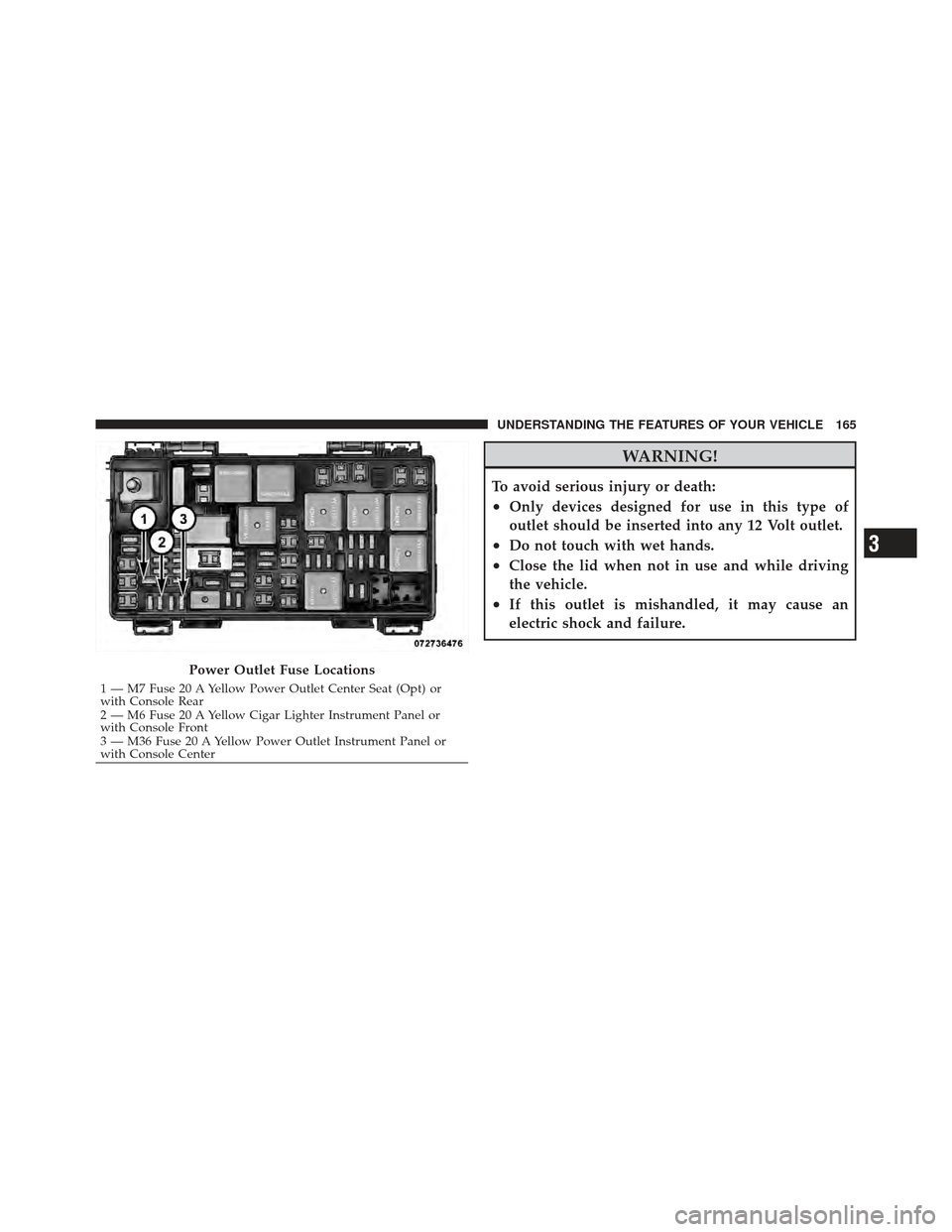
Power Outlet Fuse Locations
1 — M7 Fuse 20 A Yellow Power Outlet Center Seat (Opt) or
with Console Rear
2 — M6 Fuse 20 A Yellow Cigar Lighter Instrument Panel or
with Console Front
3 — M36 Fuse 20 A Yellow Power Outlet Instrument Panel or
with Console Center
3
UNDERSTANDING THE FEATURES OF YOUR VEHICLE 165
Page 208 of 636

SWITCH BANK BUTTON DESCRIPTION
Upper Switch Bank
The upper switch bank is located on the center of the
instrument panel.
1. TOW/HAUL
Refer to “Starting And Operating” for more information.2. ESC OFF
Refer to “Starting And Operating” for more information.
3. HAZARD WARNING FLASHER
Refer to “What To Do In Emergencies” for more infor-
mation.
4. 115V POWER INVERTER
Refer to “Understanding The Features Of Your Vehicle”
for more information.
5. REAR PARK ASSIST
Refer to “Understanding The Features Of Your Vehicle”
for more information.
6. TPMS LIGHT LOAD — IF EQUIPPED
Refer to “Starting And Operating” for more information.
206 UNDERSTANDING YOUR INSTRUMENT PANEL
Page 213 of 636
CAUTION!
Driving with a hot engine cooling system could
damage your vehicle. If the temperature gauge reads
“H” pull over and stop the vehicle. Idle the vehicle
with the air conditioner turned off until the pointer
drops back into the normal range. If the pointer
remains on the “H” and you hear continuous chimes,
turn the engine off immediately and call an autho-
rized dealership for service.
WARNING!
A hot engine cooling system is dangerous. You or
others could be badly burned by steam or boiling
coolant. You may want to call an authorized dealer-
ship for service if your vehicle overheats. If you
decide to look under the hood yourself, see “Main-
taining Your Vehicle”. Follow the warnings under the
Cooling System Pressure Cap paragraph.
5. Speedometer
The speedometer shows the vehicle speed in miles per
hour and/or kilometers per hour (mph/km/h).
6. 4 LOW This light alerts the driver that the vehicle is in
the four-wheel drive LOW mode. The front and
rear driveshafts are mechanically locked to-
gether forcing the front and rear wheels to
4
UNDERSTANDING YOUR INSTRUMENT PANEL 211
Page 218 of 636
perform the following: Place the ignition in the ON/
RUN, but do not start the engine. With the odometer
value displayed, hold the TRIP button down for a period
of six seconds. The odometer will change to trip value
first, then it will display the engine hour value. The
engine hours will be displayed for a period of 30 seconds
until the ignition is turned OFF or the engine is started.
If equipped, some of the above warnings will be dis-
played in the Electronic Vehicle Information Center
(EVIC) in the instrument cluster. Refer to ”Electronic
Vehicle Information Center (EVIC) — If Equipped” for
further information.
ECO / ECO-ON (Fuel Saver Indicator) — If Equipped
The ECO-ON indicator will illuminate when you are
driving in a fuel efficient manner and can be used to
modify driving habits in order to increase fuel economy.
The ECO display will toggle between ECO and ECO-ON
depending on driving habits and vehicle usage. Press theOdometer / Trip Odometer / ECO (Fuel Saver Indicator)
button to change the display from odometer to either of
the two trip odometer settings or the “ECO” display.
If the vehicle diagnostic system determines
that the fuel filler cap is loose, improperly
installed, or damaged, a loose gascap indicator
will display in the odometer display area.
Tighten the fuel filler cap properly and press
the TRIP button to turn off the message. If the
problem continues, the message will appear
the next time the vehicle is started.
A loose, improperly installed, or damaged fuel filler cap
may also turn on the Malfunction Indicator Light (MIL).
Lo tirE
When the appropriate condition exists, the odometer
display will toggle between Lo and tirE for three cycles.
Loose
Gascap
Indicator
216 UNDERSTANDING YOUR INSTRUMENT PANEL
Page 219 of 636
noFUSE
If the vehicle diagnostic system determines that the
Ignition Off Draw (IOD) fuse is improperly installed, or
damaged, a “noFUSE” message will display in the odom-
eter display area. For further information on fuses and
fuse locations refer to “Fuses” in “Maintaining Your
Vehicle”.
CHAngE OIL
Your vehicle is equipped with an engine oil change
indicator system. TheCHAngE OILmessage will flash in
the instrument cluster odometer for approximately
12 seconds after a single chime has sounded to indicate
the next scheduled oil change interval. The engine oil
change indicator system is duty cycle-based, which
means the engine oil change interval may fluctuate
dependent upon your personal driving style.
Unless reset, this message will continue to display each
time you turn the ignition switch to the ON/RUN position. To turn off the message temporarily, press and
release the Trip Odometer button on the instrument
cluster. To reset the oil change indicator system (after
performing the scheduled maintenance), refer to the
following procedure:
1. Turn the ignition switch to the ON/RUN position
(do not start the engine).
2. Fully depress the accelerator pedal slowly three
times within 10 seconds.
3. Turn the ignition switch to the OFF/LOCK position.
NOTE: If the indicator message illuminates when you
start the vehicle, the oil change indicator system did not
reset. If necessary, repeat this procedure.
17. Engine Temperature Warning Light This light warns of an overheated engine condi-
tion. As temperatures rise and the gauge ap-
proaches H,this indicator will illuminate and a
4
UNDERSTANDING YOUR INSTRUMENT PANEL 217
Page 221 of 636
Center (EVIC). Refer to ”Electronic Vehicle Information
Center (EVIC) — If Equipped” for further information.
20. High Beam IndicatorThis indicator shows that headlights are on high
beam. Push the multifunction lever forward to
switch the headlights to high beam, and pull toward
yourself (normal position) to return to low beam.
21. Voltmeter
When the engine is running, the gauge indicates the
electrical system voltage. The pointer should stay within
the normal range if the battery is charged. If the pointer
moves to either extreme left or right and remains there
during normal driving, the electrical system should be
serviced.
NOTE: The voltmeter may show a gauge fluctuation at
various engine temperatures. This cycling operation is
caused by the post-heat cycle of the intake manifold
heater system. The number of cycles and the length of the cycling operation is controlled by the engine control
module. Post-heat operation can run for several minutes,
and then the electrical system and voltmeter needle will
stabilize.
22. Cargo Light
The cargo light will illuminate when the cargo
light is activated by pressing the cargo light
button on the headlight switch.
23. Brake Warning Light This light monitors various brake functions,
including brake fluid level and parking brake
application. If the brake light turns on it may
indicate that the parking brake is applied, that
the brake fluid level is low, or that there is a problem with
the Anti-lock Brake System reservoir.
If the light remains on when the parking brake has been
disengaged, and the fluid level is at the full mark on the
4
UNDERSTANDING YOUR INSTRUMENT PANEL 219