turn signal Ram 1500 2014 User Guide
[x] Cancel search | Manufacturer: RAM, Model Year: 2014, Model line: 1500, Model: Ram 1500 2014Pages: 806, PDF Size: 5.78 MB
Page 287 of 806
testing the light will come on when the ignition is first
turned on and remain on for 15 seconds, then blink for 5
seconds, and remain on until the vehicle is started. If the
bulb does not come on during starting, have the condi-
tion investigated promptly.
If this light comes on and remains on while driving, it
suggests a potential engine control problem and the need
for system service.
Although your vehicle will usually be drivable and not
need towing, see your authorized dealer for service as
soon as possible.
CAUTION!
Prolonged driving with the Malfunction Indicator
Light (MIL) on could cause damage to the engine
control system. It also could affect fuel economy and
driveability. If the MIL is flashing, severe catalytic
(Continued)
CAUTION!(Continued)
converter damage and power loss will soon occur.
Immediate service is required.
WARNING!
A malfunctioning catalytic converter, as referenced
above, can reach higher temperatures than in normal
operating conditions. This can cause a fire if you
drive slowly or park over flammable substances such
as dry plants, wood, cardboard, etc. This could result
in death or serious injury to the driver, occupants or
others.
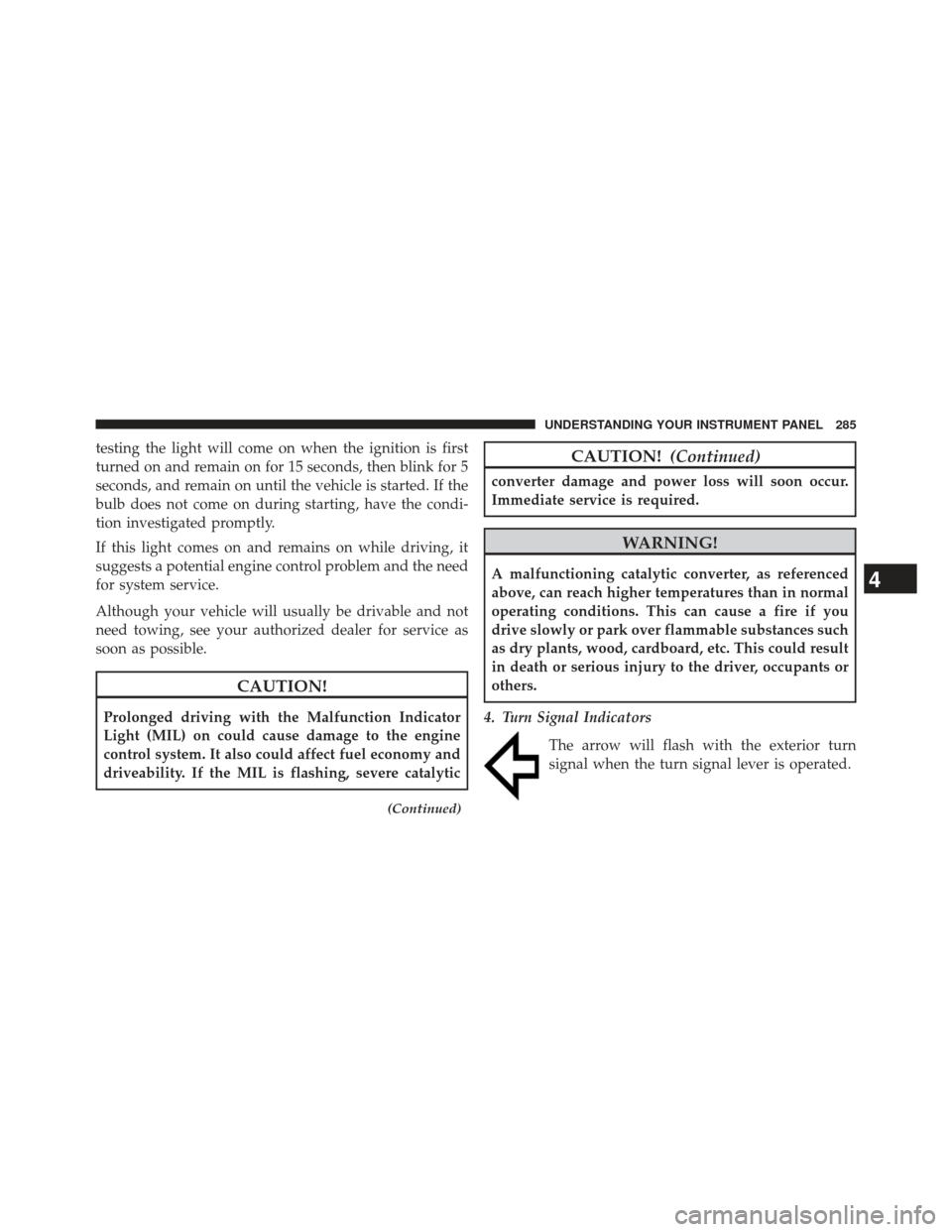
4. Turn Signal Indicators The arrow will flash with the exterior turn
signal when the turn signal lever is operated.4
UNDERSTANDING YOUR INSTRUMENT PANEL 285
Page 288 of 806
NOTE:•A continuous chime will sound if the vehicle is
driven more than 1 mile (1.6 km) with either turn
signal on.
• Check for an inoperative outside light bulb if either
indicator remains on and does not flash, or flashes at
a rapid rate.
5. Voltmeter
When the engine is running, the gauge indicates
the electrical system voltage. The pointer should
stay within the normal range if the battery is charged. If
the pointer moves to either extreme left or right and
remains there during normal driving, the electrical sys-
tem should be serviced. NOTE:
The voltmeter may show a gauge fluctuation at
various engine temperatures. This cycling operation is
caused by the post-heat cycle of the intake manifold
heater system. The number of cycles and the length of the
cycling operation is controlled by the engine control
module. Post-heat operation can run for several minutes,
and then the electrical system and voltmeter needle will
stabilize.
6. Brake Warning Light
This light monitors various brake functions,
including brake fluid level and parking brake
application. If the brake light turns on it may
indicate that the parking brake is applied, that
the brake fluid level is low, or that there is a problem with
the Anti-lock Brake System reservoir.
If the light remains on when the parking brake has been
disengaged, and the fluid level is at the full mark on the
master cylinder reservoir, it indicates a possible brake
286 UNDERSTANDING YOUR INSTRUMENT PANEL
Page 307 of 806
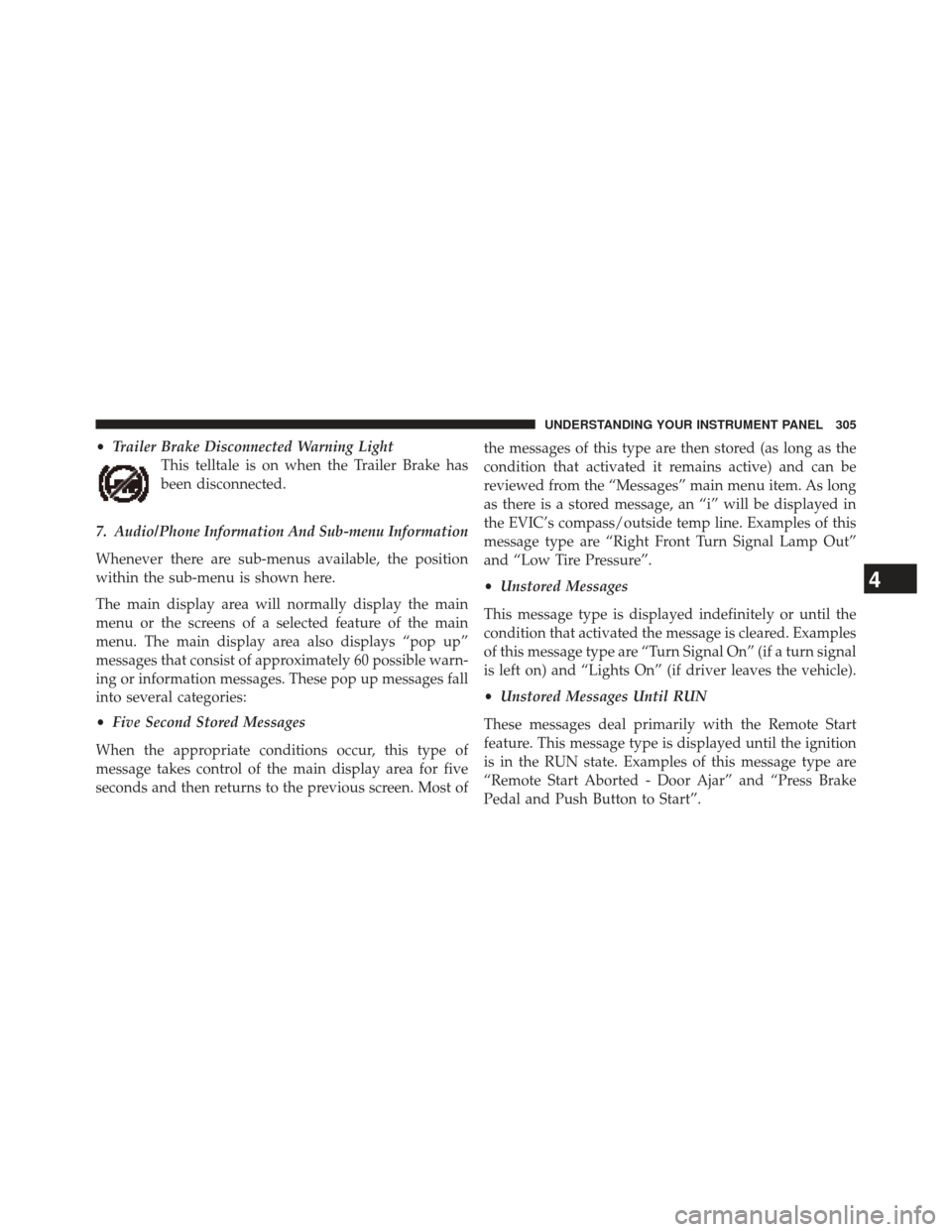
•Trailer Brake Disconnected Warning Light
This telltale is on when the Trailer Brake has
been disconnected.
7. Audio/Phone Information And Sub-menu Information
Whenever there are sub-menus available, the position
within the sub-menu is shown here.
The main display area will normally display the main
menu or the screens of a selected feature of the main
menu. The main display area also displays “pop up”
messages that consist of approximately 60 possible warn-
ing or information messages. These pop up messages fall
into several categories:
• Five Second Stored Messages
When the appropriate conditions occur, this type of
message takes control of the main display area for five
seconds and then returns to the previous screen. Most of the messages of this type are then stored (as long as the
condition that activated it remains active) and can be
reviewed from the “Messages” main menu item. As long
as there is a stored message, an “i” will be displayed in
the EVIC’s compass/outside temp line. Examples of this
message type are “Right Front Turn Signal Lamp Out”
and “Low Tire Pressure”.
•
Unstored Messages
This message type is displayed indefinitely or until the
condition that activated the message is cleared. Examples
of this message type are “Turn Signal On” (if a turn signal
is left on) and “Lights On” (if driver leaves the vehicle).
• Unstored Messages Until RUN
These messages deal primarily with the Remote Start
feature. This message type is displayed until the ignition
is in the RUN state. Examples of this message type are
“Remote Start Aborted - Door Ajar” and “Press Brake
Pedal and Push Button to Start”.
4
UNDERSTANDING YOUR INSTRUMENT PANEL 305
Page 312 of 806
8. 4WD Status
9. Selectable Gauge 2
10. Selectable Gauge 1
11. Selectable Gauge 1
The main display area will normally display the main
menu or the screens of a selected feature of the main
menu. The main display area also displays “pop up”
messages that consist of approximately 60 possible warn-
ing or information messages. These pop up messages fall
into several categories:
•Five Second Stored Messages
When the appropriate conditions occur, this type of
message takes control of the main display area for five
seconds and then returns to the previous screen. Most of
the messages of this type are then stored (as long as the
condition that activated it remains active) and can be
reviewed from the “Messages” main menu item. As long as there is a stored message, an “i” will be displayed in
the EVIC’s compass/outside temp line. Examples of this
message type are “Right Front Turn Signal Lamp Out”
and “Low Tire Pressure”.
•
Unstored Messages
This message type is displayed indefinitely or until the
condition that activated the message is cleared. Examples
of this message type are “Turn Signal On” (if a turn signal
is left on) and “Lights On” (if driver leaves the vehicle).
• Unstored Messages Until RUN
These messages deal primarily with the Remote Start
feature. This message type is displayed until the ignition
is in the RUN state. Examples of this message type are
“Remote Start Aborted - Door Ajar” and “Press Brake
Pedal and Push Button to Start”.
310 UNDERSTANDING YOUR INSTRUMENT PANEL
Page 321 of 806
•Service Antilock Brake System
• Service Electronic Throttle Control
• Service Power Steering
• Cruise Off
• Cruise Ready
• Cruise Set To XXX MPH
• Tire Pressure Screen With Low Tire(s) “Inflate Tire to
XX”
• Service Tire Pressure System
• Parking Brake Engaged
• Brake Fluid Low
• Service Electronic Braking System
• Engine Temperature Hot •
Battery Voltage Low
• Service Electronic Throttle Control
• Lights On
• Right Turn Signal Light Out
• Left Turn Signal Light Out
• Turn Signal On
• Vehicle Not in Park
• Key in Ignition
• Key in Ignition Lights On
• Remote Start Active Key to Run
• Remote Start Active Push Start Button
• Remote Start Aborted Fuel Low
• Remote Start Aborted Too Cold
4
UNDERSTANDING YOUR INSTRUMENT PANEL 319
Page 332 of 806
highlighted, then press and release the SELECT button
until a check-mark appears next to the setting, showing
that the setting has been selected.
Headlamps With Wipers
When this feature is selected and the HEADLIGHT
switch is in the AUTO position, the headlights will turn
on approximately 10 seconds after the wipers are turned
on. The headlights will also turn off when the wipers are
turned off if they were turned on by this feature. To make
your selection, press and release the SELECT button until
a check-mark appears next to the feature showing the
system has been activated or the check-mark is removed
showing the system has been deactivated.
Automatic High Beams — If Equipped
When this feature is selected, the high beam headlights
will deactivate automatically under certain conditions. To
make your selection, press and release the SELECT
button until a check-mark appears next to the featureshowing the system has been activated or the check-mark
is removed showing the system has been deactivated.
Refer to “Automatic High Beam — If Equipped” in
“Understanding The Features Of Your Vehicle” for fur-
ther information.
Flash Lamps With Lock
When this feature is selected, the front and rear turn
signals will flash when the doors are locked or unlocked
with the RKE transmitter. This feature may be selected
with or without the sound horn on lock feature selected.
To make your selection, press and release the SELECT
button until a check-mark appears next to the feature
showing the system has been activated or the check-mark
is removed showing the system has been deactivated.
Auto Lock Doors
When this feature is selected, all doors will lock auto-
matically when the vehicle reaches a speed of 15 mph
(24 km/h). To make your selection, press and release the
330 UNDERSTANDING YOUR INSTRUMENT PANEL
Page 336 of 806
Transport Mode – If Equipped
When this feature is selected the air suspension system is
disabled to assist with flat bed towing. To make your
selection, press and release the SELECT button until a
check-mark appears next to the feature showing the
system has been activated or the check-mark is removed
showing the system has been deactivated.
Wheel Alignment Mode – If Equipped
Before performing a wheel alignment this mode must be
enabled. Refer to your authorized dealer for further
information.
Horn with Remote Lower – If Equipped
When this feature is selected, a short horn sound will
occur when the RKE transmitter REMOTE LOWER but-
ton is pressed. To make your selection, press and release
the SELECT button until a check-mark appears next tothe feature showing the system has been activated or the
check-mark is removed showing the system has been
deactivated.
Lights with Remote Lower – If Equipped
When this feature is selected, the front and rear turn
signals will flash when the RKE transmitter REMOTE
LOWER button is pressed. This feature may be selected
with or without the sound horn on lower feature selected.
To make your selection, press and release the SELECT
button until a check-mark appears next to the feature
showing the system has been activated or the check-mark
is removed showing the system has been deactivated.
Trailer Select
When this feature is selected, the Trailer Type can be
selected between “Trailer 1”, “Trailer 2”, “Trailer 3” and
“Trailer 4”. To make your selection, scroll up or down
until the preferred setting is highlighted, then press and
334 UNDERSTANDING YOUR INSTRUMENT PANEL
Page 350 of 806
Doors & Locks
After pressing the Doors & Locks soft-key the following
settings will be available:
•Auto Lock
When this feature is selected, all doors will lock auto-
matically when the vehicle reaches a speed of 15 mph
(24 km/h). To make your selection, touch the Auto Lock
soft-key, until a check-mark appears next to setting,
showing that setting has been selected. Touch the back
arrow soft-key to return to the previous menu.
• Auto Unlock On Exit
When this feature is selected, all doors will unlock when
the vehicle is stopped and the transmission is in the
PARK or NEUTRAL position and the driver’s door is
opened. To make your selection, touch the Auto Unlock
On Exit soft-key, until a check-mark appears next to setting, showing that setting has been selected. Touch the
back arrow soft-key to return to the previous menu.
•
Flash Lamps With Lock
When this feature is selected, the front and rear turn
signals will flash when the doors are locked or unlocked
with the RKE transmitter. This feature may be selected
with or without the sound horn on lock feature selected.
To make your selection, press and release the SELECT
button until a check-mark appears next to the feature
showing the system has been activated or the check-mark
is removed showing the system has been deactivated.
• Sound Horn With Lock
When this feature is selected, the horn will sound when
the door locks are activated. To make your selection,
touch the Sound Horn With Lock soft-key, until a check-
mark appears next to setting, showing that setting has
been selected. Touch the back arrow soft-key to return to
the previous menu.
348 UNDERSTANDING YOUR INSTRUMENT PANEL
Page 357 of 806

press and release the SELECT button until a check-mark
appears next to the setting, showing that the setting has
been selected.
Phone/Bluetooth®
After touching the “Phone/Bluetooth®” soft-key the
following settings will be available:
•Paired Devices
This feature shows which phones are paired to the
Phone/Bluetooth® system. For further information, refer
to the Uconnect® Supplement Manual.
Air Suspension — If Equipped
After pressing the “Suspension” soft-key the following
settings will be available. •
Sound Horn With Remote Lower
When this feature is selected, a short horn sound will
occur when the RKE transmitter REMOTE LOWER but-
ton is pressed. Touch the box next to your selection and
a check-mark appears next to the feature showing the
system has been activated or the check-mark is removed
showing the system has been deactivated.
• Flash Lights With Remote Lower
When this feature is selected, the front and rear turn
signals will flash when the RKE transmitter REMOTE
LOWER button is pressed twice. This feature may be
selected with or without the Sound Horn on Lower
feature selected. Touch the box next to your selection and
a check-mark appears next to the feature showing the
system has been activated or the check-mark is removed
showing the system has been deactivated.
4
UNDERSTANDING YOUR INSTRUMENT PANEL 355
Page 478 of 806
mud, snow and ice. Every surface has a different effect on
your vehicle’s steering, handling and traction. Control-
ling your vehicle is one of the keys to successful off-road
driving, so always keep a firm grip on the steering wheel
and maintain a good driving posture. Avoid sudden
accelerations, turns or braking. In most cases there are no
road signs, posted speed limits or signal lights. Therefore
you will need to use your own good judgment on what is
safe and what isn’t. When on a trail you should always be
looking ahead for surface obstacles and changes in
terrain. The key is to plan your future driving route while
remembering what you are currently driving over.
CAUTION!
Never park your vehicle over dry grass or other
combustible materials. The heat from your vehicle
exhaust system could cause a fire.
WARNING!
Always wear your seat belt and firmly tie down
cargo. Unsecured cargo can become projectiles in an
off-road situation.
When To Use Low Range
When driving off-road, shift into 4L (Low Range) for
additional traction or to improve handling and control on
slippery or difficult terrain. Due to the lower gearing, low
range will allow the engine to operate in a higher power
range. This will allow you to idle over obstacles and
down hills, with improved control and less effort. Also,
use 4L (Low Range) in rain, ice, snow, mud, sand, to get
heavy loads rolling, improve traction, or whenever 4H
(High Range) traction will not do the job.
476 STARTING AND OPERATING