warning Ram 1500 2015 Owners Manual
[x] Cancel search | Manufacturer: RAM, Model Year: 2015, Model line: 1500, Model: Ram 1500 2015Pages: 871, PDF Size: 24.83 MB
Page 249 of 871

Manual Sliding Rear Window — If Equipped
A locking device in the center of the window helps to
prevent entry from the rear of the vehicle. Squeeze the
lock to release the window.
FOLD FLAT LOAD FLOOR — IF EQUIPPED
Quad Cab® and Crew Cab models with a 60/40 rear seat
may be equipped with a folding load floor.
WARNING!
Do not operate the vehicle with loose items stored on
the load floor. While driving or in an accident you
may experience abrupt stopping, rapid acceleration,
or sharp turns. Loose objects stored on the load floor
may move around with force and strike occupants,
resulting in serious or fatal injury.
Unfolding The Load Floor/Quad Cab®
1. Lift the 60/40 seat cushion(s) to the upward position.
2. Grasp the knob on the load floor and lift the knob until
the load floor unfolds into position.
Unfolding The Load Floor
3
UNDERSTANDING THE FEATURES OF YOUR VEHICLE 247
Page 252 of 871
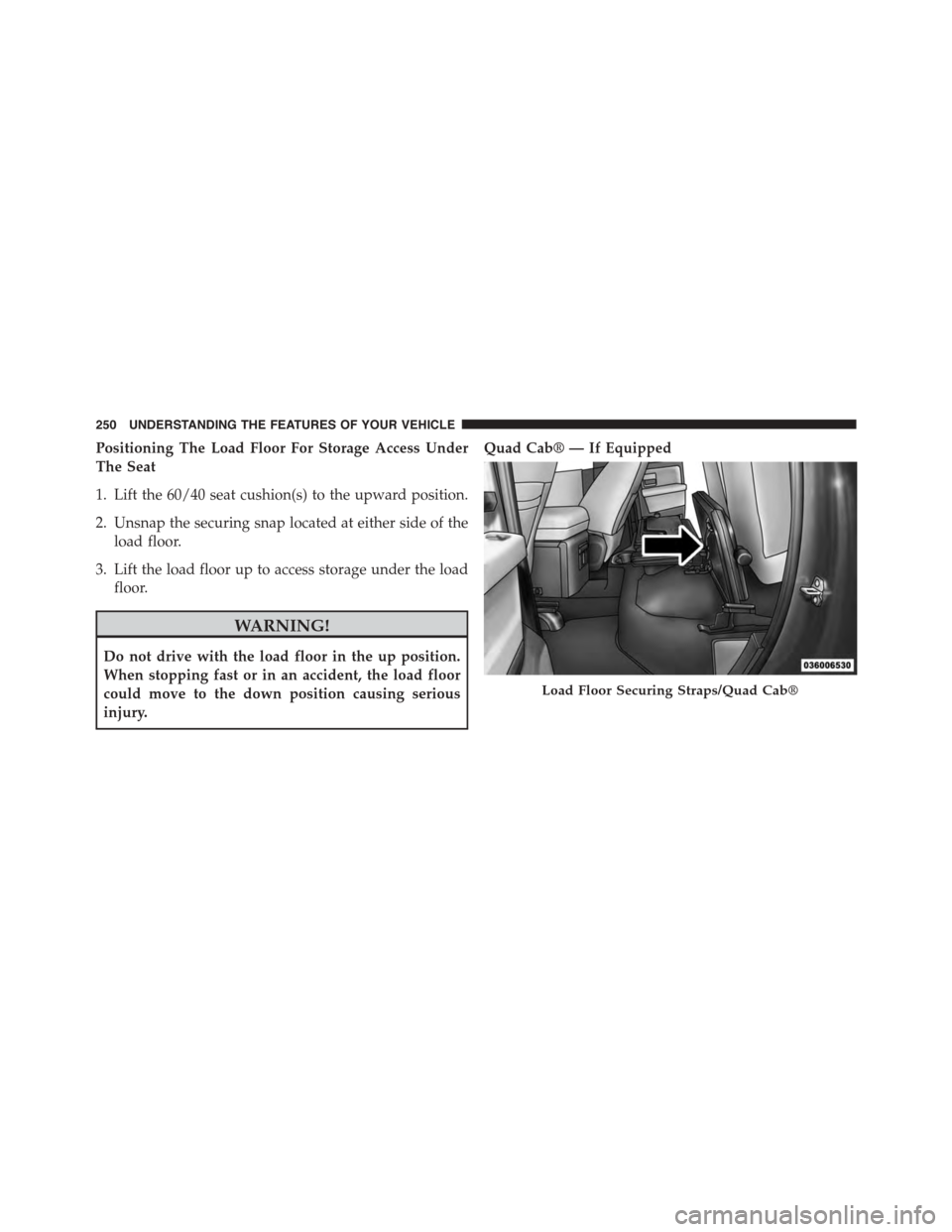
Positioning The Load Floor For Storage Access Under
The Seat
1. Lift the 60/40 seat cushion(s) to the upward position.
2. Unsnap the securing snap located at either side of the
load floor.
3. Lift the load floor up to access storage under the load
floor.
WARNING!
Do not drive with the load floor in the up position.
When stopping fast or in an accident, the load floor
could move to the down position causing serious
injury.
Quad Cab® — If Equipped
Load Floor Securing Straps/Quad Cab®
250 UNDERSTANDING THE FEATURES OF YOUR VEHICLE
Page 254 of 871
NOTE:If you are installing a Toolbox, Ladder Rack or
Headache Rack at the front of the Pickup Box, you must
use Mopar Box Reinforcement Brackets that are available
from your authorized dealer.
You can carry wide building materials (sheets of ply-
wood, etc.) by building a raised load floor. Place lumber
across the box in the indentations provided above the
wheel housings and in the bulkhead dividers to form the
floor.
WARNING!
•The pickup box is intended for load carrying pur-
poses only, not for passengers, who should sit in
seats and use seat belts.
(Continued)
WARNING!(Continued)
•Care should always be exercised when operating a
vehicle with unrestrained cargo. Vehicle speeds
may need to be reduced. Severe turns or rough
roads may cause shifting or bouncing of the cargo
that may result in vehicle damage. If wide building
materials are to be frequently carried, the installa-
tion of a support is recommended. This will re-
strain the cargo and transfer the load to the pickup
box floor.
•If you wish to carry more than 600 lbs (272 kg) of
material suspended above the wheelhouse, sup-
ports must be installed to transfer the weight of the
load to the pickup box floor or vehicle damage may
result. The use of proper supports will permit
loading up to the rated payload.
•Unrestrained cargo may be thrown forward in an
accident causing serious or fatal injury.
252 UNDERSTANDING THE FEATURES OF YOUR VEHICLE
Page 259 of 871
the storage bin, insert the key into the keyhole on the
pushbutton and turn clockwise to lock or counterclock-
wise to unlock. Always return the key to the upright
(vertical) position before removing the key from the
pushbutton.
CAUTION!
•Ensure cargo bin lids are closed and latched before
moving or driving vehicle.
•Loads applied to the top of the bin lid should be
minimized to prevent damage to the lid and
latching/hinging mechanisms.
•Damage to the RamBox® bin may occur due to
heavy/sharp objects placed in bin that shift due to
vehicle motion. In order to minimize potential for
damage, secure all cargo to prevent movement and
protect inside surfaces of bin from heavy/sharp
objects with appropriate padding.
RamBox® Safety Warning
Carefully follow these warnings to help prevent personal
injury or damage to your vehicle:
WARNING!
•Always close the storage bin covers when your
vehicle is unattended.
•Do not allow children to have access to the storage
bins. Once in the storage bin, young children may
not be able to escape. If trapped in the storage bin,
children can die from suffocation or heat stroke.
•In an accident, serious injury could result if the
storage bin covers are not properly latched.
•Do not drive the vehicle with the storage bin covers
open.
•Keep the storage bin covers closed and latched
while the vehicle is in motion.
•Do not use a storage bin latch as a tie down.
3
UNDERSTANDING THE FEATURES OF YOUR VEHICLE 257
Page 267 of 871
WARNING!
To reduce the risk of potential injury or property
damage:
•Cargo must be secured.
(Continued)
WARNING!(Continued)
•Do not exceed cargo load rating of your vehicle.
•Secure all loads to truck utilizing cargo tie downs.
•Extender should not be used as cargo tie down.
•When vehicle is in motion do not exceed 150 lbs
(68 kg) load on the tailgate.
•The bed extender is not intended for off road use.
•When not in use, the extender/divider should be in
stowed or divider position with the tailgate closed.
•When in use all handles are to be in the locked
position.
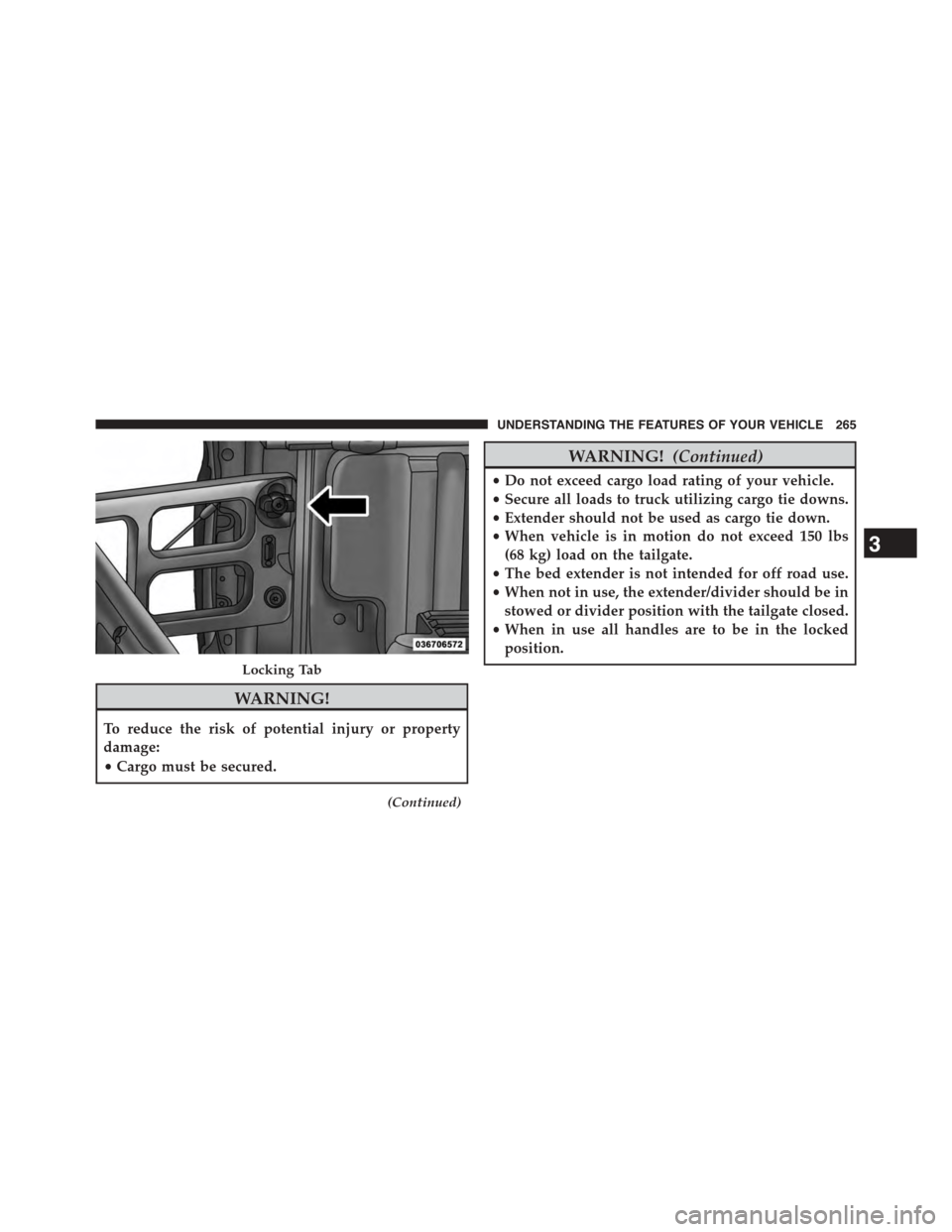
Locking Tab
3
UNDERSTANDING THE FEATURES OF YOUR VEHICLE 265
Page 273 of 871
5. Slide the entire tailgate to the right to free the left side
pivot.
6. Remove the tailgate from the vehicle.
NOTE:Do not carry the tailgate loose in the truck
pickup box.
WARNING!
To avoid inhaling carbon monoxide, which is deadly,
the exhaust system on vehicles equipped with “Cap or
Slide-In Campers” should extend beyond the over-
hanging camper compartment and be free of leaks.
Locking Tailgate
The lock is located next to the tailgate handle. The
tailgate can be locked using the vehicle key or by locking
the truck with the key-fob if equipped with remote
keyless entry.
TRI-FOLD TONNEAU COVER — IF EQUIPPED
Your vehicle may be equipped with a Tri-Fold Tonneau
Cover which consists of different features:
•Easy Tri-Fold cover
•Tonneau fore aft locator
•Crosscar inside bed locator
•Front and rear clamps
•Stowage strap
•Locking Capability
NOTE:The Tonneau Cover can be folded up and secured
at the front of the box without removing completely.
3
UNDERSTANDING THE FEATURES OF YOUR VEHICLE 271
Page 291 of 871
INSTRUMENT CLUSTER DESCRIPTIONS
1. Tachometer
The tachometer indicates engine speed in Revolutions
Per Minute (RPM x 1000).
CAUTION!
Do not operate the engine with the tachometer
pointer at high RPM for extended periods. Engine
operation over 3200 RPM (Redline) can result in
significant damage that will not be covered under the
New Vehicle Limited Warranty.
2. Anti-Lock Brake (ABS) Light
This light monitors the Anti-lock Brake System
(ABS). The light will turn on when the ignition
switch is turned to the ON/RUN position and
may stay on for as long as four seconds.
If the ABS light remains on or turns on while driving, it
indicates that the anti-lock portion of the brake system is
not functioning and that service is required. However,
the conventional brake system will continue to operate
normally if the BRAKE warning light is not on.
If the ABS light is on, the brake system should be serviced
as soon as possible to restore the benefits of anti-lock
brakes. If the ABS light does not turn on when the
ignition switch is turned to the ON/RUN position, have
the light inspected by an authorized dealer.
3. Malfunction Indicator Light (MIL)
The Malfunction Indicator Light (MIL) is part
of an onboard diagnostic (OBDII) system
which monitors the emissions and engine con-
trol system. If the vehicle is ready for emissions
testing, the light will come on when the ignition is first
turned on and remain on, as a bulb check, until the
engine is started. If the vehicle is not ready for emissions
4
UNDERSTANDING YOUR INSTRUMENT PANEL 289
Page 292 of 871
testing the light will come on when the ignition is first
turned on and remain on for 15 seconds, then blink for 5
seconds, and remain on until the vehicle is started. If the
bulb does not come on during starting, have the condi-
tion investigated promptly.
If this light comes on and remains on while driving, it
suggests a potential engine control problem and the need
for system service.
Although your vehicle will usually be drivable and not
need towing, see your authorized dealer for service as
soon as possible.
CAUTION!
Prolonged driving with the Malfunction Indicator
Light (MIL) on could cause damage to the engine
control system. It also could affect fuel economy and
driveability. If the MIL is flashing, severe catalytic
(Continued)
CAUTION!(Continued)
converter damage and power loss will soon occur.
Immediate service is required.
WARNING!
A malfunctioning catalytic converter, as referenced
above, can reach higher temperatures than in normal
operating conditions. This can cause a fire if you
drive slowly or park over flammable substances such
as dry plants, wood, cardboard, etc. This could result
in death or serious injury to the driver, occupants or
others.
4. Turn Signal Indicators
The arrow will flash with the exterior turn
signal when the turn signal lever is operated.
290 UNDERSTANDING YOUR INSTRUMENT PANEL
Page 293 of 871
NOTE:
•A continuous chime will sound if the vehicle is
driven more than 1 mile (1.6 km) with either turn
signal on.
•Check for an inoperative outside light bulb if either
indicator remains on and does not flash, or flashes at
a rapid rate.
5. Voltmeter
When the engine is running, the gauge indicates
the electrical system voltage. The pointer should
stay within the normal range if the battery is charged. If
the pointer moves to either extreme left or right and
remains there during normal driving, the electrical sys-
tem should be serviced.
NOTE:The voltmeter may show a gauge fluctuation at
various engine temperatures. This cycling operation is
caused by the post-heat cycle of the intake manifold
heater system. The number of cycles and the length of the
cycling operation is controlled by the engine control
module. Post-heat operation can run for several minutes,
and then the electrical system and voltmeter needle will
stabilize.
6. Brake Warning Light
This light monitors various brake functions,
including brake fluid level and parking brake
application. If the brake light turns on it may
indicate that the parking brake is applied, that
the brake fluid level is low, or that there is a problem with
the Anti-lock Brake System reservoir.
If the light remains on when the parking brake has been
disengaged, and the fluid level is at the full mark on the
master cylinder reservoir, it indicates a possible brake
4
UNDERSTANDING YOUR INSTRUMENT PANEL 291
Page 294 of 871
hydraulic system malfunction or that a problem with the
Brake Booster has been detected by the Anti-Lock Brake
System (ABS) / Electronic Stability Control (ESC) system.
In this case, the light will remain on until the condition
has been corrected. If the problem is related to the brake
booster, the ABS pump will run when applying the brake
and a brake pedal pulsation may be felt during each stop.
The dual brake system provides a reserve braking capac-
ity in the event of a failure to a portion of the hydraulic
system. A leak in either half of the dual brake system is
indicated by the Brake Warning Light, which will turn on
when the brake fluid level in the master cylinder has
dropped below a specified level.
The light will remain on until the cause is corrected.
NOTE:The light may flash momentarily during sharp
cornering maneuvers, which change fluid level condi-
tions. The vehicle should have service performed, and
the brake fluid level checked.
If brake failure is indicated, immediate repair is neces-
sary.
WARNING!
Driving a vehicle with the red brake light on is
dangerous. Part of the brake system may have failed.
It will take longer to stop the vehicle. You could have
a collision. Have the vehicle checked immediately.
Vehicles equipped with the ABS, are also equipped with
Electronic Brake Force Distribution (EBD). In the event of
an EBD failure, the Brake Warning Light will turn on
along with the ABS Light. Immediate repair to the ABS
system is required.
Operation of the Brake Warning Light can be checked by
turning the ignition switch from the OFF position to the
ON/RUN position. The light should illuminate for ap-
proximately two seconds. The light should then turn off
292 UNDERSTANDING YOUR INSTRUMENT PANEL