ignition Ram 1500 2015 Owner's Manual
[x] Cancel search | Manufacturer: RAM, Model Year: 2015, Model line: 1500, Model: Ram 1500 2015Pages: 871, PDF Size: 24.83 MB
Page 491 of 871

During cold temperatures, transmission operation may
be modified depending on engine and transmission
temperature as well as vehicle speed. This feature im-
proves warm up time of the engine and transmission to
achieve maximum efficiency. Engagement of both the
torque converter clutch and the top overdrive gear are
inhibited until the transmission fluid is warm (refer to the
“Note” under “Torque Converter Clutch” in this section).
During extremely cold temperatures (-16°F [-27°C] or
below), operation may briefly be limited to first and
direct gears only. Normal operation will resume once the
transmission temperature has risen to a suitable level.
Transmission Limp Home Mode
Transmission function is monitored electronically for ab-
normal conditions. If a condition is detected that could
result in transmission damage, Transmission Limp Home
Mode is activated. In this mode, the transmission remains
in fourth gear regardless of which forward gear is selected.
PARK, REVERSE, and NEUTRAL will continue to operate.
The Malfunction Indicator Light (MIL) may be illuminated.
Limp Home Mode allows the vehicle to be driven to an
authorized dealer for service without damaging the trans-
mission.
In the event of a momentary problem, the transmission
can be reset to regain all forward gears by performing the
following steps:
1. Stop the vehicle.
2. Shift the transmission into PARK.
3. Turn the ignition switch to the OFF position.
4. Wait approximately 10 seconds.
5. Restart the engine.
6. Shift into the desired gear range. If the problem is no
longer detected, the transmission will return to normal
operation.
5
STARTING AND OPERATING 489
Page 504 of 871
Shifting Procedure
NOTE:
•If any of the requirements to select a new transfer case
position have not been met, the transfer case will not
shift. The position indicator light for the previous posi-
tion will remain ON and the newly selected position
indicator light will continue to flash until all the require-
ments for the selected position have been met. To retry a
shift: return the control knob back to the original posi-
tion, make certain all shift requirements have been met,
wait five seconds and try the shift again.
•If all the requirements to select a new transfer case
position have been met, the current position indicator
light will turn OFF, the selected position indicator light
will flash until the transfer case completes the shift.
When the shift is complete, the position indicator light
for the selected position will stop flashing and remain
ON.
2WD To 4WD LOCK
Rotate the 4WD control switch to the desired position.
Shifts between 2WD and 4WD LOCK can be done with
the vehicle stopped or in motion. With the vehicle in
motion, the transfer case will engage/disengage faster if
you momentarily release the accelerator pedal after turn-
ing the control switch. If the vehicle is stopped, the
ignition switch must be in the ON position with the
engine either running or off. This shift cannot be com-
pleted if the ignition switch is in the ACC position.
NOTE:The four-wheel drive system will not allow shifts
between 2WD/4WD LOCK if the front and/or rear
wheels are spinning (no traction). In this situation, the
selected position indicator light will flash and the origi-
nal position indicator light will remain ON. At this time,
reduce speed and stop spinning the wheels to complete
the shift.
502 STARTING AND OPERATING
Page 505 of 871
2WD Or 4WD LOCK To 4WD LOW
NOTE:When shifting into or out of 4WD LOW some
gear noise may be heard. This noise is normal and is not
detrimental to the vehicle or occupants.
Shifting can be performed with the vehicle rolling 2 to
3 mph (3 to 5 km/h) or completely stopped. You can use
either of the following procedures:
Preferred Procedure
1. With the engine running, slow the vehicle to 2 to
3 mph (3 to 5 km/h).
2. Shift the transmission into NEUTRAL.
3. While still rolling, rotate the transfer case control
switch to the desired position.
4. After the desired position indicator light is ON (not
flashing), shift the transmission back into gear.
Alternate Procedure
1. Bring the vehicle to a complete stop.
2. With the ignition switch in the ON position and the
engine running, shift the transmission into NEUTRAL.
3. Rotate the transfer case control switch to the desired
position.
4. After the desired position indicator light is ON (not
flashing), shift the transmission back into gear.
NOTE:
•If Steps 1 or 2 of either the Preferred or Alternate
Procedure are not satisfied prior to attempting the
shift, then the desired position indicator light will flash
continuously while the original position indicator light
is ON, until all requirements have been met.
5
STARTING AND OPERATING 503
Page 506 of 871
•The ignition switch must be in the ON position for a
shift to take place and for the position indicator lights
to be operable. If the ignition switch is not in the ON
position, the shift will not take place and no position
indicator lights will be on or flashing.
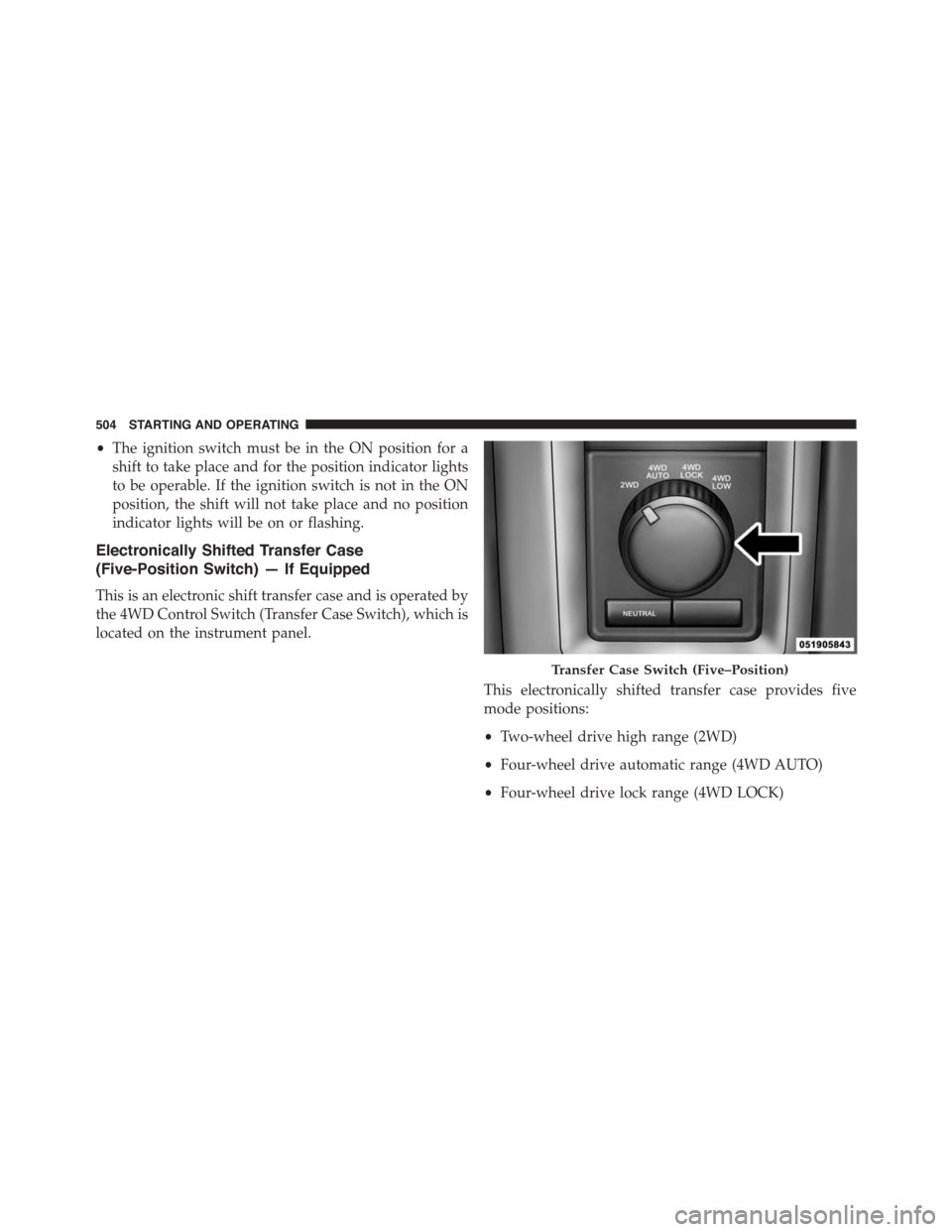
Electronically Shifted Transfer Case
(Five-Position Switch) — If Equipped
This is an electronic shift transfer case and is operated by
the 4WD Control Switch (Transfer Case Switch), which is
located on the instrument panel.
This electronically shifted transfer case provides five
mode positions:
•Two-wheel drive high range (2WD)
•Four-wheel drive automatic range (4WD AUTO)
•Four-wheel drive lock range (4WD LOCK)
Transfer Case Switch (Five–Position)
504 STARTING AND OPERATING
Page 516 of 871
Shifting Procedure
NOTE:
•If any of the requirements to select a new transfer case
position have not been met, the transfer case will not
shift. The position indicator light for the previous
position will remain ON and the newly selected posi-
tion indicator light will continue to flash until all the
requirements for the selected position have been met.
•If all the requirements to select a new transfer case
position have been met, the current position indicator
light will turn OFF, the selected position indicator light
will flash until the transfer case completes the shift.
When the shift is complete, the position indicator light
for the selected position will stop flashing and remain
ON.
2WD To 4WD AUTO Or 4WD LOCK
Press the desired position on the 4WD Control Switch to
shift the transfer case. Shifts between 2WD and 4WD
AUTO and 4WD LOCK can be done with the vehicle
stopped or in motion. With the vehicle in motion, the
transfer case will engage/disengage faster if you momen-
tarily release the accelerator pedal after turning the
control switch. If the vehicle is stopped, the ignition
switch must be in the ON position with the engine either
running or OFF. This shift cannot be completed if the
ignition switch is in the ACC position.
2WD Or 4WD AUTO Or 4WD LOCK To 4WD LOW
NOTE:When shifting into or out of 4WD LOW some
gear noise may be heard. This noise is normal and is not
detrimental to the vehicle or occupants.
Shifting can be performed with the vehicle rolling 2 to
3 mph (3 to 5 km/h) or completely stopped. Use either of
the following procedures:
514 STARTING AND OPERATING
Page 517 of 871
Preferred Procedure
1. With the engine running, slow the vehicle to 2 to
3 mph (3 to 5 km/h).
2. Shift the transmission into NEUTRAL.
3. While still rolling, press the desired position on the
transfer case control switch.
4. After the desired position indicator light is ON (not
flashing), shift the transmission back into gear.
Alternate Procedure
1. Bring the vehicle to complete stop.
2. With the ignition switch in the ON position and the
engine running, shift the transmission into NEUTRAL.
3. Press the desired position on the transfer case control
switch.
4. After the desired position indicator light is ON (not
flashing), shift the transmission back into gear.
NOTE:
•If Steps 1 or 2 of either the Preferred or Alternate
Procedure are not satisfied prior to attempting the shift
or if they no longer are being met while the shift
attempt is in process, the desired position indicator
light will flash continuously while the original position
indicator light is ON, until all requirements have been
met.
•The ignition switch must be in the ON position for a
shift to take place and for the position indicator lights
to be operable. If the ignition switch is not in the ON
position, then the shift will not take place and no
position indicator lights will be on or flashing.
5
STARTING AND OPERATING 515
Page 521 of 871
(24 km/h) and 25 mph (40 km/h) for greater than 60
seconds, or the vehicle speed exceeds 25 mph
(40 km/h) the Entry/Exit change will be cancelled. To
return to Normal Height Mode, press the “Up” button
once while in Entry/Exit or drive the vehicle over
15 mph (24 km/h). Entry/Exit mode may not be
available due to vehicle payload, an EVIC/DID mes-
sage will be displayed when this occurs. Refer to
“Electronic Vehicle Information Center (EVIC) or
Driver Information Display (DID)” in “Understanding
Your Instrument Panel” for further information.
NOTE:Entry/Exit mode may be achieved using your
key fob for easier entry/loading. Refer to “A Word About
Your Keys” in “Things To Know Before Starting Your
Vehicle” for further information.
•When in ENTRY/EXIT setting, be aware of your sur-
roundings, you may not have the clearance required for
certain areas and vehicle damage may occur.
The system requires that the ignition be in ON/RUN
position or the engine running for all user requested
changes. When lowering the vehicle all of the doors,
must be closed. If a door is opened at any time while the
vehicle is lowering the change will not be completed
until the open door(s) is closed.
This system uses a lifting and lowering pattern which
keeps the headlights from incorrectly shining into on-
coming traffic. When raising the vehicle, the rear of the
vehicle will move up first and then the front. When
lowering the vehicle, the front will move down first and
then the rear.
After the engine is turned off, it may be noticed that the
air suspension system operates briefly, this is normal. The
system is correcting the position of the vehicle to ensure
a proper appearance.
To assist with changing a spare tire, the air suspension
system has a feature which allows the automatic leveling
5
STARTING AND OPERATING 519
Page 527 of 871
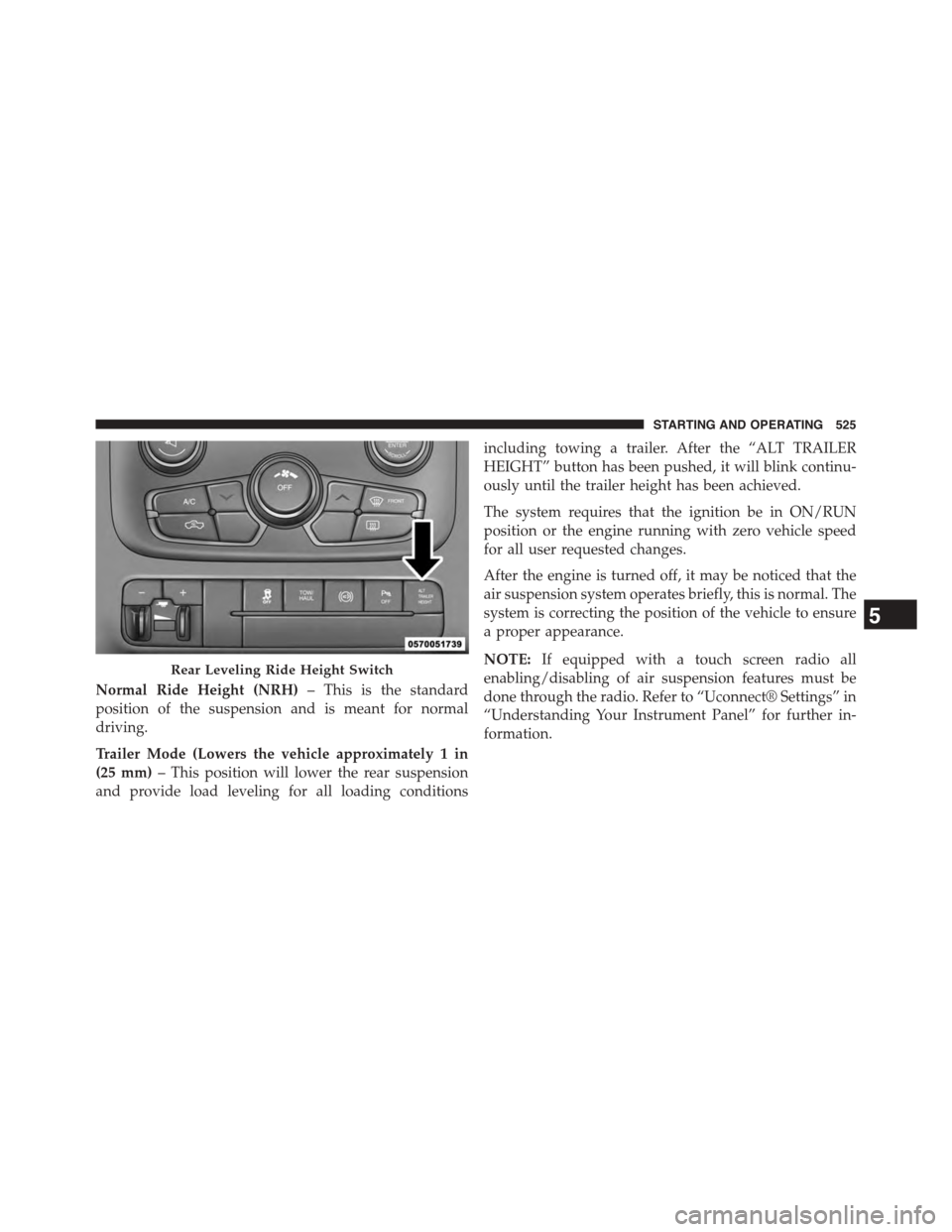
Normal Ride Height (NRH)– This is the standard
position of the suspension and is meant for normal
driving.
Trailer Mode (Lowers the vehicle approximately 1 in
(25 mm)– This position will lower the rear suspension
and provide load leveling for all loading conditions
including towing a trailer. After the “ALT TRAILER
HEIGHT” button has been pushed, it will blink continu-
ously until the trailer height has been achieved.
The system requires that the ignition be in ON/RUN
position or the engine running with zero vehicle speed
for all user requested changes.
After the engine is turned off, it may be noticed that the
air suspension system operates briefly, this is normal. The
system is correcting the position of the vehicle to ensure
a proper appearance.
NOTE:If equipped with a touch screen radio all
enabling/disabling of air suspension features must be
done through the radio. Refer to “Uconnect® Settings” in
“Understanding Your Instrument Panel” for further in-
formation.
Rear Leveling Ride Height Switch
5
STARTING AND OPERATING 525
Page 581 of 871
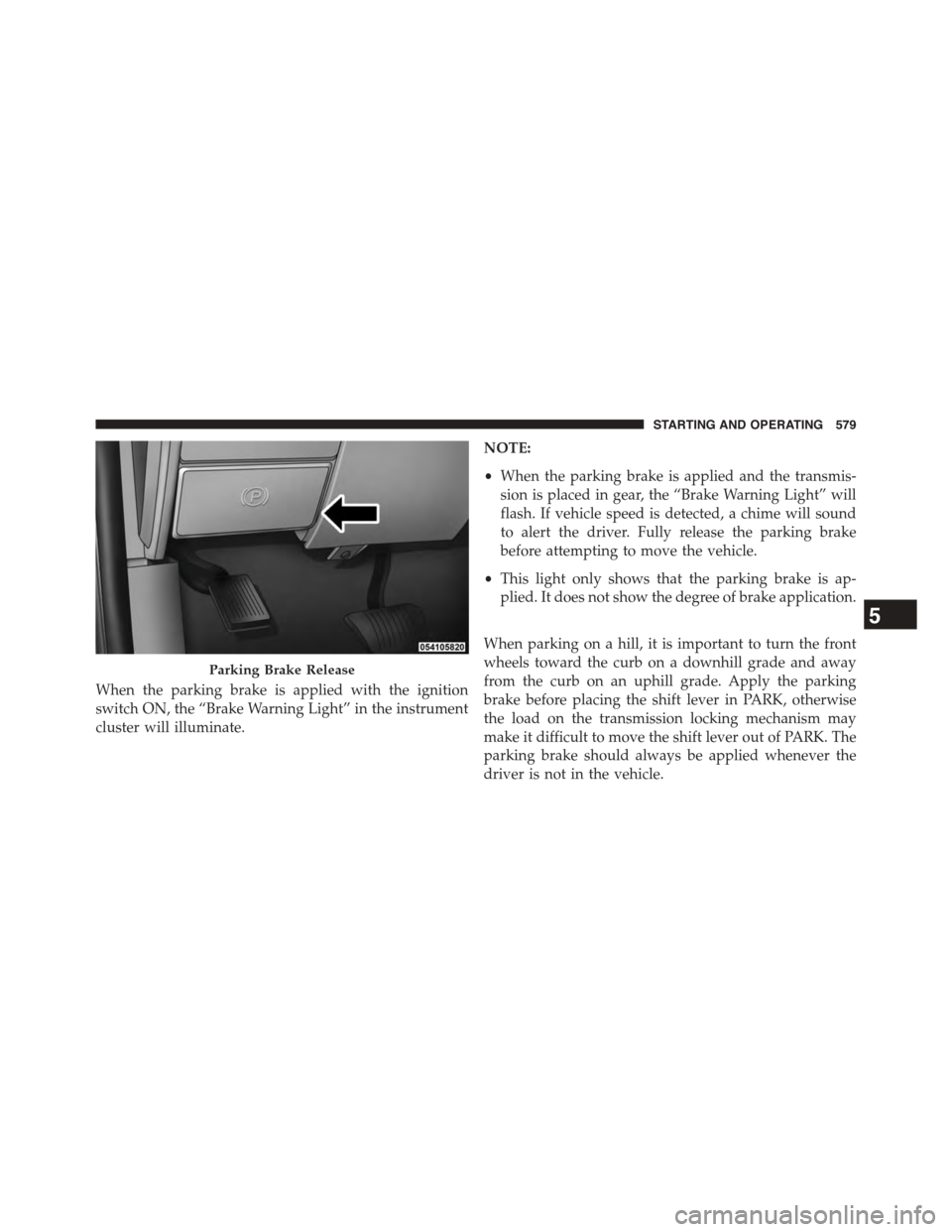
When the parking brake is applied with the ignition
switch ON, the “Brake Warning Light” in the instrument
cluster will illuminate.
NOTE:
•When the parking brake is applied and the transmis-
sion is placed in gear, the “Brake Warning Light” will
flash. If vehicle speed is detected, a chime will sound
to alert the driver. Fully release the parking brake
before attempting to move the vehicle.
•This light only shows that the parking brake is ap-
plied. It does not show the degree of brake application.
When parking on a hill, it is important to turn the front
wheels toward the curb on a downhill grade and away
from the curb on an uphill grade. Apply the parking
brake before placing the shift lever in PARK, otherwise
the load on the transmission locking mechanism may
make it difficult to move the shift lever out of PARK. The
parking brake should always be applied whenever the
driver is not in the vehicle.
Parking Brake Release
5
STARTING AND OPERATING 579
Page 593 of 871
WARNING!
In the%ESC Full Off%mode, the engine torque reduc-
tion and stability features are disabled. Therefore,
the enhanced vehicle stability offered by ESC is
unavailable. In an emergency evasive maneuver the
ESC system will not engage to assist in maintaining
stability. “ESC Full Off” mode is intended for off-
highway or off-road use only.
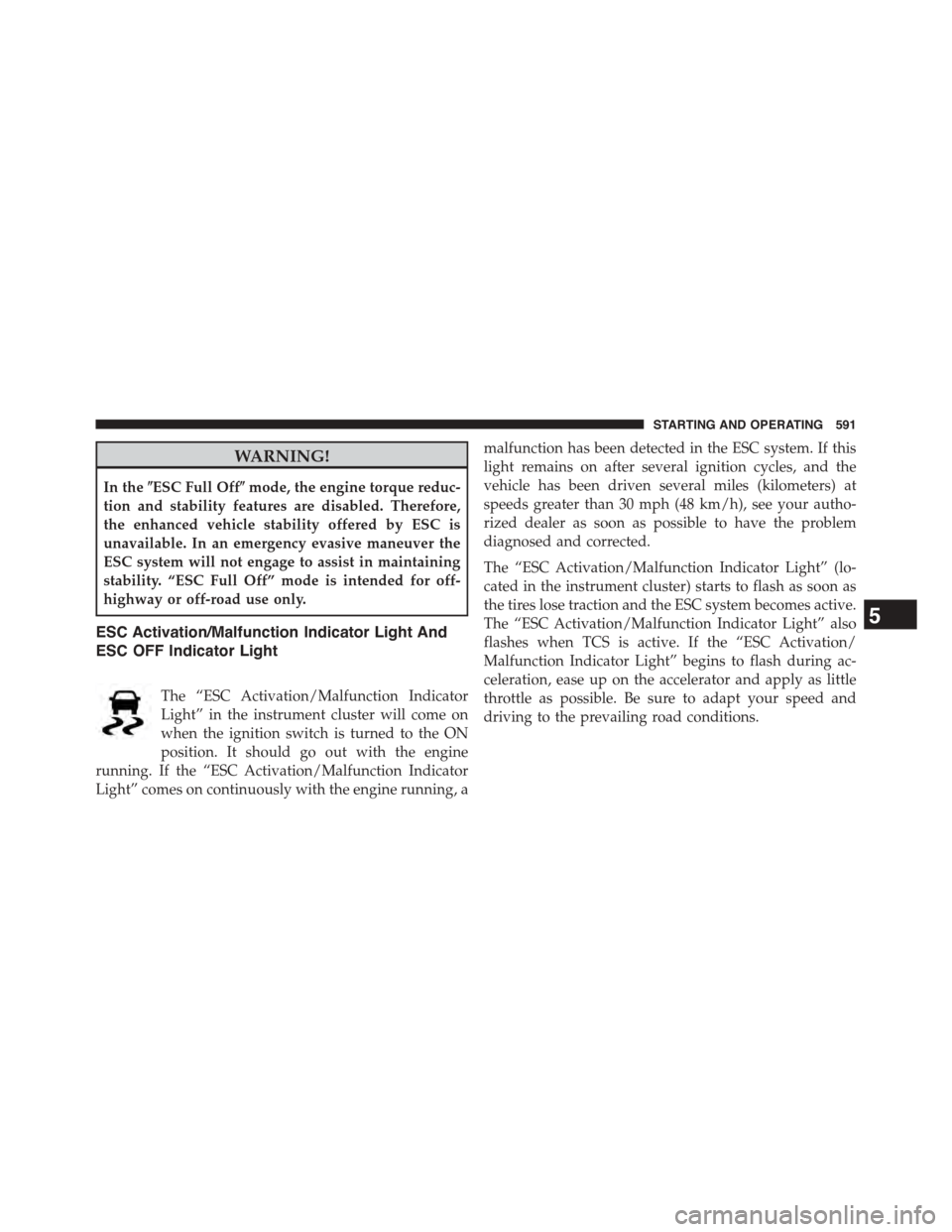
ESC Activation/Malfunction Indicator Light And
ESC OFF Indicator Light
The “ESC Activation/Malfunction Indicator
Light” in the instrument cluster will come on
when the ignition switch is turned to the ON
position. It should go out with the engine
running. If the “ESC Activation/Malfunction Indicator
Light” comes on continuously with the engine running, a
malfunction has been detected in the ESC system. If this
light remains on after several ignition cycles, and the
vehicle has been driven several miles (kilometers) at
speeds greater than 30 mph (48 km/h), see your autho-
rized dealer as soon as possible to have the problem
diagnosed and corrected.
The “ESC Activation/Malfunction Indicator Light” (lo-
cated in the instrument cluster) starts to flash as soon as
the tires lose traction and the ESC system becomes active.
The “ESC Activation/Malfunction Indicator Light” also
flashes when TCS is active. If the “ESC Activation/
Malfunction Indicator Light” begins to flash during ac-
celeration, ease up on the accelerator and apply as little
throttle as possible. Be sure to adapt your speed and
driving to the prevailing road conditions.
5
STARTING AND OPERATING 591