ESP Ram 1500 2015 User Guide
[x] Cancel search | Manufacturer: RAM, Model Year: 2015, Model line: 1500, Model: Ram 1500 2015Pages: 871, PDF Size: 24.83 MB
Page 148 of 871
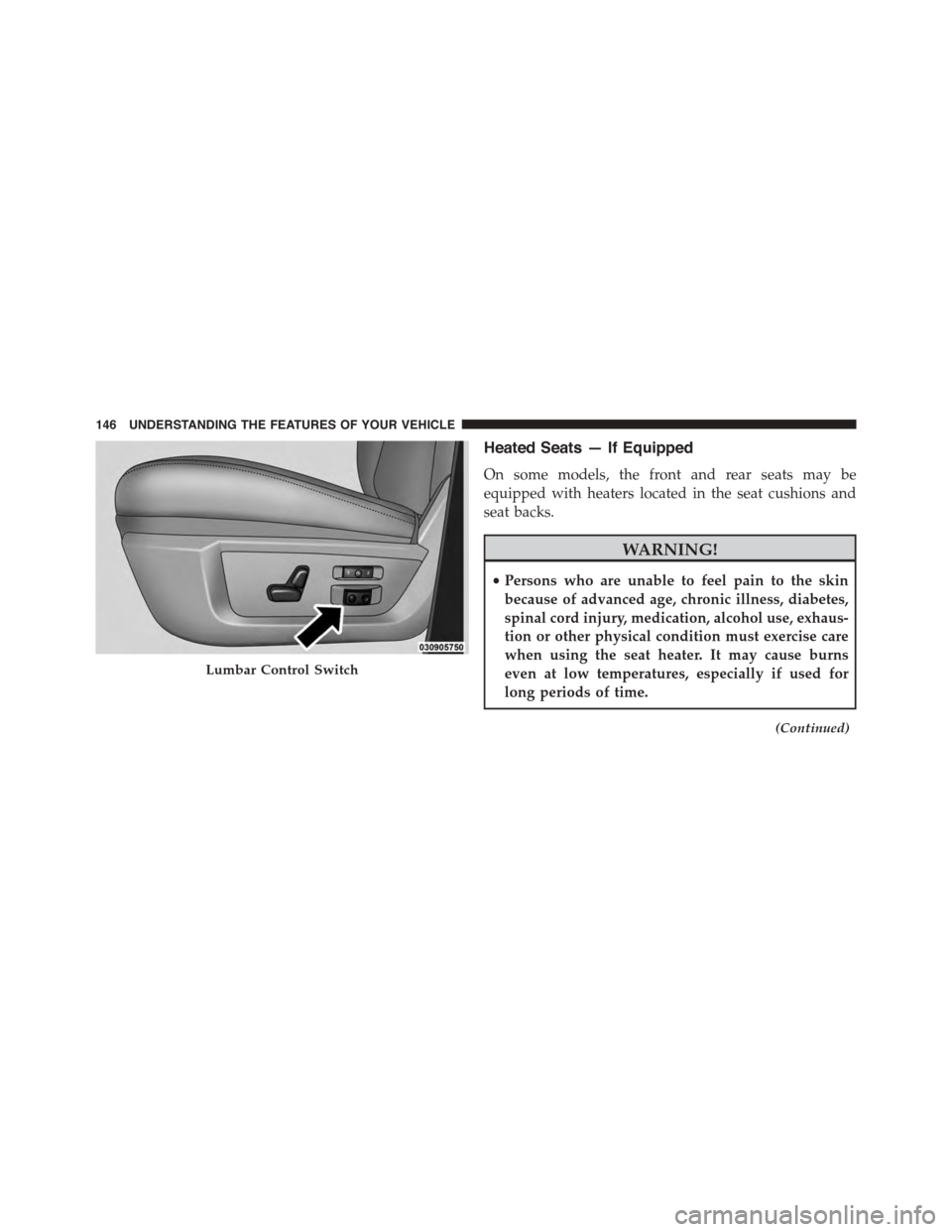
Heated Seats — If Equipped
On some models, the front and rear seats may be
equipped with heaters located in the seat cushions and
seat backs.
WARNING!
•Persons who are unable to feel pain to the skin
because of advanced age, chronic illness, diabetes,
spinal cord injury, medication, alcohol use, exhaus-
tion or other physical condition must exercise care
when using the seat heater. It may cause burns
even at low temperatures, especially if used for
long periods of time.
(Continued)
Lumbar Control Switch
146 UNDERSTANDING THE FEATURES OF YOUR VEHICLE
Page 176 of 871
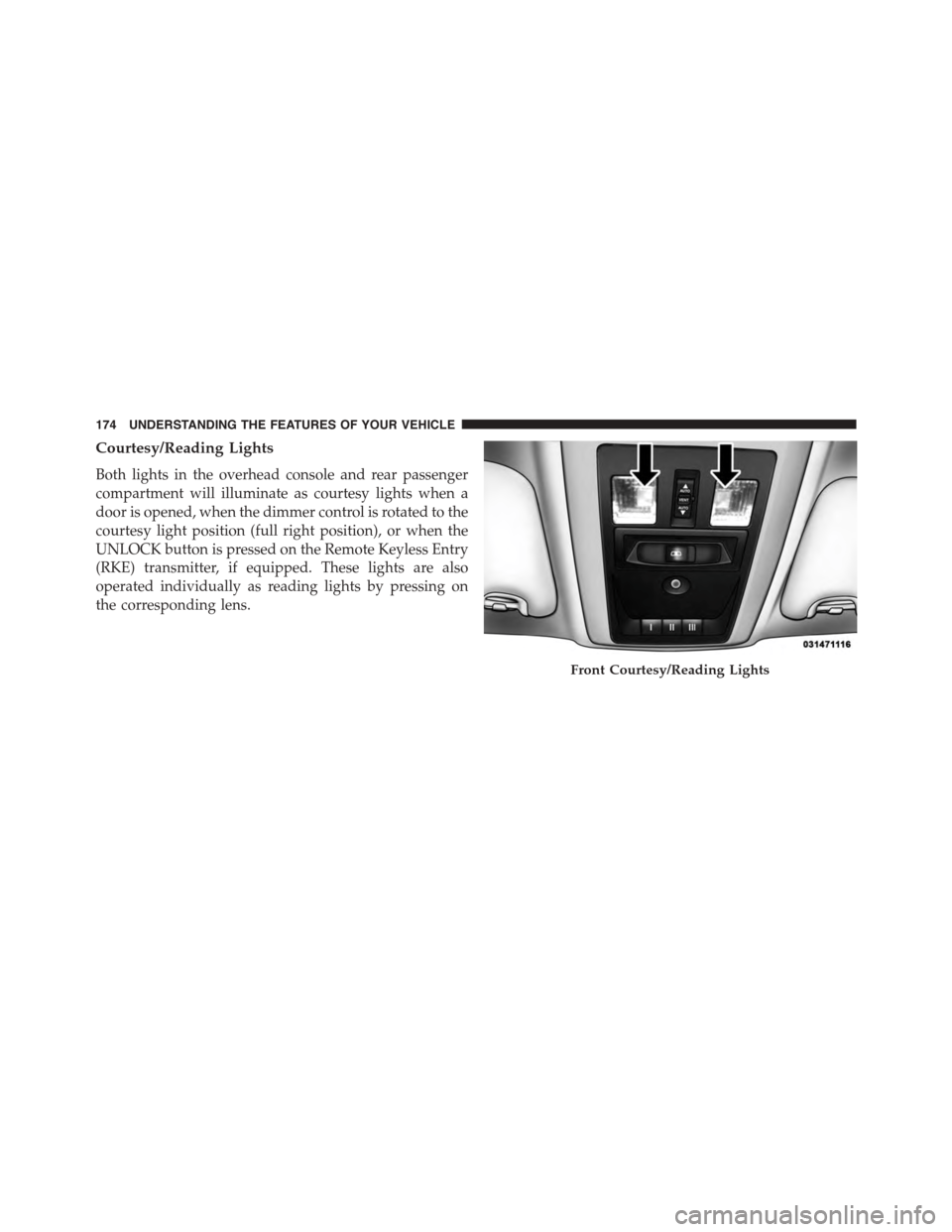
Courtesy/Reading Lights
Both lights in the overhead console and rear passenger
compartment will illuminate as courtesy lights when a
door is opened, when the dimmer control is rotated to the
courtesy light position (full right position), or when the
UNLOCK button is pressed on the Remote Keyless Entry
(RKE) transmitter, if equipped. These lights are also
operated individually as reading lights by pressing on
the corresponding lens.
Front Courtesy/Reading Lights
174 UNDERSTANDING THE FEATURES OF YOUR VEHICLE
Page 182 of 871

WARNING!
Sudden loss of visibility through the windshield
could lead to a collision. You might not see other
vehicles or other obstacles. To avoid sudden icing of
the windshield during freezing weather, warm the
windshield with the defroster before and during
windshield washer use.
Mist Feature
When a single wipe to clear off road mist or spray from
a passing vehicle is needed, push the washer knob,
located on the end of the multifunction lever, inward to
the first detent and release. The wipers will cycle one
time and automatically shut off.
NOTE:The mist feature does not activate the washer
pump; therefore, no washer fluid will be sprayed on the
windshield. The wash function must be used in order to
spray the windshield with washer fluid.
Rain Sensing Wipers — If Equipped
This feature senses moisture on the windshield and
automatically activates the wipers for the driver. The
feature is especially useful for road splash or overspray
from the windshield washers of the vehicle ahead. Rotate
the end of the multifunction lever to one of five settings
to activate this feature.
NOTE:If your vehicle is equipped with a touchscreen,
this feature can be programmed through the Uconnect®
system. Refer to “Uconnect® Settings” in “Understand-
ing Your Instrument Panel” for further information.
If your vehicle is not equipped with a touchscreen, this
feature can be programmed through the Electronic Ve-
hicle Information Center (EVIC) or Driver Information
Display (DID). Refer to “Electronic Vehicle Information
Center (EVIC)” or “Driver Information Display (DID)” in
“Understanding Your Instrument Panel” for further in-
formation.
180 UNDERSTANDING THE FEATURES OF YOUR VEHICLE
Page 186 of 871
If your vehicle is equipped with a touchscreen, this
feature can be programmed through the Uconnect®
system. Refer to “Uconnect® Settings” in “Understand-
ing Your Instrument Panel” for further information.
If your vehicle is not equipped with a touchscreen, this
feature can be programmed through the Electronic Ve-
hicle Information Center (EVIC) or Driver Information
Display (DID). Refer to “Electronic Vehicle Information
Center (EVIC)” or “Driver Information Display (DID)” in
“Understanding Your Instrument Panel” for further in-
formation.
WARNING!
•Persons who are unable to feel pain to the skin
because of advanced age, chronic illness, diabetes,
spinal cord injury, medication, alcohol use, exhaus-
tion, or other physical conditions must exercise
care when using the steering wheel heater. It may
cause burns even at low temperatures, especially if
used for long periods.
•Do not place anything on the steering wheel that
insulates against heat, such as a blanket or steering
wheel covers of any type and material. This may
cause the steering wheel heater to overheat.
184 UNDERSTANDING THE FEATURES OF YOUR VEHICLE
Page 202 of 871
system misinterpreting a close obstacle as a sensor
problem, causing the#PARKSENSE UNAVAILABLE
SERVICE REQUIRED#message to be displayed in the
instrument cluster.
•On vehicles equipped with a tailgate, ParkSense®
should be disabled when the tailgate is in the lowered
or open position and the vehicle is in REVERSE. A
lowered tailgate could provide a false indication that
an obstacle is behind the vehicle.
CAUTION!
•ParkSense® is only a parking aid and it is unable to
recognize every obstacle, including small obstacles.
Parking curbs might be temporarily detected or not
detected at all. Obstacles located above or below
the sensors will not be detected when they are in
close proximity.
(Continued)
CAUTION!(Continued)
•The vehicle must be driven slowly when using
ParkSense® in order to be able to stop in time
when an obstacle is detected. It is recommended
that the driver looks over his/her shoulder when
using ParkSense®.
WARNING!
•Drivers must be careful when backing up even
when using ParkSense®. Always check carefully
behind your vehicle, look behind you, and be sure
to check for pedestrians, animals, other vehicles,
obstructions, and blind spots before backing up.
You are responsible for safety and must continue to
pay attention to your surroundings. Failure to do so
can result in serious injury or death.
(Continued)
200 UNDERSTANDING THE FEATURES OF YOUR VEHICLE
Page 208 of 871

When the shift lever is moved to REVERSE and the Front
or Rear system is disabled, the EVIC/DID will display
the#FRONT PARKSENSE OFF#or#REAR PARKSENSE
OFF#message for five seconds, followed by a car graphic
with#OFF#in the corresponding side. This car graphic
will be displayed for as long as the vehicle is in RE-
VERSE.
NOTE:Arc alerts from the enabled ParkSense® system,
will interrupt the five second messages, and the EVIC/
DID will display the car graphic with the corresponding
arcs and#OFF#message.
The Front or Rear ParkSense® switch LED will be ON
when Front or Rear ParkSense® is disabled or requires
service. The Front or Rear ParkSense® switch LED will be
OFF when the Front or Rear system is enabled. If the Front
or Rear ParkSense® switch is pressed, and the system
requires service, the Front or Rear ParkSense® switch LED
will blink momentarily, and then the LED will be ON.
Service The ParkSense® Park Assist System
During vehicle start up, when the ParkSense® System
has detected a faulted condition, the instrument cluster
will actuate a single chime, once per ignition cycle, and it
will display the#PARKSENSE UNAVAILABLE WIPE
REAR SENSORS#,#PARKSENSE UNAVAILABLE WIPE
FRONT SENSORS#,orthe#PARKSENSE UNAVAIL-
ABLE SERVICE REQUIRED#message for five seconds.
When the shift lever is moved to Reverse and the system
has detected a faulted condition, the Electronic Vehicle
Information Center (EVIC) or Driver Information Display
(DID) will display a#PARKSENSE UNAVAILABLE WIPE
REAR SENSORS#,#PARKSENSE UNAVAILABLE WIPE
FRONT SENSORS#or#PARKSENSE UNAVAILABLE
SERVICE REQUIRED#pop up message for five seconds.
After five seconds, a car graphic will be displayed with
#UNAVAILABLE#at either the front or rear sensor loca-
tion depending on where the fault is detected. The
system will continue to provide arc alerts for the side that
206 UNDERSTANDING THE FEATURES OF YOUR VEHICLE
Page 210 of 871

•When you turn Front or Rear ParkSense® off, the
instrument cluster will display “FRONT PARKSENSE
OFF” or “REAR PARKSENSE OFF.” Furthermore,
once you turn Front or Rear ParkSense® off, it remains
off until you turn it on again, even if you cycle the
ignition key.
•When you move the shift lever to the REVERSE
position and Front or Rear ParkSense® is turned off,
the instrument cluster will display#FRONT
PARKSENSE OFF#or#REAR PARKSENSE OFF#mes-
sage for five seconds, followed by a car graphic with
#OFF#in the corresponding side. This car graphic will
be displayed for as long as the vehicle is in REVERSE.
•ParkSense®, when on, will reduce the volume of the
radio when it is sounding a tone.
•Clean the ParkSense® sensors regularly, taking care
not to scratch or damage them. The sensors must not
be covered with ice, snow, slush, mud, dirt or debris.
Failure to do so can result in the system not working
properly. The ParkSense® system might not detect an
obstacle behind or in front of the fascia/bumper, or it
could provide a false indication that an obstacle is
behind or in front of the fascia/bumper.
•Use the ParkSense® switch to turn the ParkSense®
system off if obstacles such as bicycle carriers, trailer
hitches, etc. are placed within 18 in (45 cm) from the
rear fascia/bumper. Failure to do so can result in the
system misinterpreting a close obstacle as a sensor
problem, causing the “PARKSENSE UNAVAILABLE
SERVICE REQUIRED” message to be displayed in the
instrument cluster.
•On vehicles equipped with a tailgate, ParkSense®
should be disabled when the tailgate is in the lowered
or open position. A lowered tailgate could provide a
false indication that an obstacle is behind the vehicle.
208 UNDERSTANDING THE FEATURES OF YOUR VEHICLE
Page 211 of 871
CAUTION!
•ParkSense® is only a parking aid and it is unable to
recognize every obstacle, including small obstacles.
Parking curbs might be temporarily detected or not
detected at all. Obstacles located above or below
the sensors will not be detected when they are in
close proximity.
•The vehicle must be driven slowly when using
ParkSense® in order to be able to stop in time
when an obstacle is detected. It is recommended
that the driver looks over his/her shoulder when
using ParkSense®.
WARNING!
•Drivers must be careful when backing up even
when using ParkSense®. Always check carefully
behind your vehicle, look behind you, and be sure
to check for pedestrians, animals, other vehicles,
obstructions, and blind spots before backing up.
You are responsible for safety and must continue to
pay attention to your surroundings. Failure to do so
can result in serious injury or death.
(Continued)
3
UNDERSTANDING THE FEATURES OF YOUR VEHICLE 209
Page 213 of 871
When the vehicle is shifted out of REVERSE (with camera
delay turned ON), The rear camera image will be dis-
played for up to 10 seconds after shifting out of#RE-
VERSE#unless the forward vehicle speed exceeds 8 mph
(13 km/h), the transmission is shifted into#PARK#or the
ignition is switched to the OFF position.
When enabled, active guide lines are overlaid on the
image to illustrate the width of the vehicle and its
projected backup path based on the steering wheel
position. The active guide lines will show separate zones
that will help indicate the distance to the rear of the
vehicle.
For further information about how to access and change
the programmable features of the ParkView® Rear
Backup Camera, refer to “Uconnect® Settings” in “Un-
derstanding Your Instrument Panel” for further informa-
tion.
The following table shows the approximate distances for
each zone:
ZonesDistance to the rear of
the vehicle
Red0 - 1 ft (0 - 30 cm)
Yellow1 ft - 3 ft (30 cm-1m)
Green3 ft or greater (1 m or
greater)
WARNING!
Drivers must be careful when backing up even when
using the ParkView® Rear Back Up Camera. Always
check carefully behind your vehicle, and be sure to
check for pedestrians, animals, other vehicles, ob-
structions, or blind spots before backing up. You are
responsible for the safety of your surroundings and
(Continued)
3
UNDERSTANDING THE FEATURES OF YOUR VEHICLE 211
Page 215 of 871
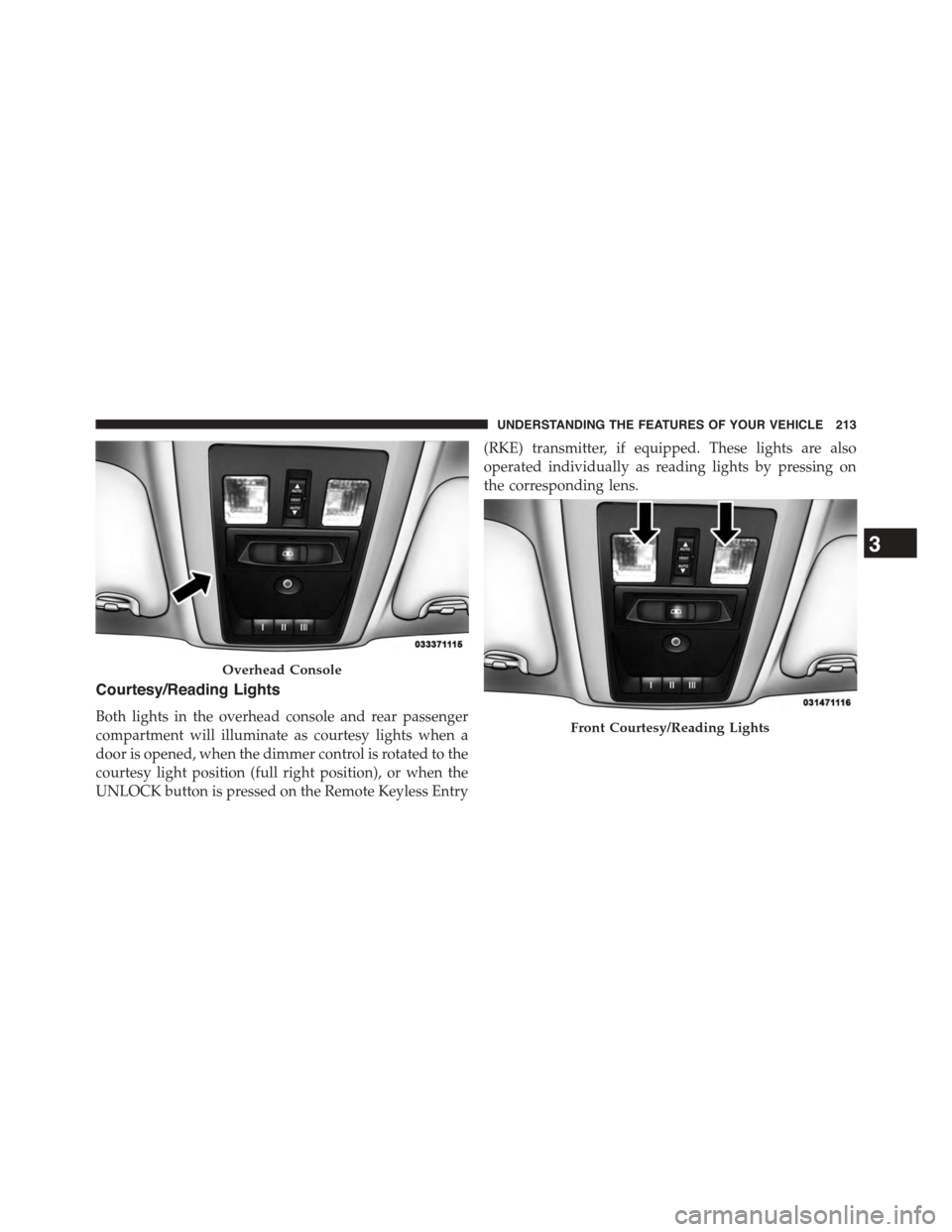
Courtesy/Reading Lights
Both lights in the overhead console and rear passenger
compartment will illuminate as courtesy lights when a
door is opened, when the dimmer control is rotated to the
courtesy light position (full right position), or when the
UNLOCK button is pressed on the Remote Keyless Entry
(RKE) transmitter, if equipped. These lights are also
operated individually as reading lights by pressing on
the corresponding lens.
Overhead Console
Front Courtesy/Reading Lights
3
UNDERSTANDING THE FEATURES OF YOUR VEHICLE 213