Headlight Ram 1500 2015 User Guide
[x] Cancel search | Manufacturer: RAM, Model Year: 2015, Model line: 1500, Model: Ram 1500 2015Pages: 871, PDF Size: 24.83 MB
Page 170 of 871
If your vehicle is not equipped with a touchscreen, this
feature can be programmed through the Electronic Ve-
hicle Information Center (EVIC) or Driver Information
Display (DID). Refer to “Electronic Vehicle Information
Center (EVIC)” or “Driver Information Display (DID)” in
“Understanding Your Instrument Panel” for further in-
formation.
Daytime Running Lights (DRL) — If Equipped
The headlights on your vehicle will illuminate when the
engine is started and the transmission is in any gear
except PARK. This provides a constant#Lights ON#
condition until the ignition is turned OFF. The lights
illuminate at less than 50% of normal intensity. If the
parking brake is applied, the Daytime Running Lights
(DRL) will turn OFF. Also, if a turn signal is activated, the
DRL lamp on the same side of the vehicle may turn off for
the duration of the turn signal activation. Once the turn
signal is no longer active, the DRL lamp will illuminate.
Headlight Delay
To aid in your exit, your vehicle is equipped with a
headlight delay that will leave the headlights on for
approximately up to 90 seconds. This delay is initiated
when the ignition is turned OFF while the headlight
switch is on, and then the headlight switch is cycled off.
Headlight delay can be cancelled by either turning the
headlight switch on then off, or by turning the ignition
ON.
NOTE:If your vehicle is equipped with a touchscreen,
this feature can be programmed through the Uconnect®
system. Refer to “Uconnect® Settings” in “Understand-
ing Your Instrument Panel” for further information.
If your vehicle is not equipped with a touchscreen, this
feature can be programmed through the Electronic Ve-
hicle Information Center (EVIC) or Driver Information
Display (DID). Refer to “Electronic Vehicle Information
168 UNDERSTANDING THE FEATURES OF YOUR VEHICLE
Page 171 of 871

Center (EVIC)” or “Driver Information Display (DID)” in
“Understanding Your Instrument Panel” for further in-
formation.
Automatic High Beam Headlamp Control — If
Equipped
The Automatic High Beam Headlamp Control system
provides increased forward lighting at night by automat-
ing high beam control through the use of a digital camera
mounted on the inside rearview mirror. This camera
detects vehicle specific light and automatically switches
from high beams to low beams until the approaching
vehicle is out of view.
NOTE:
•If your vehicle is equipped with a touchscreen the
Automatic High Beam Headlamp Control can be
turned on or off using the Uconnect® System. Refer to
“Uconnect® Settings” in “Understanding Your Instru-
ment Panel” for further information.
•If your vehicle is not equipped with a touchscreen the
Automatic High Beam Headlamp Control can be turned
on or off using the Electronic Vehicle Information Center
(EVIC) or Driver Information Display (DID). Refer to
“Electronic Vehicle Information Center (EVIC)” or
“Driver Information Display (DID)” in “Understanding
Your Instrument Panel” for further information.
•Broken, muddy, or obstructed headlights and taillights
of vehicles in the field of view will cause headlights to
remain on longer (closer to the vehicle). Also, dirt, film,
and other obstructions on the windshield or camera
lens will cause the system to function improperly.
3
UNDERSTANDING THE FEATURES OF YOUR VEHICLE 169
Page 172 of 871

•To opt out of the Advanced Auto High-Beam Sensitiv-
ity Control (default) and enter Reduced High-Beam
Sensitivity Control (not recommended), toggle high-
beam lever 6 full on/off cycles within 10 seconds of
ignition ON. System will return to default setting upon
ignition off.
If the windshield or Automatic High Beam Headlamp
Control mirror is replaced, the mirror must be re-aimed
to ensure proper performance. See your local authorized
dealer.
To Activate
1. If your vehicle is equipped with a touchscreen, the
Automatic High Beams are enabled through the
Uconnect® system. Refer to “Uconnect® Settings” in
“Understanding Your Instrument Panel” for further
information.
If your vehicle is not equipped with a touchscreen, the
Automatic High Beams are enabled through the Elec-
tronic Vehicle Information Center (EVIC) or Driver Infor-
mation Display (DID). Refer to “Electronic Vehicle Infor-
mation Center (EVIC)” or “Driver Information Display
(DID)” in “Understanding Your Instrument Panel” for
further information.
2. Turn the headlight switch to the AUTO headlight
position.
3. Push the multifunction lever away from you (toward
front of vehicle) to engage the high beam mode.
NOTE:This system will not activate until the vehicle is
at or above 20 mph (32 km/h).
To Deactivate
1. Pull the multifunction lever toward you (or rearward
in car) to manually deactivate the system (normal
operation of low beams).
170 UNDERSTANDING THE FEATURES OF YOUR VEHICLE
Page 173 of 871
2. Push back on the multifunction lever once again to
reactivate the system.
Parking Lights And Panel Lights
To turn on the parking lights and instrument
panel lights, rotate the headlight switch clockwise.
To turn off the parking lights, rotate the headlight switch
back to the O (Off) position.
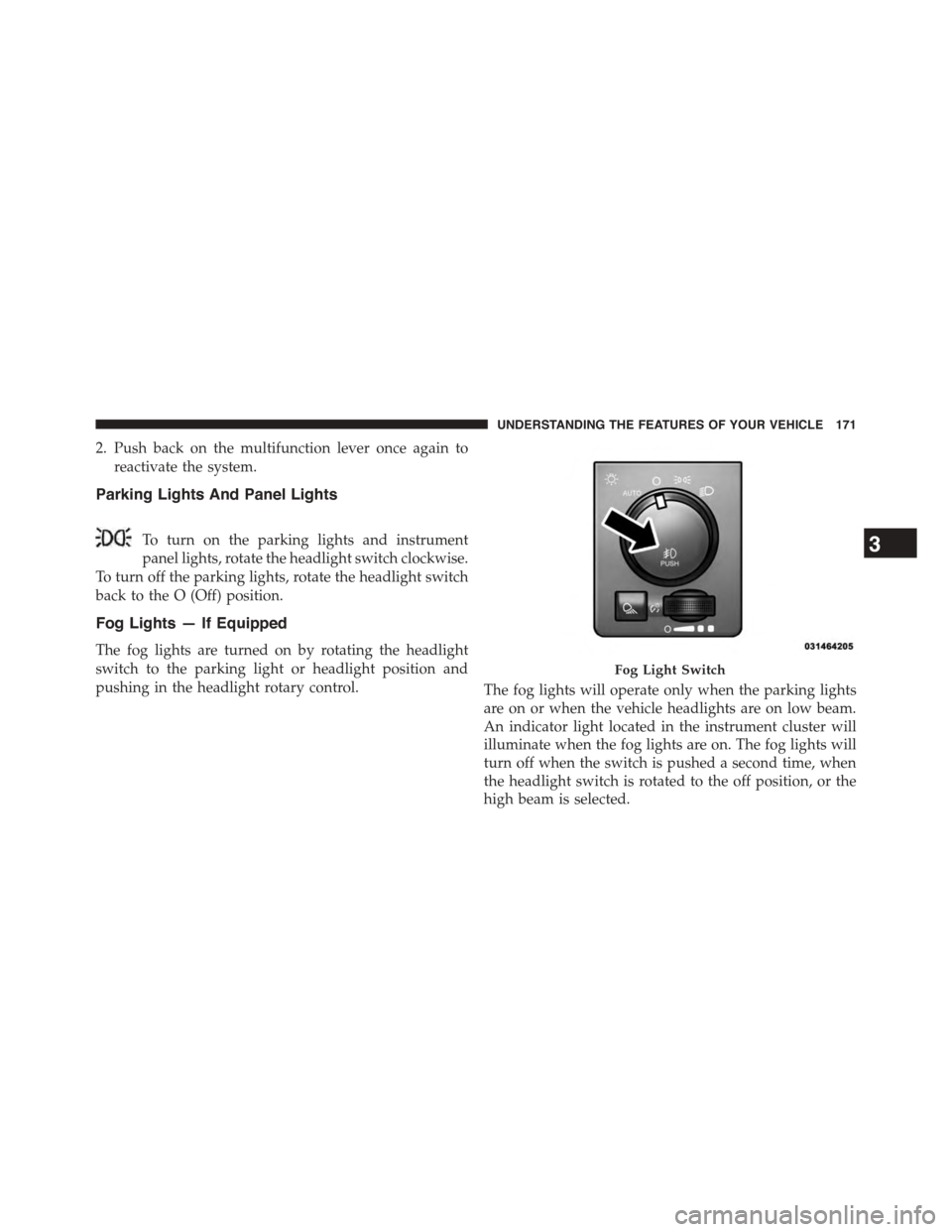
Fog Lights — If Equipped
The fog lights are turned on by rotating the headlight
switch to the parking light or headlight position and
pushing in the headlight rotary control.The fog lights will operate only when the parking lights
are on or when the vehicle headlights are on low beam.
An indicator light located in the instrument cluster will
illuminate when the fog lights are on. The fog lights will
turn off when the switch is pushed a second time, when
the headlight switch is rotated to the off position, or the
high beam is selected.
Fog Light Switch
3
UNDERSTANDING THE FEATURES OF YOUR VEHICLE 171
Page 174 of 871
Lights-On Reminder
If the headlights, parking lights, or cargo lights are left on
after the ignition is turned OFF, a chime will sound when
the driver ’s door is opened.
Battery Saver
To protect the life of your vehicle’s battery, load shedding
is provided for both the interior and exterior lights.
If the ignition is OFF and any door is left ajar for 10
minutes or the dimmer control is rotated all the way up
to the dome ON position for 10 minutes, the interior
lights will automatically turn off.
NOTE:Battery saver mode is cancelled if the ignition is
ON.
If the headlights remain on while the ignition is cycled
OFF, the exterior lights will automatically turn off after
eight minutes. If the headlights are turned on and left on
for eight minutes while the ignition is OFF, the exterior
lights will automatically turn off.
Interior Lights
Courtesy and dome lights are turned on when the front
doors are opened, when the dimmer control (rotating
wheel on the bottom of the switch) is rotated to the far
right detent position. If your vehicle is equipped with
Remote Keyless Entry (RKE) and the UNLOCK button is
pressed on the RKE transmitter the courtesy and dome
lights will turn on. When a door is open and the interior
lights are on, rotating the dimmer control all the way left,
to the OFF detent, will cause all the interior lights to go
out. This is also known as the#Party#mode because it
allows the doors to stay open for extended periods of
time without discharging the vehicle’s battery.
172 UNDERSTANDING THE FEATURES OF YOUR VEHICLE
Page 175 of 871
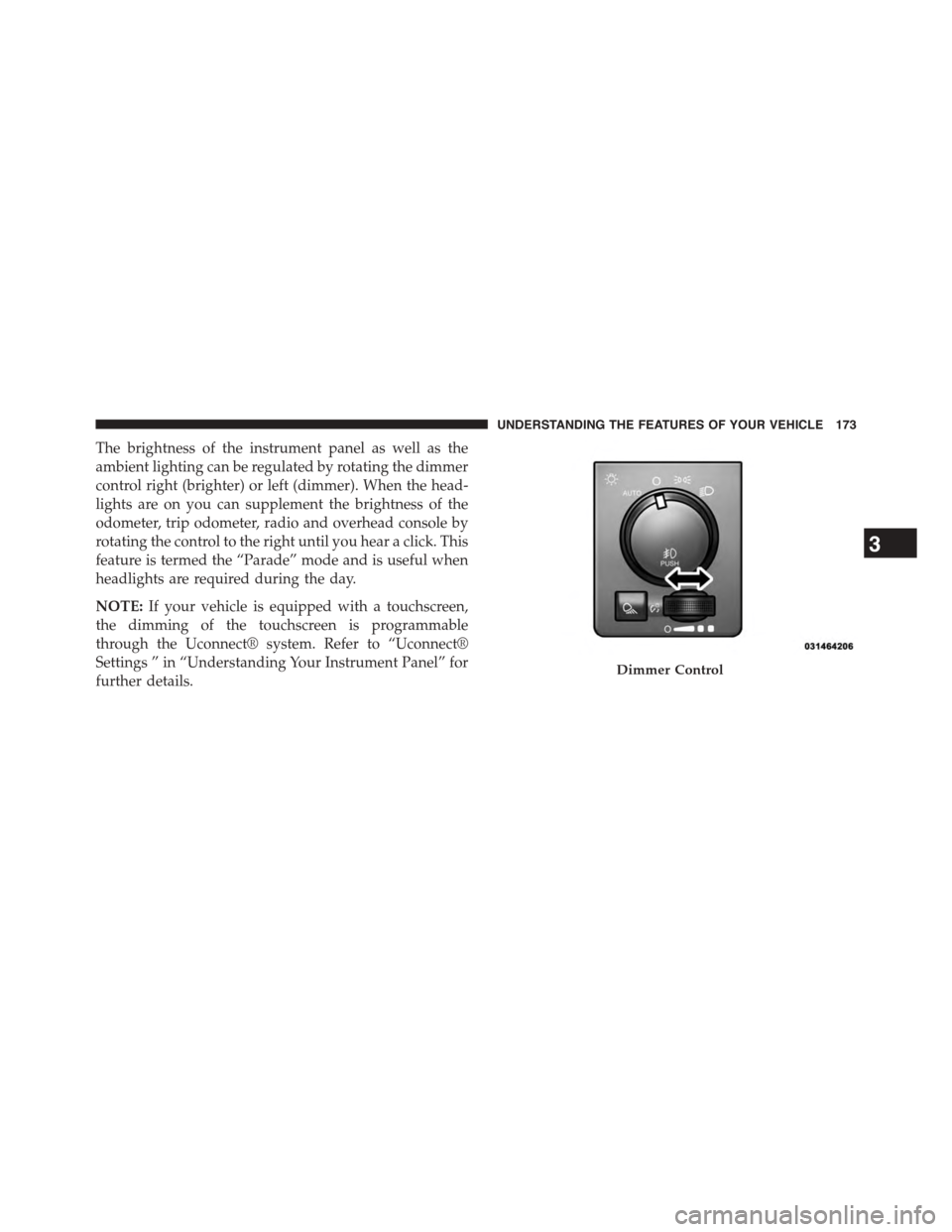
The brightness of the instrument panel as well as the
ambient lighting can be regulated by rotating the dimmer
control right (brighter) or left (dimmer). When the head-
lights are on you can supplement the brightness of the
odometer, trip odometer, radio and overhead console by
rotating the control to the right until you hear a click. This
feature is termed the “Parade” mode and is useful when
headlights are required during the day.
NOTE:If your vehicle is equipped with a touchscreen,
the dimming of the touchscreen is programmable
through the Uconnect® system. Refer to “Uconnect®
Settings ” in “Understanding Your Instrument Panel” for
further details.Dimmer Control
3
UNDERSTANDING THE FEATURES OF YOUR VEHICLE 173
Page 179 of 871
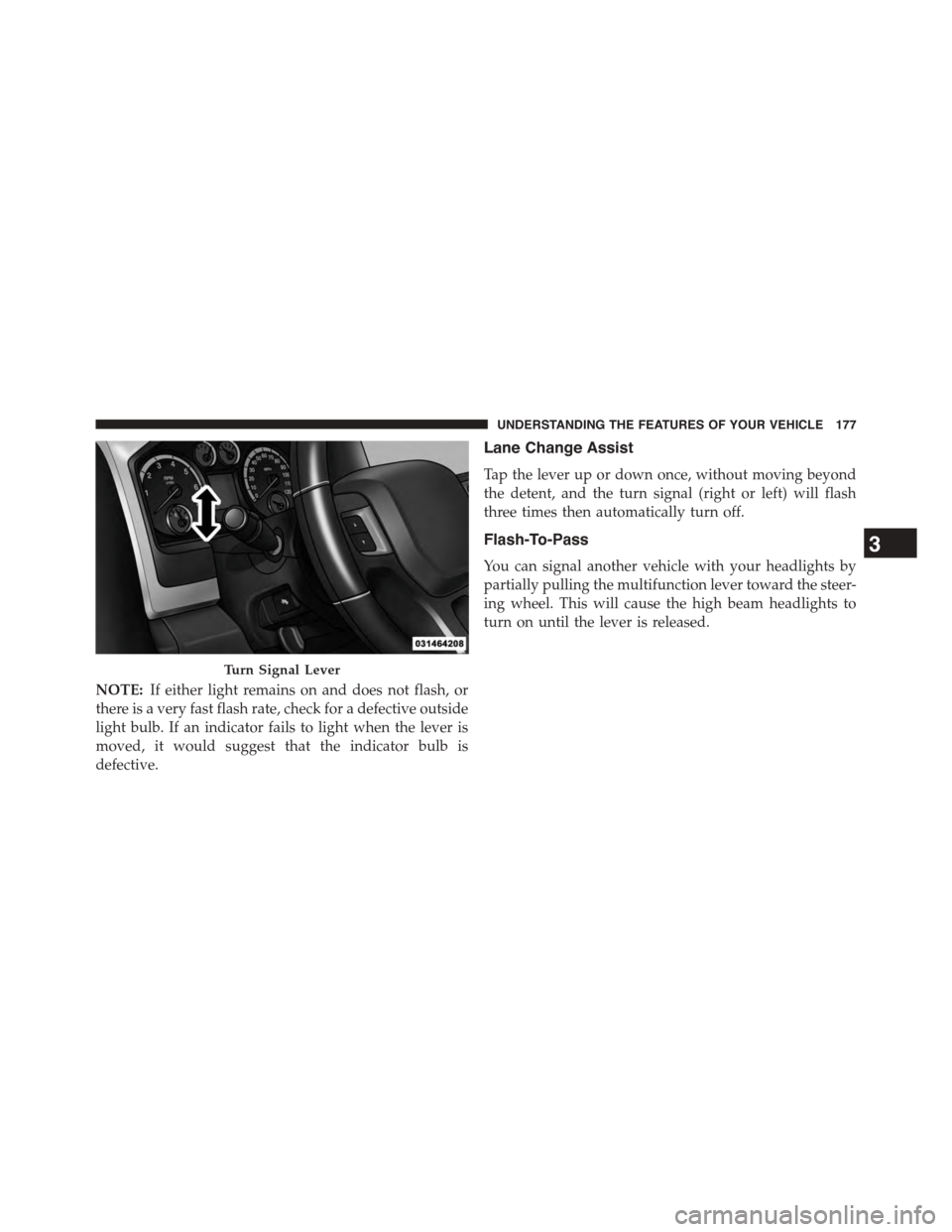
NOTE:If either light remains on and does not flash, or
there is a very fast flash rate, check for a defective outside
light bulb. If an indicator fails to light when the lever is
moved, it would suggest that the indicator bulb is
defective.
Lane Change Assist
Tap the lever up or down once, without moving beyond
the detent, and the turn signal (right or left) will flash
three times then automatically turn off.
Flash-To-Pass
You can signal another vehicle with your headlights by
partially pulling the multifunction lever toward the steer-
ing wheel. This will cause the high beam headlights to
turn on until the lever is released.
Turn Signal Lever
3
UNDERSTANDING THE FEATURES OF YOUR VEHICLE 177
Page 180 of 871
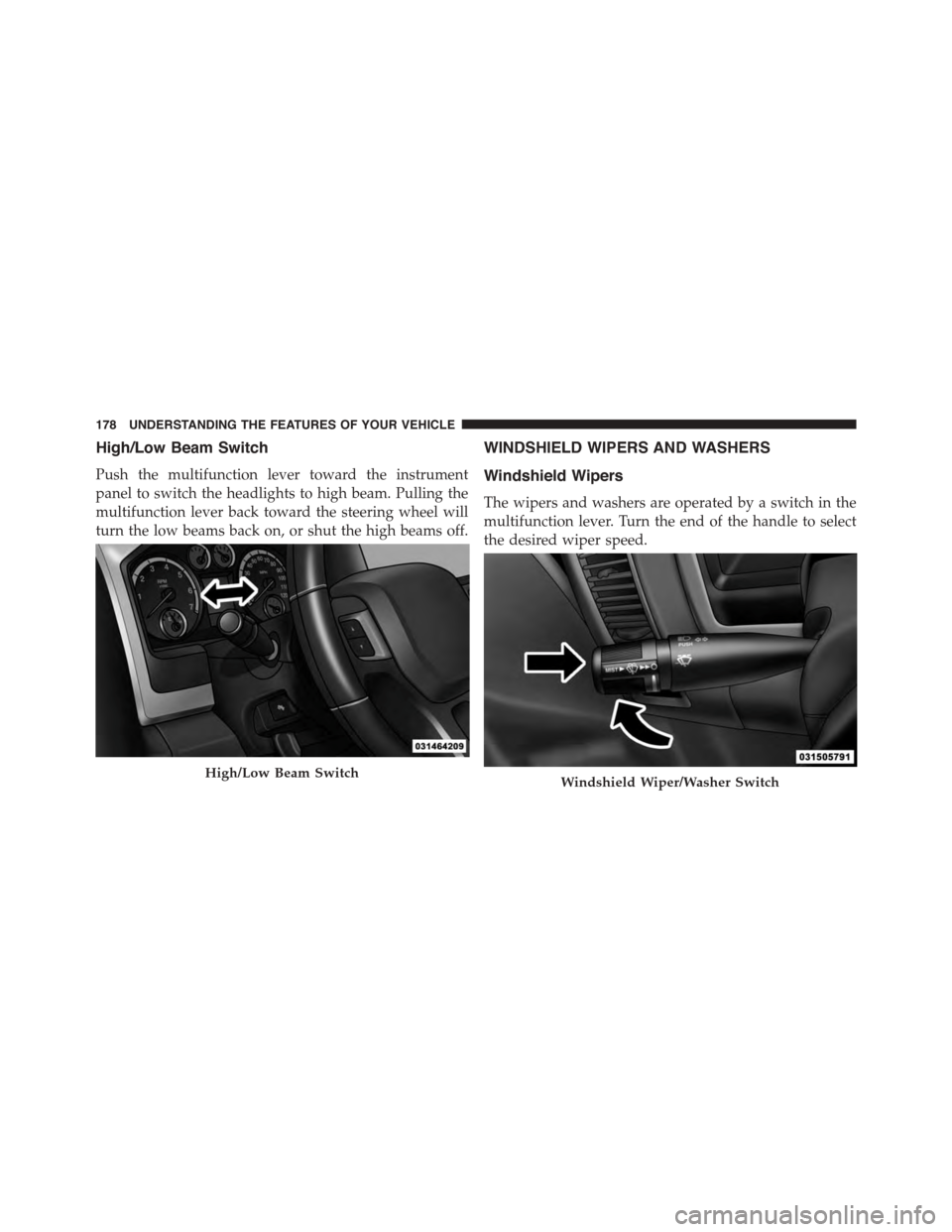
High/Low Beam Switch
Push the multifunction lever toward the instrument
panel to switch the headlights to high beam. Pulling the
multifunction lever back toward the steering wheel will
turn the low beams back on, or shut the high beams off.
WINDSHIELD WIPERS AND WASHERS
Windshield Wipers
The wipers and washers are operated by a switch in the
multifunction lever. Turn the end of the handle to select
the desired wiper speed.
High/Low Beam SwitchWindshield Wiper/Washer Switch
178 UNDERSTANDING THE FEATURES OF YOUR VEHICLE
Page 288 of 871
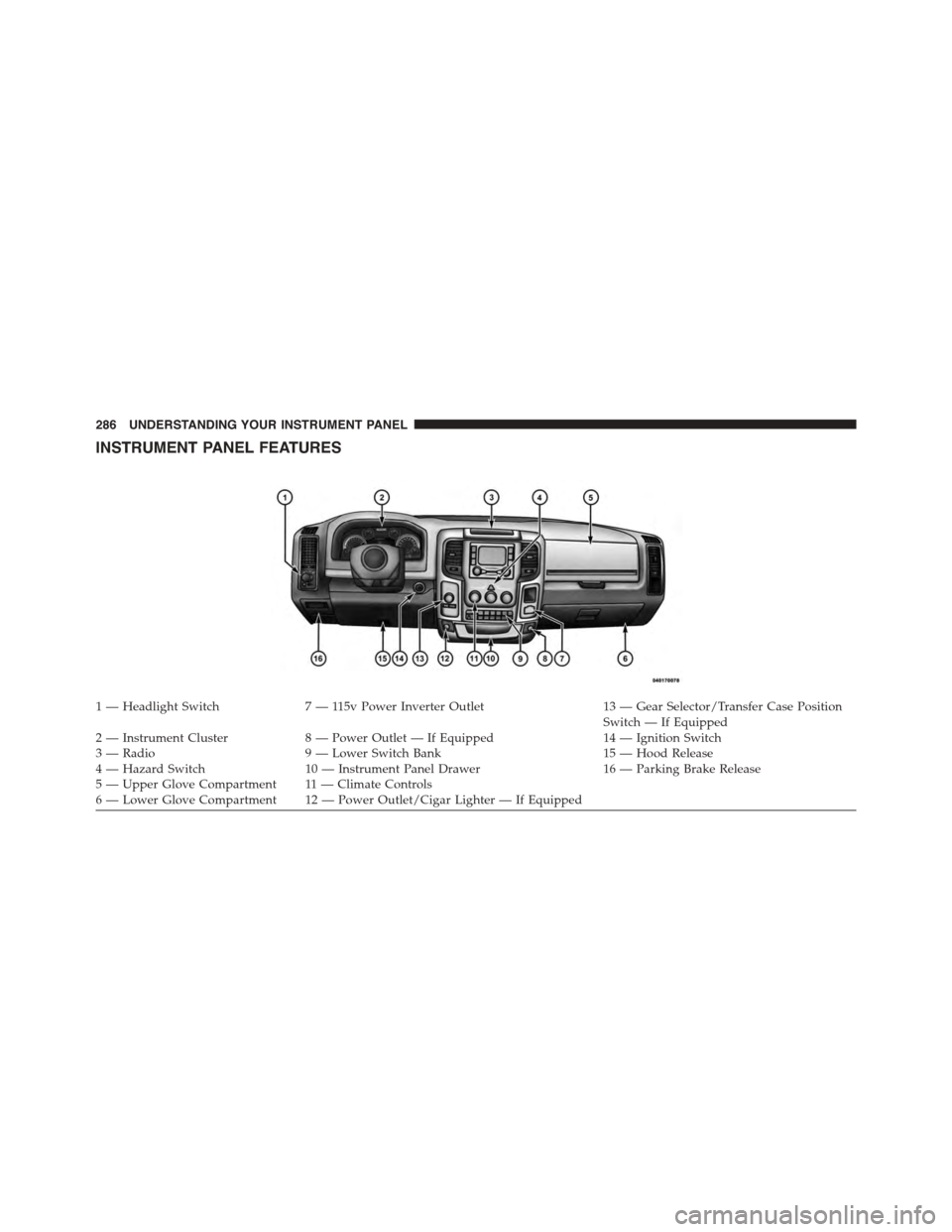
INSTRUMENT PANEL FEATURES
1 — Headlight Switch7 — 115v Power Inverter Outlet13 — Gear Selector/Transfer Case PositionSwitch — If Equipped2 — Instrument Cluster8 — Power Outlet — If Equipped14 — Ignition Switch3 — Radio9 — Lower Switch Bank15 — Hood Release4 — Hazard Switch10 — Instrument Panel Drawer16 — Parking Brake Release5—UpperGloveCompartment 11—ClimateControls6—LowerGloveCompartment 12—PowerOutlet/CigarLighter—IfEquipped
286 UNDERSTANDING YOUR INSTRUMENT PANEL
Page 295 of 871
unless the parking brake is applied or a brake fault is
detected. If the light does not illuminate, have the light
inspected by an authorized dealer.
The light also will turn on when the parking brake is
applied with the ignition switch in the ON/RUN posi-
tion.
NOTE:This light shows only that the parking brake is
applied. It does not show the degree of brake application.
7. High Beam Indicator
This light shows that the high beam headlights
are on. Push the multifunction control lever
away from you to switch the headlights to high
beam. Pull the lever toward you to switch the headlights
back to low beam. If the driver’s door is open, and the
headlights or park lights are left on, the high beam
indicator light will remain illuminated and a chime will
sound.
8. Seat Belt Reminder Light
When the ignition switch is first turned to
ON/RUN, this light will turn on for four to
eight seconds as a bulb check. During the bulb
check, if the driver’s seat belt is unbuckled, a
chime will sound. After the bulb check or when driving,
if the driver’s seat belt remains unbuckled, the seat belt
reminder light will flash or remain on continuously. Refer
to “Occupant Restraints” in “Things To Know Before
Starting Your Vehicle” for further information.
9. Air Bag Warning Light
This light will turn on for four to eight seconds
as a bulb check when the ignition switch is first
turned to ON/RUN. If the light is either not on
during starting, stays on, or turns on while
driving, have the system inspected at an authorized dealer
as soon as possible. Refer to “Occupant Restraints” in
“Things To Know Before Starting Your Vehicle” for further
information.
4
UNDERSTANDING YOUR INSTRUMENT PANEL 293