bulb Ram 1500 2015 User Guide
[x] Cancel search | Manufacturer: RAM, Model Year: 2015, Model line: 1500, Model: Ram 1500 2015Pages: 871, PDF Size: 24.83 MB
Page 344 of 871
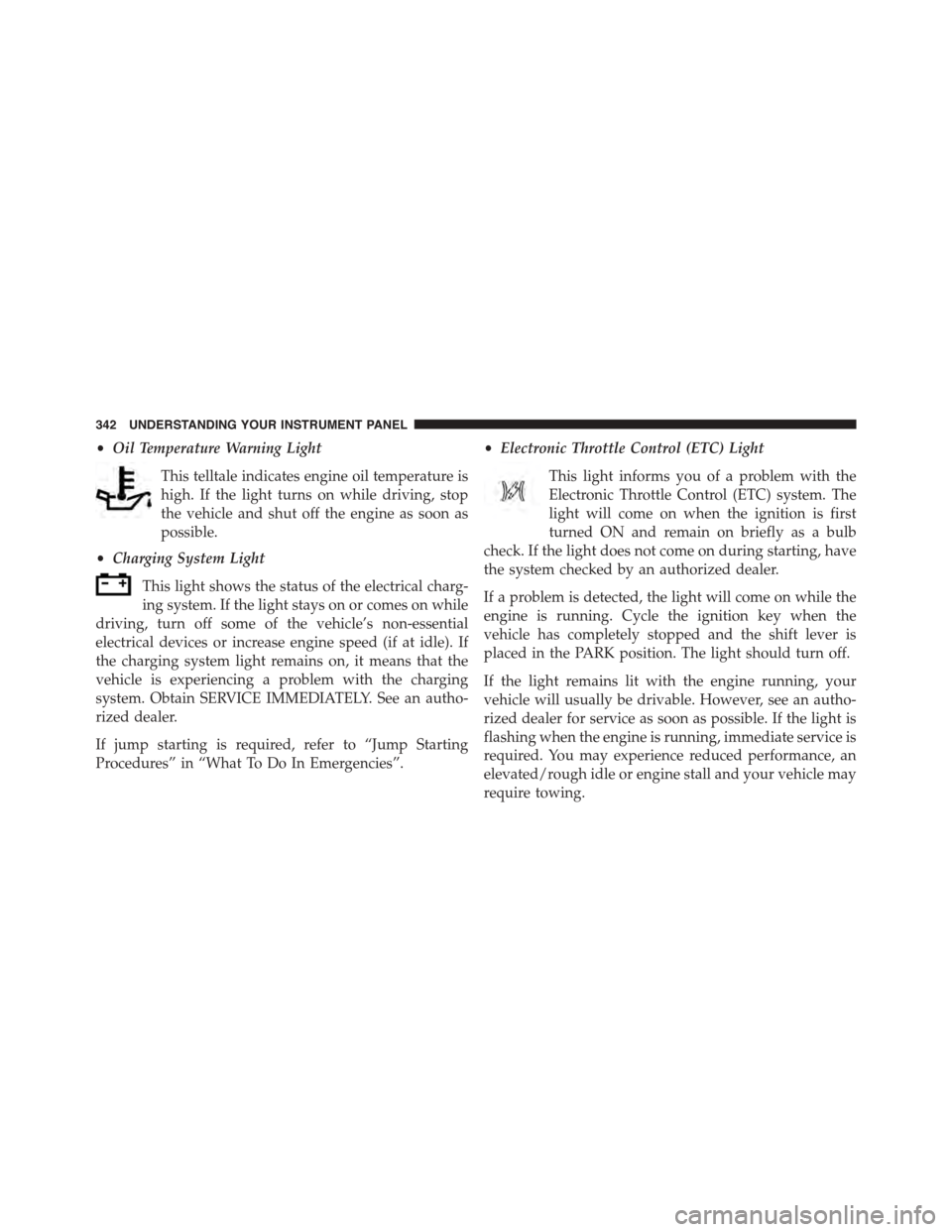
•Oil Temperature Warning Light
This telltale indicates engine oil temperature is
high. If the light turns on while driving, stop
the vehicle and shut off the engine as soon as
possible.
•Charging System Light
This light shows the status of the electrical charg-
ing system. If the light stays on or comes on while
driving, turn off some of the vehicle’s non-essential
electrical devices or increase engine speed (if at idle). If
the charging system light remains on, it means that the
vehicle is experiencing a problem with the charging
system. Obtain SERVICE IMMEDIATELY. See an autho-
rized dealer.
If jump starting is required, refer to “Jump Starting
Procedures” in “What To Do In Emergencies”.
•Electronic Throttle Control (ETC) Light
This light informs you of a problem with the
Electronic Throttle Control (ETC) system. The
light will come on when the ignition is first
turned ON and remain on briefly as a bulb
check. If the light does not come on during starting, have
the system checked by an authorized dealer.
If a problem is detected, the light will come on while the
engine is running. Cycle the ignition key when the
vehicle has completely stopped and the shift lever is
placed in the PARK position. The light should turn off.
If the light remains lit with the engine running, your
vehicle will usually be drivable. However, see an autho-
rized dealer for service as soon as possible. If the light is
flashing when the engine is running, immediate service is
required. You may experience reduced performance, an
elevated/rough idle or engine stall and your vehicle may
require towing.
342 UNDERSTANDING YOUR INSTRUMENT PANEL
Page 748 of 871
▫Adding Washer Fluid..................771
▫Exhaust System......................772
▫Cooling System......................774
▫Brake System........................782
▫Rear Axle And 4x4 Front Driving Axle Fluid
Level..............................784
▫Transfer Case........................785
▫Automatic Transmission................786
▫Appearance Care And Protection From
Corrosion...........................790
!FUSES..............................797
▫Power Distribution Center...............798
!VEHICLE STORAGE....................807
!REPLACEMENT BULBS.................808
!BULB REPLACEMENT..................809
▫Base Quad / Premium Bi-Halogen: Low Beam
Headlamp, High Beam Headlamp, Front Park
And Turn — If Equipped...............810
▫Fog Lamps — If Equipped..............812
▫Rear Tail/Stop, Turn Signal And Backup Lamps
..................................812
▫Center High-Mounted Stoplamp (CHMSL) With
Cargo Lamp.........................814
▫Cab Top Clearance Lamps — If Equipped . . . .816
▫Rear Lamp Bar ID Marker (Dual Rear Wheels) —
If Equipped..........................817
▫Side Marker Lamps (Dual Rear Wheels) —
If Equipped.........................818
746 MAINTAINING YOUR VEHICLE
Page 754 of 871

(EVIC)” or “Driver Information Display (DID)” in “Un-
derstanding Your Instrument Panel” for further informa-
tion. Tighten the fuel filler cap properly and press the
SELECT button to turn off the message. If the problem
continues, the message will appear the next time the
vehicle is started.
A loose, improperly installed, or damaged fuel filler cap
may also turn on the Malfunction Indicator Light (MIL).
EMISSIONS INSPECTION AND MAINTENANCE
PROGRAMS
In some localities, it may be a legal requirement to pass
an inspection of your vehicle’s emissions control system.
Failure to pass could prevent vehicle registration.
For states that require an Inspection and Mainte-
nance (I/M), this check verifies the “Malfunction
Indicator Light (MIL)” is functioning and is not
on when the engine is running, and that the OBD II
system is ready for testing.
Normally, the OBD II system will be ready. The OBD II
system maynotbe ready if your vehicle was recently
serviced, recently had a dead battery or a battery replace-
ment. If the OBD II system should be determined not
ready for the I/M test, your vehicle may fail the test.
Your vehicle has a simple ignition actuated test, which
you can use prior to going to the test station. To check if
your vehicle’s OBD II system is ready, you must do the
following:
1. Cycle the ignition switch to the ON position, but do
not crank or start the engine.
NOTE:If you crank or start the engine, you will have to
start this test over.
2. As soon as you cycle the ignition switch to the ON
position, you will see the MIL symbol come on as part
of a normal bulb check.
752 MAINTAINING YOUR VEHICLE
Page 810 of 871

REPLACEMENT BULBS
All of the inside bulbs are brass or glass-wedge base.
Aluminum base bulbs are not approved.
Interior Bulbs
Bulb Number
Overhead Console
Lamps
TS 212–9
Dome Lamp 7679
For lighted switches, see your authorized dealer for
replacement instructions.
Exterior Bulbs
Bulb Number
Base Quad Headlamp –
Low Beam
H11LL
Base Quad Headlamp –
High Beam
9005LL
Front Turn Signal Lamp
(Base Quad Headlamp)
3157NA
Premium Bi Halogen
Projector Headlamp -
Low Beam
HIR2LL
Premium Bi Halogen
Projector Headlamp -
High Beam
9005LL
Front Turn Signal Lamp
(Premium Headlamp)
LED (Serviced at
Authorized Dealer)
808 MAINTAINING YOUR VEHICLE
Page 811 of 871
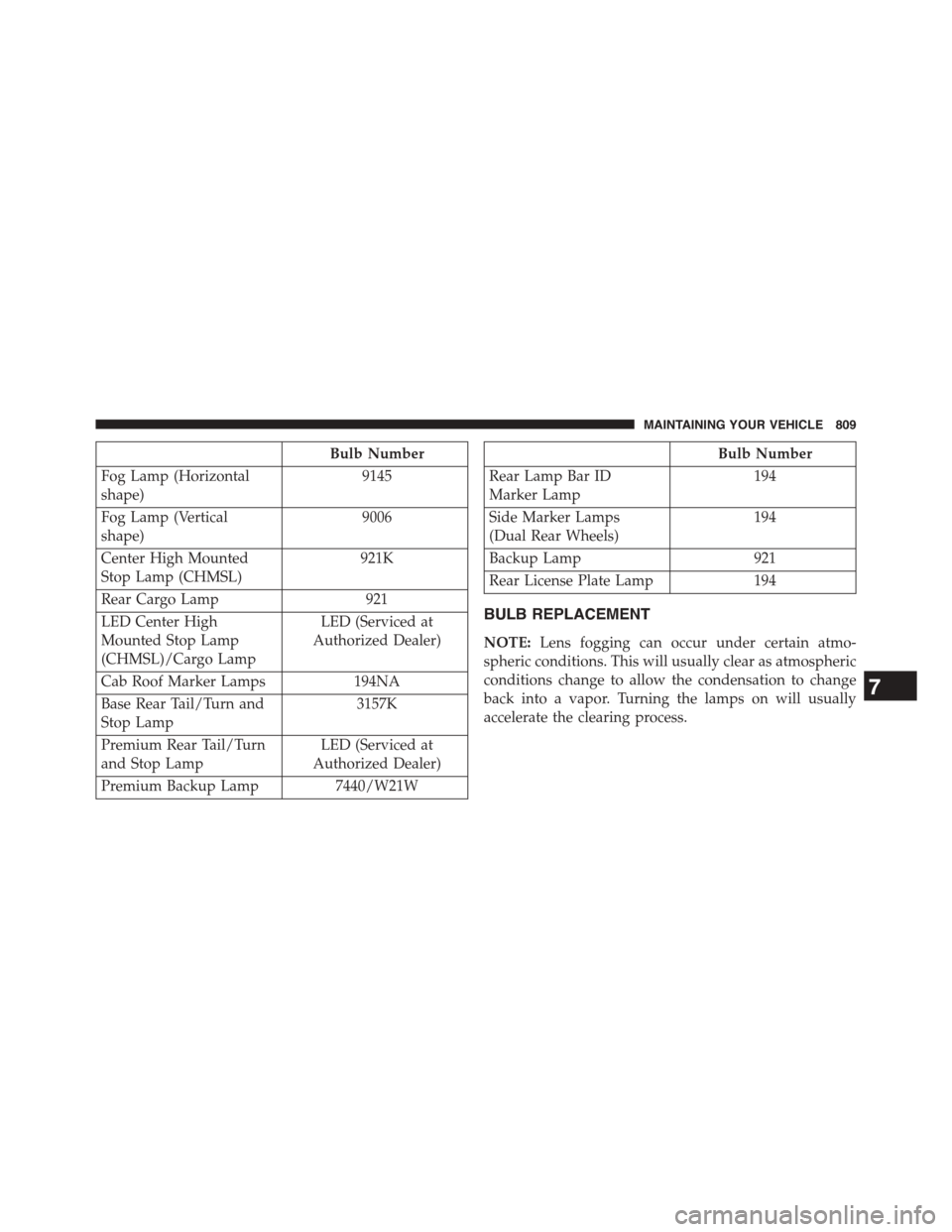
Bulb Number
Fog Lamp (Horizontal
shape)
9145
Fog Lamp (Vertical
shape)
9006
Center High Mounted
Stop Lamp (CHMSL)
921K
Rear Cargo Lamp 921
LED Center High
Mounted Stop Lamp
(CHMSL)/Cargo Lamp
LED (Serviced at
Authorized Dealer)
Cab Roof Marker Lamps194NA
Base Rear Tail/Turn and
Stop Lamp
3157K
Premium Rear Tail/Turn
and Stop Lamp
LED (Serviced at
Authorized Dealer)
Premium Backup Lamp7440/W21W
Bulb Number
Rear Lamp Bar ID
Marker Lamp
194
Side Marker Lamps
(Dual Rear Wheels)
194
Backup Lamp 921
Rear License Plate Lamp 194
BULB REPLACEMENT
NOTE:Lens fogging can occur under certain atmo-
spheric conditions. This will usually clear as atmospheric
conditions change to allow the condensation to change
back into a vapor. Turning the lamps on will usually
accelerate the clearing process.
7
MAINTAINING YOUR VEHICLE 809
Page 813 of 871
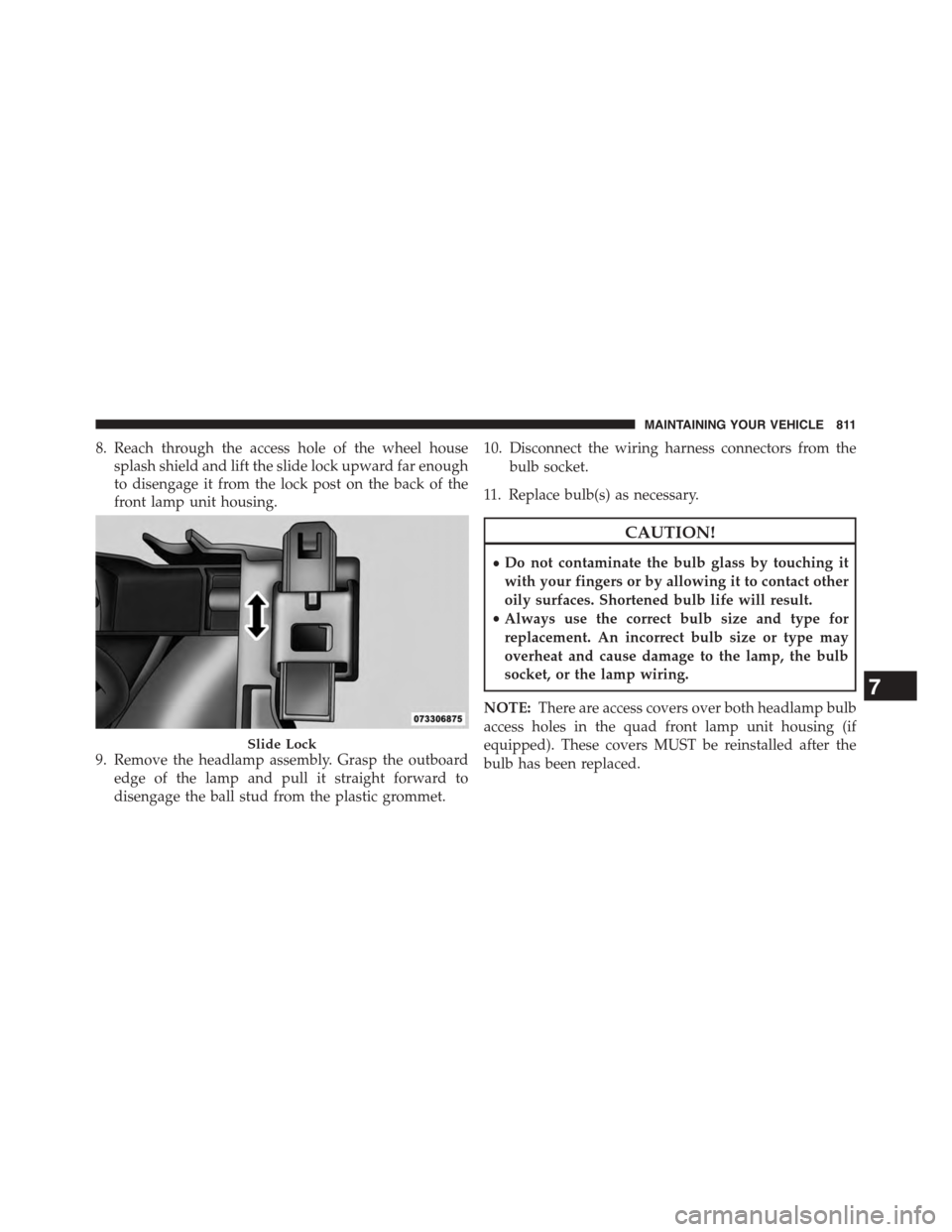
8. Reach through the access hole of the wheel house
splash shield and lift the slide lock upward far enough
to disengage it from the lock post on the back of the
front lamp unit housing.
9. Remove the headlamp assembly. Grasp the outboard
edge of the lamp and pull it straight forward to
disengage the ball stud from the plastic grommet.
10. Disconnect the wiring harness connectors from the
bulb socket.
11. Replace bulb(s) as necessary.
CAUTION!
•Do not contaminate the bulb glass by touching it
with your fingers or by allowing it to contact other
oily surfaces. Shortened bulb life will result.
•Always use the correct bulb size and type for
replacement. An incorrect bulb size or type may
overheat and cause damage to the lamp, the bulb
socket, or the lamp wiring.
NOTE:There are access covers over both headlamp bulb
access holes in the quad front lamp unit housing (if
equipped). These covers MUST be reinstalled after the
bulb has been replaced.
Slide Lock
7
MAINTAINING YOUR VEHICLE 811
Page 814 of 871
Fog Lamps — If Equipped
1. Reach under and behind the front bumper to access
the back of the front fog lamp housing.
2. Disconnect the fog lamp wiring harness connector
from the fog lamp bulb.
3. Rotate the bulb counterclockwise¼turn to unlock the
bulb from the housing.
4. Pull the bulb straight out from the housing.
CAUTION!
Do not contaminate the bulb glass by touching it
with your fingers or by allowing it to contact other
oily surfaces. Shortened bulb life will result.
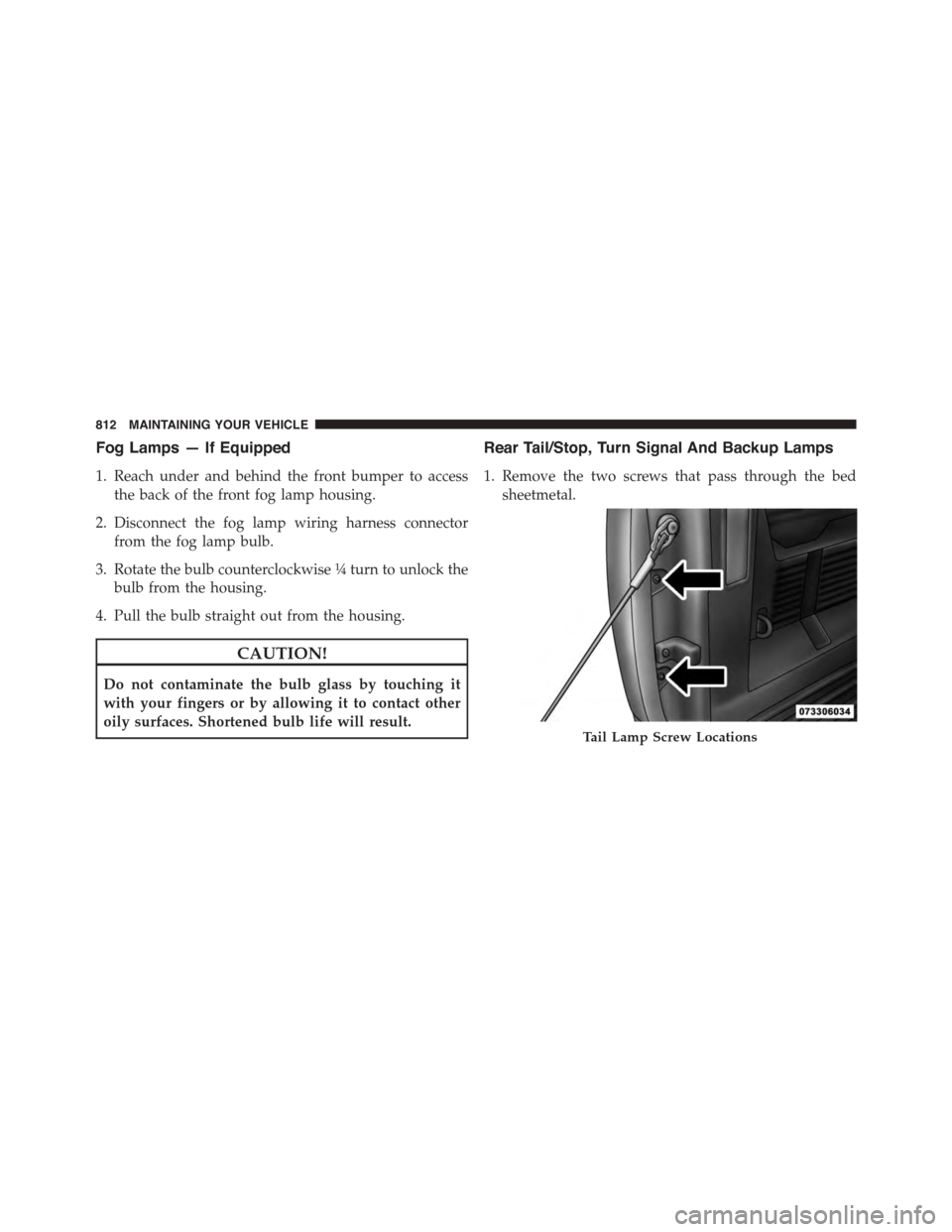
Rear Tail/Stop, Turn Signal And Backup Lamps
1. Remove the two screws that pass through the bed
sheetmetal.
Tail Lamp Screw Locations
812 MAINTAINING YOUR VEHICLE
Page 815 of 871
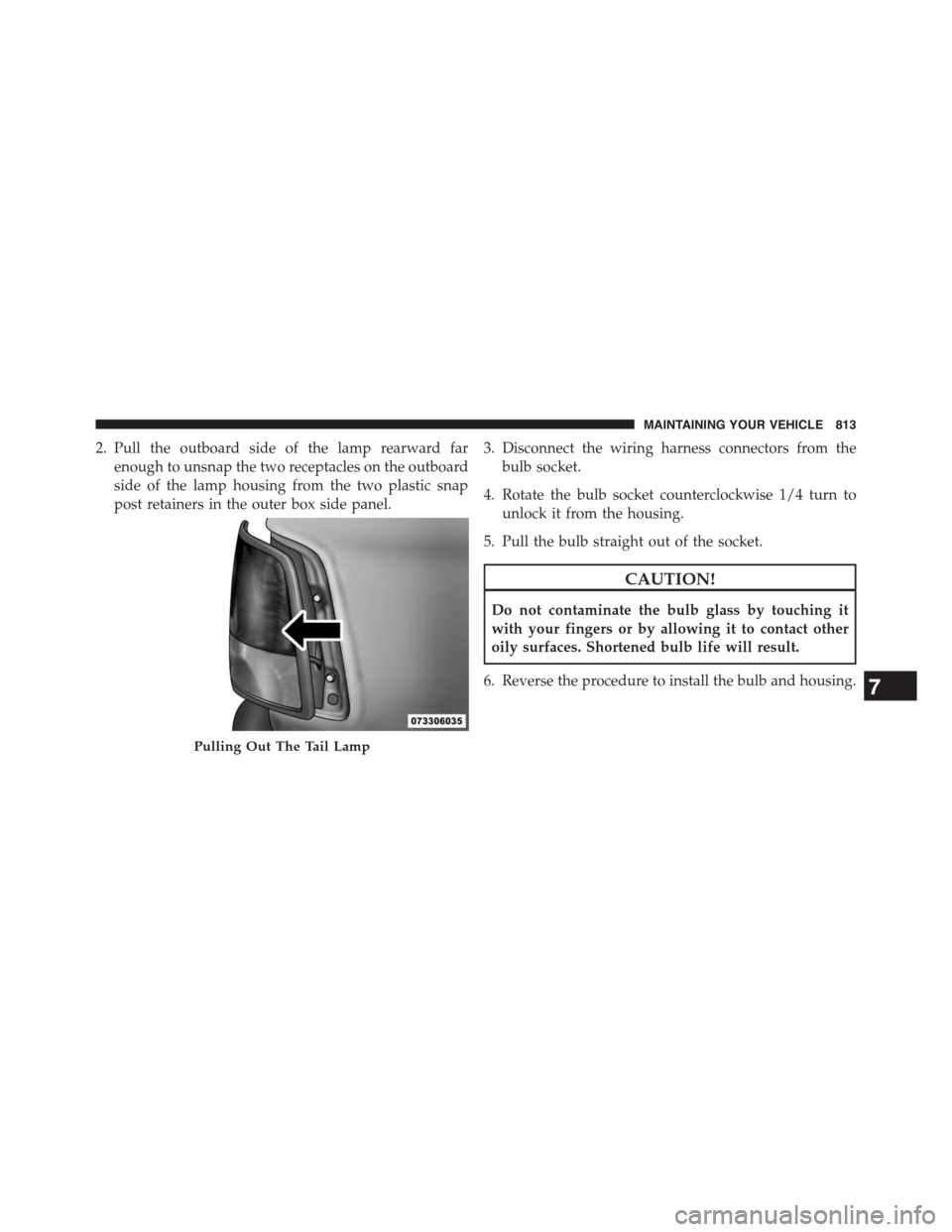
2. Pull the outboard side of the lamp rearward far
enough to unsnap the two receptacles on the outboard
side of the lamp housing from the two plastic snap
post retainers in the outer box side panel.
3. Disconnect the wiring harness connectors from the
bulb socket.
4. Rotate the bulb socket counterclockwise 1/4 turn to
unlock it from the housing.
5. Pull the bulb straight out of the socket.
CAUTION!
Do not contaminate the bulb glass by touching it
with your fingers or by allowing it to contact other
oily surfaces. Shortened bulb life will result.
6. Reverse the procedure to install the bulb and housing.
Pulling Out The Tail Lamp
7
MAINTAINING YOUR VEHICLE 813
Page 817 of 871
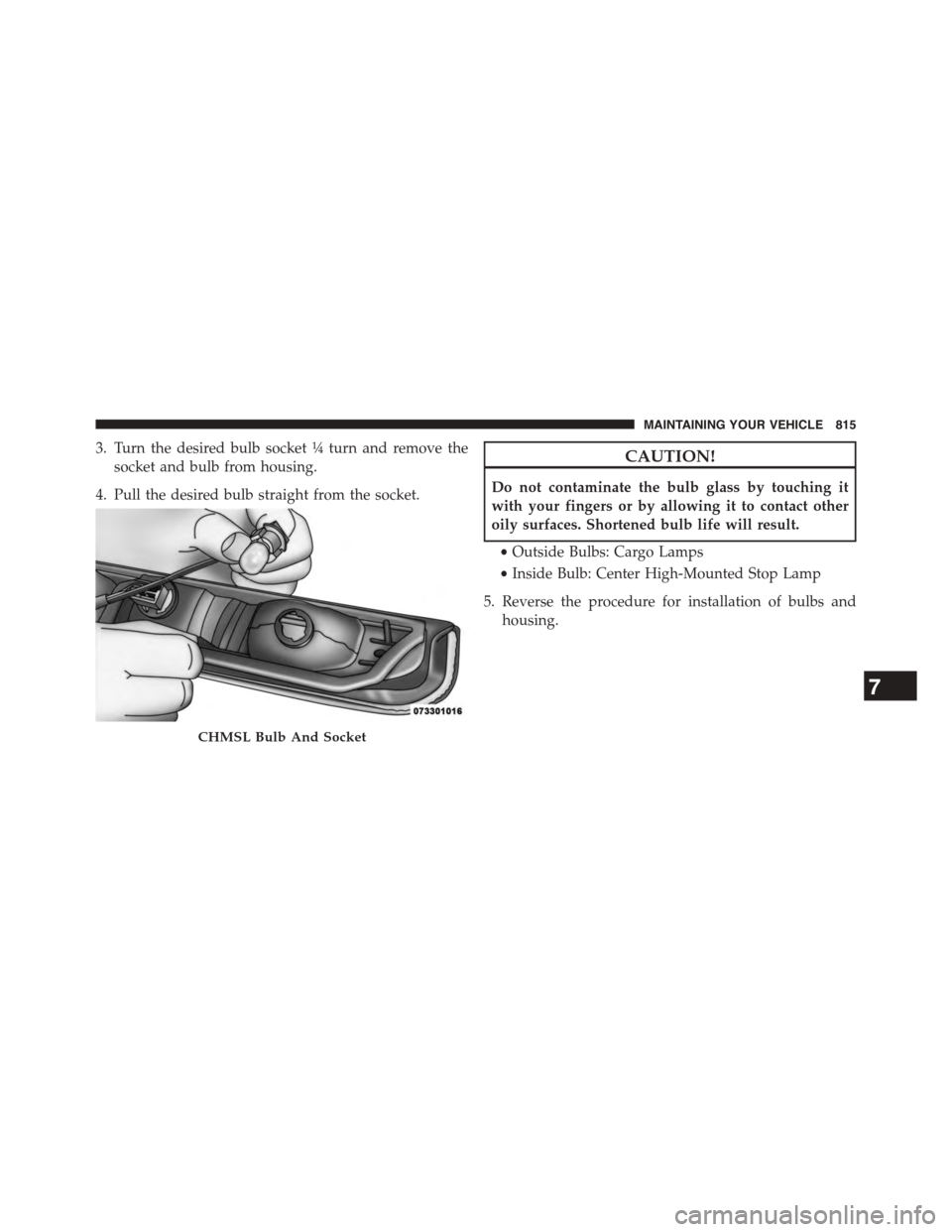
3. Turn the desired bulb socket¼turn and remove the
socket and bulb from housing.
4. Pull the desired bulb straight from the socket.
CAUTION!
Do not contaminate the bulb glass by touching it
with your fingers or by allowing it to contact other
oily surfaces. Shortened bulb life will result.
•Outside Bulbs: Cargo Lamps
•Inside Bulb: Center High-Mounted Stop Lamp
5. Reverse the procedure for installation of bulbs and
housing.
CHMSL Bulb And Socket
7
MAINTAINING YOUR VEHICLE 815
Page 818 of 871
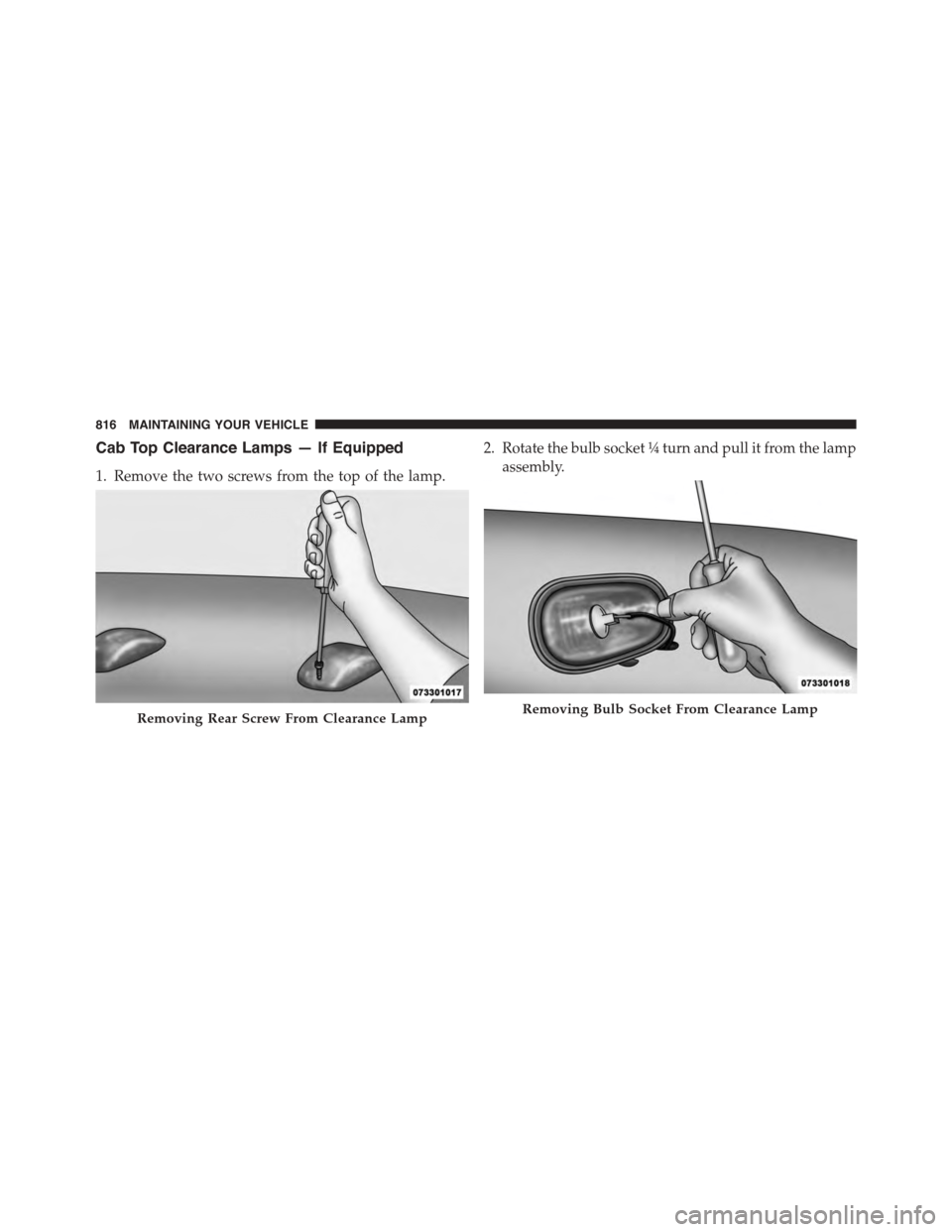
Cab Top Clearance Lamps — If Equipped
1. Remove the two screws from the top of the lamp.
2. Rotate the bulb socket¼turn and pull it from the lamp
assembly.
Removing Rear Screw From Clearance LampRemoving Bulb Socket From Clearance Lamp
816 MAINTAINING YOUR VEHICLE