fuel level Ram 1500 2015 User Guide
[x] Cancel search | Manufacturer: RAM, Model Year: 2015, Model line: 1500, Model: Ram 1500 2015Pages: 871, PDF Size: 24.83 MB
Page 347 of 871
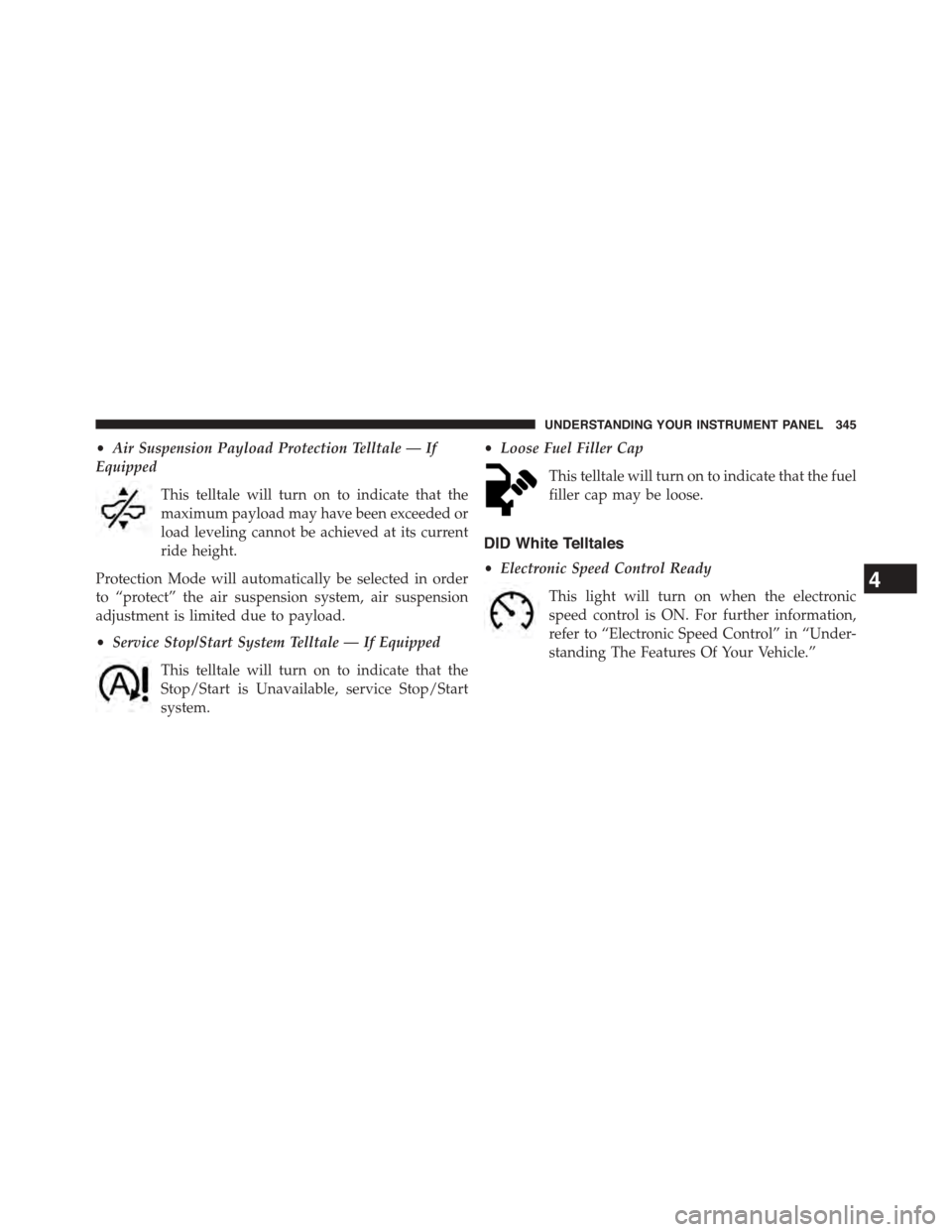
•Air Suspension Payload Protection Telltale — If
Equipped
This telltale will turn on to indicate that the
maximum payload may have been exceeded or
load leveling cannot be achieved at its current
ride height.
Protection Mode will automatically be selected in order
to “protect” the air suspension system, air suspension
adjustment is limited due to payload.
•Service Stop/Start System Telltale — If Equipped
This telltale will turn on to indicate that the
Stop/Start is Unavailable, service Stop/Start
system.
•Loose Fuel Filler Cap
This telltale will turn on to indicate that the fuel
filler cap may be loose.
DID White Telltales
•Electronic Speed Control Ready
This light will turn on when the electronic
speed control is ON. For further information,
refer to “Electronic Speed Control” in “Under-
standing The Features Of Your Vehicle.”
4
UNDERSTANDING YOUR INSTRUMENT PANEL 345
Page 410 of 871
NOTE:BI-LEVEL mode is designed under comfort con-
ditions to provide cooler air out of the panel outlets and
warmer air from the floor outlets.
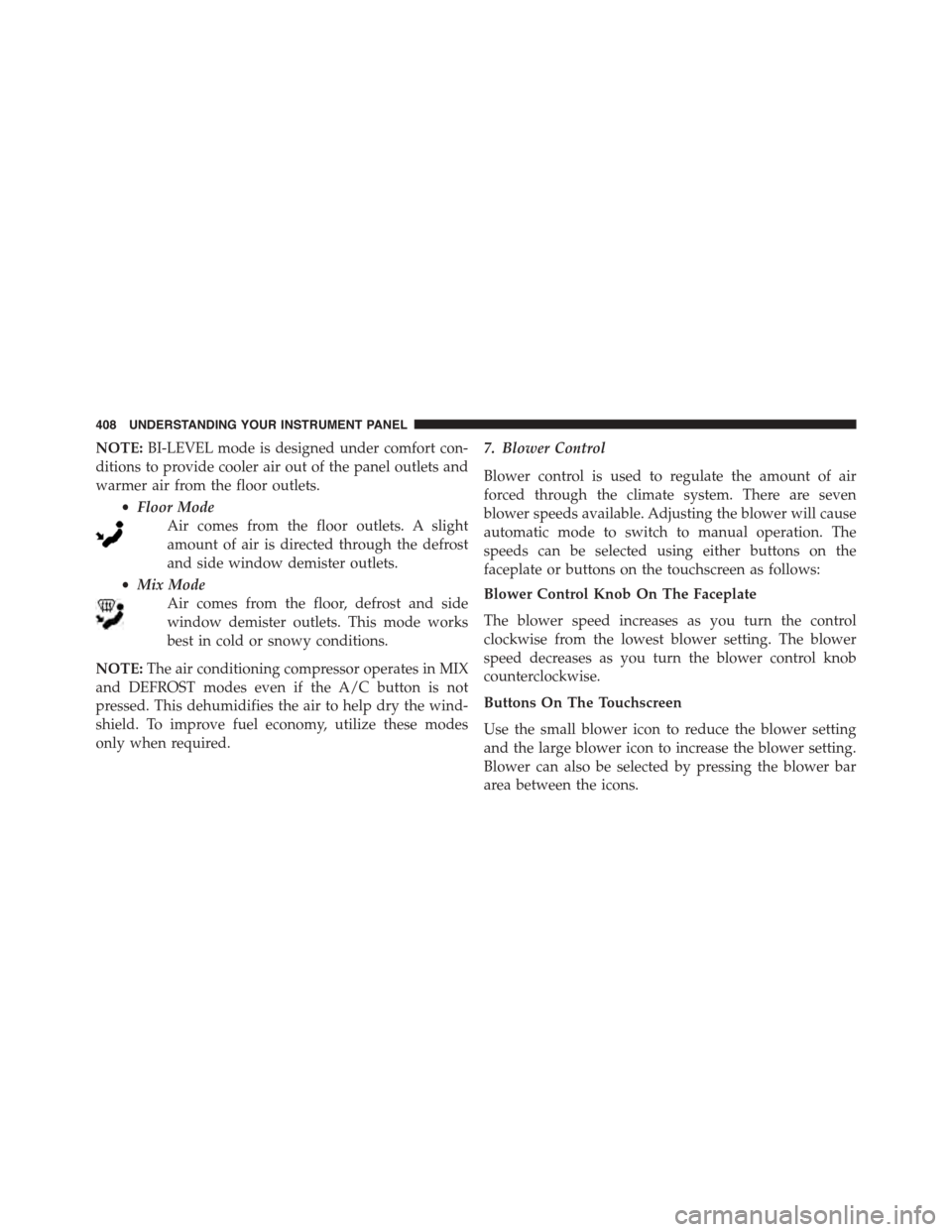
•Floor Mode
Air comes from the floor outlets. A slight
amount of air is directed through the defrost
and side window demister outlets.
•Mix Mode
Air comes from the floor, defrost and side
window demister outlets. This mode works
best in cold or snowy conditions.
NOTE:The air conditioning compressor operates in MIX
and DEFROST modes even if the A/C button is not
pressed. This dehumidifies the air to help dry the wind-
shield. To improve fuel economy, utilize these modes
only when required.
7. Blower Control
Blower control is used to regulate the amount of air
forced through the climate system. There are seven
blower speeds available. Adjusting the blower will cause
automatic mode to switch to manual operation. The
speeds can be selected using either buttons on the
faceplate or buttons on the touchscreen as follows:
Blower Control Knob On The Faceplate
The blower speed increases as you turn the control
clockwise from the lowest blower setting. The blower
speed decreases as you turn the blower control knob
counterclockwise.
Buttons On The Touchscreen
Use the small blower icon to reduce the blower setting
and the large blower icon to increase the blower setting.
Blower can also be selected by pressing the blower bar
area between the icons.
408 UNDERSTANDING YOUR INSTRUMENT PANEL
Page 418 of 871
temperature settings or on the touchscreen, press and
slide the temperature bar towards the red arrow for
warmer temperature settings.
NOTE:In Sync mode, this button will also automatically
adjust the passenger temperature setting at the same
time.
15. Temperature Control (Uconnect® 5.0)
Press the temperature button on the touchscreen to regu-
late the temperature of the air inside the passenger com-
partment. Moving the temperature bar into the red area,
indicates warmer temperatures. Moving the temperature
bar into the blue area indicates cooler temperatures.
Climate Control Functions
A/C (Air Conditioning)
The Air Conditioning (A/C) button allows the operator
to manually activate or deactivate the air conditioning
system. When the air conditioning system is turned on,
cool dehumidified air will flow through the outlets into
the cabin. For improved fuel economy, press the A/C
button to turn off the air conditioning and manually
adjust the blower and airflow mode settings. Also, make
sure to select only Panel, Bi-Level or Floor modes.
NOTE:
•For Manual Climate Controls, if the system is in Mix,
Floor or Defrost Mode, the A/C can be turned off, but
the A/C system shall remain active to prevent fogging
of the windows.
•If fog or mist appears on the windshield or side glass,
select Defrost mode and adjust blower speed if
needed.
•If your air conditioning performance seems lower than
expected, check the front of the A/C condenser (lo-
cated in front of the radiator), for an accumulation of
dirt or insects. Clean with a gentle water spray from
416 UNDERSTANDING YOUR INSTRUMENT PANEL
Page 456 of 871

Possible Reasons The Engine Does Not Autostop
Prior to engine shut down, the system will check many
safety and comfort conditions to see if they are fulfilled.
In following situations the engine will not stop:
•Driver ’s seat belt is not buckled
•Driver ’s door is not closed
•Outside temperature is less than 1°F (–17°C) or greater
than 104°F (40°C)
•Battery temperature too warm or cold
•The vehicle is on a steep grade
•Cabin heating or cooling is in process and an accept-
able cabin temperature has not been achieved
•HVAC is set to full defrost mode at a high blower
speed
•Engine has not reached normal operating temperature
•Battery discharged
•The transmission is not in DRIVE
•Hood is open
•Vehicle is in 4LO transfer case mode
Other factors which can inhibit AutoStop include: fuel
level, accelerator pedal input, engine temp too high and
steering angle.
It may be possible for the vehicle to be driven several
times without the STOP/START system going into a
STOP/START READY state under more extreme condi-
tions of the items listed above.
454 STARTING AND OPERATING
Page 580 of 871

CAUTION!
Do not use chemical flushes in your power steering
system as the chemicals can damage your power
steering components. Such damage is not covered by
the New Vehicle Limited Warranty.
WARNING!
Fluid level should be checked on a level surface and
with the engine off to prevent injury from moving
parts and to ensure accurate fluid level reading. Do
not overfill. Use only manufacturer’s recommended
power steering fluid.
If necessary, add fluid to restore to the proper indicated
level. With a clean cloth, wipe any spilled fluid from all
surfaces. Refer to “Fluids, Lubricants, and Genuine
Parts” in “Maintaining Your Vehicle” for further informa-
tion.
FUEL SAVER TECHNOLOGY 5.7L/6.4L ENGINES
ONLY — IF EQUIPPED
This feature offers improved fuel economy by shutting
off four of the engine’s eight cylinders during light load
and cruise conditions. The system is automatic with no
driver inputs or additional driving skills required.
NOTE:This system may take some time to return to full
functionality after a battery disconnect.
PARKING BRAKE
Before leaving the vehicle, make sure that the parking
brake is fully applied. Also, be certain to leave the
transmission in PARK.
The foot operated parking brake is located below the
lower left corner of the instrument panel. To apply the
park brake, firmly push the park brake pedal fully. To
release the parking brake, pull the parking brake release
handle.
578 STARTING AND OPERATING
Page 630 of 871
CAUTION!
•The TPMS has been optimized for the original
equipment tires and wheels. TPMS pressures and
warning have been established for the tire size
equipped on your vehicle. Undesirable system op-
eration or sensor damage may result when using
replacement equipment that is not of the same size,
type, and/or style. Aftermarket wheels can cause
sensor damage. Using aftermarket tire sealants may
cause the Tire Pressure Monitoring System (TPMS)
sensor to become inoperable. After using an after-
market tire sealant it is recommended that you take
your vehicle to your local dealer to have your
sensor function checked.
•After inspecting or adjusting the tire pressure,
always reinstall the valve stem cap. This will
prevent moisture and dirt from entering the valve
stem, which could damage the TPM sensor.
NOTE:
•The TPMS is not intended to replace normal tire care
and maintenance or to provide warning of a tire failure
or condition.
•The TPMS should not be used as a tire pressure gauge
while adjusting your tire pressure.
•Driving on a significantly under-inflated tire causes
the tire to overheat and can lead to tire failure.
Under-inflation also reduces fuel efficiency and tire
tread life, and may affect the vehicle’s handling and
stopping ability.
•The TPMS is not a substitute for proper tire mainte-
nance, and it is the driver ’s responsibility to maintain
correct tire pressure using an accurate tire pressure
gauge, even if under-inflation has not reached the level
to trigger illumination of the “Tire Pressure Monitor-
ing Telltale Light.”
628 STARTING AND OPERATING
Page 670 of 871
![Ram 1500 2015 User Guide When towing a loaded trailer up steep grades at low
speeds (20 mph [32 km/h] or below), holding your
vehicle in first gear (using the ERS shift control) can help
to avoid transmission overheating.
If](/img/34/12541/w960_12541-669.png "Ram 1500 2015 User Guide When towing a loaded trailer up steep grades at low
speeds (20 mph [32 km/h] or below), holding your
vehicle in first gear (using the ERS shift control) can help
to avoid transmission overheating.
If")
When towing a loaded trailer up steep grades at low
speeds (20 mph [32 km/h] or below), holding your
vehicle in first gear (using the ERS shift control) can help
to avoid transmission overheating.
If you regularly tow a trailer for more than 45 minutes of
continuous operation, then change the automatic trans-
mission fluid and filter(s) as specified for#police, taxi,
fleet, or frequent trailer towing.#Refer to the “Mainte-
nance Schedule” for the proper maintenance intervals.
NOTE:Check the automatic transmission fluid level
before towing (6-speed automatic only).
Tow/Haul Mode
To reduce potential for automatic transmission overheat-
ing, activate TOW/HAUL mode when driving in hilly
areas, or select a lower gear range (using the Electronic
Range Select (ERS) shift control) on more severe grades.
Electronic Speed Control — If Equipped
•Do not use in hilly terrain or with heavy loads.
•When using the speed control, if you experience speed
drops greater than 10 mph (16 km/h), disengage until
you can get back to cruising speed.
•Use speed control in flat terrain and with light loads to
maximize fuel efficiency.
Cooling System
To reduce potential for engine and transmission over-
heating, take the following actions:
City Driving
When stopped for short periods of time, shift the trans-
mission into NEUTRAL and increase engine idle speed.
Highway Driving
Reduce speed.
668 STARTING AND OPERATING
Page 757 of 871
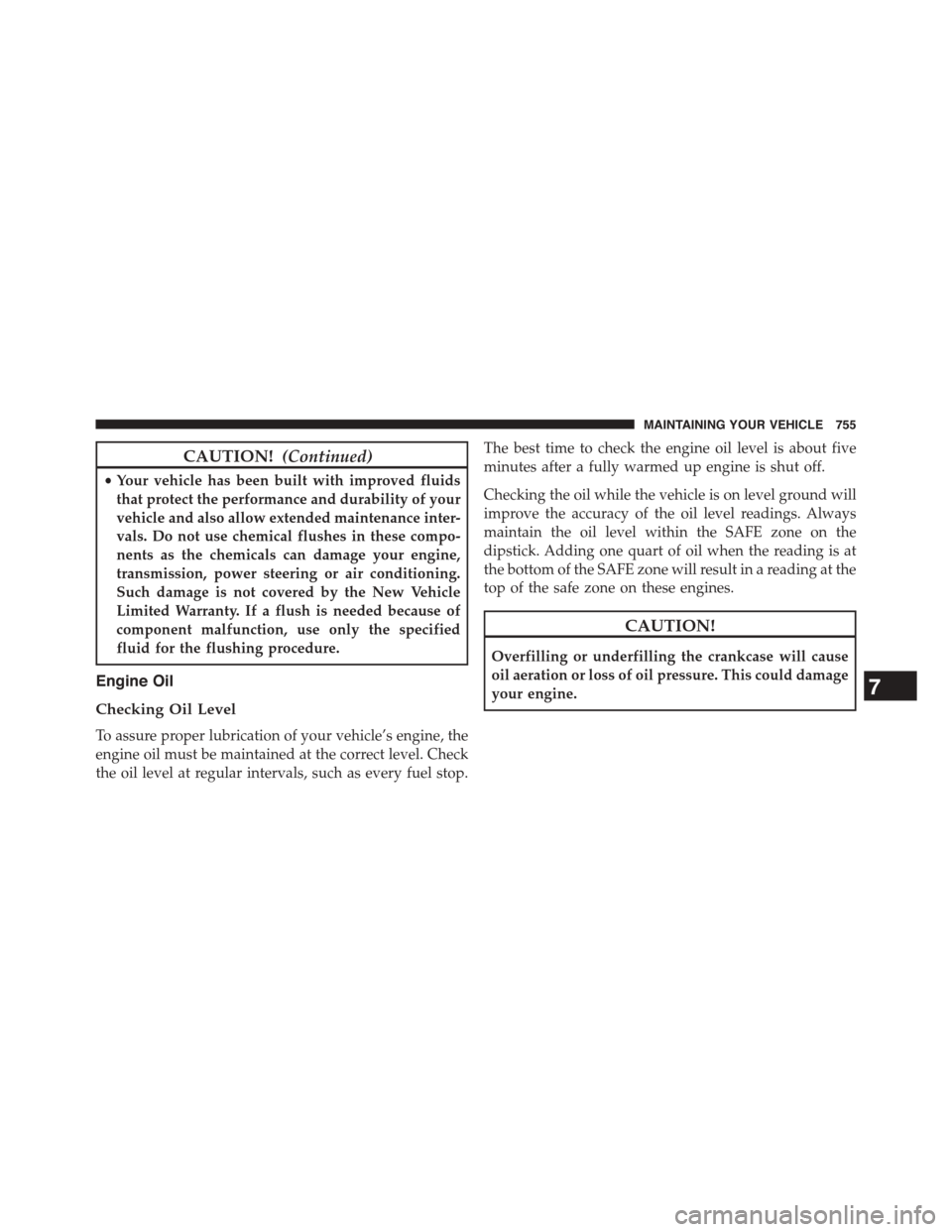
CAUTION!(Continued)
•Your vehicle has been built with improved fluids
that protect the performance and durability of your
vehicle and also allow extended maintenance inter-
vals. Do not use chemical flushes in these compo-
nents as the chemicals can damage your engine,
transmission, power steering or air conditioning.
Such damage is not covered by the New Vehicle
Limited Warranty. If a flush is needed because of
component malfunction, use only the specified
fluid for the flushing procedure.
Engine Oil
Checking Oil Level
To assure proper lubrication of your vehicle’s engine, the
engine oil must be maintained at the correct level. Check
the oil level at regular intervals, such as every fuel stop.
The best time to check the engine oil level is about five
minutes after a fully warmed up engine is shut off.
Checking the oil while the vehicle is on level ground will
improve the accuracy of the oil level readings. Always
maintain the oil level within the SAFE zone on the
dipstick. Adding one quart of oil when the reading is at
the bottom of the SAFE zone will result in a reading at the
top of the safe zone on these engines.
CAUTION!
Overfilling or underfilling the crankcase will cause
oil aeration or loss of oil pressure. This could damage
your engine.7
MAINTAINING YOUR VEHICLE 755
Page 856 of 871
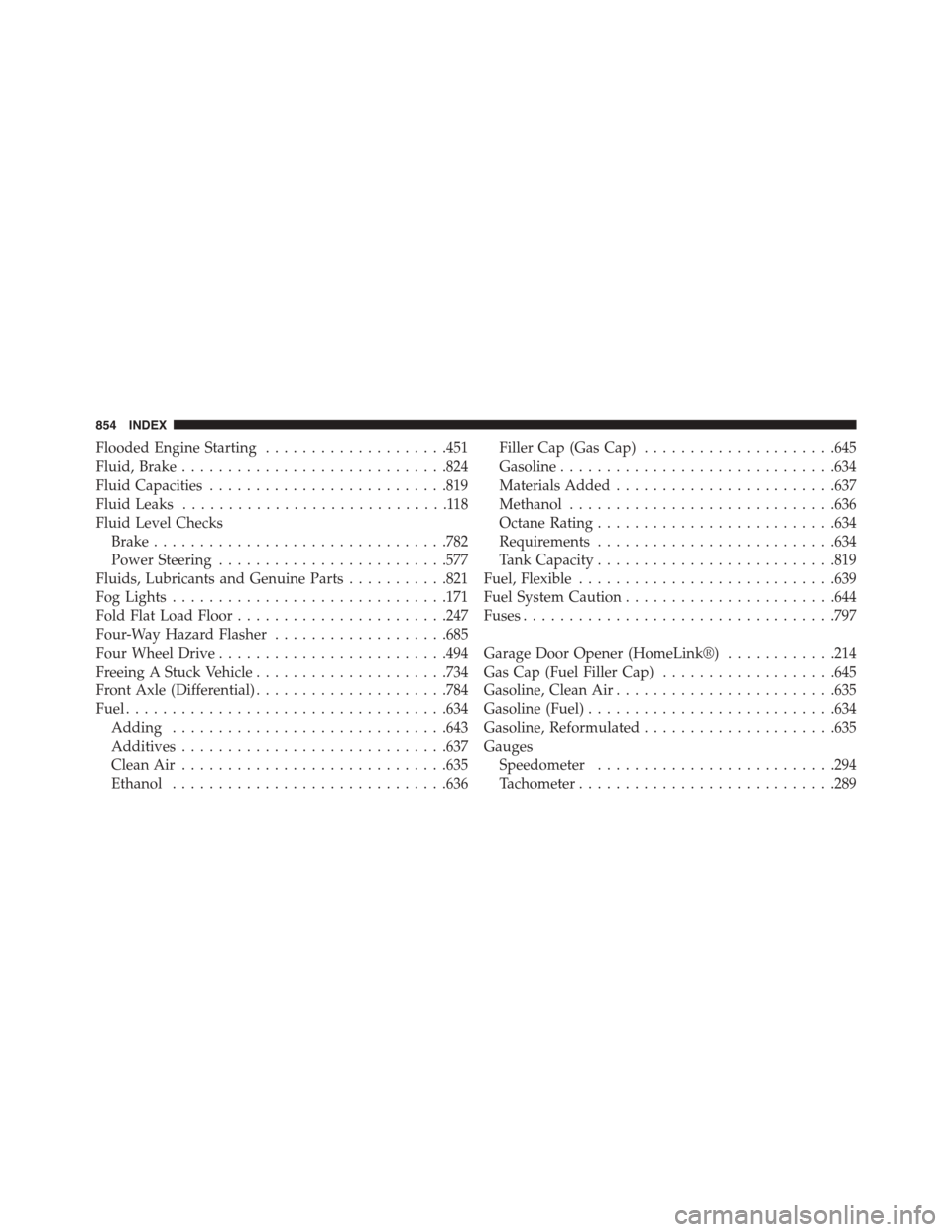
Flooded Engine Starting....................451
Fluid, Brake.............................824
Fluid Capacities..........................819
Fluid Leaks.............................118
Fluid Level Checks
Brake................................782
Power Steering.........................577
Fluids, Lubricants and Genuine Parts...........821
Fog Lights..............................171
Fold Flat Load Floor.......................247
Four-Way Hazard Flasher...................685
Four Wheel Drive.........................494
Freeing A Stuck Vehicle.....................734
Front Axle (Differential).....................784
Fuel...................................634
Adding..............................643
Additives.............................637
Clean Air.............................635
Ethanol..............................636
Filler Cap (Gas Cap).....................645
Gasoline..............................634
Materials Added........................637
Methanol.............................636
Octane Rating..........................634
Requirements..........................634
Tank Capacity..........................819
Fuel, Flexible............................639
Fuel System Caution.......................644
Fuses..................................797
Garage Door Opener (HomeLink®)............214
Gas Cap (Fuel Filler Cap)...................645
Gasoline, Clean Air........................635
Gasoline (Fuel)...........................634
Gasoline, Reformulated.....................635
Gauges
Speedometer..........................294
Tachometer............................289
854 INDEX