high beam Ram 1500 2015 User Guide
[x] Cancel search | Manufacturer: RAM, Model Year: 2015, Model line: 1500, Model: Ram 1500 2015Pages: 871, PDF Size: 24.83 MB
Page 328 of 871
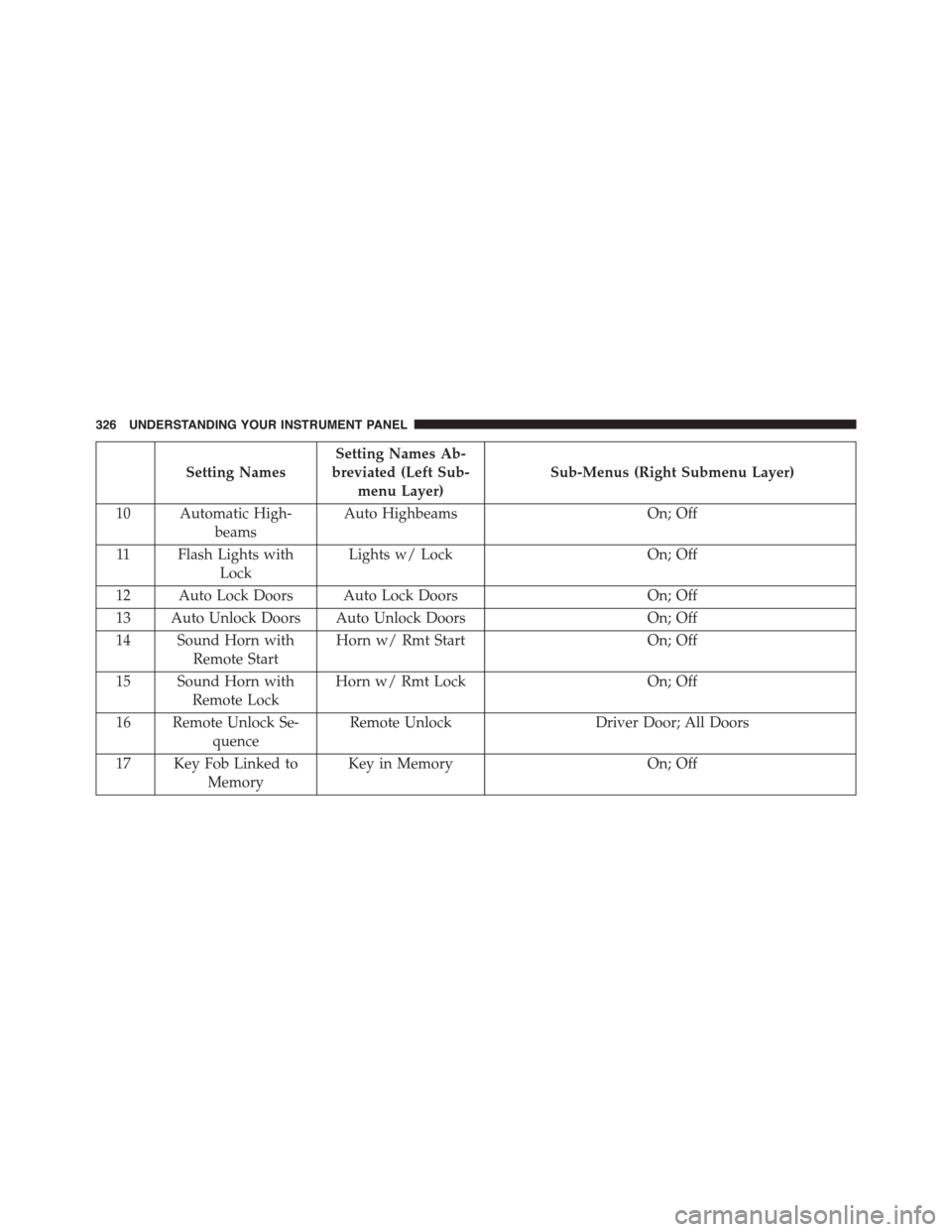
Setting Names
Setting Names Ab-
breviated (Left Sub-
menu Layer)
Sub-Menus (Right Submenu Layer)
10 Automatic High-
beams
Auto HighbeamsOn; Off
11 Flash Lights with
Lock
Lights w/ LockOn; Off
12 Auto Lock Doors Auto Lock DoorsOn; Off
13 Auto Unlock Doors Auto Unlock DoorsOn; Off
14 Sound Horn with
Remote Start
Horn w/ Rmt StartOn; Off
15 Sound Horn with
Remote Lock
Horn w/ Rmt LockOn; Off
16 Remote Unlock Se-
quence
Remote UnlockDriver Door; All Doors
17 Key Fob Linked to
Memory
Key in MemoryOn; Off
326 UNDERSTANDING YOUR INSTRUMENT PANEL
Page 337 of 871
•Unstored Messages
This message type is displayed indefinitely or until the
condition that activated the message is cleared. Examples
of this message type are “Turn Signal On” (if a turn signal
is left on) and “Lights On” (if driver leaves the vehicle).
•Unstored Messages Until RUN
These messages deal primarily with the Remote Start
feature. This message type is displayed until the ignition
is in the RUN state. Examples of this message type are
“Remote Start Aborted - Door Ajar” and “Press Brake
Pedal and Push Button to Start”.
•Five Second Unstored Messages
When the appropriate conditions occur, this type of
message takes control of the main display area for five
seconds and then returns to the previous screen. An
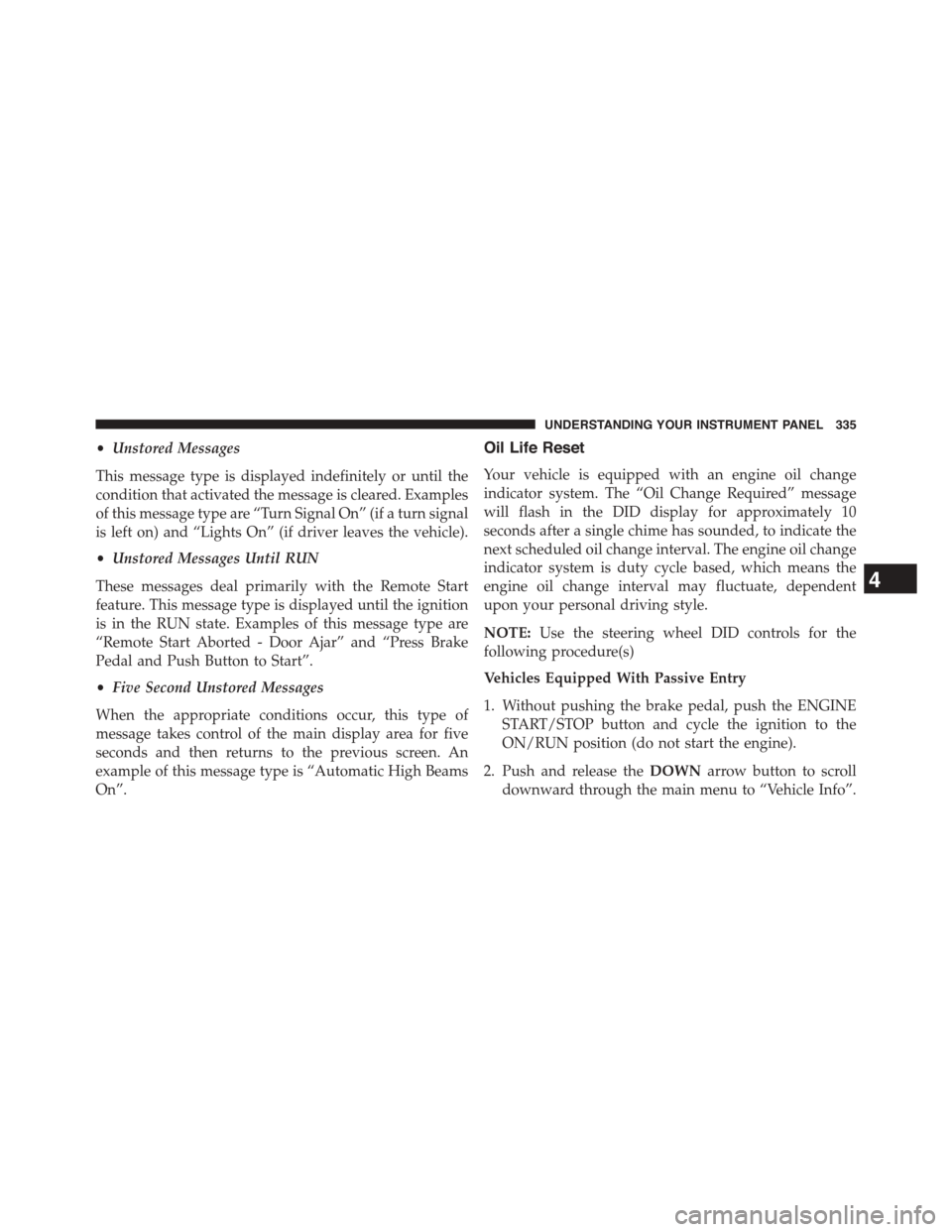
example of this message type is “Automatic High Beams
On”.
Oil Life Reset
Your vehicle is equipped with an engine oil change
indicator system. The “Oil Change Required” message
will flash in the DID display for approximately 10
seconds after a single chime has sounded, to indicate the
next scheduled oil change interval. The engine oil change
indicator system is duty cycle based, which means the
engine oil change interval may fluctuate, dependent
upon your personal driving style.
NOTE:Use the steering wheel DID controls for the
following procedure(s)
Vehicles Equipped With Passive Entry
1. Without pushing the brake pedal, push the ENGINE
START/STOP button and cycle the ignition to the
ON/RUN position (do not start the engine).
2. Push and release theDOWNarrow button to scroll
downward through the main menu to “Vehicle Info”.
4
UNDERSTANDING YOUR INSTRUMENT PANEL 335
Page 354 of 871
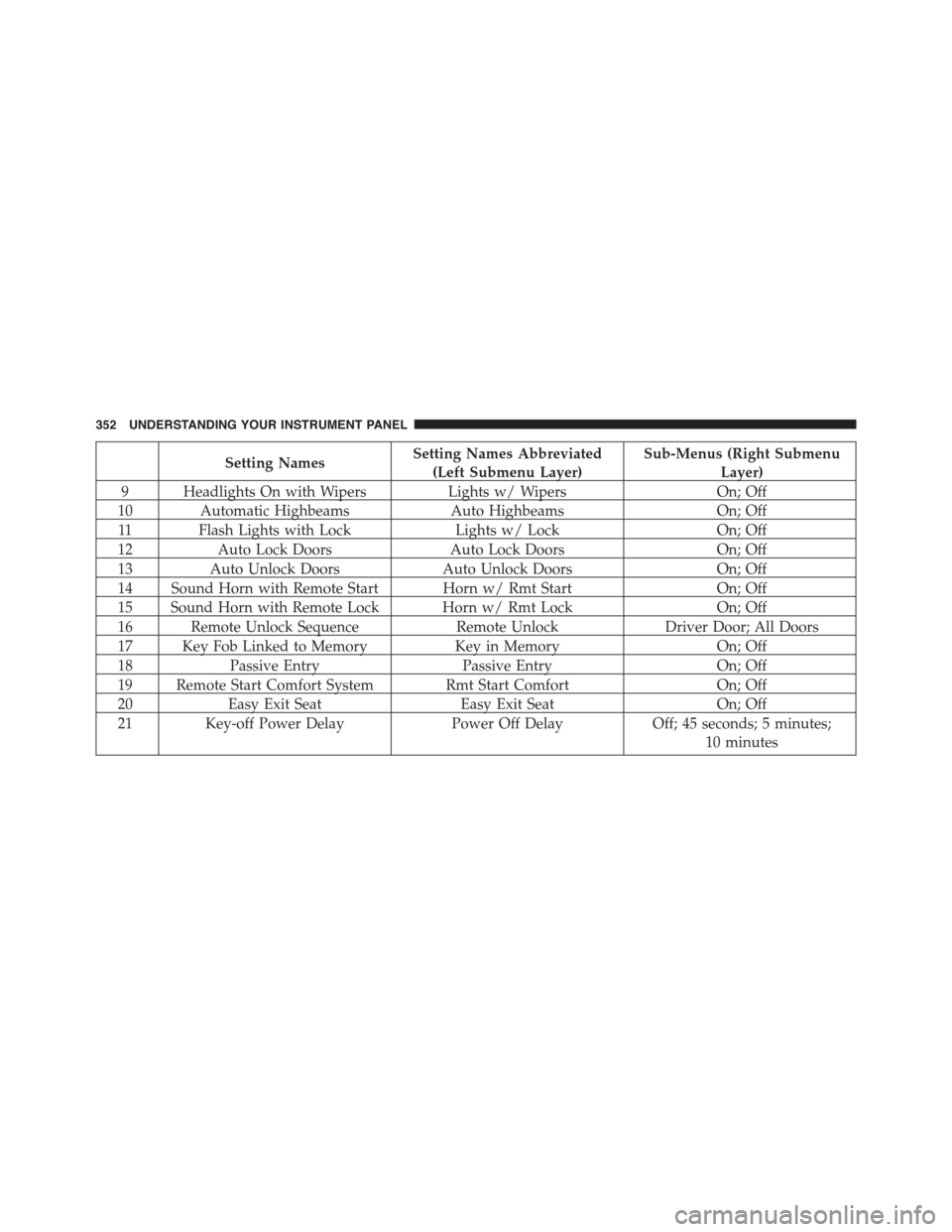
Setting NamesSetting Names Abbreviated
(Left Submenu Layer)
Sub-Menus (Right Submenu
Layer)
9 Headlights On with WipersLights w/ WipersOn; Off
10 Automatic HighbeamsAuto HighbeamsOn; Off
11 Flash Lights with LockLights w/ LockOn; Off
12Auto Lock DoorsAuto Lock DoorsOn; Off
13Auto Unlock DoorsAuto Unlock DoorsOn; Off
14 Sound Horn with Remote Start Horn w/ Rmt StartOn; Off
15 Sound Horn with Remote Lock Horn w/ Rmt LockOn; Off
16 Remote Unlock SequenceRemote UnlockDriver Door; All Doors
17 Key Fob Linked to MemoryKey in MemoryOn; Off
18Passive EntryPassive EntryOn; Off
19 Remote Start Comfort System Rmt Start ComfortOn; Off
20Easy Exit SeatEasy Exit SeatOn; Off
21 Key-off Power DelayPower Off DelayOff; 45 seconds; 5 minutes;
10 minutes
352 UNDERSTANDING YOUR INSTRUMENT PANEL
Page 366 of 871

•Auto Dim High Beams — If Equipped
When this feature is selected, the high beam headlights
will activate/deactivate automatically under certain con-
ditions. To make your selection, press the “Auto High
Beams” button on the touchscreen, and select from “On”
or “Off.” Press the back arrow/Done button on the
touchscreen to return to the previous menu. Refer to
”Automatic High Beam — If Equipped” in “Understand-
ing The Features Of Your Vehicle” for further informa-
tion.
•Daytime Running Lights — If Equipped
When this feature is selected, the headlights will turn on
whenever the engine is running. To make your selection,
press the “Daytime Running Lights” button on the touch-
screen, and select from “On” or “Off.” Press the back
arrow/Done button on the touchscreen to return to the
previous menu.
•Flash Lights With Lock
When this feature is selected, the exterior lights will flash
when the doors are locked or unlocked with the Remote
Keyless Entry (RKE) transmitter. This feature may be
selected with or without the sound horn on lock feature
selected. To make your selection, press the “Flash Lights
w/Lock” button on the touchscreen, and select from
“On” or “Off.” Press the back arrow/Done button on the
touchscreen to return to the previous menu.
Doors & Locks
After pressing the “Doors & Locks” button on the touch-
screen, the following settings will be available:
•Auto Door Locks
When this feature is selected, all doors will lock auto-
matically when the vehicle reaches a speed of 15 mph
(24 km/h). To make your selection, press the “Auto Door
Locks” button on the touchscreen and select from “On”
364 UNDERSTANDING YOUR INSTRUMENT PANEL
Page 386 of 871
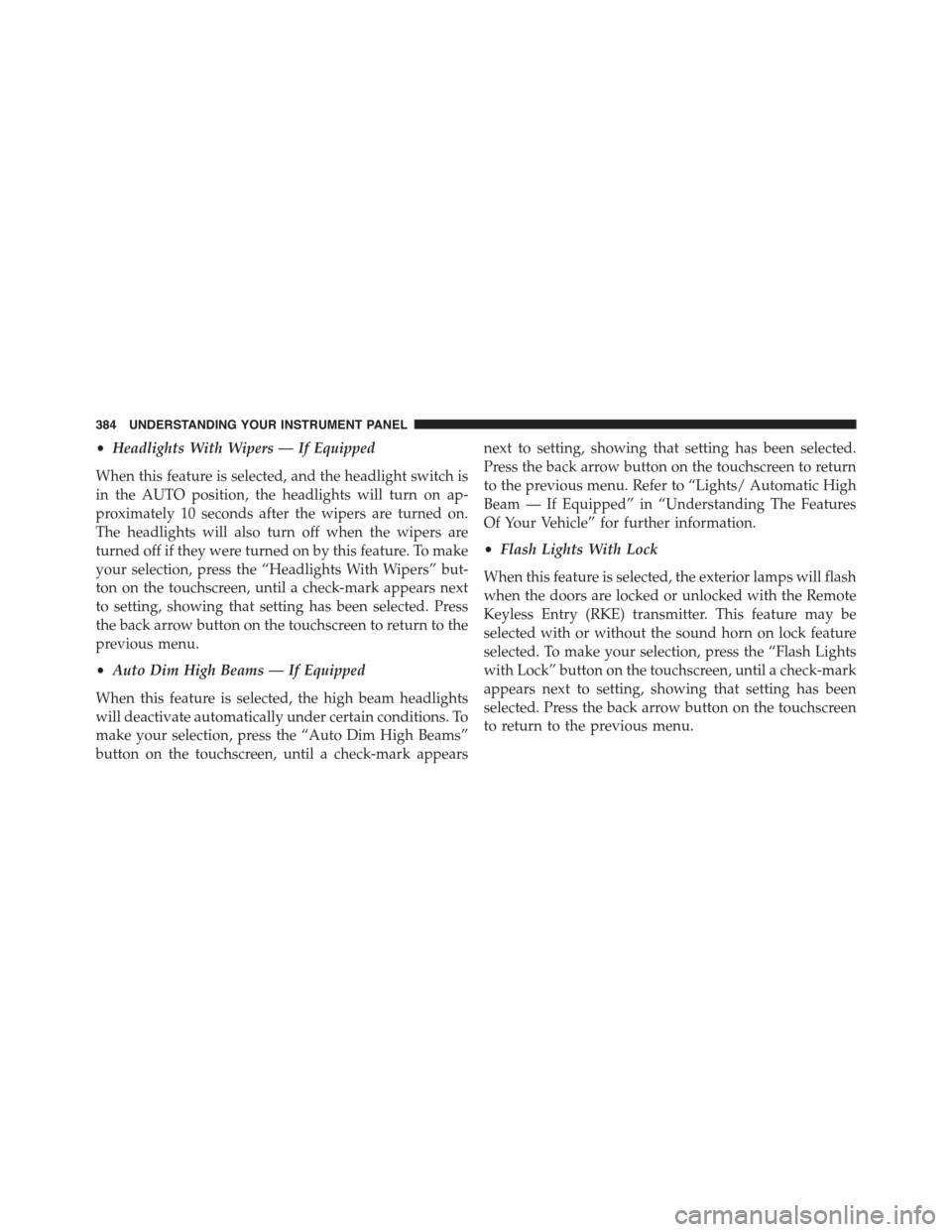
•Headlights With Wipers — If Equipped
When this feature is selected, and the headlight switch is
in the AUTO position, the headlights will turn on ap-
proximately 10 seconds after the wipers are turned on.
The headlights will also turn off when the wipers are
turned off if they were turned on by this feature. To make
your selection, press the “Headlights With Wipers” but-
ton on the touchscreen, until a check-mark appears next
to setting, showing that setting has been selected. Press
the back arrow button on the touchscreen to return to the
previous menu.
•Auto Dim High Beams — If Equipped
When this feature is selected, the high beam headlights
will deactivate automatically under certain conditions. To
make your selection, press the “Auto Dim High Beams”
button on the touchscreen, until a check-mark appears
next to setting, showing that setting has been selected.
Press the back arrow button on the touchscreen to return
to the previous menu. Refer to “Lights/ Automatic High
Beam — If Equipped” in “Understanding The Features
Of Your Vehicle” for further information.
•Flash Lights With Lock
When this feature is selected, the exterior lamps will flash
when the doors are locked or unlocked with the Remote
Keyless Entry (RKE) transmitter. This feature may be
selected with or without the sound horn on lock feature
selected. To make your selection, press the “Flash Lights
with Lock” button on the touchscreen, until a check-mark
appears next to setting, showing that setting has been
selected. Press the back arrow button on the touchscreen
to return to the previous menu.
384 UNDERSTANDING YOUR INSTRUMENT PANEL
Page 748 of 871
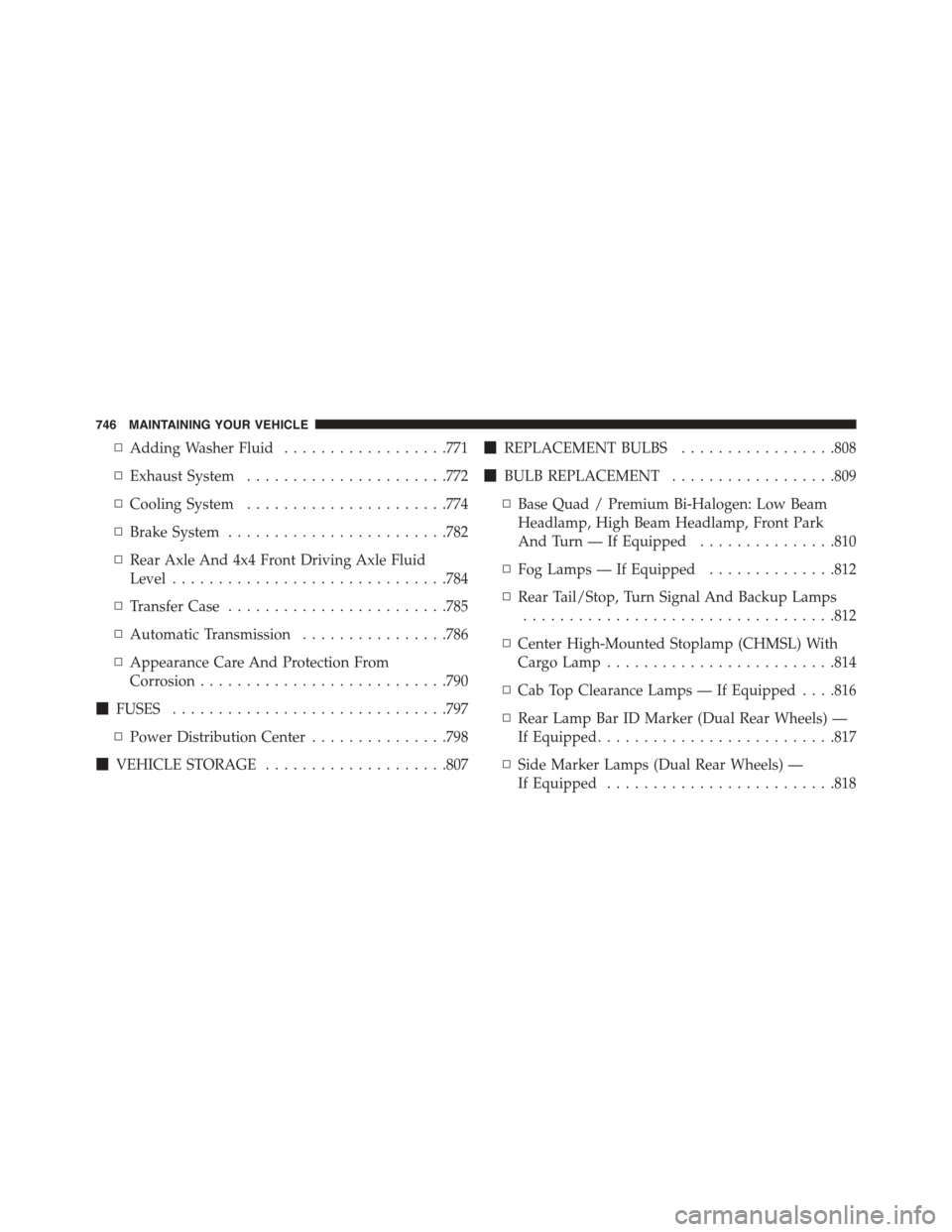
▫Adding Washer Fluid..................771
▫Exhaust System......................772
▫Cooling System......................774
▫Brake System........................782
▫Rear Axle And 4x4 Front Driving Axle Fluid
Level..............................784
▫Transfer Case........................785
▫Automatic Transmission................786
▫Appearance Care And Protection From
Corrosion...........................790
!FUSES..............................797
▫Power Distribution Center...............798
!VEHICLE STORAGE....................807
!REPLACEMENT BULBS.................808
!BULB REPLACEMENT..................809
▫Base Quad / Premium Bi-Halogen: Low Beam
Headlamp, High Beam Headlamp, Front Park
And Turn — If Equipped...............810
▫Fog Lamps — If Equipped..............812
▫Rear Tail/Stop, Turn Signal And Backup Lamps
..................................812
▫Center High-Mounted Stoplamp (CHMSL) With
Cargo Lamp.........................814
▫Cab Top Clearance Lamps — If Equipped . . . .816
▫Rear Lamp Bar ID Marker (Dual Rear Wheels) —
If Equipped..........................817
▫Side Marker Lamps (Dual Rear Wheels) —
If Equipped.........................818
746 MAINTAINING YOUR VEHICLE
Page 808 of 871
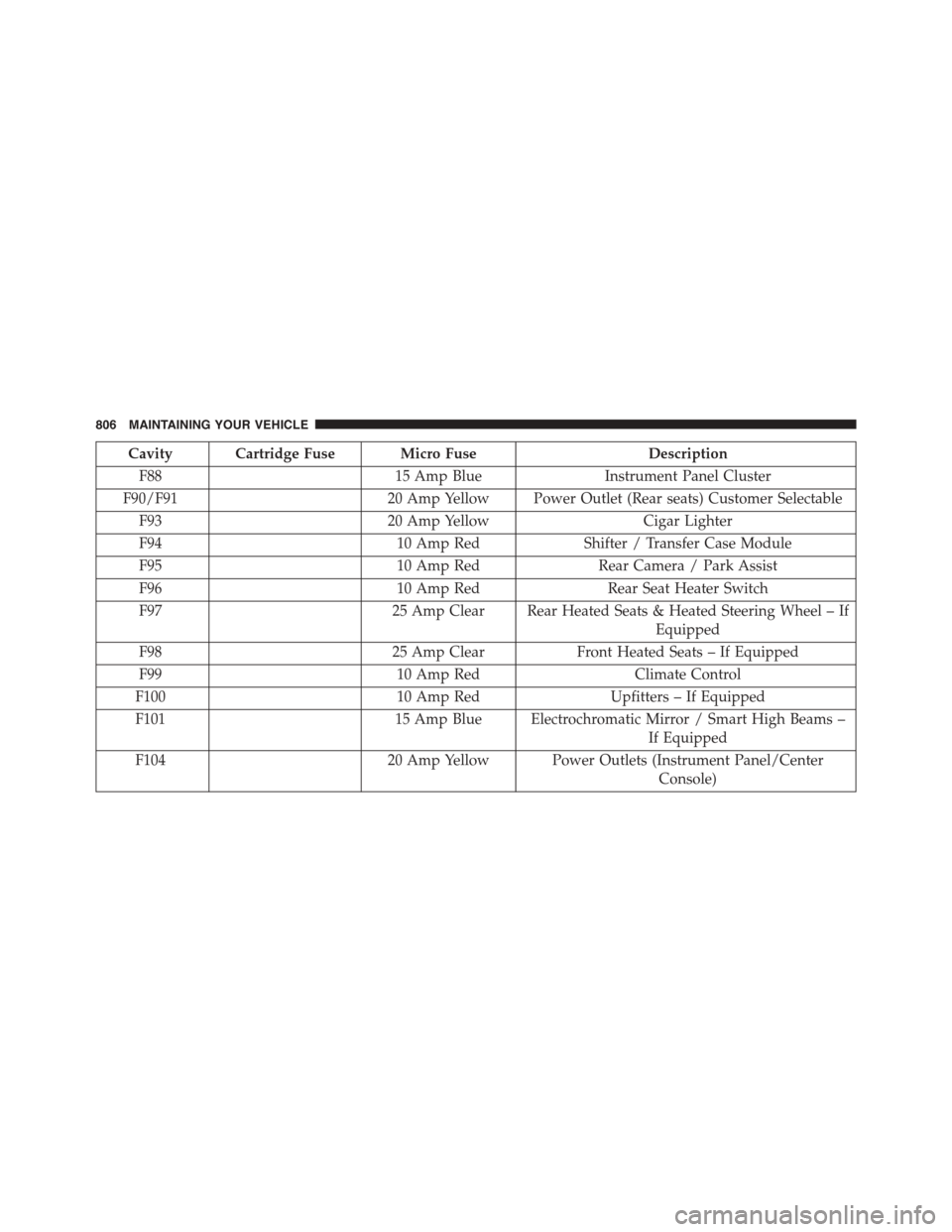
Cavity Cartridge Fuse Micro FuseDescription
F8815 Amp BlueInstrument Panel Cluster
F90/F9120 Amp Yellow Power Outlet (Rear seats) Customer Selectable
F9320 Amp YellowCigar Lighter
F9410 Amp RedShifter / Transfer Case Module
F9510 Amp RedRear Camera / Park Assist
F9610 Amp RedRear Seat Heater Switch
F9725 Amp Clear Rear Heated Seats & Heated Steering Wheel – If
Equipped
F9825 Amp ClearFront Heated Seats – If Equipped
F9910 Amp RedClimate Control
F10010 Amp RedUpfitters – If Equipped
F10115 Amp Blue Electrochromatic Mirror / Smart High Beams –
If Equipped
F10420 Amp Yellow Power Outlets (Instrument Panel/Center
Console)
806 MAINTAINING YOUR VEHICLE
Page 810 of 871

REPLACEMENT BULBS
All of the inside bulbs are brass or glass-wedge base.
Aluminum base bulbs are not approved.
Interior Bulbs
Bulb Number
Overhead Console
Lamps
TS 212–9
Dome Lamp 7679
For lighted switches, see your authorized dealer for
replacement instructions.
Exterior Bulbs
Bulb Number
Base Quad Headlamp –
Low Beam
H11LL
Base Quad Headlamp –
High Beam
9005LL
Front Turn Signal Lamp
(Base Quad Headlamp)
3157NA
Premium Bi Halogen
Projector Headlamp -
Low Beam
HIR2LL
Premium Bi Halogen
Projector Headlamp -
High Beam
9005LL
Front Turn Signal Lamp
(Premium Headlamp)
LED (Serviced at
Authorized Dealer)
808 MAINTAINING YOUR VEHICLE
Page 812 of 871

Base Quad / Premium Bi-Halogen: Low Beam
Headlamp, High Beam Headlamp, Front Park And
Turn — If Equipped
1. Open the hood.
2. Disconnect and isolate the negative battery cable.
3. Remove the six plastic push-in fasteners that secure
the upper radiator seal to the grille support and both
fender ledges.
4. Remove the two plastic push-in rivets that secure the
upper radiator seal to the radiator.
5. Remove the upper radiator seal from the vehicle.
6. Remove the two headlamp assembly attachment
screws.
7. Reach into the front wheel house ahead of the front
wheel, remove the fastener, and lift the cover over the
access hole in the front of the wheel house splash
shield. Access to the rear of the lamp can be gained
through this access hole.
Headlamp Assembly Attachment Screw Locations
810 MAINTAINING YOUR VEHICLE
Page 851 of 871
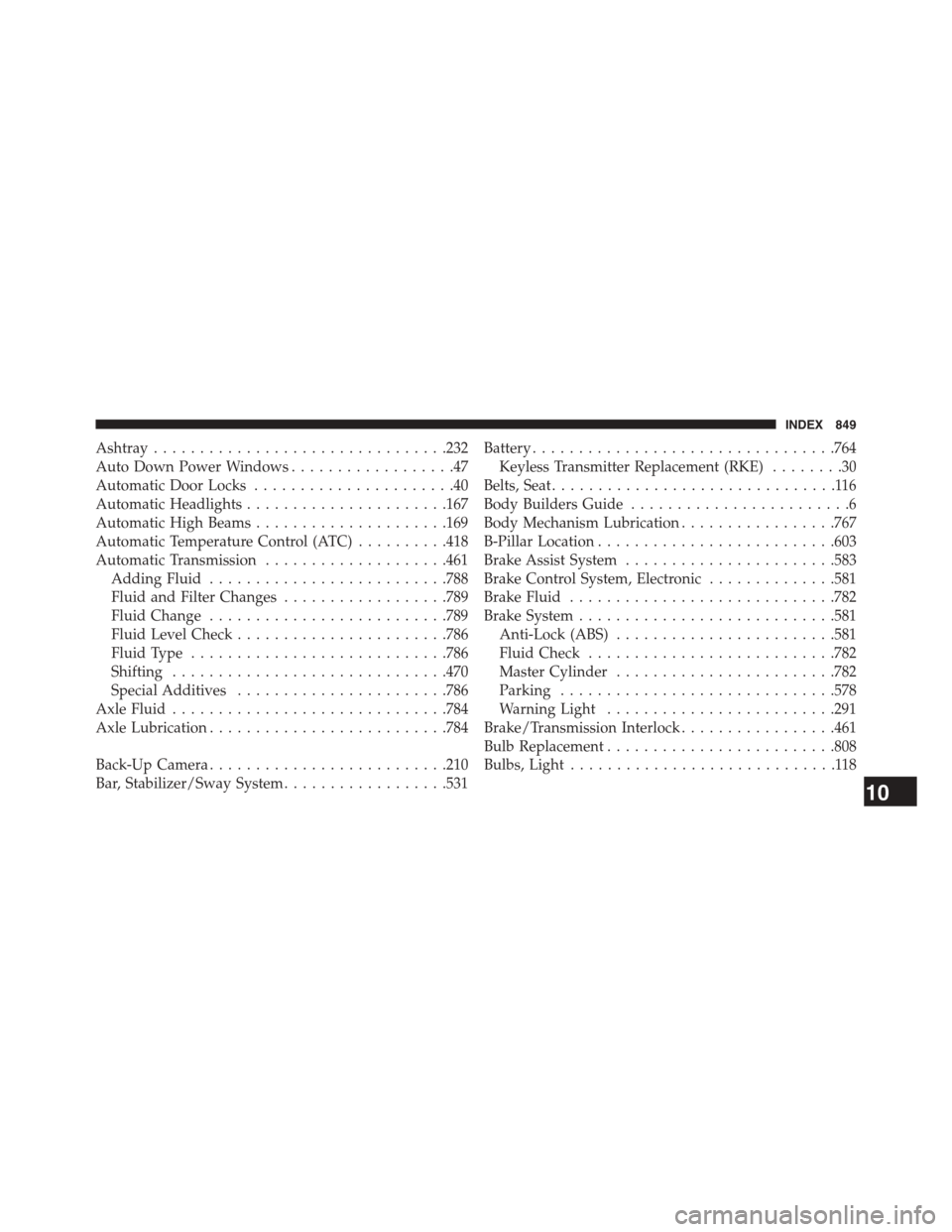
Ashtray................................232
Auto Down Power Windows..................47
Automatic Door Locks......................40
Automatic Headlights......................167
Automatic High Beams.....................169
Automatic Temperature Control (ATC)..........418
Automatic Transmission....................461
Adding Fluid..........................788
Fluid and Filter Changes..................789
Fluid Change..........................789
Fluid Level Check.......................786
Fluid Type............................786
Shifting..............................470
Special Additives.......................786
Axle Fluid..............................784
Axle Lubrication..........................784
Back-Up Camera..........................210
Bar, Stabilizer/Sway System..................531
Battery.................................764
Keyless Transmitter Replacement (RKE)........30
Belts, Seat...............................116
Body Builders Guide........................6
Body Mechanism Lubrication.................767
B-Pillar Location..........................603
Brake Assist System.......................583
Brake Control System, Electronic..............581
Brake Fluid.............................782
Brake System............................581
Anti-Lock (ABS)........................581
Fluid Check...........................782
Master Cylinder........................782
Parking..............................578
Warning Light.........................291
Brake/Transmission Interlock.................461
Bulb Replacement.........................808
Bulbs, Light.............................118
10
INDEX 849