steering Ram 1500 2015 User Guide
[x] Cancel search | Manufacturer: RAM, Model Year: 2015, Model line: 1500, Model: Ram 1500 2015Pages: 871, PDF Size: 24.83 MB
Page 167 of 871
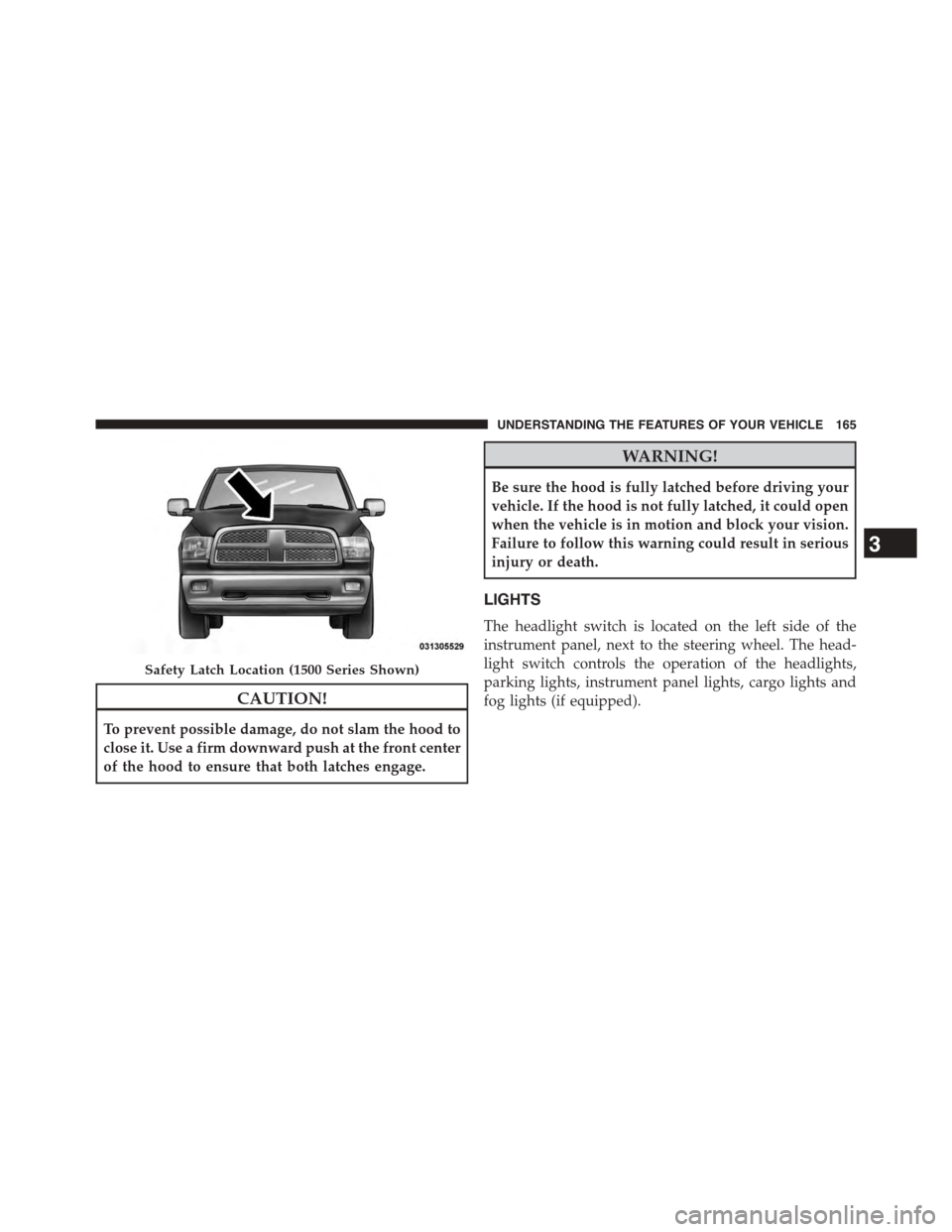
CAUTION!
To prevent possible damage, do not slam the hood to
close it. Use a firm downward push at the front center
of the hood to ensure that both latches engage.
WARNING!
Be sure the hood is fully latched before driving your
vehicle. If the hood is not fully latched, it could open
when the vehicle is in motion and block your vision.
Failure to follow this warning could result in serious
injury or death.
LIGHTS
The headlight switch is located on the left side of the
instrument panel, next to the steering wheel. The head-
light switch controls the operation of the headlights,
parking lights, instrument panel lights, cargo lights and
fog lights (if equipped).
Safety Latch Location (1500 Series Shown)
3
UNDERSTANDING THE FEATURES OF YOUR VEHICLE 165
Page 178 of 871
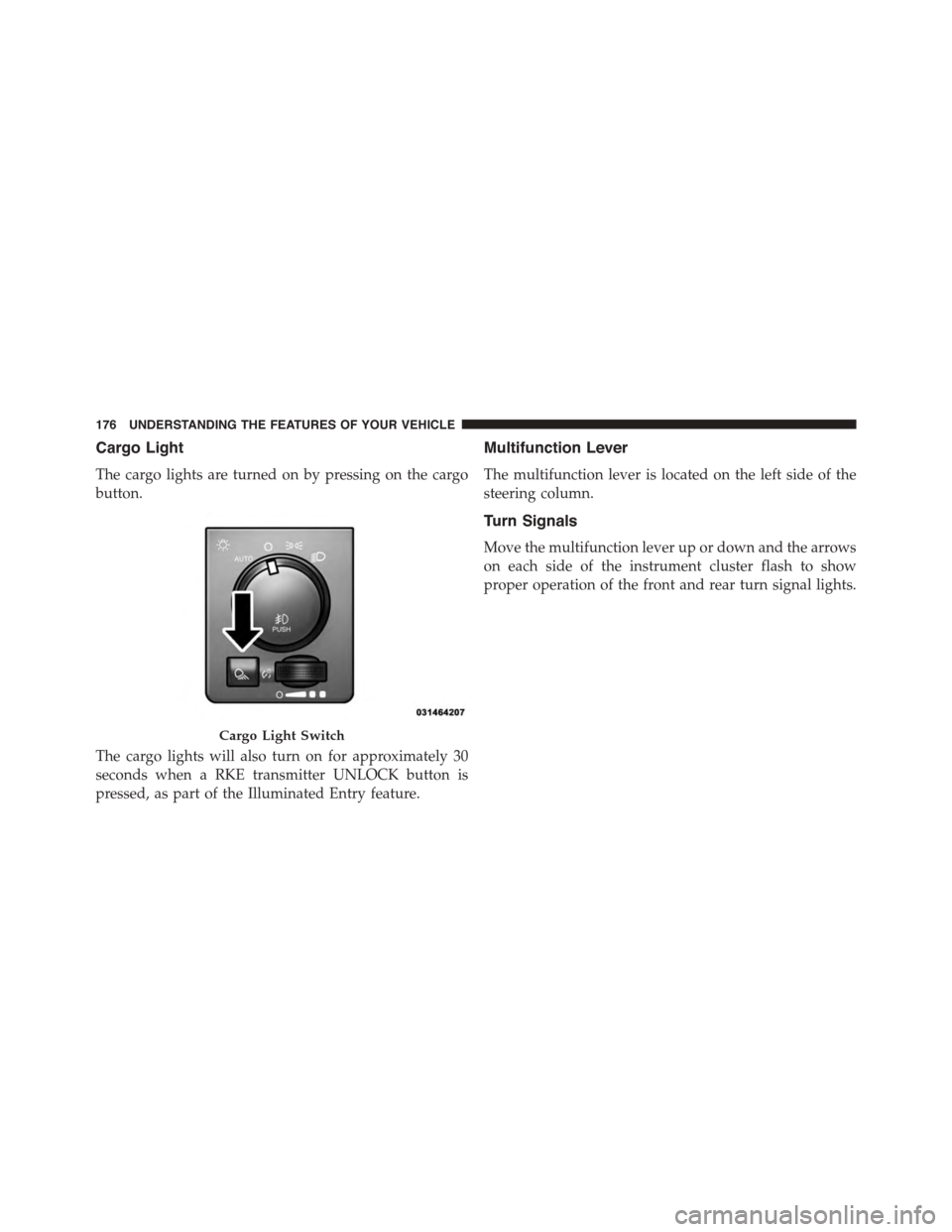
Cargo Light
The cargo lights are turned on by pressing on the cargo
button.
The cargo lights will also turn on for approximately 30
seconds when a RKE transmitter UNLOCK button is
pressed, as part of the Illuminated Entry feature.
Multifunction Lever
The multifunction lever is located on the left side of the
steering column.
Turn Signals
Move the multifunction lever up or down and the arrows
on each side of the instrument cluster flash to show
proper operation of the front and rear turn signal lights.
Cargo Light Switch
176 UNDERSTANDING THE FEATURES OF YOUR VEHICLE
Page 180 of 871
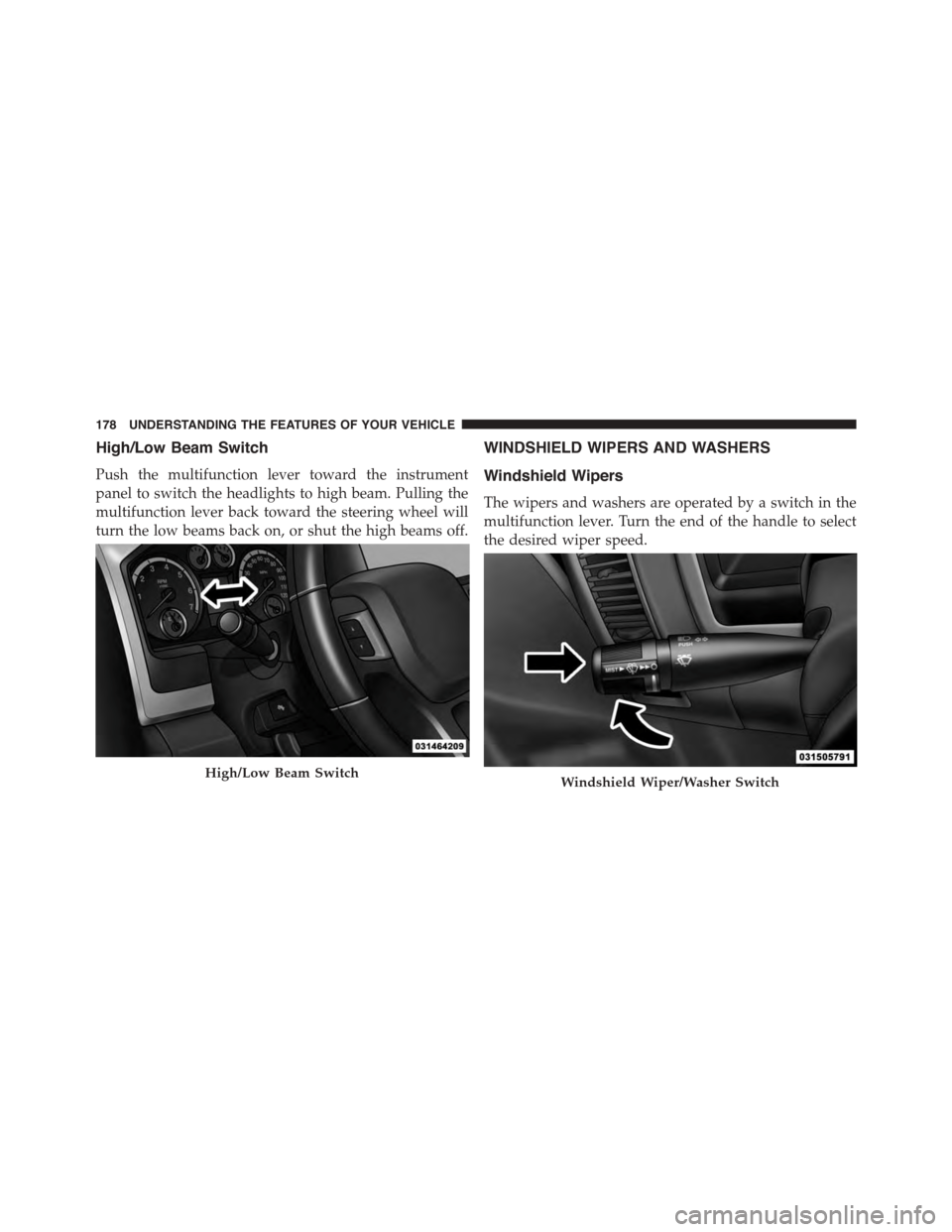
High/Low Beam Switch
Push the multifunction lever toward the instrument
panel to switch the headlights to high beam. Pulling the
multifunction lever back toward the steering wheel will
turn the low beams back on, or shut the high beams off.
WINDSHIELD WIPERS AND WASHERS
Windshield Wipers
The wipers and washers are operated by a switch in the
multifunction lever. Turn the end of the handle to select
the desired wiper speed.
High/Low Beam SwitchWindshield Wiper/Washer Switch
178 UNDERSTANDING THE FEATURES OF YOUR VEHICLE
Page 184 of 871
Remote Start Mode Inhibit— On vehicles equipped
with Remote Starting system, Rain Sensing wipers are
not operational when the vehicle is in the remote start
mode. Once the operator is in the vehicle and has placed
the ignition switch in the RUN position, rain sensing
wiper operation can resume, if it has been selected, and
no other inhibit conditions (mentioned previously) exist.
TILT STEERING COLUMN
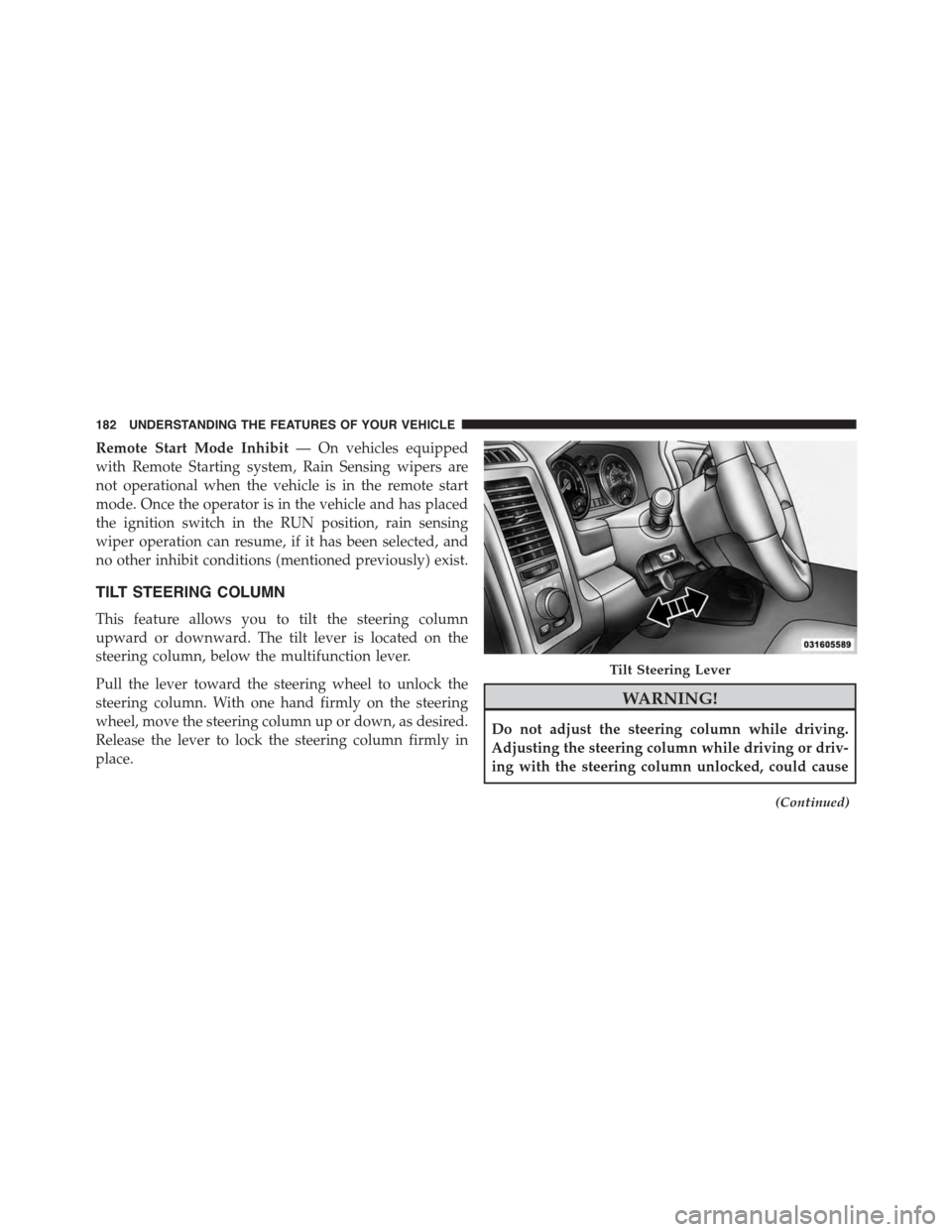
This feature allows you to tilt the steering column
upward or downward. The tilt lever is located on the
steering column, below the multifunction lever.
Pull the lever toward the steering wheel to unlock the
steering column. With one hand firmly on the steering
wheel, move the steering column up or down, as desired.
Release the lever to lock the steering column firmly in
place.
WARNING!
Do not adjust the steering column while driving.
Adjusting the steering column while driving or driv-
ing with the steering column unlocked, could cause
(Continued)
Tilt Steering Lever
182 UNDERSTANDING THE FEATURES OF YOUR VEHICLE
Page 185 of 871
WARNING!(Continued)
the driver to lose control of the vehicle. Failure to
follow this warning may result in serious injury or
death.
HEATED STEERING WHEEL — IF EQUIPPED
The steering wheel contains a heating element that helps
warm your hands in cold weather. The heated steering
wheel has only one temperature setting. Once the heated
steering wheel has been turned on it will operate for
approximately 30 to 80 minutes before automatically
shutting off. The heated steering wheel can shut off early
or may not turn on when the steering wheel is already
warm.
The heated steering wheel control button is located on
the center of the instrument panel below the climate
controls.
If your vehicle is equipped with a touchscreen, the heated
steering wheel control button is located within the cli-
mate or controls screen of the touchscreen.
•Press the heated steering wheel buttononce to
turn the heating element On.
•Press the heated steering wheel buttona second
time to turn the heating element Off.
NOTE:The engine must be running for the heated
steering wheel to operate.
Vehicles Equipped With Remote Start
On models that are equipped with remote start, the
heated steering wheel can be programed to come on
during a remote start.
3
UNDERSTANDING THE FEATURES OF YOUR VEHICLE 183
Page 186 of 871
If your vehicle is equipped with a touchscreen, this
feature can be programmed through the Uconnect®
system. Refer to “Uconnect® Settings” in “Understand-
ing Your Instrument Panel” for further information.
If your vehicle is not equipped with a touchscreen, this
feature can be programmed through the Electronic Ve-
hicle Information Center (EVIC) or Driver Information
Display (DID). Refer to “Electronic Vehicle Information
Center (EVIC)” or “Driver Information Display (DID)” in
“Understanding Your Instrument Panel” for further in-
formation.
WARNING!
•Persons who are unable to feel pain to the skin
because of advanced age, chronic illness, diabetes,
spinal cord injury, medication, alcohol use, exhaus-
tion, or other physical conditions must exercise
care when using the steering wheel heater. It may
cause burns even at low temperatures, especially if
used for long periods.
•Do not place anything on the steering wheel that
insulates against heat, such as a blanket or steering
wheel covers of any type and material. This may
cause the steering wheel heater to overheat.
184 UNDERSTANDING THE FEATURES OF YOUR VEHICLE
Page 187 of 871
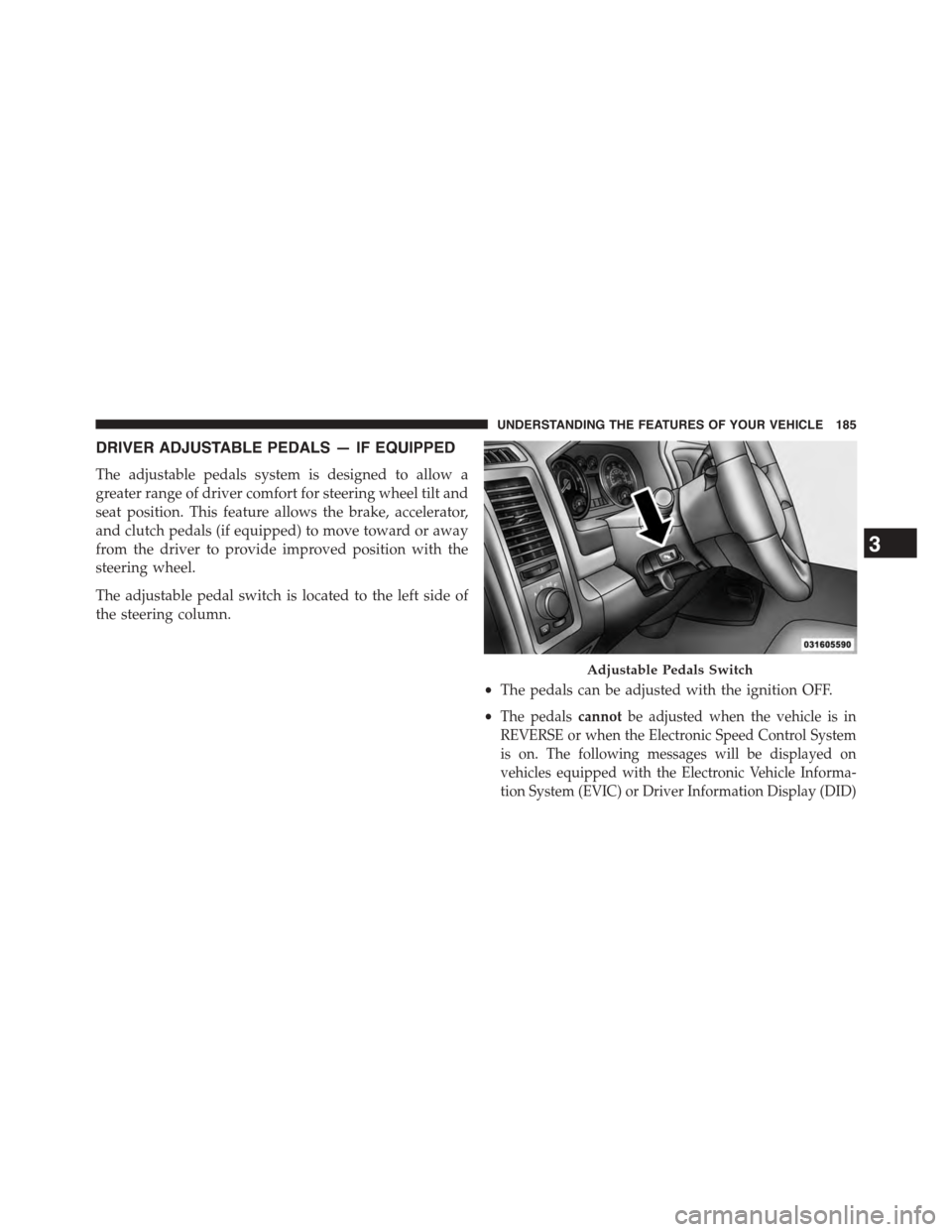
DRIVER ADJUSTABLE PEDALS — IF EQUIPPED
The adjustable pedals system is designed to allow a
greater range of driver comfort for steering wheel tilt and
seat position. This feature allows the brake, accelerator,
and clutch pedals (if equipped) to move toward or away
from the driver to provide improved position with the
steering wheel.
The adjustable pedal switch is located to the left side of
the steering column.
•The pedals can be adjusted with the ignition OFF.
•The pedalscannotbe adjusted when the vehicle is in
REVERSE or when the Electronic Speed Control System
is on. The following messages will be displayed on
vehicles equipped with the Electronic Vehicle Informa-
tion System (EVIC) or Driver Information Display (DID)
Adjustable Pedals Switch
3
UNDERSTANDING THE FEATURES OF YOUR VEHICLE 185
Page 189 of 871
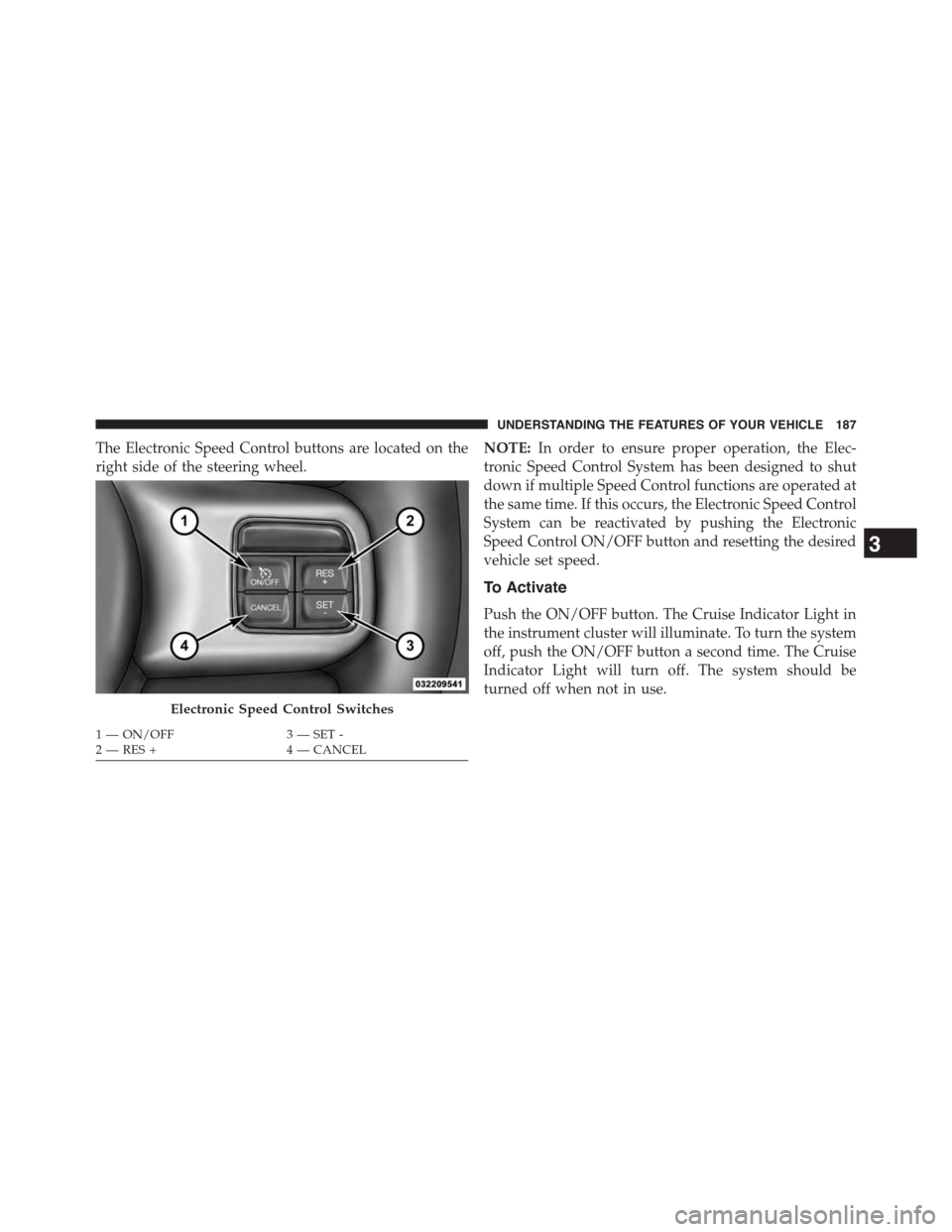
The Electronic Speed Control buttons are located on the
right side of the steering wheel.
NOTE:In order to ensure proper operation, the Elec-
tronic Speed Control System has been designed to shut
down if multiple Speed Control functions are operated at
the same time. If this occurs, the Electronic Speed Control
System can be reactivated by pushing the Electronic
Speed Control ON/OFF button and resetting the desired
vehicle set speed.
To Activate
Push the ON/OFF button. The Cruise Indicator Light in
the instrument cluster will illuminate. To turn the system
off, push the ON/OFF button a second time. The Cruise
Indicator Light will turn off. The system should be
turned off when not in use.
Electronic Speed Control Switches
1—ON/OFF3—SET-2—RES+4—CANCEL
3
UNDERSTANDING THE FEATURES OF YOUR VEHICLE 187
Page 213 of 871
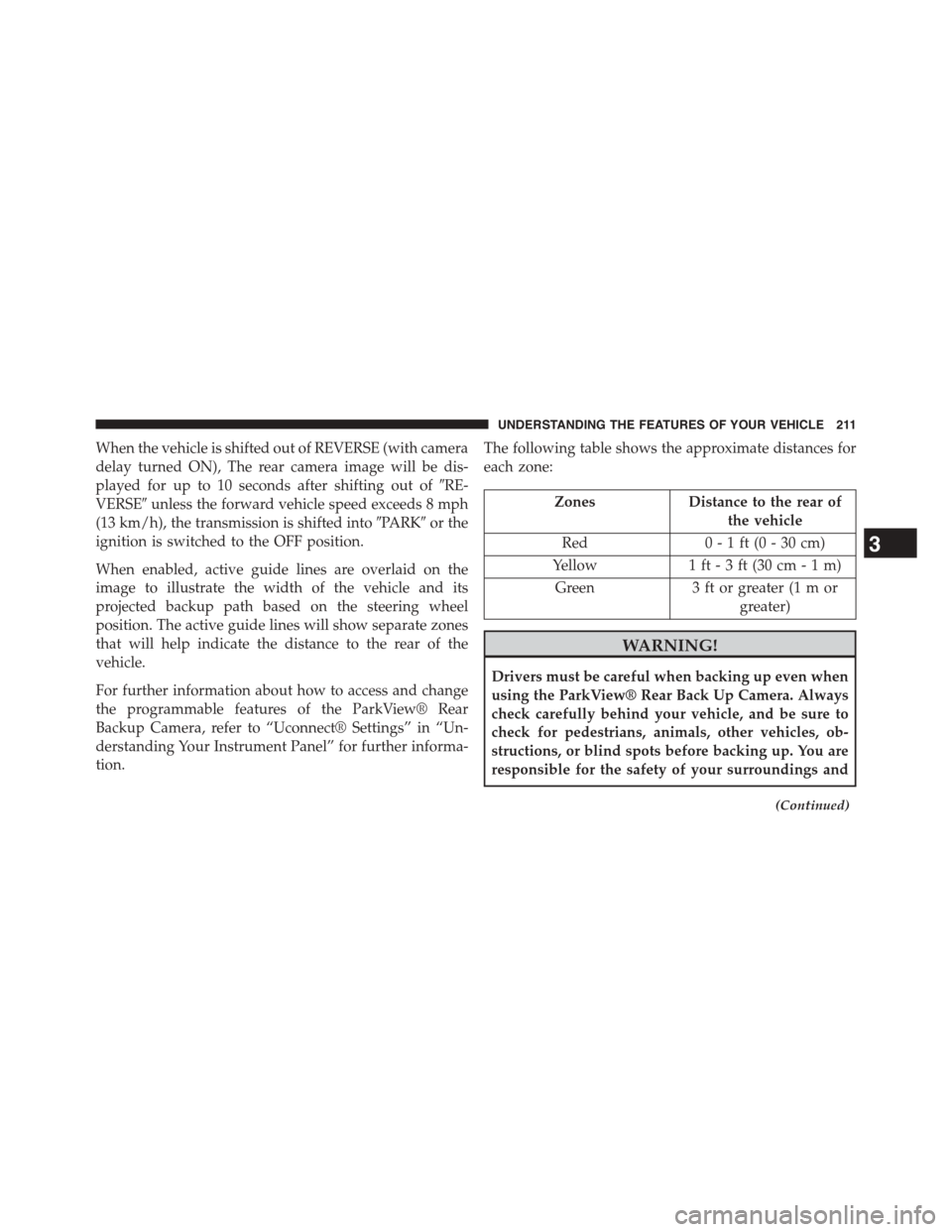
When the vehicle is shifted out of REVERSE (with camera
delay turned ON), The rear camera image will be dis-
played for up to 10 seconds after shifting out of#RE-
VERSE#unless the forward vehicle speed exceeds 8 mph
(13 km/h), the transmission is shifted into#PARK#or the
ignition is switched to the OFF position.
When enabled, active guide lines are overlaid on the
image to illustrate the width of the vehicle and its
projected backup path based on the steering wheel
position. The active guide lines will show separate zones
that will help indicate the distance to the rear of the
vehicle.
For further information about how to access and change
the programmable features of the ParkView® Rear
Backup Camera, refer to “Uconnect® Settings” in “Un-
derstanding Your Instrument Panel” for further informa-
tion.
The following table shows the approximate distances for
each zone:
ZonesDistance to the rear of
the vehicle
Red0 - 1 ft (0 - 30 cm)
Yellow1 ft - 3 ft (30 cm-1m)
Green3 ft or greater (1 m or
greater)
WARNING!
Drivers must be careful when backing up even when
using the ParkView® Rear Back Up Camera. Always
check carefully behind your vehicle, and be sure to
check for pedestrians, animals, other vehicles, ob-
structions, or blind spots before backing up. You are
responsible for the safety of your surroundings and
(Continued)
3
UNDERSTANDING THE FEATURES OF YOUR VEHICLE 211
Page 286 of 871
▫DID White Telltales....................345
▫DID Selectable Menu Items..............346
!Uconnect® SETTINGS...................356
▫Buttons On The Faceplate................357
▫Buttons On The Touchscreen..............358
▫Customer Programmable Features —
Uconnect® 5.0 Personal Settings...........358
▫Customer Programmable Features —
Uconnect® 8.4A/8.4AN Personal Settings . . . .375
!Uconnect® RADIOS — IF EQUIPPED........394
!iPod®/USB/MP3 CONTROL — IF EQUIPPED . .395
!STEERING WHEEL AUDIO CONTROLS — IF
EQUIPPED...........................396
▫Radio Operation......................397
▫CD Player — If Equipped................397
!CD/DVD DISC MAINTENANCE...........397
!RADIO OPERATION AND MOBILE PHONES . .398
▫Regulatory And Safety Information.........398
!CLIMATE CONTROLS...................400
▫Manual Climate Controls Without Touchscreen —
If Equipped.........................400
▫Manual Climate Controls With Touchscreen — If
Equipped...........................405
▫Automatic Climate Controls With Touchscreen —
If Equipped.........................410
▫Climate Control Functions...............416
▫Automatic Temperature Control (ATC)......418
▫Operating Tips.......................419
284 UNDERSTANDING YOUR INSTRUMENT PANEL