Ignition Ram 1500 2015 Workshop Manual
[x] Cancel search | Manufacturer: RAM, Model Year: 2015, Model line: 1500, Model: Ram 1500 2015Pages: 871, PDF Size: 24.83 MB
Page 201 of 871
Cleaning The ParkSense® System
Clean the ParkSense® sensors with water, car wash soap
and a soft cloth. Do not use rough or hard cloths. Do not
scratch or poke the sensors. Otherwise, you could dam-
age the sensors.
ParkSense® System Usage Precautions
NOTE:
•Ensure that the rear bumper is free of snow, ice, mud,
dirt and debris to keep the ParkSense® system oper-
ating properly.
•Jackhammers, large trucks, and other vibrations could
affect the performance of ParkSense® .
•When you turn ParkSense® off, the instrument cluster
will display#PARKSENSE OFF#. Furthermore, once
you turn ParkSense® off, it remains off until you turn
it on again, even if you cycle the ignition key.
•When you move the shift lever to the REVERSE
position and ParkSense® is turned off, the instrument
cluster will display#PARKSENSE OFF#message for as
long as the vehicle is in REVERSE.
•ParkSense®, when on, will reduce the volume of the
radio when it is sounding a tone.
•Clean the ParkSense® sensors regularly, taking care
not to scratch or damage them. The sensors must not
be covered with ice, snow, slush, mud, dirt or debris.
Failure to do so can result in the system not working
properly. The ParkSense® system might not detect an
obstacle behind the fascia/bumper, or it could provide
a false indication that an obstacle is behind the fascia/
bumper.
•Ensure the ParkSense® system is OFF if objects such as
bicycle carriers, trailer hitches, etc., are placed within
18 in (45 cm) from the rear fascia/bumper while
driving the vehicle. Failure to do so can result in the
3
UNDERSTANDING THE FEATURES OF YOUR VEHICLE 199
Page 203 of 871
WARNING!(Continued)
•Before using ParkSense®, it is strongly recom-
mended that the ball mount and hitch ball assem-
bly is disconnected from the vehicle when the
vehicle is not used for towing. Failure to do so can
result in injury or damage to vehicles or obstacles
because the hitch ball will be much closer to the
obstacle than the rear fascia when the loudspeaker
sounds the continuous tone. Also, the sensors
could detect the ball mount and hitch ball assem-
bly, depending on its size and shape, giving a false
indication that an obstacle is behind the vehicle.
PARKSENSE® FRONT AND REAR PARK ASSIST —
IF EQUIPPED
The ParkSense® Park Assist system provides visual and
audible indications of the distance between the rear
and/or front fascia and a detected obstacle when backing
up or moving forward, e.g. during a parking maneuver.
Refer to ParkSense® System Usage Precautions for limi-
tations of this system and recommendations.
ParkSense® will retain the last system state (enabled or
disabled) from the last ignition cycle when the ignition is
changed to the ON/RUN position.
ParkSense® can be active only when the shift lever is in
REVERSE or DRIVE. If ParkSense® is enabled at one of
these shift lever positions, the system will remain active
until the vehicle speed is increased to approximately
7 mph (11 km/h) or above. A display warning will
appear in the Electronic Vehicle Information Center
(EVIC) or Driver Information Display (DID) indicating
the vehicle is above ParkSense® operating speed. The
system will become active again if the vehicle speed is
decreased to speeds less than approximately 6 mph
(9 km/h).
3
UNDERSTANDING THE FEATURES OF YOUR VEHICLE 201
Page 208 of 871
When the shift lever is moved to REVERSE and the Front
or Rear system is disabled, the EVIC/DID will display
the#FRONT PARKSENSE OFF#or#REAR PARKSENSE
OFF#message for five seconds, followed by a car graphic
with#OFF#in the corresponding side. This car graphic
will be displayed for as long as the vehicle is in RE-
VERSE.
NOTE:Arc alerts from the enabled ParkSense® system,
will interrupt the five second messages, and the EVIC/
DID will display the car graphic with the corresponding
arcs and#OFF#message.
The Front or Rear ParkSense® switch LED will be ON
when Front or Rear ParkSense® is disabled or requires
service. The Front or Rear ParkSense® switch LED will be
OFF when the Front or Rear system is enabled. If the Front
or Rear ParkSense® switch is pressed, and the system
requires service, the Front or Rear ParkSense® switch LED
will blink momentarily, and then the LED will be ON.
Service The ParkSense® Park Assist System
During vehicle start up, when the ParkSense® System
has detected a faulted condition, the instrument cluster
will actuate a single chime, once per ignition cycle, and it
will display the#PARKSENSE UNAVAILABLE WIPE
REAR SENSORS#,#PARKSENSE UNAVAILABLE WIPE
FRONT SENSORS#,orthe#PARKSENSE UNAVAIL-
ABLE SERVICE REQUIRED#message for five seconds.
When the shift lever is moved to Reverse and the system
has detected a faulted condition, the Electronic Vehicle
Information Center (EVIC) or Driver Information Display
(DID) will display a#PARKSENSE UNAVAILABLE WIPE
REAR SENSORS#,#PARKSENSE UNAVAILABLE WIPE
FRONT SENSORS#or#PARKSENSE UNAVAILABLE
SERVICE REQUIRED#pop up message for five seconds.
After five seconds, a car graphic will be displayed with
#UNAVAILABLE#at either the front or rear sensor loca-
tion depending on where the fault is detected. The
system will continue to provide arc alerts for the side that
206 UNDERSTANDING THE FEATURES OF YOUR VEHICLE
Page 209 of 871

is functioning properly. These arc alerts will interrupt the
#PARKSENSE UNAVAILABLE WIPE REAR SENSORS#,
#PARKSENSE UNAVAILABLE WIPE FRONT SEN-
SORS#,or#PARKSENSE UNAVAILABLE SERVICE RE-
QUIRED#messages if an object is detected within the five
second pop-up duration. The car graphic will remain
displayed for as long as the vehicle is in REVERSE. Refer
to “Electronic Vehicle Information Center (EVIC) or#
Driver Information Display (DID)” for further informa-
tion.
If#PARKSENSE UNAVAILABLE WIPE REAR SENSORS#
or#PARKSENSE UNAVAILABLE WIPE FRONT SEN-
SORS#appears in the Electronic Vehicle Information
Center (EVIC) or Driver Information Display (DID) make
sure the outer surface and the underside of the rear
fascia/bumper and/or front fascia/bumper is clean and
clear of snow, ice, mud, dirt or other obstruction and then
cycle the ignition. If the message continues to appear see
an authorized dealer.
If the#PARKSENSE UNAVAILABLE SERVICE RE-
QUIRED#message appears in the EVIC/DID, see an
authorized dealer.
Cleaning The ParkSense® System
Clean the ParkSense® sensors with water, car wash soap
and a soft cloth. Do not use rough or hard cloths. Do not
scratch or poke the sensors. Otherwise, you could dam-
age the sensors.
ParkSense® System Usage Precautions
NOTE:
•Ensure that the front and rear bumper are free of snow,
ice, mud, dirt and debris to keep the ParkSense®
system operating properly.
•Jackhammers, large trucks, and other vibrations could
affect the performance of ParkSense®.
3
UNDERSTANDING THE FEATURES OF YOUR VEHICLE 207
Page 210 of 871

•When you turn Front or Rear ParkSense® off, the
instrument cluster will display “FRONT PARKSENSE
OFF” or “REAR PARKSENSE OFF.” Furthermore,
once you turn Front or Rear ParkSense® off, it remains
off until you turn it on again, even if you cycle the
ignition key.
•When you move the shift lever to the REVERSE
position and Front or Rear ParkSense® is turned off,
the instrument cluster will display#FRONT
PARKSENSE OFF#or#REAR PARKSENSE OFF#mes-
sage for five seconds, followed by a car graphic with
#OFF#in the corresponding side. This car graphic will
be displayed for as long as the vehicle is in REVERSE.
•ParkSense®, when on, will reduce the volume of the
radio when it is sounding a tone.
•Clean the ParkSense® sensors regularly, taking care
not to scratch or damage them. The sensors must not
be covered with ice, snow, slush, mud, dirt or debris.
Failure to do so can result in the system not working
properly. The ParkSense® system might not detect an
obstacle behind or in front of the fascia/bumper, or it
could provide a false indication that an obstacle is
behind or in front of the fascia/bumper.
•Use the ParkSense® switch to turn the ParkSense®
system off if obstacles such as bicycle carriers, trailer
hitches, etc. are placed within 18 in (45 cm) from the
rear fascia/bumper. Failure to do so can result in the
system misinterpreting a close obstacle as a sensor
problem, causing the “PARKSENSE UNAVAILABLE
SERVICE REQUIRED” message to be displayed in the
instrument cluster.
•On vehicles equipped with a tailgate, ParkSense®
should be disabled when the tailgate is in the lowered
or open position. A lowered tailgate could provide a
false indication that an obstacle is behind the vehicle.
208 UNDERSTANDING THE FEATURES OF YOUR VEHICLE
Page 213 of 871
When the vehicle is shifted out of REVERSE (with camera
delay turned ON), The rear camera image will be dis-
played for up to 10 seconds after shifting out of#RE-
VERSE#unless the forward vehicle speed exceeds 8 mph
(13 km/h), the transmission is shifted into#PARK#or the
ignition is switched to the OFF position.
When enabled, active guide lines are overlaid on the
image to illustrate the width of the vehicle and its
projected backup path based on the steering wheel
position. The active guide lines will show separate zones
that will help indicate the distance to the rear of the
vehicle.
For further information about how to access and change
the programmable features of the ParkView® Rear
Backup Camera, refer to “Uconnect® Settings” in “Un-
derstanding Your Instrument Panel” for further informa-
tion.
The following table shows the approximate distances for
each zone:
ZonesDistance to the rear of
the vehicle
Red0 - 1 ft (0 - 30 cm)
Yellow1 ft - 3 ft (30 cm-1m)
Green3 ft or greater (1 m or
greater)
WARNING!
Drivers must be careful when backing up even when
using the ParkView® Rear Back Up Camera. Always
check carefully behind your vehicle, and be sure to
check for pedestrians, animals, other vehicles, ob-
structions, or blind spots before backing up. You are
responsible for the safety of your surroundings and
(Continued)
3
UNDERSTANDING THE FEATURES OF YOUR VEHICLE 211
Page 216 of 871
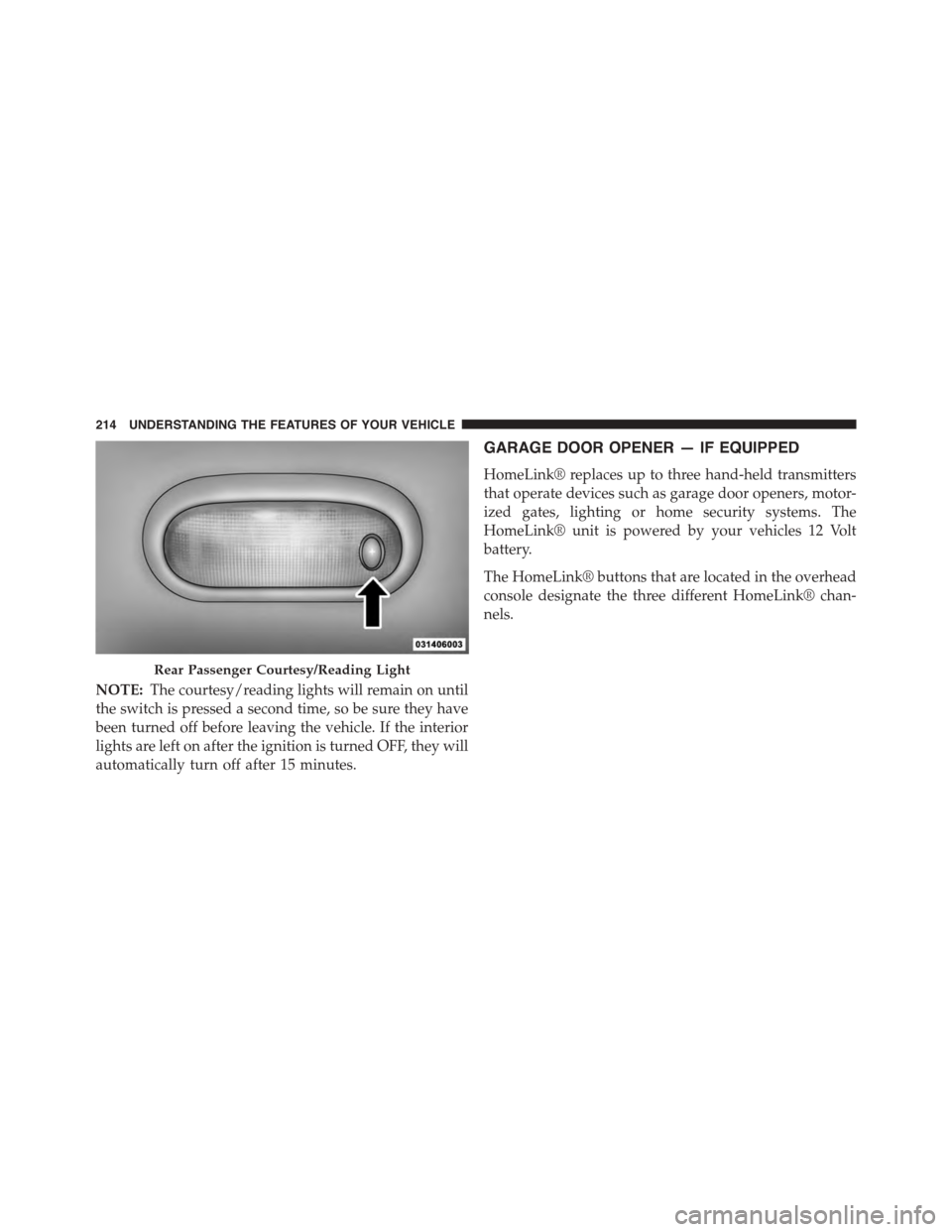
NOTE:The courtesy/reading lights will remain on until
the switch is pressed a second time, so be sure they have
been turned off before leaving the vehicle. If the interior
lights are left on after the ignition is turned OFF, they will
automatically turn off after 15 minutes.
GARAGE DOOR OPENER — IF EQUIPPED
HomeLink® replaces up to three hand-held transmitters
that operate devices such as garage door openers, motor-
ized gates, lighting or home security systems. The
HomeLink® unit is powered by your vehicles 12 Volt
battery.
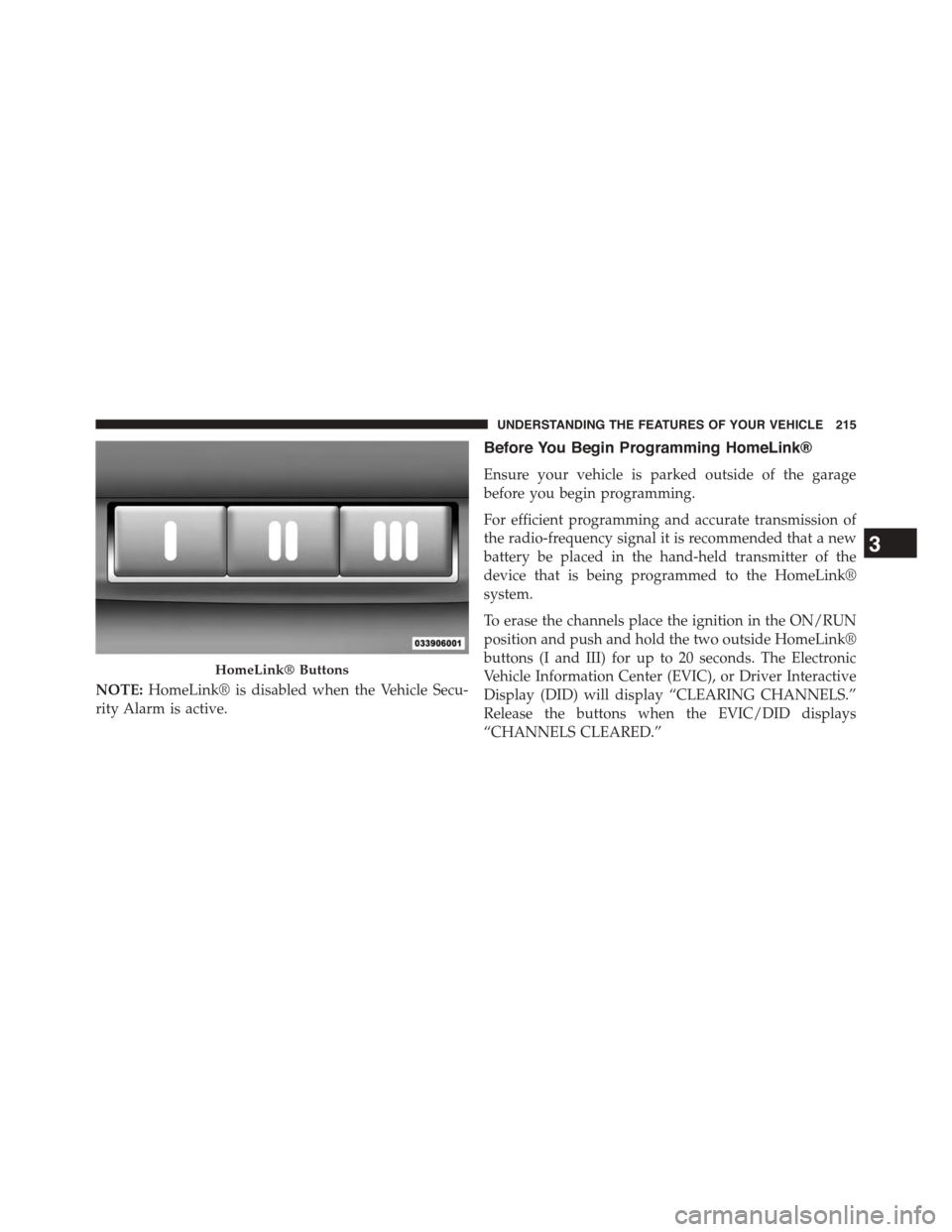
The HomeLink® buttons that are located in the overhead
console designate the three different HomeLink® chan-
nels.
Rear Passenger Courtesy/Reading Light
214 UNDERSTANDING THE FEATURES OF YOUR VEHICLE
Page 217 of 871
NOTE:HomeLink® is disabled when the Vehicle Secu-
rity Alarm is active.
Before You Begin Programming HomeLink®
Ensure your vehicle is parked outside of the garage
before you begin programming.
For efficient programming and accurate transmission of
the radio-frequency signal it is recommended that a new
battery be placed in the hand-held transmitter of the
device that is being programmed to the HomeLink®
system.
To erase the channels place the ignition in the ON/RUN
position and push and hold the two outside HomeLink®
buttons (I and III) for up to 20 seconds. The Electronic
Vehicle Information Center (EVIC), or Driver Interactive
Display (DID) will display “CLEARING CHANNELS.”
Release the buttons when the EVIC/DID displays
“CHANNELS CLEARED.”
HomeLink® Buttons
3
UNDERSTANDING THE FEATURES OF YOUR VEHICLE 215
Page 218 of 871
NOTE:
•For vehicle’s equipped with Keyless Enter-N-Go™, place
the ignition in the RUN position with the Engine ON.
•Erasing all channels should only be performed when
programming HomeLink® for the first time. Do not
erase channels when programming additional buttons.
•If you have any problems, or require assistance, please
call toll-free 1-800-355-3515 or, on the Internet at
HomeLink.com for information or assistance.
Programming A Rolling Code
For programming garage door openers that were manu-
factured after 1995. These garage door openers can be
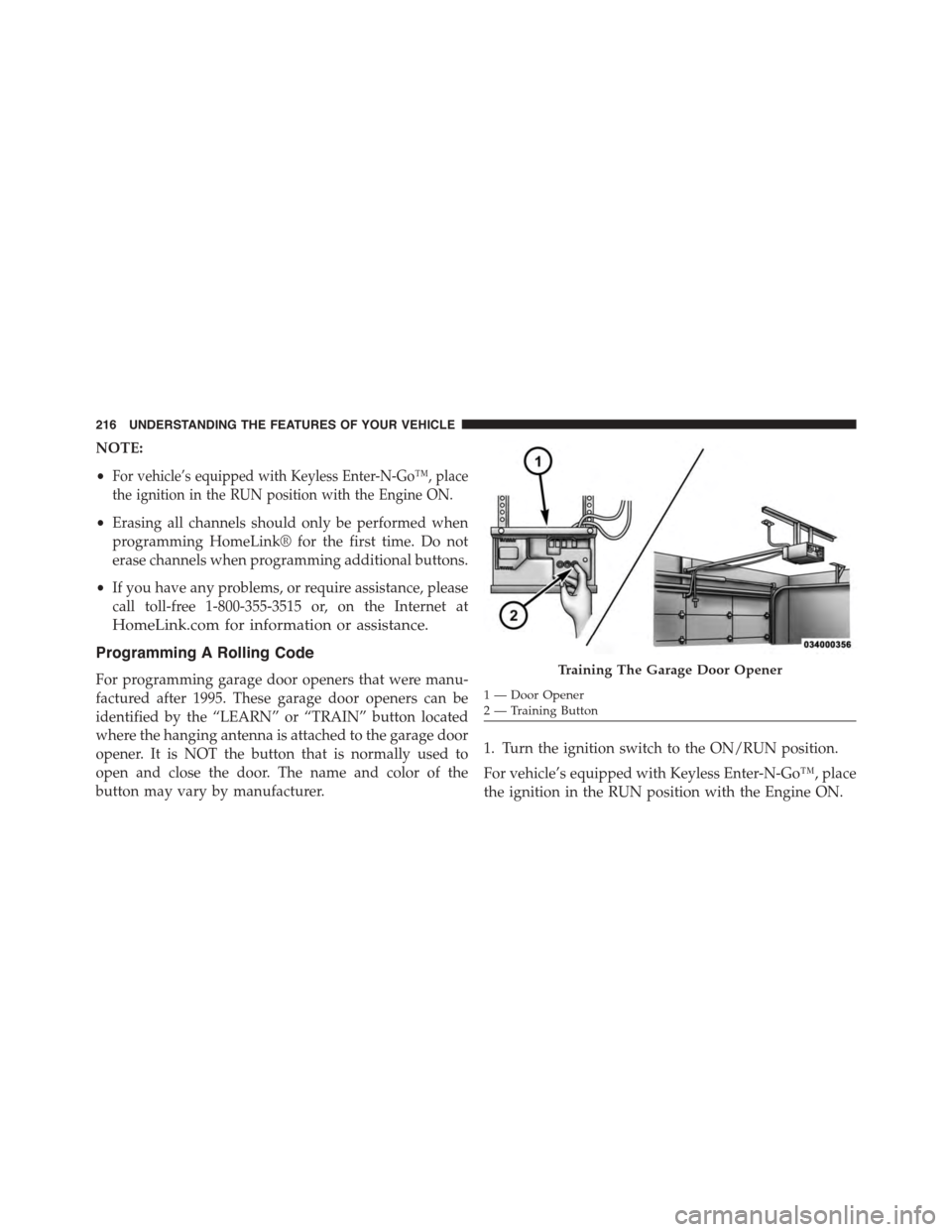
identified by the “LEARN” or “TRAIN” button located
where the hanging antenna is attached to the garage door
opener. It is NOT the button that is normally used to
open and close the door. The name and color of the
button may vary by manufacturer.
1. Turn the ignition switch to the ON/RUN position.
For vehicle’s equipped with Keyless Enter-N-Go™, place
the ignition in the RUN position with the Engine ON.
Training The Garage Door Opener
1—DoorOpener2 — Training Button
216 UNDERSTANDING THE FEATURES OF YOUR VEHICLE
Page 220 of 871
Reprogramming A Single HomeLink® Button
(Rolling Code)
To reprogram a channel that has been previously trained,
follow these steps:
1. Turn the ignition switch to the ON/RUN position.
For vehicle’s equipped with Keyless Enter-N-Go™, place
the ignition in the RUN position with the Engine ON.
2. Push and hold the desired HomeLink® button until
the indicator light begins to flash after 20 seconds.Do
not release the button.
3.Without releasing the buttonproceed with “Program-
ming A Rolling Code” step 2 and follow all remaining
steps.
Programming A Non-Rolling Code
For programming Garage Door Openers manufactured
before 1995.
1. Turn the ignition switch to the ON/RUN position.
2. Place the hand - held transmitter 1 to 3 inches (3 to
8 cm) away from the HomeLink® button you wish to
program.
3. Push and hold the Homelink® button you want to
program while you push and hold the hand - held
transmitter button.
4. Continue to hold both buttons until the EVIC/DID
display changes from “CHANNEL # TRAINING” to
“CHANNEL # TRAINED,” then release both buttons.
218 UNDERSTANDING THE FEATURES OF YOUR VEHICLE