lock Ram 1500 2015 Workshop Manual
[x] Cancel search | Manufacturer: RAM, Model Year: 2015, Model line: 1500, Model: Ram 1500 2015Pages: 871, PDF Size: 24.83 MB
Page 157 of 871
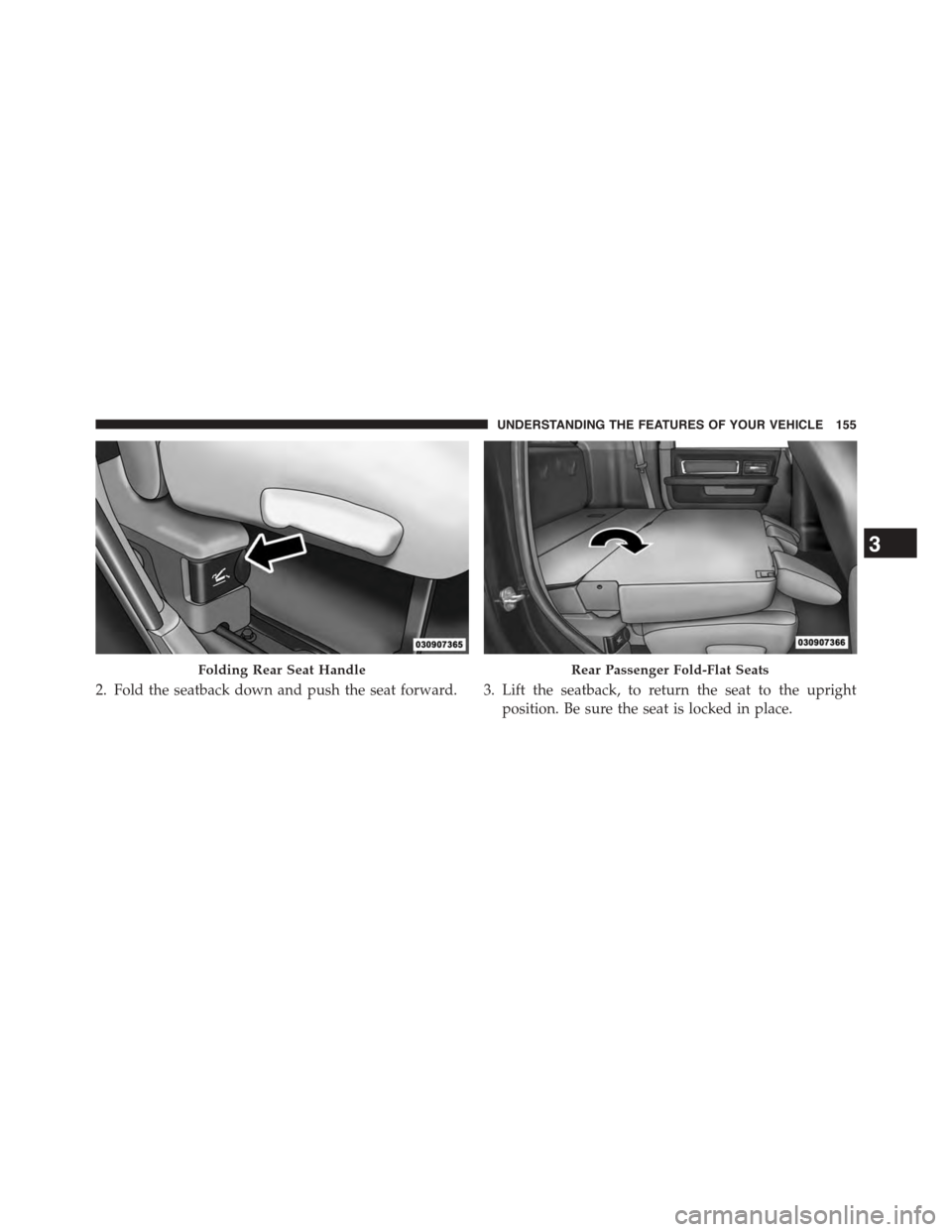
2. Fold the seatback down and push the seat forward. 3. Lift the seatback, to return the seat to the upright
position. Be sure the seat is locked in place.
Folding Rear Seat HandleRear Passenger Fold-Flat Seats
3
UNDERSTANDING THE FEATURES OF YOUR VEHICLE 155
Page 158 of 871
WARNING!
An improperly latched seat could cause serious in-
jury or death. Make sure that the seatback is securely
locked into position. If the seatback in not securely
locked into position the seat will not provide the
proper stability for child seats and/or passengers.
Head Restraints
Head restraints are designed to reduce the risk of injury
by restricting head movement in the event of a rear
impact. Head restraints should be adjusted so that the top
of the head restraint is located above the top of your ear.
WARNING!
The head restraints for all occupants must be prop-
erly installed and adjusted prior to operating the
(Continued)
WARNING!(Continued)
vehicle or occupying a seat. Head restraints should
never be adjusted while the vehicle is in motion.
Driving a vehicle with the head restraints improperly
adjusted or removed could cause serious injury or
death in the event of a collision.
Front Head Restraints
To raise the head restraint, pull upward on the head
restraint. To lower the head restraint, press the adjust-
ment button, located on the base of the head restraint,
and push downward on the head restraint.
To remove the head restraint, raise it as far as it can go
then press the release buttons at the base of each post
while pulling the head restraint up. To reinstall the head
restraint, put the head restraint posts into the holes while
pressing the release buttons. Then adjust it to the appro-
priate height.
156 UNDERSTANDING THE FEATURES OF YOUR VEHICLE
Page 161 of 871
presets. Your Remote Keyless Entry (RKE) transmitter
can also be programmed to recall the same positions
when the UNLOCK button is pressed.
NOTE:Your vehicle is equipped with two RKE trans-
mitters, one RKE transmitter can be linked to memory
position 1 and the other transmitter can be linked to
memory position 2.
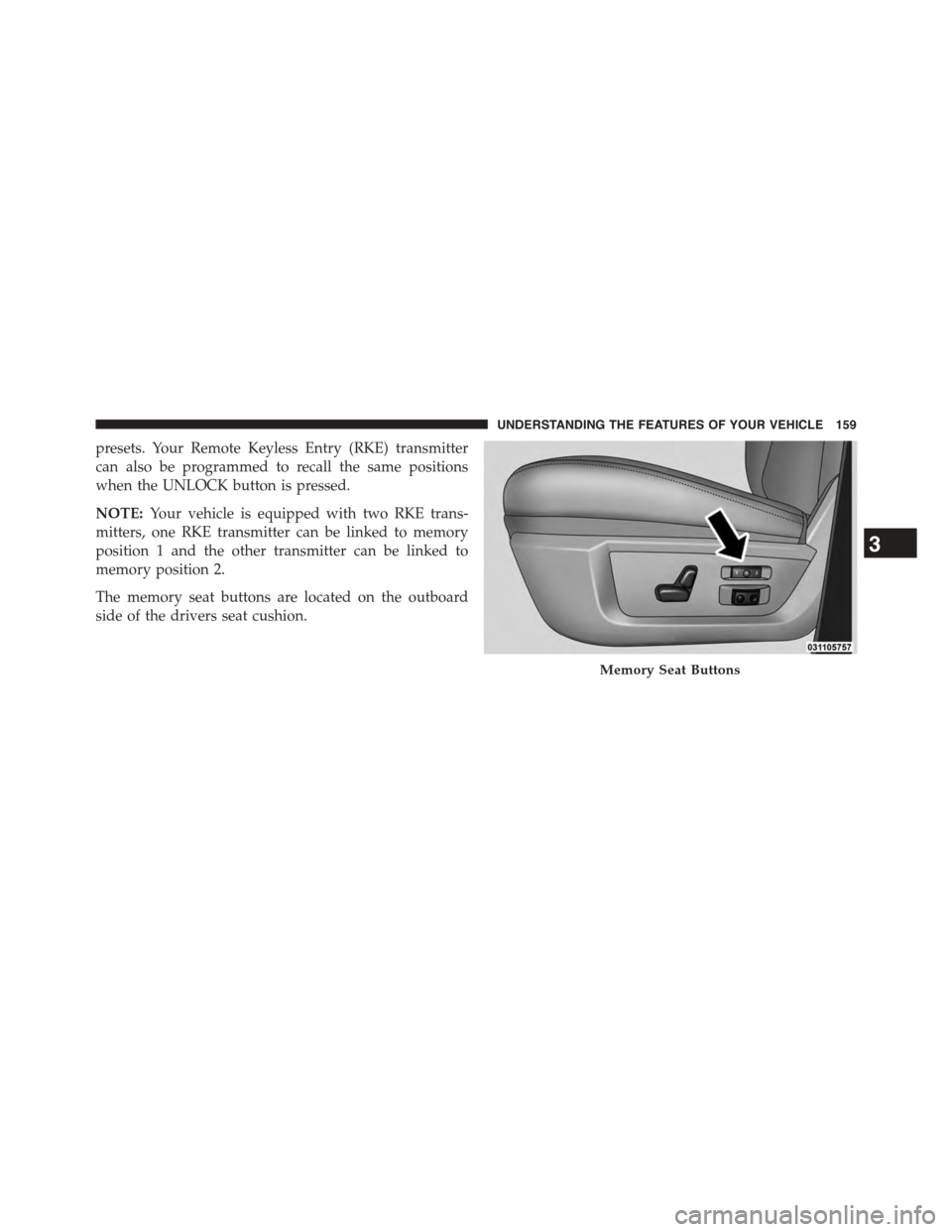
The memory seat buttons are located on the outboard
side of the drivers seat cushion.
Memory Seat Buttons
3
UNDERSTANDING THE FEATURES OF YOUR VEHICLE 159
Page 162 of 871
Programming The Memory Feature
NOTE:To create a new memory profile, perform the
following:
1. Cycle the vehicles ignition to the ON/RUN position
(do not start the engine).
2. Adjust all memory profile settings to desired prefer-
ences (seat, side mirrors, adjustable pedals and radio
station presets).
3. Press and release the S (Set) button on the memory
switch.
4. Within five seconds, press and release either of the
memory buttons (1) or (2). The Electronic Vehicle
Information Center (EVIC) or Driver Information Dis-
play (DID) will display which memory position has
been set.
NOTE:
•Memory profiles can be set without the vehicle in
PARK, but the vehicle must be in PARK to recall a
memory profile.
•To set a memory profile to your RKE transmitter, refer
to “Linking And Unlinking The Remote Keyless Entry
Transmitter To Memory” in this section.
Linking And Unlinking The Remote Keyless Entry
Transmitter To Memory
Your RKE transmitters can be programmed to recall one
of two pre-programmed memory profiles by pressing the
UNLOCK button on the RKE transmitter.
NOTE:Before programming your RKE transmitters to
memory the feature has to be selected.
•If your vehicle is equipped with a touchscreen, you
must select the “Memory To FOB” feature through the
160 UNDERSTANDING THE FEATURES OF YOUR VEHICLE
Page 163 of 871
Uconnect® system. Refer to “Uconnect® Settings ” in
“Understanding Your Instrument Panel” for further
information.
•If your vehicle is not equipped with a touchscreen, you
must select the “Key Fob Linked To Memory” feature
through the Electronic Vehicle Information Center
(EVIC) or Driver Information Display (DID). Refer to
“Electronic Vehicle Information Center (EVIC)” or
“Driver Information Display (DID)” in “Understand-
ing Your Instrument Panel” for further information.
To program your RKE transmitters, perform the follow-
ing:
1. Cycle the vehicles ignition to the Off position.
2. Select desired memory profile (1) or (2).
NOTE:If a memory profile has not already been set, refer
to#Programming The Memory Feature#for instructions
on how to set a memory profile.
3. Once the profile has been recalled, press and release
the SET (S) button on the memory switch, then press
and release button (1) or (2) accordingly. “Memory
Profile Set” (1 or 2) will display in the instrument
cluster on vehicles equipped with the EVIC/DID.
4. Press and release the LOCK button on the RKE
transmitter within 10 seconds.
NOTE:Your RKE transmitters can be unlinked to your
memory settings by pressing the SET (S) button, and
within 10 seconds, followed by pressing the UNLOCK
button on the RKE transmitter.
3
UNDERSTANDING THE FEATURES OF YOUR VEHICLE 161
Page 164 of 871
Memory Position Recall
NOTE:For vehicles equipped with an automatic trans-
mission, the vehicle must be in PARK to recall memory
positions. If a recall is attempted when the vehicle is not
in PARK, a message will be displayed in the Electronic
Vehicle Information Center (EVIC) or Driver Information
Display (DID).
For vehicles equipped with a manual transmission, the
vehicle speed must be at 0 mph (0 km/h) to recall
memory positions. If a recall is attempted with the
vehicle speed above 0 mph (0 km/h), a message will
display in the EVIC/DID.
Driver One Memory Position Recall
•To recall the memory settings for driver one using the
memory switch, press MEMORY button number 1 on
the memory switch.
•To recall the memory settings for driver one using the
RKE transmitter, press the UNLOCK button on the
RKE transmitter linked to memory position 1.
Driver Two Memory Position Recall
•To recall the memory setting for driver two using the
memory switch, press MEMORY button number 2 on
the memory switch.
•To recall the memory settings for driver two using the
RKE transmitter, press the UNLOCK button on the
RKE transmitter linked to memory position 2.
A recall can be cancelled by pressing any of the
MEMORY buttons during a recall (S, 1, or 2). When a
recall is cancelled, the driver’s seat, and the power pedals
(if equipped) stop moving. A delay of one second will
occur before another recall can be selected.
162 UNDERSTANDING THE FEATURES OF YOUR VEHICLE
Page 167 of 871
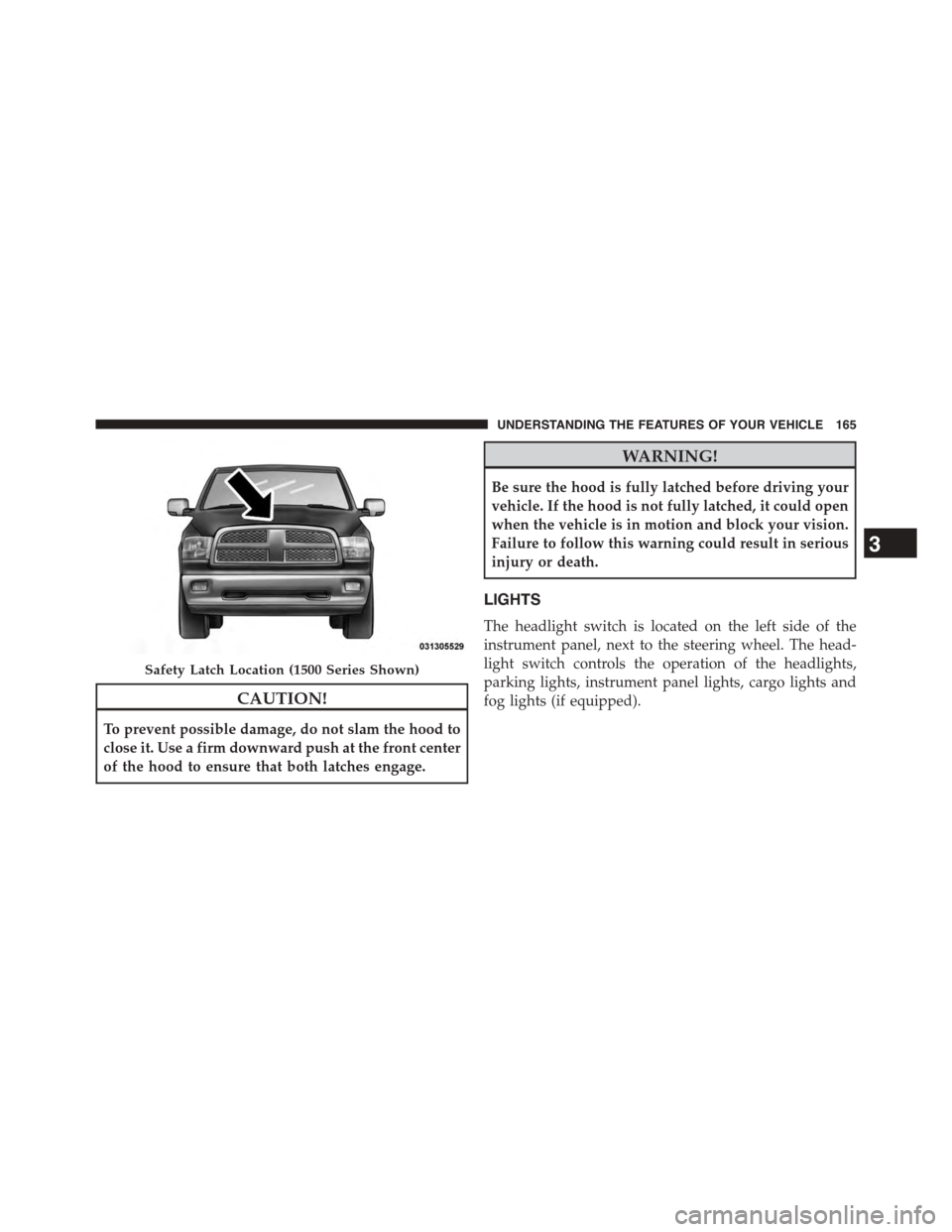
CAUTION!
To prevent possible damage, do not slam the hood to
close it. Use a firm downward push at the front center
of the hood to ensure that both latches engage.
WARNING!
Be sure the hood is fully latched before driving your
vehicle. If the hood is not fully latched, it could open
when the vehicle is in motion and block your vision.
Failure to follow this warning could result in serious
injury or death.
LIGHTS
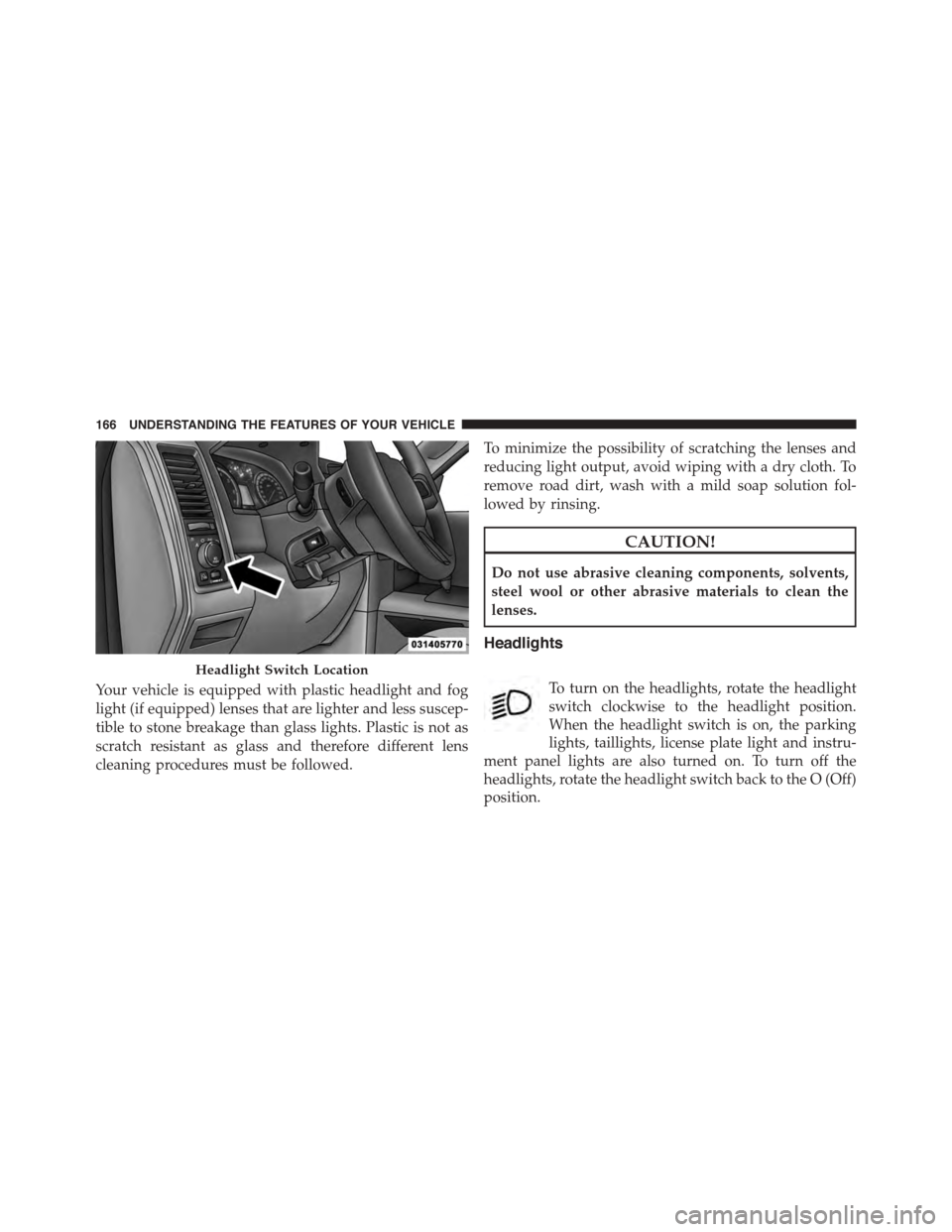
The headlight switch is located on the left side of the
instrument panel, next to the steering wheel. The head-
light switch controls the operation of the headlights,
parking lights, instrument panel lights, cargo lights and
fog lights (if equipped).
Safety Latch Location (1500 Series Shown)
3
UNDERSTANDING THE FEATURES OF YOUR VEHICLE 165
Page 168 of 871
Your vehicle is equipped with plastic headlight and fog
light (if equipped) lenses that are lighter and less suscep-
tible to stone breakage than glass lights. Plastic is not as
scratch resistant as glass and therefore different lens
cleaning procedures must be followed.
To minimize the possibility of scratching the lenses and
reducing light output, avoid wiping with a dry cloth. To
remove road dirt, wash with a mild soap solution fol-
lowed by rinsing.
CAUTION!
Do not use abrasive cleaning components, solvents,
steel wool or other abrasive materials to clean the
lenses.
Headlights
To turn on the headlights, rotate the headlight
switch clockwise to the headlight position.
When the headlight switch is on, the parking
lights, taillights, license plate light and instru-
ment panel lights are also turned on. To turn off the
headlights, rotate the headlight switch back to the O (Off)
position.
Headlight Switch Location
166 UNDERSTANDING THE FEATURES OF YOUR VEHICLE
Page 173 of 871
2. Push back on the multifunction lever once again to
reactivate the system.
Parking Lights And Panel Lights
To turn on the parking lights and instrument
panel lights, rotate the headlight switch clockwise.
To turn off the parking lights, rotate the headlight switch
back to the O (Off) position.
Fog Lights — If Equipped
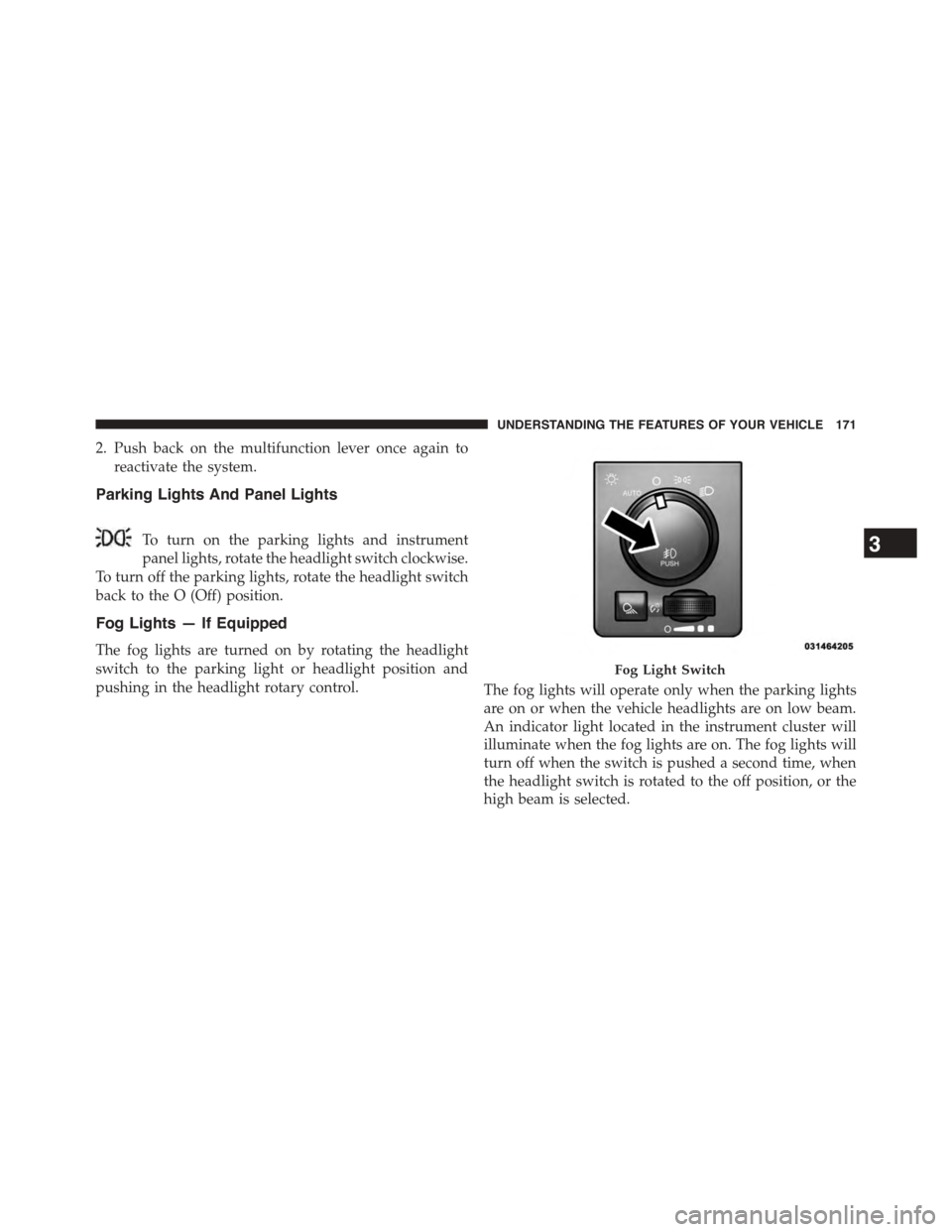
The fog lights are turned on by rotating the headlight
switch to the parking light or headlight position and
pushing in the headlight rotary control.The fog lights will operate only when the parking lights
are on or when the vehicle headlights are on low beam.
An indicator light located in the instrument cluster will
illuminate when the fog lights are on. The fog lights will
turn off when the switch is pushed a second time, when
the headlight switch is rotated to the off position, or the
high beam is selected.
Fog Light Switch
3
UNDERSTANDING THE FEATURES OF YOUR VEHICLE 171
Page 174 of 871
Lights-On Reminder
If the headlights, parking lights, or cargo lights are left on
after the ignition is turned OFF, a chime will sound when
the driver ’s door is opened.
Battery Saver
To protect the life of your vehicle’s battery, load shedding
is provided for both the interior and exterior lights.
If the ignition is OFF and any door is left ajar for 10
minutes or the dimmer control is rotated all the way up
to the dome ON position for 10 minutes, the interior
lights will automatically turn off.
NOTE:Battery saver mode is cancelled if the ignition is
ON.
If the headlights remain on while the ignition is cycled
OFF, the exterior lights will automatically turn off after
eight minutes. If the headlights are turned on and left on
for eight minutes while the ignition is OFF, the exterior
lights will automatically turn off.
Interior Lights
Courtesy and dome lights are turned on when the front
doors are opened, when the dimmer control (rotating
wheel on the bottom of the switch) is rotated to the far
right detent position. If your vehicle is equipped with
Remote Keyless Entry (RKE) and the UNLOCK button is
pressed on the RKE transmitter the courtesy and dome
lights will turn on. When a door is open and the interior
lights are on, rotating the dimmer control all the way left,
to the OFF detent, will cause all the interior lights to go
out. This is also known as the#Party#mode because it
allows the doors to stay open for extended periods of
time without discharging the vehicle’s battery.
172 UNDERSTANDING THE FEATURES OF YOUR VEHICLE