Gear - Ram 1500 2015 Repair Manual
[x] Cancel search | Manufacturer: RAM, Model Year: 2015, Model line: 1500, Model: Ram 1500 2015Pages: 871, PDF Size: 24.83 MB
Page 557 of 871
OFF-ROAD DRIVING TIPS
Care should be taken when attempting to climb steep
hills or driving diagonally across a hill or slope. If natural
obstacles force you to travel diagonally up or down a hill,
choose a mild angle and keep as little side tilt as possible.
Keep the vehicle moving and make turns slowly and
cautiously.
If you must back down a hill, back straight down using
REVERSE gear. Never back down in NEUTRAL or diago-
nally across the hill.
When driving over sand, mud, and other soft terrain,
shift to low gear and drive steadily. Apply the accelerator
slowly to avoid spinning the wheels.
Do not reduce the tire pressures for this type of driving.
After Driving Off-Road
Off-road operation puts more stress on your vehicle than
does most on-road driving. After going off-road, it is
always a good idea to check for damage. That way you
can get any problems taken care of right away and have
your vehicle ready when you need it.
•Completely inspect the underbody of your vehicle.
Check tires, body structure, steering, suspension, and
exhaust system for damage.
•Inspect the radiator for mud and debris and clean as
required.
•Check threaded fasteners for looseness, particularly on
the chassis, drivetrain components, steering, and sus-
pension. Retighten them, if required, and torque to the
values specified in the Service Manual.
•Check for accumulations of plants or brush. These
things could be a fire hazard. They might hide damage
to fuel lines, brake hoses, axle pinion seals, and
propeller shafts.
5
STARTING AND OPERATING 555
Page 558 of 871
•After extended operation in mud, sand, water, or
similar dirty conditions, have the radiator, fan, brake
rotors, wheels, brake linings, and axle yokes inspected
and cleaned as soon as possible.
WARNING!
Abrasive material in any part of the brakes may cause
excessive wear or unpredictable braking. You might
not have full braking power when you need it to
prevent a collision. If you have been operating your
vehicle in dirty conditions, get your brakes checked
and cleaned as necessary.
•If you experience unusual vibration after driving in
mud, slush or similar conditions, check the wheels for
impacted material. Impacted material can cause a
wheel imbalance and freeing the wheels of it will
correct the situation.
WINCH USAGE — POWER WAGON ONLY — (IF
EQUIPPED)
Things To Know Before Using Your Winch
General Winch Information
Your vehicle is equipped with an electric vehicle recovery
winch. This winch uses the electrical power from the
vehicle charging system to power a motor that winds
wire rope into the winch drum via planetary gear reduc-
tion. By nature, a winch is capable of generating very
high forces and should be used with care. Do not operate
the winch without reading and understanding the com-
plete winch owner’s manual.
Tensioning The Wire Rope
The winch rope must be properly tensioned before use.
Follow the instructions below to tension the rope:
1. Un-spool the wire rope leaving five wraps of rope on
the winch drum.
556 STARTING AND OPERATING
Page 561 of 871
1.Motor:The winch motor is powered by the vehicle
charging system and features a thermal protection
switch that automatically stops motor function in the
power-in direction if the motor gets too hot.
2.Remote Socket:The remote socket allows the remote
control to be attached to the control pack to allow the
winch to function.
3.Winch Drum With Integral Brake:The winch drum
allows the wire rope to be stored on the winch and
transmits force to the wire rope. The winch is
equipped with an integral brake that will stop rotation
of the winch drum if the winch motor is stopped.
4.3-Stage Planetary Gear Set:Provides balance between
speed and pulling power.
5.Wire Rope:The wire rope allows the winch to be
connected to an anchor to provide a pulling force.
6.Clutch Lever:The clutch lever allows the winch drum
to be disconnected from the winch motor to allow the
wire rope to be pulled from the winch by hand.
7.Remote Control:The remote control provides the
interface between the winch operator and the winch.
The remote control provides the ability to power the
winch in, out, and stop the winch. To operate the
winch, the toggle switch is pressed down to power the
winch in and up to power the winch out. The winch
will stop if the switch is left in the neutral (center)
position.
CAUTION!
If not installed, the hook strap must be placed on the
hook.
Fairlead:The fairlead acts as a guide for the wire rope
and minimizes damage to the rope.
5
STARTING AND OPERATING 559
Page 581 of 871
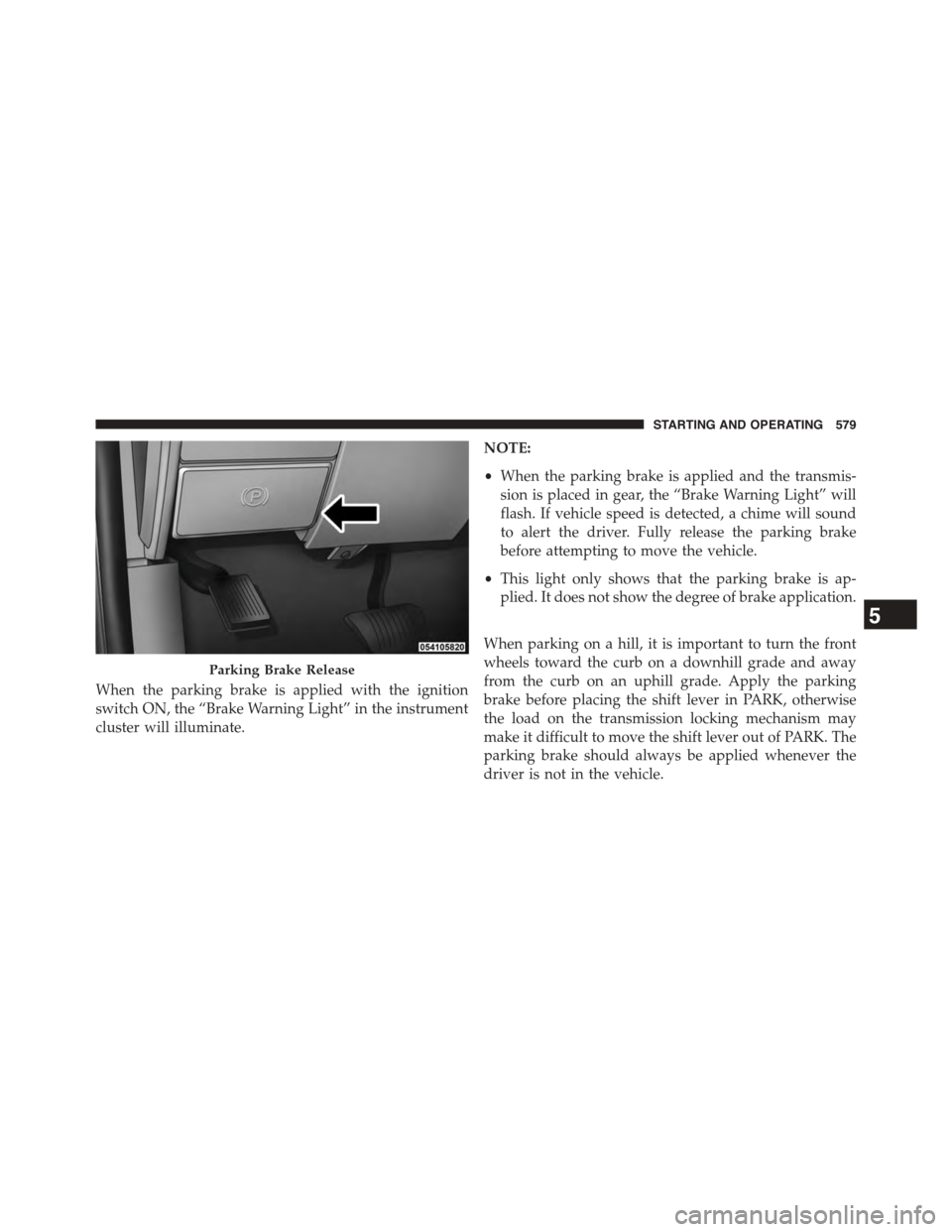
When the parking brake is applied with the ignition
switch ON, the “Brake Warning Light” in the instrument
cluster will illuminate.
NOTE:
•When the parking brake is applied and the transmis-
sion is placed in gear, the “Brake Warning Light” will
flash. If vehicle speed is detected, a chime will sound
to alert the driver. Fully release the parking brake
before attempting to move the vehicle.
•This light only shows that the parking brake is ap-
plied. It does not show the degree of brake application.
When parking on a hill, it is important to turn the front
wheels toward the curb on a downhill grade and away
from the curb on an uphill grade. Apply the parking
brake before placing the shift lever in PARK, otherwise
the load on the transmission locking mechanism may
make it difficult to move the shift lever out of PARK. The
parking brake should always be applied whenever the
driver is not in the vehicle.
Parking Brake Release
5
STARTING AND OPERATING 579
Page 587 of 871
During operation, HSA will activate the brake control
system and a clicking noise may occur. If your foot is on
the brake pedal during operation you may feel a slight
pedal movement. The clicking and pedal movement is
normal and both will stop when HSA becomes inactive.
HSA Activation Criteria
The following criteria must be met in order for HSA to
activate:
•Vehicle must be stopped
•Vehicle must be on an approximate 7% or greater
incline
•Gear selection matches vehicle uphill direction (i.e.,
vehicle facing uphill is in forward gear; vehicle back-
ing uphill is in REVERSE gear).
WARNING!
There may be situations on minor hills with a loaded
vehicle or while pulling a trailer where the system
will not activate and slight rolling may occur, which
could cause a collision with another vehicle or object.
Always remember the driver is responsible for brak-
ing the vehicle.
The system will only work if the intended direction of the
vehicle and vehicle gear match. For example, if the
intended direction is forward up a hill and the vehicle is
in DRIVE and the activation criteria are met, HSA will
activate.
The system will work in REVERSE and all forward gears,
and will not activate if the vehicle is placed in NEU-
TRAL.
5
STARTING AND OPERATING 585
Page 596 of 871
Activating HDC
Once HDC is enabled it will activate automatically if
driven down a grade of sufficient magnitude (greater
than approximately 8%). The set speed for HDC is
selectable by the driver, and can be adjusted by using the
Electronic range switches located on steering column
shifter. The following summarizes the HDC set speed:
GearApproximate HDC Set Speed
PNo set speed. HDC may be en-
abled but will not activate
R0.6 mph (1 km/h)
N1.2 mph (2 km/h)
1st0.6 mph (1 km/h)
2nd1.2 mph (2 km/h)
GearApproximate HDC Set Speed
3rd1.8 mph (3 km/h)
4th2.5 mph (4 km/h)
5th3.1 mph (5 km/h)
6th3.7 mph (6 km/h)
7th4.3 mph (7 km/h)
8th5.0 mph (8 km/h)
9th5.6 mph (9 km/h)
NOTE:During HDC the ERS +/- shifter input is used for
HDC target speed selection but will not affect the gear
chosen by the transmission. During HDC the transmis-
sion will shift appropriately for the driver-selected set
speed and corresponding driving conditions.
594 STARTING AND OPERATING
Page 598 of 871
Feedback to the driver:
The instrument cluster has a HDC icon and a HDC
switch which has an LED which offers feedback to the
driver about the state HDC is in.
•While HDC is Enabled or Active the gear position
typically associated with ERS manual mode will indi-
cate target set speed not the top gear limit which is
typical of ERS manual mode.
•The cluster icon and switch lamp will illuminate and
remain on solid when HDC is enabled or activated.
This is the normal operating condition for HDC.
•The cluster icon and switch lamp will flash for several
seconds then extinguish when the driver presses the
HDC switch but enable conditions are not met.
•The cluster icon and switch lamp will flash for several
seconds then extinguish when HDC deactivates due to
excess speed.
•The cluster icon and switch lamp will flash when HDC
deactivates due to overheated brakes. The flashing will
stop and HDC will activate again once the brakes have
cooled sufficiently.
WARNING!
HDC is only intended to assist the driver in control-
ling vehicle speed when descending hills. The driver
must remain attentive to the driving conditions and
is responsible for maintaining a safe vehicle speed.
596 STARTING AND OPERATING
Page 669 of 871
Towing Tips
Before setting out on a trip, practice turning, stopping
and backing the trailer up in an area away from heavy
traffic.
Automatic Transmission
The DRIVE range can be selected when towing. The
transmission controls include a drive strategy to avoid
frequent shifting when towing. However, if frequent
shifting does occur while in DRIVE, select TOW/HAUL
mode or select a lower gear range (using the Electronic
Range Select (ERS) shift control).
NOTE:Using TOW/HAUL mode or selecting a lower
gear range (using the ERS shift control) while operating
the vehicle under heavy loading conditions will improve
performance and extend transmission life by reducing
excessive shifting and heat build up. This action will also
provide better engine braking.
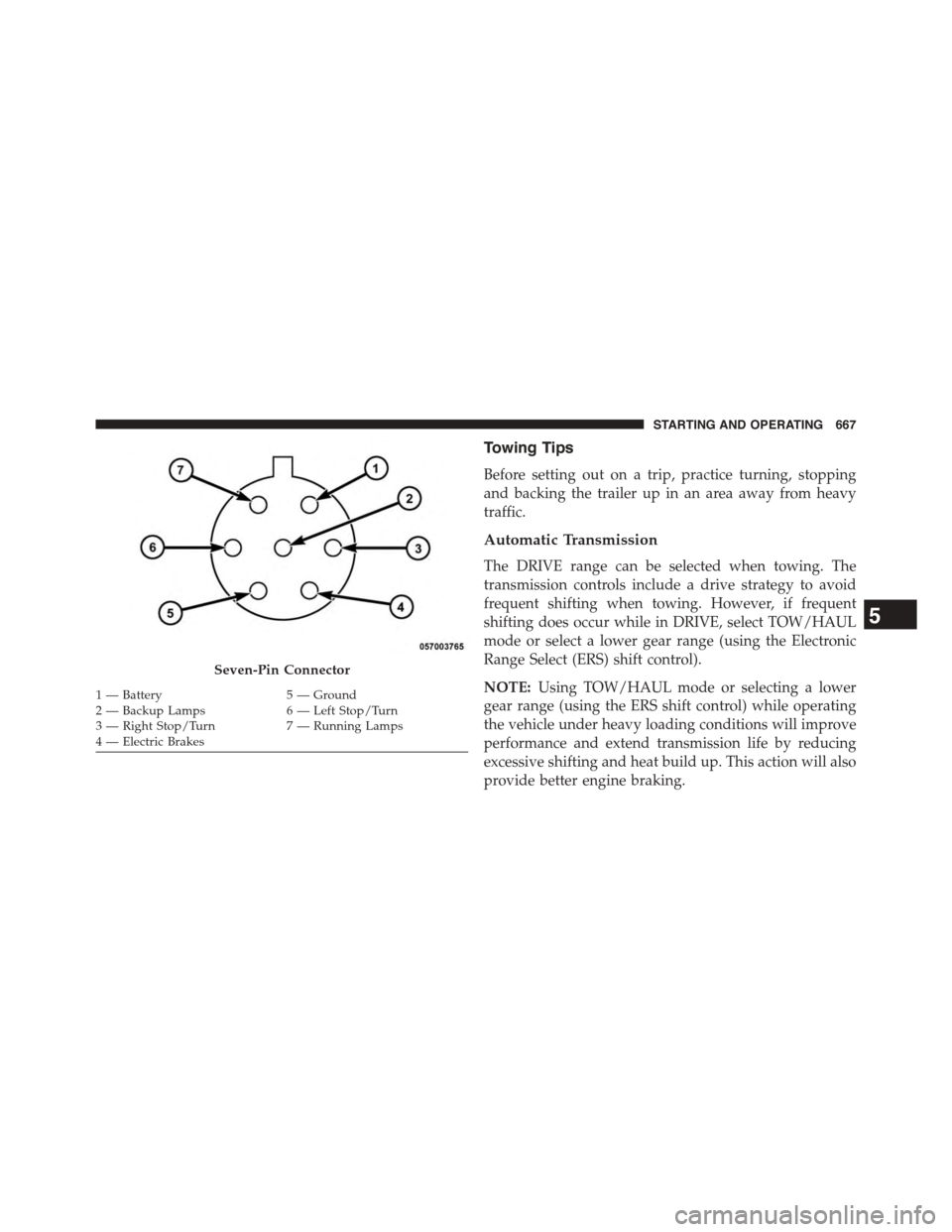
Seven-Pin Connector
1—Battery5—Ground2—BackupLamps6—LeftStop/Turn3—RightStop/Turn7—RunningLamps4 — Electric Brakes
5
STARTING AND OPERATING 667
Page 670 of 871
![Ram 1500 2015 Repair Manual When towing a loaded trailer up steep grades at low
speeds (20 mph [32 km/h] or below), holding your
vehicle in first gear (using the ERS shift control) can help
to avoid transmission overheating.
If](/img/34/12541/w960_12541-669.png "Ram 1500 2015 Repair Manual When towing a loaded trailer up steep grades at low
speeds (20 mph [32 km/h] or below), holding your
vehicle in first gear (using the ERS shift control) can help
to avoid transmission overheating.
If")
When towing a loaded trailer up steep grades at low
speeds (20 mph [32 km/h] or below), holding your
vehicle in first gear (using the ERS shift control) can help
to avoid transmission overheating.
If you regularly tow a trailer for more than 45 minutes of
continuous operation, then change the automatic trans-
mission fluid and filter(s) as specified for#police, taxi,
fleet, or frequent trailer towing.#Refer to the “Mainte-
nance Schedule” for the proper maintenance intervals.
NOTE:Check the automatic transmission fluid level
before towing (6-speed automatic only).
Tow/Haul Mode
To reduce potential for automatic transmission overheat-
ing, activate TOW/HAUL mode when driving in hilly
areas, or select a lower gear range (using the Electronic
Range Select (ERS) shift control) on more severe grades.
Electronic Speed Control — If Equipped
•Do not use in hilly terrain or with heavy loads.
•When using the speed control, if you experience speed
drops greater than 10 mph (16 km/h), disengage until
you can get back to cruising speed.
•Use speed control in flat terrain and with light loads to
maximize fuel efficiency.
Cooling System
To reduce potential for engine and transmission over-
heating, take the following actions:
City Driving
When stopped for short periods of time, shift the trans-
mission into NEUTRAL and increase engine idle speed.
Highway Driving
Reduce speed.
668 STARTING AND OPERATING
Page 675 of 871
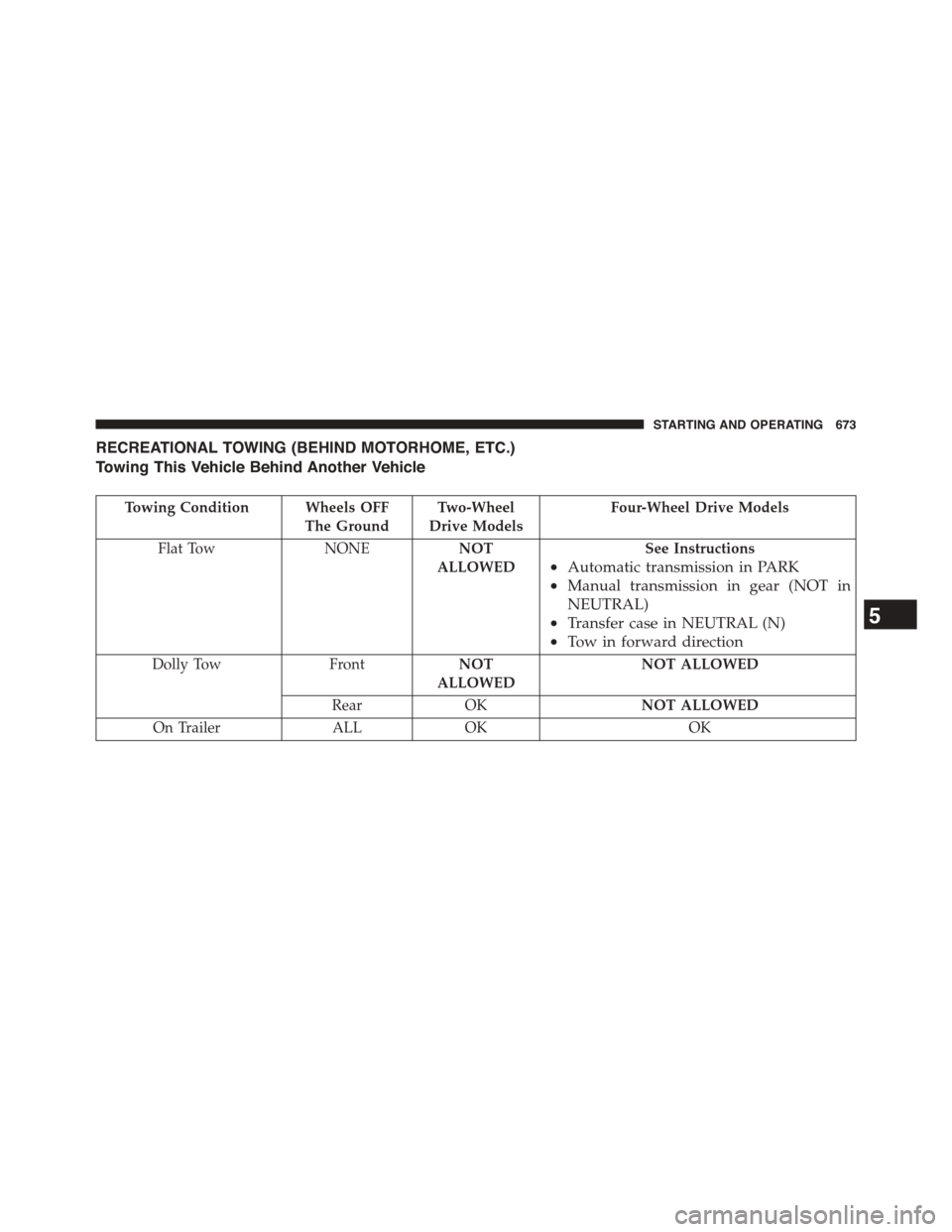
RECREATIONAL TOWING (BEHIND MOTORHOME, ETC.)
Towing This Vehicle Behind Another Vehicle
Towing Condition Wheels OFF
The Ground
Two-Wheel
Drive Models
Four-Wheel Drive Models
Flat Tow NONENOT
ALLOWED
See Instructions
•Automatic transmission in PARK
•Manual transmission in gear (NOT in
NEUTRAL)
•Transfer case in NEUTRAL (N)
•Tow in forward direction
Dolly TowFrontNOT
ALLOWED
NOT ALLOWED
RearOKNOT ALLOWED
On TrailerALLOKOK
5
STARTING AND OPERATING 673