lock Ram 1500 2016 Owners Manual
[x] Cancel search | Manufacturer: RAM, Model Year: 2016, Model line: 1500, Model: Ram 1500 2016Pages: 916, PDF Size: 7.55 MB
Page 327 of 916
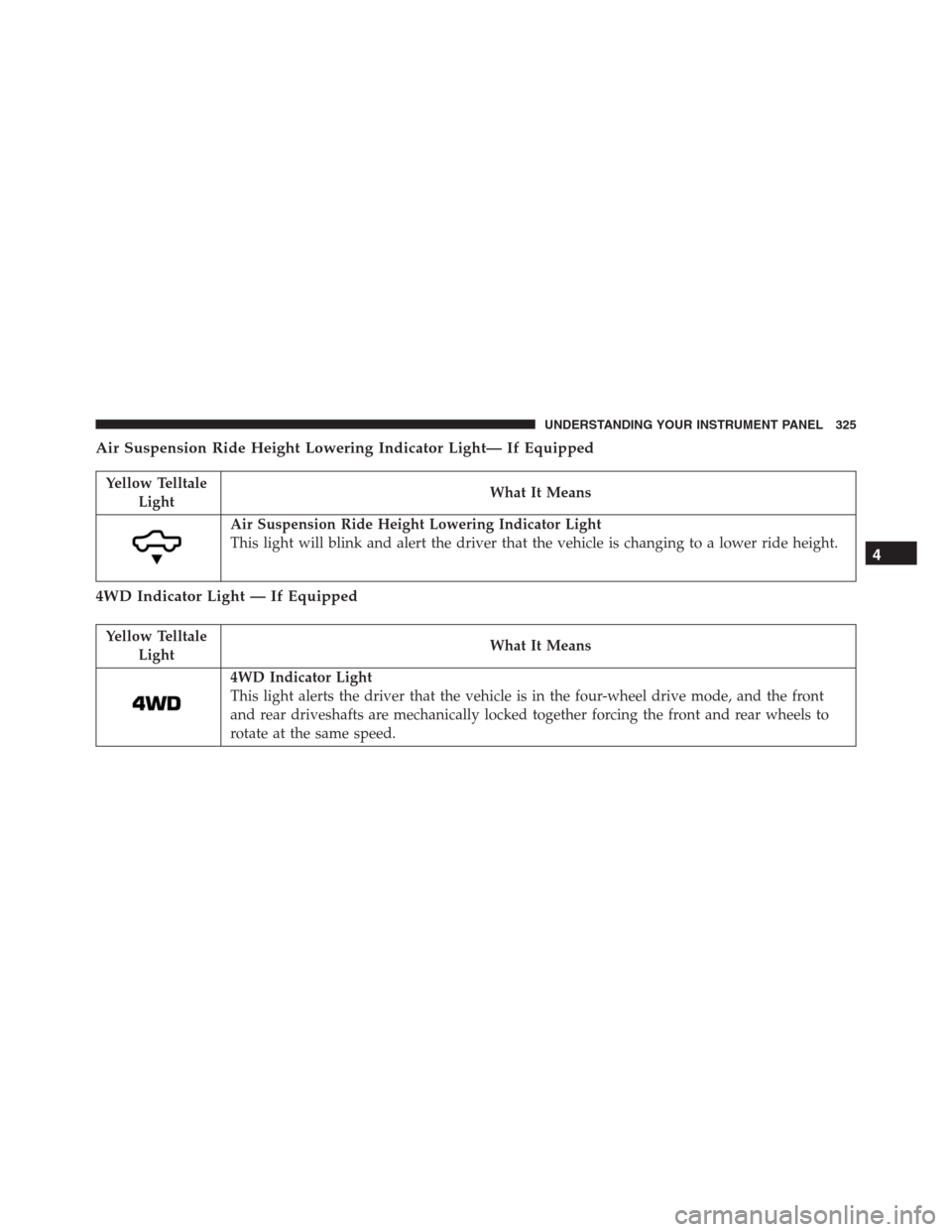
Air Suspension Ride Height Lowering Indicator Light— If Equipped
Yellow Telltale
LightWhat It Means
Air Suspension Ride Height Lowering Indicator Light
This light will blink and alert the driver that the vehicle is changing to a lower ride height.
4WD Indicator Light — If Equipped
Yellow Telltale
LightWhat It Means
4WD Indicator Light
This light alerts the driver that the vehicle is in the four-wheel drive mode, and the front
and rear driveshafts are mechanically locked together forcing the front and rear wheels to
rotate at the same speed.
4
UNDERSTANDING YOUR INSTRUMENT PANEL 325
Page 328 of 916
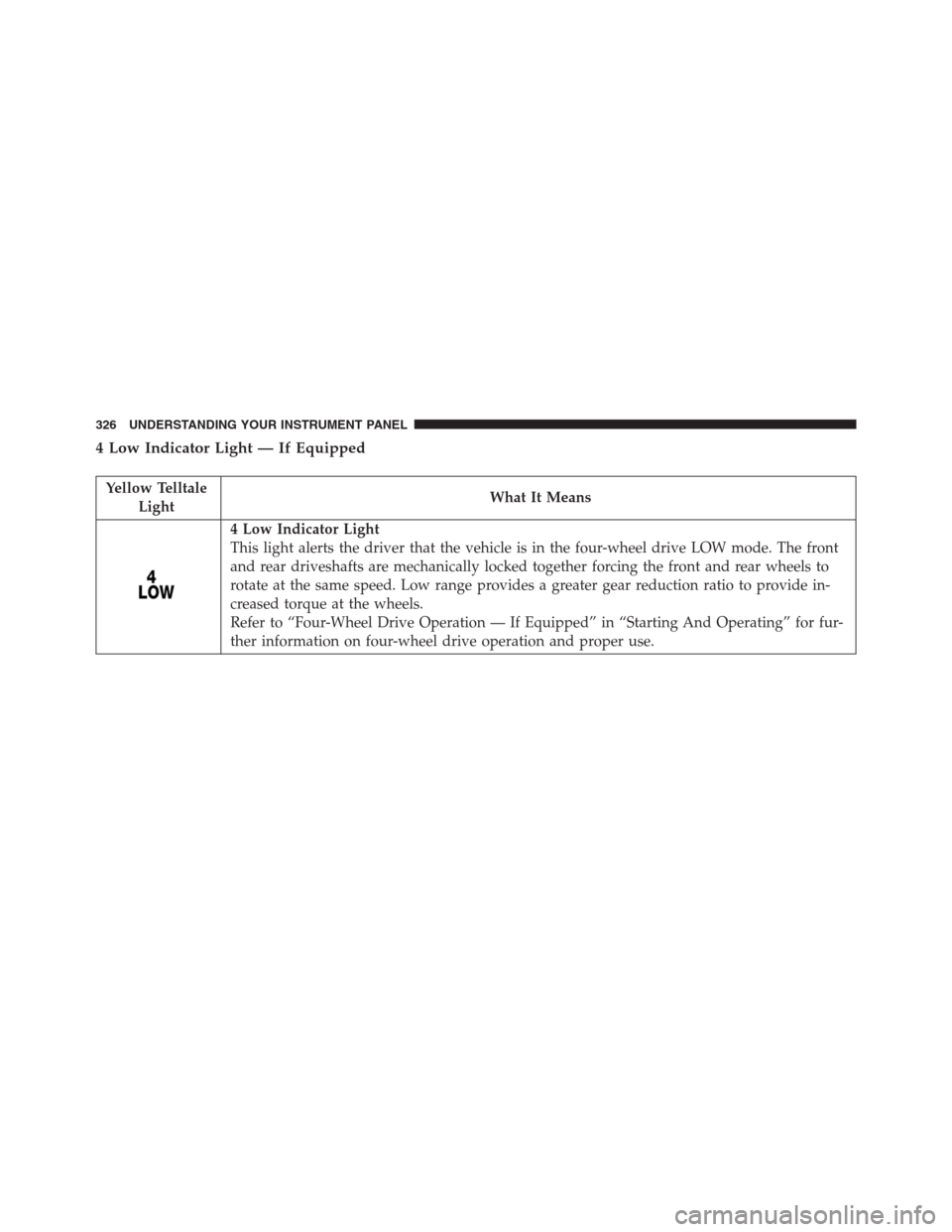
4 Low Indicator Light — If Equipped
Yellow Telltale
LightWhat It Means
4 Low Indicator Light
This light alerts the driver that the vehicle is in the four-wheel drive LOW mode. The front
and rear driveshafts are mechanically locked together forcing the front and rear wheels to
rotate at the same speed. Low range provides a greater gear reduction ratio to provide in-
creased torque at the wheels.
Refer to “Four-Wheel Drive Operation — If Equipped” in “Starting And Operating” for fur-
ther information on four-wheel drive operation and proper use.
326 UNDERSTANDING YOUR INSTRUMENT PANEL
Page 345 of 916
•Oil Pressure Low
•Oil Change Due
•Fuel Low
•Service Anti-lock Brake System
•Service Electronic Throttle Control
•Service Power Steering
•Cruise Off
•Cruise Ready
•Cruise Set To XXX MPH
•Tire Pressure Screen With Low Tire(s) “Inflate Tire to
XX”
•Tire Pressure Information System (TPIS)
•Service Tire Pressure System•Parking Brake Engaged
•Brake Fluid Low
•Service Electronic Braking System
•Engine Temperature Hot
•Battery Voltage Low
•Service Electronic Throttle Control
•Lights On
•Right Turn Signal Light Out
•Left Turn Signal Light Out
•Turn Signal On
•Sound Horn with Remote Lock: Off; 1st Push; 2nd
Push
•Vehicle Not In Park
4
UNDERSTANDING YOUR INSTRUMENT PANEL 343
Page 351 of 916
Setting NamesSetting Names Abbre-
viated (Left Submenu
Layer)Sub-Menus (Right Submenu Layer)
3 ParkSense ParkSense
•Notification — Sound Only; Sound & Display
•Front Volume — Low; Medium; High
•Rear Volume — Low; Medium; High
4 Tilt Mirror in
ReverseTilt Mirror in R On; Off
5 Rain Sensing
WipersAuto Wipers On; Off
6 Hill Start Assist Hill Start Assist On; Off
7 Headlights Off
DelayLights Off Delay 0 seconds; 30 seconds; 60 seconds; 90 seconds
8 Illuminated
ApproachLights w/ Unlock 0 seconds; 30 seconds; 60 seconds; 90 seconds
9 Headlights On
with WipersLights w/ Wipers On; Off4
UNDERSTANDING YOUR INSTRUMENT PANEL 349
Page 352 of 916
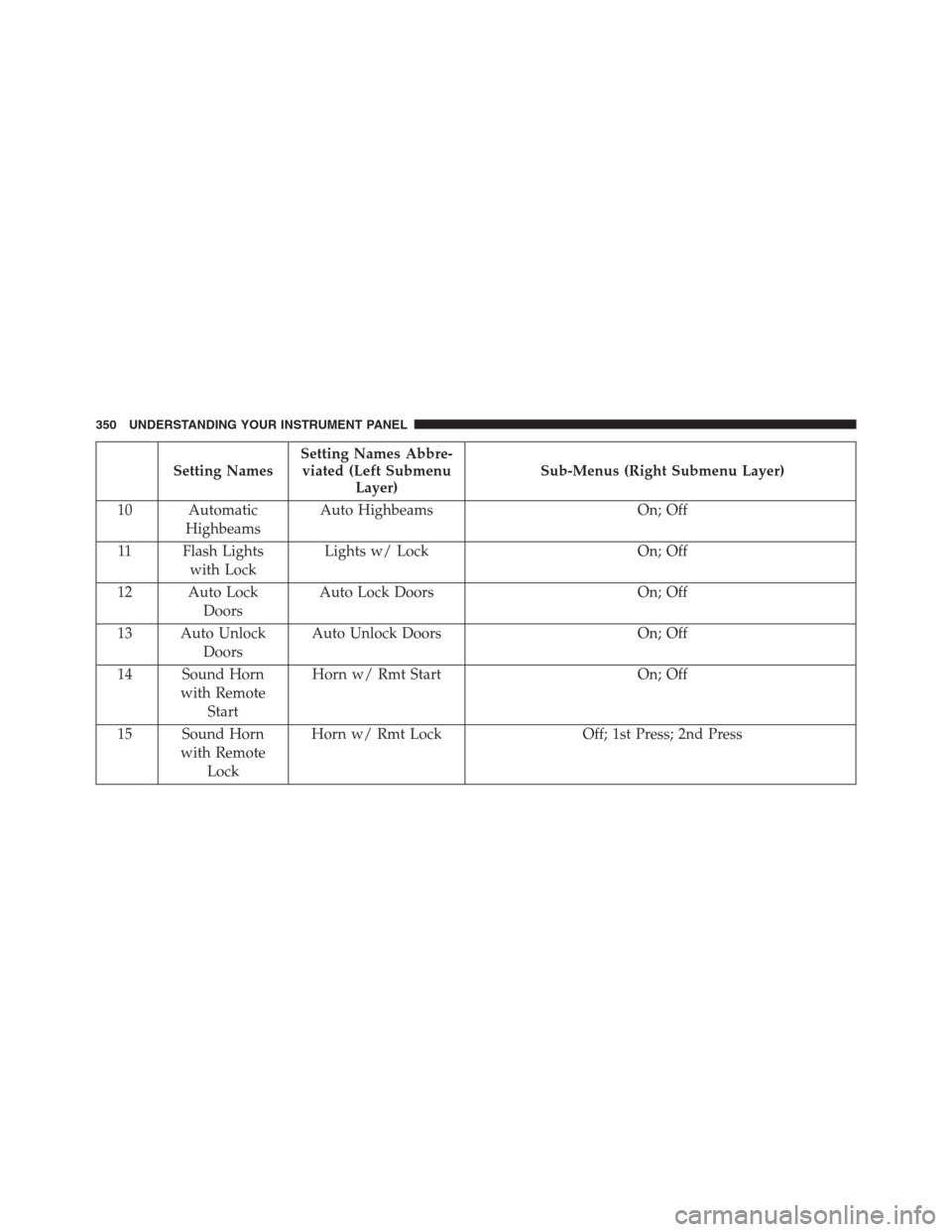
Setting NamesSetting Names Abbre-
viated (Left Submenu
Layer)Sub-Menus (Right Submenu Layer)
10 Automatic
HighbeamsAuto Highbeams On; Off
11 Flash Lights
with LockLights w/ Lock On; Off
12 Auto Lock
DoorsAuto Lock Doors On; Off
13 Auto Unlock
DoorsAuto Unlock Doors On; Off
14 Sound Horn
with Remote
StartHorn w/ Rmt Start On; Off
15 Sound Horn
with Remote
LockHorn w/ Rmt Lock Off; 1st Press; 2nd Press
350 UNDERSTANDING YOUR INSTRUMENT PANEL
Page 353 of 916
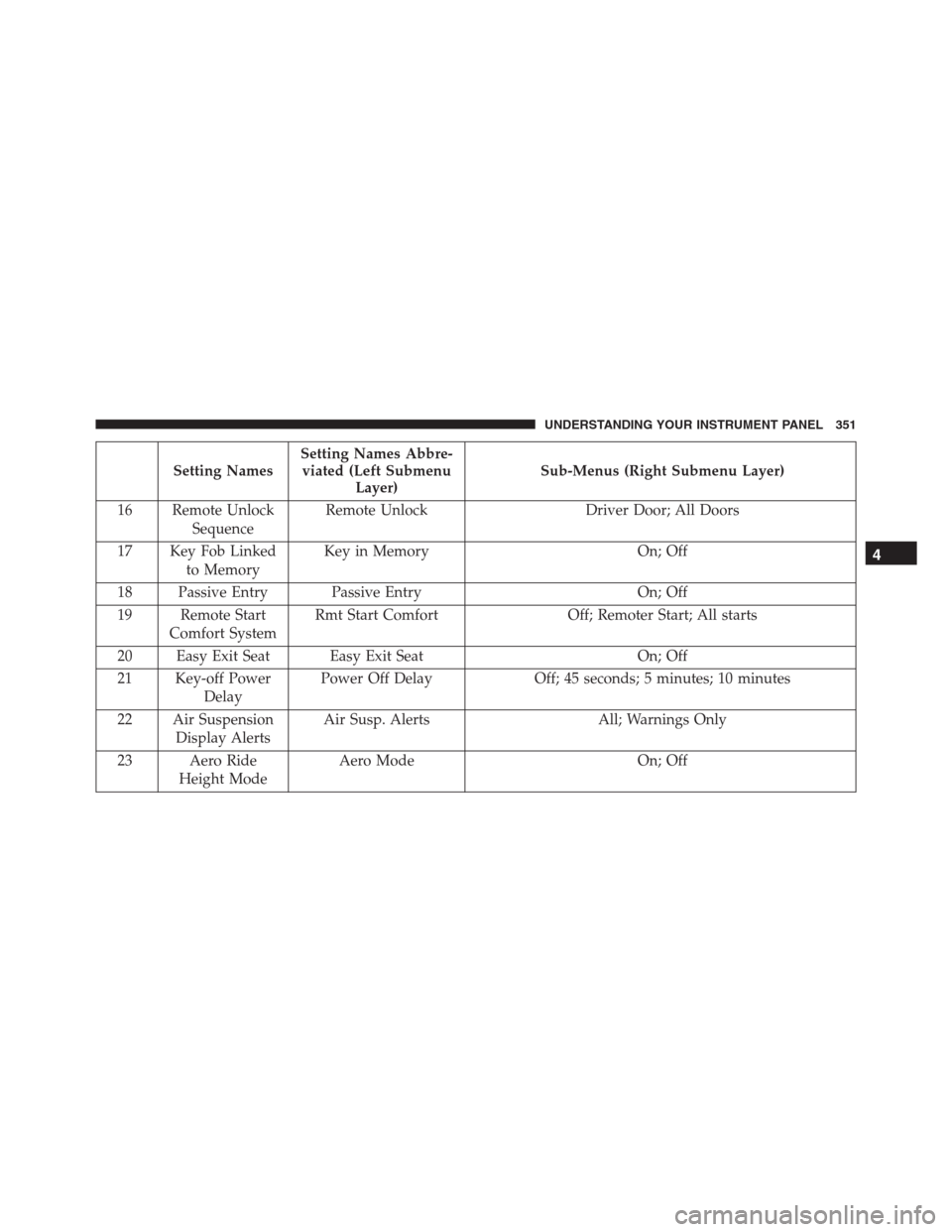
Setting NamesSetting Names Abbre-
viated (Left Submenu
Layer)Sub-Menus (Right Submenu Layer)
16 Remote Unlock
SequenceRemote Unlock Driver Door; All Doors
17 Key Fob Linked
to MemoryKey in Memory On; Off
18 Passive Entry Passive Entry On; Off
19 Remote Start
Comfort SystemRmt Start Comfort Off; Remoter Start; All starts
20 Easy Exit Seat Easy Exit Seat On; Off
21 Key-off Power
DelayPower Off Delay Off; 45 seconds; 5 minutes; 10 minutes
22 Air Suspension
Display AlertsAir Susp. Alerts All; Warnings Only
23 Aero Ride
Height ModeAero Mode On; Off
4
UNDERSTANDING YOUR INSTRUMENT PANEL 351
Page 362 of 916
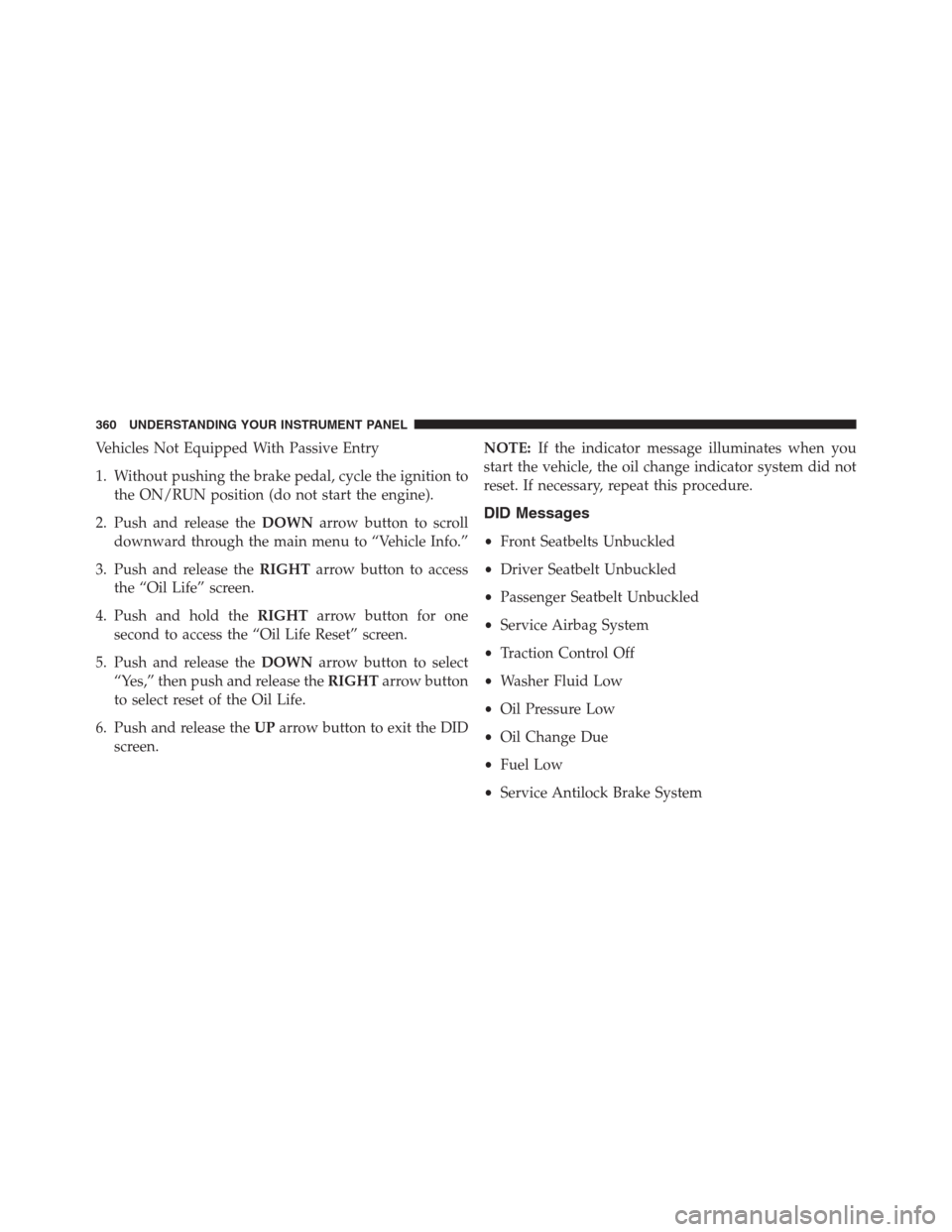
Vehicles Not Equipped With Passive Entry
1. Without pushing the brake pedal, cycle the ignition to
the ON/RUN position (do not start the engine).
2. Push and release theDOWNarrow button to scroll
downward through the main menu to “Vehicle Info.”
3. Push and release theRIGHTarrow button to access
the “Oil Life” screen.
4. Push and hold theRIGHTarrow button for one
second to access the “Oil Life Reset” screen.
5. Push and release theDOWNarrow button to select
“Yes,” then push and release theRIGHTarrow button
to select reset of the Oil Life.
6. Push and release theUParrow button to exit the DID
screen.NOTE:If the indicator message illuminates when you
start the vehicle, the oil change indicator system did not
reset. If necessary, repeat this procedure.
DID Messages
•Front Seatbelts Unbuckled
•Driver Seatbelt Unbuckled
•Passenger Seatbelt Unbuckled
•Service Airbag System
•Traction Control Off
•Washer Fluid Low
•Oil Pressure Low
•Oil Change Due
•Fuel Low
•Service Antilock Brake System
360 UNDERSTANDING YOUR INSTRUMENT PANEL
Page 363 of 916
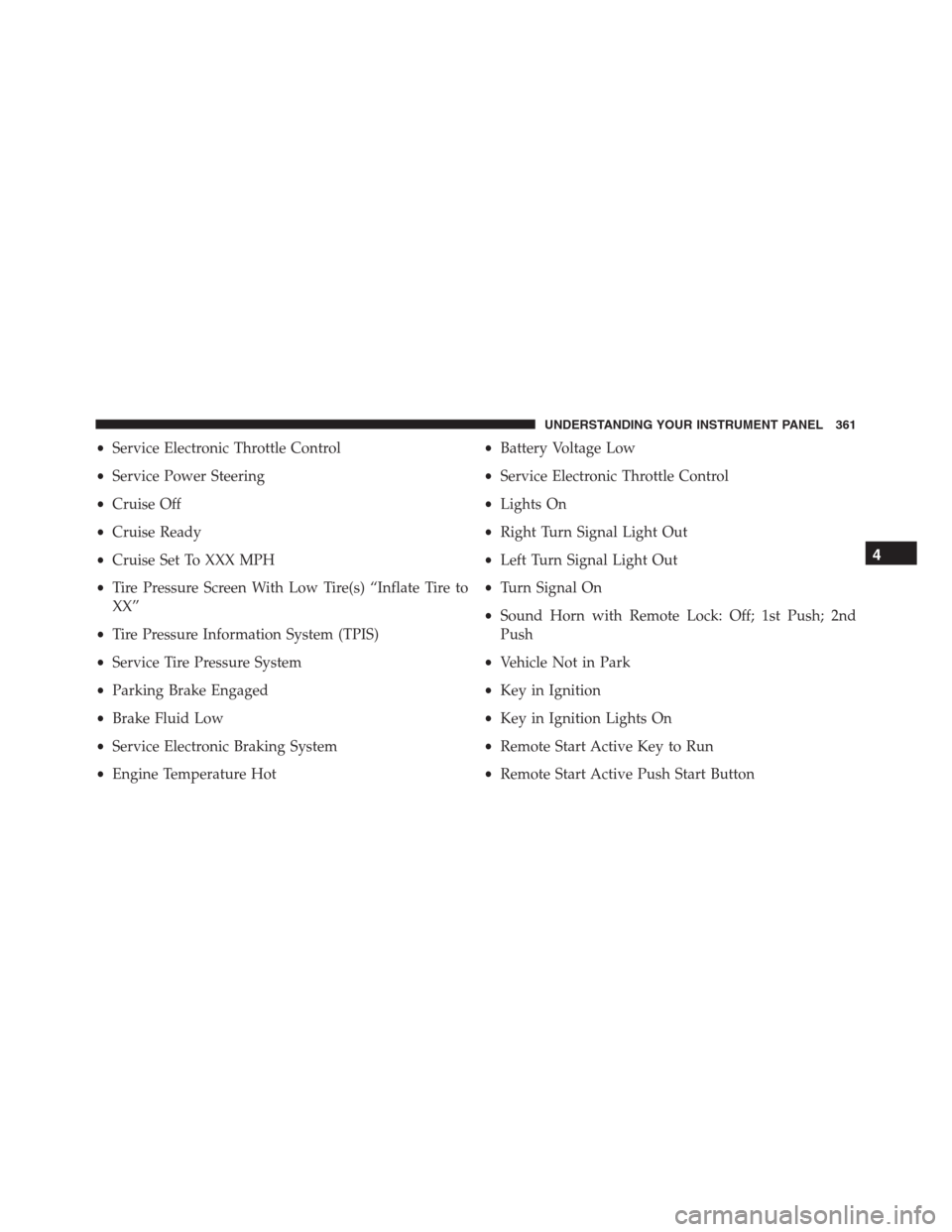
•Service Electronic Throttle Control
•Service Power Steering
•Cruise Off
•Cruise Ready
•Cruise Set To XXX MPH
•Tire Pressure Screen With Low Tire(s) “Inflate Tire to
XX”
•Tire Pressure Information System (TPIS)
•Service Tire Pressure System
•Parking Brake Engaged
•Brake Fluid Low
•Service Electronic Braking System
•Engine Temperature Hot•Battery Voltage Low
•Service Electronic Throttle Control
•Lights On
•Right Turn Signal Light Out
•Left Turn Signal Light Out
•Turn Signal On
•Sound Horn with Remote Lock: Off; 1st Push; 2nd
Push
•Vehicle Not in Park
•Key in Ignition
•Key in Ignition Lights On
•Remote Start Active Key to Run
•Remote Start Active Push Start Button
4
UNDERSTANDING YOUR INSTRUMENT PANEL 361
Page 377 of 916
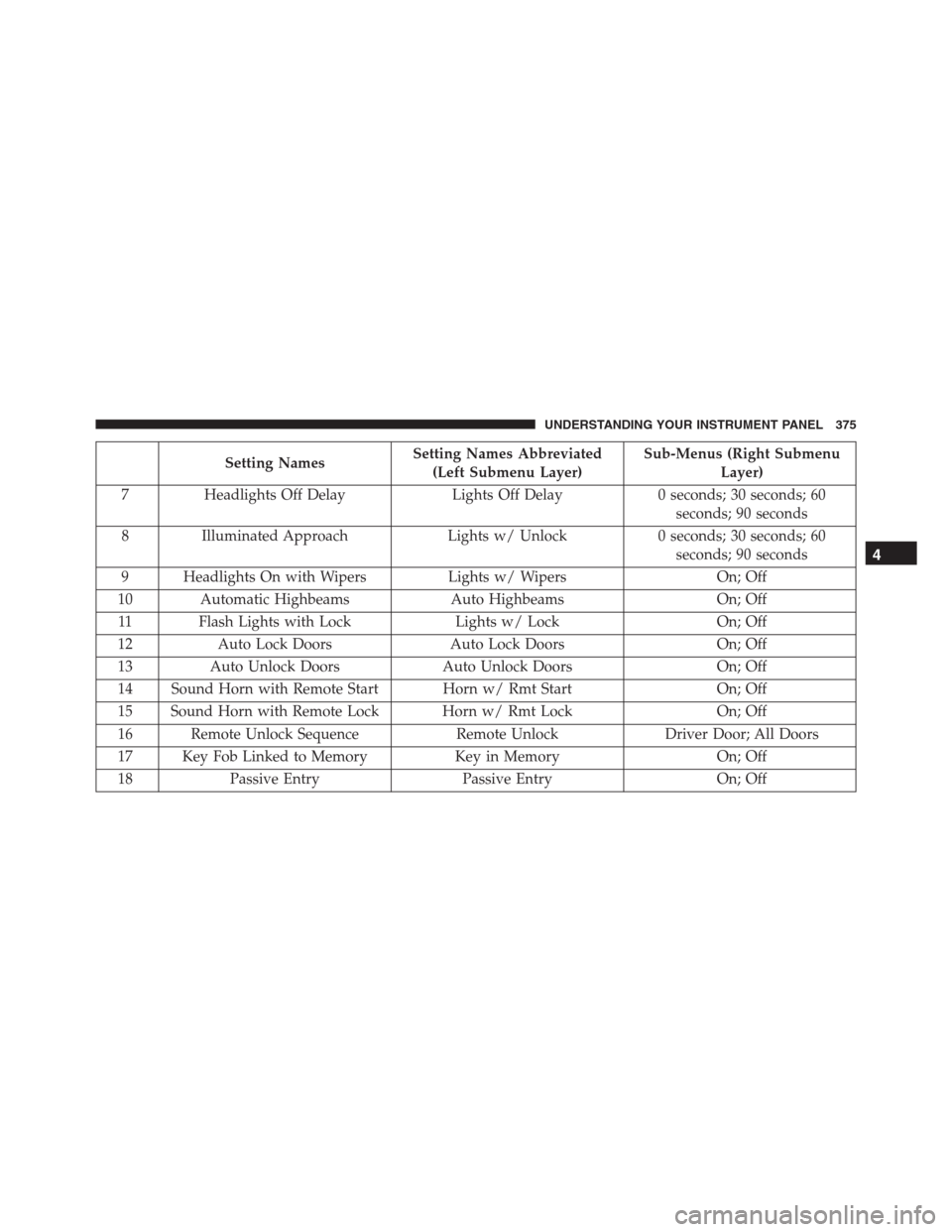
Setting NamesSetting Names Abbreviated
(Left Submenu Layer)Sub-Menus (Right Submenu
Layer)
7 Headlights Off Delay Lights Off Delay 0 seconds; 30 seconds; 60
seconds; 90 seconds
8 Illuminated Approach Lights w/ Unlock 0 seconds; 30 seconds; 60
seconds; 90 seconds
9 Headlights On with Wipers Lights w/ Wipers On; Off
10 Automatic Highbeams Auto Highbeams On; Off
11 Flash Lights with Lock Lights w/ Lock On; Off
12 Auto Lock Doors Auto Lock Doors On; Off
13 Auto Unlock Doors Auto Unlock Doors On; Off
14 Sound Horn with Remote Start Horn w/ Rmt Start On; Off
15 Sound Horn with Remote Lock Horn w/ Rmt Lock On; Off
16 Remote Unlock Sequence Remote Unlock Driver Door; All Doors
17 Key Fob Linked to Memory Key in Memory On; Off
18 Passive Entry Passive Entry On; Off
4
UNDERSTANDING YOUR INSTRUMENT PANEL 375
Page 383 of 916
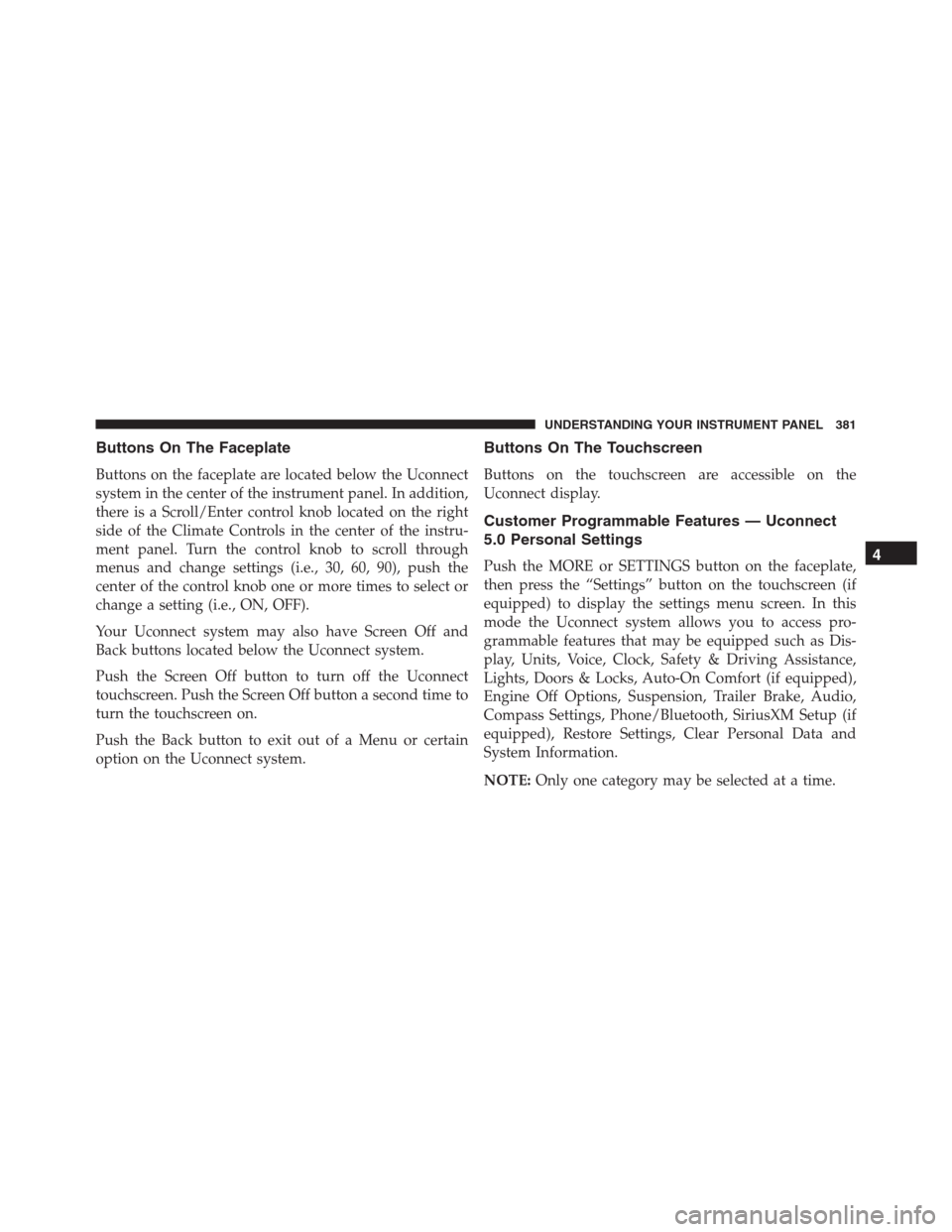
Buttons On The Faceplate
Buttons on the faceplate are located below the Uconnect
system in the center of the instrument panel. In addition,
there is a Scroll/Enter control knob located on the right
side of the Climate Controls in the center of the instru-
ment panel. Turn the control knob to scroll through
menus and change settings (i.e., 30, 60, 90), push the
center of the control knob one or more times to select or
change a setting (i.e., ON, OFF).
Your Uconnect system may also have Screen Off and
Back buttons located below the Uconnect system.
Push the Screen Off button to turn off the Uconnect
touchscreen. Push the Screen Off button a second time to
turn the touchscreen on.
Push the Back button to exit out of a Menu or certain
option on the Uconnect system.
Buttons On The Touchscreen
Buttons on the touchscreen are accessible on the
Uconnect display.
Customer Programmable Features — Uconnect
5.0 Personal Settings
Push the MORE or SETTINGS button on the faceplate,
then press the “Settings” button on the touchscreen (if
equipped) to display the settings menu screen. In this
mode the Uconnect system allows you to access pro-
grammable features that may be equipped such as Dis-
play, Units, Voice, Clock, Safety & Driving Assistance,
Lights, Doors & Locks, Auto-On Comfort (if equipped),
Engine Off Options, Suspension, Trailer Brake, Audio,
Compass Settings, Phone/Bluetooth, SiriusXM Setup (if
equipped), Restore Settings, Clear Personal Data and
System Information.
NOTE:Only one category may be selected at a time.4
UNDERSTANDING YOUR INSTRUMENT PANEL 381