acc drive Ram 1500 2016 Owner's Guide
[x] Cancel search | Manufacturer: RAM, Model Year: 2016, Model line: 1500, Model: Ram 1500 2016Pages: 916, PDF Size: 7.55 MB
Page 256 of 916
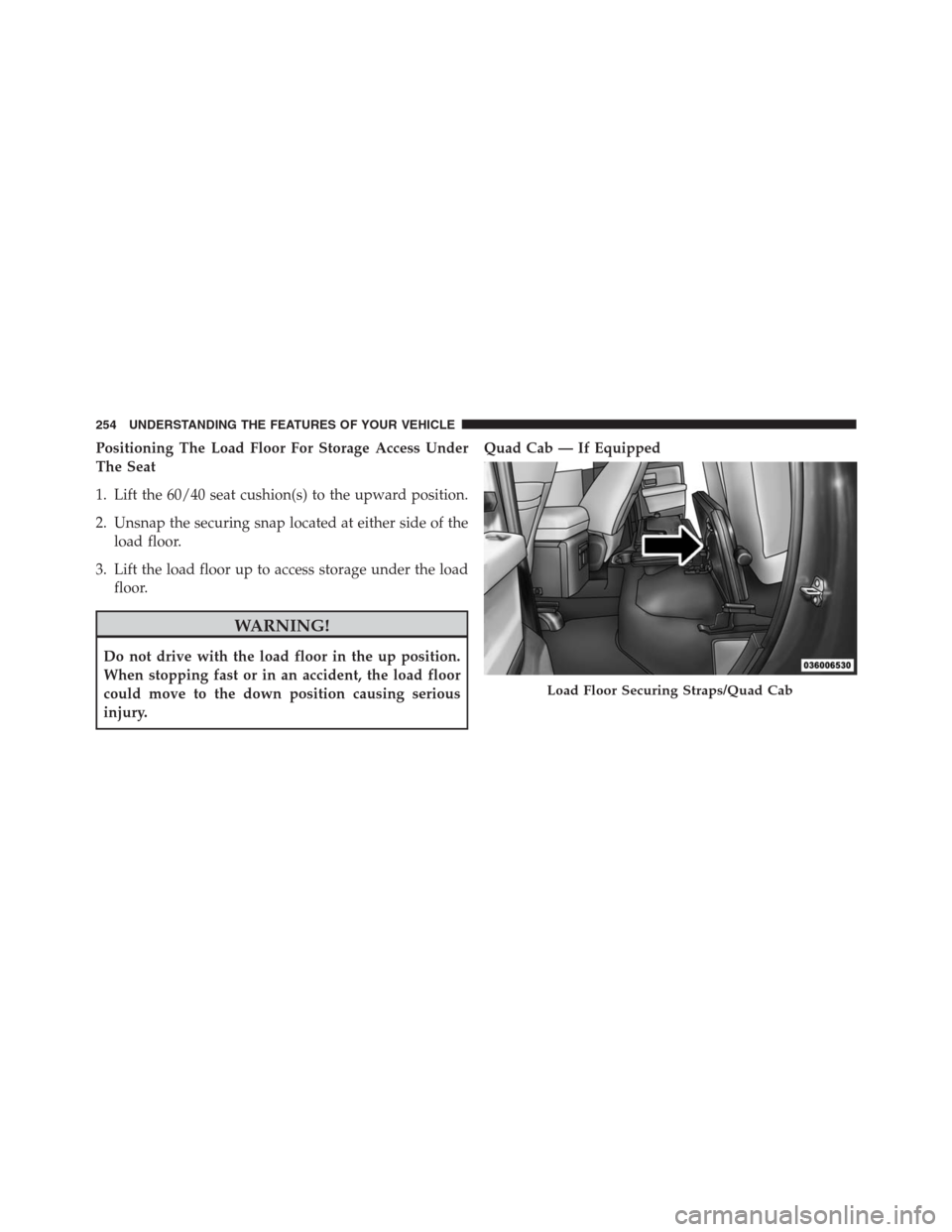
Positioning The Load Floor For Storage Access Under
The Seat
1. Lift the 60/40 seat cushion(s) to the upward position.
2. Unsnap the securing snap located at either side of the
load floor.
3. Lift the load floor up to access storage under the load
floor.
WARNING!
Do not drive with the load floor in the up position.
When stopping fast or in an accident, the load floor
could move to the down position causing serious
injury.Quad Cab — If Equipped
Load Floor Securing Straps/Quad Cab
254 UNDERSTANDING THE FEATURES OF YOUR VEHICLE
Page 264 of 916
CAUTION!(Continued)
vehicle motion. In order to minimize potential for
damage, secure all cargo to prevent movement and
protect inside surfaces of bin from heavy/sharp
objects with appropriate padding.
RamBox Safety Warning
Carefully follow these warnings to help prevent personal
injury or damage to your vehicle:
WARNING!
•Always close the storage bin covers when your
vehicle is unattended.
•Do not allow children to have access to the storage
bins. Once in the storage bin, young children may
not be able to escape. If trapped in the storage bin,
children can die from suffocation or heat stroke.
(Continued)
WARNING!(Continued)
•In an accident, serious injury could result if the
storage bin covers are not properly latched.
•Do not drive the vehicle with the storage bin covers
open.
•Keep the storage bin covers closed and latched
while the vehicle is in motion.
•Do not use a storage bin latch as a tie down.
RamBox Storage Bin Cover Emergency Release
Lever — If Equipped
As a security measure, a Storage Bin Cover Emergency
Release is built into the storage bin cover latching mecha-
nism.
262 UNDERSTANDING THE FEATURES OF YOUR VEHICLE
Page 278 of 916
TRI-FOLD TONNEAU COVER — IF EQUIPPED
Your vehicle may be equipped with a Tri-Fold Tonneau
Cover which consists of different features:
•Easy Tri-Fold cover
•Tonneau fore aft locator
•Crosscar inside bed locator
•Front and rear clamps
•Stowage strap
•Locking Capability
NOTE:The Tonneau Cover can be folded up and secured
at the front of the box without removing completely.
Tri-Fold Tonneau Cover Removal
To remove the Tonneau Cover follow the following steps:
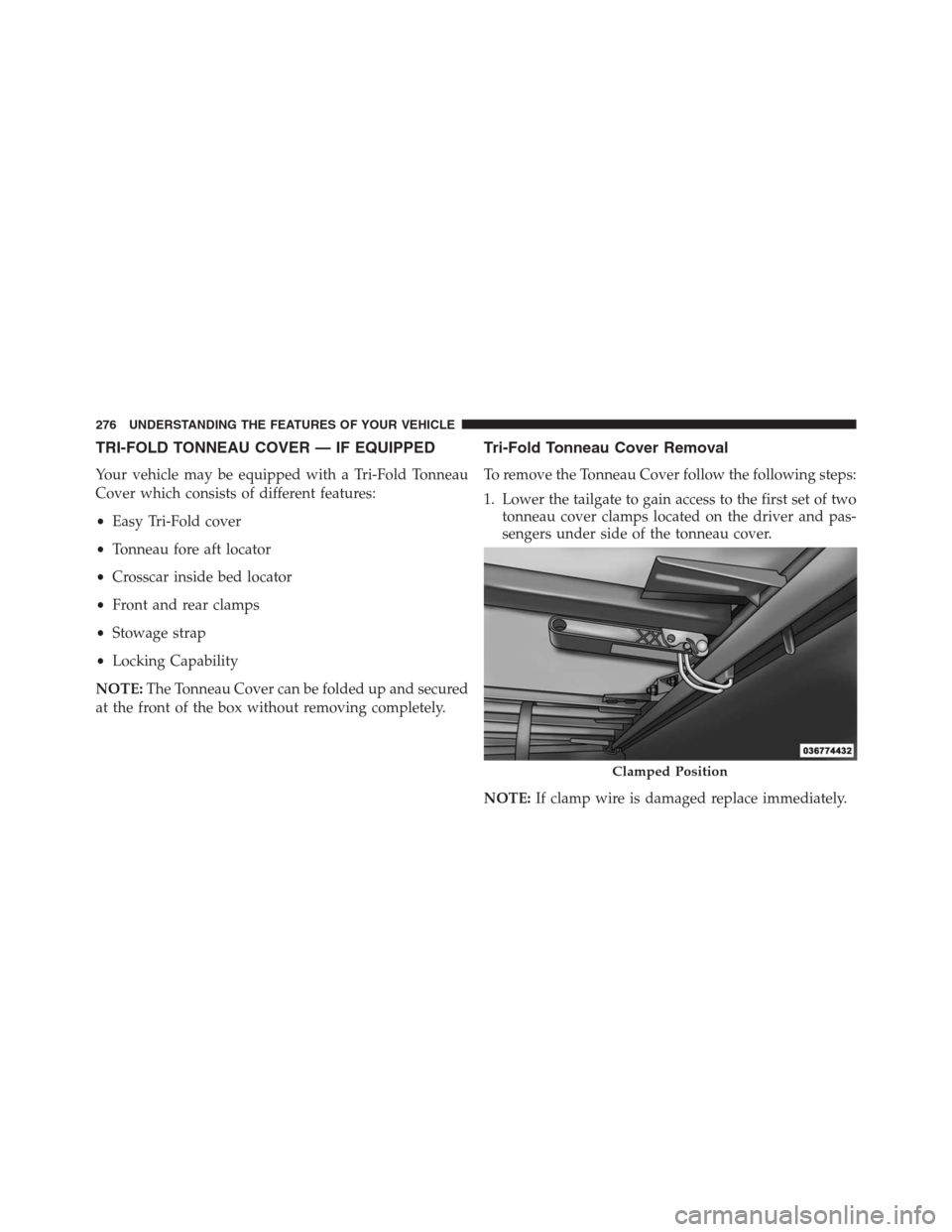
1. Lower the tailgate to gain access to the first set of two
tonneau cover clamps located on the driver and pas-
sengers under side of the tonneau cover.
Clamped Position
NOTE:If clamp wire is damaged replace immediately.
276 UNDERSTANDING THE FEATURES OF YOUR VEHICLE
Page 317 of 916
IMPORTANT:Do not continue driving with one or more
flat tires as handling may be compromised. Stop the
vehicle, avoiding sharp braking and steering. Repair
immediately using the dedicated tire repair kit and
contact your authorized dealership as soon as possible.
Each tire, including the spare (if provided), should be
checked monthly when cold and inflated to the inflation
pressure recommended by the vehicle manufacturer on
the vehicle placard or tire inflation pressure label. If your
vehicle has tires of a different size than the size indicated
on the vehicle placard or tire inflation pressure label, you
should determine the proper tire inflation pressure for
those tires.
As an added safety feature, your vehicle has been
equipped with a Tire Pressure Monitoring System
(TPMS) that illuminates a low tire pressure telltale when
one or more of your tires is significantly under-inflated.Accordingly, when the low tire pressure telltale illumi-
nates, you should stop and check your tires as soon as
possible and inflate them to the proper pressure. Driving
on a significantly under-inflated tire causes the tire to
overheat and can lead to tire failure. Under-inflation also
reduces fuel efficiency and tire tread life, and may affect
the vehicle’s handling and stopping ability.
Please note that the TPMS is not a substitute for proper
tire maintenance, and it is the driver ’s responsibility to
maintain correct tire pressure, even if under-inflation has
not reached the level to trigger illumination of the TPMS
low tire pressure telltale.
Your vehicle has also been equipped with a TPMS
malfunction indicator to indicate when the system is not
operating properly. The TPMS malfunction indicator is
combined with the low tire pressure telltale. When the
system detects a malfunction, the telltale will flash for
approximately one minute and then remain continuously
4
UNDERSTANDING YOUR INSTRUMENT PANEL 315
Page 358 of 916
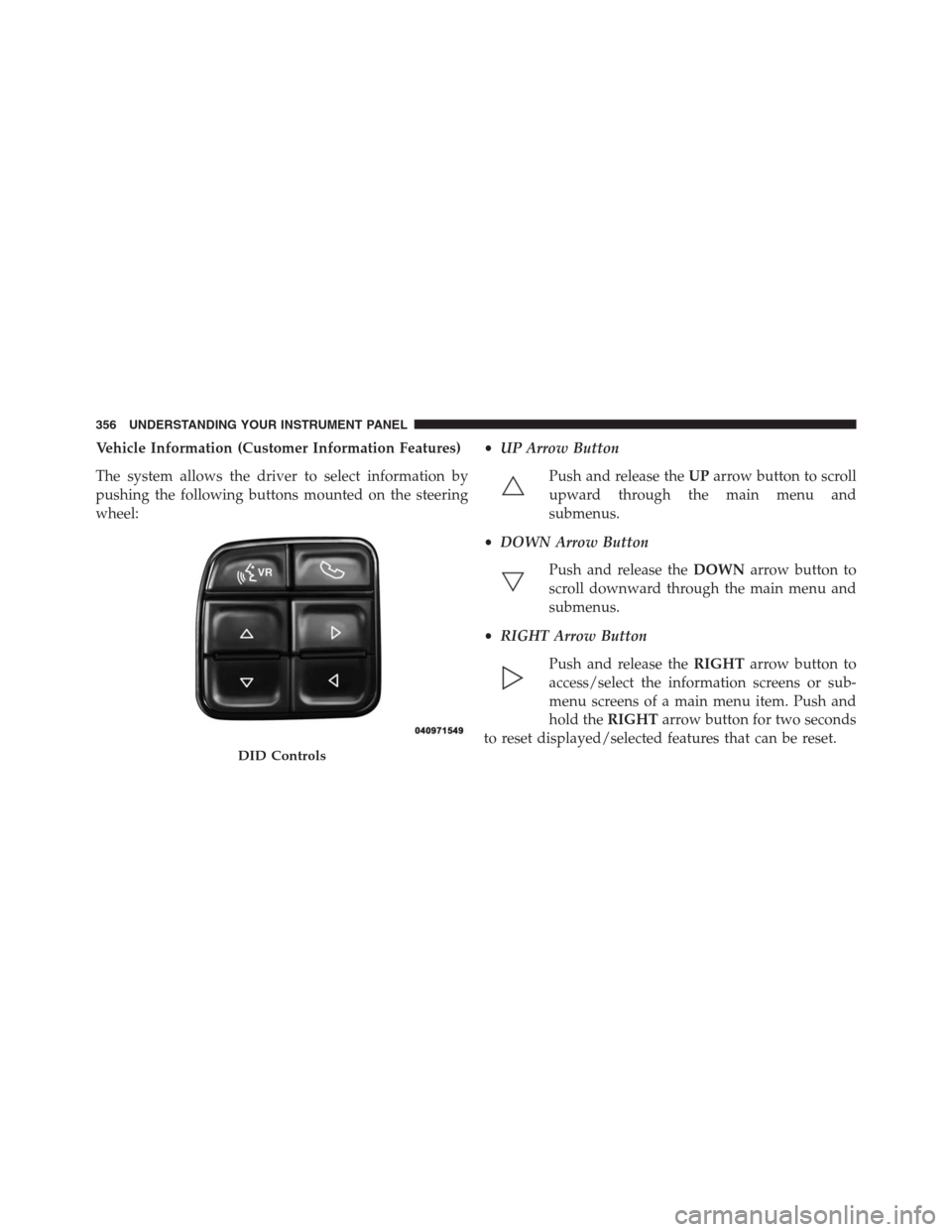
Vehicle Information (Customer Information Features)
The system allows the driver to select information by
pushing the following buttons mounted on the steering
wheel:•UP Arrow Button
Push and release theUParrow button to scroll
upward through the main menu and
submenus.
•DOWN Arrow Button
Push and release theDOWNarrow button to
scroll downward through the main menu and
submenus.
•RIGHT Arrow Button
Push and release theRIGHTarrow button to
access/select the information screens or sub-
menu screens of a main menu item. Push and
hold theRIGHTarrow button for two seconds
to reset displayed/selected features that can be reset.
DID Controls
356 UNDERSTANDING YOUR INSTRUMENT PANEL
Page 362 of 916
Vehicles Not Equipped With Passive Entry
1. Without pushing the brake pedal, cycle the ignition to
the ON/RUN position (do not start the engine).
2. Push and release theDOWNarrow button to scroll
downward through the main menu to “Vehicle Info.”
3. Push and release theRIGHTarrow button to access
the “Oil Life” screen.
4. Push and hold theRIGHTarrow button for one
second to access the “Oil Life Reset” screen.
5. Push and release theDOWNarrow button to select
“Yes,” then push and release theRIGHTarrow button
to select reset of the Oil Life.
6. Push and release theUParrow button to exit the DID
screen.NOTE:If the indicator message illuminates when you
start the vehicle, the oil change indicator system did not
reset. If necessary, repeat this procedure.
DID Messages
•Front Seatbelts Unbuckled
•Driver Seatbelt Unbuckled
•Passenger Seatbelt Unbuckled
•Service Airbag System
•Traction Control Off
•Washer Fluid Low
•Oil Pressure Low
•Oil Change Due
•Fuel Low
•Service Antilock Brake System
360 UNDERSTANDING YOUR INSTRUMENT PANEL
Page 397 of 916

•Loudness — If Equipped
This feature improves sound quality at lower volumes.
To make your selection, press the “Loudness” button on
the touchscreen, select “On” or “Off.”
Compass Settings — If Equipped
After pressing the “Compass Settings” button on the
touchscreen the following settings will be available:
•Variance
Compass Variance is the difference between Magnetic
North and Geographic North. To compensate for the
differences the variance should be set for the zone where
the vehicle is driven, per the zone map. Once properly
set, the compass will automatically compensate for the
differences, and provide the most accurate compass
heading.NOTE:Keep magnetic materials away from the top of the
instrument panel, such as iPod’s, Mobile Phones, Lap-
tops and Radar Detectors. This is where the compass
module is located, and it can cause interference with the
compass sensor, and it may give false readings.
Compass Variance Map
4
UNDERSTANDING YOUR INSTRUMENT PANEL 395
Page 462 of 916
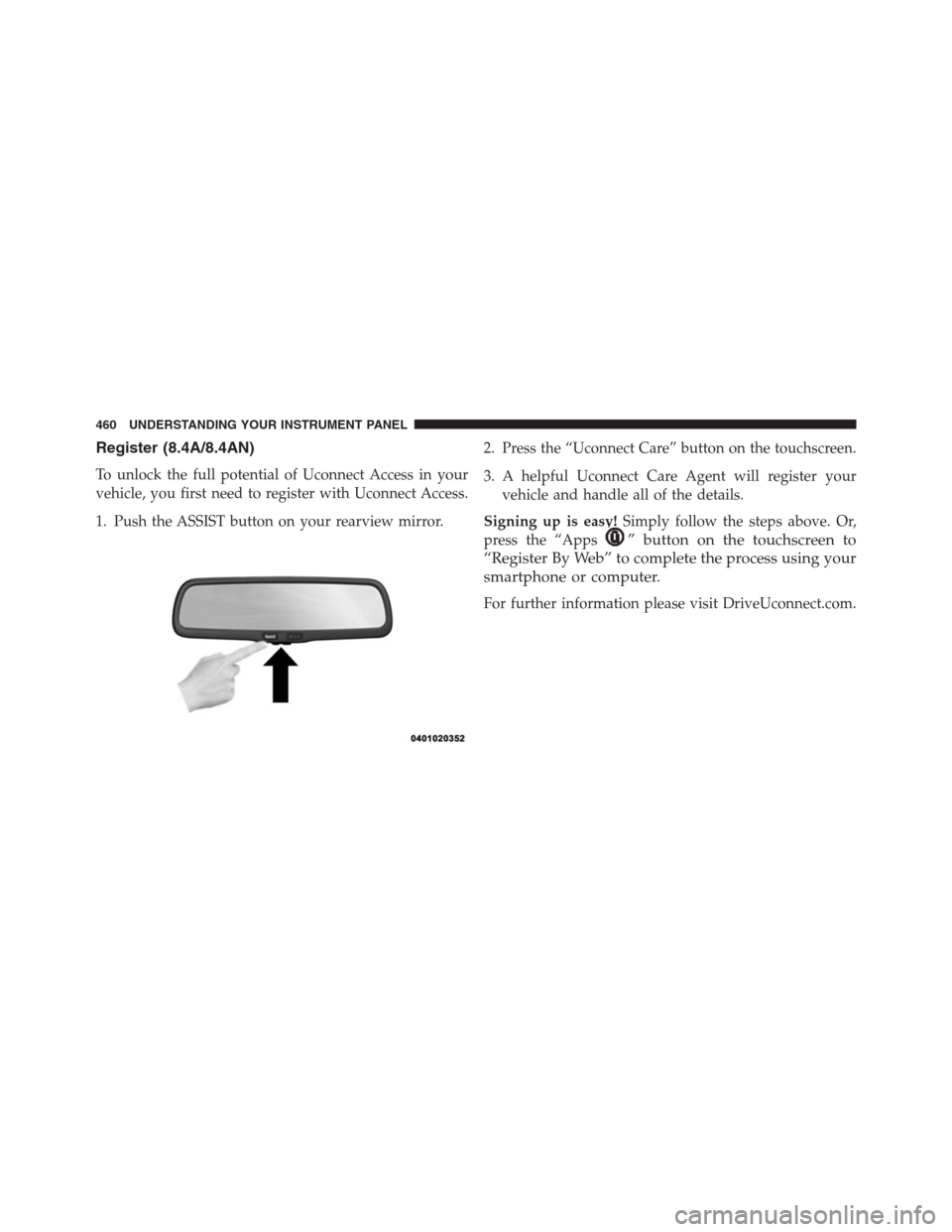
Register (8.4A/8.4AN)
To unlock the full potential of Uconnect Access in your
vehicle, you first need to register with Uconnect Access.
1. Push the ASSIST button on your rearview mirror.2. Press the “Uconnect Care” button on the touchscreen.
3. A helpful Uconnect Care Agent will register your
vehicle and handle all of the details.
Signing up is easy!Simply follow the steps above. Or,
press the “Apps
” button on the touchscreen to
“Register By Web” to complete the process using your
smartphone or computer.
For further information please visit DriveUconnect.com.
460 UNDERSTANDING YOUR INSTRUMENT PANEL
Page 470 of 916
Uconnect System Support:
•U.S. residents call 1-877-855-8400 (24 hours a day 7
days a week) or visit DriveUconnect.com
•Canadian residents call 1-800-465-2001 (English) or
1-800-387-9983 (French) or visit DriveUconnect.ca
Mon. – Fri., 8:00 am – 8:00 pm, ET
Sat., 9:00 am – 5:00 pm, ET
Sun., Closed
Uconnect Access Services Support 1-855-792-4241 Please
have your Uconnect Security PIN ready when you call.
468 UNDERSTANDING YOUR INSTRUMENT PANEL
Page 480 of 916
Automatic Transmission
Start the engine with the transmission in PARK position.
Apply the brake before shifting into any driving range.
NOTE:
•This vehicle is equipped with a transmission shift
interlocking system. The brake pedal must be pressed
to shift out of PARK.
•If equipped with an 8 speed transmission starting the
vehicle in NEUTRAL is not possible unless the Manual
Park Release has been activated. For the Manual Park
Release operation refer to Manual Park Release in
“What To Do In Emergencies”.
Tip Start Feature
Do notpress the accelerator. Cycle the ignition switch
briefly to the START position and release it. The starter
motor will continue to run but will automatically disen-
gage when the engine is running.
Keyless Enter-N-Go
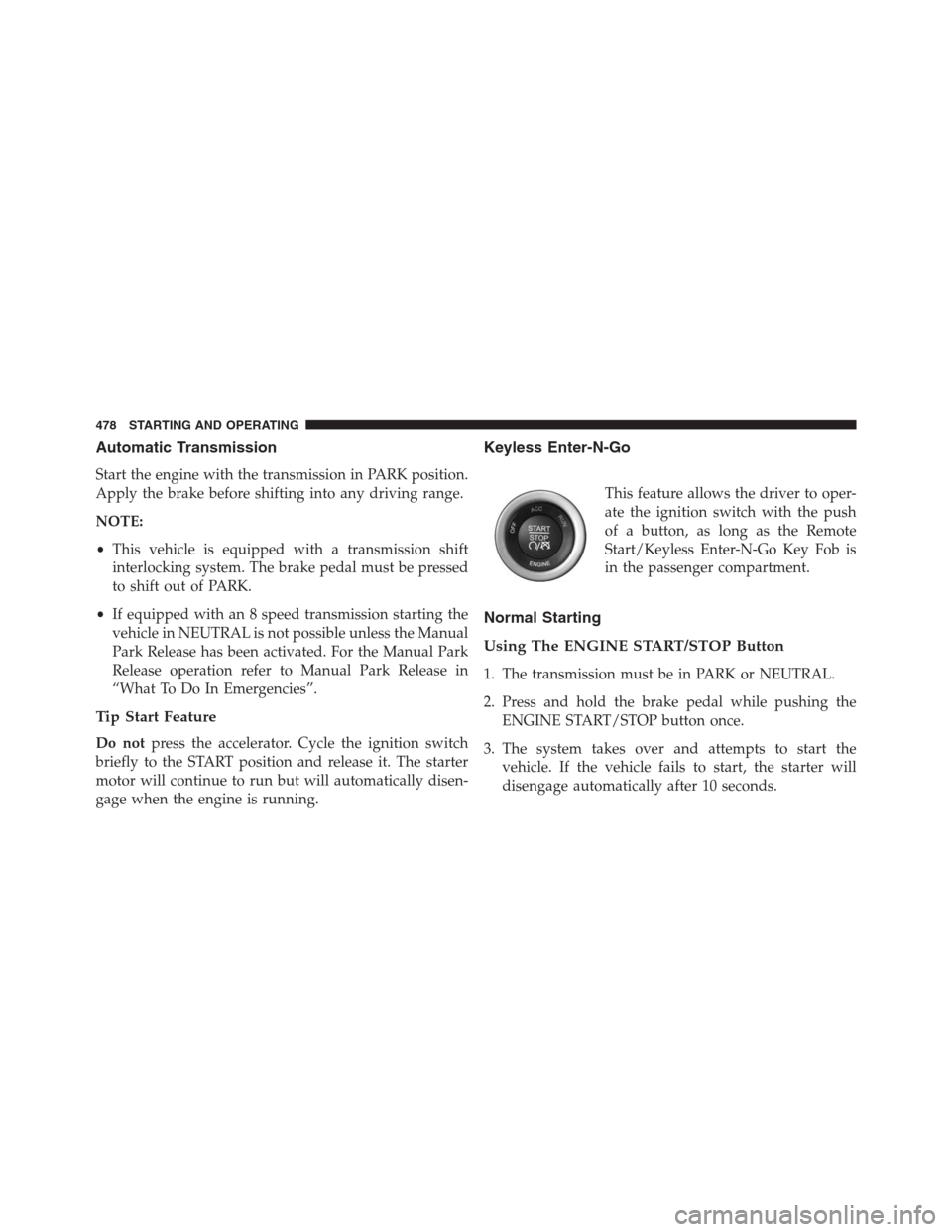
This feature allows the driver to oper-
ate the ignition switch with the push
of a button, as long as the Remote
Start/Keyless Enter-N-Go Key Fob is
in the passenger compartment.
Normal Starting
Using The ENGINE START/STOP Button
1. The transmission must be in PARK or NEUTRAL.
2. Press and hold the brake pedal while pushing the
ENGINE START/STOP button once.
3. The system takes over and attempts to start the
vehicle. If the vehicle fails to start, the starter will
disengage automatically after 10 seconds.
478 STARTING AND OPERATING