all Ram 1500 2016 Owner's Manual
[x] Cancel search | Manufacturer: RAM, Model Year: 2016, Model line: 1500, Model: Ram 1500 2016Pages: 916, PDF Size: 7.55 MB
Page 498 of 916
In the event of a momentary problem, the transmission
can be reset to regain all forward gears by performing the
following steps:
NOTE:In cases where the instrument cluster message
indicates the transmission may not re-engage after en-
gine shutdown, perform this procedure only in a desired
location (preferably, at your authorized dealer).
1. Stop the vehicle.
2. Shift the transmission into PARK, if possible. If not,
shift the transmission to NEUTRAL.
3. Turn the ignition switch to the OFF position. On
vehicles with Keyless Enter-N-Go, push and hold the
ignition switch until the engine turns OFF.
4. Wait approximately 30 seconds.
5. Restart the engine.6. Shift into the desired gear range. If the problem is no
longer detected, the transmission will return to normal
operation.
NOTE:Even if the transmission can be reset, we recom-
mend that you visit your authorized dealer at your
earliest possible convenience. Your authorized dealer has
diagnostic equipment to determine if the problem could
recur.
If the transmission cannot be reset, authorized dealer
service is required.
Electronic Range Select (ERS) Operation —
Eight-Speed Transmission
The Electronic Range Select (ERS) shift control allows the
driver to limit the highest available gear when the
transmission is in DRIVE. For example, if you set the
496 STARTING AND OPERATING
Page 499 of 916
transmission gear limit to 4 (fourth gear), the transmis-
sion will not shift above fourth gear (except to prevent
engine overspeed), but will shift through the lower gears
normally.
You can switch between DRIVE and ERS mode at any
vehicle speed. When the transmission gear selector is in
DRIVE, the transmission will operate automatically, shift-
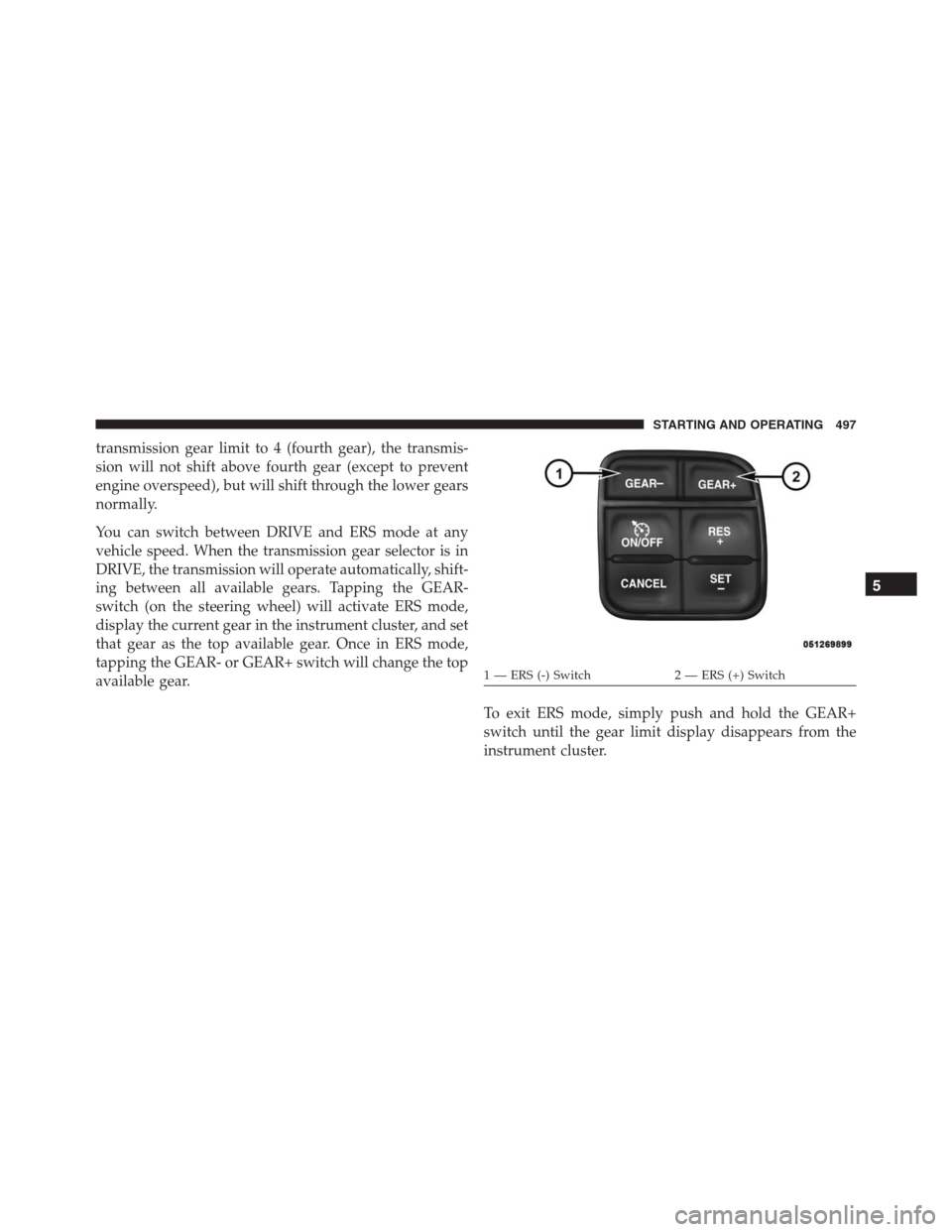
ing between all available gears. Tapping the GEAR-
switch (on the steering wheel) will activate ERS mode,
display the current gear in the instrument cluster, and set
that gear as the top available gear. Once in ERS mode,
tapping the GEAR- or GEAR+ switch will change the top
available gear.
To exit ERS mode, simply push and hold the GEAR+
switch until the gear limit display disappears from the
instrument cluster.
1 — ERS (-) Switch 2 — ERS (+) Switch
5
STARTING AND OPERATING 497
Page 501 of 916
the default at engine start-up. If TOW/HAUL mode is
desired, the switch must be pushed each time the engine
is started.
Six-Speed Automatic Transmission — 1500
Models Only (If Equipped)
The transmission gear position display (located in the
instrument cluster) indicates the transmission gear range.
The shift lever is mounted either on the right side of the
steering column (if equipped) or on the console (if
equipped). You must press the brake pedal to move the
shift lever out of PARK (refer to “Brake/Transmission
Shift Interlock System” in this section). To drive, move
the shift lever from PARK or NEUTRAL to the DRIVE
position. Pull the shift lever toward you when shifting
into REVERSE or PARK, or when shifting out of PARK
(column shift only).
The electronically-controlled transmission provides a
precise shift schedule. The transmission electronics areself-calibrating; therefore, the first few shifts on a new
vehicle may be somewhat abrupt. This is a normal
condition, and precision shifts will develop within a few
hundred miles (kilometers).
Only shift from DRIVE to PARK or REVERSE when the
accelerator pedal is released and the vehicle is stopped.
Be sure to keep your foot on the brake pedal when
shifting between these gears.
The transmission shift lever has only PARK, REVERSE,
NEUTRAL, and DRIVE shift positions. Manual down-
shifts can be made using the Electronic Range Select
(ERS) shift control (refer to “Electronic Range Select (ERS)
Operation” in this section for further information). Press-
ing the ERS (-/+) switches (column shift) or moving the
shift lever to the left or right (-/+) (console shift) while in
the DRIVE position will select the highest available
transmission gear, and will display that gear limit in the
instrument cluster as 1, 2, 3, etc. Models with the Driver
5
STARTING AND OPERATING 499
Page 502 of 916
Information Display (DID) will display both the selected
gear limit, and the actual current gear, while in ERS
mode.
Gear Ranges
DO NOT race the engine when shifting from PARK or
NEUTRAL into another gear range.
NOTE:After selecting any gear range, wait a moment to
allow the selected gear to engage before accelerating.
This is especially important when the engine is cold.
PARK (P)
This range supplements the parking brake by locking the
transmission. The engine can be started in this range.
Never attempt to use PARK while the vehicle is in
motion. Apply the parking brake when leaving the
vehicle in this range.When parking on a level surface, you may shift the
transmission into PARK first, and then apply the parking
brake.
When parking on a hill, apply the parking brake before
shifting the transmission to PARK, otherwise the load on
the transmission locking mechanism may make it diffi-
cult to move the shift lever out of PARK. As an added
precaution, turn the front wheels toward the curb on a
downhill grade and away from the curb on an uphill
grade.
WARNING!
•Never use the PARK position as a substitute for the
parking brake. Always apply the parking brake
fully when parked to guard against vehicle move-
ment and possible injury or damage.
(Continued)
500 STARTING AND OPERATING
Page 503 of 916

WARNING!(Continued)
•Your vehicle could move and injure you and others
if it is not in PARK. Check by trying to move the
shift lever out of PARK with the brake pedal
released. Make sure the transmission is in PARK
before leaving the vehicle.
•It is dangerous to shift out of PARK or NEUTRAL
if the engine speed is higher than idle speed. If
your foot is not firmly pressing the brake pedal, the
vehicle could accelerate quickly forward or in re-
verse. You could lose control of the vehicle and hit
someone or something. Only shift into gear when
the engine is idling normally and your foot is
firmly pressing the brake pedal.
•Unintended movement of a vehicle could injure
those in or near the vehicle. As with all vehicles,
you should never exit a vehicle while the engine is
(Continued)
WARNING!(Continued)
running. When the ignition is in the LOCK/OFF
(key removal) position, the transmission is locked
in PARK, securing the vehicle against unwanted
movement.
•Before exiting a vehicle, always apply the parking
brake, shift the automatic transmission into PARK
or the manual transmission into REVERSE, turn
the vehicle OFF, remove the key fob from the
ignition and lock your vehicle. If equipped with
Keyless Enter-N-Go, always make sure the keyless
ignition node is in “OFF” mode, remove the Key
Fob from the vehicle and lock the vehicle.
•When leaving the vehicle, always make sure the
ignition is in the OFF position, remove the Key Fob
from the vehicle, and lock the vehicle.
•Never leave children alone in a vehicle, or with
(Continued)
5
STARTING AND OPERATING 501
Page 504 of 916
WARNING!(Continued)
access to an unlocked vehicle. Allowing children to
be in a vehicle unattended is dangerous for a
number of reasons. A child or others could be
seriously or fatally injured. Children should be
warned not to touch the parking brake, brake pedal
or the gear selector.
•Do not leave the Key Fob in or near the vehicle (or
in a location accessible to children), and do not
leave the ignition (in a vehicle equipped with
Keyless Enter-N-Go) in the ACC or ON/RUN
mode. A child could operate power windows, other
controls, or move the vehicle.
CAUTION!
•Before moving the shift lever out of PARK, you
must turn the ignition switch from the LOCK/OFF
position to the ON/RUN position, and also press
the brake pedal. Otherwise, damage to the shift
lever could result.
•DO NOT race the engine when shifting from
PARK or NEUTRAL into another gear range, as this
can damage the drivetrain.
The following indicators should be used to ensure that
you have engaged the transmission into the PARK posi-
tion:
•When shifting into PARK, pull the column-mounted
shift lever toward you and move it all the way
counterclockwise until it stops. For console-mounted
shifter, firmly move the shift lever all the way forward
and to the left until it stops.
502 STARTING AND OPERATING
Page 506 of 916
DRIVE (D)
This range should be used for most city and highway
driving. It provides the smoothest upshifts and down-
shifts, and the best fuel economy. The transmission
automatically upshifts through underdrive first and sec-
ond gears, direct third gear and overdrive fourth and
fifth gears. The DRIVE position provides optimum driv-
ing characteristics under all normal operating conditions.
To access all six available gears, you must use the
Electronic Range Select (ERS) shift control, described
below.
When frequent transmission shifting occurs (such as
when operating the vehicle under heavy loading condi-
tions, in hilly terrain, traveling into strong head winds, or
while towing heavy trailers), use the Electronic Range
Select (ERS) shift control (refer to “Electronic RangeSelect (ERS) Operation” in this section for further infor-
mation) to select a lower gear range. Under these condi-
tions, using a lower gear range will improve performance
and extend transmission life by reducing excessive shift-
ing and heat buildup.
If the transmission temperature exceeds normal operat-
ing limits, the powertrain controller will modify the
transmission shift schedule and expand the range of
torque converter clutch engagement. This is done to
prevent transmission damage due to overheating.
If the transmission becomes extremely hot or is in danger
of overheating, the “Transmission Temperature Warning
Light” may illuminate and the transmission may operate
differently until the transmission cools down.
504 STARTING AND OPERATING
Page 507 of 916
NOTE:Use caution when operating a heavily loaded
vehicle at low speeds (such as towing a trailer up a steep
grade, or in stop-and-go traffic) during hot weather. In
these conditions, torque converter slip can impose a
significant additional heat load on the cooling system.
Downshifting the transmission to the lowest possible
gear (when climbing a grade), or shifting to NEUTRAL
(when stopped in heavy traffic) can help to reduce this
excess heat generation.
During cold temperatures, transmission operation may
be modified depending on engine and transmission
temperature as well as vehicle speed. This feature im-
proves warm up time of the engine and transmission to
achieve maximum efficiency. Engagement of both the
torque converter clutch and the top overdrive gear are
inhibited until the transmission fluid is warm (refer to the
“Note” under “Torque Converter Clutch” in this section).During extremely cold temperatures (-16°F [-27°C] or
below), operation may briefly be limited to first and
direct gears only. Normal operation will resume once the
transmission temperature has risen to a suitable level.
Transmission Limp Home Mode
Transmission function is monitored electronically for
abnormal conditions. If a condition is detected that could
result in transmission damage, Transmission Limp Home
Mode is activated. In this mode, the transmission remains
in direct gear regardless of which forward gear is se-
lected. PARK, REVERSE, and NEUTRAL will continue to
operate. The Malfunction Indicator Light (MIL) may be
illuminated. Limp Home Mode allows the vehicle to be
driven to an authorized dealer for service without dam-
aging the transmission.
5
STARTING AND OPERATING 505
Page 508 of 916
In the event of a momentary problem, the transmission
can be reset to regain all forward gears by performing the
following steps:
1. Stop the vehicle.
2. Shift the transmission into PARK.
3. Turn the ignition switch to the OFF position.
4. Wait approximately 10 seconds.
5. Restart the engine.
6. Shift into the desired gear range. If the problem is no
longer detected, the transmission will return to normal
operation.
NOTE:Even if the transmission can be reset, we recom-
mend that you visit your authorized dealer at your
earliest possible convenience. Your authorized dealer has
diagnostic equipment to determine if the problem could
recur.If the transmission cannot be reset, authorized dealer
service is required.
Electronic Range Select (ERS) Operation —
Six-Speed Transmission (1500 Models Only)
The Electronic Range Select (ERS) shift control allows the
driver to limit the highest available gear when the
transmission is in DRIVE. For example, if you set the
transmission gear limit to 4 (fourth gear), the transmis-
sion will not shift above fourth gear, but will shift
through the lower gears normally.
Use of ERS (or TOW/HAUL mode) also enables an
additional underdrive gear which is not normally used
during through-gear accelerations. This additional gear
can improve vehicle performance and cooling capability
when towing a trailer on certain grades. In ERS mode,
gears 1 though 3 are underdrive gears, and ERS 4 is direct
drive. ERS 5 and 6 (Overdrive gears) are the same as the
normal fourth and fifth gears.
506 STARTING AND OPERATING
Page 509 of 916
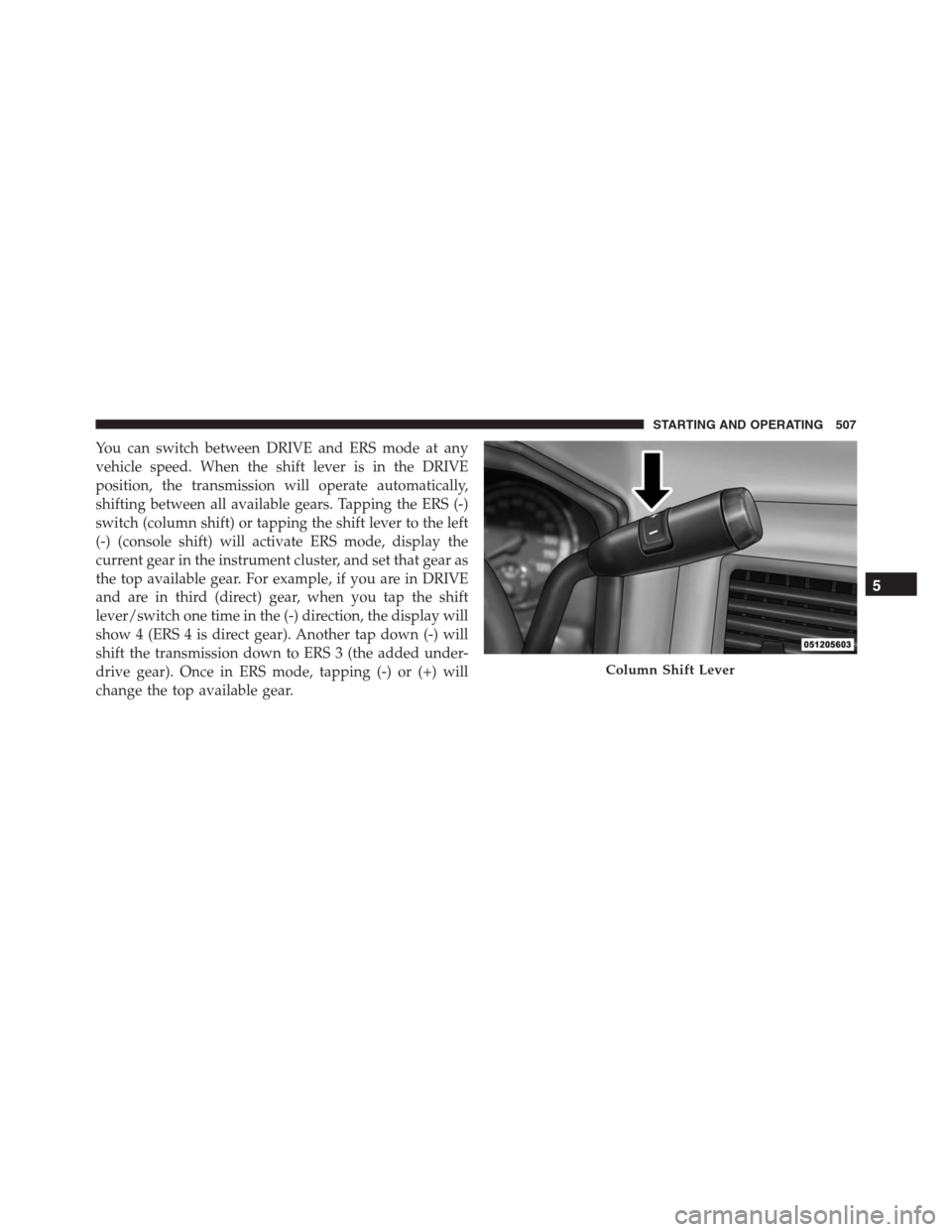
You can switch between DRIVE and ERS mode at any
vehicle speed. When the shift lever is in the DRIVE
position, the transmission will operate automatically,
shifting between all available gears. Tapping the ERS (-)
switch (column shift) or tapping the shift lever to the left
(-) (console shift) will activate ERS mode, display the
current gear in the instrument cluster, and set that gear as
the top available gear. For example, if you are in DRIVE
and are in third (direct) gear, when you tap the shift
lever/switch one time in the (-) direction, the display will
show 4 (ERS 4 is direct gear). Another tap down (-) will
shift the transmission down to ERS 3 (the added under-
drive gear). Once in ERS mode, tapping (-) or (+) will
change the top available gear.
Column Shift Lever
5
STARTING AND OPERATING 507