AIR Ram 1500 2017 Service Manual
[x] Cancel search | Manufacturer: RAM, Model Year: 2017, Model line: 1500, Model: Ram 1500 2017Pages: 734, PDF Size: 7.3 MB
Page 279 of 734
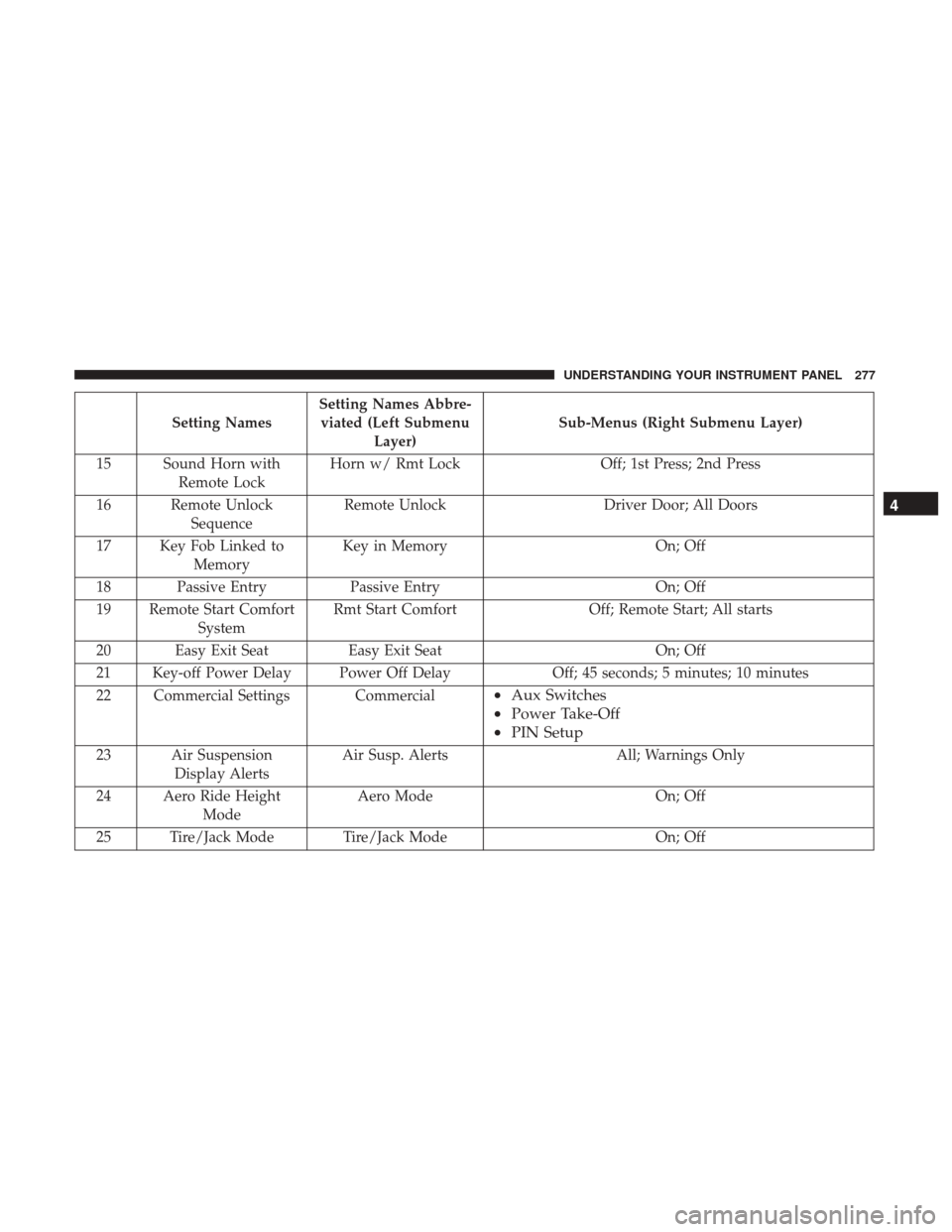
Setting NamesSetting Names Abbre-
viated (Left Submenu Layer) Sub-Menus (Right Submenu Layer)
15 Sound Horn with Remote Lock Horn w/ Rmt Lock
Off; 1st Press; 2nd Press
16 Remote Unlock Sequence Remote Unlock
Driver Door; All Doors
17 Key Fob Linked to Memory Key in Memory
On; Off
18 Passive Entry Passive Entry On; Off
19 Remote Start Comfort System Rmt Start Comfort
Off; Remote Start; All starts
20 Easy Exit Seat Easy Exit Seat On; Off
21 Key-off Power Delay Power Off Delay Off; 45 seconds; 5 minutes; 10 minutes
22 Commercial Settings Commercial
• Aux Switches
• Power Take-Off
• PIN Setup
23 Air Suspension
Display Alerts Air Susp. Alerts All; Warnings Only
24 Aero Ride Height Mode Aero Mode
On; Off
25 Tire/Jack Mode Tire/Jack Mode On; Off
4
UNDERSTANDING YOUR INSTRUMENT PANEL 277
Page 282 of 734
Turn Menu OFF — If Equipped
Push and release therightarrow button to exit the main
menu.
Push and release any instrument cluster display control
button to enter the instrument cluster display main menu
again.
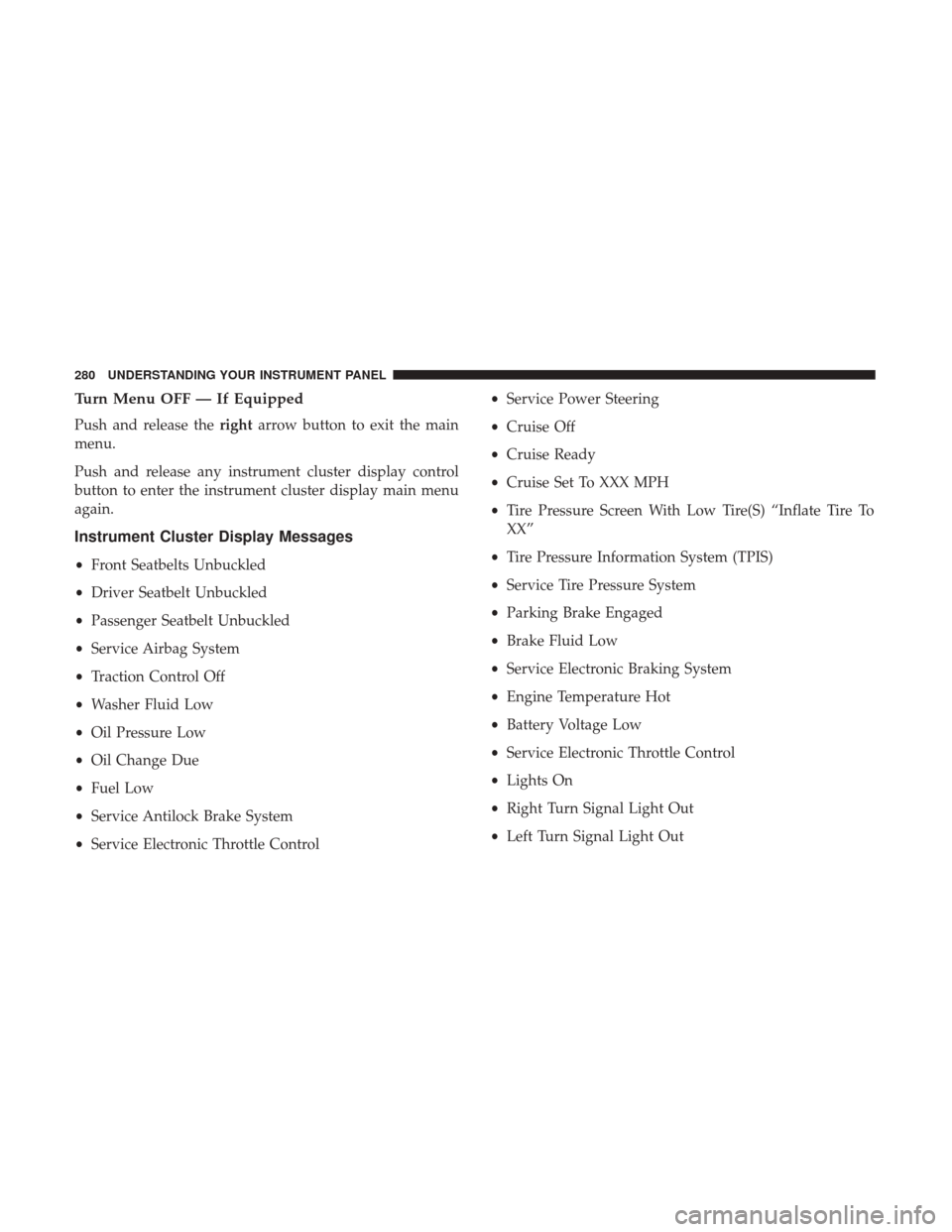
Instrument Cluster Display Messages
• Front Seatbelts Unbuckled
• Driver Seatbelt Unbuckled
• Passenger Seatbelt Unbuckled
• Service Airbag System
• Traction Control Off
• Washer Fluid Low
• Oil Pressure Low
• Oil Change Due
• Fuel Low
• Service Antilock Brake System
• Service Electronic Throttle Control •
Service Power Steering
• Cruise Off
• Cruise Ready
• Cruise Set To XXX MPH
• Tire Pressure Screen With Low Tire(S) “Inflate Tire To
XX”
• Tire Pressure Information System (TPIS)
• Service Tire Pressure System
• Parking Brake Engaged
• Brake Fluid Low
• Service Electronic Braking System
• Engine Temperature Hot
• Battery Voltage Low
• Service Electronic Throttle Control
• Lights On
• Right Turn Signal Light Out
• Left Turn Signal Light Out
280 UNDERSTANDING YOUR INSTRUMENT PANEL
Page 283 of 734
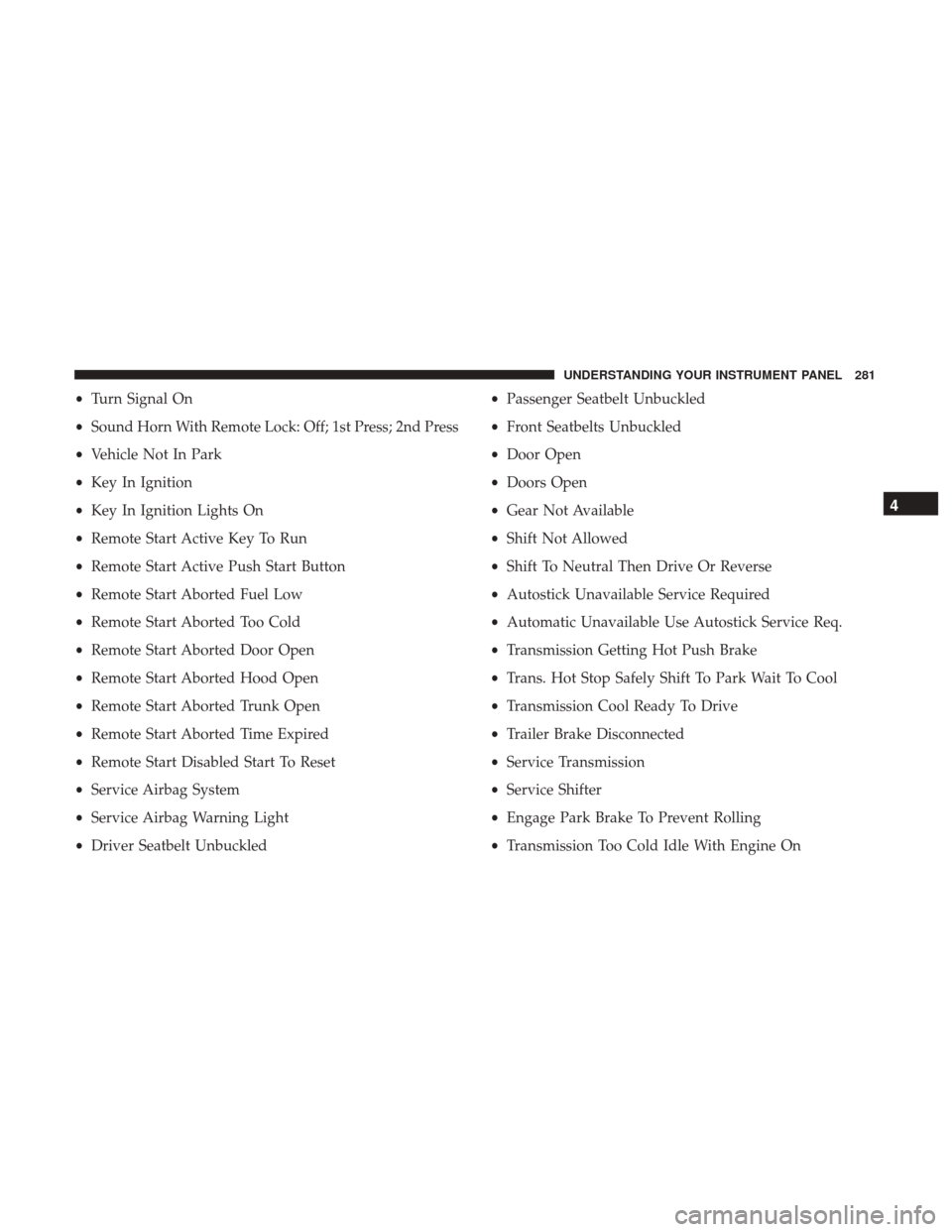
•Turn Signal On
• Sound Horn With Remote Lock: Off; 1st Press; 2nd Press
• Vehicle Not In Park
• Key In Ignition
• Key In Ignition Lights On
• Remote Start Active Key To Run
• Remote Start Active Push Start Button
• Remote Start Aborted Fuel Low
• Remote Start Aborted Too Cold
• Remote Start Aborted Door Open
• Remote Start Aborted Hood Open
• Remote Start Aborted Trunk Open
• Remote Start Aborted Time Expired
• Remote Start Disabled Start To Reset
• Service Airbag System
• Service Airbag Warning Light
• Driver Seatbelt Unbuckled •
Passenger Seatbelt Unbuckled
• Front Seatbelts Unbuckled
• Door Open
• Doors Open
• Gear Not Available
• Shift Not Allowed
• Shift To Neutral Then Drive Or Reverse
• Autostick Unavailable Service Required
• Automatic Unavailable Use Autostick Service Req.
• Transmission Getting Hot Push Brake
• Trans. Hot Stop Safely Shift To Park Wait To Cool
• Transmission Cool Ready To Drive
• Trailer Brake Disconnected
• Service Transmission
• Service Shifter
• Engage Park Brake To Prevent Rolling
• Transmission Too Cold Idle With Engine On
4
UNDERSTANDING YOUR INSTRUMENT PANEL 281
Page 284 of 734
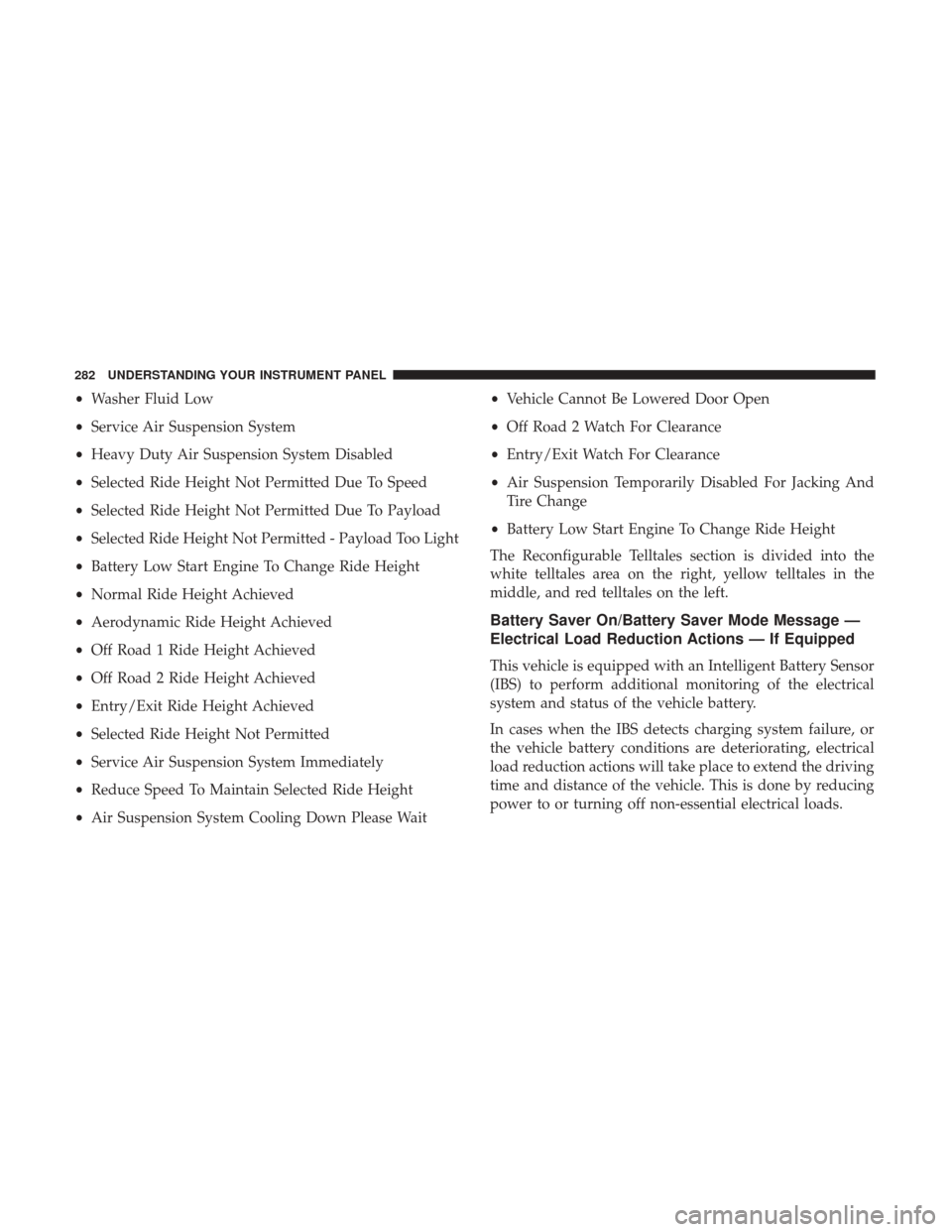
•Washer Fluid Low
• Service Air Suspension System
• Heavy Duty Air Suspension System Disabled
• Selected Ride Height Not Permitted Due To Speed
• Selected Ride Height Not Permitted Due To Payload
• Selected Ride Height Not Permitted - Payload Too Light
• Battery Low Start Engine To Change Ride Height
• Normal Ride Height Achieved
• Aerodynamic Ride Height Achieved
• Off Road 1 Ride Height Achieved
• Off Road 2 Ride Height Achieved
• Entry/Exit Ride Height Achieved
• Selected Ride Height Not Permitted
• Service Air Suspension System Immediately
• Reduce Speed To Maintain Selected Ride Height
• Air Suspension System Cooling Down Please Wait •
Vehicle Cannot Be Lowered Door Open
• Off Road 2 Watch For Clearance
• Entry/Exit Watch For Clearance
• Air Suspension Temporarily Disabled For Jacking And
Tire Change
• Battery Low Start Engine To Change Ride Height
The Reconfigurable Telltales section is divided into the
white telltales area on the right, yellow telltales in the
middle, and red telltales on the left.
Battery Saver On/Battery Saver Mode Message —
Electrical Load Reduction Actions — If Equipped
This vehicle is equipped with an Intelligent Battery Sensor
(IBS) to perform additional monitoring of the electrical
system and status of the vehicle battery.
In cases when the IBS detects charging system failure, or
the vehicle battery conditions are deteriorating, electrical
load reduction actions will take place to extend the driving
time and distance of the vehicle. This is done by reducing
power to or turning off non-essential electrical loads.
282 UNDERSTANDING YOUR INSTRUMENT PANEL
Page 287 of 734
CYBERSECURITY
Your vehicle may be a connected vehicle and may be
equipped with both wired and wireless networks. These
networks allow your vehicle to send and receive informa-
tion. This information allows systems and features in your
vehicle to function properly.
Your vehicle may be equipped with certain security fea-
tures to reduce the risk of unauthorized and unlawful
access to vehicle systems and wireless communications.
Vehicle software technology continues to evolve over time
and FCA US LLC, working with its suppliers, evaluates
and takes appropriate steps as needed. Similar to a com-
puter or other devices, your vehicle may require software
updates to improve the usability and performance of your
systems or to reduce the potential risk of unauthorized and
unlawful access to your vehicle systems.
The risk of unauthorized and unlawful access to your
vehicle systems may still exist, even if the most recent
version of vehicle software (such as Uconnect software) is
installed.
WARNING!
•It is not possible to know or to predict all of the
possible outcomes if your vehicle’s systems are
breached. It may be possible that vehicle systems,
including safety related systems, could be impaired
or a loss of vehicle control could occur that may
result in an accident involving serious injury or
death.
• ONLY insert media (e.g., USB, SD card, or CD) into
your vehicle if it came from a trusted source. Media
of unknown origin could possibly contain malicious
software, and if installed in your vehicle, it may
increase the possibility for vehicle systems to be
breached.
• As always, if you experience unusual vehicle behav-
ior, take your vehicle to your nearest authorized
dealer immediately.
4
UNDERSTANDING YOUR INSTRUMENT PANEL 285
Page 302 of 734
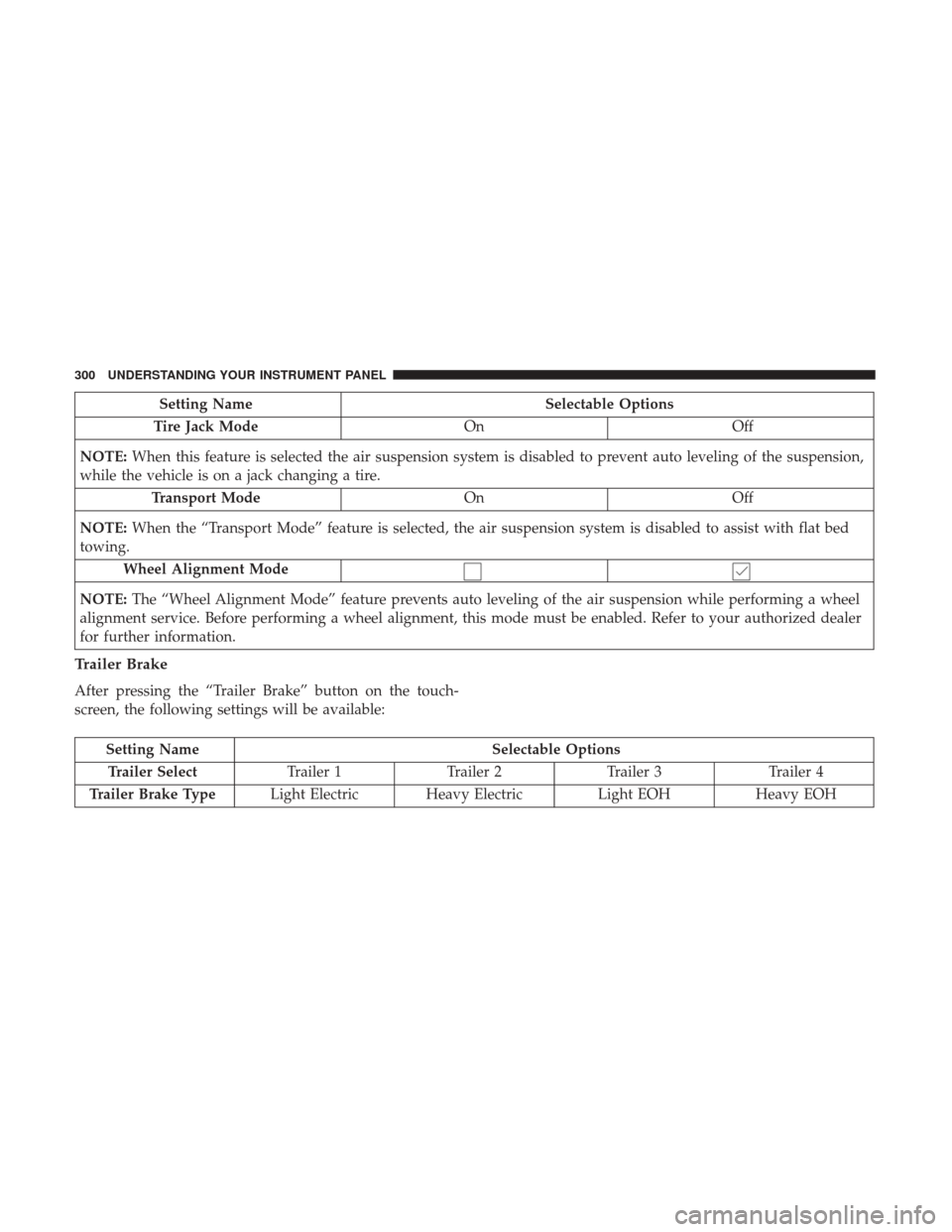
Setting NameSelectable Options
Tire Jack Mode OnOff
NOTE: When this feature is selected the air suspension system is disabled to prevent auto leveling of the suspension,
while the vehicle is on a jack changing a tire.
Transport Mode OnOff
NOTE: When the “Transport Mode” feature is selected, the air suspension system is disabled to assist with flat bed
towing.
Wheel Alignment Mode
NOTE: The “Wheel Alignment Mode” feature prevents auto leveling of the air suspension while performing a wheel
alignment service. Before performing a wheel alignment, this mode must be enabled. Refer to your authorized dealer
for further information.
Trailer Brake
After pressing the “Trailer Brake” button on the touch-
screen, the following settings will be available:
Setting Name Selectable Options
Trailer Select Trailer 1Trailer 2Trailer 3 Trailer 4
Trailer Brake Type Light Electric Heavy Electric Light EOHHeavy EOH
300 UNDERSTANDING YOUR INSTRUMENT PANEL
Page 306 of 734

Phone/Bluetooth
After pressing the “Phone/Bluetooth” button on the touch-
screen the following settings will be available:
Setting NameSelectable Options
Paired Phones List of Paired Phones
NOTE:
The “Paired Phones” feature shows which phones are paired to the Phone/Bluetooth system. For further information,
refer to the Uconnect Owner ’s Manual Supplement.
SiriusXM Setup — If Equipped
After pressing the “SiriusXM Setup” button on the touch-
screen, the following settings will be available:
Setting Name Selectable Options
Channel Skip List of Channels
NOTE: SiriusXM can be programmed to exclude undesirable channels while scanning. To make your selection, press
the “Channel Skip” button on the touchscreen, select the channels you would like to skip.
304 UNDERSTANDING YOUR INSTRUMENT PANEL
Page 315 of 734
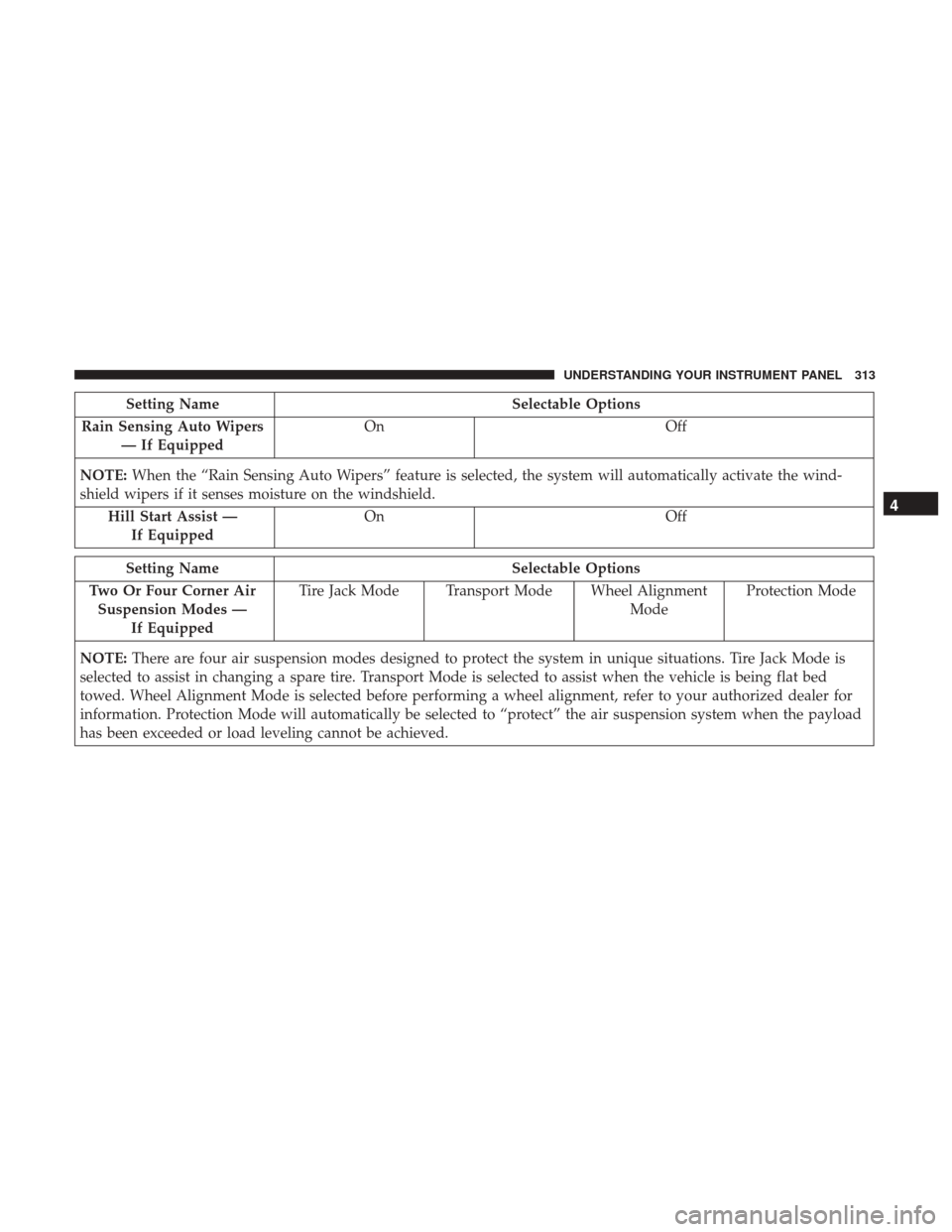
Setting NameSelectable Options
Rain Sensing Auto Wipers — If Equipped On
Off
NOTE: When the “Rain Sensing Auto Wipers” feature is selected, the system will automatically activate the wind-
shield wipers if it senses moisture on the windshield.
Hill Start Assist —If Equipped On
Off
Setting Name Selectable Options
Two Or Four Corner Air Suspension Modes — If Equipped Tire Jack Mode Transport Mode Wheel Alignment
ModeProtection Mode
NOTE: There are four air suspension modes designed to protect the system in unique situations. Tire Jack Mode is
selected to assist in changing a spare tire. Transport Mode is selected to assist when the vehicle is being flat bed
towed. Wheel Alignment Mode is selected before performing a wheel alignment, refer to your authorized dealer for
information. Protection Mode will automatically be selected to “protect” the air suspension system when the payload
has been exceeded or load leveling cannot be achieved.
4
UNDERSTANDING YOUR INSTRUMENT PANEL 313
Page 321 of 734
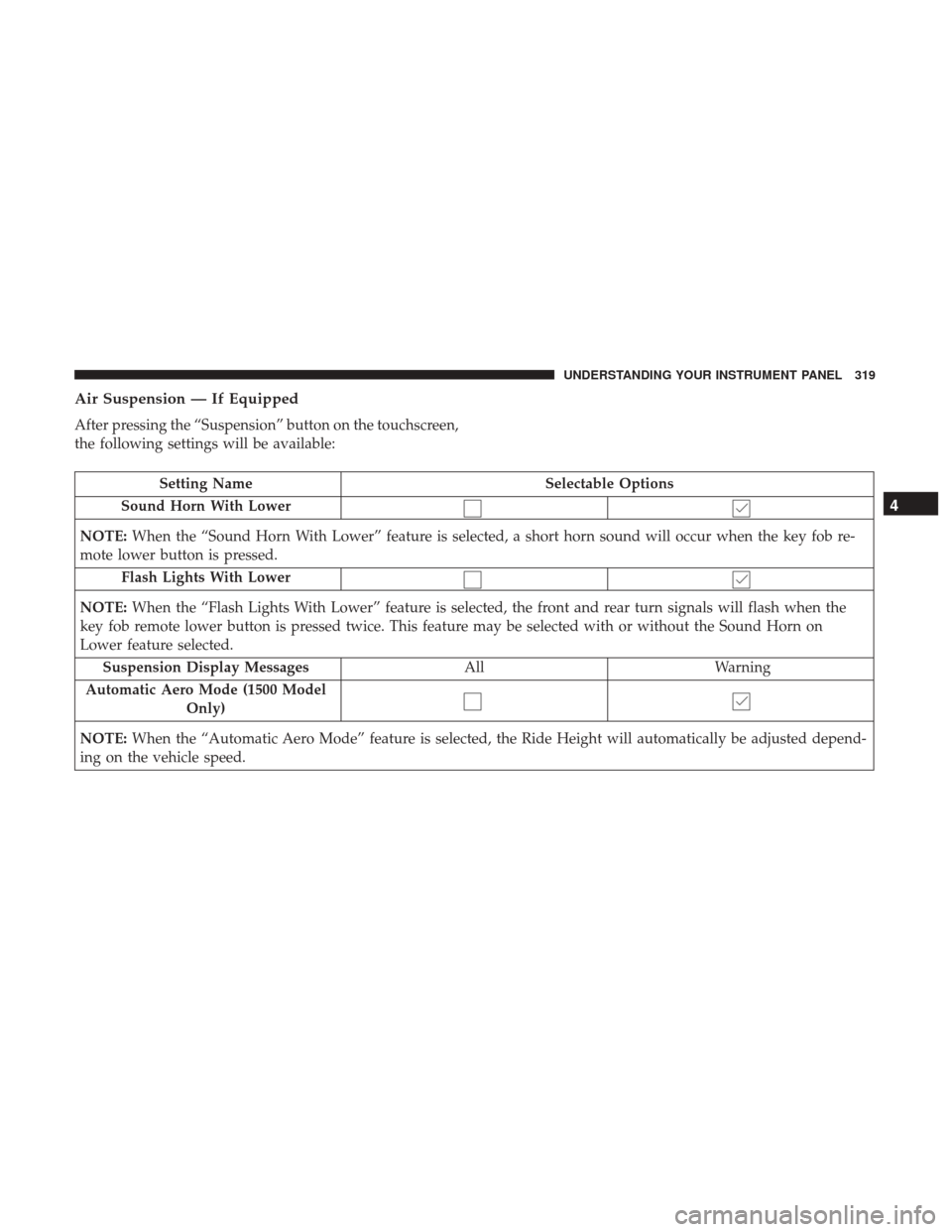
Air Suspension — If Equipped
After pressing the “Suspension” button on the touchscreen,
the following settings will be available:
Setting NameSelectable Options
Sound Horn With Lower
NOTE: When the “Sound Horn With Lower” feature is selected, a short horn sound will occur when the key fob re-
mote lower button is pressed.
Flash Lights With Lower
NOTE: When the “Flash Lights With Lower” feature is selected, the front and rear turn signals will flash when the
key fob remote lower button is pressed twice. This feature may be selected with or without the Sound Horn on
Lower feature selected.
Suspension Display Messages AllWarning
Automatic Aero Mode (1500 Model Only)
NOTE: When the “Automatic Aero Mode” feature is selected, the Ride Height will automatically be adjusted depend-
ing on the vehicle speed.
4
UNDERSTANDING YOUR INSTRUMENT PANEL 319
Page 322 of 734
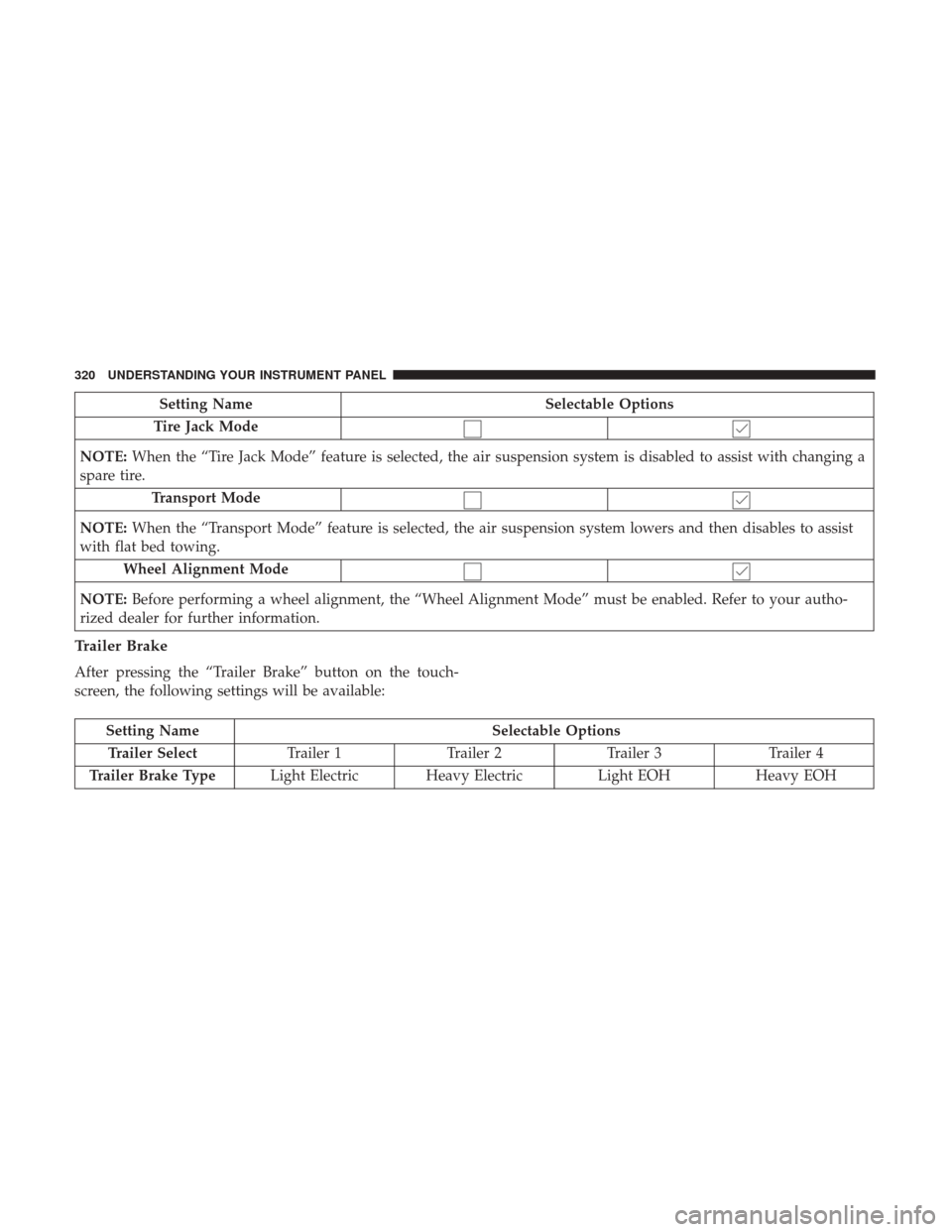
Setting NameSelectable Options
Tire Jack Mode
NOTE: When the “Tire Jack Mode” feature is selected, the air suspension system is disabled to assist with changing a
spare tire.
Transport Mode
NOTE: When the “Transport Mode” feature is selected, the air suspension system lowers and then disables to assist
with flat bed towing.
Wheel Alignment Mode
NOTE: Before performing a wheel alignment, the “Wheel Alignment Mode” must be enabled. Refer to your autho-
rized dealer for further information.
Trailer Brake
After pressing the “Trailer Brake” button on the touch-
screen, the following settings will be available:
Setting Name Selectable Options
Trailer Select Trailer 1Trailer 2Trailer 3 Trailer 4
Trailer Brake Type Light Electric Heavy Electric Light EOHHeavy EOH
320 UNDERSTANDING YOUR INSTRUMENT PANEL