traction control Ram 1500 2019 User Guide
[x] Cancel search | Manufacturer: RAM, Model Year: 2019, Model line: 1500, Model: Ram 1500 2019Pages: 698, PDF Size: 9.04 MB
Page 337 of 698
The locking rear axle is controlled by the AXLE LOCKER
button.
Under normal driving conditions, the rear axle should be
unlocked.
During the command to lock the rear axle, the indicator
light will flash until the axle is locked. After the lock
command has been successfully executed, the light will
remain on solid.
Operating in 4WD LOW the locker can be engaged up to
40 mph (64 km/h) and will remain engaged throughout the
4WD LOW speed range.
Operating the locker in 2WD, 4WD AUTO, and 4WD
LOCK/HIGH the locker can be engaged up to 20 mph
(32 km/h). While driving with the locker engaged, if speed
exceeds 25 mph (40 km/h), the locker will automatically
disengage, but will automatically reengage at 20 mph
(32 km/h).
NOTE:Left to right wheel speed difference may be neces-
sary to allow the rear axle to fully lock. If the indicator light
is flashing after selecting the rear axle lock mode, drive the
vehicle in a turn or on loose gravel to expedite the locking
action. The axle locker could become torque locked due to side to
side loads on the rear axle. Driving slowly while turning
the steering wheel from a left hand turn to a right hand
turn or driving in REVERSE for a short distance may be
required to release the torque lock and unlock the axles.
To unlock the rear axle; push the AXLE LOCK button. The
AXLE LOCK indicator light will go out when the rear axle
is unlocked.
LIMITED-SLIP DIFFERENTIAL — IF EQUIPPED
The limited-slip differential provides additional traction on
snow, ice, mud, sand and gravel, particularly when there is
a difference between the traction characteristics of the
surface under the right and left rear wheels. During normal
driving and cornering, the limited-slip unit performs simi-
larly to a conventional differential. On slippery surfaces,
however, the differential delivers more of the driving effort
to the rear wheel having the better traction.
The limited-slip differential is especially helpful during
slippery driving conditions. With both rear wheels on a
slippery surface, a slight application of the accelerator will
supply maximum traction. When starting with only one
6
STARTING AND OPERATING 335
Page 350 of 698
To Cancel
The following conditions cancel the system:
•The brake pedal is applied.
• The CANC (cancel) button is pushed.
• An Anti-Lock Brake System (ABS) event occurs.
• The gear selector is removed from the DRIVE position.
• The Electronic Stability Control/Traction Control Sys-
tem (ESC/TCS) activates.
• The vehicle parking brake is applied.
• Driver seatbelt is unbuckled at low speeds.
• Driver door is opened at low speeds.
• A Trailer Sway Control (TSC) event occurs.
• The driver switches ESC to full-off mode.
• The braking temperature exceeds normal range (over-
heated).
To Turn Off
The system will turn off and clear the set speed in memory
if:
• The Adaptive Cruise Control (ACC) on/off button is
pushed.
• The Normal (Fixed Speed) Cruise Control on/off button
is pushed.
• The ignition is turned OFF.
• You switch to Four-Wheel Drive Low.
To Resume
If there is a set speed in memory push the RES (resume)
button and then remove your foot from the accelerator
pedal. The instrument cluster display will display the last
set speed.
348 STARTING AND OPERATING
Page 365 of 698
Metric Speed (km/h)
•Pushing the SET (+)button once will result in a 1 km/h
increase in set speed. Each subsequent tap of the button
results in an increase of 1 km/h.
• If the button is continually pushed, the set speed will
continue to increase in 10 km/h increments until the
button is released. The increase in set speed is reflected
in the instrument cluster display.
To Decrease Speed
When the Normal (Fixed Speed) Cruise Control is set, you
can decrease speed by pushing the SET (-)button.
The driver’s preferred units can be selected through the
instrument panel settings. Refer to ”Instrument Cluster
Display” in “Getting To Know Your Instrument Panel” for
more information. The speed decrement shown is depen-
dant on the speed of U.S. (mph) or Metric (km/h) units:
U.S. Speed (mph)
• Pushing the SET (-)button once will result in a 1 mph
decrease in set speed. Each subsequent tap of the button
results in a decrease of 1 mph. •
If the button is continually pushed, the set speed will
continue to decrease in 5 mph decrements until the
button is released. The decrease in set speed is reflected
in the instrument cluster display.
Metric Speed (km/h)
• Pushing the SET (-)button once will result in a 1 km/h
decrease in set speed. Each subsequent tap of the button
results in a decrease of 1 km/h.
• If the button is continually pushed, the set speed will
continue to decrease in 10 km/h decrements until the
button is released. The decrease in set speed is reflected
in the instrument cluster display.
To Cancel
The following conditions will cancel the Normal (Fixed
Speed) Cruise Control without clearing the memory:
• The brake pedal is applied.
• The CANC button is pushed.
• The Electronic Stability Control/Traction Control Sys-
tem (ESC/TCS) activates.
• The vehicle parking brake is applied.
6
STARTING AND OPERATING 363
Page 397 of 698
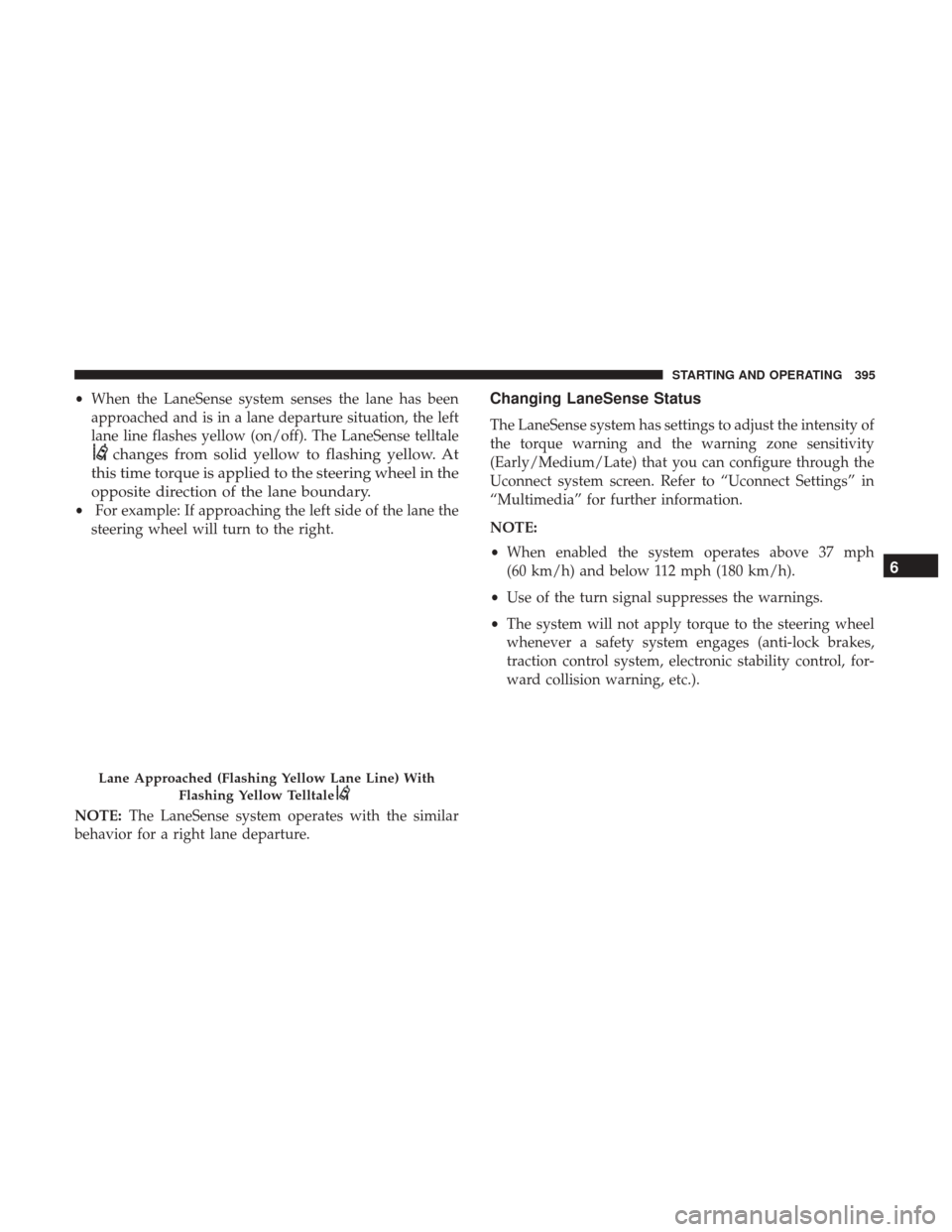
•When the LaneSense system senses the lane has been
approached and is in a lane departure situation, the left
lane line flashes yellow (on/off). The LaneSense telltale
changes from solid yellow to flashing yellow. At
this time torque is applied to the steering wheel in the
opposite direction of the lane boundary.
• For example: If approaching the left side of the lane the
steering wheel will turn to the right.
NOTE: The LaneSense system operates with the similar
behavior for a right lane departure.
Changing LaneSense Status
The LaneSense system has settings to adjust the intensity of
the torque warning and the warning zone sensitivity
(Early/Medium/Late) that you can configure through the
Uconnect system screen. Refer to “Uconnect Settings” in
“Multimedia” for further information.
NOTE:
• When enabled the system operates above 37 mph
(60 km/h) and below 112 mph (180 km/h).
• Use of the turn signal suppresses the warnings.
• The system will not apply torque to the steering wheel
whenever a safety system engages (anti-lock brakes,
traction control system, electronic stability control, for-
ward collision warning, etc.).
Lane Approached (Flashing Yellow Lane Line) With
Flashing Yellow Telltale
6
STARTING AND OPERATING 395
Page 431 of 698
12. Shift the transmission into DRIVE, release the brakepedal, and check that the vehicle operates normally.
NOTE:
• Steps 3 and 4 are requirements that must be met before
pushing the button to shift out of NEUTRAL (N), and
must continue to be met until the shift has been com-
pleted. If any of these requirements are not met before
pushing the button or are no longer met during the shift,
the NEUTRAL (N) indicator light will flash continu-
ously until all requirements are met or until the button is
released.
• The ignition must be in the ON/RUN mode for a shift to
take place and for the position indicator lights to be
operable. If the ignition is not in the ON/RUN mode, the
shift will not take place and no position indicator lights
will be on or flashing.
• A flashing NEUTRAL (N) position indicator light indi-
cates that shift requirements have not been met.DRIVING TIPS
Driving On Slippery Surfaces
Acceleration
Rapid acceleration on snow covered, wet, or other slippery
surfaces may cause the driving wheels to pull erratically to
the right or left. This phenomenon occurs when there is a
difference in the surface traction under the rear (driving)
wheels.
WARNING!
Rapid acceleration on slippery surfaces is dangerous.
Unequal traction can cause sudden pulling of the rear
wheels. You could lose control of the vehicle and
possibly have a collision. Accelerate slowly and care-
fully whenever there is likely to be poor traction (ice,
snow, wet, mud, loose sand, etc.).
6
STARTING AND OPERATING 429
Page 540 of 698
WARNING!(Continued)
and suspension components. You could lose control
and have a collision resulting in serious injury or
death. Use only the tire and wheel sizes with load
ratings approved for your vehicle.
• Never use a tire with a smaller load index or capacity,
other than what was originally equipped on your
vehicle. Using a tire with a smaller load index could
result in tire overloading and failure. You could lose
control and have a collision.
• Failure to equip your vehicle with tires having ad-
equate speed capability can result in sudden tire
failure and loss of vehicle control.
CAUTION!
Replacing original tires with tires of a different size
may result in false speedometer and odometer read-
ings.
Tire Types
All Season Tires — If Equipped
All Season tires provide traction for all seasons (Spring,
Summer, Fall, and Winter). Traction levels may vary be-
tween different all season tires. All season tires can be
identified by the M+S, M&S, M/S or MS designation on the
tire sidewall. Use all season tires only in sets of four; failure
to do so may adversely affect the safety and handling of
your vehicle.
Summer Or Three Season Tires — If Equipped
Summer tires provide traction in both wet and dry condi-
tions, and are not intended to be driven in snow or on ice.
If your vehicle is equipped with Summer tires, be aware
these tires are not designed for Winter or cold driving
conditions. Install Winter tires on your vehicle when am-
bient temperatures are less than 40°F (5°C) or if roads are
covered with ice or snow. For more information, contact an
authorized dealer.
Summer tires do not contain the all season designation or
mountain/snowflake symbol on the tire sidewall. Use
Summer tires only in sets of four; failure to do so may
adversely affect the safety and handling of your vehicle.
538 SERVICING AND MAINTENANCE
Page 541 of 698
WARNING!
Do not use Summer tires in snow/ice conditions. You
could lose vehicle control, resulting in severe injury or
death. Driving too fast for conditions also creates the
possibility of loss of vehicle control.
Snow Tires
Some areas of the country require the use of snow tires
during the Winter. Snow tires can be identified by a
“mountain/snowflake” symbol on the tire sidewall.If you need snow tires, select tires
equivalent in size and type to the origi-
nal equipment tires. Use snow tires only
in sets of four; failure to do so may
adversely affect the safety and handling
of your vehicle.
Snow tires generally have lower speed ratings than what
was originally equipped with your vehicle and should not
be operated at sustained speeds over 75 mph (120 km/h).
For speeds above 75 mph (120 km/h) refer to original
equipment or an authorized tire dealer for recommended
safe operating speeds, loading and cold tire inflation
pressures. While studded tires improve performance on ice, skid and
traction capability on wet or dry surfaces may be poorer
than that of non-studded tires. Some states prohibit stud-
ded tires; therefore, local laws should be checked before
using these tire types.
Spare Tires — If Equipped
NOTE:
For vehicles equipped with Tire Service Kit instead
of a spare tire, please refer to “Tire Service Kit” in “In Case
Of Emergency” for further information.
CAUTION!
Because of the reduced ground clearance, do not take
your vehicle through an automatic car wash with a
compact or limited use temporary spare installed.
Damage to the vehicle may result.
Spare Tire Matching Original Equipped Tire And
Wheel — If Equipped
Your vehicle may be equipped with a spare tire and wheel
equivalent in look and function to the original equipment
tire and wheel found on the front or rear axle of your
vehicle. This spare tire may be used in the tire rotation for
8
SERVICING AND MAINTENANCE 539
Page 545 of 698
Dark Vapor Chrome, Black Satin Chrome, or Low Gloss
Clear Coat Wheels
CAUTION!
If your vehicle is equipped with these specialty
wheels, DO NOT USE wheel cleaners, abrasives, or
polishing compounds. They will permanently damage
this finish and such damage is not covered by the New
Vehicle Limited Warranty. HAND WASH ONLY US-
ING MILD SOAP AND WATER WITH A SOFT
CLOTH. Used on a regular basis; this is all that is
required to maintain this finish.
Tire Chains (Traction Devices)
Use of traction devices require sufficient tire-to-body clear-
ance. Follow these recommendations to guard against
damage.
•Traction device must be of proper size for the tire, as
recommended by the traction device manufacturer.
Please follow the table below for proper tire size, chain
type, and axle recommendations:
Vehicle Axle Recommendations Tire SizesChain Class
1500 Models Rear Only275/65R18
275/55R20 S Class
WARNING!
Using tires of different size and type (M+S, Snow)
between front and rear axles can cause unpredictable
handling. You could lose control and have a collision.
CAUTION!
To avoid damage to your vehicle or tires, observe the
following precautions:
•
Because of restricted traction device clearance be-
tween tires and other suspension components, it is
(Continued)
8
SERVICING AND MAINTENANCE 543
Page 548 of 698
Traction Grades
The Traction grades, from highest to lowest, are AA, A,
B, and C. These grades represent the tire’s ability to stop
on wet pavement, as measured under controlled condi-
tions on specified government test surfaces of asphalt
and concrete. A tire marked C may have poor traction
performance.
WARNING!
The traction grade assigned to this tire is based on
straight-ahead braking traction tests, and does not
include acceleration, cornering, hydroplaning, or
peak traction characteristics.
Temperature Grades
The Temperature grades are A (the highest), B, and C,
representing the tire’s resistance to the generation of
heat and its ability to dissipate heat, when tested under
controlled conditions on a specified indoor laboratory
test wheel.
Sustained high temperature can cause the material of
the tire to degenerate and reduce tire life, and excessive
temperature can lead to sudden tire failure. The grade C corresponds to a level of performance, which all pas-
senger vehicle tires must meet under the Federal Motor
Vehicle Safety Standard No. 109. Grades B and A
represent higher levels of performance on the laboratory
test wheel, than the minimum required by law.
WARNING!
The temperature grade for this tire is established for
a tire that is properly inflated and not overloaded.
Excessive speed, under-inflation, or excessive load-
ing, either separately or in combination, can cause
heat buildup and possible tire failure.
STORING THE VEHICLE
If you are storing your vehicle for more than 21 days, we
recommend that you take the following steps to minimize
the drain on your vehicle’s battery:
• Disconnect the negative cable from battery.
•
Any time you store your vehicle or keep it out of service
(i.e., vacation) for two weeks or more, run the air condi-
tioning system at idle for about five minutes in the fresh
air and high blower setting. This will ensure adequate
system lubrication to minimize the possibility of compres-
sor damage when the system is started again.
546 SERVICING AND MAINTENANCE
Page 689 of 698
Passing................................71
Seat Belt Reminder ...................... .179
Security Alarm ......................... .181
Service ............................... .441
Traction Control ........................ .206
Turn Signals ................73, 192, 287, 442, 447
Warning Instrument Cluster Descriptions . . . .181, 192
Limited-Slip Differential ..................335, 521
Loading Vehicle ........................... .406
Tires................................. .528
Load Shed Battery Saver Mode .................177
Load Shed Battery Saver On ...................177
Load Shed Electrical Load Reduction .............177
Load Shed Intelligent Battery Sensor .............177
Locks Automatic Door ..........................41
Child Protection ..........................42
Power Door .............................37
Low Tire Pressure System .....................225
Lubrication, Body ......................... .509
Lug Nuts ............................ .556, 557
Maintenance Free Battery .....................497
Maintenance Schedule ...................... .489
Malfunction Indicator Light (Check Engine) . . . .184, 195 Manual
Service ............................... .678
Manual Transmission Fluid Level Check ....................... .522
Lubricant Selection ...................... .566
Media Hub .............................. .642
Memory Feature (Memory Seats) ................43
Memory Seat ........................... .43, 49
Memory Seats And Radio .....................43
Methanol ............................... .560
Mirrors ..................................61
Electric Powered ..........................63
Heated .................................66
Memory ................................49
Outside ................................62
Rearview ........................... .61, 436
Trailer Towing ...........................66
Modifications/Alterations V
ehicle .................................6
Monitor, Tire Pressure System ..................225
Mopar Parts ............................. .677
MP3 Control ............................. .642
Multi-Function Control Lever ...................69
Navigation System (Uconnect GPS) ..............396
12
INDEX 687