instrument cluster display Ram 1500 2019 Workshop Manual
[x] Cancel search | Manufacturer: RAM, Model Year: 2019, Model line: 1500, Model: Ram 1500 2019Pages: 698, PDF Size: 9.04 MB
Page 339 of 698
NOTE:
•Even if the power steering assistance is no longer
operational, it is still possible to steer the vehicle. Under
these conditions there will be a substantial increase in
steering effort, especially at low speeds and during
parking maneuvers.
• If the condition persists, see your authorized dealer for
service.
FUEL SAVER TECHNOLOGY 5.7L ENGINES ONLY
— IF EQUIPPED
This feature offers improved fuel economy by shutting off
four of the engine’s eight cylinders during light load and
cruise conditions. The system is automatic with no driver
inputs or additional driving skills required.
NOTE: This system may take some time to return to full
functionality after a battery disconnect.
STOP/START SYSTEM — IF EQUIPPED
The Stop/Start function is developed to save fuel and
reduce emissions. The system will stop the engine auto-
matically during a vehicle stop if the required conditions
are met. Releasing the brake pedal will automatically
restart the engine. Vehicles equipped with eTorque contain a heavy duty
motor generator and an additional hybrid electric battery
to store energy from vehicle deceleration for use on engine
startup after a stop as well as providing launch torque
assist.
Automatic Mode
The Stop/Start feature is enabled after every normal cus-
tomer engine start. It will remain in STOP/START NOT
READY until you drive forward with a vehicle speed
greater than 2 mph (3 km/h). At that time, the system will
go into STOP/START READY and if all other conditions
are met, can go into an STOP/START AUTO STOP ACTIVE
“Autostop” mode.
To Activate The Autostop Mode, The Following Must
Occur:
1. The system must be in STOP/START READY state. A
STOP/START READY message will be displayed in the
instrument cluster within the Stop/Start section. Refer
to “Instrument Cluster Display” in “Getting To know
Your Instrument Panel” for further information.
2. The vehicle must be completely stopped.
3. The transmission Gear Selector must be in DRIVE and the brake pedal depressed.
6
STARTING AND OPERATING 337
Page 341 of 698
•Low brake vacuum (e.g. after several brake pedal appli-
cations).
• STOP/START OFF switch is pushed.
• 4WD system is put into 4LO mode.
• The emissions system override is present.
• A STOP/START system error present.
Conditions That Force An Automatic Shift To Park While
In Autostop Mode
The engine will not start automatically and the transmis-
sion will be placed in PARK if:
• The driver door is open and brake pedal released.
• The driver door is open and the driver seat belt is
unbuckled.
• The engine hood has been opened.
• A STOP/START system error present.
The engine may then be restarted by moving the transmis-
sion shift selector out of PARK (e.g. to DRIVE) or, in some
cases, only by a KEY START. The instrument cluster will
display a SHIFT OUT OF PARK message, or a STOP/
START KEY START REQUIRED message, to indicate which
action is required. Refer to “Instrument Cluster Display” in “Getting To Know
Your Instrument Panel” for further information.
To Manually Turn Off The Stop Start System
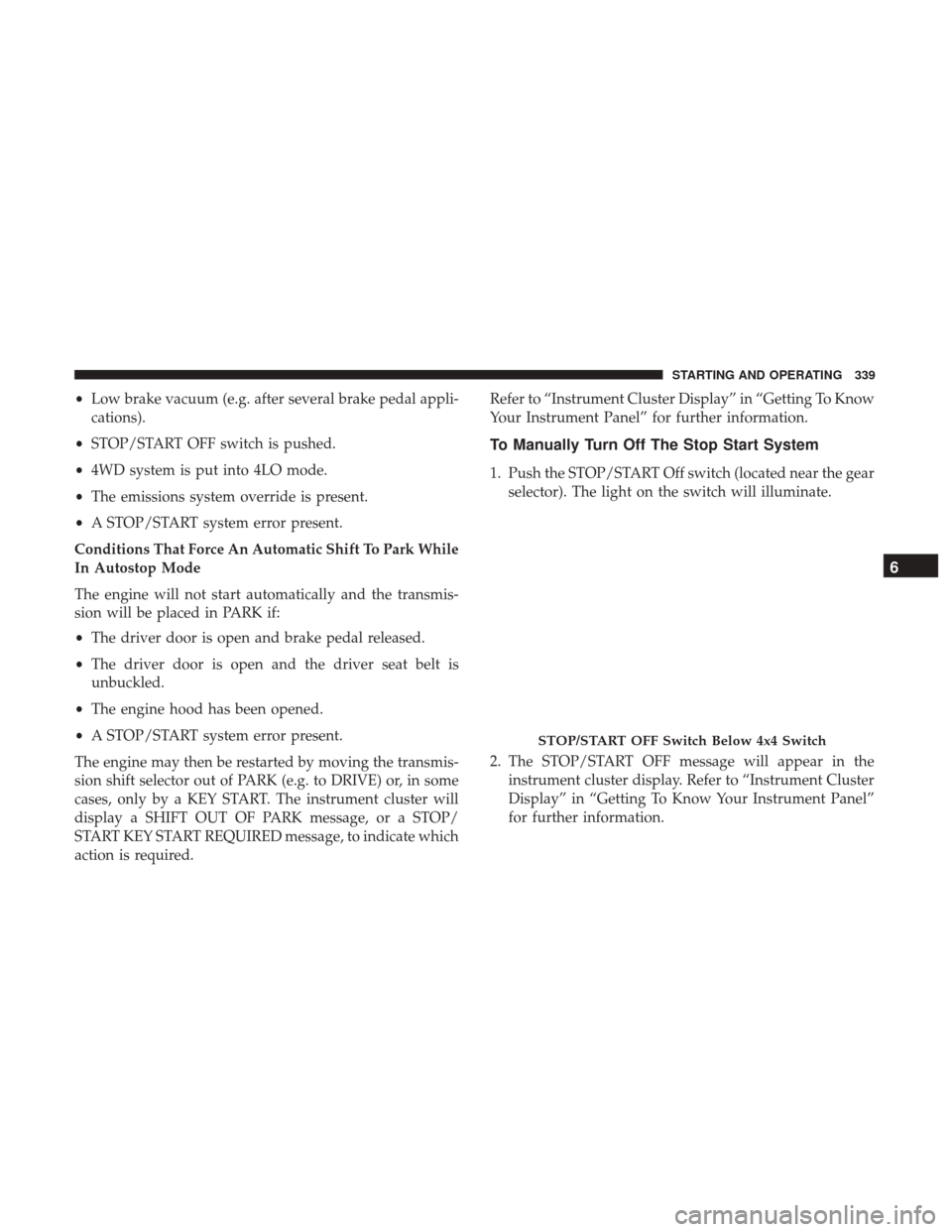
1. Push the STOP/START Off switch (located near the gear
selector). The light on the switch will illuminate.
2. The STOP/START OFF message will appear in the instrument cluster display. Refer to “Instrument Cluster
Display” in “Getting To Know Your Instrument Panel”
for further information.
STOP/START OFF Switch Below 4x4 Switch
6
STARTING AND OPERATING 339
Page 342 of 698
3. At the next vehicle stop (after turning off the STOP/START system) the engine will not be stopped.
4. If the STOP/START system is manually turned off, the engine can be started and stopped by cycling the
ignition switch or pressing the STOP/START switch
again.
5. The STOP/START system will reset itself back to an ON condition every time the key is turned off and back on.
To Manually Turn On The Stop Start System
1. Push the STOP/START Off switch (located near the gearselector module).
2. The light on the switch will turn off.
System Malfunction
If there is a malfunction in the STOP/START system, the
system will not shut down the engine. A “SERVICE STOP/
START SYSTEM” message will appear in the instrument
cluster display. Refer to “Instrument Cluster Display” in
“Getting To Know Your Instrument Panel” for further
information.
The system will need to be checked by your authorized
dealer.
SPEED CONTROL — IF EQUIPPED
When engaged, the Speed Control takes over accelerator
operations at speeds greater than 20 mph (32 km/h).
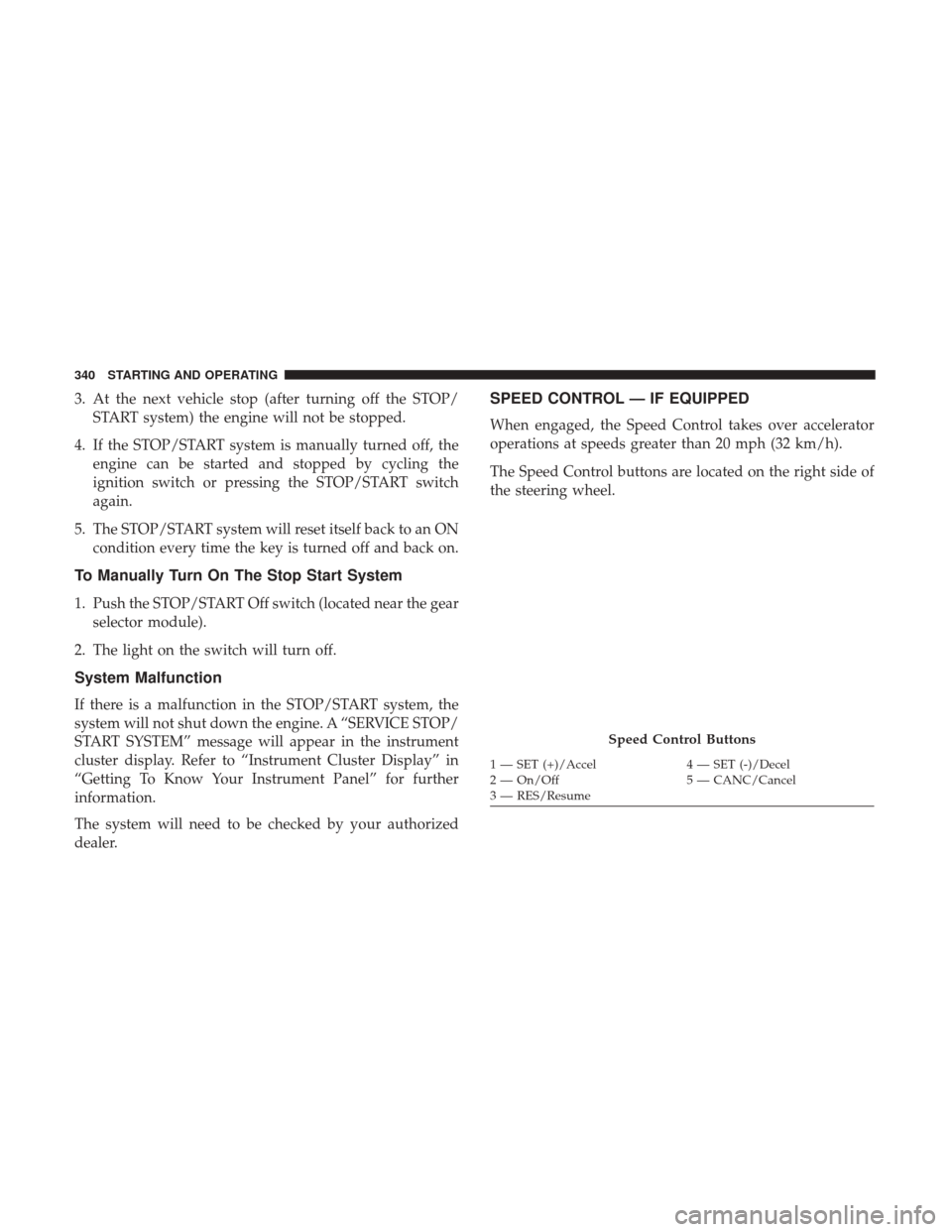
The Speed Control buttons are located on the right side of
the steering wheel.
Speed Control Buttons
1 — SET (+)/Accel 4 — SET (-)/Decel
2 — On/Off 5 — CANC/Cancel
3 — RES/Resume
340 STARTING AND OPERATING
Page 343 of 698
NOTE:
•In order to ensure proper operation, the Speed Control
System has been designed to shut down if multiple
Speed Control functions are operated at the same time. If
this occurs, the Speed Control System can be reactivated
by pushing the Speed Control on/off button and reset-
ting the desired vehicle set speed.
WARNING!
Speed Control can be dangerous where the system
cannot maintain a constant speed. Your vehicle could
go too fast for the conditions, and you could lose
control and have an accident. Do not use Speed Control
in heavy traffic or on roads that are winding, icy,
snow-covered or slippery.
To Activate
Push the on/off button to activate the Speed Control. The
cruise indicator light in the instrument cluster display will
illuminate. To turn the system off, push the on/off button
a second time. The cruise indicator light will turn off. The
system should be turned off when not in use.
WARNING!
Leaving the Speed Control system on when not in use
is dangerous. You could accidentally set the system or
cause it to go faster than you want. You could lose
control and have an accident. Always leave the system
off when you are not using it.
To Set A Desired Speed
Turn the Speed Control on.
NOTE: The vehicle should be traveling at a steady speed
and on level ground before pushing the SET (+) or SET (-)
button.
When the vehicle has reached the desired speed, push the
SET (+) or SET (-) button and release. Release the accelera-
tor and the vehicle will operate at the selected speed.
To Vary The Speed Setting
To Increase Speed
When the Speed Control is set, you can increase speed by
pushing the SET (+)button.
The driver ’s preferred units can be selected through the
instrument panel settings. Refer to ”Instrument Cluster
6
STARTING AND OPERATING 341
Page 344 of 698
Display” in “Getting To Know Your Instrument Panel” for
more information. The speed increment shown is depen-
dent on the chosen speed unit of U.S. (mph) or Metric
(km/h):
U.S. Speed (mph)
•Pushing the SET (+)button once will result ina1mph
increase in set speed. Each subsequent tap of the button
results in an increase of 1 mph.
• If the button is continually pushed, the set speed will
continue to increase until the button is released, then the
new set speed will be established.
Metric Speed (km/h)
• Pushing the SET (+)button once will result in a 1 km/h
increase in set speed. Each subsequent tap of the button
results in an increase of 1 km/h.
• If the button is continually pushed, the set speed will
continue to increase until the button is released, then the
new set speed will be established.
To Decrease Speed
When the Speed Control is set, you can decrease speed by
pushing the SET (-)button. The driver ’s preferred units can be selected through the
instrument panel settings. Refer to ”Instrument Cluster
Display” in “Getting To Know Your Instrument Panel” for
more information. The speed increment shown is depen-
dent on the chosen speed unit of U.S. (mph) or Metric
(km/h):
U.S. Speed (mph)
•
Pushing the SET (-)button once will result in a 1 mph
decrease in set speed. Each subsequent tap of the button
results in a decrease of 1 mph.
• If the button is continually pushed, the set speed will
continue to decrease until the button is released, then the
new set speed will be established.
Metric Speed (km/h)
• Pushing the SET (-)button once will result in a 1 km/h
decrease in set speed. Each subsequent tap of the button
results in a decrease of 1 km/h.
• If the button is continually pushed, the set speed will
continue to decrease until the button is released, then the
new set speed will be established.
342 STARTING AND OPERATING
Page 348 of 698
Activating Adaptive Cruise Control (ACC)
You can only engage ACC if the vehicle speed is above
0 mph (0 km/h).
The minimum set speed for the ACC system is 20 mph
(32 km/h).
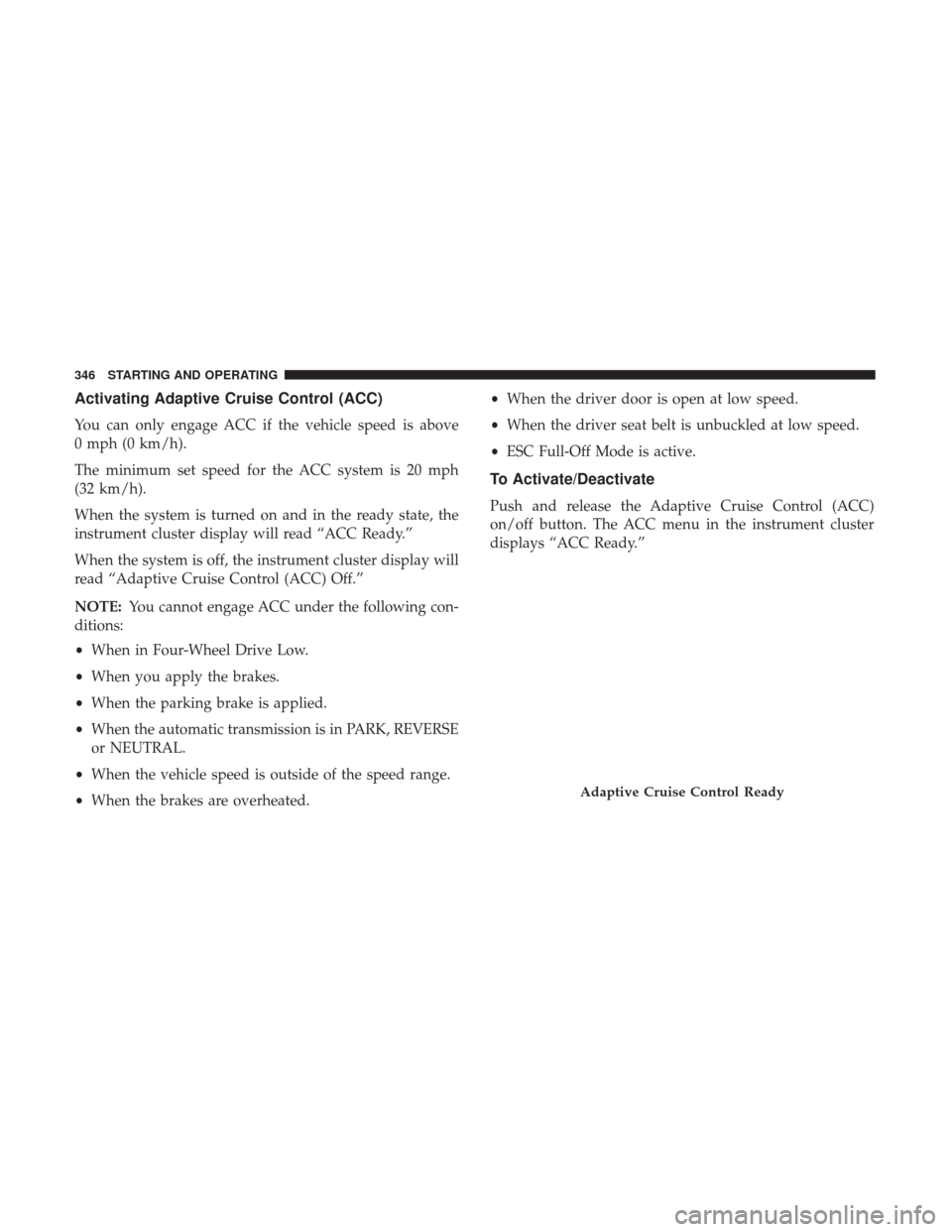
When the system is turned on and in the ready state, the
instrument cluster display will read “ACC Ready.”
When the system is off, the instrument cluster display will
read “Adaptive Cruise Control (ACC) Off.”
NOTE:You cannot engage ACC under the following con-
ditions:
• When in Four-Wheel Drive Low.
• When you apply the brakes.
• When the parking brake is applied.
• When the automatic transmission is in PARK, REVERSE
or NEUTRAL.
• When the vehicle speed is outside of the speed range.
• When the brakes are overheated. •
When the driver door is open at low speed.
• When the driver seat belt is unbuckled at low speed.
• ESC Full-Off Mode is active.
To Activate/Deactivate
Push and release the Adaptive Cruise Control (ACC)
on/off button. The ACC menu in the instrument cluster
displays “ACC Ready.”
Adaptive Cruise Control Ready
346 STARTING AND OPERATING
Page 349 of 698
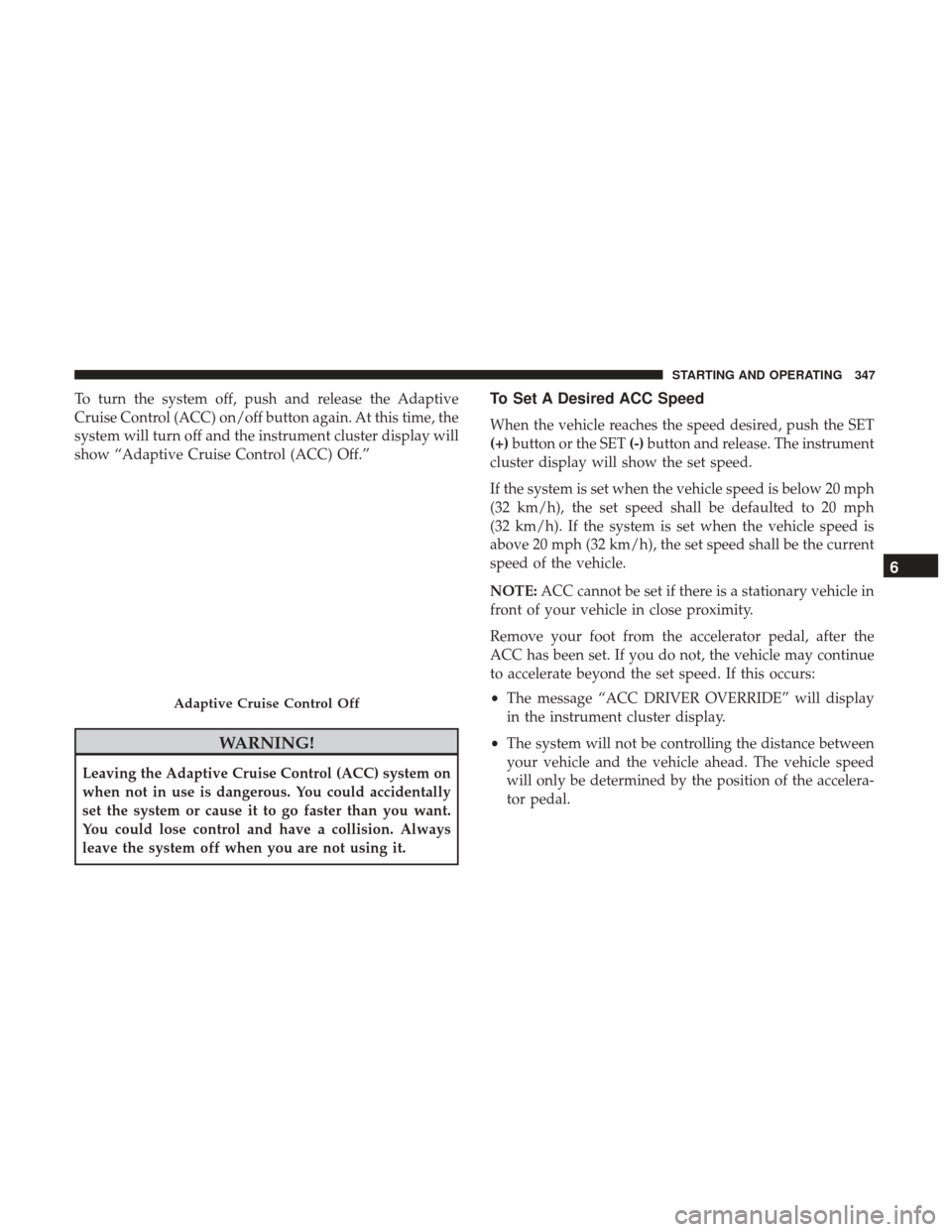
To turn the system off, push and release the Adaptive
Cruise Control (ACC) on/off button again. At this time, the
system will turn off and the instrument cluster display will
show “Adaptive Cruise Control (ACC) Off.”
WARNING!
Leaving the Adaptive Cruise Control (ACC) system on
when not in use is dangerous. You could accidentally
set the system or cause it to go faster than you want.
You could lose control and have a collision. Always
leave the system off when you are not using it.
To Set A Desired ACC Speed
When the vehicle reaches the speed desired, push the SET
(+)button or the SET (-)button and release. The instrument
cluster display will show the set speed.
If the system is set when the vehicle speed is below 20 mph
(32 km/h), the set speed shall be defaulted to 20 mph
(32 km/h). If the system is set when the vehicle speed is
above 20 mph (32 km/h), the set speed shall be the current
speed of the vehicle.
NOTE: ACC cannot be set if there is a stationary vehicle in
front of your vehicle in close proximity.
Remove your foot from the accelerator pedal, after the
ACC has been set. If you do not, the vehicle may continue
to accelerate beyond the set speed. If this occurs:
• The message “ACC DRIVER OVERRIDE” will display
in the instrument cluster display.
• The system will not be controlling the distance between
your vehicle and the vehicle ahead. The vehicle speed
will only be determined by the position of the accelera-
tor pedal.
Adaptive Cruise Control Off
6
STARTING AND OPERATING 347
Page 350 of 698
To Cancel
The following conditions cancel the system:
•The brake pedal is applied.
• The CANC (cancel) button is pushed.
• An Anti-Lock Brake System (ABS) event occurs.
• The gear selector is removed from the DRIVE position.
• The Electronic Stability Control/Traction Control Sys-
tem (ESC/TCS) activates.
• The vehicle parking brake is applied.
• Driver seatbelt is unbuckled at low speeds.
• Driver door is opened at low speeds.
• A Trailer Sway Control (TSC) event occurs.
• The driver switches ESC to full-off mode.
• The braking temperature exceeds normal range (over-
heated).
To Turn Off
The system will turn off and clear the set speed in memory
if:
• The Adaptive Cruise Control (ACC) on/off button is
pushed.
• The Normal (Fixed Speed) Cruise Control on/off button
is pushed.
• The ignition is turned OFF.
• You switch to Four-Wheel Drive Low.
To Resume
If there is a set speed in memory push the RES (resume)
button and then remove your foot from the accelerator
pedal. The instrument cluster display will display the last
set speed.
348 STARTING AND OPERATING
Page 351 of 698
NOTE:
•If your vehicle stays at standstill for longer than two
seconds, then the driver will either have to push the RES
(resume) button, or apply the accelerator pedal to reen-
gage the ACC to the existing set speed.
• ACC cannot be resumed if there is a stationary vehicle
in-front of your vehicle in close proximity.
WARNING!
The Resume function should only be used if traffic
and road conditions permit. Resuming a set speed that
is too high or too low for prevailing traffic and road
conditions could cause the vehicle to accelerate or
decelerate too sharply for safe operation. Failure to
follow these warnings can result in a collision and
death or serious personal injury.
To Vary The Speed Setting
To Increase Speed
While ACC is set, you can increase the set speed by
pushing the SET (+)button. The speed increment shown is dependant on the chosen
speed unit of U.S. (mph) or Metric (km/h):
U.S. Speed (mph)
•
Pushing the SET (+)button once will result ina1mph
increase in set speed. Each subsequent tap of the button
results in an increase of 1 mph.
• If the button is continually pushed, the set speed will
continue to increase in 5 mph increments until the
button is released. The increase in set speed is reflected
in the instrument cluster display.
Metric Speed (km/h)
• Pushing the SET (+)button once will result in a 1 km/h
increase in set speed. Each subsequent tap of the button
results in an increase of 1 km/h.
• If the button is continually pushed, the set speed will
continue to increase in 10 km/h increments until the
button is released. The increase in set speed is reflected
in the instrument cluster display.
6
STARTING AND OPERATING 349
Page 352 of 698
To Decrease Speed
While ACC is set, the set speed can be decreased by
pushing the SET(-)button.
The speed decrement shown is dependant on the chosen
speed unit of U.S. (mph) or Metric (km/h):
U.S. Speed (mph)
• Pushing the SET (-)button once will result in a 1 mph
decrease in set speed. Each subsequent tap of the button
results in a decrease of 1 mph.
• If the button is continually pushed, the set speed will
continue to decrease in 5 mph increments until the
button is released. The decrease in set speed is reflected
in the instrument cluster display.
Metric Speed (km/h)
• Pushing the SET (-)button once will result in a 1 km/h
decrease in set speed. Each subsequent tap of the button
results in a decrease of 1 km/h.
• If the button is continually pushed, the set speed will
continue to decrease in 10 km/h increments until the
button is released. The decrease in set speed is reflected
in the instrument cluster display. NOTE:
•
When you override and push the SET (+)button or SET
(-) buttons, the new set speed will be the current speed
of the vehicle.
• When you use the SET (-)button to decelerate, if the
engine’s braking power does not slow the vehicle suffi-
ciently to reach the set speed, the brake system will
automatically slow the vehicle.
• The ACC system decelerates the vehicle to a full stop
when following a target vehicle. If an ACC host vehicle
follows a target vehicle to a standstill, after two seconds
the driver will either have to push the RES (resume)
button, or apply the accelerator pedal to reengage the
ACC to the existing set speed.
• The ACC system maintains set speed when driving up
hill and down hill. However, a slight speed change on
moderate hills is normal. In addition, downshifting may
occur while climbing uphill or descending downhill.
This is normal operation and necessary to maintain set
speed. When driving up hill and down hill, the ACC
system will cancel if the braking temperature exceeds
normal range (overheated).
350 STARTING AND OPERATING