brake Ram 1500 2020 User Guide
[x] Cancel search | Manufacturer: RAM, Model Year: 2020, Model line: 1500, Model: Ram 1500 2020Pages: 674, PDF Size: 32.69 MB
Page 170 of 674
168 GETTING TO KNOW YOUR INSTRUMENT PANEL
Up And Down Arrow Buttons:
Using the up or down arrows allows you to cycle through
the Main Menu Items.
Left And Right Arrow Buttons:
Using the left or right arrow button allows you to cycle
through the submenu items of the Main menu item.
NOTE:
• Holding the up/down or left/right arrow button will loop the user through the currently selected menu or options
presented on the screen.
• Main menu and submenus wrap for continuous scrolling.
• Upon returning to a main menu, the last submenu screen viewed within that main menu will be displayed.
OK Button:
For Digital Speedometer:
• Pushing the OK button changes units (mph or km/h).
For Screen Setup:
• OK button allows user to enter menu and submenus.
• Within each submenu layer, the up and down arrows will
allow the user to select the item of interest. • Pushing the
OK button makes the selection and a confir -
mation screen will appear (returning the user to the first
page of the submenu).
• Pushing the left arrow button will exit each submenu layer
and return to the main menu.
Oil Life Reset
Your vehicle is equipped with an engine oil change indicator
system. The “Oil Change Required” message will display in
the instrument cluster display for five seconds after a single
chime has sounded, to indicate the next scheduled oil change
interval. The engine oil change indicator system is duty cycle
based, which means the engine oil change interval may fluc -
tuate, dependent upon your personal driving style.
Unless reset, this message will continue to display each time
you place the ignition in the ON/RUN position. To turn off
the message temporarily, push and release the OK or arrow
buttons. To reset the oil change indicator system (after
performing the scheduled maintenance), refer to the
following procedure:
1. Without pressing the brake pedal, push the ENGINE START/STOP button and place the ignition in the ON/
RUN position (do not start the engine).
2. Push and release the down arrow button to scroll down -
ward through the main menu to “Vehicle Info.”
2020_DT_1500_OM_US.book Page 168
Page 173 of 674
GETTING TO KNOW YOUR INSTRUMENT PANEL 171
LaneSense — If Equipped
The instrument cluster display displays the current Lane-
Sense system settings. The information displayed depends
on LaneSense system status and the conditions that need to
be met. For further information, refer to “LaneSense — If
Equipped” in “Starting And Operating.”
Fuel Economy
Push and release the up or down arrow button until the Fuel
Economy menu item is highlighted in the instrument cluster
display. Push and hold the OK button to reset Average Fuel
Economy.
• Current Fuel Economy Gauge
• Average Fuel Economy Value
• Range To Empty
Trip
Push and release the up or down arrow button until the Trip
menu item is highlighted in the instrument cluster display.
Push and release the right or left arrow buttons to enter the
submenus of Trip A and Trip B. The Trip A or Trip B infor -
mation will display the following: • Distance
• Average Fuel Economy
• Elapsed Time
Push and hold
OK button to reset all information.
Stop/Start — If Equipped
Push and release the up or down arrow button until the
Stop/Start icon/title is highlighted in the instrument cluster
display. The screen will display the Stop/Start status.
Trailer Tow
Push and release the up or down arrow button until the
Trailer Tow menu item is highlighted in the instrument
cluster display. Push and release the right or left arrow
buttons to cycle through the following trailer trip informa -
tion:
• Trip (trailer specific) Distance: Push and hold the OK
button to reset the distance.
• Trailer Brake • Output
• Type
• Gain
3
2020_DT_1500_OM_US.book Page 171
Page 175 of 674
GETTING TO KNOW YOUR INSTRUMENT PANEL 173
Screen Setup Driver Selectable Items
Upper Left
• None
• Compass (default setting – Premium)
• Outside Temp (default setting – Base)
• Time
• Range To Empty
• Average Econ
• Current Econ
• Trip A Distance
• Trip B Distance
• Trailer Trip – If Equipped
• Trailer Brake – If Equipped
• Oil Pressure – If Equipped
• Coolant Tempt – If Equipped
• Oil Temperature – If Equipped
• Battery Voltage – If Equipped
• Transmission Temperature – If Equipped
• Oil Life – If EquippedCenter
• None
• Compass
• Outside Temp
• Time
• Range To Empty
• Average Econ
• Current Econ
• Trip A Distance
• Trip B Distance
• Trailer Trip – If Equipped
• Audio
• Speedometer (default setting)
• Menu Title
Upper Right
• None
• Compass (default setting – Base)
• Outside Temp (default setting – Premium)
• Time
3
2020_DT_1500_OM_US.book Page 173
Page 176 of 674
174 GETTING TO KNOW YOUR INSTRUMENT PANEL
• Range To Empty
• Average Econ
• Current Econ
• Trip A Distance
• Trip B Distance
• Trailer Trip – If Equipped
• Trailer Brake – If Equipped
• Oil Pressure – If Equipped
• Coolant Temp – If Equipped
• Oil Temperature – If Equipped
• Battery Voltage – If Equipped
• Transmission Temperature – If Equipped
• Oil Life – If Equipped
Left Side – If Equipped
• None
• Range To Empty
• Average Econ
• Oil Temp
• Transmission Temp• Coolant Temp
• Oil Life
• Menu Icon (default setting)
Right Side – If Equipped
• None
• Range To Empty
• Average Econ
• Oil Temp
• Transmission Temp
• Coolant Temp
• Oil Life
• Menu Icon (Default)
Lower Left – If Equipped
• None
• Compass
• Outside Temp
• Time
• Range To Empty
2020_DT_1500_OM_US.book Page 174
Page 177 of 674
GETTING TO KNOW YOUR INSTRUMENT PANEL 175
• Average Econ
• Current Econ
• Trip A Distance
• Trip B Distance
• Trailer Trip
• Trailer Brake
• Oil Pressure
• Coolant Temperature
• Oil Temperature
• Battery Voltage (default setting)
• Transmission Temperature
• Oil Life
Lower Right – If Equipped
• None
• Compass
• Outside Temp
• Time
• Range To Empty
• Average Econ• Current Econ
• Trip A Distance
• Trip B Distance
• Trailer Trip
• Trailer Brake
• Oil Pressure (default setting)
• Coolant Temperature
• Oil Temperature
• Battery Voltage
• Transmission Temperature
• Oil Life
Favorite Menus
• Speedometer
• Vehicle Info
• Driver Assist (show/hide) – If Equipped
• Fuel Economy (show/hide)
• Trip Info (show/hide)
• Stop/Start
3
2020_DT_1500_OM_US.book Page 175
Page 181 of 674
GETTING TO KNOW YOUR INSTRUMENT PANEL 179
Red Warning Lights
— Seat Belt Reminder Warning Light
This warning light indicates when the driver or passenger
seat belt is unbuckled. When the ignition is first placed in the
ON/RUN or ACC/ON/RUN position and if the driver’s
seat belt is unbuckled, a chime will sound and the light will
turn on. When driving, if the driver or front passenger seat
belt remains unbuckled, the Seat Belt Reminder Light will
flash or remain on continuously and a chime will sound.
Refer to “Occupant Restraint Systems” in “Safety” for
further information.
— Air Bag Warning Light
This warning light will illuminate to indicate a fault with the
air bag, and will turn on for four to eight seconds as a bulb
check when the ignition is placed in the ON/RUN or ACC/
ON/RUN position. This light will illuminate with a single
chime when a fault with the air bag has been detected, it will
stay on until the fault is cleared. If the light is either not on
during startup, stays on, or turns on while driving, have the
system inspected at an authorized dealer as soon as possible. — Brake Warning Light
This warning light monitors various brake functions,
including brake fluid level and parking brake application. If
the brake light turns on it may indicate that the parking
brake is applied, that the brake fluid level is low, or that there
is a problem with the anti-lock brake system reservoir.
If the light remains on when the parking brake has been
disengaged, and the fluid level is at the full mark on the
master cylinder reservoir, it indicates a possible brake
hydraulic system malfunction or that a problem with the
Brake Booster has been detected by the Anti-Lock Brake
System (ABS) / Electronic Stability Control (ESC) system. In
this case, the light will remain on until the condition has been
corrected. If the problem is related to the brake booster, the
ABS pump will run when applying the brake, and a brake
pedal pulsation may be felt during each stop.
The dual brake system provides a reserve braking capacity in
the event of a failure to a portion of the hydraulic system. A
leak in either half of the dual brake system is indicated by the
Brake Warning Light, which will turn on when the brake
fluid level in the master cylinder has dropped below a spec -
ified level.
3
2020_DT_1500_OM_US.book Page 179
Page 182 of 674
180 GETTING TO KNOW YOUR INSTRUMENT PANEL
The light will remain on until the cause is corrected.
NOTE:
The light may flash momentarily during sharp cornering
maneuvers, which change fluid level conditions. The vehicle
should have service performed, and the brake fluid level
checked.
If brake failure is indicated, immediate repair is necessary.
Vehicles equipped with the Anti-Lock Brake System (ABS)
are also equipped with Electronic Brake Force Distribution
(EBD). In the event of an EBD failure, the Brake Warning
Light will turn on along with the ABS Light. Immediate
repair to the ABS system is required.
Operation of the Brake Warning Light can be checked by
turning the ignition switch from the OFF position to the ON/
RUN position. The light should illuminate for approximately
two seconds. The light should then turn off unless theparking brake is applied or a brake fault is detected. If the
light does not illuminate, have the light inspected by an
authorized dealer.
The light also will turn on when the parking brake is applied
with the ignition switch in the ON/RUN position.
NOTE:
This light shows only that the parking brake is applied. It
does not show the degree of brake application.
— Hood Open Warning Light
This warning light will illuminate when the hood is ajar/
open and not fully closed.
NOTE:
If the vehicle is moving, there will also be a single chime.
— Vehicle Security Warning Light — If Equipped
This light will flash at a fast rate for approximately 15 seconds
when the vehicle security alarm is arming, and then will flash
slowly until the vehicle is disarmed.
WARNING!
Driving a vehicle with the red brake light on is
dangerous. Part of the brake system may have failed. It
will take longer to stop the vehicle. You could have a
collision. Have the vehicle checked immediately.
2020_DT_1500_OM_US.book Page 180
Page 184 of 674
182 GETTING TO KNOW YOUR INSTRUMENT PANEL
NOTE:
This light may turn on if the accelerator and brake pedals are
pressed at the same time.
If the light continues to flash when the vehicle is running,
immediate service is required and you may experience
reduced performance, an elevated/rough idle, or engine
stall and your vehicle may require towing. The light will
come on when the ignition is placed in the ON/RUN or
ACC/ON/RUN position and remain on briefly as a bulb
check. If the light does not come on during starting, have the
system checked by an authorized dealer. — Electric Power Steering Fault Warning Light
This warning light will turn on when there's a fault with the
Electric Power Steering (EPS) system. Refer to “Power Steering”
in “Starting And Operating” for further information.
— Tailgate Open Warning Light
This warning light will illuminate when the tailgate is open.
NOTE:
If the vehicle is moving, there will also be a single chime.
— Trailer Brake Disconnected Warning Light
This warning light will illuminate when the Trailer Brake has
been disconnected.
— Transmission Temperature Warning Light — If
Equipped
This warning light will illuminate to warn of a high transmis -
sion fluid temperature. This may occur with strenuous usage
such as trailer towing. If this light turns on, stop the vehicle
and run the engine at idle or slightly faster, with the trans -
mission in PARK or NEUTRAL, until the light turns off.
Once the light turns off, you may continue to drive normally.
WARNING!
Continued operation with reduced assist could pose a
safety risk to yourself and others. Service should be
obtained as soon as possible.
WARNING!
If you continue operating the vehicle when the
Transmission Temperature Warning Light is illuminated
you could cause the fluid to boil over, come in contact
with hot engine or exhaust components and cause a fire.
2020_DT_1500_OM_US.book Page 182
Page 186 of 674
184 GETTING TO KNOW YOUR INSTRUMENT PANEL
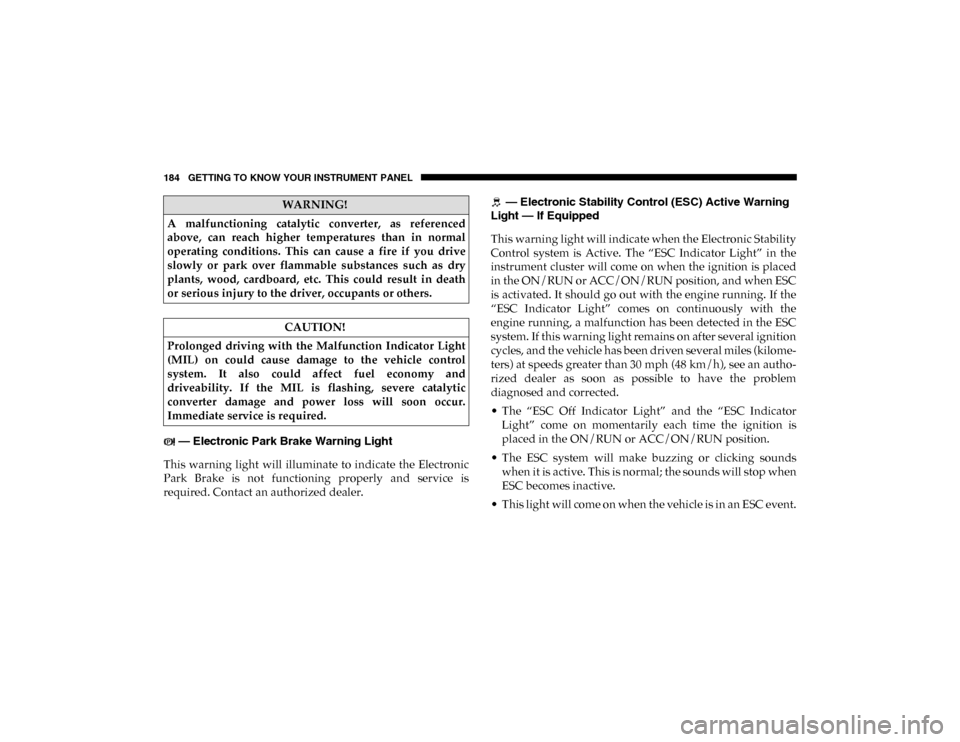
— Electronic Park Brake Warning Light
This warning light will illuminate to indicate the Electronic
Park Brake is not functioning properly and service is
required. Contact an authorized dealer. — Electronic Stability Control (ESC) Active Warning
Light — If Equipped
This warning light will indicate when the Electronic Stability
Control system is Active. The “ESC Indicator Light” in the
instrument cluster will come on when the ignition is placed
in the ON/RUN or ACC/ON/RUN position, and when ESC
is activated. It should go out with the engine running. If the
“ESC Indicator Light” comes on continuously with the
engine running, a malfunction has been detected in the ESC
system. If this warning light remains on after several ignition
cycles, and the vehicle has been driven several miles (kilome -
ters) at speeds greater than 30 mph (48 km/h), see an autho -
rized dealer as soon as possible to have the problem
diagnosed and corrected.
• The “ESC Off Indicator Light” and the “ESC Indicator Light” come on momentarily each time the ignition is
placed in the ON/RUN or ACC/ON/RUN position.
• The ESC system will make buzzing or clicking sounds when it is active. This is normal; the sounds will stop when
ESC becomes inactive.
• This light will come on when the vehicle is in an ESC event.
WARNING!
A malfunctioning catalytic converter, as referenced
above, can reach higher temperatures than in normal
operating conditions. This can cause a fire if you drive
slowly or park over flammable substances such as dry
plants, wood, cardboard, etc. This could result in death
or serious injury to the driver, occupants or others.
CAUTION!
Prolonged driving with the Malfunction Indicator Light
(MIL) on could cause damage to the vehicle control
system. It also could affect fuel economy and
driveability. If the MIL is flashing, severe catalytic
converter damage and power loss will soon occur.
Immediate service is required.
2020_DT_1500_OM_US.book Page 184
Page 189 of 674
GETTING TO KNOW YOUR INSTRUMENT PANEL 187
tires or wheels on your vehicle to ensure that the replace-
ment or alternate tires and wheels allow the TPMS to
continue to function properly.
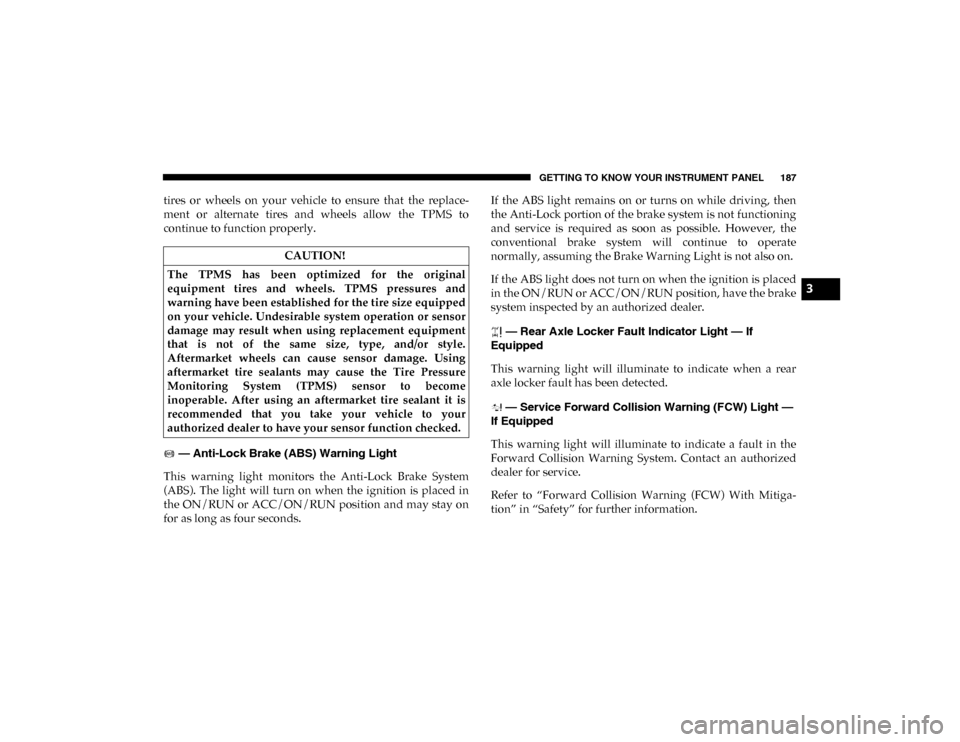
— Anti-Lock Brake (ABS) Warning Light
This warning light monitors the Anti-Lock Brake System
(ABS). The light will turn on when the ignition is placed in
the ON/RUN or ACC/ON/RUN position and may stay on
for as long as four seconds. If the ABS light remains on or turns on while driving, then
the Anti-Lock portion of the brake system is not functioning
and service is required as soon as possible. However, the
conventional brake system will continue to operate
normally, assuming the Brake Warning Light is not also on.
If the ABS light does not turn on when the ignition is placed
in the ON/RUN or ACC/ON/RUN position, have the brake
system inspected by an authorized dealer.
— Rear Axle Locker Fault Indicator Light — If
Equipped
This warning light will illuminate to indicate when a rear
axle locker fault has been detected.
— Service Forward Collision Warning (FCW) Light —
If Equipped
This warning light will illuminate to indicate a fault in the
Forward Collision Warning System. Contact an authorized
dealer for service.
Refer to “Forward Collision Warning (FCW) With Mitiga -
tion” in “Safety” for further information.
CAUTION!
The TPMS has been optimized for the original
equipment tires and wheels. TPMS pressures and
warning have been established for the tire size equipped
on your vehicle. Undesirable system operation or sensor
damage may result when using replacement equipment
that is not of the same size, type, and/or style.
Aftermarket wheels can cause sensor damage. Using
aftermarket tire sealants may cause the Tire Pressure
Monitoring System (TPMS) sensor to become
inoperable. After using an aftermarket tire sealant it is
recommended that you take your vehicle to your
authorized dealer to have your sensor function checked.
3
2020_DT_1500_OM_US.book Page 187